# CryoSPARC — Full Content
> CryoSPARC – the world's leading single-particle cryo-EM software for high-resolution 3D structure determination.
Generated from https://cryosparc.com. See https://cryosparc.com/llms.txt for a shorter, linked index.
---
## Blog
---
# Cryo-EM Insights into pH Regulation in Breast Cancer
**Author:** CryoSPARC Team
**Published:** October 8, 2026
**Category:** Discoveries
**Summary:** Cryo-EM and computational modeling reveal the structure and transport mechanism of NBCn1, a key pH regulator in breast cancer.
**Source:** https://cryosparc.com/blog/nbcn1-structural-insights
---
**Breast cancer affects about 1 in 12 women during their lifetime [1] and is characterized by substantial biological heterogeneity and distinct epidemiological patterns [2].** Fortunately, in the last decades we have seen great improvements in the outcomes of this diagnosis, especially thanks to **screening programs and awareness initiatives**, including Breast Cancer Awareness Month every October [3]. **However, breast cancer remains one of the leading causes of cancer-related death among women worldwide [4]**, and **the incidence of breast cancer continues to rise [5]**.
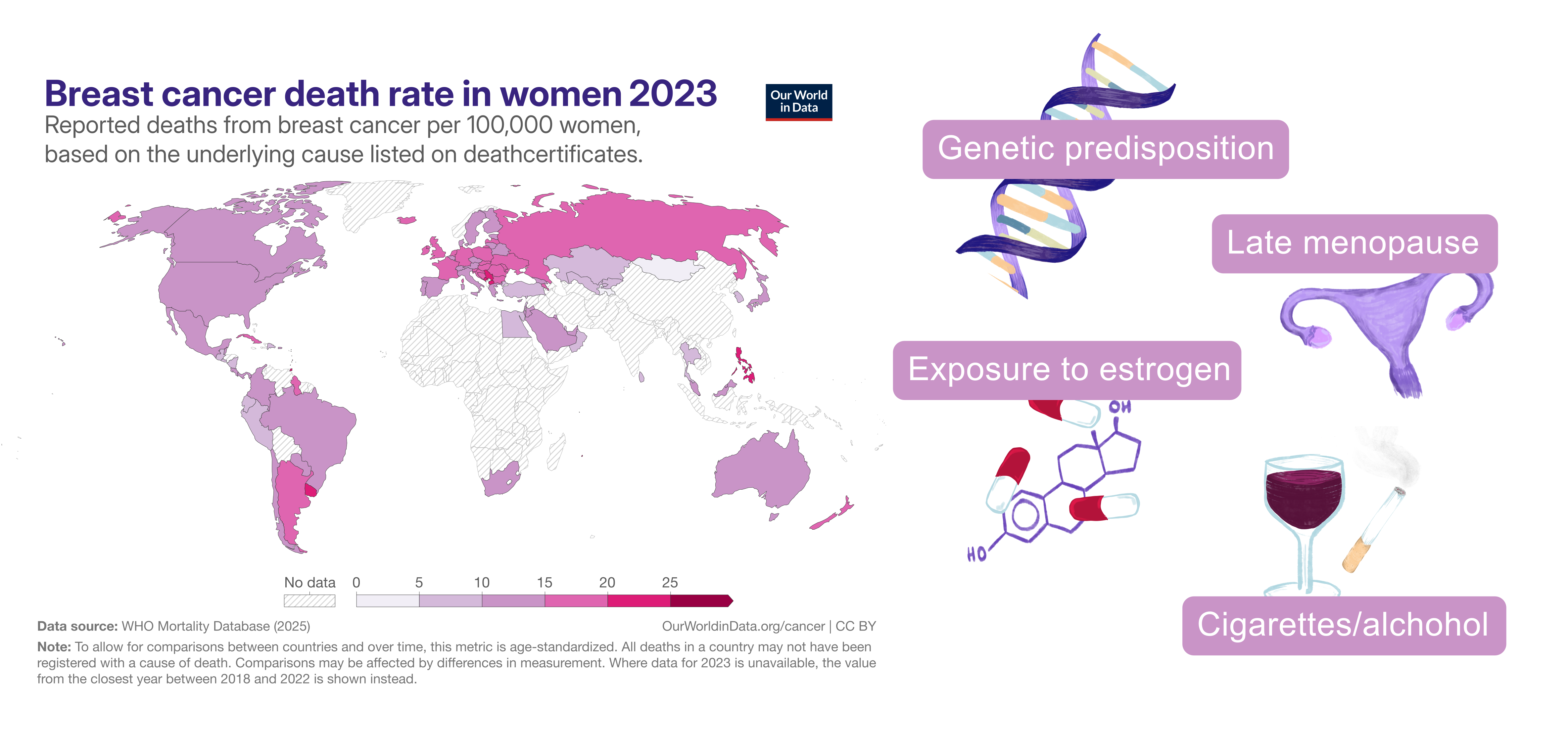
Breast cancer death rate in women in 2023 as reported in [Our World in Data](https://ourworldindata.org/grapher/breast-cancer-death-rate-in-women?tab=map) (left), and examples of risk factors [2] (right).
Breast cancer development and progression are shaped by a complex interplay of genetic, environmental, and lifestyle factors, and understanding the molecular mechanisms underlying tumorigenesis remains a major focus of research [2]. A 2025 [*Nature Communications* publication](https://www.nature.com/articles/s41467-025-64868-z) adds a piece to this complex puzzle, providing structural and **mechanistic insights into NBCn1, a pH-regulating membrane transporter that helps breast cancer cells maintain the intracellular conditions required for survival and growth**.
## NBCn1 and the Tumor Microenvironment: Acidic Outside, Alkaline Inside
The rapid growth and proliferation of tumor cells require substantial amounts of energy. To meet these demands, cancer cells frequently rely heavily on glycolysis, producing large amounts of lactate and generating an acid load. The resulting accumulation of lactate and H⁺ contributes to the characteristic acidification of the tumor microenvironment, **which can promote tumor invasion, angiogenesis, immune suppression, and drug resistance** [6, 7].
But in such an acidic environment, **how do breast cancer cells maintain the intracellular conditions required to survive and proliferate?**
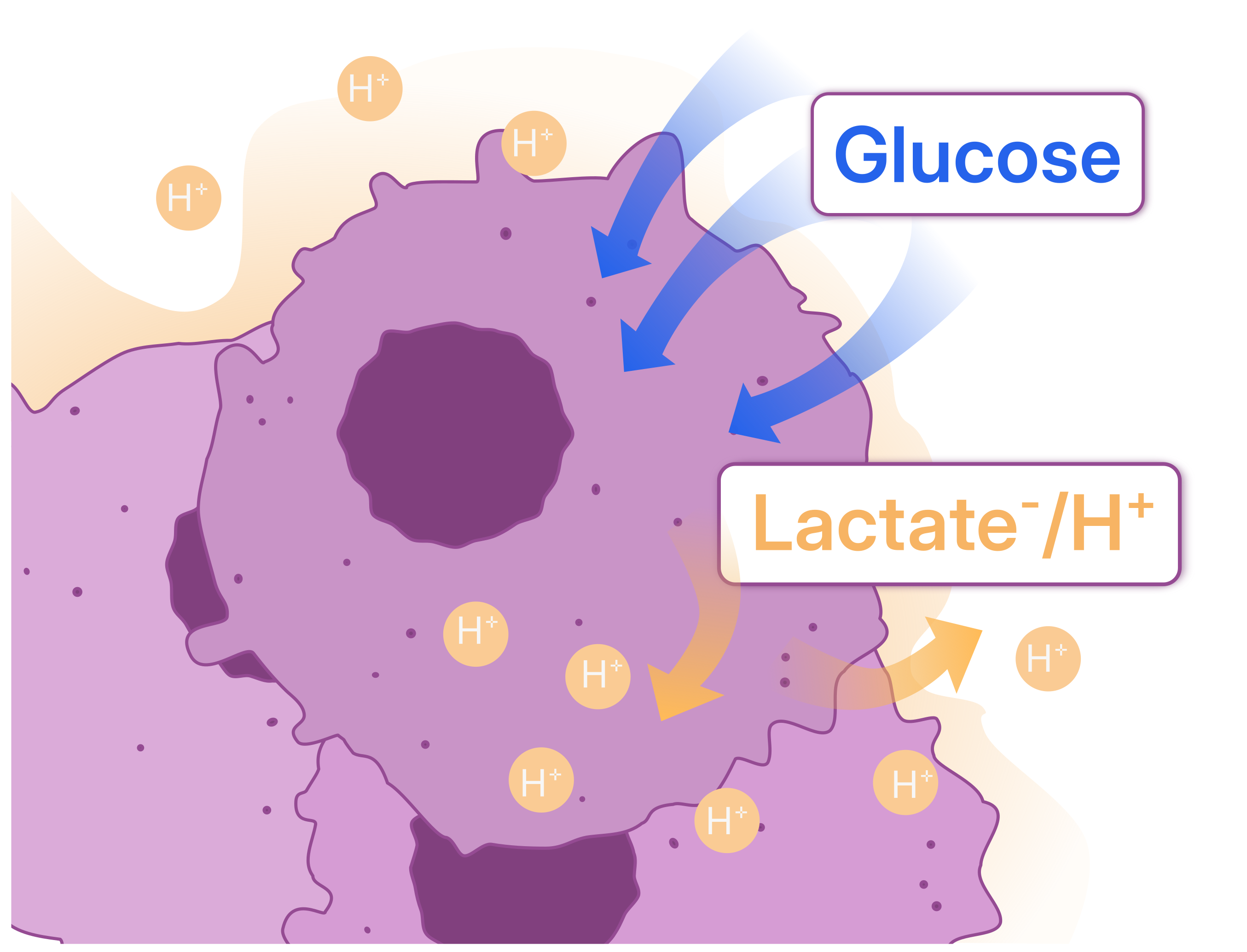 The Warburg effect is the tendency of cancer cells to rely heavily on glycolysis and convert glucose-derived pyruvate into lactate, even in the presence of oxygen, contributing to acidification of the tumor microenvironment.
Cancer cells can upregulate plasma membrane transport proteins that mediate base loading or H⁺ efflux, helping maintain a relatively alkaline intracellular pH even as their surroundings become acidic. **Among these transporters, NBCn1 imports base equivalents into the cell, contributing to increased intracellular pH, generating a reverse pH gradient.** NBCn1 belongs to the SLC4 family of membrane transporters, whose members mediate the transport of HCO₃⁻ or CO₃²⁻ coupled to Na⁺ and/or Cl⁻ through different symport or exchange mechanisms.
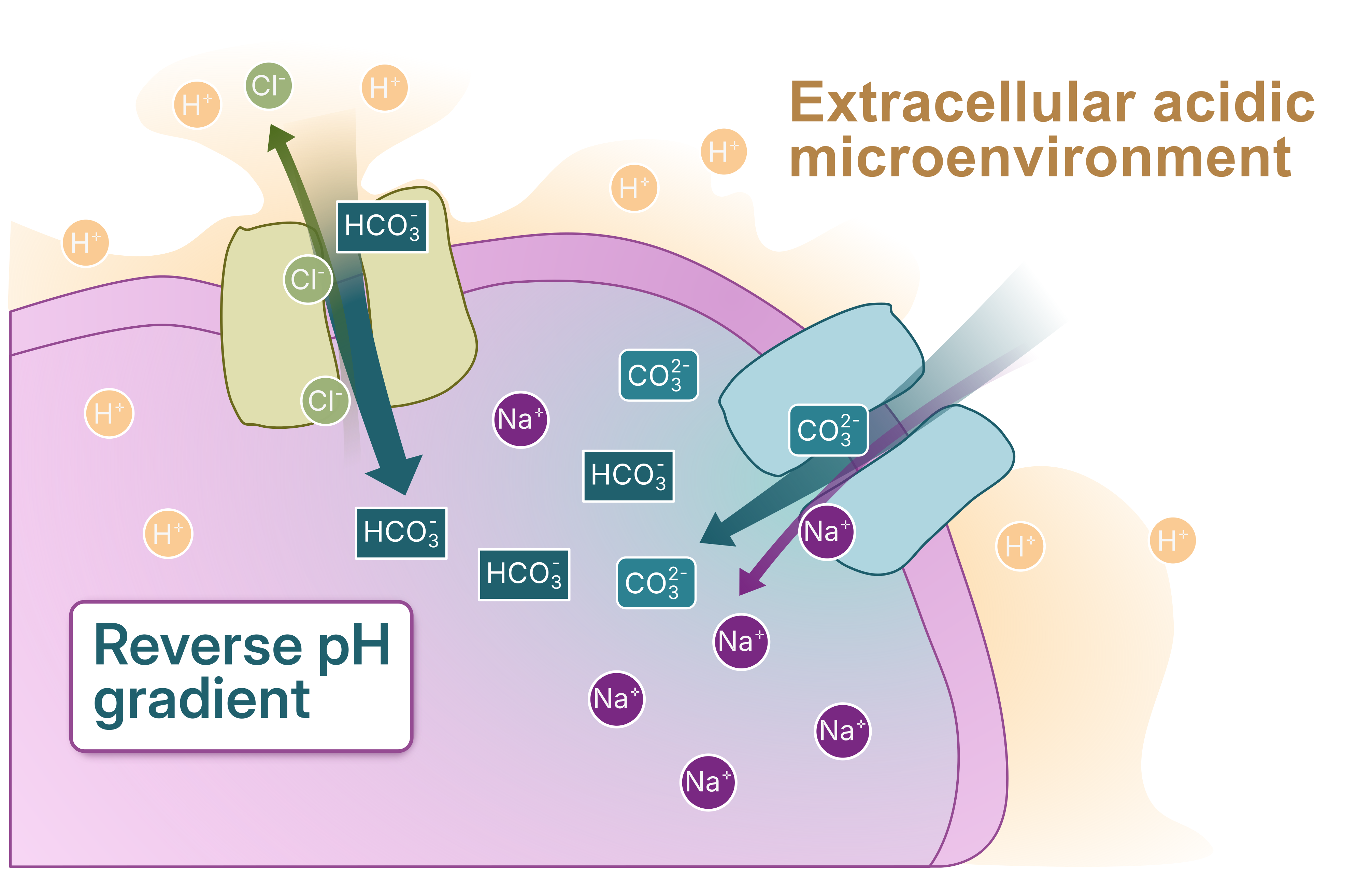
[The publication discussed in this blog post](https://www.nature.com/articles/s41467-025-64868-z) presents the **first experimentally determined cryo-EM structure of human NBCn1**. By integrating this structure with homology modeling, molecular simulations, and functional experiments, the authors propose **an ion transport mechanism that could explain how NBCn1 achieves exceptionally rapid base transport and helps breast cancer cells maintain their characteristic intracellular-extracellular pH gradient**.
## From Cryo-EM Structure to Proposed Transport Mechanism
Recombinantly expressed human NBCn1 was analyzed by single-particle cryo-EM. **[CryoSPARC Live](https://cryosparc.com/live) was used for real-time preprocessing during data collection**, including [Patch Motion Correction](https://guide.cryosparc.com/processing-data/all-job-types-in-cryosparc/motion-correction/job-patch-motion-correction) and [Patch CTF Estimation](https://guide.cryosparc.com/processing-data/all-job-types-in-cryosparc/ctf-estimation/job-patch-ctf-estimation), while streamlined [Blob Picker](https://guide.cryosparc.com/processing-data/all-job-types-in-cryosparc/particle-picking/job-blob-picker) and [2D Classification](https://guide.cryosparc.com/processing-data/all-job-types-in-cryosparc/particle-curation/job-2d-classification) provided continuous assessment of data quality.
Following data collection, the micrographs were manually curated and [Topaz Picking](https://guide.cryosparc.com/processing-data/all-job-types-in-cryosparc/deep-picking/topaz) was used to generate the particle stack, followed by two rounds of 2D Classification. **Multi-class [Ab-Initio Reconstruction](https://guide.cryosparc.com/processing-data/all-job-types-in-cryosparc/3d-reconstruction/job-ab-initio-reconstruction) and subsequent [Heterogeneous Refinement](https://guide.cryosparc.com/processing-data/all-job-types-in-cryosparc/3d-refinement/job-heterogeneous-refinement) were then used as a [decoy classification strategy for particle cleanup](https://cryosparc.com/blog/decoy-classification)**. After additional classification and refinement steps, the authors obtained three reconstructions at **3.3–3.5 Å resolution**, with the highest-resolution map reaching 3.3 Å.
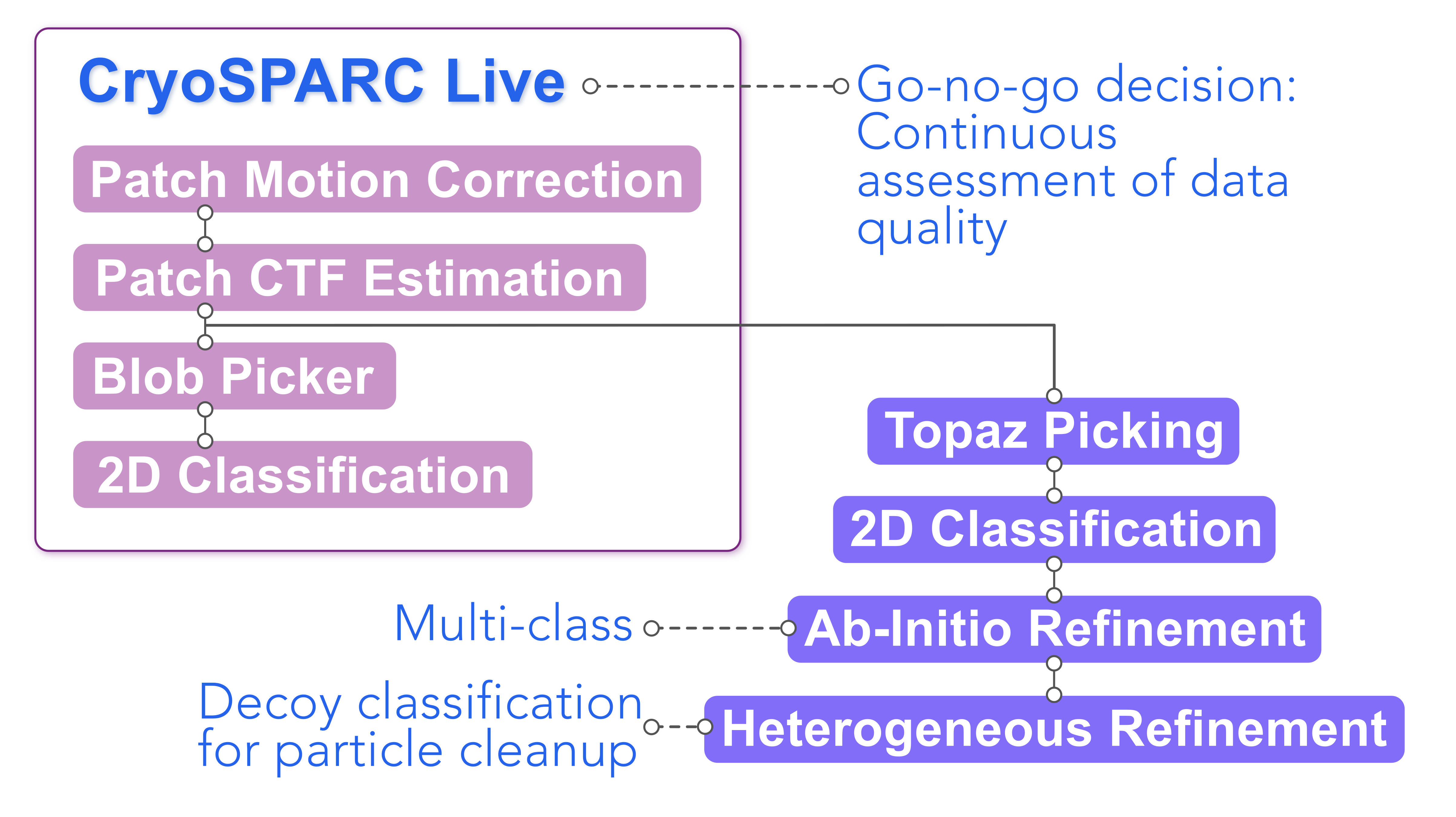
Preprocessing with [CryoSPARC Live](https://cryosparc.com/live), and particle curation using [decoy classification](https://cryosparc.com/blog/decoy-classification).
The resulting structure revealed an **outward-facing (OF), homodimeric assembly of NBCn1**, with an extracellular-facing cavity containing densities corresponding to the transported ions. These densities were interpreted as Na⁺ and CO₃²⁻ bound approximately halfway across the membrane in the central ion-binding site.
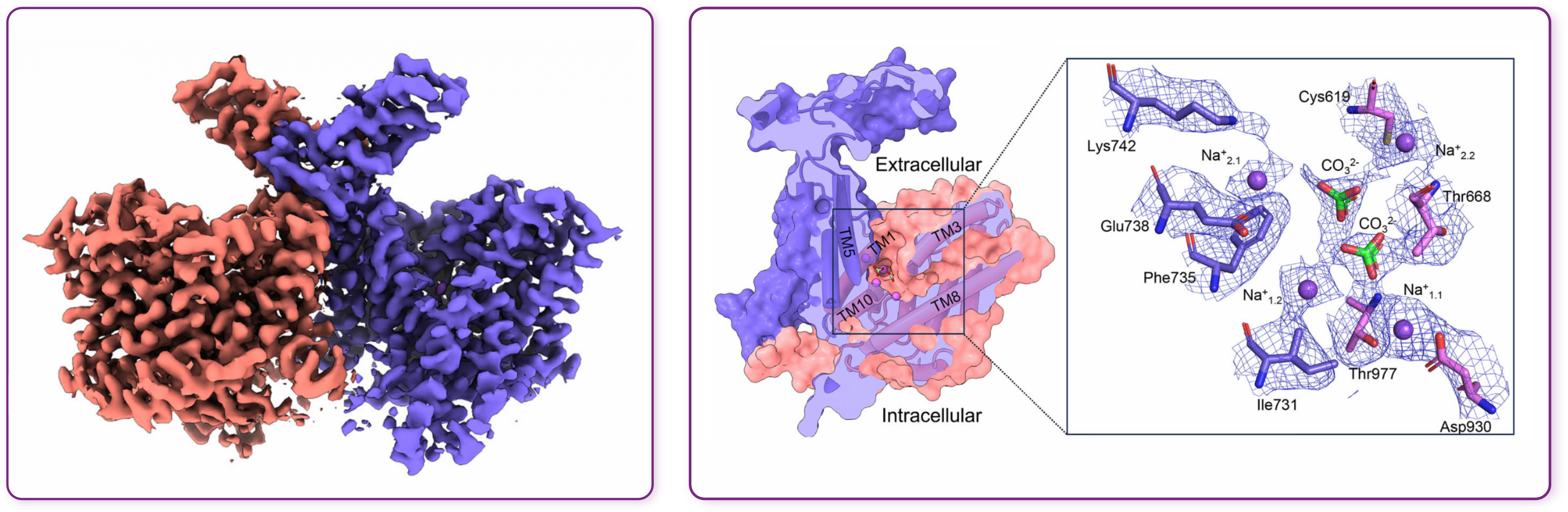
Cryo-EM structure of the NBCn1 dimer (left) and NBCn1 model (right) with zoom on the ion-binding site (inset). Figure adapted from [Wang et al., 2025](https://www.nature.com/articles/s41467-025-64868-z).
While the cryo-EM structure captured only one state of a dynamic transport cycle, the authors explored inward-facing (IF) and intermediate (Int) conformations of NBCn1 using homology modeling and molecular simulations. **Together with molecular dynamics and functional studies to characterize the ion transport cycle, this study proposed an elevator-type transport mechanism**. Rather than undergoing a major conformational rearrangement, the core domain moves approximately 5 Å relative to the gate domain, carrying the central ion-binding site from the outward- to the inward-facing position, while the individual core and gate domains remain largely unchanged, with RMSDs below 1 Å.
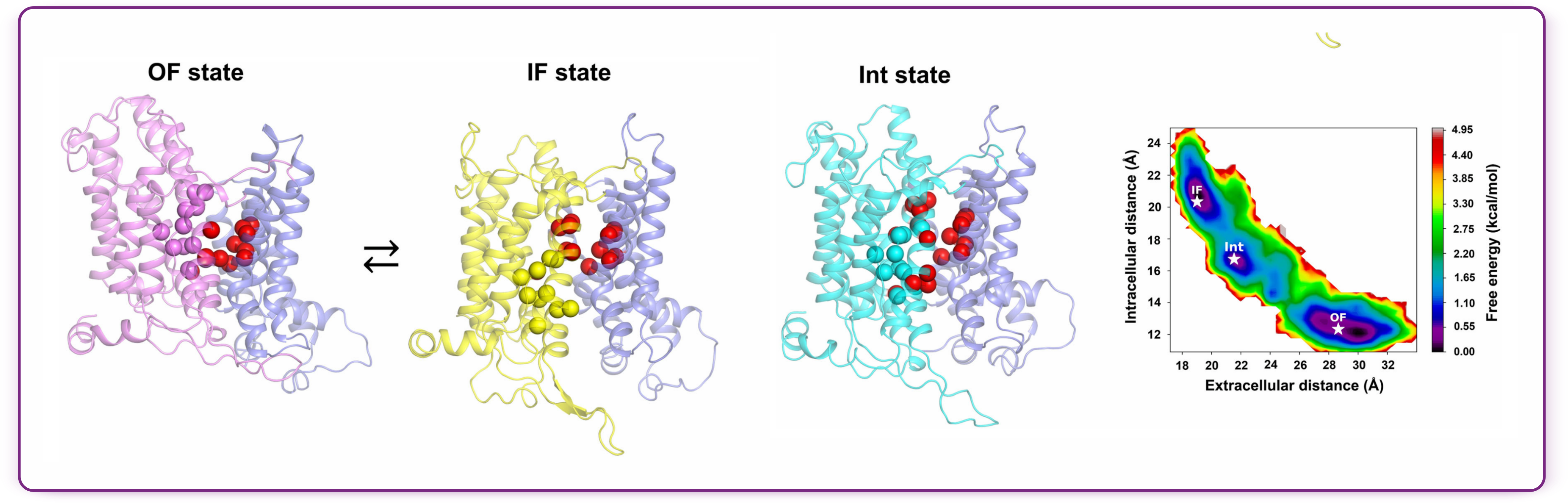
Comparison of the OF, IF, and Int states. Ion-binding residues are shown as spheres in the respective core colors, while hydrophobic core-gate contacts are shown in red. The free-energy map from 32 µs of MD trajectories highlights representative OF, IF, and Int conformations (stars). Figure adapted from [Wang et al., 2025](https://www.nature.com/articles/s41467-025-64868-z).
The simulations further indicated **relatively small energetic barriers between conformational states and along the ion-permeation pathway**, providing a mechanistic explanation for the remarkably rapid transport mediated by NBCn1.
**The structural and computational analyses point toward an electroneutral 2Na⁺-CO₃²⁻ transport mode**. This has important implications in the context of breast cancer: despite the reversed pH gradient across the tumor-cell membrane, the inward thermodynamic driving force provided by Na⁺ can overcome the opposing CO₃²⁻ gradient, **allowing NBCn1-mediated base influx to remain favorable across a broad range of extracellular pH values**.
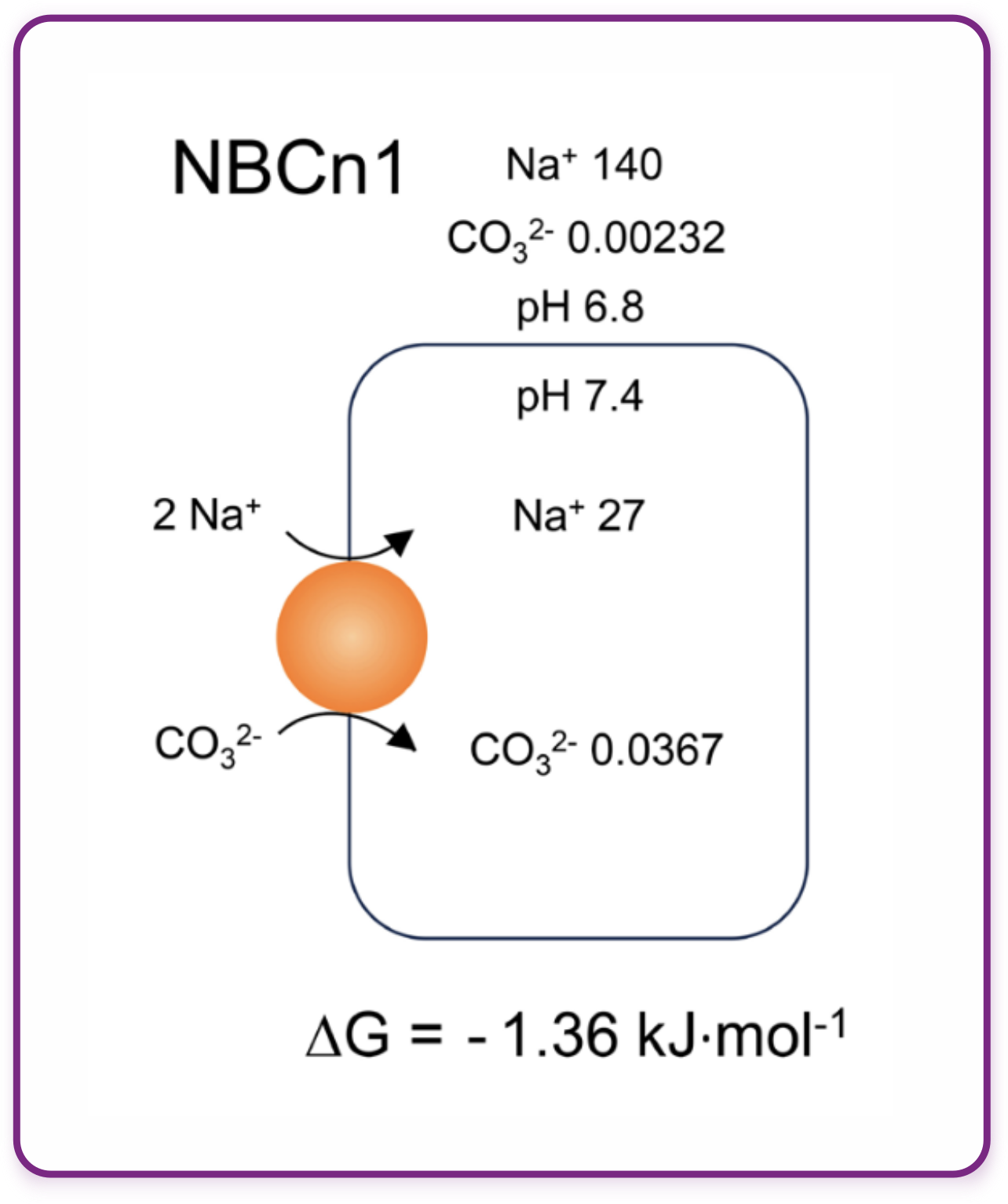 Figure adapted from [Wang et al., 2025](https://www.nature.com/articles/s41467-025-64868-z).
## Understanding a Potential Therapeutic Target at the Molecular Level
**In this publication, cryo-EM provides the structural anchor for a broader mechanistic investigation into NBCn1, a transporter whose role in breast cancer has already made it therapeutically interesting.**
Previous studies have shown that disrupting NBCn1 delays breast cancer development in mouse models [8], while monoclonal antibodies targeting NBCn1 can inhibit net acid extrusion and induce pH-dependent growth inhibition and apoptosis in breast cancer cells [9].
**This study adds a structural and mechanistic explanation for why NBCn1 may be so important for breast cancer cell survival.** The cryo-EM structure, together with computational and functional analyses, reveals the ion-binding sites and permeation pathways and explains how relatively small conformational changes and favorable ion permeation energetics enable an exceptionally high transport rate.
#### References
- WHO. Breast cancer.
- Xiong, X., Zheng, L. W., Ding, Y., Chen, Y. F., Cai, Y. W., Wang, L. P., ... & Yu, K. D. (2025). Breast cancer: pathogenesis and treatments. Signal Transduction and Targeted Therapy, 10(1), 49. https://doi.org/10.1038/s41392-024-02108-4
- Breast Cancer Awareness Month. Breastcancer.org.
- WHO Mortality Database (2025), with minor processing by Our World in Data. Leading cancer types causing death in women: sources and processing.
- Siegel, R. L., Giaquinto, A. N., & Jemal, A. (2024). Cancer statistics, 2024. CA: A Cancer Journal for Clinicians, 74(1), 12-49. https://doi.org/10.3322/caac.21820
- Anemone, A., Consolino, L., Conti, L., Irrera, P., Hsu, M. Y., Villano, D., ... & Longo, D. L. (2020). Tumour acidosis evaluated in vivo by MRI-CEST pH imaging reveals breast cancer metastatic potential. British Journal of Cancer, 124(1), 207. https://doi.org/10.1038/s41416-020-01173-0
- Tafech, A., & Stéphanou, A. (2024). On the importance of acidity in cancer cells and therapy. Biology, 13(4), 225. https://doi.org/10.3390/biology13040225
- Lee, S., Axelsen, T. V., Andersen, A. P., Vahl, P., Pedersen, S. F., & Boedtkjer, E. (2016). Disrupting Na⁺, HCO₃⁻-cotransporter NBCn1 (Slc4a7) delays murine breast cancer development. Oncogene, 35(16), 2112-2122. https://doi.org/10.1038/onc.2015.273
- Axelsen, T. V., Olesen, C., Khan, D., Mohammadi, A., Bouzinova, E. V., Nielsen, C. J., ... & Boedtkjer, E. (2024). Antibodies toward Na⁺, HCO₃⁻-cotransporter NBCn1/SLC4A7 block net acid extrusion and cause pH-dependent growth inhibition and apoptosis in breast cancer: Translational Therapeutics. British Journal of Cancer, 130(7), 1206-1220. https://www.nature.com/articles/s41416-024-02591-0
---
# Digging Deeper: Particle Curation using Decoy Classification
**Author:** CryoSPARC Team
**Published:** September 23, 2026
**Category:** Digging deeper
**Summary:** Particle cleanup does not always have to happen in 2D. Decoy classification uses Heterogeneous Refinement in CryoSPARC to curate particles directly in 3D, providing a flexible strategy for separating junk, preserving underrepresented views, and distinguishing different particle populations.
**Source:** https://cryosparc.com/blog/decoy-classification
---
Particle cleanup is a critical step in cryo-EM data processing, but distinguishing particles of interest from junk while preserving valuable, underrepresented views can be challenging. In this post, we explore decoy classification as a strategy for performing this curation step in 3D using Heterogeneous Refinement in [CryoSPARC](https://cryosparc.com/).
## What is Decoy Classification?
**Decoy classification is a 3D particle-curation strategy that uses [Heterogeneous Refinement](https://guide.cryosparc.com/processing-data/all-job-types-in-cryosparc/3d-refinement/job-heterogeneous-refinement) as a particle cleanup step, classifying particles against reference volumes and decoy volumes.** Reference volumes are usually a lowpass filtered version of the target molecules that we are trying to study in cryo-EM, while decoy volumes are random junk volumes that don't need to look like anything in particular, and don't even need to come from the same dataset (more on that later).
The strategy takes advantage of [Heterogeneous Refinement](https://guide.cryosparc.com/processing-data/all-job-types-in-cryosparc/3d-refinement/job-heterogeneous-refinement)'s ability to simultaneously assign particles to 3D classes while refining their [poses](https://guide.cryosparc.com/processing-data/all-job-types-in-cryosparc/3d-refinement#finding-an-images-pose). During this process, particles are evaluated against the different input volumes, and the input volumes evolve based on the signal in the particles.
**Therefore, during decoy classification:**
- **The decoy volumes "attract" unwanted particles**, capturing junk and noisy picks and separating them from particles that are more consistent with the reference volume.
- **Good particles are retained based on their consistency with the reference volume,** and the volume is refined at the same time, further increasing the consistency between the good particles and the reference over iterations.
This ability to curate particles in 3D can be particularly valuable **when underrepresented views are difficult to retain through 2D curation**.
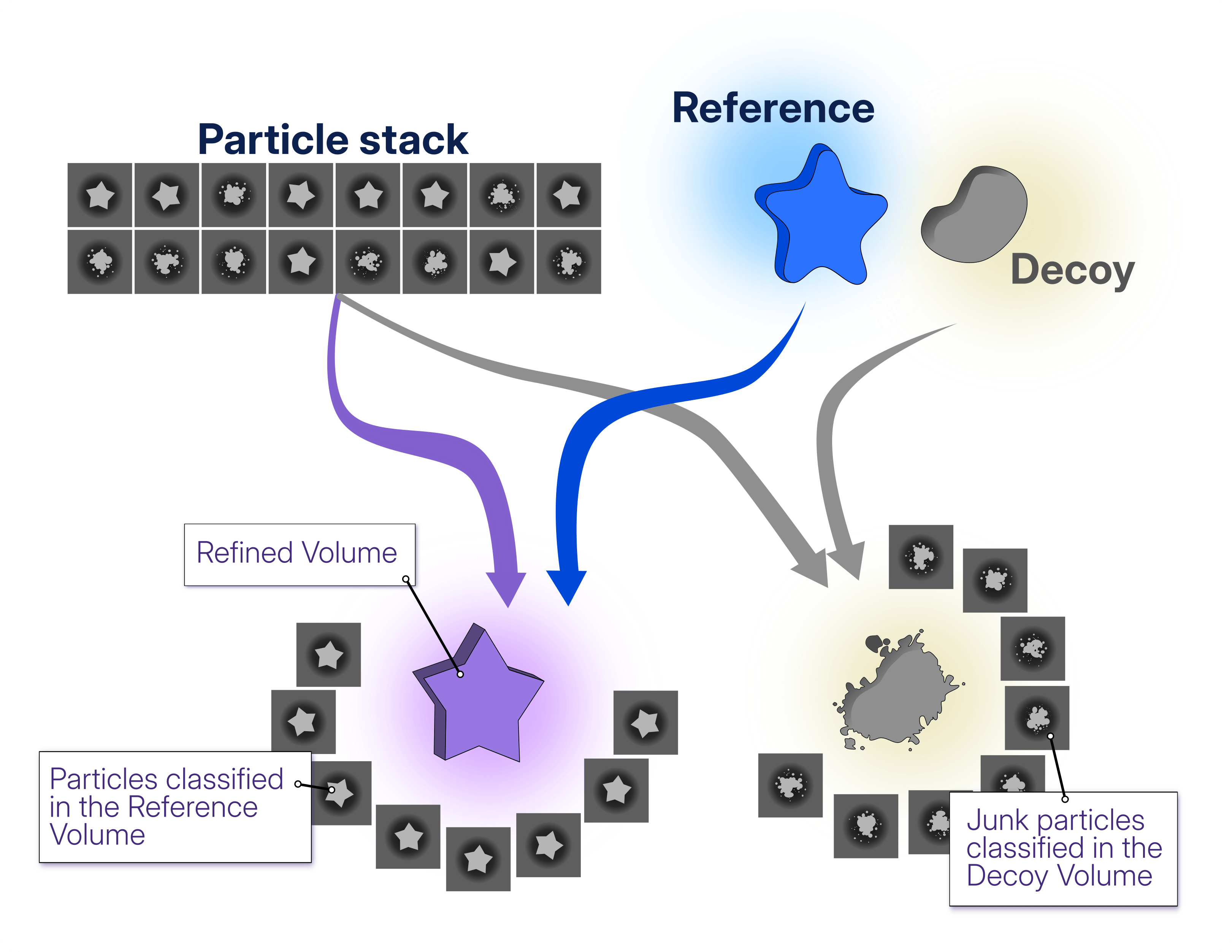
Heterogeneous Refinement uses a low-pass filtered reference corresponding to the structure of interest alongside arbitrary decoy volumes that do not need to resemble a specific structure. As particle assignments and poses are refined, both evolve: particles assigned to the reference contribute to a progressively better-resolved reconstruction, while the decoys become noisier as they capture junk and noisy particles from the dataset.
## Why might I use decoy classification instead of 2D curation?
When a dataset contains **underrepresented views, particle cleanup through 2D Classification can inadvertently increase orientation bias**. Particle images representing rare views may form noisier classes that are difficult to distinguish from junk, increasing the risk of discarding valuable particles during manual selection.
In the case study [**Picking-induced Orientation Bias in HA Trimer (EMPIAR-10096 and -10097)**](https://guide.cryosparc.com/processing-data/tutorials-and-case-studies/case-study-picking-induced-orientation-bias-in-ha-trimer-empiar-10096-and-10097#skipping-2d-classification), decoy classification was explored for an untilted dataset affected by picking-induced orientation bias. Rather than applying 2D Classification to the full picked particle stack to remove junk particles, the particles were curated in 3D using Heterogeneous Refinement, helping retain rare views that could otherwise be lost during 2D class selection. **As shown in the [Skipping 2D Classification](https://guide.cryosparc.com/processing-data/tutorials-and-case-studies/case-study-picking-induced-orientation-bias-in-ha-trimer-empiar-10096-and-10097#skipping-2d-classification) section of the case study, the resulting map showed better connectivity than the map obtained after 2D curation, with dimensions closer to those of the map reconstructed from the tilted dataset**.
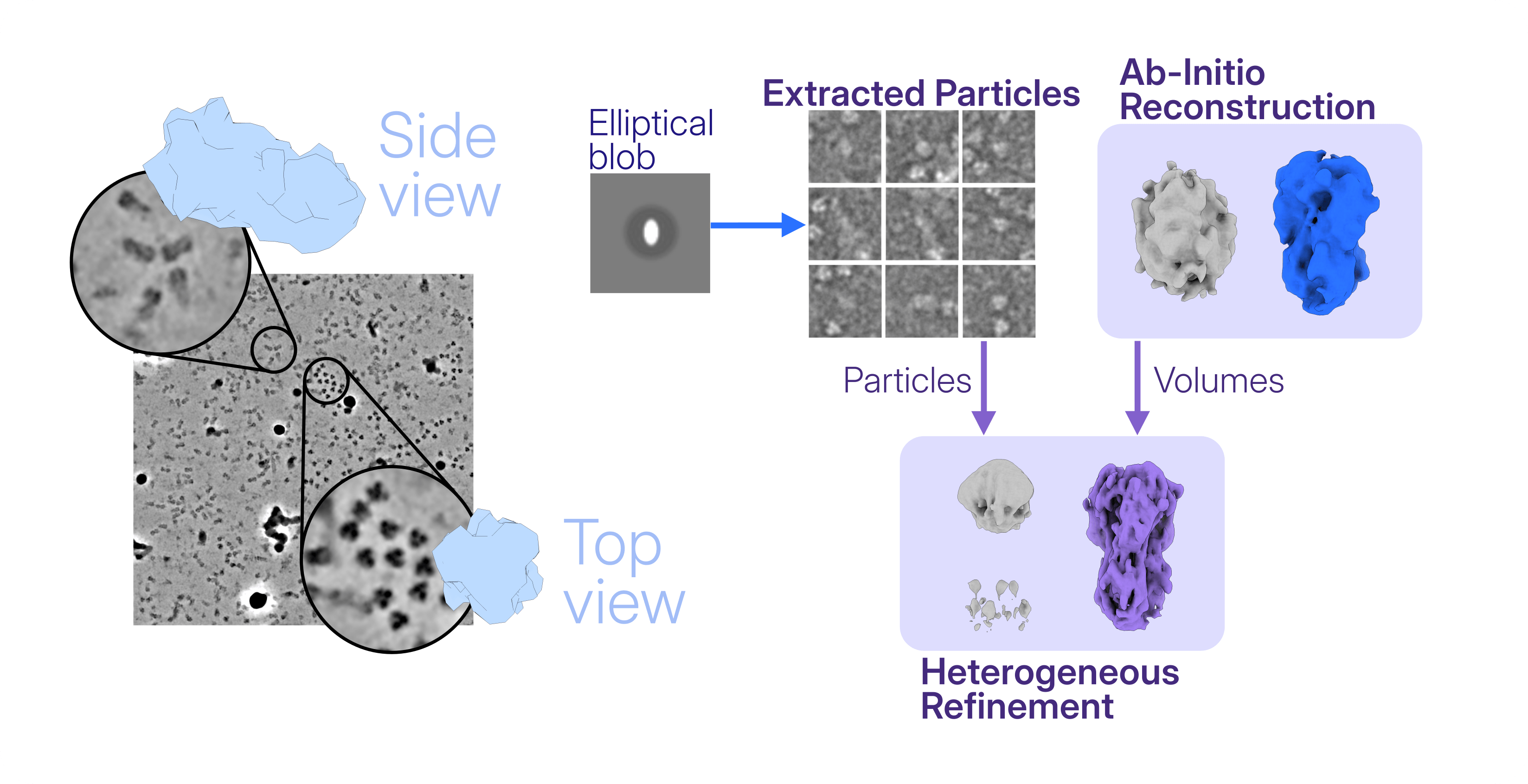
The [**Advanced automated data processing: a case study using CAK**](https://guide.cryosparc.com/processing-data/automated-workflows/advanced-automated-data-processing-a-case-study-using-cak) provides another example of using decoy classification to replace 2D particle curation. The CAK datasets presented strong preferred orientation, making it particularly important to preserve the underrepresented views present in the picked particle stack. An imported reference volume was used to generate templates for [Template Picker](https://guide.cryosparc.com/processing-data/all-job-types-in-cryosparc/particle-picking/job-template-picker), after which **the extracted particles were curated directly in 3D through decoy classification using the reference alongside imported junk volumes**. Combined with [Rebalance Orientations](https://guide.cryosparc.com/processing-data/all-job-types-in-cryosparc/particle-curation/job-rebalance-orientations) to increase the contribution of underrepresented views during downstream refinement, **this strategy avoided relying on 2D class selection for particle cleanup and resulted in reconstructions with improved map quality and interpretability compared with the workflow based on 2D Classification and curation.**
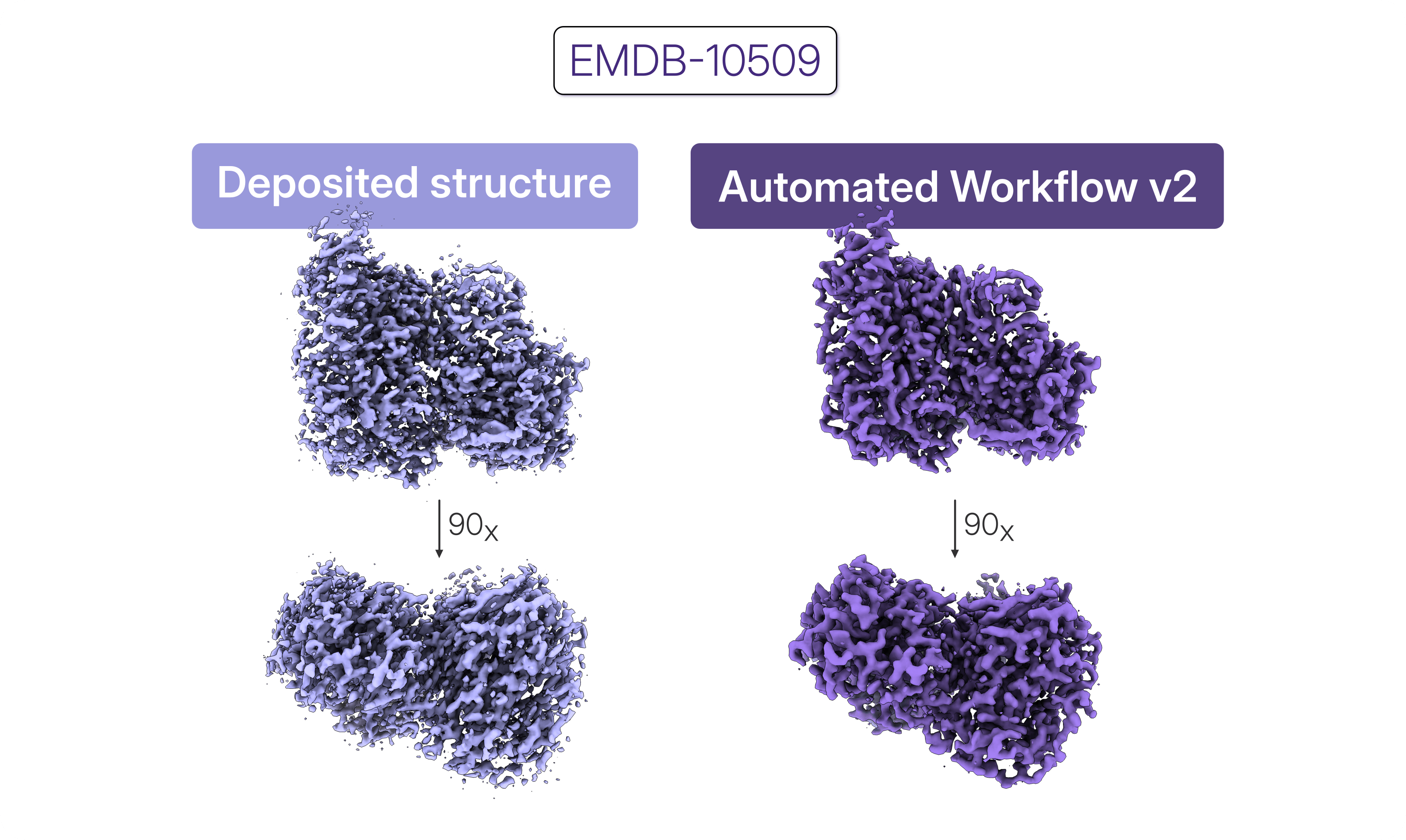
Comparison of the deposited CAK reconstruction (left) with the reconstruction obtained from the same dataset using Automated Workflow v2 (right), incorporating decoy classification for 3D particle cleanup.
## Can decoy classification do more than separate particles from junk?
**While the examples above focus on separating particles from junk using only one reference volume, decoy classification can also be used to distinguish different particle populations while separating junk.** Multiple reference volumes representing distinct particle populations can be included alongside the decoy volumes, allowing Heterogeneous Refinement to **perform particle cleanup *and* classification within the same step**.
As reported in the case study [**Discrete heterogeneity in a sample of Acetogenin-bound complex I (EMPIAR 10927)**](https://guide.cryosparc.com/processing-data/tutorials-and-case-studies/case-study-discrete-heterogeneity-in-a-sample-of-acetogenin-bound-complex-i-empiar-10927), [Heterogeneous Refinement](https://guide.cryosparc.com/processing-data/all-job-types-in-cryosparc/3d-refinement/job-heterogeneous-refinement) was one of the strategies used to handle the discrete heterogeneity discovered through a multi-class Ab-Initio Refinement. In this case, **all the particles from the first consensus refinement were classified against only one volume per useful species of the mitochondrial complexes, and three additional junk volumes were used to get rid of the junk particles.**
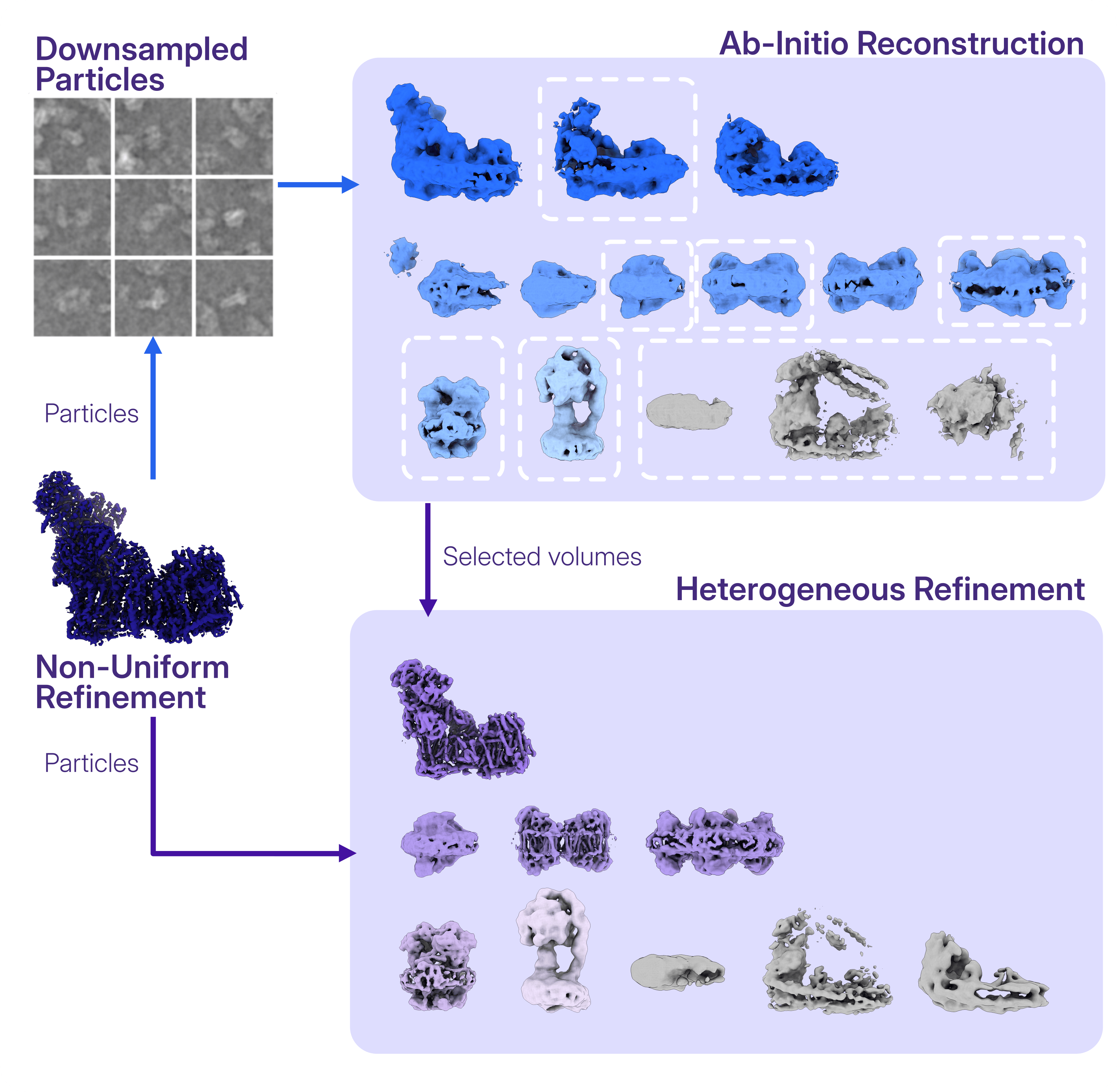
In [this case study](https://guide.cryosparc.com/processing-data/tutorials-and-case-studies/case-study-discrete-heterogeneity-in-a-sample-of-acetogenin-bound-complex-i-empiar-10927), the consensus reconstruction from Non-Uniform Refinement (dark blue) was robust to the presence of junk and particles from other mitochondrial complexes, that instead emerged with a multi-class Ab-Initio Reconstruction (top-right panel). Decoy classification with Heterogeneous Refinement (bottom-right panel) was deployed to classify and refine the poses of the different particle classes detected, while the junk particles got captured by the decoy volumes (in gray).
## How Do I Choose and Generate Volumes for Decoy Classification?
Here we have seen some examples of what the decoy classification strategy can accomplish, now what do we actually need to run it?
**Decoy classification with Heterogeneous Refinement requires a set of input volumes, typically including one or more reference volumes and one or more decoy volumes.** These can be generated from the dataset being processed or obtained from previous processing and imported into CryoSPARC.
**The number and type of input volumes depend on the dataset and the specific particle-curation problem.** In many cases, three to five decoy classes can provide sufficient capacity to capture different junk populations, while the number of reference classes depends on the expected compositional heterogeneity of the sample.
## What Resolution Should the Input Volumes Be?
**The input volumes also do not need to contain high-resolution structural information. In fact, in Heterogeneous Refinement, the Initial Resolution (Å) parameter is set to 20 Å by default**, and determines the initial low-pass filtering applied to the input volumes before refinement begins. The reference volume only needs sufficient structural information to support reliable particle alignment and classification, while keeping the decoy volumes at low resolution allows them to accommodate a broader range of noisy and junk particle populations.
The reference and decoy volumes can hence be at relatively low resolution (~15 Å is enough) and can be generated quickly from relatively small particle subsets, making the setup for decoy classification efficient.
## Where Can the Volumes Come From?
Here are three practical approaches to generate and/or choose volumes for decoy classification.
### Option 1: Generating reference and decoy volumes after 2D Classification
Rather than using 2D Classification as particle curation step, it can be used on a subset of particles to generate the initial reference and decoy volumes. **A relatively small subset, typically around 20,000 particles, is often sufficient to generate one reference volume with [Ab-Initio Reconstruction](https://guide.cryosparc.com/processing-data/all-job-types-in-cryosparc/3d-reconstruction/job-ab-initio-reconstruction) (e.g.** `Num particles to use: 20000`**)**.
**The excluded particles can then be used to generate several decoy volumes**. Since these volumes do not need to accurately represent a specific structure, but rather serve to accommodate a broad range of junk particles, they can be **generated from fewer particles and using Ab-Initio Reconstruction parameters optimized for lower resolution and faster convergence**. Some users also opt to terminate this Ab-initio Reconstruction job soon after starting it, and then [mark the job as completed](https://guide.cryosparc.com/application-guide/managing-jobs#mark-job-as-complete), allowing the volumes reconstructed up to that point to be used in downstream jobs.
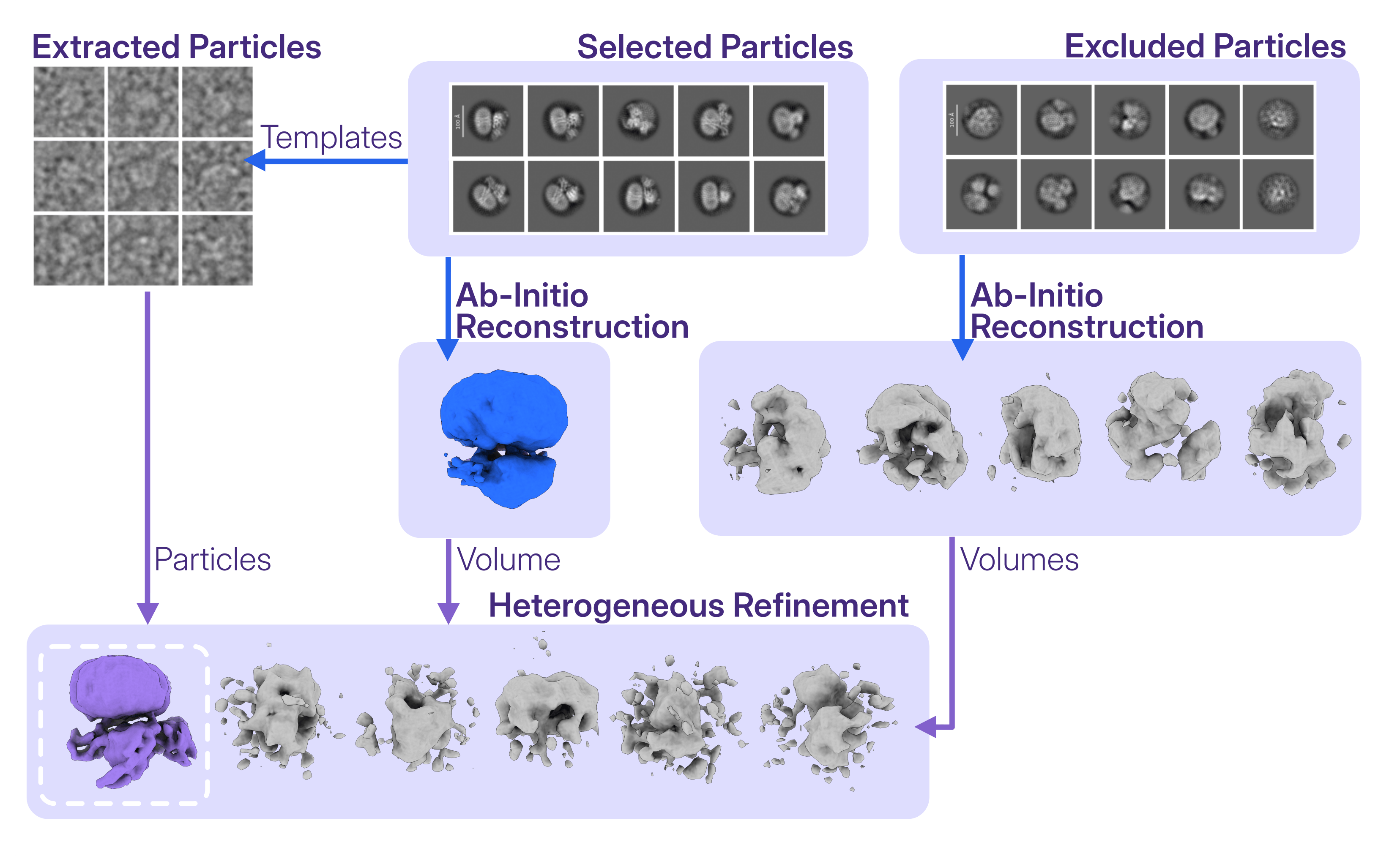
In the case study [**End-to-end processing of a ligand-bound GPCR (EMPIAR-10853)**](https://guide.cryosparc.com/processing-data/tutorials-and-case-studies/case-study-end-to-end-processing-of-a-ligand-bound-gpcr-empiar-10853#id-7.-separating-junk-from-good-particles-with-ab-initio-and-heterogeneous-refinements), decoy classification is used as a particle-cleanup step directly after [Extract from Micrographs](https://guide.cryosparc.com/processing-data/all-job-types-in-cryosparc/extraction/job-extract-from-micrographs), classifying the template-picked particles in 3D without an intermediate 2D Classification step.
### Option 2: Generating reference and decoy volumes from multi-class Ab-Initio Reconstruction
Alternatively, all reference and decoy volumes can be generated together using a single multi-class [Ab-Initio Reconstruction](https://guide.cryosparc.com/processing-data/all-job-types-in-cryosparc/3d-reconstruction/job-ab-initio-reconstruction) job. The resulting volumes can then be used together as inputs for decoy classification, with classes resembling the structure of interest serving as references, and lower-quality or poorly resolved classes serving as decoys.
In the case study [**DkTx-bound TRPV1 (EMPIAR-10059)**](https://guide.cryosparc.com/processing-data/tutorials-and-case-studies/case-study-dktx-bound-trpv1-empiar-10059#why-choose-heterogeneous-refinement-over-ab-initio-reconstruction-for-classifying-particles), the input volumes for decoy classification were generated by running **Ab-Initio Reconstruction with four classes on a subset of the particles** (in this case `Num particles to use: 100000`), reducing the computational time of generating the initial models. All four resulting volumes were then used as inputs to Heterogeneous Refinement, where classification and pose refinement of the full particle stack provided a more effective separation of the particle populations.
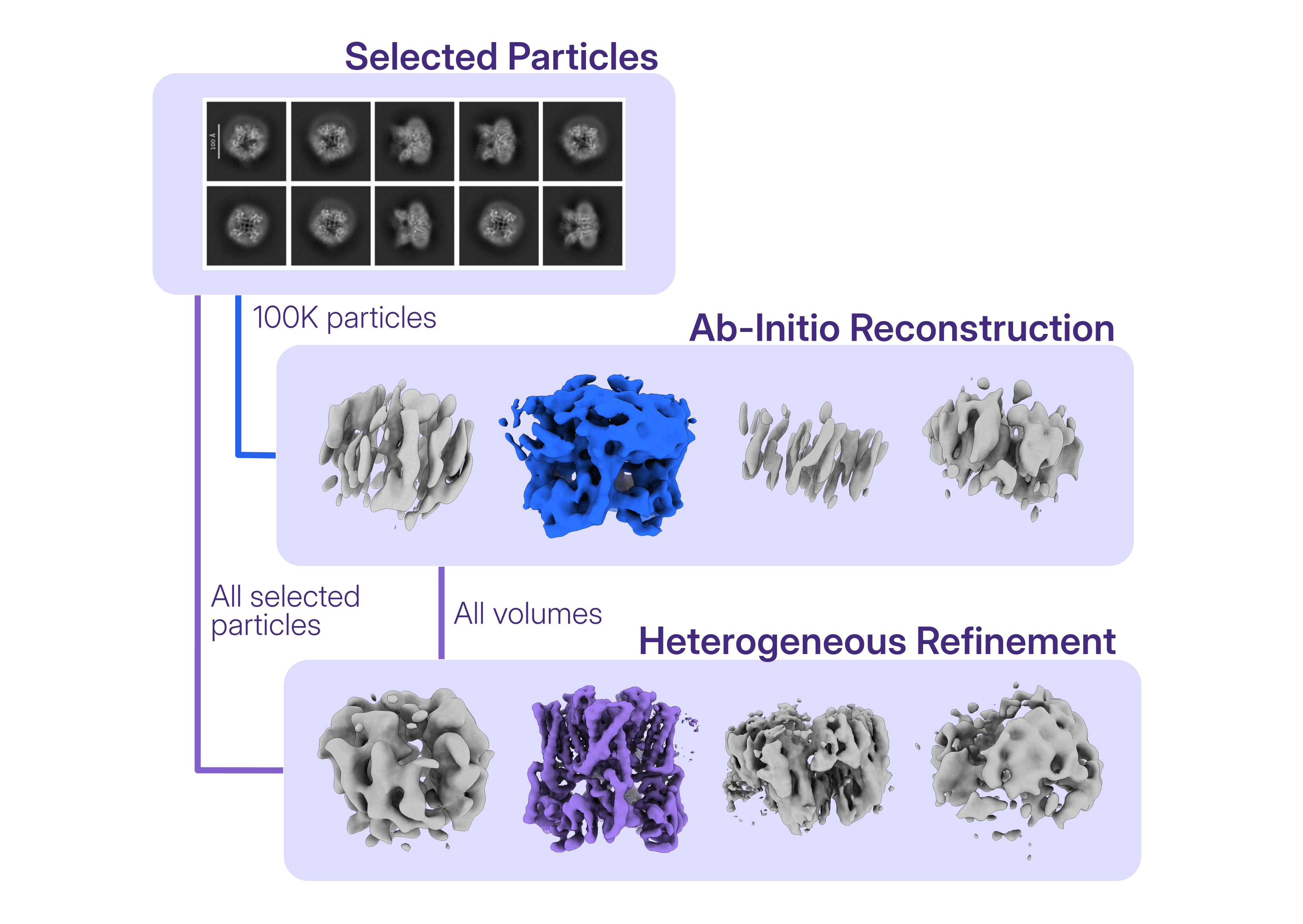
In the case study [**DkTx-bound TRPV1 (EMPIAR-10059)**](https://guide.cryosparc.com/processing-data/tutorials-and-case-studies/case-study-dktx-bound-trpv1-empiar-10059#why-choose-heterogeneous-refinement-over-ab-initio-reconstruction-for-classifying-particles), decoy classification was performed classifying the selected particles against all the volumes generated through multi-class Ab-Initio Reconstruction of a subset of particles.
### Option 3: Using/importing an existing set of volumes instead of generating new ones
**Reference and decoy volumes do not always need to be generated as part of the current workflow**. When suitable volumes are already available, a known reference can be imported and used alongside previously generated decoy volumes.
In particular, **decoy volumes can be reused across different processing workflows when appropriate for the dataset and classification problem**. Since the input volumes are initially low-pass filtered and the decoys are not intended to represent a specific junk structure in detail, previously generated junk volumes can provide suitable starting points for capturing noisy and unwanted particle populations. During Heterogeneous Refinement, these volumes are updated as particles are assigned and their poses refined, allowing the decoy classes to evolve according to the particle populations present in the current dataset.
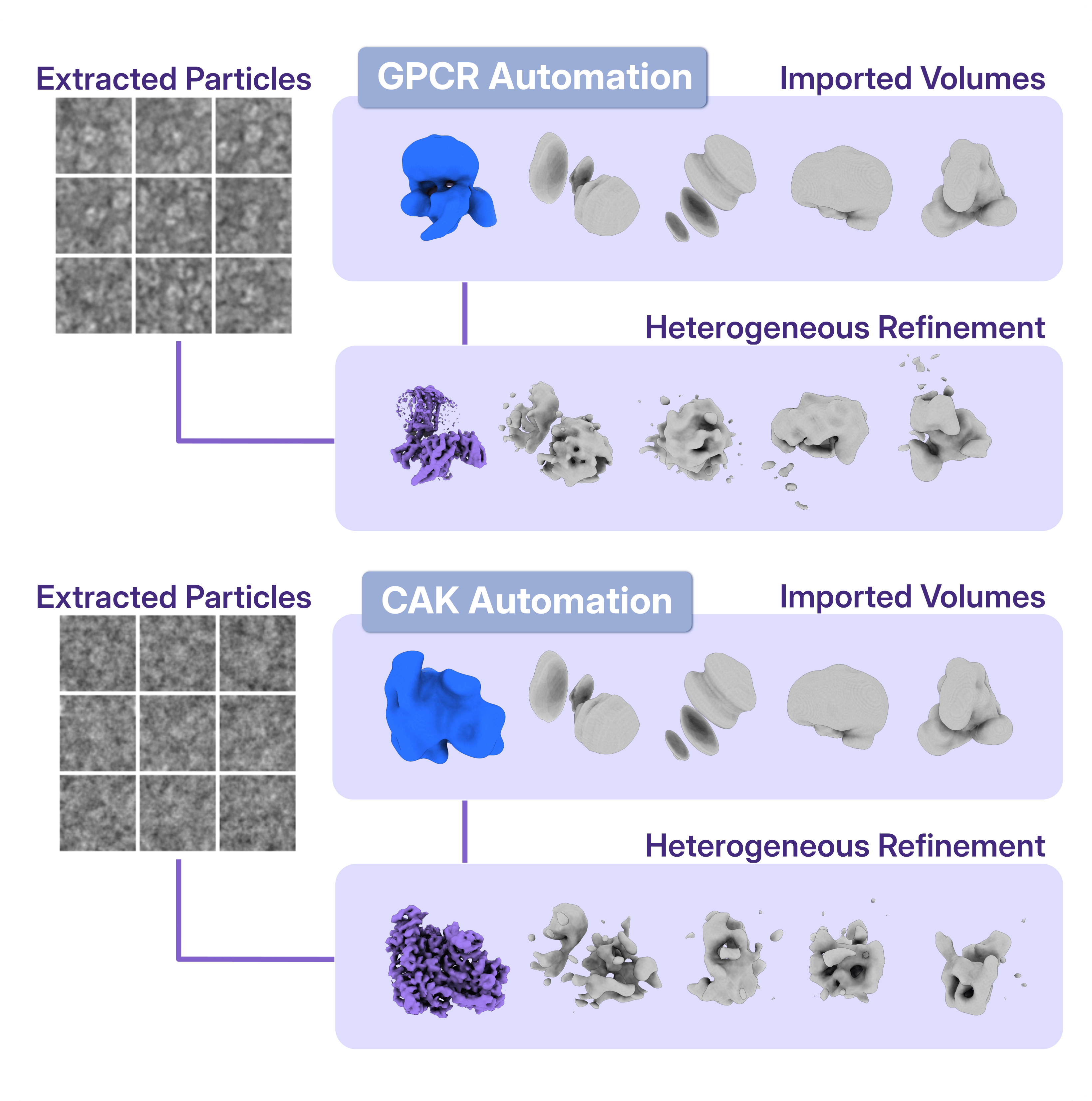
In the [**CryoSPARC Automated Workflows**](https://guide.cryosparc.com/processing-data/automated-workflows) the same junk volumes have been used in the implementation of both the [**Full automated data processing: a case study using GPCRs**](https://guide.cryosparc.com/processing-data/automated-workflows/full-automated-data-processing-a-case-study-using-gpcrs) and [**Advanced automated data processing: a case study using CAK**](https://guide.cryosparc.com/processing-data/automated-workflows/advanced-automated-data-processing-a-case-study-using-cak).
## Taking Particle Cleanup into 3D with Decoy Classification
Particle cleanup does not necessarily have to happen in 2D. **Decoy classification with Heterogeneous Refinement provides a flexible strategy to curate particles directly in 3D**, helping separate unwanted particles while preserving valuable views and, when needed, simultaneously distinguishing different particle populations. With several options for generating, choosing, or reusing the input volumes, the strategy can be adapted to different datasets and processing challenges.
For more examples of decoy classification in practice, explore data processing workflows on the CryoSPARC blog, including:
- [**Automated Workflows in CryoSPARC™**](https://cryosparc.com/blog/automated-data-processing)
- [**Digging deeper: From micrograph curation to efficient particle picking**](https://cryosparc.com/blog/curation-picking)
- [**The Pain Paradox: Activating TRPV1 to Silence Its Response**](https://cryosparc.com/blog/trpv1-msp20)
- [**Mind The Gap: Cryo-EM Reveals Lipids Intercalating Connexin Assemblies**](https://cryosparc.com/blog/gap-junctions)
---
# Digging deeper: From micrograph curation to efficient particle picking
**Author:** CryoSPARC Team
**Published:** September 10, 2026
**Category:** Digging deeper
**Summary:** Digging into Sections 1 to 4 of one of our CryoSPARC case studies, we explore strategies for streamlining preprocessing and particle curation, using tools such as Micrograph Junk Detector and Micrograph Denoiser to efficiently move from initial micrographs to a curated particle set.
**Source:** https://cryosparc.com/blog/curation-picking
---
Particle picking can be challenging for several reasons, including low signal-to-noise ratio, sample heterogeneity, the presence of contaminants or non-vitreous ice, and the large number of micrographs and particles that need to be processed. When several rounds of particle cleanup are required, potentially useful particles can also be lost along the way.
**In our CryoSPARC [Case Study: End-to-End and Exploratory Processing of a Motor-Bound Nucleosome](https://guide.cryosparc.com/processing-data/tutorials-and-case-studies/case-study-end-to-end-and-exploratory-processing-of-a-motor-bound-nucleosome-empiar-10739), several processing choices were used to reduce the time and particle-cleanup steps required to obtain a particle stack suitable for downstream processing and refinement.** The strategy begins during preprocessing (Sections 1 to 4 of this case study), with early exploration and curation of the micrographs, making use of tools including [Micrograph Junk Detector](https://guide.cryosparc.com/processing-data/all-job-types-in-cryosparc/exposure-curation/job-micrograph-junk-detector-beta) and [Micrograph Denoiser](https://guide.cryosparc.com/processing-data/all-job-types-in-cryosparc/exposure-curation/job-micrograph-denoiser-beta), and beginning with an early inspection of the micrographs.
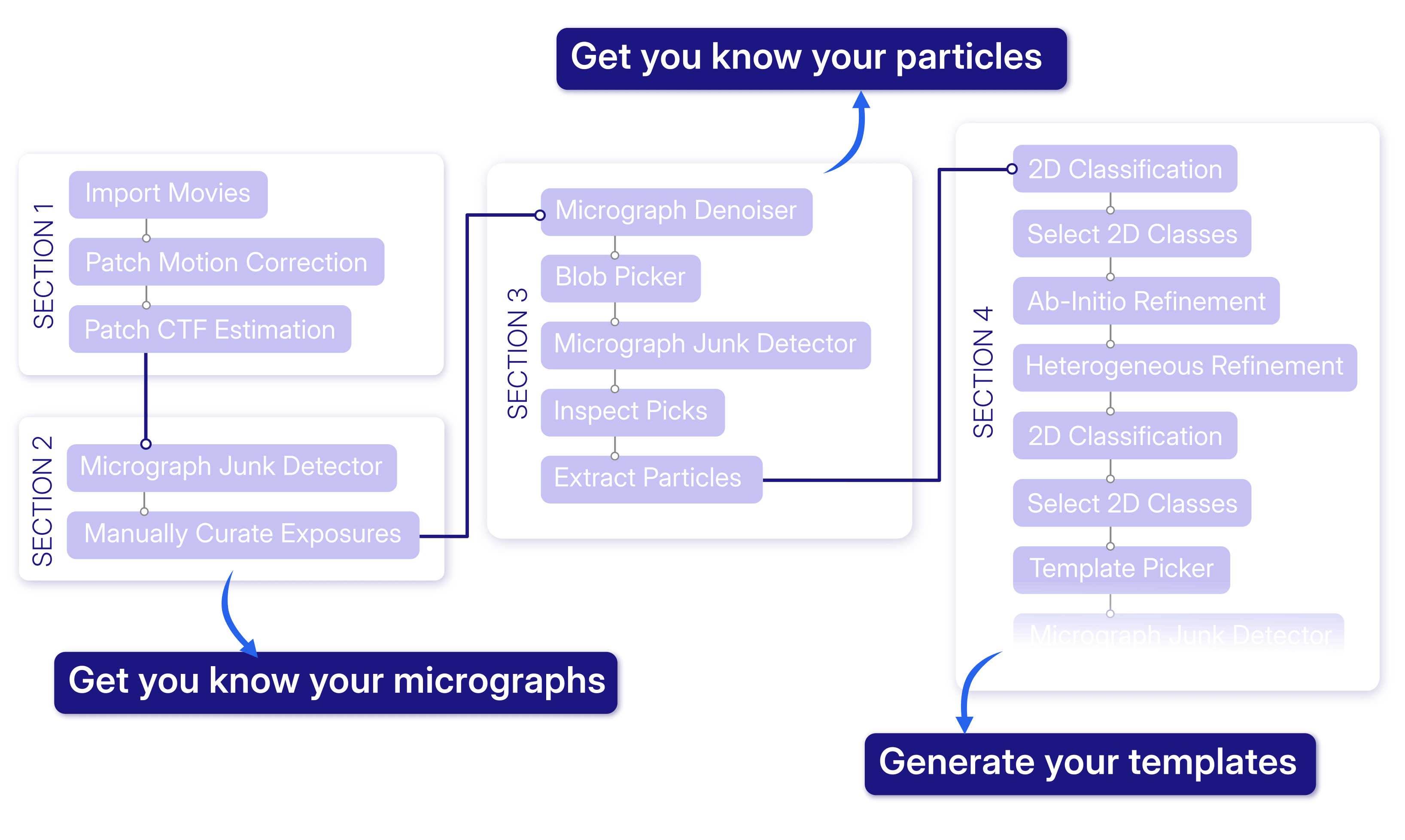
In this Digging Deeper post, we walk through the first four sections of the case study and examine the reasoning behind the processing decisions at each stage.
## Work with a Subset of Micrographs
An important milestone in this workflow was obtaining a useful reference volume that could support more selective particle picking, for example with [Template Picker](https://guide.cryosparc.com/processing-data/all-job-types-in-cryosparc/particle-picking/job-template-picker). Generally, one option is to import an existing volume corresponding to the target protein and use it to generate templates. For a novel target or an unexplored protein complex, however, a reference can instead be generated directly from the dataset by progressing to [Ab-Initio Reconstruction](https://guide.cryosparc.com/processing-data/all-job-types-in-cryosparc/3d-reconstruction/job-ab-initio-reconstruction).
The dataset used [in this case study](https://guide.cryosparc.com/processing-data/tutorials-and-case-studies/case-study-end-to-end-and-exploratory-processing-of-a-motor-bound-nucleosome-empiar-10739) is relatively large, comprising approximately 34,000 micrographs. **Rather than carrying the complete dataset through the initial exploratory processing, a subset of approximately 5,000 micrographs was used for the first round of particle picking with Blob Picker and for the subsequent steps leading to template generation.**
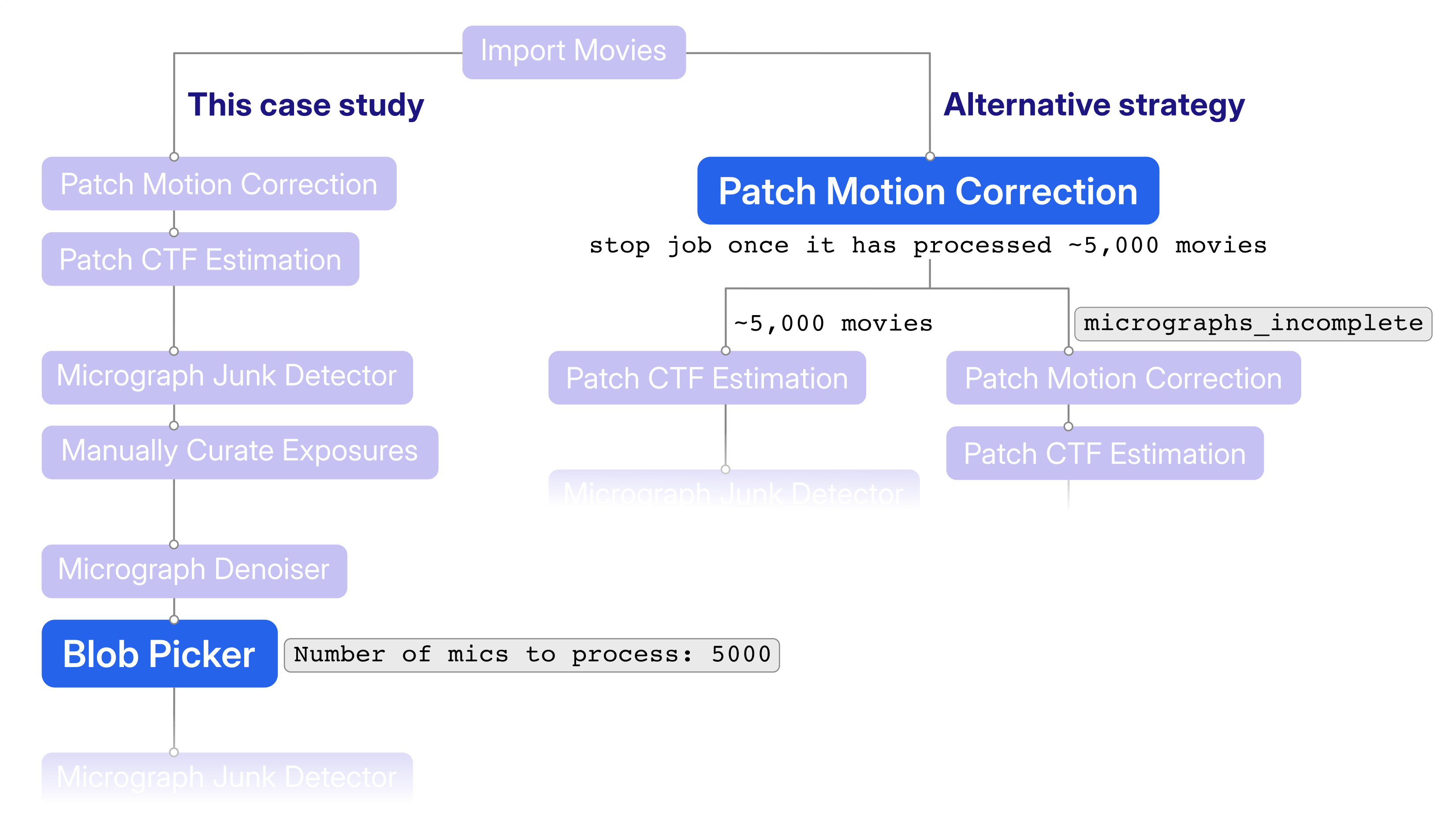
A subset for this type of exploration can also be generated in different ways. For example, [Patch Motion Correction](https://guide.cryosparc.com/processing-data/all-job-types-in-cryosparc/motion-correction/job-patch-motion-correction) can be stopped after approximately 5,000 micrographs have been processed, or [Exposure Sets Tools](https://guide.cryosparc.com/processing-data/all-job-types-in-cryosparc/utilities/job-exposure-sets-tool) can be used to create a subset from the processed exposures. When computational resources are available, preprocessing of the remaining exposures can continue in parallel while the subset is used to work toward the first target reconstruction.
## Get to Know Your Micrographs
The next step was to inspect the data and identify exposures that are unlikely to be useful for particle picking.
**Here, [Micrograph Junk Detector](https://guide.cryosparc.com/processing-data/all-job-types-in-cryosparc/exposure-curation/job-micrograph-junk-detector-beta) provided an early assessment of the types and amount of junk present in each micrograph**. The job identifies features including intrinsic ice defects, such as non-vitreous ice; extrinsic ice defects, such as ice contamination; and carbon or gold regions when grid edges are visible in the movies. Its output includes micrographs with junk annotations, which can be inspected in [Manually Curate Exposures](https://guide.cryosparc.com/application-guide/interactive-jobs#interactive-job-manually-curate-exposures).
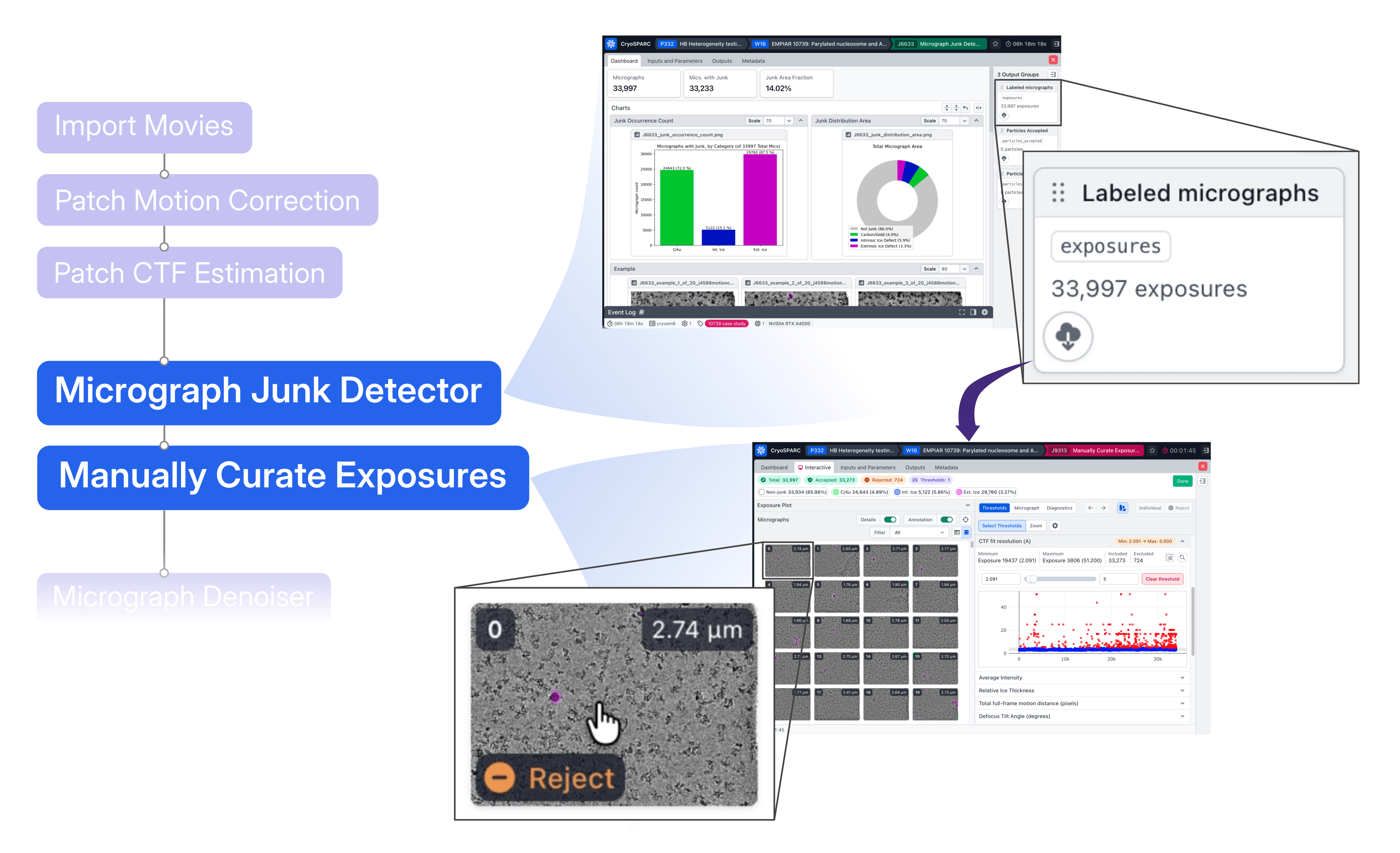
**When the input of the [Manually Curate Exposures](https://guide.cryosparc.com/application-guide/interactive-jobs#interactive-job-manually-curate-exposures) job are the labelled micrographs from the [Micrograph Junk Detector](https://guide.cryosparc.com/processing-data/all-job-types-in-cryosparc/exposure-curation/job-micrograph-junk-detector-beta), the annotations provide additional information for deciding which exposures to retain or exclude during manual curation.**
Importantly, the input micrographs themselves are otherwise unchanged. The annotations can also be carried forward in the workflow and used to accept or reject particle picks based on whether they fall within regions identified as junk.
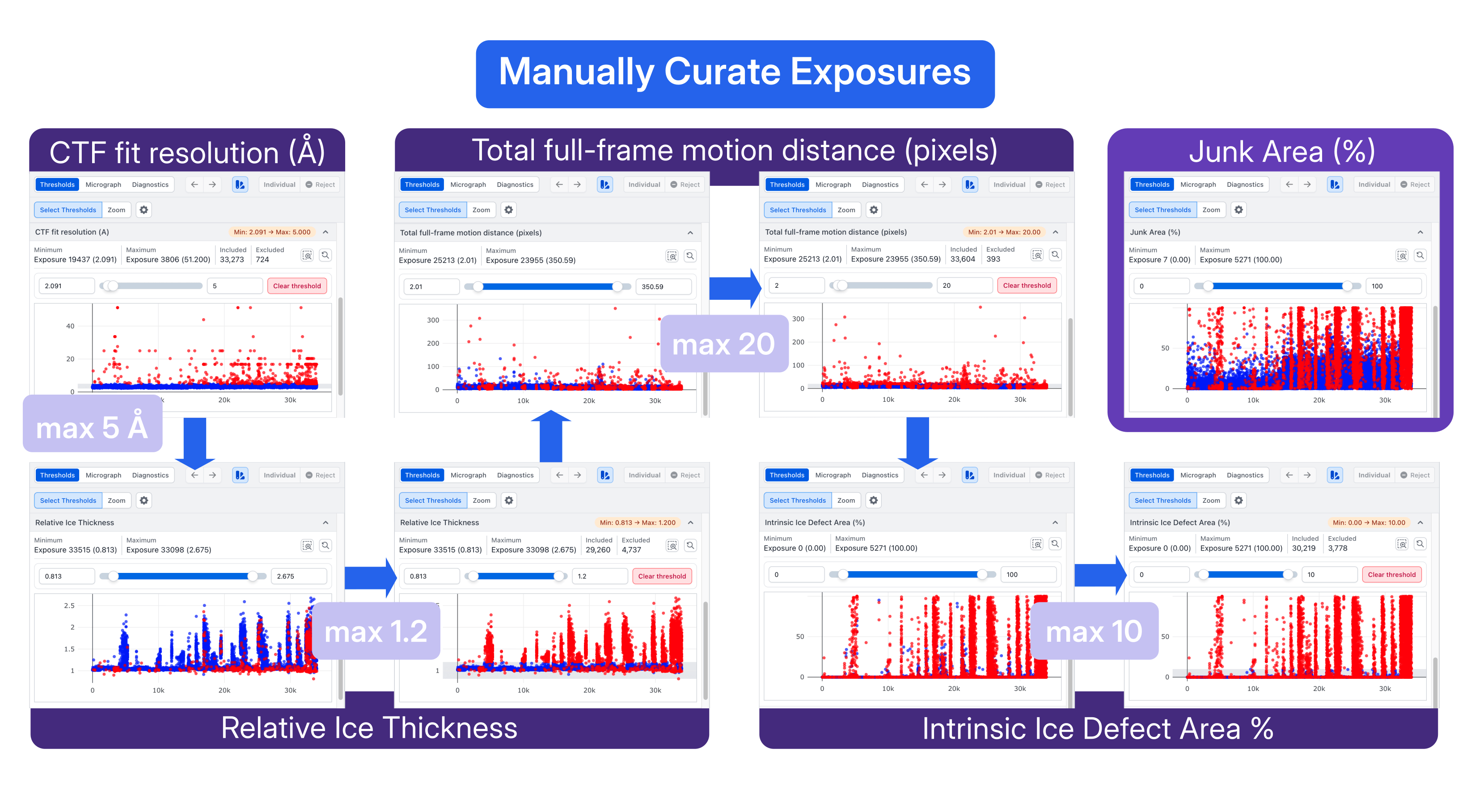
As thresholds were progressively applied in Manually Curate Exposures, the least promising micrographs were excluded from the dataset. In this case study, thresholds were set for CTF fit resolution, Relative Ice Thickness, Total full-frame motion distance, and Intrinsic Ice Defect Area, removing micrographs with less favorable characteristics before proceeding to particle curation and thereby eliminating obvious sources of junk.
As shown in the figure above, many of the same outlier micrographs are identified across metrics that capture different properties of the exposures. In the top-right panel, applying the selected thresholds also excludes many micrographs with elevated Junk Area (%), showing how the different indicators overlap for this dataset.
**This provided a convenient way to inspect the micrographs while simultaneously identifying regions that should not contribute particles to the subsequent analysis.**
## Get to Know Your Particles
After the initial micrograph curation, the next step in the case study was to efficiently generate and clean an initial set of particle picks from a subset of 5,000 micrographs.
**In this workflow, [Micrograph Denoiser](https://guide.cryosparc.com/processing-data/all-job-types-in-cryosparc/exposure-curation/job-micrograph-denoiser-beta) and [Micrograph Junk Detector](https://guide.cryosparc.com/processing-data/all-job-types-in-cryosparc/exposure-curation/job-micrograph-junk-detector-beta) contribute complementary information to the initial picking: denoising facilitates identifying and picking particles, while the junk annotations identify regions from which picks should be excluded.**
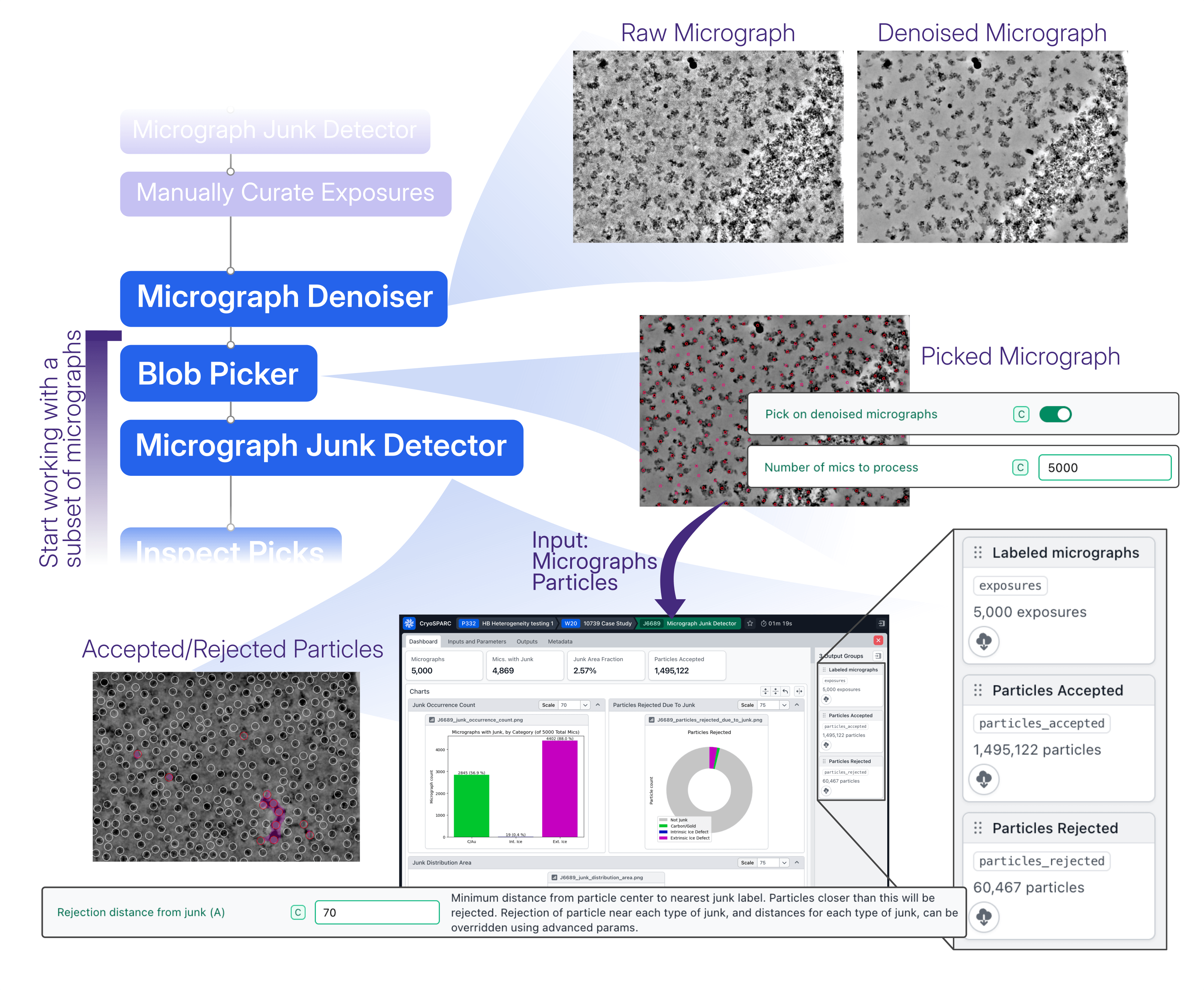
Running Micrograph Junk Detector on this curated subset also provided a useful view of the effect of the preceding micrograph curation. Compared with the distributions before manual curation, the Micrograph Junk Detector statistics reflect the removal of many of the least promising exposures, particularly those affected by intrinsic ice. This is consistent with the manual curation, during which thresholds for Relative Ice Thickness and Intrinsic Ice Defect Area were among those used to exclude micrographs.
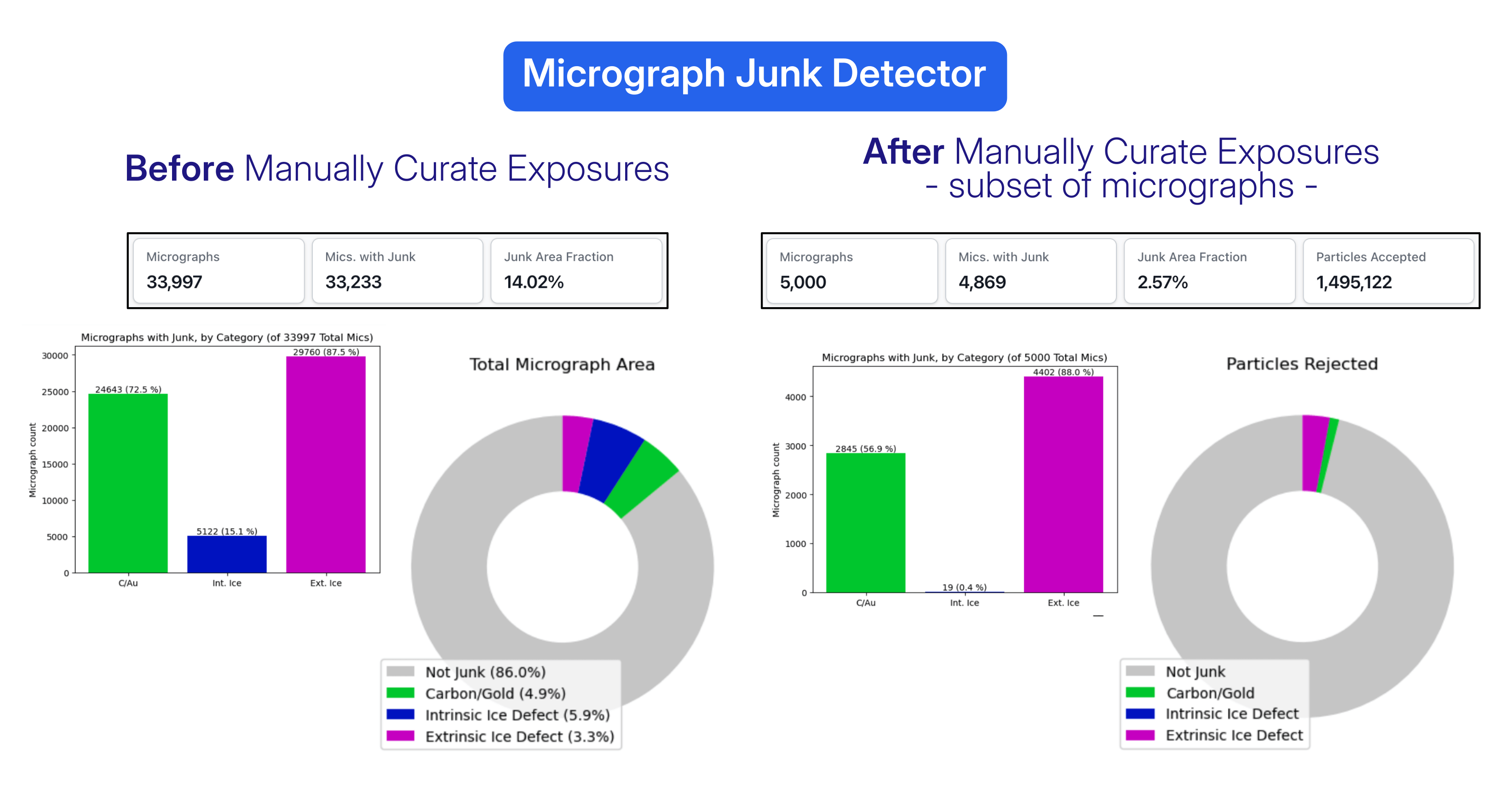
**At this stage, because the Blob Picker particles were also provided as input, Micrograph Junk Detector additionally output accepted and rejected particles**. Picks located within regions classified as junk were automatically separated into the rejected output.
**The accepted and rejected particle outputs from Micrograph Junk Detector could then be inspected with [Inspect Particle Picks](https://guide.cryosparc.com/application-guide/interactive-jobs#interactive-job-inspect-particle-picks)**, bringing together the benefits of the preceding steps: Micrograph Denoiser facilitated particle visualization and picking, while Micrograph Junk Detector already removed picks associated with regions identified as junk.
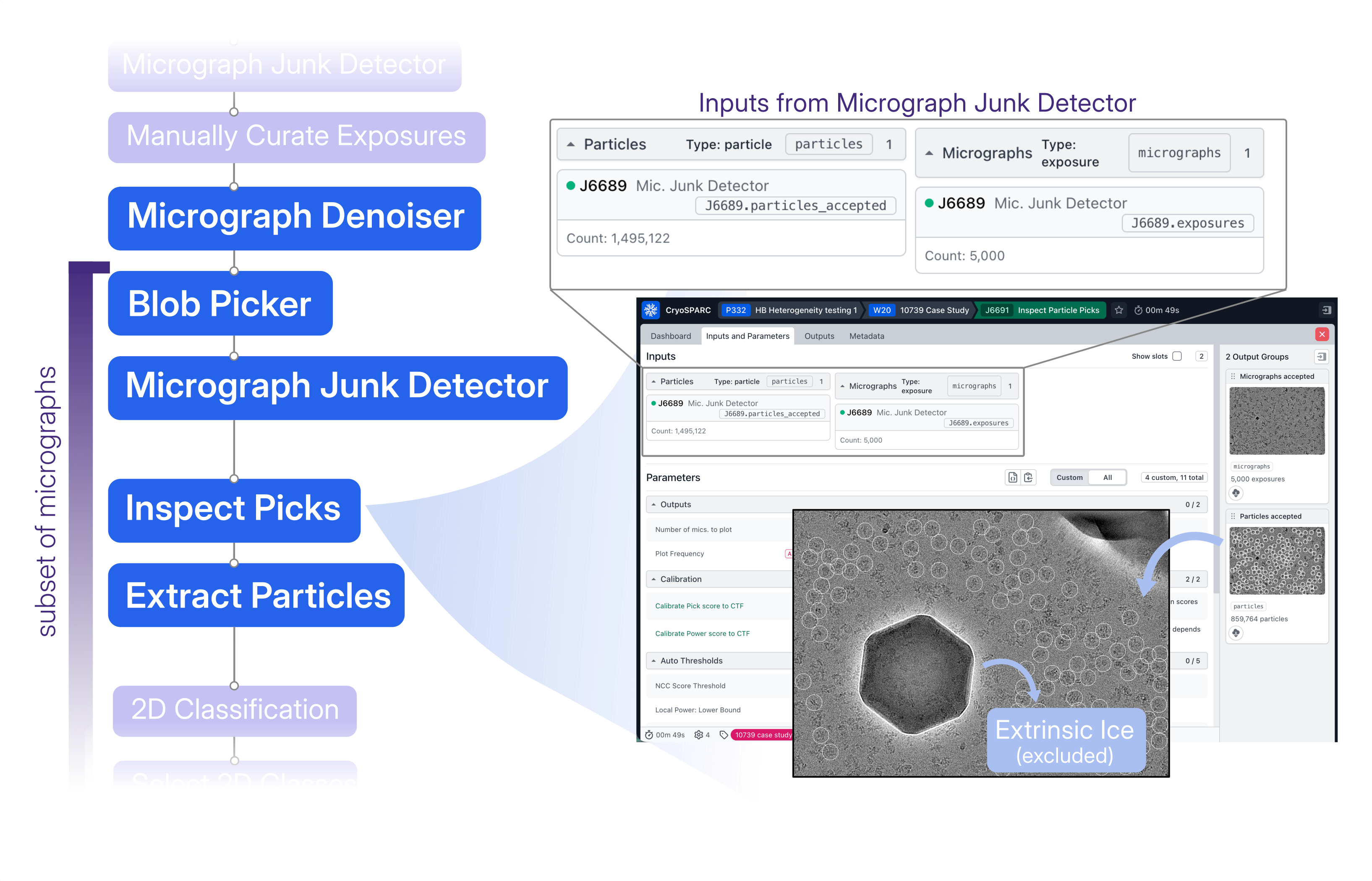
**The combined effects of Micrograph Denoiser, Blob Picker, and Micrograph Junk Detector were already apparent when the accepted particles from Micrograph Junk Detector are examined in Inspect Particle Picks.** For this subset, the exclusion of picks associated with junk regions, together with the more clearly defined particle population obtained by picking on denoised micrographs, resulted in a more distinct NCC/power score distribution.
This facilitated the particle selection, either by setting thresholds manually or by using [Auto Clustering](https://guide.cryosparc.com/application-guide/interactive-jobs#auto-clustering), a mode designed specifically for particles picked from denoised micrographs.
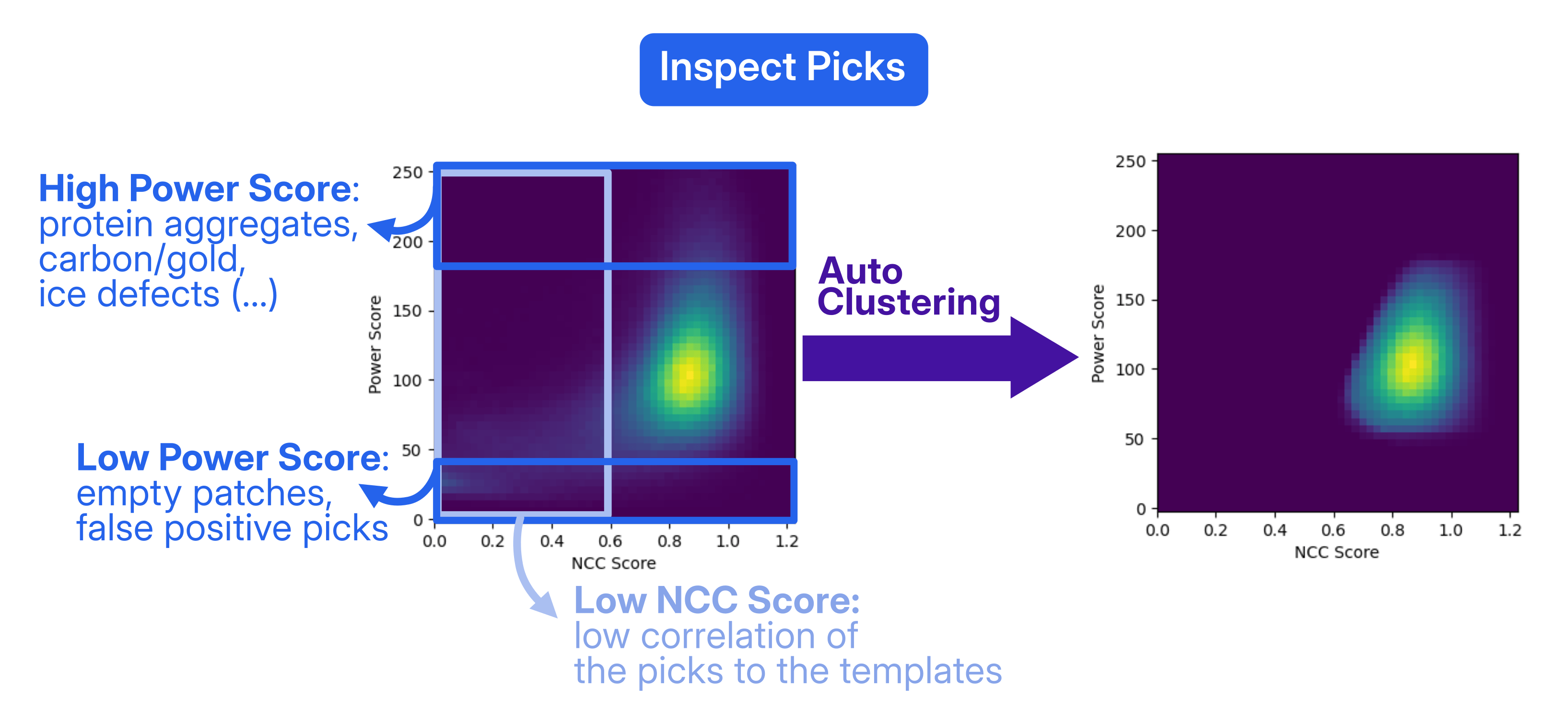
The picks can be evaluated using their Normalized Cross Correlation (NCC) and power scores. NCC measures how closely a particle candidate matches the picking template in shape, whereas the power score reflects the signal intensity at the candidate location after background subtraction. In this case, the NCC/power score plot shows a main high-density cluster of picks, centered around a power score of approximately 100.
The particles could be extracted applying Fourier cropping, in this case to a box size of 64 pixels, saving disk space and allowing the subsequent jobs to run faster. Since the aim of this initial processing stage was to generate templates for Template Picking, which would be filtered to 20 Å, the high-resolution information removed by Fourier cropping was not needed at this stage.
**At this point, the initial goal of working with the 5,000-micrograph subset had been reached:** the resulting particle set was sufficient to generate the first useful reconstruction of the target complex as follows.
## Create Your Templates
The selected particles were first subjected to [2D Classification](https://guide.cryosparc.com/processing-data/all-job-types-in-cryosparc/particle-curation/job-2d-classification), followed by a decoy-classification strategy to further clean the particle stack. To generate the target reference volume, [Ab-Initio Reconstruction](https://guide.cryosparc.com/processing-data/all-job-types-in-cryosparc/3d-reconstruction/job-ab-initio-reconstruction) was performed using a subset of 20k particles from the selected 2D classes. In parallel, 1k particles from the excluded classes were used to rapidly generate three junk volumes, with the resolution and number of iterations limited to accelerate their reconstruction.
The resulting target and junk volumes were then used as competing references in [Heterogeneous Refinement](https://guide.cryosparc.com/processing-data/all-job-types-in-cryosparc/3d-refinement/job-heterogeneous-refinement), using all particles from the selected 2D classes as input. **In this case study, this decoy-classification step allowed Heterogeneous Refinement to distribute the particles among the target and junk references, further separating unwanted particles while retaining a cleaner particle population in the target class, including less abundant views.**
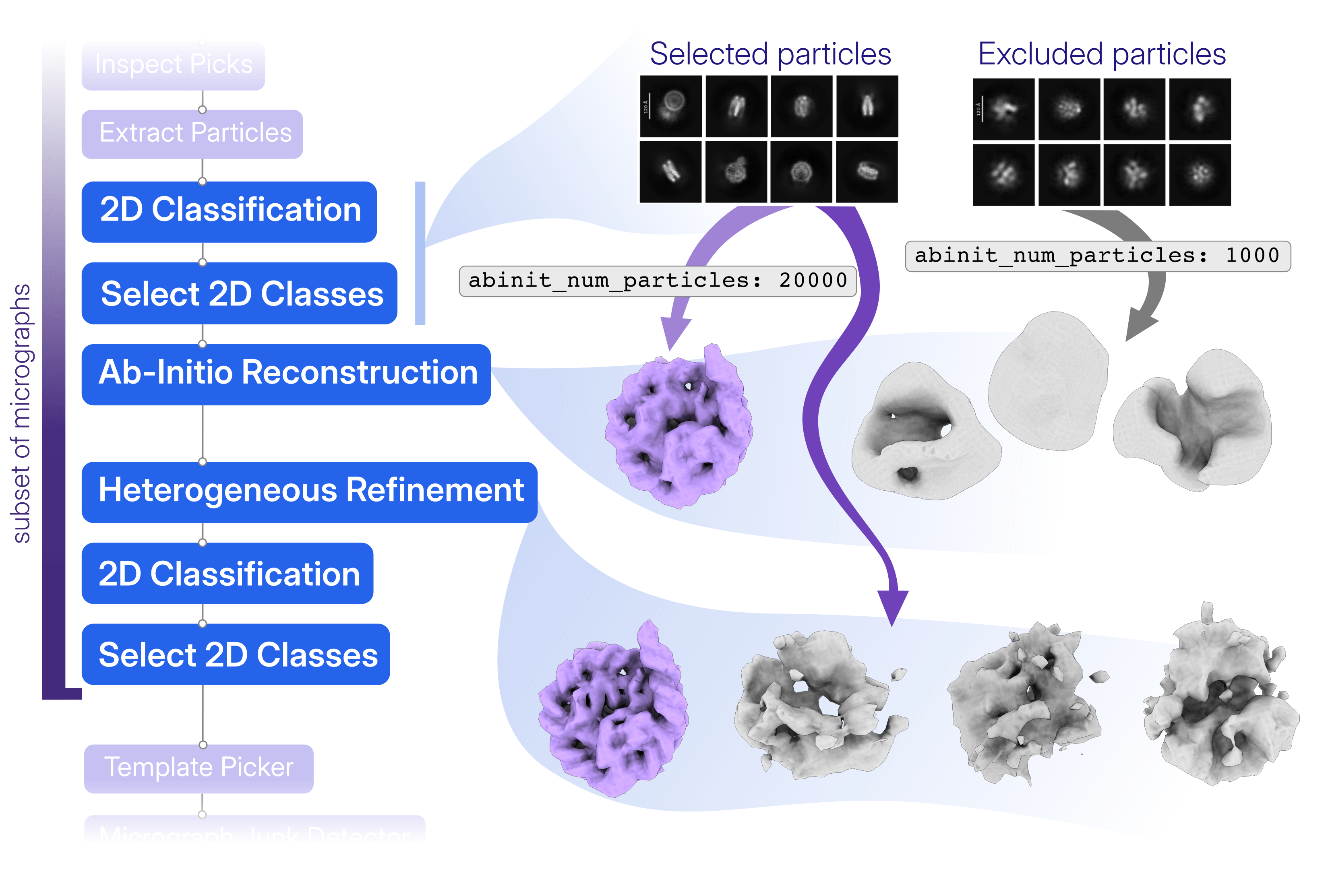
Once the good particles are classified in the target class of the decoy classification, 2D Classification and Select 2D Classes were used to create a good set of templates.
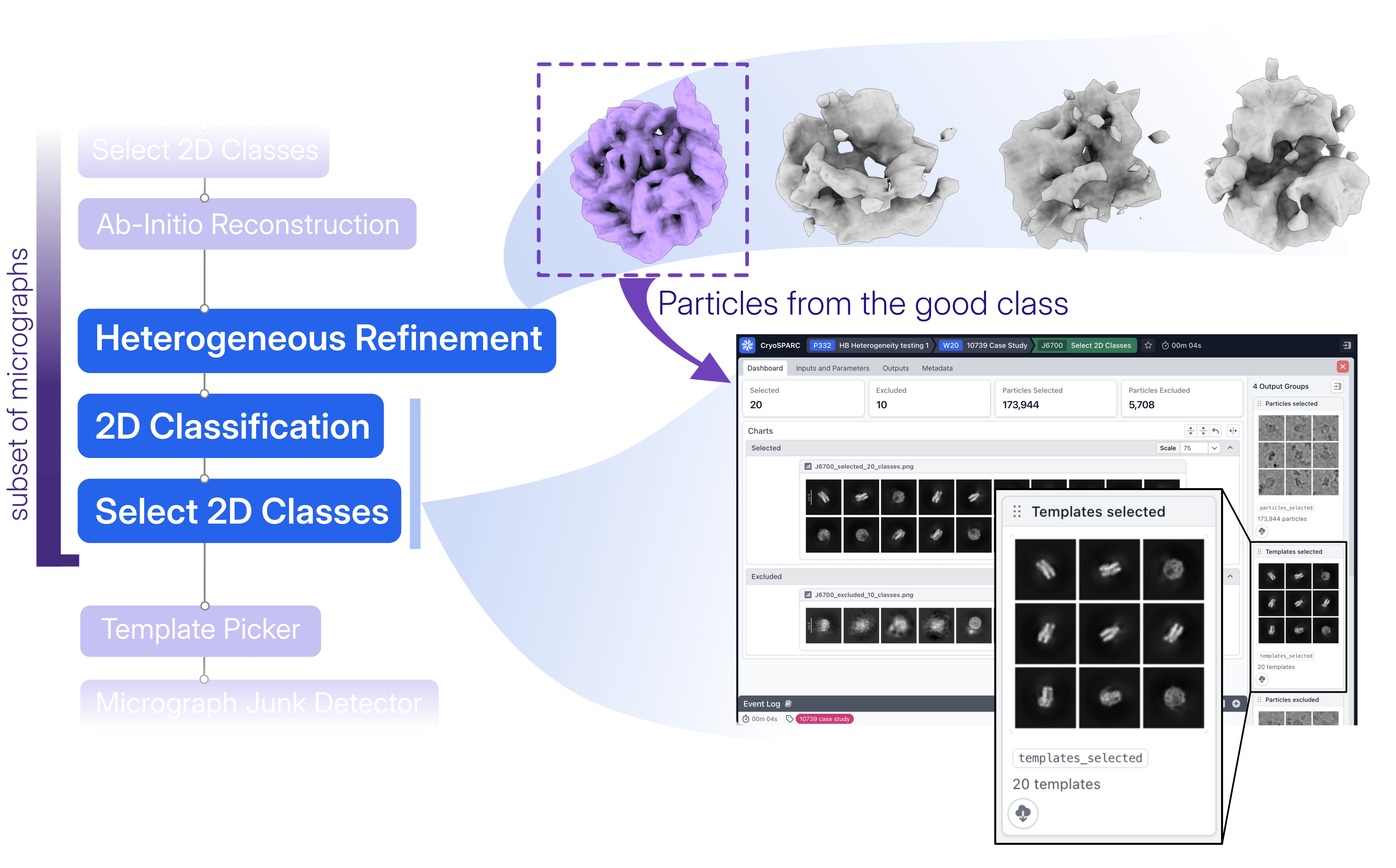
In this case study, **working first with a subset of micrographs provided a faster route to the initial target reconstruction and templates** required for more selective picking across the full dataset. Along the way, **Micrograph Denoiser and Micrograph Junk Detector contributed complementary information: denoising facilitated particle visualization and Blob picking, while junk annotations supported both exposure curation and the exclusion of picks from undesirable regions**. Finally, **decoy classification provided an alternative to repeated rounds of 2D Classification and visual particle selection**, using Heterogeneous Refinement to distribute particles among the target and junk references and further clean the particle stack while retaining less abundant views.
With these templates and the initial curation strategy established, processing could return to the full dataset for Template Picking on denoised micrographs, again incorporating the Micrograph Junk Detector annotations.
---
# The Pain Paradox: Activating TRPV1 to Silence Its Response
**Author:** CryoSPARC Team
**Published:** September 1, 2026
**Category:** Discoveries
**Summary:** Combining rational drug design, functional studies, and cryo-EM, researchers characterize a selective TRPV1 agonist that promotes desensitization and prolonged pain relief.
**Source:** https://cryosparc.com/blog/trpv1-msp20
---
**Do we really need to feel pain?** Usually, yes. Pain warns us of potentially damaging stimuli, but what happens when pain itself becomes persistent? One of the molecular sensors involved in this response, TRPV1, offers an intriguing possibility: **activate it for long enough, and the pain-sensing channel becomes less responsive.**
The transient receptor potential vanilloid 1 (TRPV1) is a nociceptive ion channel that activates by heat (>42 °C), low pH, inflammatory mediators, and chemical agonists [1]. When activated, TRPV1 opens and allows calcium and other positively charged ions into sensory neurons, contributing to the signaling that ultimately produces the sensation of pain.
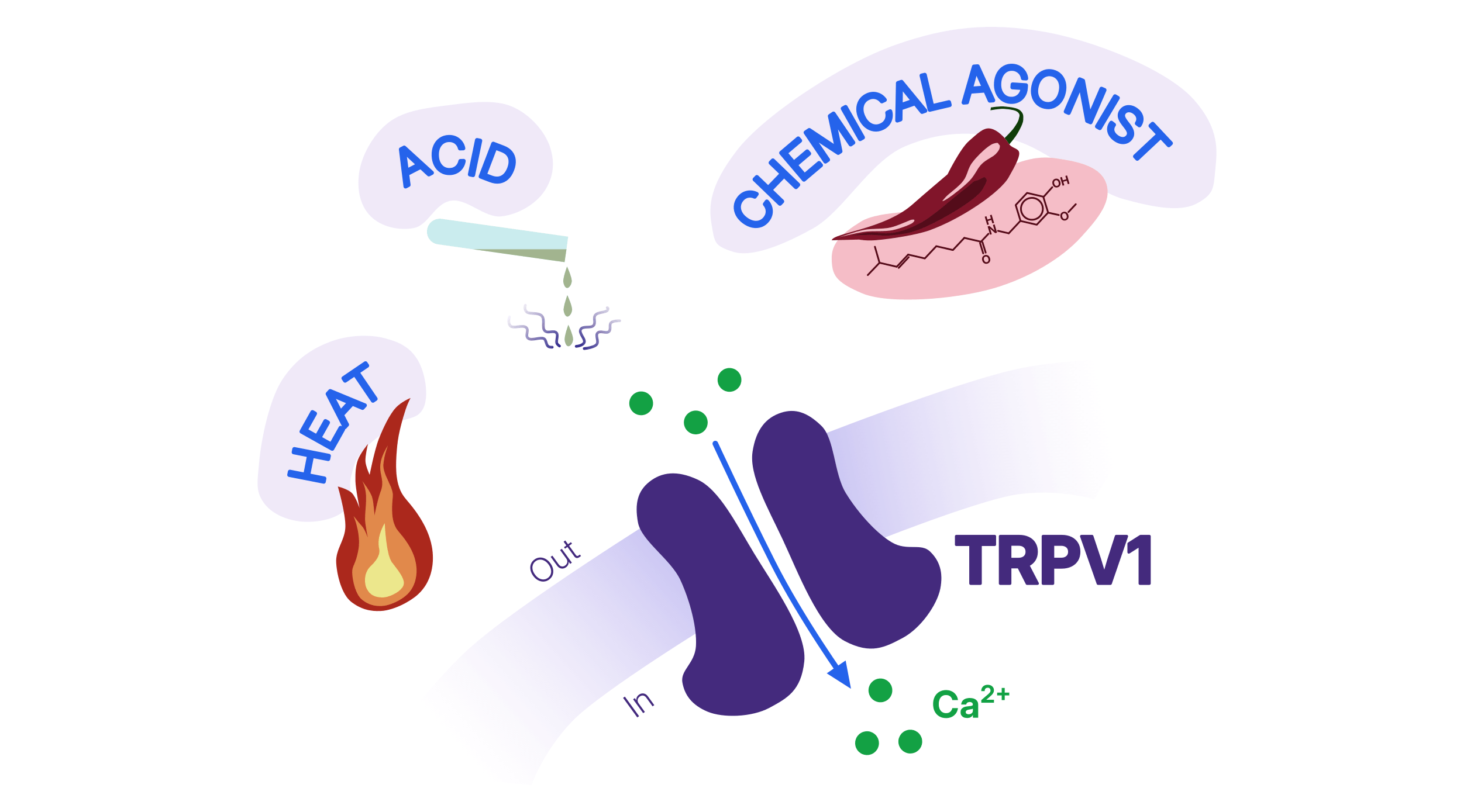
This protein has an interesting peculiarity: **just as we can progressively get used to particularly spicy food, TRPV1 becomes desensitized following prolonged or repeated exposure to chemical agonists** [2]. In fact, we can develop tolerance to spicy food partly thanks to TRPV1 desensitization.
What if the pain itself is the problem, as in inflammatory and neuropathic pain? **Why not exploit this desensitization mechanism?** Capsaicin, the compound responsible for the heat of chili peppers, activates TRPV1 and is already used today as a treatment for certain types of pain [3].
Here, we present how [a collaborative research effort](https://www.nature.com/articles/s41467-026-74972-3) leveraged a combination of *in vitro*, *in/ex vivo*, and cryo-EM studies to support the **rational design of a new capsaicin-inspired TRPV1 agonist, revealing how its interaction with the channel promotes a desensitized state with potential implications for pain treatment.**
### From Capsaicin to MSP20
As mentioned above, capsaicin initially activates TRPV1, causing burning and pain sensation, but prolonged activation leads to desensitization, which is what makes TRPV1 agonists therapeutically interesting. [In this recent *Nature Communications* publication](https://www.nature.com/articles/s41467-026-74972-3), the authors used rational drug design to identify structural features that promote ligand-channel interactions and subsequently synthesized a new class of TRPV1 agonists inspired by capsaicin.
**After thorough rational drug design, this study explores the characteristics of the selected most promising compound, MSP20, through *in vitro*, *in vivo*, and *ex vivo* experiments.** Calcium uptake measurements identified MSP20 as a potent and selective TRPV1 agonist, while prolonged exposure strongly reduced subsequent TRPV1 responses, an early indication that MSP20 could promote channel desensitization.
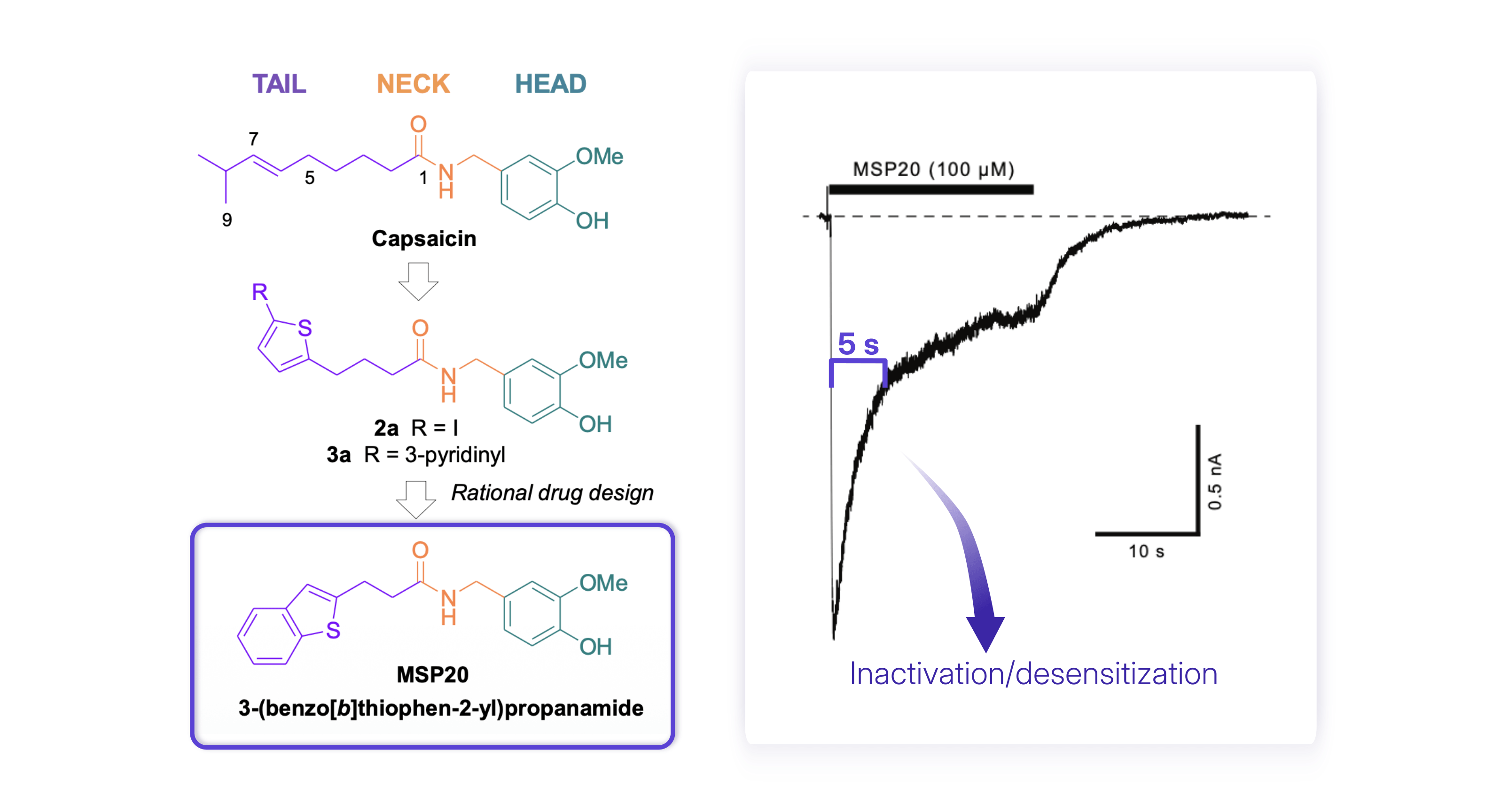
Chemical design to obtain MSP20 through rational drug design (left); representative current trace illustrating pronounced desensitization of human TRPV1 in response to a 20-second application of MSP20 (100 uM) (right). Figure adapted from Figures 1 and 7 in [Neuberger et al., 2026](https://www.nature.com/articles/s41467-026-74972-3).
In mice, MSP20 reduced pain responses and tactile allodynia in a neuropathic pain model. **Most strikingly, the effect outlasted the treatment itself:** reduced mechanical hypersensitivity remained detectable for several days after MSP20 administration stopped, without detectable changes in body temperature under the conditions tested.
### Finding More Good Particles: Iterative Processing of TRPV1-MSP20
**With the functional experiments showing that MSP20 activates and subsequently desensitizes TRPV1, the next question was structural: how does MSP20 interact with the channel, and what conformation does it stabilize?**
> *"We confirmed the time scale of this inactivation/desensitization is about 5 s (Fig. 7). The time scale for making cryo-EM samples using Vitrobot is about 1 min, meaning that most of our sample on the grid should be in inactivated/desensitized state."*
>
> *- Dr. Alexander I. Sobolevsky, Professor of Biochemistry and Molecular Biophysics, Columbia University (corresponding author)*
**Following purification, human TRPV1 was incubated with MSP20 and analyzed by single-particle cryo-EM, ultimately yielding a 2.6 Å reconstruction of the TRPV1-MSP20 complex.**
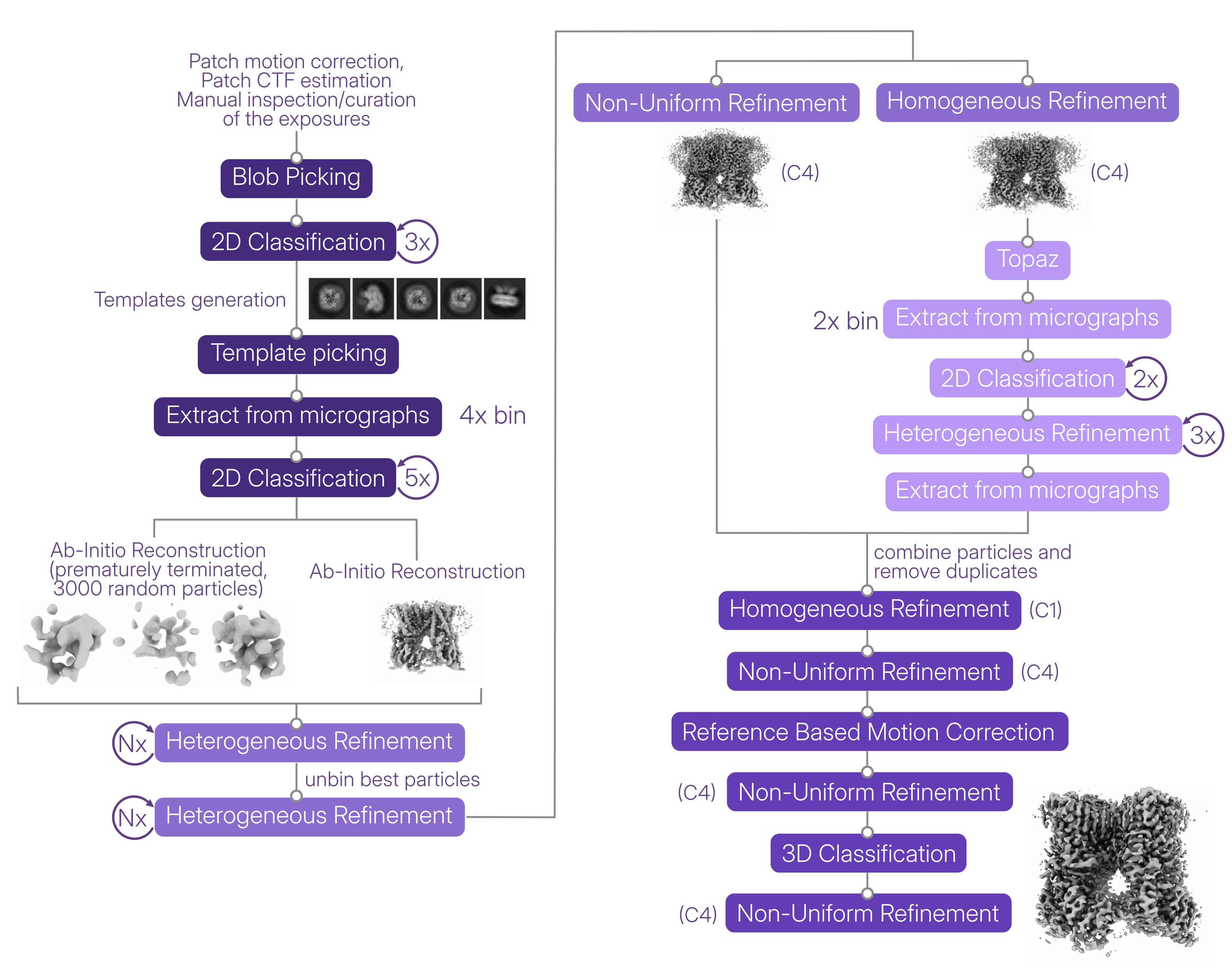
Data processing scheme adapted from [Neuberger et al., 2026](https://www.nature.com/articles/s41467-026-74972-3). The final reconstruction was obtained by further rescaling the map from the final Non-Uniform Refinement in ChimeraX using EMD-29983 as a reference, correcting the pixel size (0.856 to 0.83), and the final FSC calculation in CryoSPARC yielded a resolution of 2.6 Å.
Data processing in [CryoSPARC](https://cryosparc.com/) followed an iterative strategy aimed at progressively cleaning the particle stack while recovering as many high-quality TRPV1 particles as possible. Initial [Blob Picking](https://guide.cryosparc.com/processing-data/all-job-types-in-cryosparc/particle-picking/job-blob-picker) and [2D Classification](https://guide.cryosparc.com/processing-data/all-job-types-in-cryosparc/particle-curation/job-2d-classification) generated templates for subsequent [Template Picking](https://guide.cryosparc.com/processing-data/all-job-types-in-cryosparc/particle-picking/job-template-picker). The newly picked particles were then cleaned through multiple rounds of 2D Classification before moving into 3D particle curation.
The authors used [Heterogeneous Refinement](https://guide.cryosparc.com/processing-data/all-job-types-in-cryosparc/3d-refinement/job-heterogeneous-refinement) for decoy classification, in which the junk volumes were generated by prematurely terminating a three-class [Ab-Initio Reconstruction](https://guide.cryosparc.com/processing-data/all-job-types-in-cryosparc/3d-reconstruction/job-ab-initio-reconstruction) job.
> *"Our typical particle clean-up pipeline includes rounds of Heterogeneous Refinement and Homogeneous Refinement of the good class, which we repeat till the percentage of particles in the good class in Heterogeneous Refinement reached 80-90%."*
>
> *- Dr. Sobolevsky (corresponding author)*
Rather than stopping once a clean particle stack had been obtained, the authors **used these selected particles to train [Topaz](https://guide.cryosparc.com/processing-data/all-job-types-in-cryosparc/deep-picking/topaz) and return to the particle-picking stage**. The additional particles recovered with Topaz were taken through the same iterative cleanup strategy and combined with the previously selected particles after duplicate removal.
[**Reference Based Motion Correction**](https://guide.cryosparc.com/processing-data/all-job-types-in-cryosparc/motion-correction/job-reference-based-motion-correction-beta) **was implemented using the high-quality reference volume obtained after these data-processing steps. C4 symmetry was introduced only once the reconstruction had reached sufficient resolution to confidently establish the fourfold symmetry of the TRPV1 channel**, avoiding the imposition of symmetry during the earlier stages of particle cleanup. The final processing strategy yielded a **2.68 Å reconstruction, reported at 2.60 Å after pixel-size rescaling**, providing the level of detail needed to examine MSP20 binding and the conformation of the channel.
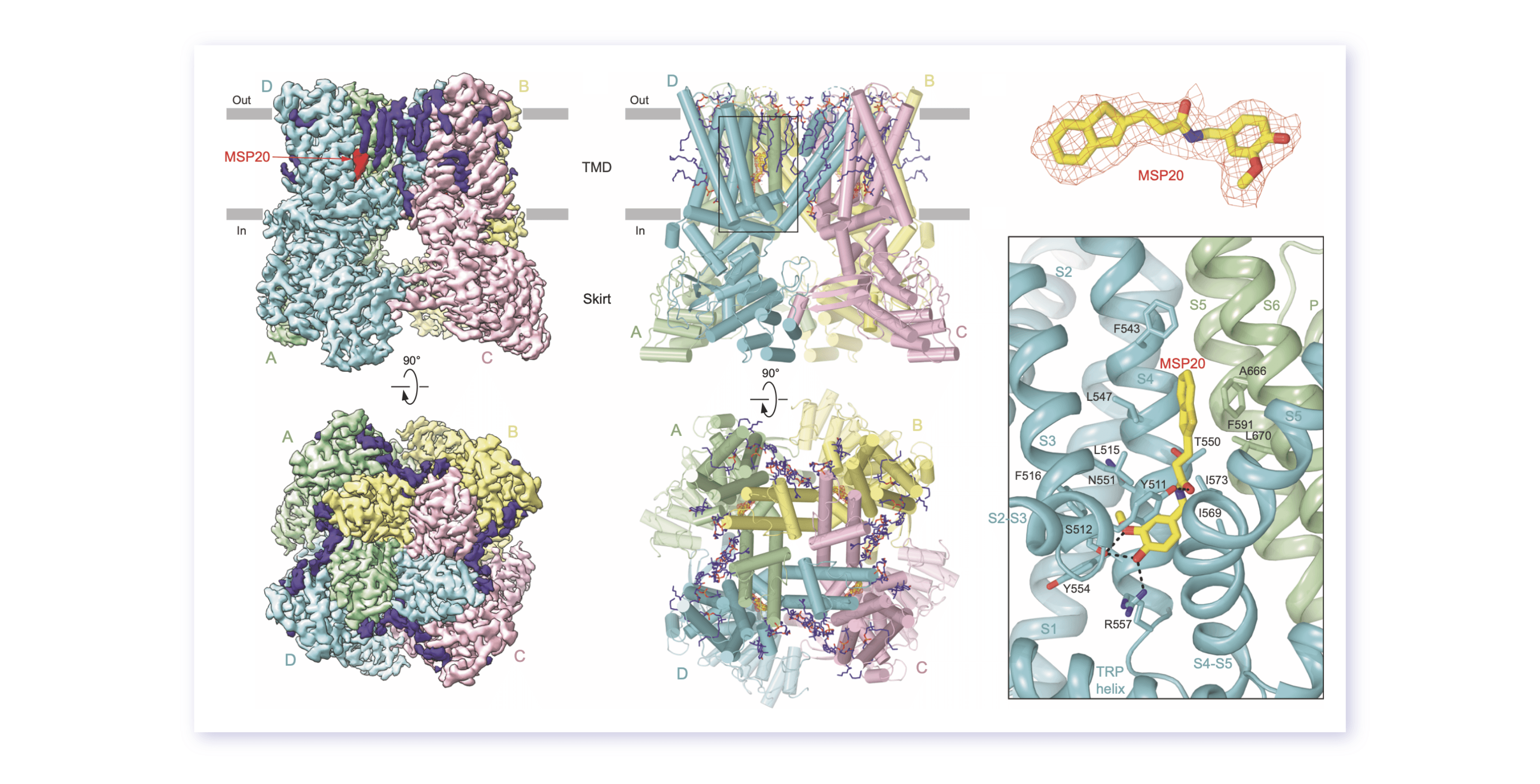
Cryo-EM map (left) and atomic model (center) of MSP20-bound TRPV1; MSP20 binding to the TRPV1 vanilloid-binding pocket (right). Figure adapted from [Neuberger et al., 2026](https://www.nature.com/articles/s41467-026-74972-3).
### Agonist Bound, Pore Closed: Capturing Desensitized TRPV1
**The cryo-EM structure indeed showed one MSP20 molecule in the vanilloid-binding pocket of each TRPV1 subunit, but the channel pore was closed.** Rather than simply resembling the apo closed state, however, the structure combined features that distinguished it from both previously characterized closed and open conformations.
> *"We confirmed the [deactivated] state by solving the structure of TRPV1-MSP20 complex, which has cumulative features of desensitized/inactivated state, which are different from the set of features describing the apo closed or open states. For example, the pore of the channel is shut for permeation and lipid near F582 is present (different from the open state), while the C-terminus adopts alpha-helical conformation (different from the closed state)."*
>
> *- Dr. Sobolevsky (corresponding author)*
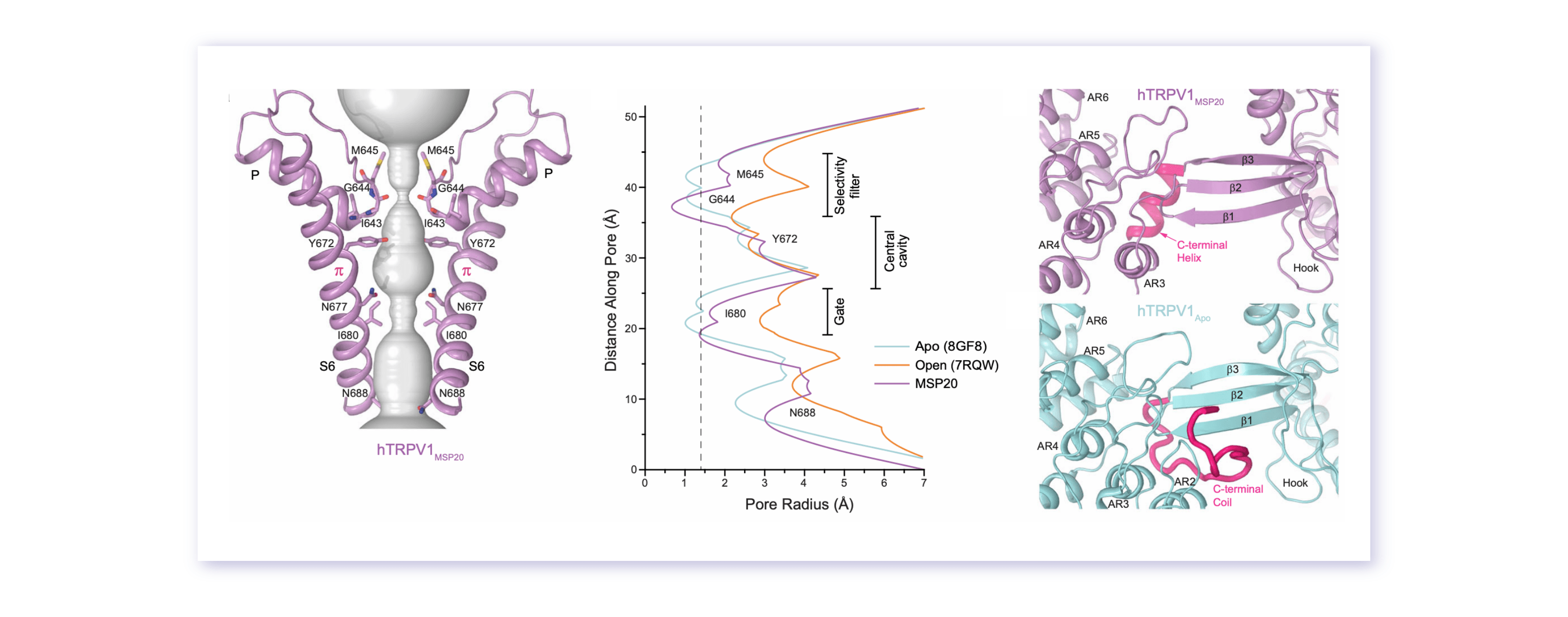
Pore-forming domain of MSP20-bound TRPV1 (left), comparison of pore radii between apo, open and MSP-bound TRPV1 calculated using HOLE (center), and different conformations of the TRPV1 C-terminus between MSP20-bound and apo TRPV1 structures (right). Figure adapted from [Neuberger et al., 2026](https://www.nature.com/articles/s41467-026-74972-3).
The functional data complemented this structural picture. Upon MSP20 application, TRPV1 currents rapidly increased before declining markedly during continued exposure, consistent with activation followed by desensitization. The structure also revealed how MSP20 occupies the vanilloid-binding site and interacts with the channel as anticipated during its rational design.
> *"... MSP20 is bound to the vanilloid site, like other TRPV1 agonists (e.g., capsaicin) and all molecular interactions are exactly like they were predicted during the original design of the set of these molecules, which aimed at high affinity and specificity TRPV1 agonists"* [4].
>
> *- Dr. Sobolevsky (corresponding author)*
Interestingly, MSP20 was less potent than capsaicin while remaining highly selective for TRPV1. Beyond explaining the properties of MSP20 itself, the structure therefore provides a starting point for designing compounds that preferentially stabilize the desensitized state.
> *"Now that we have precise description of MSP20 interactions with the inactivated/desensitized state of TRPV1 (Figs. 6-7), one can design derivatives of MSP20 that would favor the inactivated/desensitized state over closed/open and have better analgesic properties."*
>
> *- Dr. Sobolevsky (corresponding author)*
The study therefore comes back to the paradox at the heart of TRPV1 pharmacology: **reducing pain does not necessarily require simply blocking a pain sensor.** By combining rational drug design, functional characterization, and cryo-EM, the authors show how an agonist can activate TRPV1 and promote its subsequent desensitization, while providing a structural framework for exploring this mechanism in the development of future analgesics.
#### References
- Nilius, B., Vennekens, R., & Owsianik, G. (2008). Vanilloid transient receptor potential cation channels: an overview. Current Pharmaceutical Design, 14(1), 18-31. doi: 10.2174/138161208783330763
- Sanz-Salvador, L., Andres-Borderia, A., Ferrer-Montiel, A., & Planells-Cases, R. (2012). Agonist- and Ca2+-dependent desensitization of TRPV1 channel targets the receptor to lysosomes for degradation. Journal of Biological Chemistry, 287(23), 19462-19471. doi: 10.1074/jbc.M111.289751
- Yang, F., & Zheng, J. (2017). Understand spiciness: mechanism of TRPV1 channel activation by capsaicin. Protein & Cell, 8, 169-177. doi: 10.1007/s13238-016-0353-7
- Romeo, I., Brizzi, A., Pessina, F., Ambrosio, F. A., Aiello, F., Belardo, C., et al. (2023). In silico-guided rational drug design and synthesis of novel 4-(thiophen-2-yl) butanamides as potent and selective TRPV1 agonists. Journal of Medicinal Chemistry, 66(10), 6994-7015. doi: 10.1021/acs.jmedchem.3c00447
---
# Instance Recovery in CryoSPARC v5
**Author:** CryoSPARC Team
**Published:** August 27, 2026
**Category:** CryoSPARC Updates
**Summary:** Discover the Instance Recovery feature introduced in CryoSPARC v5: how to recover a CryoSPARC instance if the database directory is corrupted or lost.
**Source:** https://cryosparc.com/blog/instance-recovery-v5
---
In the CryoSPARC v5 release, we introduced the new [Instance Recovery](https://guide.cryosparc.com/setup-configuration-and-management/software-system-guides/guide-instance-recovery-v5.0) feature, a major improvement to the ability to recover a CryoSPARC instance after corruption or loss of the CryoSPARC database.
This post is intended for anyone **installing, configuring, or managing a CryoSPARC instance**, whether you are part of an IT team or an end user managing the software yourself. For more in-depth information, visit the [Guide](https://guide.cryosparc.com/) to learn more about [CryoSPARC Setup, Configuration and Management](https://guide.cryosparc.com/setup-configuration-and-management/hardware-and-system-requirements) or take [a tour of the CryoSPARC Interface](https://guide.cryosparc.com/application-guide/a-tour-of-the-cryosparc-interface).
Prior to the Instance Recovery feature, backing up and restoring the CryoSPARC database had to be manually configured by an [administrator](https://guide.cryosparc.com/application-guide/admin-panel), could be a slow process, took a lot of disk space, and backups would become stale as soon as additional processing was done in any project. The new Instance Recovery system has many advantages:
- Instance Recovery creates a recovery file **automatically every hour** and this happens in all v5+ [instances](https://guide.cryosparc.com/application-guide/instance-management) without any user setup needed.
- The **recovery files are very small**, and contain the full [instance configuration](https://guide.cryosparc.com/setup-configuration-and-management/how-to-download-install-and-configure/downloading-and-installing-cryosparc) information (users, compute lanes, profiles, etc.) but do not contain any [project data](https://guide.cryosparc.com/application-guide/managing-data#project-data). This means recovery files can be easily and routinely copied to one or more backup locations to also protect against disk failure.
- An **instance can be fully recovered** as long as a recent export is available, and project directories are intact. Recovery is fail-safe, meaning that if some project directories are inaccessible, all others will still be recovered and re-attached during recovery.
- **Instance recovery is now the recommended way to provide resilience to database failure for CryoSPARC instances**, and while the old [backup](https://guide.cryosparc.com/setup-configuration-and-management/management-and-monitoring-4.7/cryosparcm-4.7#cryosparcm-backup) and [restore](https://guide.cryosparc.com/setup-configuration-and-management/management-and-monitoring-4.7/cryosparcm-4.7#cryosparcm-restore) system still exists in v5, it is no longer recommended and may be deprecated in future versions.
**In this blog post, we introduce the scenarios in which Instance Recovery can be useful, the prerequisites for using it, and the resources available to guide you through the process.**
## Corrupted or Lost Database: Not All Is Lost
As described in detail in the Guide, typical [CryoSPARC Architecture and System](https://guide.cryosparc.com/setup-configuration-and-management/hardware-and-system-requirements) setups can vary, from single or multiple workstations to cluster setups, allowing [CryoSPARC](https://cryosparc.com/) to be installed and scaled flexibly. CryoSPARC follows the [master-worker pattern](https://guide.cryosparc.com/setup-configuration-and-management/hardware-and-system-requirements#master-worker-pattern), where processes are divided between master and worker processes, which can run on the same node if necessary.
**The CryoSPARC database (a [MongoDB](https://www.mongodb.com/) instance) runs on the master node and collects all the information regarding the instance configuration, job images and plots, and Project/Workspace/Job metadata. The CryoSPARC database stores its contents on disk in a location that is specified when CryoSPARC is installed, typically on disks in the master node itself.** Another copy of project and job metadata, images and plots are also stored on disk in the project directories, which are typically stored on a different filesystem.
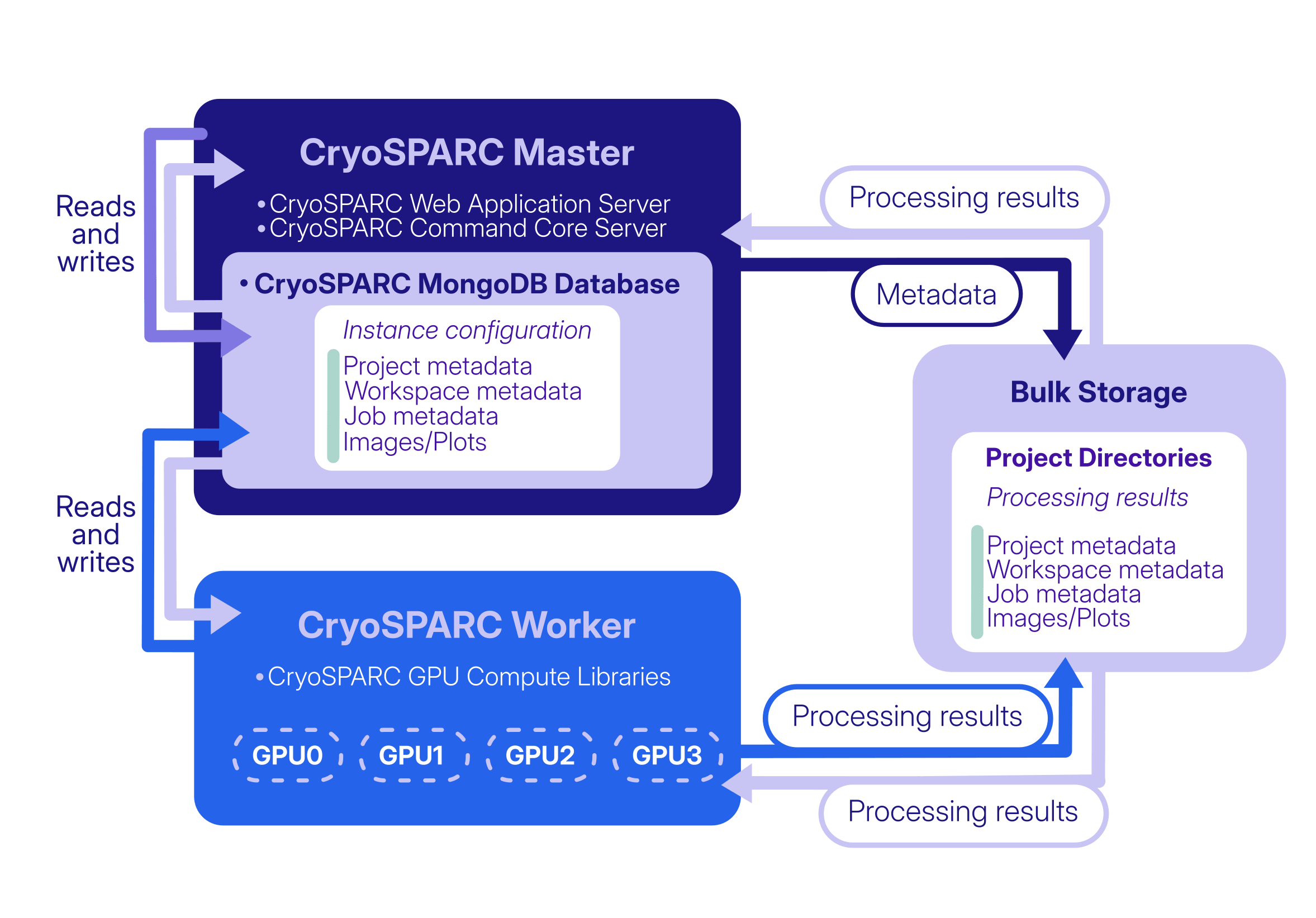
There are several scenarios in which the CryoSPARC database could be lost or damaged. For example, the database folder could be accidentally deleted, the database could run out of storage space while attempting to write to it, a power outage could occur during writing, or the underlying hardware could simply stop working.
If, for any reason, the database is no longer available, the CryoSPARC instance is affected: all other services depend on the database and subsequent attempts to start CryoSPARC will fail.
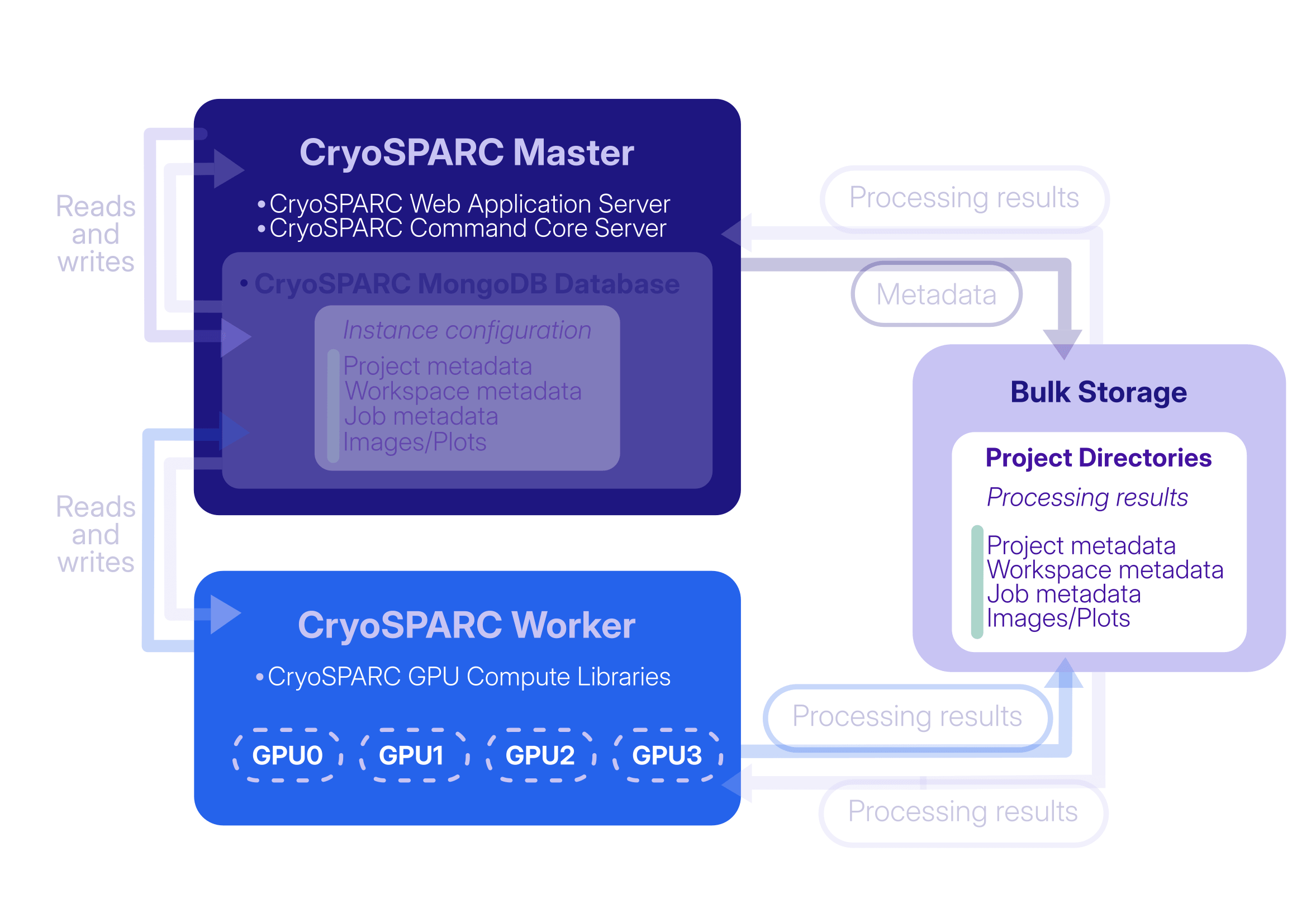
Before CryoSPARC v5, database loss or corruption could be addressed by maintaining complete backups of the CryoSPARC database using the [`cryosparcm backup`](https://guide.cryosparc.com/setup-configuration-and-management/management-and-monitoring-4.7/cryosparcm-4.7#cryosparcm-backup) and [`cryosparcm restore`](https://guide.cryosparc.com/setup-configuration-and-management/management-and-monitoring-4.7/cryosparcm-4.7#cryosparcm-restore) commands. These commands took a complete snapshot of the database, which was a very slow process that could require hundreds of GBs or more available disk space. The backup files would also become "stale", meaning that they would become out of sync with the project directories if any new jobs were created in any project after the backup was taken. Alternatively, an instance could be recovered by installing a new CryoSPARC instance, recreating users manually, reconnecting all worker nodes manually, and then manually reattaching the projects that were previously attached to the lost instance. This process could be time-consuming, particularly for instances containing a large number of projects, users, or lanes.
In [CryoSPARC v5](https://cryosparc.com/updates/v5.0), this process is significantly simplified and is largely automated thanks to the new [Instance Recovery](https://guide.cryosparc.com/setup-configuration-and-management/software-system-guides/guide-instance-recovery-v5.0) feature.
## Instance Recovery: When and How to Use It
CryoSPARC v5 automatically generates a recovery file (an instance configuration export file) once per hour and stores it in the `cryosparc_master/run` directory. This file tracks all instance configuration information (users, lanes, CryoSPARC Live profiles, etc.) and also which projects, workspaces, and jobs existed at the time of the latest export, but it does not store specific information about the jobs themselves, which is instead preserved in the project directories.
To ensure that CryoSPARC database recovery files are available for recovery even if the entire CryoSPARC master node and disks fail, it is recommended to [routinely copy the instance configuration export files](https://guide.cryosparc.com/setup-configuration-and-management/software-system-guides/guide-instance-recovery-v5.0#the-cryosparc-database) from `cryosparc_master/run` to another backup location (for example, using `cron`).
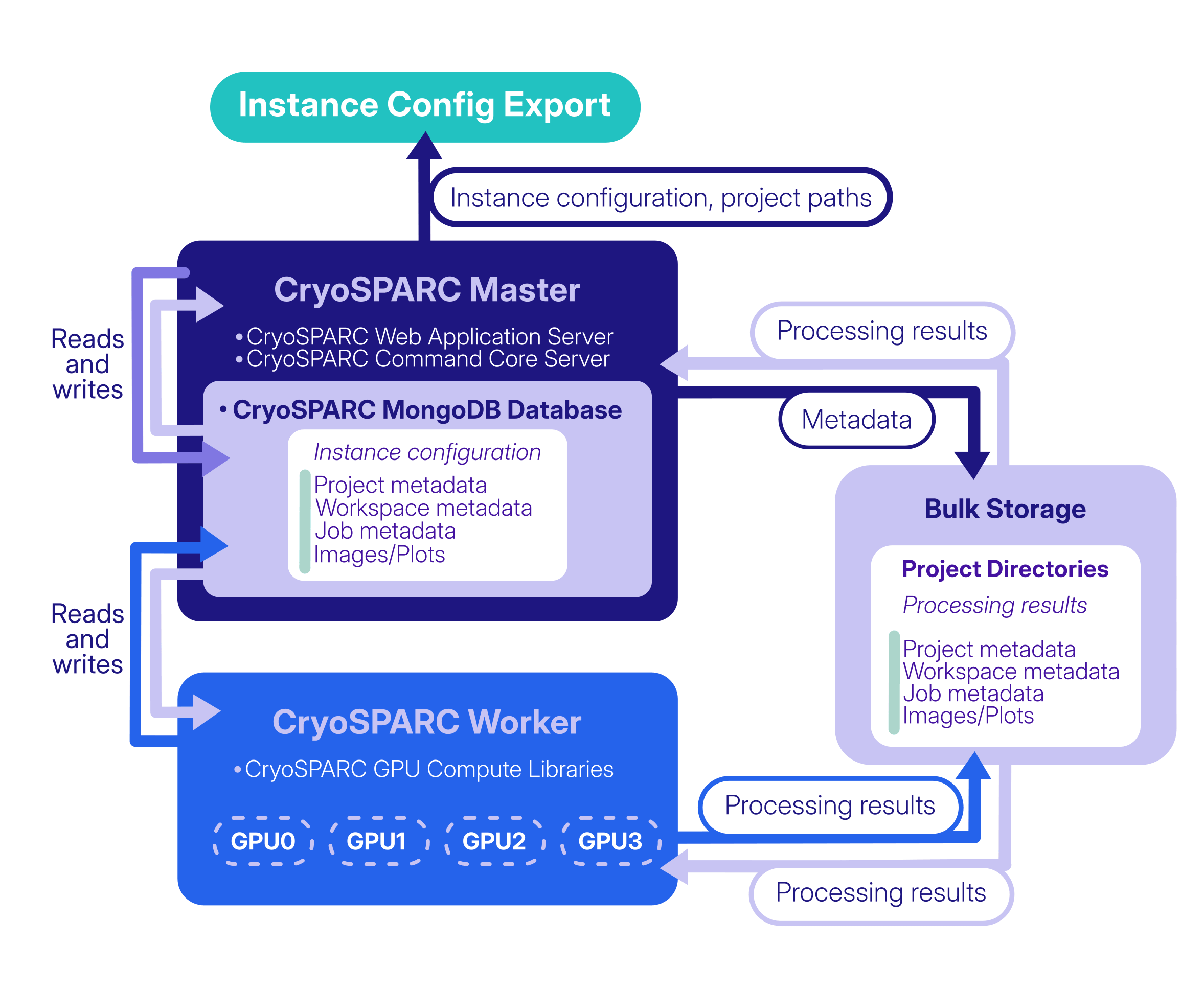
Together, the instance configuration export and the information stored in the project directories allow the instance to be recovered even if the database is completely lost, when the following prerequisites are met:
- The project directories are intact.
- A recent instance configuration export file is available (this would be found in the `cryosparc_master/run` directory of the original instance).
- Reliable storage, with enough space for the recovered database and future growth, is mounted and available on the CryoSPARC master node.
- The new destination `cryosparc_master/` installation is running the same version as the original instance at the time of database loss.
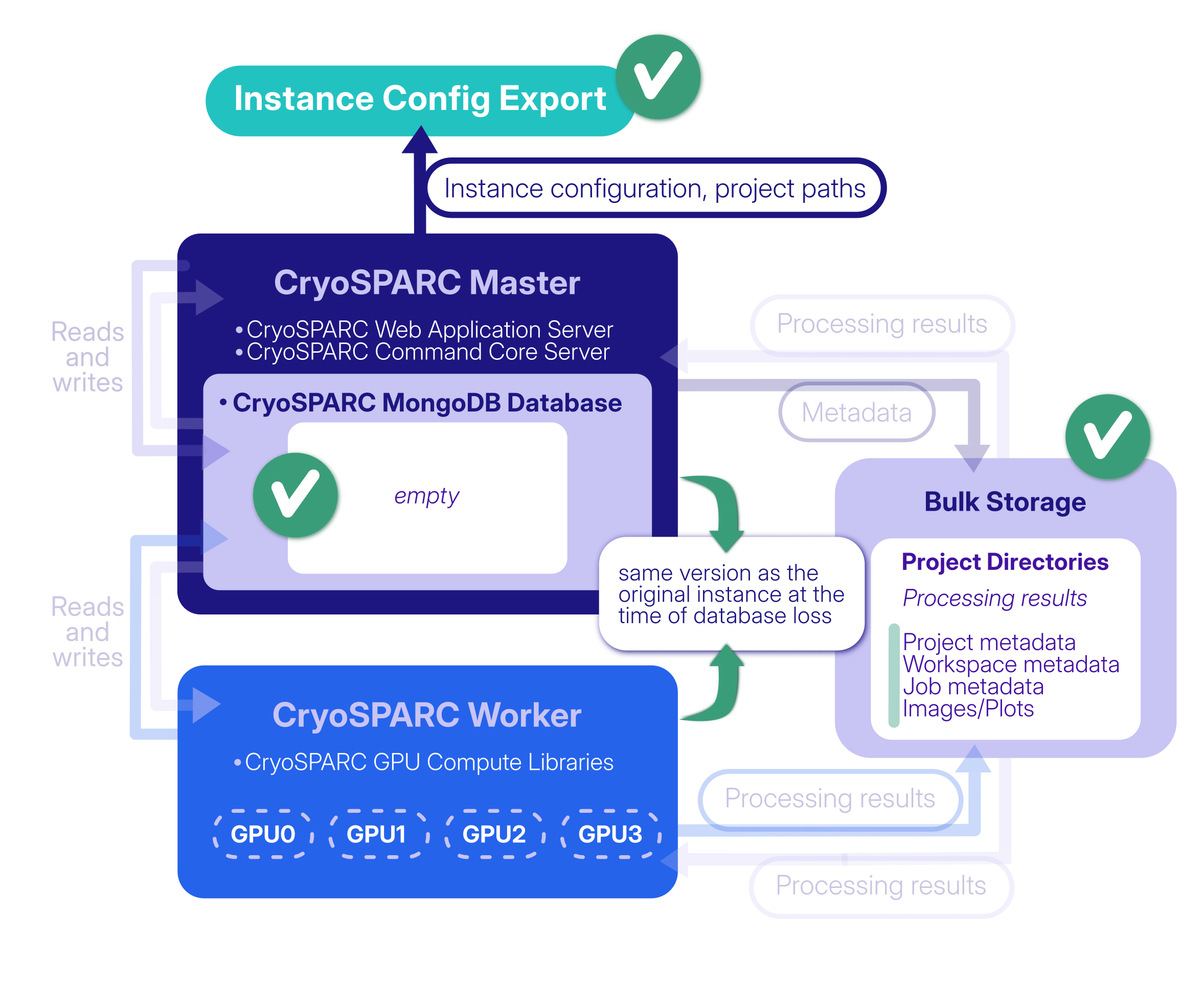
Following the [steps](https://guide.cryosparc.com/setup-configuration-and-management/software-system-guides/guide-instance-recovery-v5.0#steps) outlined in the Guide, `cryosparcm recover` restores the instance configuration from the exported file and **automatically reattaches the projects that were attached when the export was created**. Projects that could not be recovered automatically (for example, project directories are unavailable) can be manually [attached](https://guide.cryosparc.com/setup-configuration-and-management/software-system-guides/guide-data-management-in-cryosparc-v4.0#attach) once the recovery process is complete. Projects that are reattached during instance recovery automatically retain their original Project UID specifiers (for example, P1, P2, etc.).
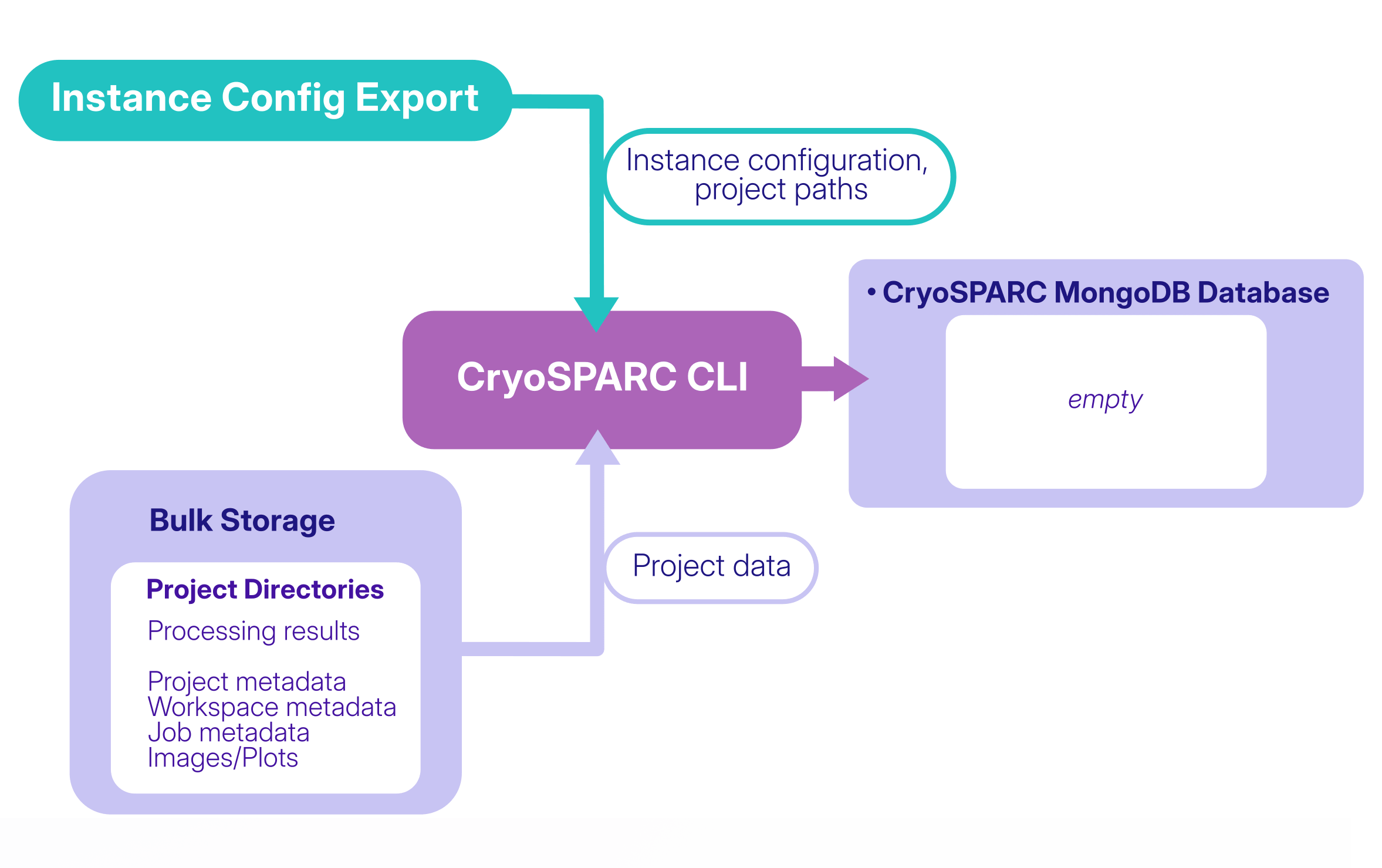
Thanks to the hourly generation of the instance configuration export, recovering from a lost or corrupted database can now be simpler and less time-consuming. If information was added or changed between the most recent export and database loss, manual recovery steps can still be used where needed: for example, if a new project was created since the last instance configuration export, it will not be reattached automatically during instance recovery but it can be manually reattached.
**Note that the same recovery workflow can also be useful in some cases when migrating a CryoSPARC instance to new hardware.** For example, a migration may be required when upgrading the underlying system or hardware, or when moving an entire CryoSPARC instance and its data to a new machine. In these cases, Instance Recovery provides a way to reconstruct the instance on the new system using the instance configuration export and existing project directories.
**Read the [Guide: Instance Recovery (v5.0+)](https://guide.cryosparc.com/setup-configuration-and-management/software-system-guides/guide-instance-recovery-v5.0) to learn more about the new feature and find detailed instructions for implementing it.**
For more information regarding the CryoSPARC v5.0 release, visit the [changelog](https://cryosparc.com/updates/v5.0) and the related [blog post](https://cryosparc.com/blog/v5-0-stable-release).
---
# Malaria Invasion at Molecular Resolution: From Protein Inhibitors to Membrane Remodeling
**Author:** CryoSPARC Team
**Published:** August 20, 2026
**Category:** Discoveries
**Summary:** Using single-particle cryo-EM, researchers revealed how the malaria parasite's moving junction remodels host membranes and used its native structure to guide the design of a protein inhibitor of parasite invasion.
**Source:** https://cryosparc.com/blog/malaria
---
Nearly half a million children under the age of five die from malaria every year [1]. The disease is caused by the parasite *Plasmodium falciparum*, whose complex life cycle alternates between humans and *Anopheles* mosquitoes. During this cycle, the parasite infects human liver cells (hepatocytes) and red blood cells (RBCs), as well as the salivary glands of mosquitoes, enabling transmission between hosts.
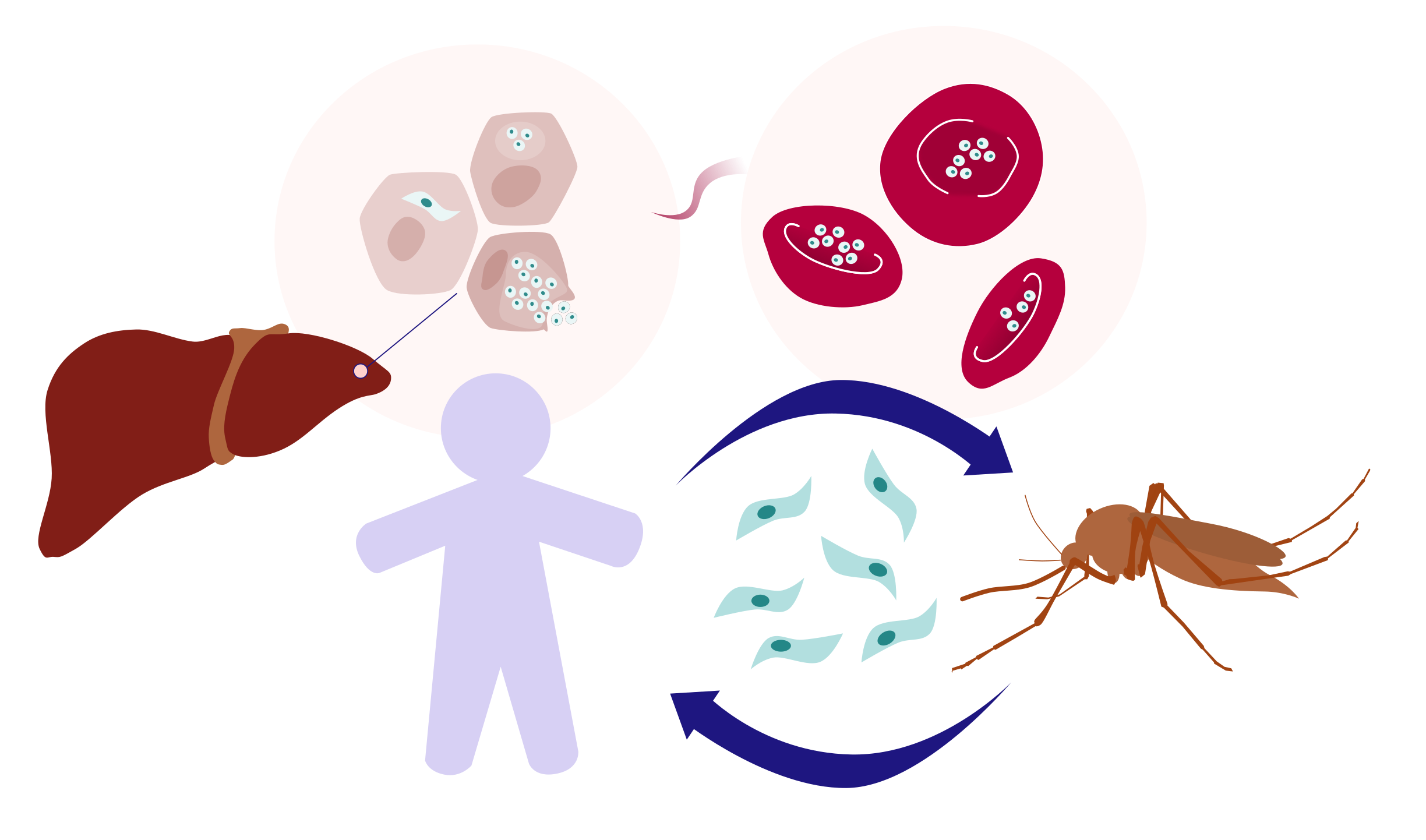
The parasite's life cycle has evolved to maximize transmission and relies on a sophisticated invasion mechanism. While the overall process has been modeled, many of its molecular details remain elusive. **One of the earliest and most critical steps of invasion is the formation of a moving junction (MJ) between the parasite and the membrane of the target cell** - whether a human red blood cell, a hepatocyte, or a mosquito salivary gland cell [2]. As the parasite actively penetrates the host cell, this ring-shaped junction acts both as an anchor that provides traction during invasion and as a molecular sieve that excludes host membrane proteins while allowing the parasite to enter.
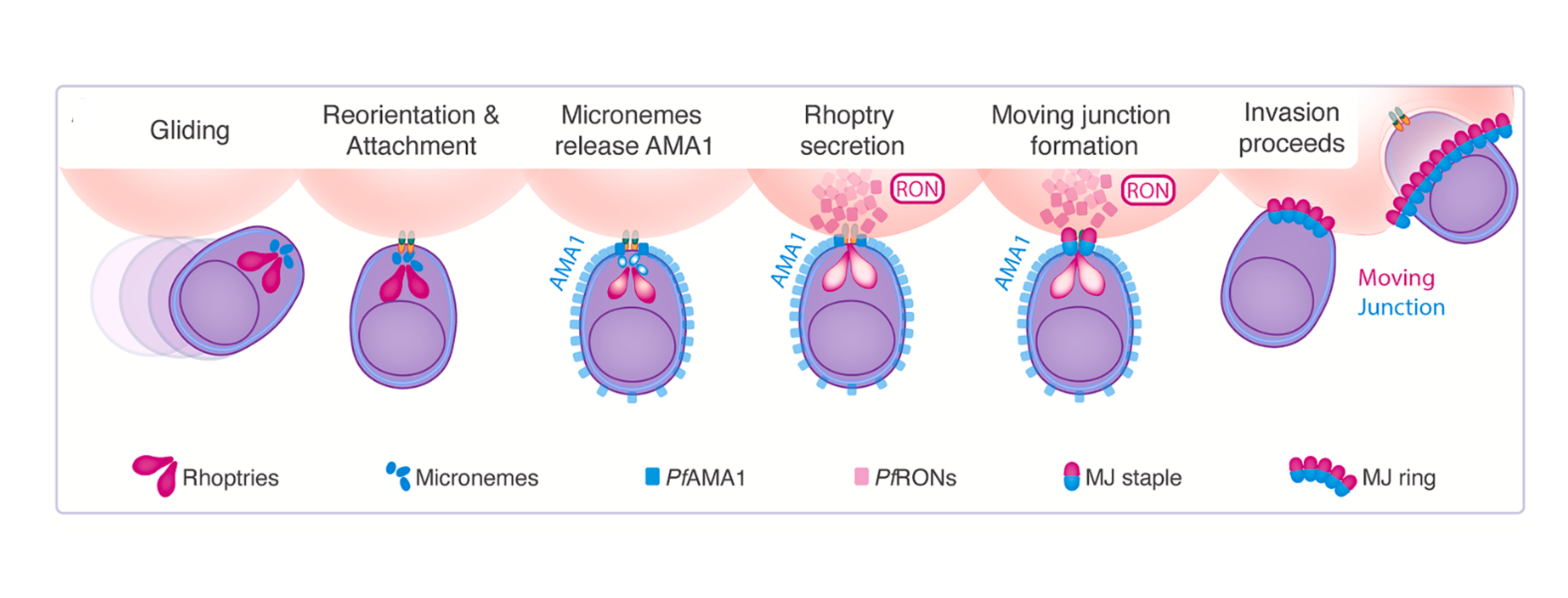 *P. falciparum* invasion of human RBCs, adapted from Figure 1 in [Haile et al., 2026](https://www.cell.com/cell/fulltext/S0092-8674(26)00699-9).
[A recent study from Columbia University, published in *Cell*](https://www.cell.com/cell/fulltext/S0092-8674(26)00699-9), **presents the endogenous structure of the fundamental repeating unit of the moving junction (MJ staple), purified directly from invasion-stalled *Plasmodium falciparum* parasites**. Using single-particle cryo-EM, the authors revealed a sailboat-shaped 1:1:1:1 assembly of apical membrane antigen 1 (*Pf*AMA1) and rhoptry neck proteins 2, 4, and 5 (*Pf*RON2, *Pf*RON4, and *Pf*RON5) at near-atomic resolution. **This provides the most detailed mechanistic view to date of the moving junction unit and reveals a potential target for next-generation antimalarial therapeutics**.
*P. falciparum* invasion of human RBCs, adapted from Figure 1 in [Haile et al., 2026](https://www.cell.com/cell/fulltext/S0092-8674(26)00699-9).
[A recent study from Columbia University, published in *Cell*](https://www.cell.com/cell/fulltext/S0092-8674(26)00699-9), **presents the endogenous structure of the fundamental repeating unit of the moving junction (MJ staple), purified directly from invasion-stalled *Plasmodium falciparum* parasites**. Using single-particle cryo-EM, the authors revealed a sailboat-shaped 1:1:1:1 assembly of apical membrane antigen 1 (*Pf*AMA1) and rhoptry neck proteins 2, 4, and 5 (*Pf*RON2, *Pf*RON4, and *Pf*RON5) at near-atomic resolution. **This provides the most detailed mechanistic view to date of the moving junction unit and reveals a potential target for next-generation antimalarial therapeutics**.
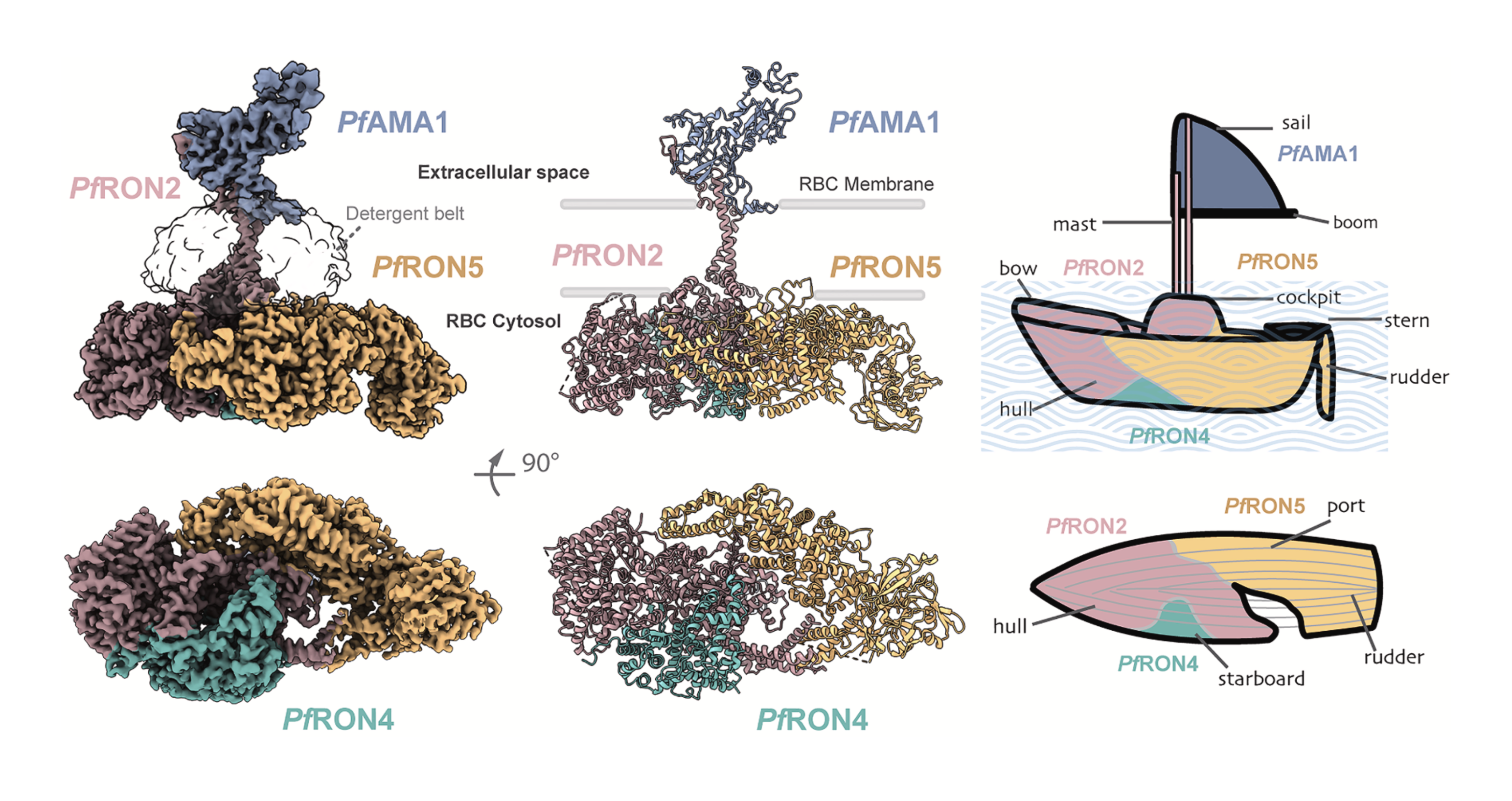 Cryo-EM map (left), atomic model (center), and schematic representation of the MJ staple. Adapted from [Haile et al., 2026](https://www.cell.com/cell/fulltext/S0092-8674(26)00699-9).
## Cryo-EM Data Processing: Finding the Moving Junction in a Sea of Particles
The invasion step the authors aimed to capture exists for only 60 to 90 seconds *in vivo*. To ensure that the *Pf*AMA1–*Pf*RON2/4/5 assembly was faithfully captured, **samples for single-particle cryo-EM were prepared using two different approaches**. **In the first**, invasion was triggered by adding red blood cells to a highly synchronized *P. falciparum* culture and then stalled using cytochalasin D, allowing the **natively assembled complex to be purified**. **In the second, the spontaneously assembled complex** was isolated from non-stalled schizonts.
The two datasets were processed separately, and with only *Pf*RON2 tagged for purification, **the first challenge was figuring out which particles actually represented the moving junction complex.**
> *"Since we enrich our samples directly from malaria parasites, and the proteins are not overexpressed at all, our micrographs always contain a heterogeneous mixture of native complexes that co-enrich with our complex. Figuring out which of the many different 2D class averages in the dataset were “ours” was quite challenging […]"*
>
> *- Meseret Haile, Graduate Student in the Ho Lab, Columbia University (first author)*
**To identify the target particles and maximize their recovery, particularly across rare views, the authors adopted an iterative particle-picking strategy.** Starting from ∼118,000 micrographs, the authors used [Blob Picker](https://guide.cryosparc.com/processing-data/all-job-types-in-cryosparc/particle-picking/job-blob-picker) and iterative [2D Classification](https://guide.cryosparc.com/processing-data/all-job-types-in-cryosparc/particle-curation/job-2d-classification) to remove obvious junk particles.
Cryo-EM map (left), atomic model (center), and schematic representation of the MJ staple. Adapted from [Haile et al., 2026](https://www.cell.com/cell/fulltext/S0092-8674(26)00699-9).
## Cryo-EM Data Processing: Finding the Moving Junction in a Sea of Particles
The invasion step the authors aimed to capture exists for only 60 to 90 seconds *in vivo*. To ensure that the *Pf*AMA1–*Pf*RON2/4/5 assembly was faithfully captured, **samples for single-particle cryo-EM were prepared using two different approaches**. **In the first**, invasion was triggered by adding red blood cells to a highly synchronized *P. falciparum* culture and then stalled using cytochalasin D, allowing the **natively assembled complex to be purified**. **In the second, the spontaneously assembled complex** was isolated from non-stalled schizonts.
The two datasets were processed separately, and with only *Pf*RON2 tagged for purification, **the first challenge was figuring out which particles actually represented the moving junction complex.**
> *"Since we enrich our samples directly from malaria parasites, and the proteins are not overexpressed at all, our micrographs always contain a heterogeneous mixture of native complexes that co-enrich with our complex. Figuring out which of the many different 2D class averages in the dataset were “ours” was quite challenging […]"*
>
> *- Meseret Haile, Graduate Student in the Ho Lab, Columbia University (first author)*
**To identify the target particles and maximize their recovery, particularly across rare views, the authors adopted an iterative particle-picking strategy.** Starting from ∼118,000 micrographs, the authors used [Blob Picker](https://guide.cryosparc.com/processing-data/all-job-types-in-cryosparc/particle-picking/job-blob-picker) and iterative [2D Classification](https://guide.cryosparc.com/processing-data/all-job-types-in-cryosparc/particle-curation/job-2d-classification) to remove obvious junk particles.
Several additional rounds of 2D Classification were then used to identify promising classes. Selected particles were used for [Ab-Initio Reconstruction](https://guide.cryosparc.com/processing-data/all-job-types-in-cryosparc/3d-reconstruction/job-ab-initio-reconstruction), providing the first 3D maps of the complex. **These initial reconstructions could then inform further particle picking, with new templates used to recover rare views with [Template Picker](https://guide.cryosparc.com/processing-data/all-job-types-in-cryosparc/particle-picking/job-template-picker) and [Topaz](https://guide.cryosparc.com/processing-data/all-job-types-in-cryosparc/deep-picking/topaz) used to mine the micrographs for additional particles in parallel.** Through this approach, the authors progressively expanded the particle set and its angular coverage before high-resolution refinement.
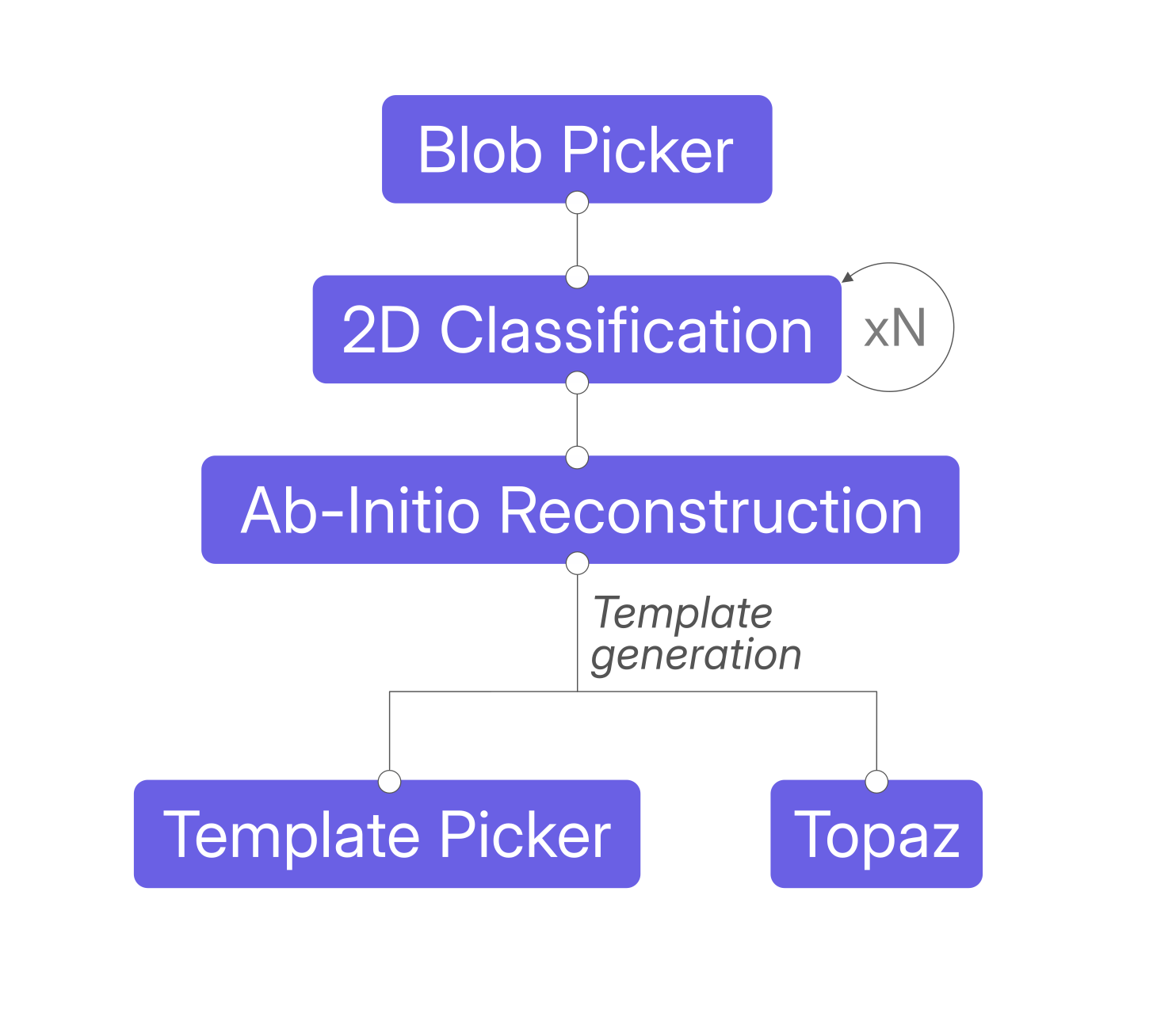 Data processing scheme adapted from [Haile et al., 2026](https://www.cell.com/cell/fulltext/S0092-8674(26)00699-9).
> *"[…] the moment when we finally identified the right set of 2D [classes] and they popped in Ab-Initio Refinement to reveal the beautiful and distinctive sailboat shape of our complex was probably the most memorable moment for us."*
>
> *- Meseret Haile, Graduate Student in the Ho Lab, Columbia University (first author)*
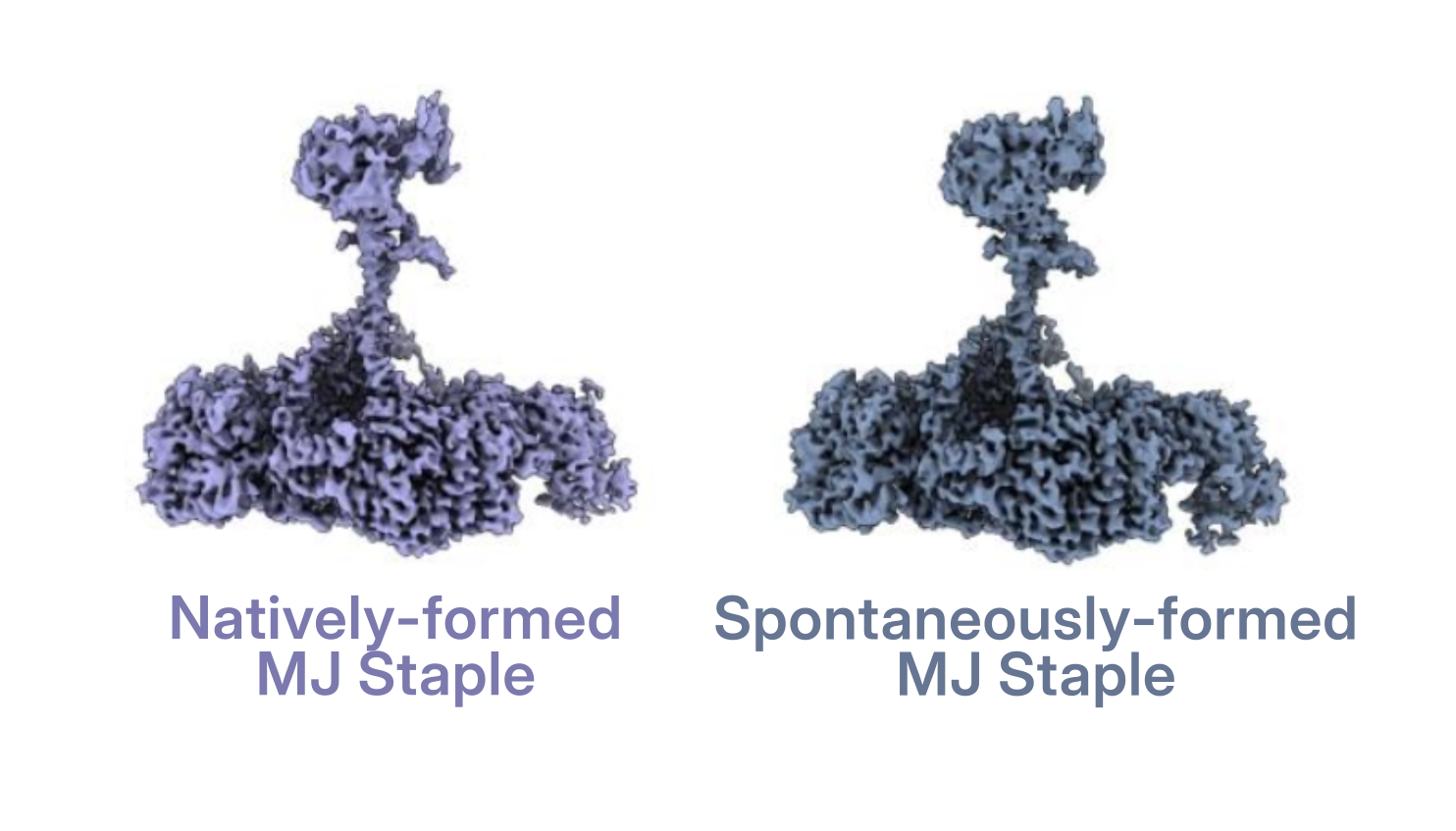 Adapted from [Haile et al., 2026](https://www.cell.com/cell/fulltext/S0092-8674(26)00699-9).
The resulting particle stacks from the invasion-stalled and from the spontaneously assembled moving junction complexes were refined independently using iterative [Heterogeneous Refinement](https://guide.cryosparc.com/processing-data/all-job-types-in-cryosparc/3d-refinement/job-heterogeneous-refinement) to further clean up the particle stack, followed by a final Homogeneous and [Non-Uniform Refinement](https://guide.cryosparc.com/processing-data/all-job-types-in-cryosparc/3d-refinement/job-non-uniform-refinement-new), producing two maps at 3.2 Å and 3.1 Å, respectively.
**As the two structures proved essentially indistinguishable, the particle stacks were merged to obtain a 2.6 Å consensus reconstruction of the *Pf*AMA1-RON2/4/5 complex**. Because flexibility limited the local resolution of specific regions, focused processing strategies in CryoSPARC and RELION combining [3D Variability Analysis](https://guide.cryosparc.com/processing-data/tutorials-and-case-studies/tutorial-3d-variability-analysis-part-one), particle subtraction, classification, and local refinement were used to improve the *Pf*RON5 C-terminus and *Pf*AMA1 regions before generating the final composite map.
## The Native Structure of the MJ Staple Informs the *de novo* Inhibitory Protein Design
The sailboat-shaped complex revealed molecular details that were previously inaccessible. **By providing the membrane context of all proteins involved in the MJ staple, the structure helps explain why the accessibility of previously studied antibodies depends on the stage of invasion.**
Overall, the native cryo-EM structure shows that **therapeutic accessibility depends not only on the binding epitope itself, but also on its spatial relationship with the parasite and host membranes**. The authors used these structural constraints to guide a pilot study with BindCraft, designing potential protein inhibitors of complex formation. One candidate, A2, was experimentally tested, with *in vitro* studies confirming that it binds *Pf*AMA1 at the *Pf*RON2-binding cleft and blocks formation of the *Pf*AMA1-*Pf*RON2 complex.
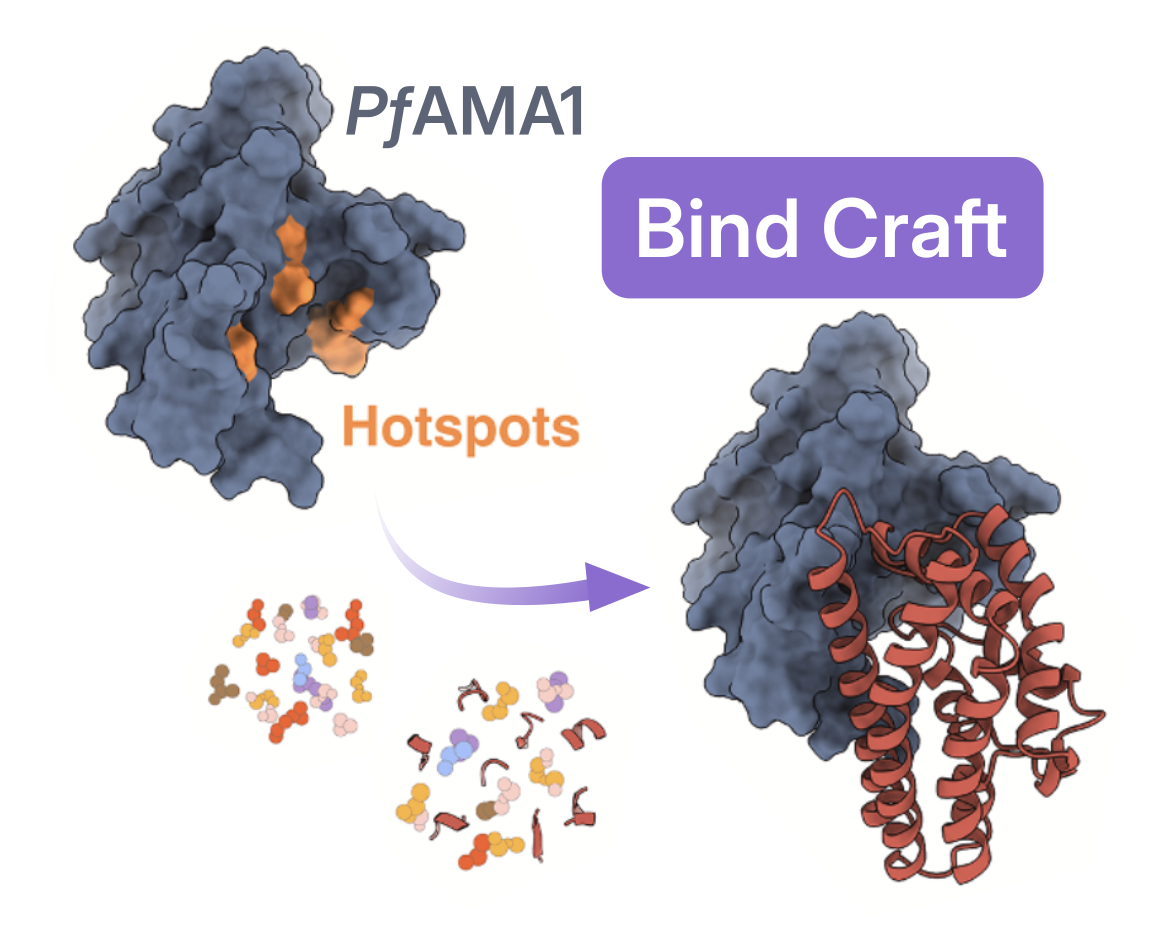 Adapted from [Haile et al., 2026](https://www.cell.com/cell/fulltext/S0092-8674(26)00699-9).
> *"I think our findings demonstrate that custom designed mini-protein inhibitors could be an exciting new strategy for antimalarial development and also highlight the power of having near-native structural information to guide the design of both conventional and next generation antimalarial therapies."*
>
> *- Meseret Haile, Graduate Student in the Ho Lab, Columbia University (first author)*
## From Inhibitor Design to Biologic Functioning: Membrane Remodeling by the Moving Junction
The structure of *Pf*AMA1–RON2/4/5 isolated in its native membrane context revealed another striking feature: **PfRON2/4/5 displays several hallmarks of canonical membrane-remodeling proteins**. The membrane-facing surface of the complex forms an unusually large, positively charged platform, which could strongly interact with the negatively charged inner leaflet of the RBC membrane. At its center, **seven amphipathic helices from *Pf*RON2 and *Pf*RON5 insert into the membrane**, with their hydrophobic faces buried deep within the lipid bilayer.
Rather than simply anchoring the parasite to the RBC, the moving junction may therefore actively help deform the host membrane as the parasite pushes its way inside.
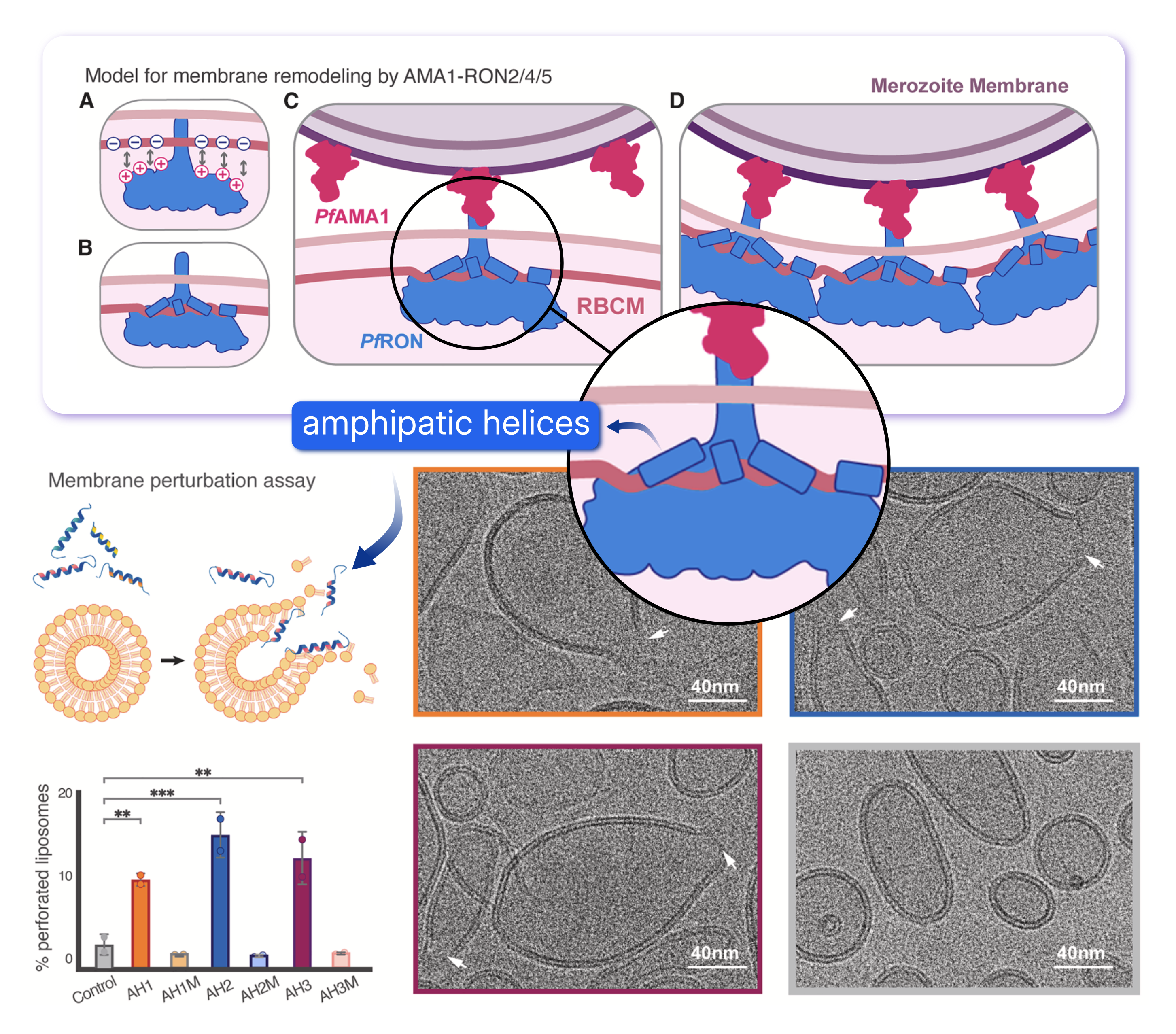 Top panel: proposed model of membrane remodelling from the MJ. Bottom panel: cryo-EM membrane perturbation assay. Adapted from [Haile et al., 2026](https://www.cell.com/cell/fulltext/S0092-8674(26)00699-9).
**To experimentally test part of their model, the authors turned to cryo-EM once again**. They synthesized peptides corresponding to the three *Pf*RON2 amphipathic helices with the strongest hydrophobic character and incubated them with liposomes. Cryo-EM images revealed localized membrane thinning and pronounced perforations in the liposomes, while control liposomes remained intact. The more amphipathic the helix, the stronger the effect; when the helices were mutated to reduce their amphipathicity, membrane deformation was essentially lost. **These experiments provide direct support for the idea that the *Pf*RON2 amphipathic helices themselves can destabilize and remodel lipid membranes**.
From cryo-EM sample preparation and the identification of the target complex among **millions of particles across hundreds of thousands of micrographs**, to *de novo* protein inhibitor design and a new model for membrane remodeling, this study shows how the effort invested in high-resolution structure determination can go far beyond the structure itself. **By revealing the molecular details of parasite invasion, structural insights can generate new mechanistic hypotheses and provide a foundation for the development of next-generation antimalarial therapeutics.**
#### References
Top panel: proposed model of membrane remodelling from the MJ. Bottom panel: cryo-EM membrane perturbation assay. Adapted from [Haile et al., 2026](https://www.cell.com/cell/fulltext/S0092-8674(26)00699-9).
**To experimentally test part of their model, the authors turned to cryo-EM once again**. They synthesized peptides corresponding to the three *Pf*RON2 amphipathic helices with the strongest hydrophobic character and incubated them with liposomes. Cryo-EM images revealed localized membrane thinning and pronounced perforations in the liposomes, while control liposomes remained intact. The more amphipathic the helix, the stronger the effect; when the helices were mutated to reduce their amphipathicity, membrane deformation was essentially lost. **These experiments provide direct support for the idea that the *Pf*RON2 amphipathic helices themselves can destabilize and remodel lipid membranes**.
From cryo-EM sample preparation and the identification of the target complex among **millions of particles across hundreds of thousands of micrographs**, to *de novo* protein inhibitor design and a new model for membrane remodeling, this study shows how the effort invested in high-resolution structure determination can go far beyond the structure itself. **By revealing the molecular details of parasite invasion, structural insights can generate new mechanistic hypotheses and provide a foundation for the development of next-generation antimalarial therapeutics.**
#### References
- IHME, Global Burden of Disease (2025) – with major processing by Our World in Data. Child deaths from malaria.
- Besteiro, S., Dubremetz, J. F., & Lebrun, M. (2011). The moving junction of apicomplexan parasites: a key structure for invasion. Cellular Microbiology, 13(6), 797-805.
---
# Mixing Two Cryo-EM Datasets on Purpose: A Cryo-EM Heterogeneity Challenge
**Author:** CryoSPARC Team
**Published:** August 13, 2026
**Category:** Case Studies
**Summary:** Using a controlled FaNaC1 dataset, we compared 3D Classification, Heterogeneous Refinement, 3D Variability Analysis, and 3D Flexibility Analysis to explore practical strategies for resolving both discrete and continuous heterogeneity in cryo-EM.
**Source:** https://cryosparc.com/blog/case-study-11631-and-11632
---
Heterogeneity in cryo-EM is both a constant challenge and at the same time one of the technique’s greatest strengths. Biological insights lie within this heterogeneity, in discrete conformational states or continuous structural motions that reveal the functioning of the machinery of life. Yet even experienced cryo-EM scientists can feel as though they are improvising when deciding how best to separate, classify and interpret heterogeneity.
In the [**Case study: Discrete and Continuous Heterogeneity in FaNaC1**](https://guide.cryosparc.com/processing-data/tutorials-and-case-studies/case-study-discrete-and-continuous-heterogeneity-in-fanac1-empiar-11631-and-11632) we took a practical approach to this challenge. We combined two publicly available datasets, EMPIAR 11631 (apo FaNaC1) and 11632 (FMRFa-bound FaNaC1), **and systematically evaluated different processing strategies to determine which best separates the two particle populations**. FaNaC1 is an FMRFa-gated that opens when it binds FMRFa.
Did we manage to recover the FaNaC1 structural states from the mixed dataset?
## Tackling Discrete Heterogeneity
This case study explores both discrete and continuous heterogeneity. We begin with discrete heterogeneity, where the goal is to separate the particles from the combined dataset into two well-defined structural states: apo FaNaC1 and FMRFa-bound FaNaC1. To do so, we assume that each particle image is a projection of one of these two rigid volumes in some pose.
This part of the case study is also covered in the [Part 5](https://guide.cryosparc.com/processing-data/tutorial-videos#part-5-fanac1-and-discrete-heterogeneity) of the [2024 Single-Particle Cryo-EM Image Processing Workshop](https://www.youtube.com/playlist?list=PL39mLm0042zJk_ZkM2_OaIoL78uYj6JAb) held by [Stanford-SLAC CryoEM Center (S2C2)](https://s2c2.slac.stanford.edu/training/workshop-lecture-archive).
### 3D Classification: to Update the Poses, or Not to Update the Poses?
The first strategy we tested for separating the apo and FMRF-a bound FaNaC1 states was [3D Classification](https://guide.cryosparc.com/processing-data/tutorials-and-case-studies/case-study-discrete-and-continuous-heterogeneity-in-fanac1-empiar-11631-and-11632#id-3d-classification) into two classes. Starting from a high-resolution consensus refinement generated from the mixed particle stack, we applied a solvent mask to the whole protein volume and a focus mask to the extracellular domain, which contains the FMRFa binding site and undergoes the largest conformational changes upon ligand binding.
Because the consensus refinement had already converged to high resolution, we did not update the particle poses throughout classification. The [Heterogeneous Reconstruction Only](https://guide.cryosparc.com/processing-data/all-job-types-in-cryosparc/3d-refinement/job-heterogeneous-reconstruction-only) of the two resulting classes revealed something interesting: although the particles separated into an apo-like closed state and an FMRFa-bound open state, closer inspection of the apo-like map showed residual density in the FMRFa binding site.
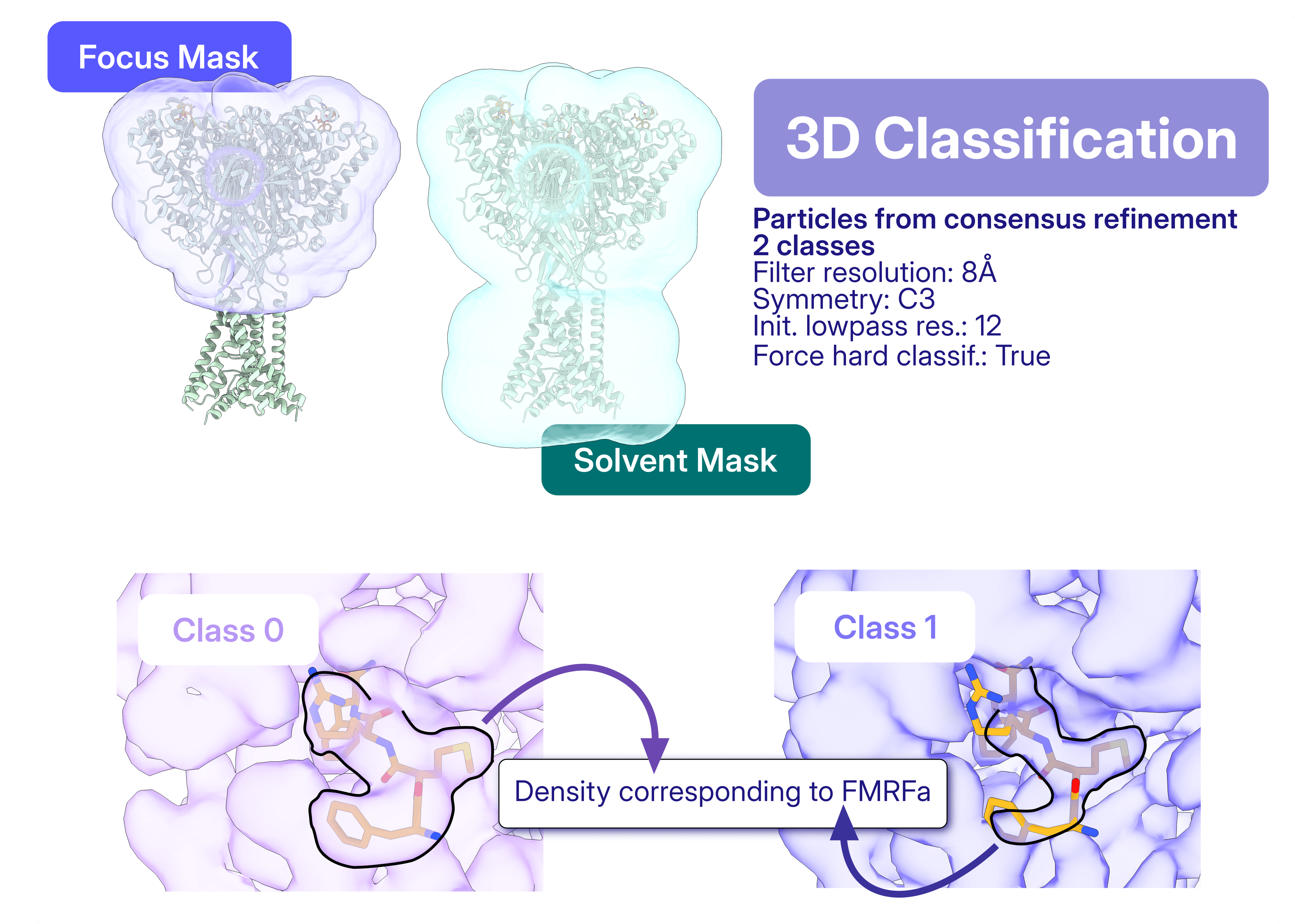
FRMFa-bound AND closed? Since FaNaC1 is known to open rapidly upon FMRFa binding, this result raised important questions. Was the 3D classification contradicting the expected biochemical behavior, and there is indeed partial occupancy of FMRFa in the apo structure? Had it failed to separate the two FaNaC1 states? Or was the apparent ligand density a consequence of keeping particle poses fixed during 3D Classification?
The apo structure also contained blurry, smeared-out regions of density, which could reflect residual heterogeneity, local flexibility, or imperfect particle alignment. To test this, we re-refined the particles from each class separately using Non-Uniform Refinement, [updating the particle poses within each subset](https://guide.cryosparc.com/processing-data/tutorials-and-case-studies/case-study-discrete-and-continuous-heterogeneity-in-fanac1-empiar-11631-and-11632#updating-poses). The resulting maps were consistent with the original class reconstructions, confirming that 3D Classification had successfully separated the particles into closed and open states. However, after separate pose refinement, the apo-like closed map no longer showed FMRFa density in the binding site. This indicated that **FMRFa was bound only in the open FaNaC1 state, and that the apparent ligand density in the closed class arose from the limitations of reconstructing each class with fixed poses**.
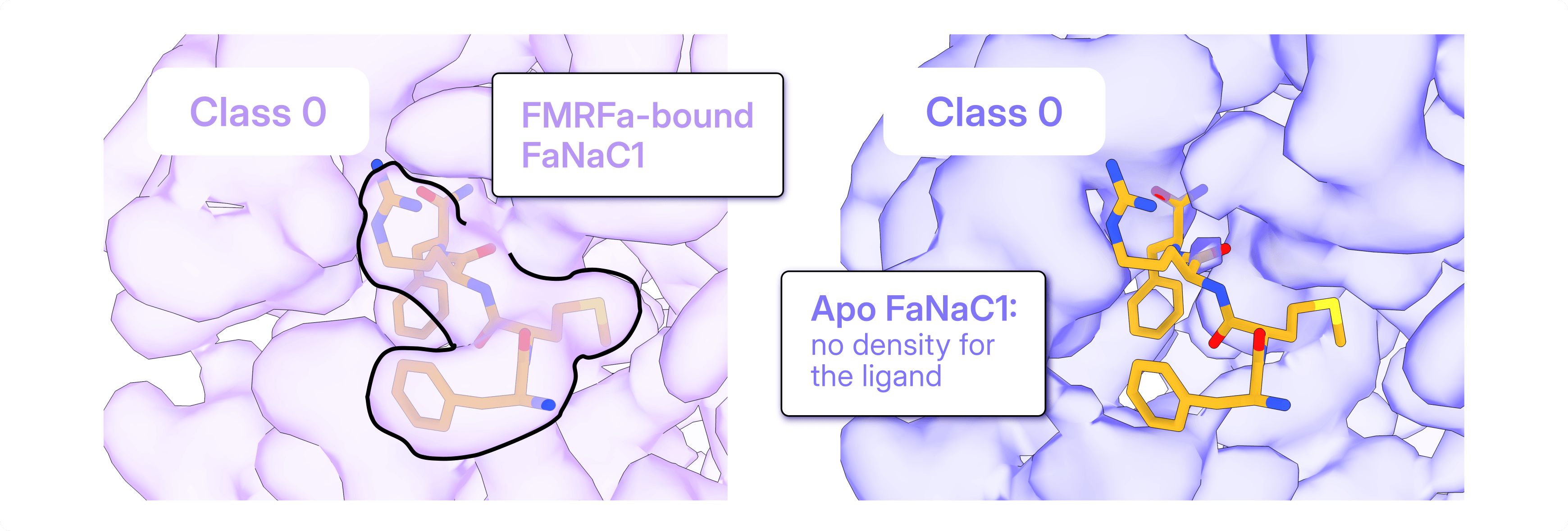
In this case study, 3D Classification was sufficient to separate the two particle populations, but separate pose refinement was essential to correctly interpret the ligand-binding state of each class.
### Heterogeneous Refinement: Classification and Pose Refinement Together
The second approach was [Heterogeneous Refinement](https://guide.cryosparc.com/processing-data/tutorials-and-case-studies/case-study-discrete-and-continuous-heterogeneity-in-fanac1-empiar-11631-and-11632#heterogeneous-refinement), which performs classification and pose refinement simultaneously. As in the previous strategy, we set up the job with two identical copies of the consensus map. Starting from the mixed particle stack, Heterogeneous Refinement successfully separates apo and FMRFa-bound conformations, while refining the particle alignments for each class.
However, the apo reconstruction presented lower map quality when compared to the FMRFa-bound structure, hinting at the possibility of the presence of junk particles in the apo particle stack. [Heterogeneous Refinement can also be used as particle-cleanup step](https://guide.cryosparc.com/processing-data/tutorials-and-case-studies/case-study-discrete-and-continuous-heterogeneity-in-fanac1-empiar-11631-and-11632#particle-cleanup), and to filter out these junk particles it was enough to:
- separately refine apo and FMRFa-bound particles, and
- increase the copies of the respective volumes as inputs for the Heterogeneous Refinement job.
By refining each particle stack against four identical copies of its respective reference volume, one class consistently emerged as the highest-quality reconstruction. This class converged to the respective FaNaC1 state, while the remaining classes captured lower-quality, poorly aligned, or otherwise less consistent particles.
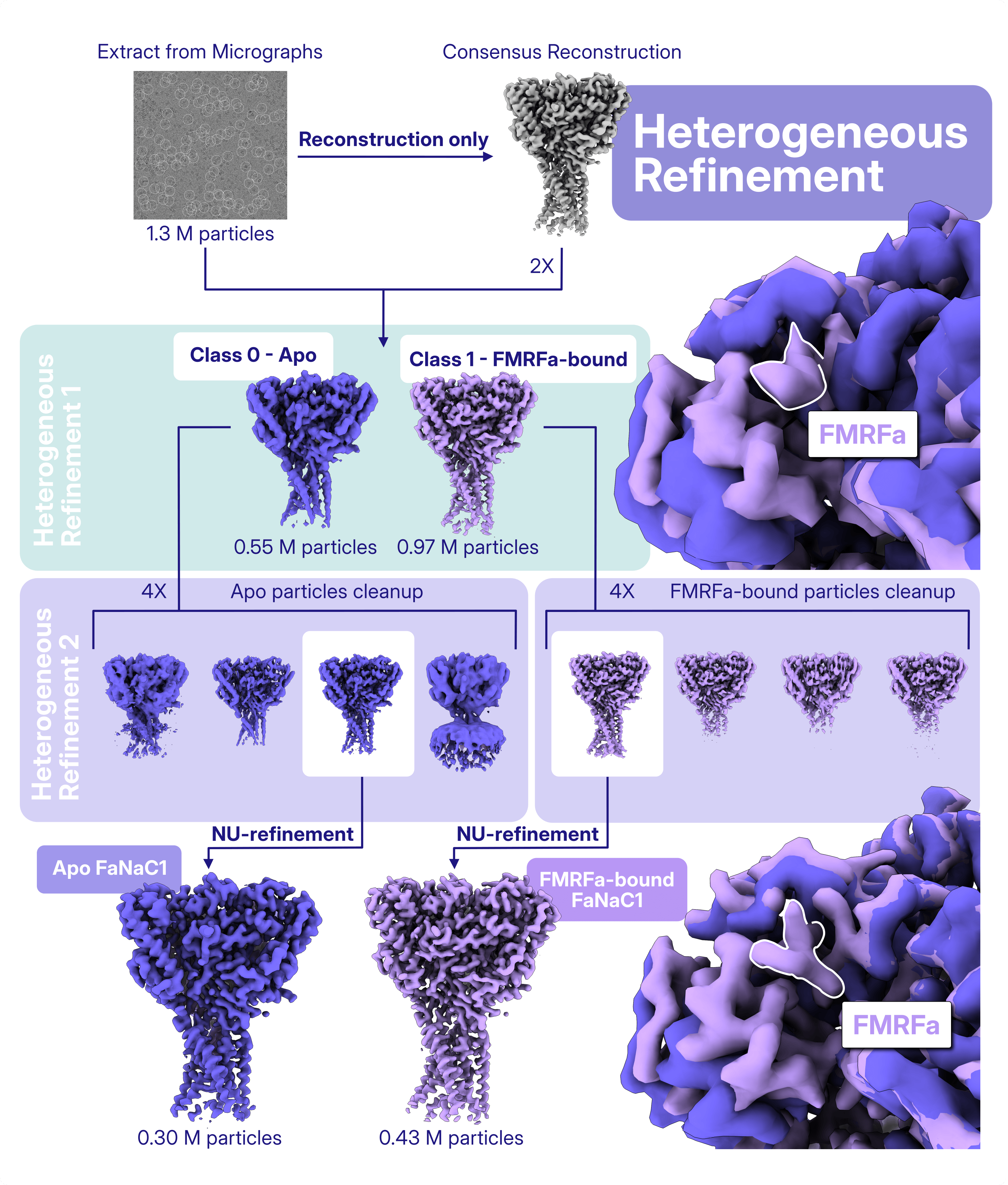
How many identical copies should be used? There is no universal answer. The optimal number depends on the dataset and is often a reflection of the degree of residual heterogeneity and particle quality. Testing different numbers of copies can therefore be an effective way to optimize particle curation before final refinement.
## Exploring Continuous Heterogeneity
In reality, proteins do not simply snap from one conformation to another, rather they exist on a continuum of structural states, forming a conformational landscape. Discrete classification approximates this landscape by dividing it into a finite number of structural states and assigning each particle to one of them. In contrast, [continuous heterogeneity](https://guide.cryosparc.com/processing-data/tutorials-and-case-studies/case-study-discrete-and-continuous-heterogeneity-in-fanac1-empiar-11631-and-11632#continuous-heterogeneity) models each particle as originating from a slightly different conformation, represented as a deformation of a consensus structure. **How and when do we model continuous heterogeneity?**
This part of the case study is also covered in the [Part 6](https://guide.cryosparc.com/processing-data/tutorial-videos#part-6-fanac1-and-continuous-heterogeneity) of the [2024 Single-Particle Cryo-EM Image Processing Workshop](https://www.youtube.com/playlist?list=PL39mLm0042zJk_ZkM2_OaIoL78uYj6JAb) held by [Stanford-SLAC CryoEM Center (S2C2)](https://s2c2.slac.stanford.edu/training/workshop-lecture-archive).
### 3D Variability Analysis: Choosing the Right Modes
[3D Variability Analysis (3DVA)](https://guide.cryosparc.com/processing-data/tutorials-and-case-studies/case-study-discrete-and-continuous-heterogeneity-in-fanac1-empiar-11631-and-11632#id-3d-variability-analysis) explores continuous heterogeneity using Principal Component Analysis (PCA), identifying the dominant ways a protein changes shape across a dataset. Rather than assigning particles to a small number of discrete classes, 3DVA describes each particle as a combination of a few common motions.
To obtain meaningful results, the input [particles should be as clean and well aligned as possible](https://guide.cryosparc.com/processing-data/tutorials-and-case-studies/case-study-discrete-and-continuous-heterogeneity-in-fanac1-empiar-11631-and-11632#aligning-the-particles), and [the input mask should encompass the entire region expected to move](https://guide.cryosparc.com/processing-data/tutorials-and-case-studies/case-study-discrete-and-continuous-heterogeneity-in-fanac1-empiar-11631-and-11632#setting-up-a-3dva-job), since structural changes are only modeled within the masked region. [Two parameters](https://guide.cryosparc.com/processing-data/tutorials-and-case-studies/case-study-discrete-and-continuous-heterogeneity-in-fanac1-empiar-11631-and-11632#id-3dva-modes-and-filter-resolution) largely determine what 3DVA will reveal:
- **Number of Modes:** how many independent motions the algorithm should identify.
- **Filter Resolution:** the spatial scale of the motions that will be modeled. Higher filter resolutions allow finer structural changes to be captured.
Choosing these parameters is often an iterative process, as there is no way to know the optimal settings beforehand. In this example, we explored both 1 and 2 Modes to determine whether the conformational changes associated with FMRFa binding are best described as one concerted motion or two independent motions. The Filter Resolution was set to 4 Å, based on the structural differences observed during the discrete heterogeneity analysis.
While 3DVA computes the variability model and produces useful [diagnostic plots](https://guide.cryosparc.com/processing-data/tutorials-and-case-studies/case-study-discrete-and-continuous-heterogeneity-in-fanac1-empiar-11631-and-11632#diagnostic-plots), [3D Variability Display is used to visualize it](https://guide.cryosparc.com/processing-data/tutorials-and-case-studies/case-study-discrete-and-continuous-heterogeneity-in-fanac1-empiar-11631-and-11632#id-3dva-display). It offers three complementary visualization modes:
- [**Simple Mode**](https://guide.cryosparc.com/processing-data/tutorials-and-case-studies/case-study-discrete-and-continuous-heterogeneity-in-fanac1-empiar-11631-and-11632#simple-mode): generates synthetic maps by adding or subtracting variability components from the consensus reconstruction. This makes it easy to inspect the effect of each component individually.
- [**Intermediate Mode**](https://guide.cryosparc.com/processing-data/tutorials-and-case-studies/case-study-discrete-and-continuous-heterogeneity-in-fanac1-empiar-11631-and-11632#intermediates-mode): groups particles along a selected variability component and reconstructs maps from the original particle images, producing more realistic reconstructions.
- [**Cluster Mode**](https://guide.cryosparc.com/processing-data/tutorials-and-case-studies/case-study-discrete-and-continuous-heterogeneity-in-fanac1-empiar-11631-and-11632#cluster-mode): clusters particles using all variability components simultaneously and reconstructs one map per cluster, making it particularly useful for recovering distinct structural states.
In 3D Variability Display, the Filter Resolution determines the resolution at which the output volumes are reconstructed and visualized.
The terms *Modes* and *Filter Resolution* have different meanings in 3DVA and 3D Variability Display. In 3DVA, the Number of Modes determines how many independent motions are modeled. In 3D Variability Display, the Mode refers to how those motions are visualized. Likewise, Filter Resolution controls the scale of the motions modeled in 3DVA, but the resolution of the reconstructed display volumes in 3D Variability Display.
Using two Modes (or components) in 3DVA, Simple Mode revealed two dominant motions. The first captured the expected conformational changes associated with FMRFa binding, while the second highlighted motion within the transmembrane domain. Whether this second motion is biologically meaningful or represents a separate source of variability is not immediately obvious, illustrating why interpreting individual components often requires additional context.
Using the component corresponding to the expected conformational changes upon FMRFa binding in Intermediate Mode produced higher-quality maps. Because these reconstructions are generated from the original particle images rather than synthetic combinations of variability components, they retain the contributions of the remaining motions and provide a more faithful representation of the underlying conformational landscape.
Finally, Cluster Mode (using two clusters) cleanly separated the apo and FMRFa-bound particle populations. The resulting reconstructions can be refined further, making Cluster Mode a practical bridge between continuous heterogeneity analysis and conventional high-resolution refinement.
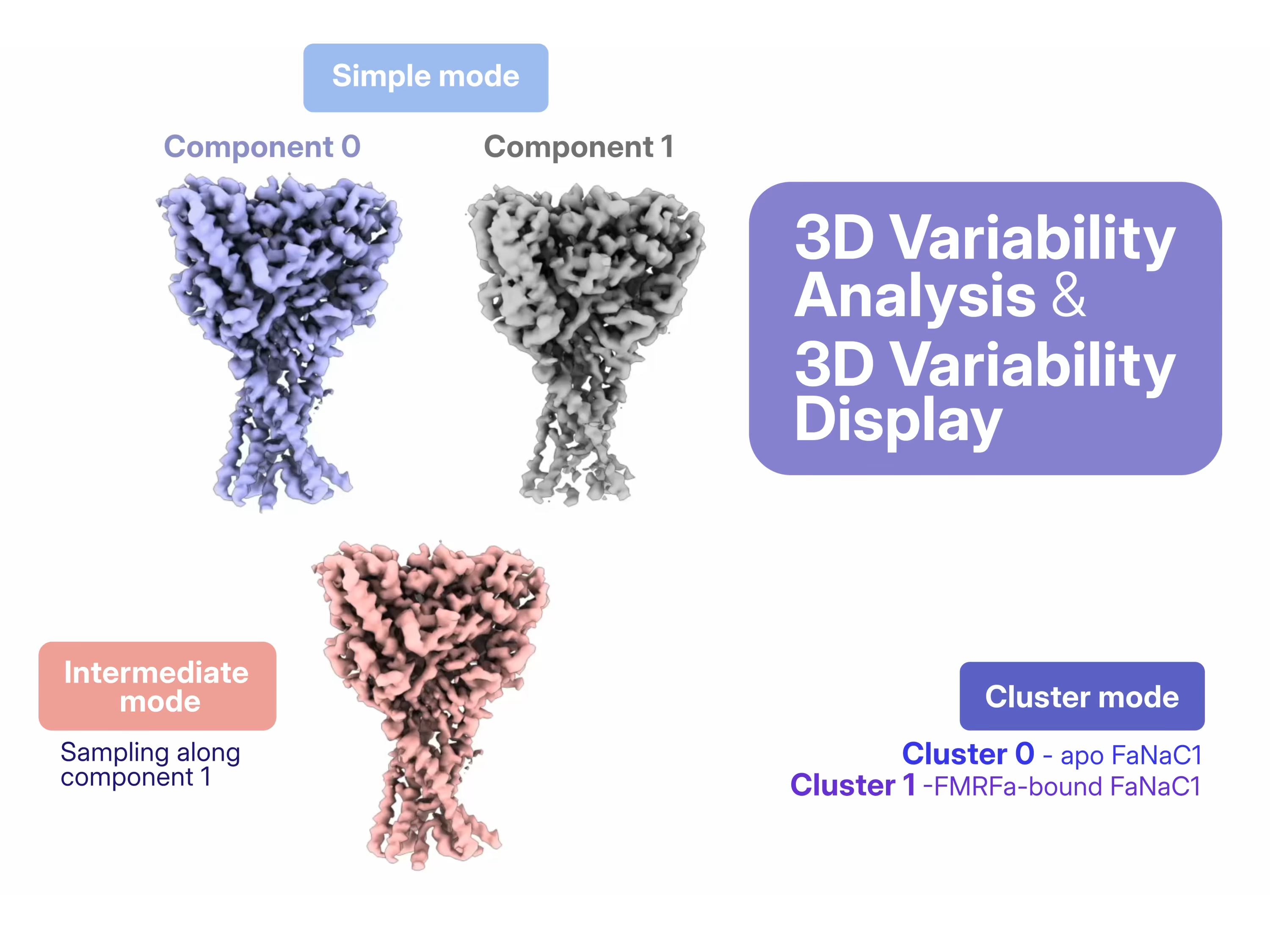 Each variability component is visualized independently, with all remaining components held at zero. This makes the effect of a single motion easy to understand, but can also introduce apparent map features that would not exist when all motions are considered together. In this dataset, for example, part of the transmembrane domain appears to disappear in Simple Mode because the contribution of the second variability component is ignored. Intermediate and Cluster modes reconstruct maps from real particle images, providing a more complete representation of the conformational landscape.
### 3D Flexible Refinement: Are There Enough Particles in Intermediate States?
While 3D Variability Analysis models conformational changes as combinations of linear motions, [3D Flexible Refinement (3D Flex)](https://guide.cryosparc.com/processing-data/tutorials-and-case-studies/case-study-discrete-and-continuous-heterogeneity-in-fanac1-empiar-11631-and-11632#id-3d-flexible-refinement) takes a different approach: [it models deformation and movement of a tetrahedral mesh around the consensus volume](https://guide.cryosparc.com/processing-data/tutorials-and-case-studies/case-study-discrete-and-continuous-heterogeneity-in-fanac1-empiar-11631-and-11632#id-3d-flex-theory). The deformation of the generated mesh rather than the volume voxels reduces the degrees of freedom, preventing unrealistic motions and overfitting.
Compared with the previous methods, [3D Flex requires additional preparation steps](https://guide.cryosparc.com/processing-data/tutorials-and-case-studies/case-study-discrete-and-continuous-heterogeneity-in-fanac1-empiar-11631-and-11632#data-preparation), including particle cropping and downsampling, [mask](https://guide.cryosparc.com/processing-data/tutorials-and-case-studies/case-study-discrete-and-continuous-heterogeneity-in-fanac1-empiar-11631-and-11632#mask-creation) and [mesh](https://guide.cryosparc.com/processing-data/tutorials-and-case-studies/case-study-discrete-and-continuous-heterogeneity-in-fanac1-empiar-11631-and-11632#mesh-preparation) generation, and iterative rounds of [3D Flex Train](https://guide.cryosparc.com/processing-data/tutorials-and-case-studies/case-study-discrete-and-continuous-heterogeneity-in-fanac1-empiar-11631-and-11632#training) and [3D Flex Generate](https://guide.cryosparc.com/processing-data/tutorials-and-case-studies/case-study-discrete-and-continuous-heterogeneity-in-fanac1-empiar-11631-and-11632#id-3d-flex-generate). The main challenge in this case study was [tuning the 3D Flex Train parameters](https://guide.cryosparc.com/processing-data/tutorials-and-case-studies/case-study-discrete-and-continuous-heterogeneity-in-fanac1-empiar-11631-and-11632#tuning-3d-flex-training). In particular, rigidity and latent centering strength had a profound effect on the modeled motions and required several rounds of optimization. 3D Flex Generate was then used after each training round to inspect the learned conformational landscape and guide the next set of parameters.
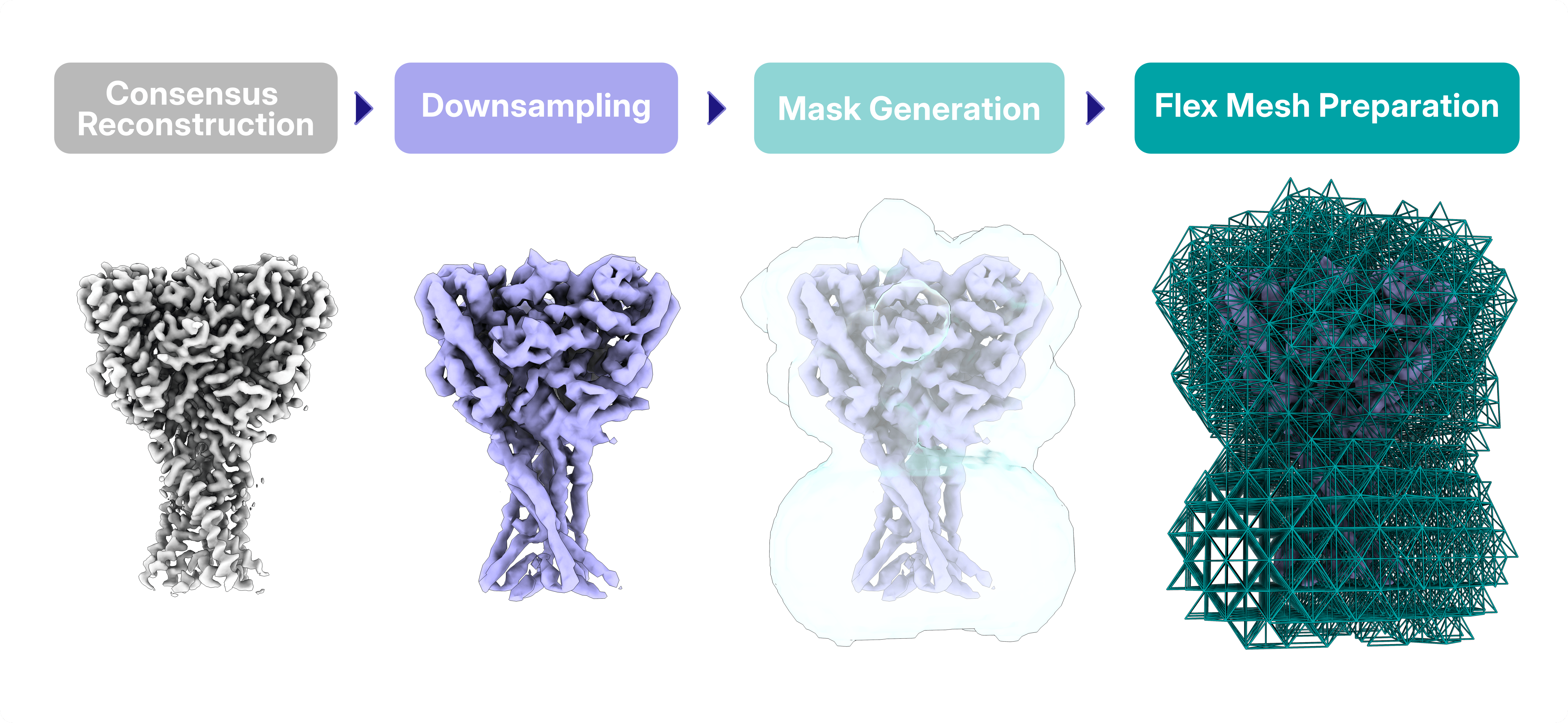
Each variability component is visualized independently, with all remaining components held at zero. This makes the effect of a single motion easy to understand, but can also introduce apparent map features that would not exist when all motions are considered together. In this dataset, for example, part of the transmembrane domain appears to disappear in Simple Mode because the contribution of the second variability component is ignored. Intermediate and Cluster modes reconstruct maps from real particle images, providing a more complete representation of the conformational landscape.
### 3D Flexible Refinement: Are There Enough Particles in Intermediate States?
While 3D Variability Analysis models conformational changes as combinations of linear motions, [3D Flexible Refinement (3D Flex)](https://guide.cryosparc.com/processing-data/tutorials-and-case-studies/case-study-discrete-and-continuous-heterogeneity-in-fanac1-empiar-11631-and-11632#id-3d-flexible-refinement) takes a different approach: [it models deformation and movement of a tetrahedral mesh around the consensus volume](https://guide.cryosparc.com/processing-data/tutorials-and-case-studies/case-study-discrete-and-continuous-heterogeneity-in-fanac1-empiar-11631-and-11632#id-3d-flex-theory). The deformation of the generated mesh rather than the volume voxels reduces the degrees of freedom, preventing unrealistic motions and overfitting.
Compared with the previous methods, [3D Flex requires additional preparation steps](https://guide.cryosparc.com/processing-data/tutorials-and-case-studies/case-study-discrete-and-continuous-heterogeneity-in-fanac1-empiar-11631-and-11632#data-preparation), including particle cropping and downsampling, [mask](https://guide.cryosparc.com/processing-data/tutorials-and-case-studies/case-study-discrete-and-continuous-heterogeneity-in-fanac1-empiar-11631-and-11632#mask-creation) and [mesh](https://guide.cryosparc.com/processing-data/tutorials-and-case-studies/case-study-discrete-and-continuous-heterogeneity-in-fanac1-empiar-11631-and-11632#mesh-preparation) generation, and iterative rounds of [3D Flex Train](https://guide.cryosparc.com/processing-data/tutorials-and-case-studies/case-study-discrete-and-continuous-heterogeneity-in-fanac1-empiar-11631-and-11632#training) and [3D Flex Generate](https://guide.cryosparc.com/processing-data/tutorials-and-case-studies/case-study-discrete-and-continuous-heterogeneity-in-fanac1-empiar-11631-and-11632#id-3d-flex-generate). The main challenge in this case study was [tuning the 3D Flex Train parameters](https://guide.cryosparc.com/processing-data/tutorials-and-case-studies/case-study-discrete-and-continuous-heterogeneity-in-fanac1-empiar-11631-and-11632#tuning-3d-flex-training). In particular, rigidity and latent centering strength had a profound effect on the modeled motions and required several rounds of optimization. 3D Flex Generate was then used after each training round to inspect the learned conformational landscape and guide the next set of parameters.

In this FaNaC1 example, the first training runs produced only limited conformational changes. By iteratively reducing the rigidity and latent centering strength, the latent space expanded and the expected movement of the FaNaC1 domains gradually emerged, consistent with the motions observed by 3D Variability Analysis. However, lowering these parameters too far introduced unrealistic "jelly-like" deformations of the transmembrane helices, illustrating the balance between capturing realistic flexibility and avoiding non-physical motion.
Because the mixed FaNaC1 dataset contains two stable end-states rather than particles sampling the transition between them, there is only limited continuous conformational variability for 3D Flex to learn.
## When and How to Look for Heterogeneity
This deliberately mixed dataset provides an excellent opportunity to understand **how different heterogeneity analysis methods behave, how their parameters influence the resulting maps and motions, and how to assess whether the conformational changes revealed by 3D Variability Analysis and 3D Flexible Refinement are physically meaningful**.
The biology of the sample should guide the interpretation of every result and users should continually ask whether the observed structures make biological sense. Is FMRFa really bound to the closed conformation? Could the map improve by further cleaning or classifying the particles? Are the observed motions concerted or independent? Are there enough particles sampling intermediate conformations to justify modelling continuous heterogeneity?
There is no universally "best" approach to heterogeneity analysis. The appropriate workflow depends on both the sample and the biological question being asked. By comparing 3D Classification, Heterogeneous Refinement, 3D Variability Analysis, and 3D Flexible Refinement on the same dataset, [this case study](https://guide.cryosparc.com/processing-data/tutorials-and-case-studies/case-study-discrete-and-continuous-heterogeneity-in-fanac1-empiar-11631-and-11632) illustrates the strengths, limitations, and practical considerations of each method, providing a roadmap for choosing the right strategy for your own cryo-EM data.
---
# Cryo-EM Reveals the Molecular Machinery of Tubulin Assembly
**Author:** CryoSPARC Team
**Published:** July 30, 2026
**Category:** Discoveries
**Summary:** By capturing transient β-tubulin-bound intermediates with cryo-EM, researchers reconstructed the molecular mechanism of α/β-tubulin biogenesis, explaining how mutations in the assembly machinery lead to tubulin biogenesis disorders.
**Source:** https://cryosparc.com/blog/tubulin
---
In the delicate process of brain and body development, many events must occur with extraordinary precision. Even minor disruptions to these processes, often beginning before birth, can have devastating consequences that become apparent during the first years of life. This is the case for genetic disorders such as infantile encephalopathy, corpus callosum hypoplasia, and Kenny-Caffey syndrome, all of which belong to a group of diseases known as tubulinopathies [1], [2], [3].
Tubulin is the main building block of microtubules, one of the major components of the cytoskeleton. These dynamic structures are essential for a wide range of cellular processes, including cell division, intracellular transport, maintaining cell shape, cilia function, neuronal migration, and axon growth [4]. Even a small fraction of defective tubulin has severe consequences. Whether caused by mutations in its building blocks (α- and β-tubulin) or by defects in the machinery that assembles them into functional heterodimers, the resulting tubulinopathies can affect the brain, eyes, peripheral nervous system, musculoskeletal system, and other organs. This translates to shorter life expectancy and a quality of life reduced by epilepsy, motor impairment, neurological disabilities and other physical complications [5].
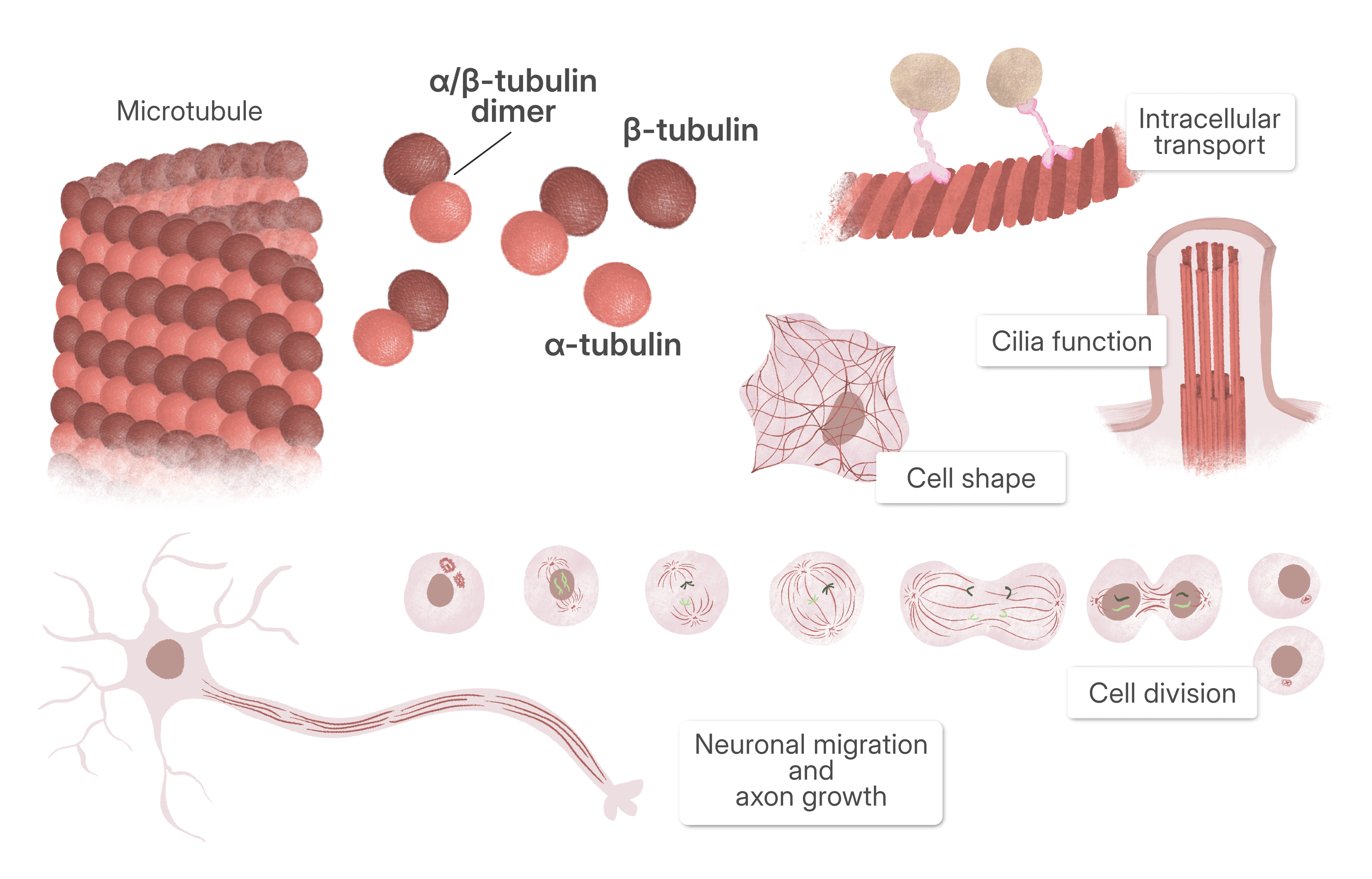
A growing subgroup of tubulinopathies arises from defects in tubulin biogenesis, the cellular pathway that assembles α- and β-tubulin into functional heterodimers. Rather than affecting tubulin itself, these disorders are caused by mutations in the tubulin cofactors and associated proteins, including TBCD, TBCE, and Arl2 [6].
## The Challenge of Protein Reconstitution
Multiple mutations in the cofactors responsible for α/β-tubulin assembly have been identified, but despite their clinical importance, the molecular mechanism by which they assemble α/β-tubulin remained elusive. The assembly machinery is highly dynamic and involves multiple states, making it exceptionally difficult to study.
> *“For decades, the mechanism of α/β-tubulin dimer assembly was neglected, largely because the cofactor assemblies that regulate the process could not be reconstituted biochemically. More than a decade ago, our laboratory overcame this barrier by establishing recombinant reconstitution of the tubulin cofactor assemblies bound to tubulin in distinct functional states. Over the following decade, we refined this system to capture even more states, including the β-tubulin–bound cofactor assemblies.”*
*- Dr. Jawdat Al-Bassam, Associate Professor, UCDavis (corresponding author)*
Recent cryo-EM studies performed at UCDavis have begun to reveal, at near-atomic resolution, how the TBC-DEG complex orchestrates tubulin assembly, providing the first molecular explanation for many of these diseases [7]. [In a recent paper, published in *Science Advances*](https://www.science.org/doi/10.1126/sciadv.aee2303), researchers resolved the structures of the TBC-DE and TBC-DEG complexes in multiple functional states, capturing them bound to β-tubulin at different stages of the assembly pathway.
## Two Sample Preparations, Three Datasets, Seven Cryo-EM Structures
**From only two sample preparations scientists performed three cryo-EM data collections, ultimately generating seven distinct cryo-EM reconstructions, capturing previously unseen β-tubulin assembly intermediates**.
> *“Cryo-EM was the key that unlocked these intermediates: advances in 3D classification and flexible refinement allowed us to resolve the mobile, transient elements within these complexes that had previously been inaccessible. Assembling this collection of structures ultimately enabled us to build a complete catalytic model for the process.”*
*- Dr. Jawdat Al-Bassam, Associate Professor, UCDavis (corresponding author)*
Specifically, two different β-tubulin bound assemblies were reconstituted by co-expression: TBC-DE, composed of the tubulin cofactors TBCD and TBCE, and TBC-DEG, which additionally includes the small GTPase Arl2. To capture different oligomerization states, the TBC-DEG sample was imaged twice: once immediately after purification and once after mild crosslinking to stabilize dimeric intermediates.
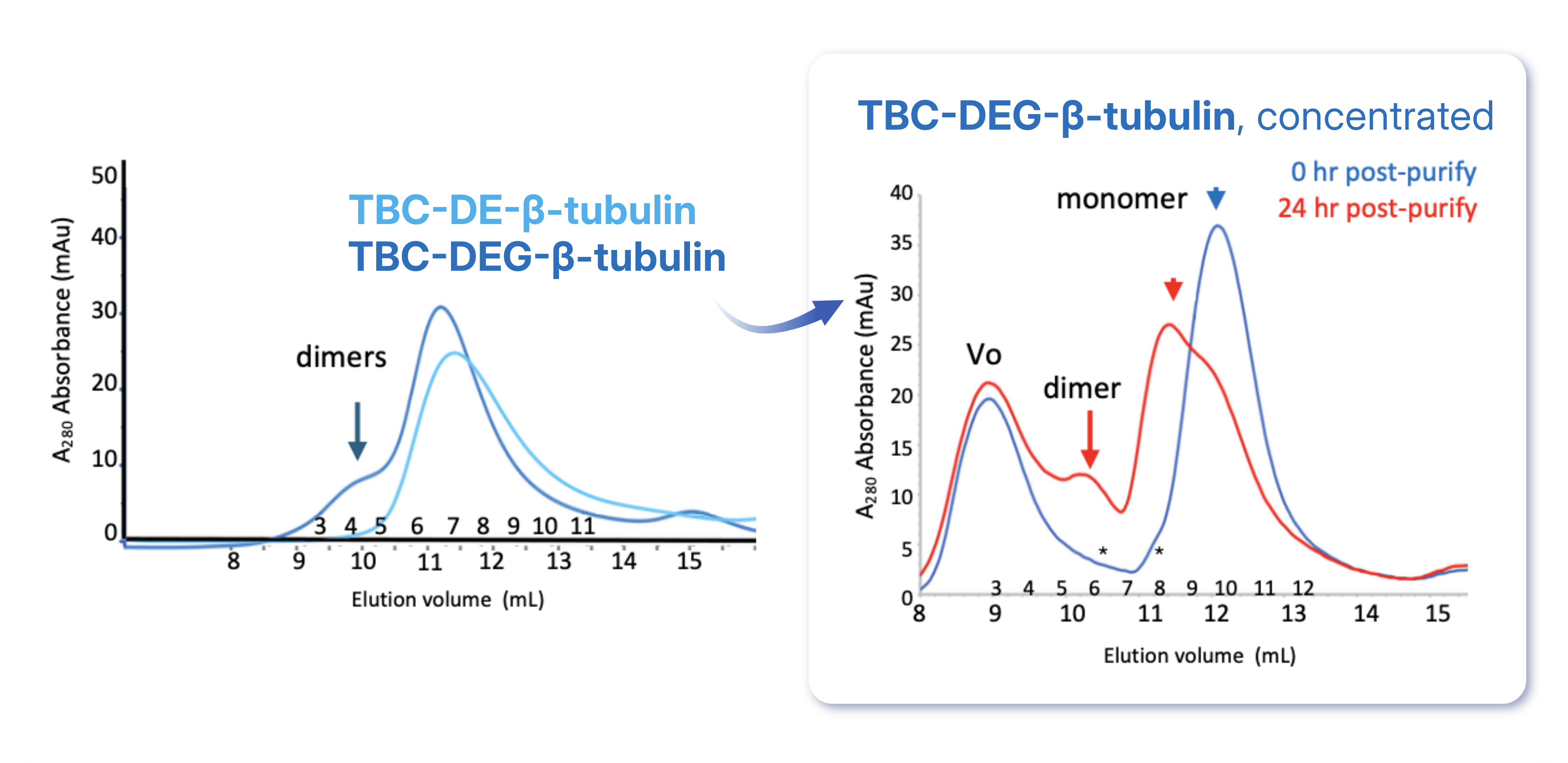
TBC-DEG-β-tubulin tends to dimerize faster when concentrated. In the structural studies, this dimerization was stabilized via crosslinking. Figure adapted from [Taheri et al., 2026](https://www.science.org/doi/10.1126/sciadv.aee2303).
**The paper describes four cryo-EM data processing workflows:** **one for the TBC-DE–β-tubulin monomer, one for the TBC-DE–β-tubulin dimer, one for the fresh TBC-DEG–β-tubulin monomer, and one for the crosslinked TBC-DEG–β-tubulin dimers**. Although the overall processing strategy was similar, each workflow was tailored to the structural heterogeneity present in its respective dataset.
The TBC-DE–β-tubulin dataset contained both monomeric and dimeric particles. The monomeric structure was determined through [Homogeneous Refinement](https://guide.cryosparc.com/processing-data/all-job-types-in-cryosparc/3d-refinement/job-homogeneous-refinement), followed by [Non-Uniform Refinement](https://guide.cryosparc.com/processing-data/all-job-types-in-cryosparc/3d-refinement/job-non-uniform-refinement-new), and lastly [CTF](https://guide.cryosparc.com/processing-data/all-job-types-in-cryosparc/ctf-refinement) and [Local Refinement](https://guide.cryosparc.com/processing-data/all-job-types-in-cryosparc/local-refinement), yielding the structure of the **TBC-DE–β-tubulin complex. This represents the earliest experimentally observed intermediate in the assembly pathway, where β-tubulin is captured by TBCD and TBCE prior to Arl2 binding.**
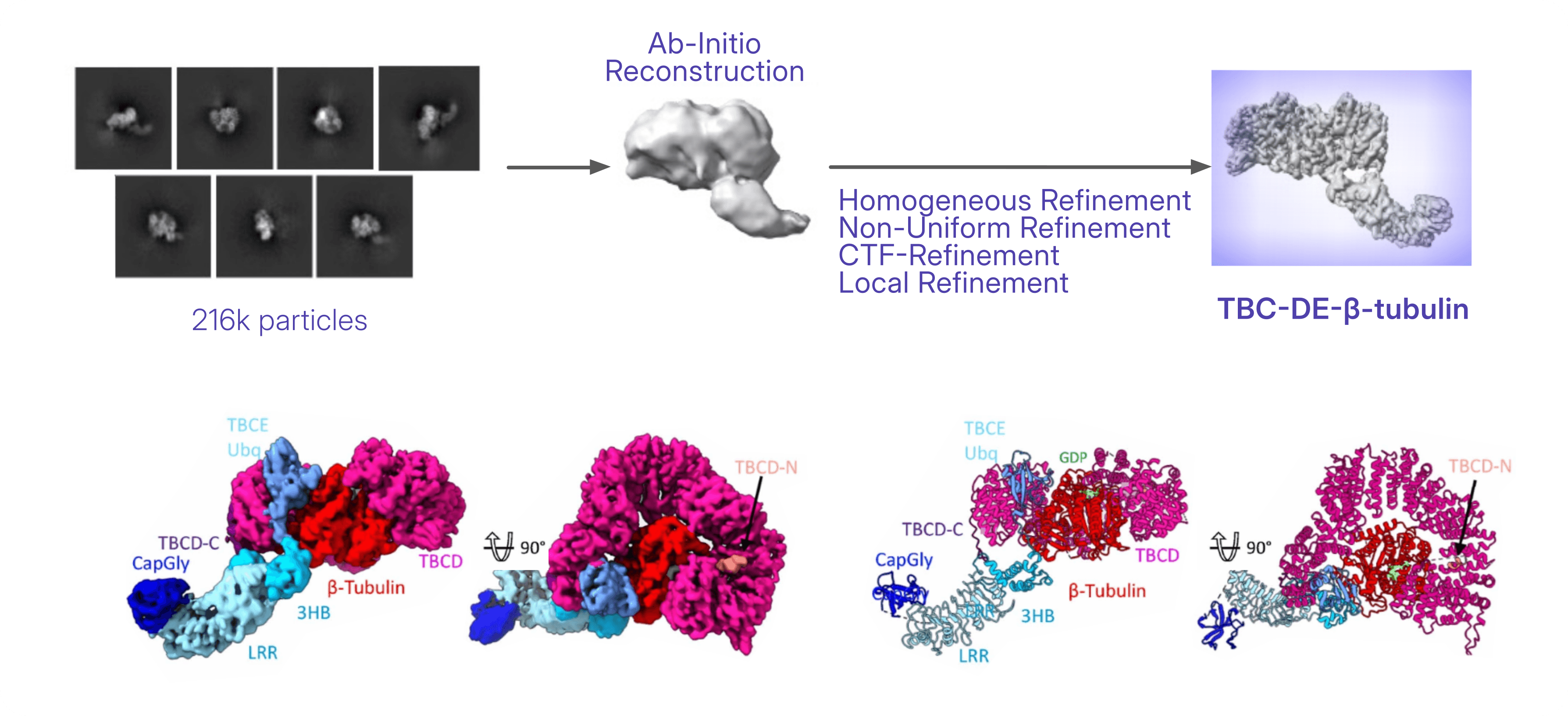
TBC-DE–β-tubulin monomer data processing (top) and resulting map and model (bottom). Figure adapted from [Taheri et al., 2026](https://www.science.org/doi/10.1126/sciadv.aee2303).
On the other side, the dimeric particles in the TBC-DE–β-tubulin dataset separated into two distinct assemblies (back-to-back and side-to-side dimer) using multi-class [Ab-Initio Reconstruction](https://guide.cryosparc.com/processing-data/all-job-types-in-cryosparc/3d-reconstruction/job-ab-initio-reconstruction) followed by [Heterogeneous Refinement](https://guide.cryosparc.com/processing-data/all-job-types-in-cryosparc/3d-refinement/job-heterogeneous-refinement) in [CryoSPARC](https://cryosparc.com/). These dimeric assemblies are interpreted as alternative β-tubulin-bound oligomeric states.
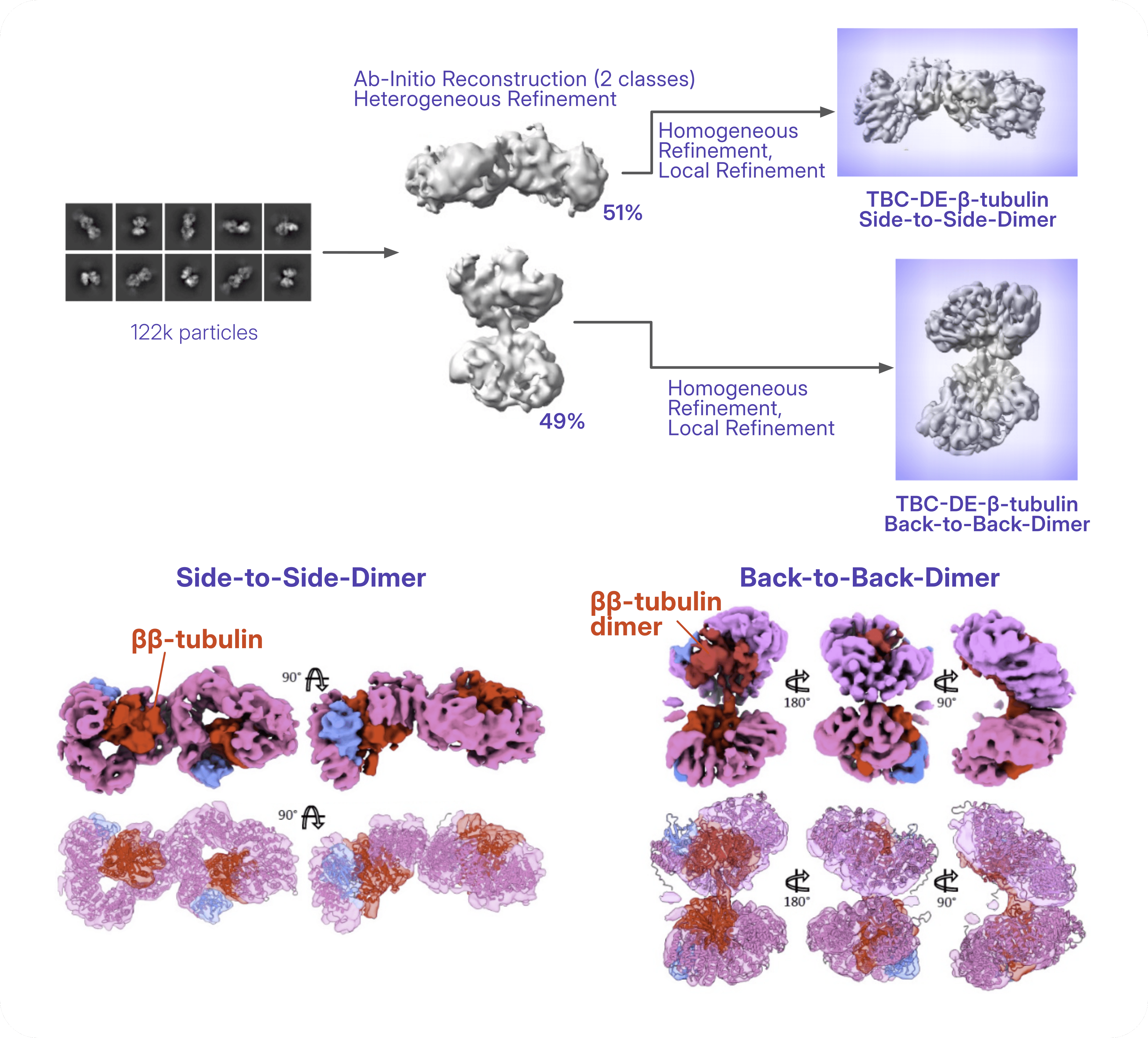
TBC-DE–β-tubulin dimers data processing (top) and resulting maps and fitted models (bottom). Figure adapted from [Taheri et al., 2026](https://www.science.org/doi/10.1126/sciadv.aee2303).
The non-crosslinked TBC-DEG–β-tubulin dataset was processed with multi-class [Ab-Initio Reconstruction](https://guide.cryosparc.com/processing-data/all-job-types-in-cryosparc/3d-reconstruction/job-ab-initio-reconstruction), followed by [Heterogeneous Refinement](https://guide.cryosparc.com/processing-data/all-job-types-in-cryosparc/3d-refinement/job-heterogeneous-refinement) to isolate the particles of interest. Subsequent [Homogeneous Refinement](https://guide.cryosparc.com/processing-data/all-job-types-in-cryosparc/3d-refinement/job-homogeneous-refinement), [CTF Refinement](https://guide.cryosparc.com/processing-data/all-job-types-in-cryosparc/ctf-refinement), and [Local Refinement](https://guide.cryosparc.com/processing-data/all-job-types-in-cryosparc/local-refinement) produced a 3.6 Å reconstruction of the rigid **TBC-DEG core, corresponding to the Arl2-bound β-tubulin intermediate that precedes α-tubulin incorporation**. Because the TBCE LRR–CapGly arm remained flexible, [3D Classification](https://guide.cryosparc.com/processing-data/all-job-types-in-cryosparc/variability/job-3d-classification-beta) without particle alignment was performed using focused masks encompassing the core and the expected position of the arm. [Local refinement](https://guide.cryosparc.com/processing-data/all-job-types-in-cryosparc/local-refinement) of this class resolved the full TBC-DEG–β-tubulin complex at lower resolution, and a composite map combining the high-resolution core with the refined TBCE arm was generated for model building.
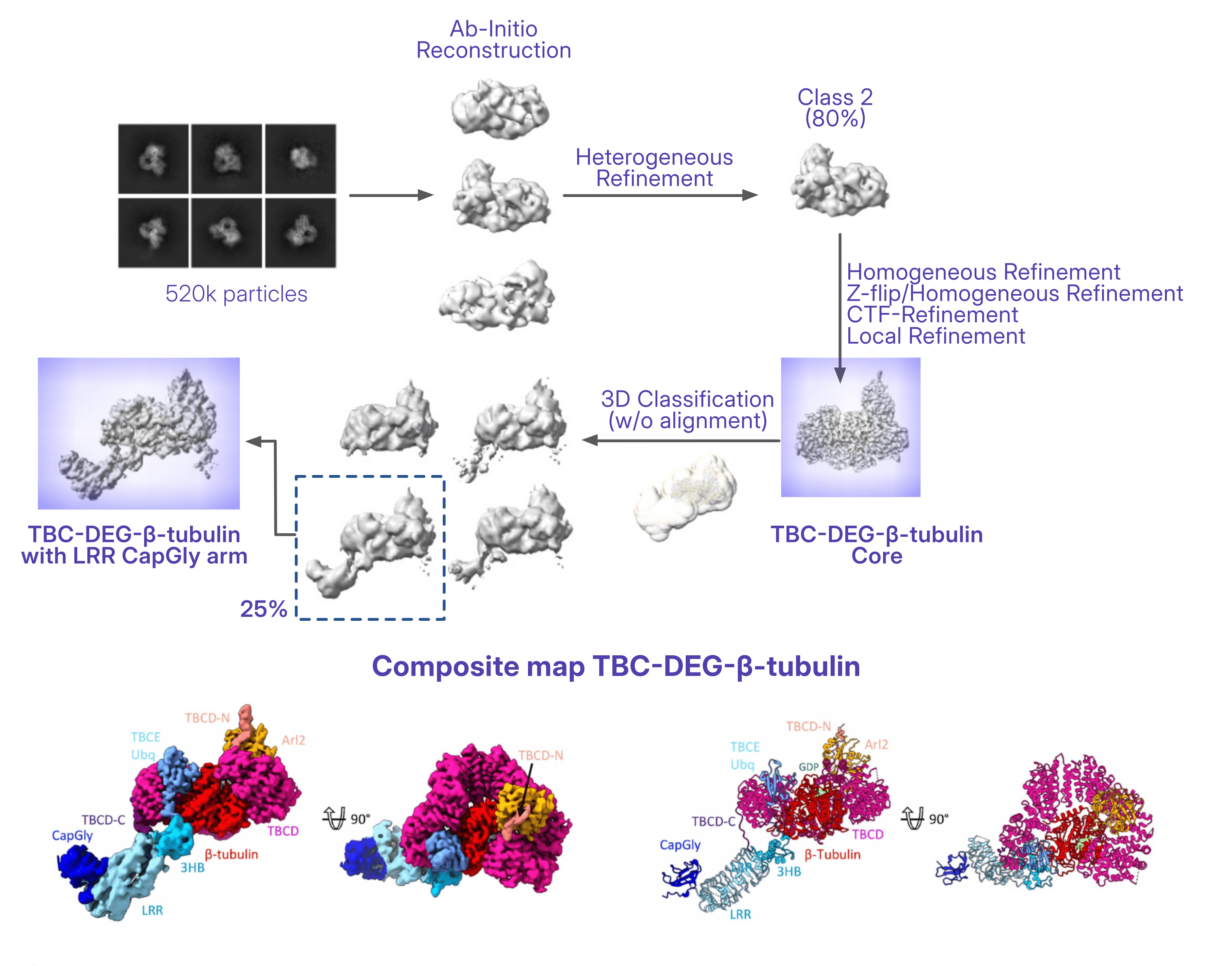
Non-crosslinked TBC-DEG–β-tubulin data processing (top) and resulting composite map and model (bottom). Figure adapted from [Taheri et al., 2026](https://www.science.org/doi/10.1126/sciadv.aee2303).
The crosslinked TBC-DEG–β-tubulin dataset was processed using multi-class [Ab-Initio Reconstruction](https://guide.cryosparc.com/processing-data/all-job-types-in-cryosparc/3d-reconstruction/job-ab-initio-reconstruction) followed by [Heterogeneous Refinement](https://guide.cryosparc.com/processing-data/all-job-types-in-cryosparc/3d-refinement/job-heterogeneous-refinement) to isolate the rare back-to-back dimeric assembly stabilized by crosslinking. **This structure captures a β-tubulin-bound dimeric state of the TBC-DEG complex, providing additional structural insight into higher-order assemblies that complement the monomeric intermediates used to reconstruct the overall catalytic mechanism.**
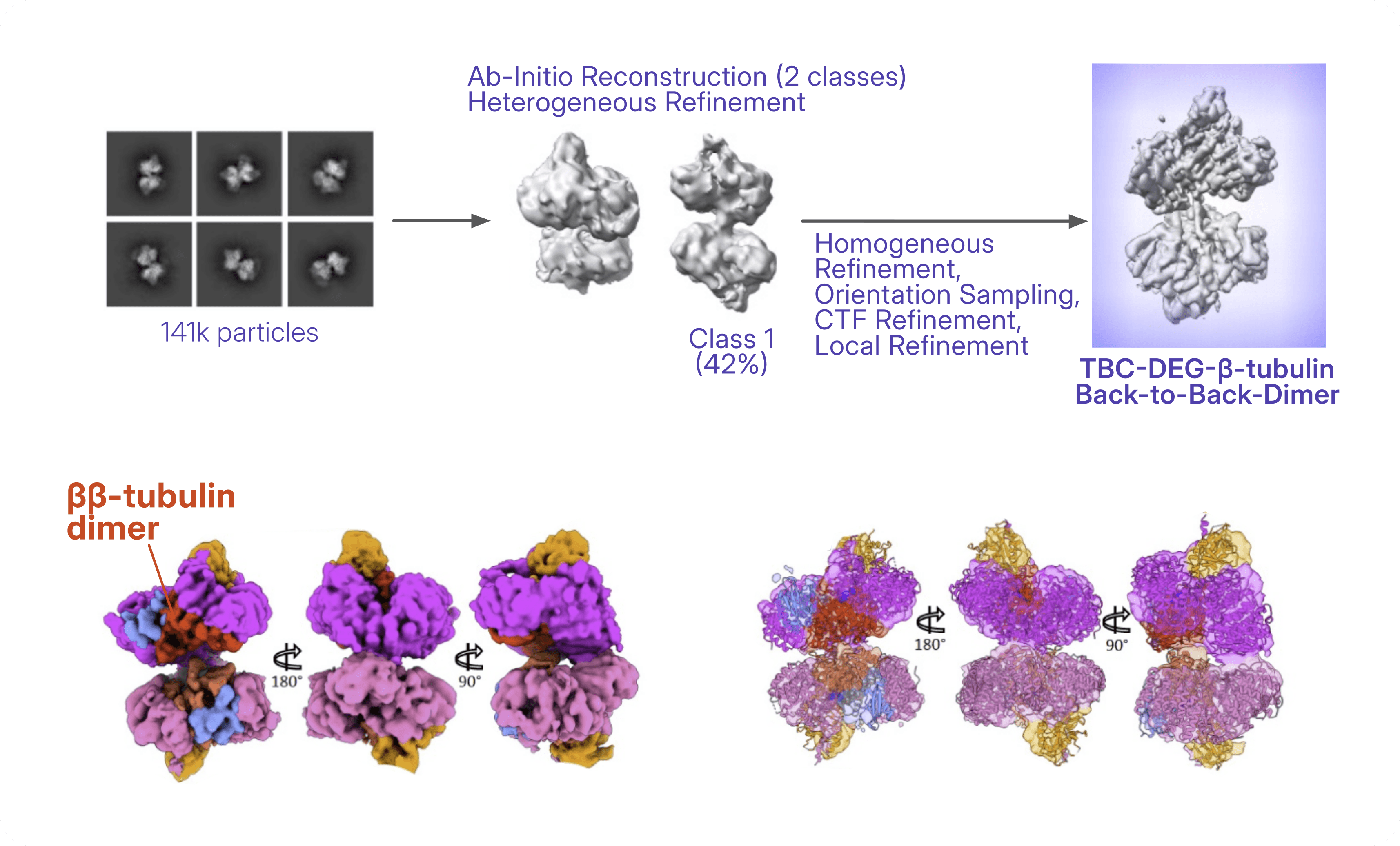
Crosslinked TBC-DEG–β-tubulin data processing (top) and resulting map and model (bottom). Figure adapted from [Taheri et al., 2026](https://www.science.org/doi/10.1126/sciadv.aee2303).
## **A Structural Blueprint for Future Therapies**
Rather than providing a single snapshot, the cryo-EM study adds several key β-tubulin-bound intermediates to an expanding structural framework.
> “There were two big surprises. The first was the nature of the catalytic transitions that place and displace α-tubulin: a lever-arm–like motion of the TBCE protein, triggered by GTP binding in Arl2 and transmitted over a long range through the TBCD scaffolding protein.”
*- Dr. Jawdat Al-Bassam, Associate Professor, UCDavis (corresponding author)*
The newly resolved structures reveal that TBC-DEG functions as a catalytic chaperone that actively remodels its conformation throughout the assembly cycle. They show how TBCD and TBCE stabilize β-tubulin, uncover a previously unknown nucleotide-free state of Arl2 associated with β-tubulin binding, and explain how Arl2-driven rearrangements position the flexible TBCE arm to rapidly recruit α-tubulin.
> “The second [surprise] was the tail-to-tail dimerization of the cofactor–β-tubulin assemblies. This revealed a clear off-pathway homodimerization activity of β-tubulin that had not previously been understood. The cryo-EM class averages and 3D refined models showed just how prevalent these β–β-tubulin dimers were in the data. The interface mediating the β–β-tubulin dimers was the interface involved in binding α-tubulin, providing a crucial explanation for why this system maybe needed to correctly place α-tubulin beneath β-tubulin.”
*- Dr. Jawdat Al-Bassam, Associate Professor, UCDavis (corresponding author)*
Importantly, the authors also captured β-tubulin homodimeric assemblies, providing structural evidence for a competing off-pathway state that the catalytic cycle is proposed to prevent by efficiently channeling β-tubulin toward productive α/β heterodimer formation.
. ](https://cryosparc.com/images/blog/tubulin/back-to-back-dimers.png)
Figure adapted from [Taheri et al., 2026](https://www.science.org/doi/10.1126/sciadv.aee2303).
Together with previously determined α/β-tubulin complexes from one earlier publication by the same laboratory and two modeled transient states, these cryo-EM structures reveal a unified nine-step catalytic cycle explaining how the TBC-DEG machinery orchestrates the assembly and, when necessary, the disassembly of α/β-tubulin.
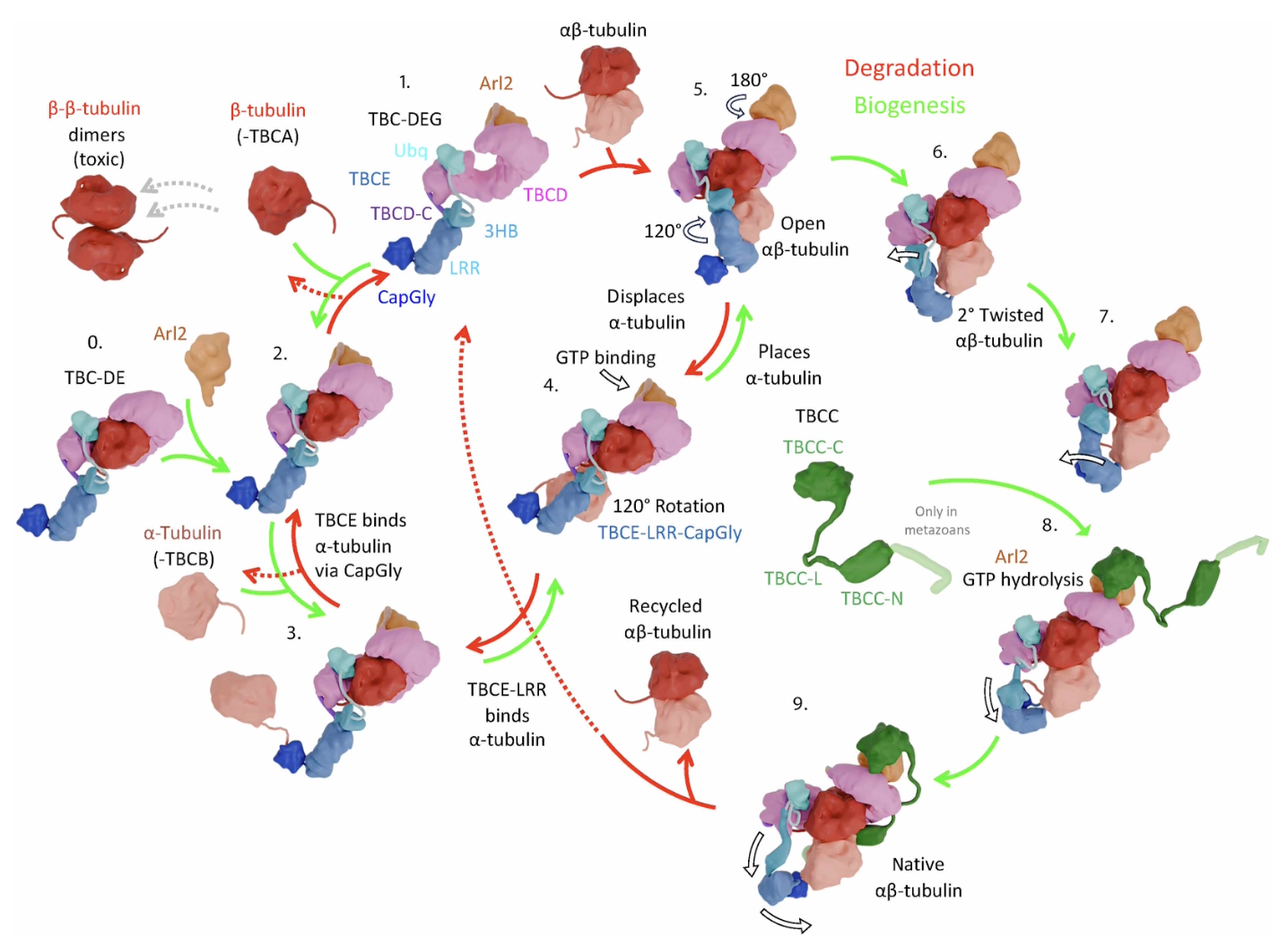
**Unified mechanism for TBC-DEG and TBCC in catalyzing αβ- tubulin biogenesis and degradation presented in Figure 5 of [Taheri et al., 2026](https://www.science.org/doi/10.1126/sciadv.aee2303)**. The first part of the mechanism is built on the β-tubulin-bound cryo-EM structures presented in this study: **states 0–2** are directly supported by the new human experimental structures, while **states 3–4** are modeled by docking α-tubulin onto these intermediates. The remaining states (**5–9**) are based on previously published **human and yeast** TBC-DEG–αβ-tubulin and TBC-DEG/TBCC–αβ-tubulin structures from earlier studies [7], [8], together defining a unified mechanism for tubulin biogenesis and degradation.
Beyond answering a long-standing question in cell biology, these findings provide a molecular framework for understanding how disease-causing mutations disrupt tubulin biogenesis. Mapping patient mutations onto these structures helps explain the origins of tubulin biogenesis disorders and provides a structural foundation for improving genetic diagnosis, interpreting newly discovered variants, and, in the longer term, guiding the development of therapies targeting this essential cellular machinery.
#### References
- Flex, E., Niceta, M., Cecchetti, S., Thiffault, I., Au, M. G., Capuano, A., ... & Tartaglia, M. (2016). Biallelic mutations in TBCD, encoding the tubulin folding cofactor D, perturb microtubule dynamics and cause early-onset encephalopathy. The American Journal of Human Genetics, 99(4), 962-973.
- Miyake, N., Fukai, R., Ohba, C., Chihara, T., Miura, M., Shimizu, H., ... & Matsumoto, N. (2016). Biallelic TBCD mutations cause early-onset neurodegenerative encephalopathy. The American Journal of Human Genetics, 99(4), 950-961.
- Martin, N., Jaubert, J., Gounon, P., Salido, E., Haase, G., Szatanik, M., & Guénet, J. L. (2002). A missense mutation in Tbce causes progressive motor neuronopathy in mice. Nature Genetics, 32(3), 443-447.
- Akhmanova, A., & Kapitein, L. C. (2022). Mechanisms of microtubule organization in differentiated animal cells. Nature Reviews Molecular Cell Biology, 23(8), 541-558.
- Binarová, P., & Tuszynski, J. (2019). Tubulin: structure, functions and roles in disease. Cells, 8(10), 1294.
- Al-Bassam, J. (2017). Revisiting the tubulin cofactors and Arl2 in the regulation of soluble αβ-tubulin pools and their effect on microtubule dynamics. Molecular Biology of the Cell, 28(3), 359-363.
- Taheri, A., Wang, Z., Singal, B. et al. Cryo-EM structures of the tubulin cofactors reveal the molecular basis of alpha/beta-tubulin biogenesis. Nat Commun 17, 1405 (2026).
- Seong, Y., Kim, H., Byun, K., Park, Y. W., & Roh, S. H. (2025). Structural dissection of αβ-tubulin heterodimer assembly and disassembly by human tubulin–specific chaperones. Science, 390(6772), eady2708.
---
# Digging Deeper: Why refinements can be robust to the presence of junk particles
**Author:** CryoSPARC Team
**Published:** July 21, 2026
**Category:** Digging deeper
**Summary:** The effect of parameter settings on 3D refinement: Minimize over per-particle scale, Adaptive marginalization, Non-uniform regularization, and Masking
**Source:** https://cryosparc.com/blog/parameters-3d-refinement
---
In the recently published [**Case Study: Discrete heterogeneity in a sample of acetogenin-bound Complex I (EMPIAR-10927)**](https://guide.cryosparc.com/processing-data/tutorials-and-case-studies/case-study-discrete-heterogeneity-in-a-sample-of-acetogenin-bound-complex-i-empiar-10927), mitochondrial Complex I was reconstructed in CryoSPARC using several different processing strategies. [One interesting observation](https://guide.cryosparc.com/processing-data/tutorials-and-case-studies/case-study-discrete-heterogeneity-in-a-sample-of-acetogenin-bound-complex-i-empiar-10927#id-15.-how-global-refinement-settings-can-influence-map-appearance) is that the initial refinement (using 90,066 particles), and the final reconstruction (using only 19,090 particles) were comparable in terms of nominal resolution and map quality.
In this post, we will explore **how these two reconstructions [in the presented case study](https://guide.cryosparc.com/processing-data/tutorials-and-case-studies/case-study-discrete-heterogeneity-in-a-sample-of-acetogenin-bound-complex-i-empiar-10927) can appear so similar when one refinement contains many particles that are later shown to belong to other complexes, or to junk classes.**
The answer lies in how [3D Refinement](https://guide.cryosparc.com/processing-data/all-job-types-in-cryosparc/3d-refinement) determines the contribution of each particle to the final map.
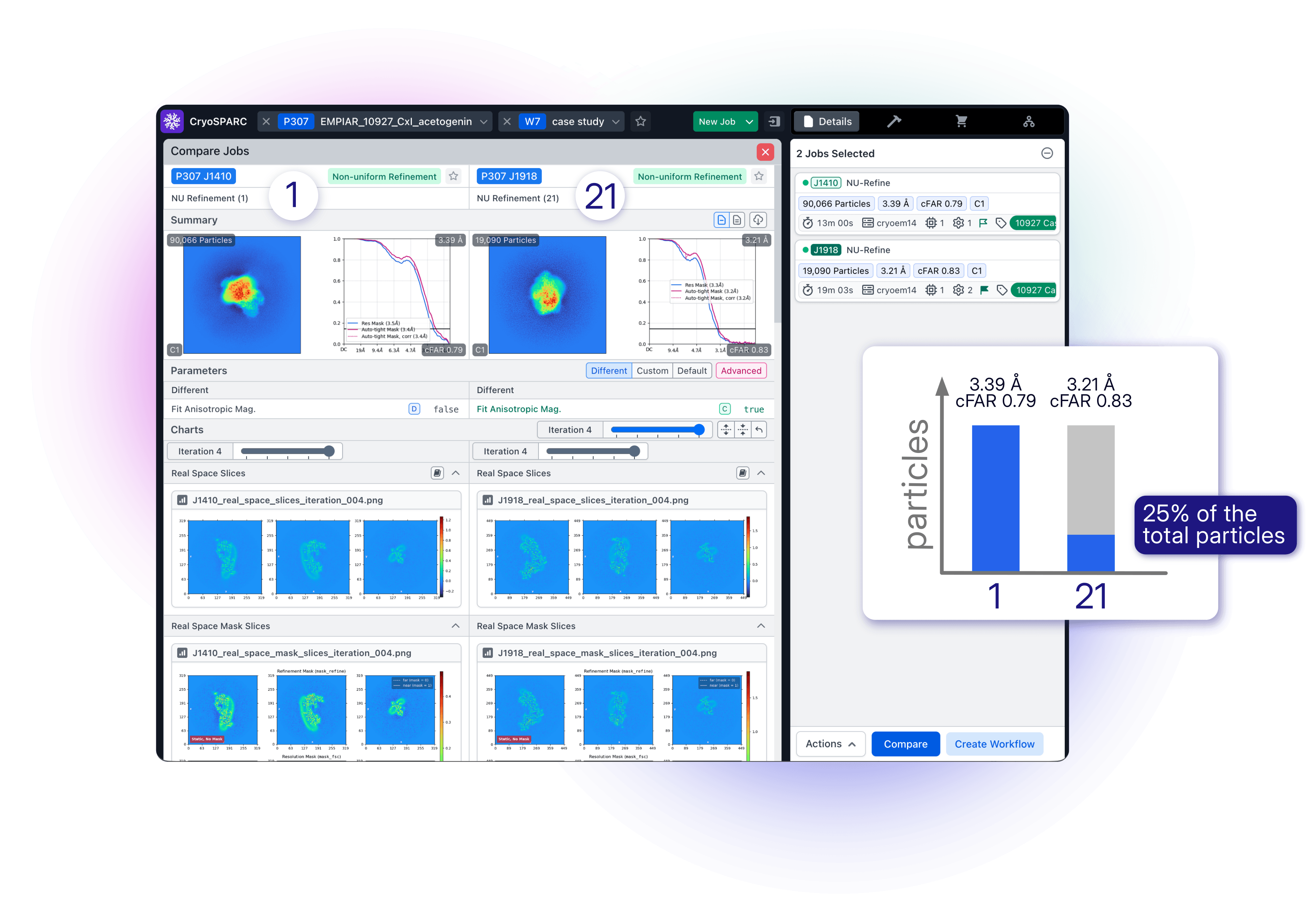 Comparison of [Non-Uniform Refinement](https://guide.cryosparc.com/processing-data/all-job-types-in-cryosparc/3d-refinement/job-non-uniform-refinement-new) (1) and [Non-Uniform Refinement](https://guide.cryosparc.com/processing-data/all-job-types-in-cryosparc/3d-refinement/job-non-uniform-refinement-new) (21) from the [Case Study: Discrete heterogeneity in a sample of Acetogenin-bound complex I (EMPIAR 10927)](https://guide.cryosparc.com/processing-data/tutorials-and-case-studies/case-study-discrete-heterogeneity-in-a-sample-of-acetogenin-bound-complex-i-empiar-10927) using [Comparison View](https://guide.cryosparc.com/application-guide/inspecting-job-data#comparing-jobs). Refinement (21) contains only 25% of the original particle stack used for Refinement (1).
## How Refinement Works
3D Refinement is explained in depth in the [CryoSPARC Guide](https://guide.cryosparc.com/processing-data/all-job-types-in-cryosparc/3d-refinement). At its core, **cryo-EM refinement assigns a [pose](https://guide.cryosparc.com/processing-data/all-job-types-in-cryosparc/3d-refinement#finding-an-images-pose) (orientation and position) to each particle image by comparing it to projections of a reference volume**. The aligned particles are then [backprojected](https://guide.cryosparc.com/processing-data/all-job-types-in-cryosparc/3d-refinement#backprojection) to generate an updated 3D reconstruction, and the process is repeated iteratively.
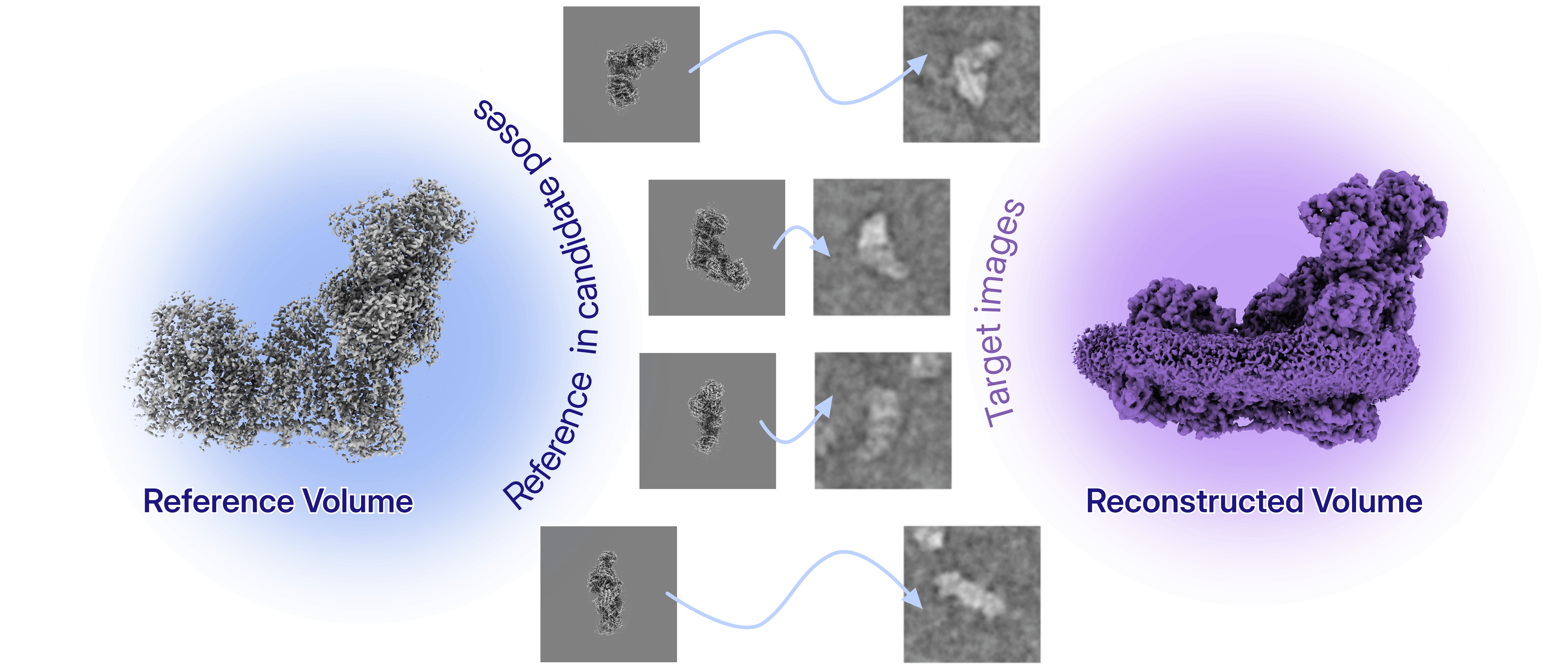
**Then there is the concept of [per-particle scale](https://guide.cryosparc.com/processing-data/all-job-types-in-cryosparc/3d-refinement#per-particle-scale), a metric which accounts for the values in the local greyscale of the image compared to the greyscale of the volume.** This is a multiplicative amplitude correction estimated for each particle image: not all particle images have the same overall contrast because of differences in ice thickness, local environment, beam-induced motion, detector response, or imaging conditions that can cause some particles to appear stronger or weaker than others. **When each raw image is multiplied by its per-particle scale, the images are all on the same grayscale and can be backprojected to produce the volume**.
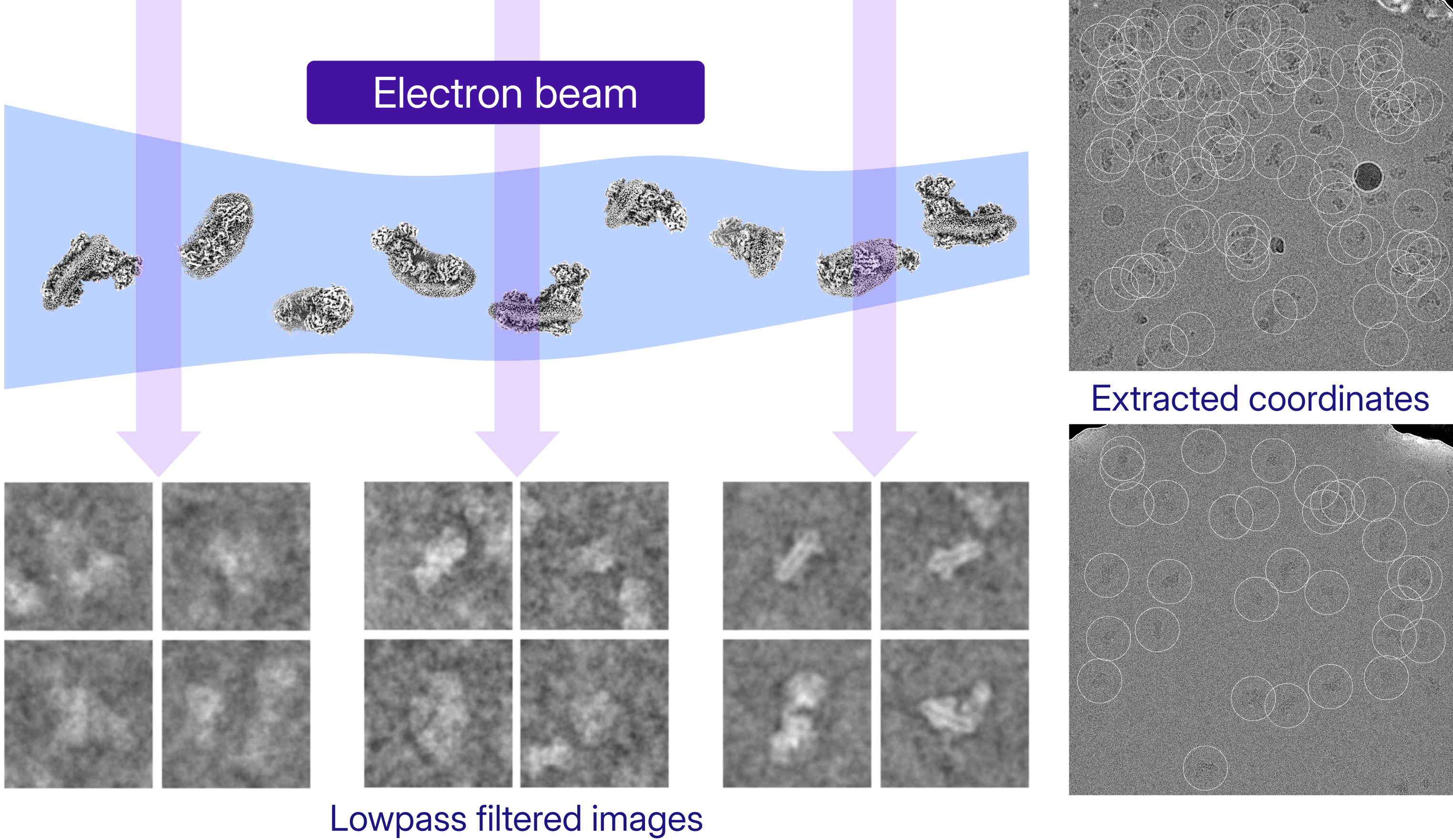
**Map quality therefore depends not only on the number of particles, but also on how confidently those particles can be aligned and how strongly they are allowed to contribute to the reconstruction.**
## Refinement Parameters and Their Effect on the Final Map
Several refinement settings determine how particles contribute to the reconstruction and how robustly the algorithm deals with heterogeneity and imperfect data.
- [**Minimize over per-particle scale**](https://guide.cryosparc.com/processing-data/all-job-types-in-cryosparc/3d-refinement/job-homogeneous-refinement#minimize-over-per-particle-scale): This parameter calculates the particles’ optimal scale at each iteration, and adjusts the relative contribution of individual particles based on **how well they agree with the reference volume after alignment**. Particles that agree well with the reference volume are up-weighted, while poorly matching particles are down-weighted. In the dataset of the discussed [case study](https://guide.cryosparc.com/processing-data/tutorials-and-case-studies/case-study-discrete-heterogeneity-in-a-sample-of-acetogenin-bound-complex-i-empiar-10927), particles from other complexes and junk classes clustered at lower per-particle scale values in respect to the target particles, possibly contributing more weakly to the refinement of Complex I.
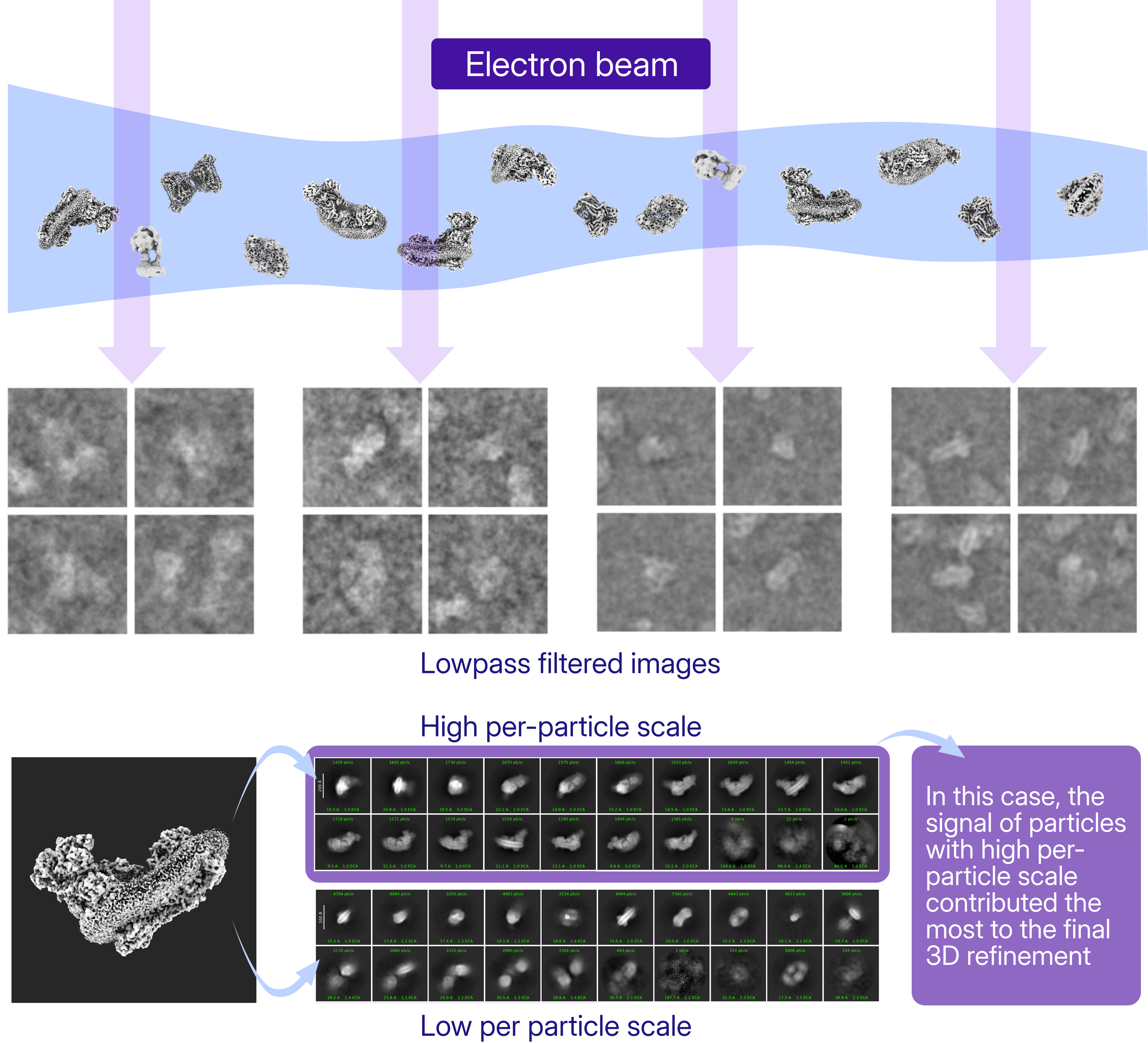
Per-particle scale reflects more than particle quality: it can also reveal particles that are inconsistent with the target structure, including contaminants, junk classes, or alternative molecular species.
- [**Adaptive marginalization**](https://guide.cryosparc.com/processing-data/all-job-types-in-cryosparc/3d-refinement/job-homogeneous-refinement#adaptive-marginalization): The pose searches of the particles images relative to the reference volume is already computationally challenging, that’s why [CryoSPARC](https://cryosparc.com/) uses the specialized algorithm called “[branch and bound](https://guide.cryosparc.com/processing-data/all-job-types-in-cryosparc/3d-refinement#cryosparc-pose-search-branch-and-bound)” to perform a hierarchical search for particle poses. Additionally, when a particle has low [contrast](https://guide.cryosparc.com/cryo-em-foundations/image-formation/contrast-in-cryo-em) or does not match the reference well, its orientation may be uncertain. **Rather than forcing a single pose assignment, refinement can distribute its contribution across several plausible poses, reducing the impact of misaligned particles**.
- [**Masking**](https://guide.cryosparc.com/processing-data/tutorials-and-case-studies/tutorial-dynamic-masking-in-refinements-v5.0): [Masks](https://guide.cryosparc.com/processing-data/tutorials-and-case-studies/mask-selection-and-generation-in-ucsf-chimera) focus alignment on regions of interest while excluding surrounding density such as detergent micelles, neighboring particles, or flexible regions. By emphasizing the most reliable features of Complex I, masking improves pose estimation and limits the influence of unrelated density.
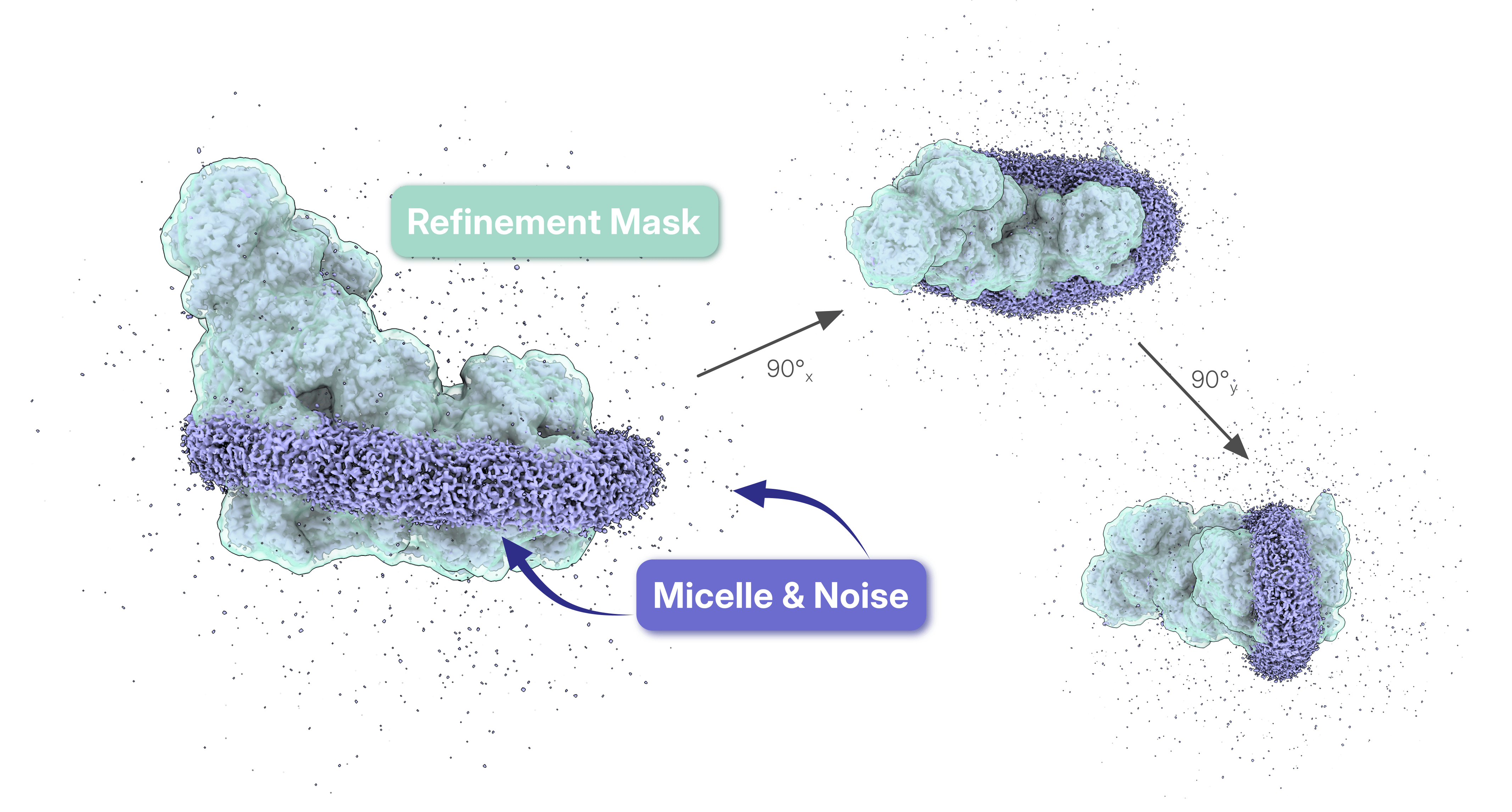
- [**Non-Uniform regularization**](https://www.nature.com/articles/s41592-020-00990-8) (or [**Non-uniform refine enable**](https://guide.cryosparc.com/processing-data/all-job-types-in-cryosparc/3d-refinement/job-non-uniform-refinement-new#non-uniform-refine-enable)): One of the most powerful features of [CryoSPARC](https://cryosparc.com/)'s [Non-Uniform Refinement](https://guide.cryosparc.com/processing-data/all-job-types-in-cryosparc/3d-refinement/job-non-uniform-refinement-new) is its ability to **treat different regions of the map differently according to their local signal quality.** Different regions of a map contain different amounts of signal. Non-Uniform Refinement suppresses noisy or poorly ordered regions while preserving well-resolved features. This reduces overfitting and allows alignment to be driven by the most consistent structural information, even when the particle stack contains substantial heterogeneity.
## Comparison of Refinement Parameters in the Case Study
To test the effect of the above parameters on the map quality in the Non-Uniform Refinements (1) and (21) we ran a set of additional jobs, whose the results are shown below. When the discussed parameters were stripped down and we ran only the base refinements for the considered particle stacks, the resulting map qualities differed considerably, and the influence of particles belonging to junk and other protein complexes caused the final map obtained from the initial particle stack to be of poorer quality ([cFAR](https://guide.cryosparc.com/processing-data/tutorials-and-case-studies/tutorial-orientation-diagnostics) 0.36, and very little side chain definition). Separately enabling Non-Uniform regularization, minimize over per-particle scale, dynamic masking, or Adaptive marginalization improves the cFAR and map quality for both particle sets.
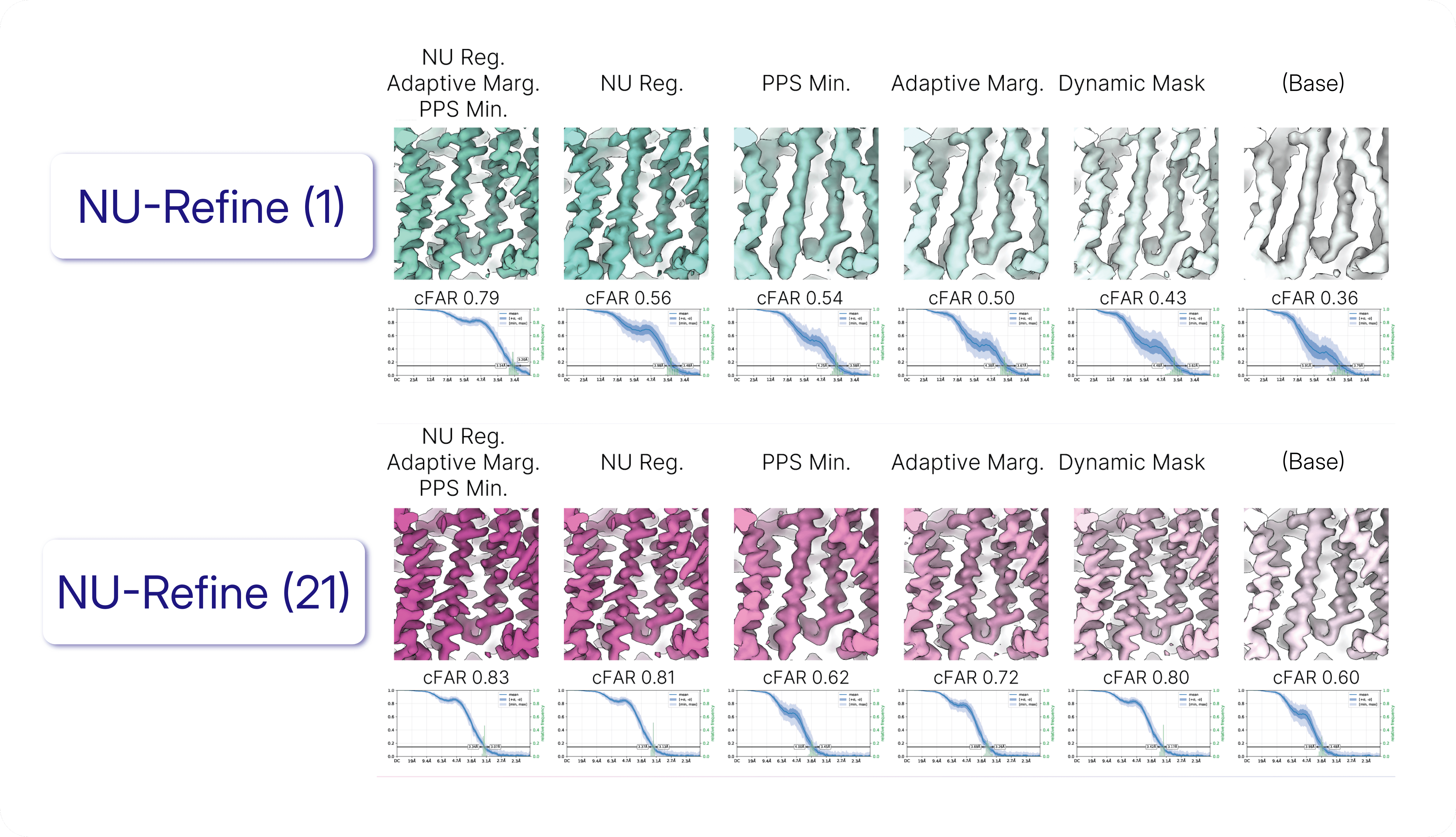
NU Reg: Non-Uniform regularization (Non-uniform refine enable); PPS Min.: minimize over per-particle scale. Figure adapted from Figure 15 of the [case study](https://guide.cryosparc.com/processing-data/tutorials-and-case-studies/case-study-discrete-heterogeneity-in-a-sample-of-acetogenin-bound-complex-i-empiar-10927).
Enabling Non-Uniform regularization alone substantially improved both map quality and cFAR for the initial and final particle stacks (Non-Uniform Refinements (1) and (21), respectively). For the cleaner final particle stack, the resulting reconstruction was nearly indistinguishable from that obtained when Adaptive marginalization and minimize over per-particle scale were also enabled. In contrast, for the more heterogeneous initial particle stack, Non-Uniform regularization alone was insufficient to achieve the same map quality, indicating that enabling Adaptive marginalization and minimize over per-particle scale was required to reduce the influence of inconsistent particles.
This became even more apparent when only Adaptive Marginalization was enabled. Under these conditions, the two Non-Uniform refinements produced markedly different maps, demonstrating that accounting for pose uncertainty alone could not compensate for the heterogeneous particles present in the initial stack.
Dynamic masking and Non-Uniform regularization are strategies that mitigate a similar problem with different approaches: both focus the refinement pose assignment on the well-ordered regions of the map. In the cleaner particle stack, either approach was sufficient to produce comparable map quality and cFAR. In the heterogeneous initial particle stack, however, Dynamic masking alone could not compensate for the additional particles, potentially because Non-Uniform regularization limits the ability for outlier particles to produce overfitting artefacts in the micelle region.
These observations are specific to the Complex I dataset examined in this case study, but they illustrate an important point: **different refinement parameters respond differently to different types of heterogeneity. Exploring alternative refinement settings can therefore provide valuable insight into the composition of a particle stack and help determine which strategy is most appropriate for the biological question being addressed.**
## Resolution Is Not the Whole Story
In [this case study](https://guide.cryosparc.com/processing-data/tutorials-and-case-studies/case-study-discrete-heterogeneity-in-a-sample-of-acetogenin-bound-complex-i-empiar-10927), refinement produced a convincing reconstruction even though the initial particle stack contained substantial heterogeneity. The selected refinement settings automatically reduced the influence of poorly matching particles and focused the reconstruction on the most self-consistent signal, explaining why the 90,066 particles refinement appeared surprisingly similar to the final reconstruction obtained from just 19,090 particles.
However, further cleaning of the particle stack remained essential to isolate a single structural state and uncover the additional complexes hidden in the original dataset. This serves as a useful reminder for users: a high-quality map does not necessarily indicate a homogeneous particle stack. When interpreting your own data, it is worth considering not only the appearance of the final reconstruction, but also how refinement settings may be weighting, suppressing, or masking underlying heterogeneity.
---
# Mind The Gap: Cryo-EM Reveals Lipids Intercalating Connexin Assemblies
**Author:** CryoSPARC Team
**Published:** July 8, 2026
**Category:** Discoveries
**Summary:** Using single particle cryo-EM on plaque-mimicking nanodiscs, researchers determined multiple connexin assembly states and uncovered lipid-protein interactions that may help understand gap junction organization and function.
**Source:** https://cryosparc.com/blog/gap-junctions
---
### No Cell Is an Island
Multicellular organisms depend on constant communication between cells. Signals, nutrients, and electrical impulses flow through intricate cellular networks to coordinate everything from thought and movement to the maintenance of tissues and organs. While some messages travel over long distances through ligand-receptor signaling, others are exchanged through direct cell-cell contact. **Gap junctions represent one of the most intimate forms of this communication: these membrane channels span two plasma membranes, physically connecting neighboring cells, allowing ions and small molecules to pass directly between them**. These connections synchronize heart contractions, coordinate neuronal activity, and help tissues function as unified systems [1].
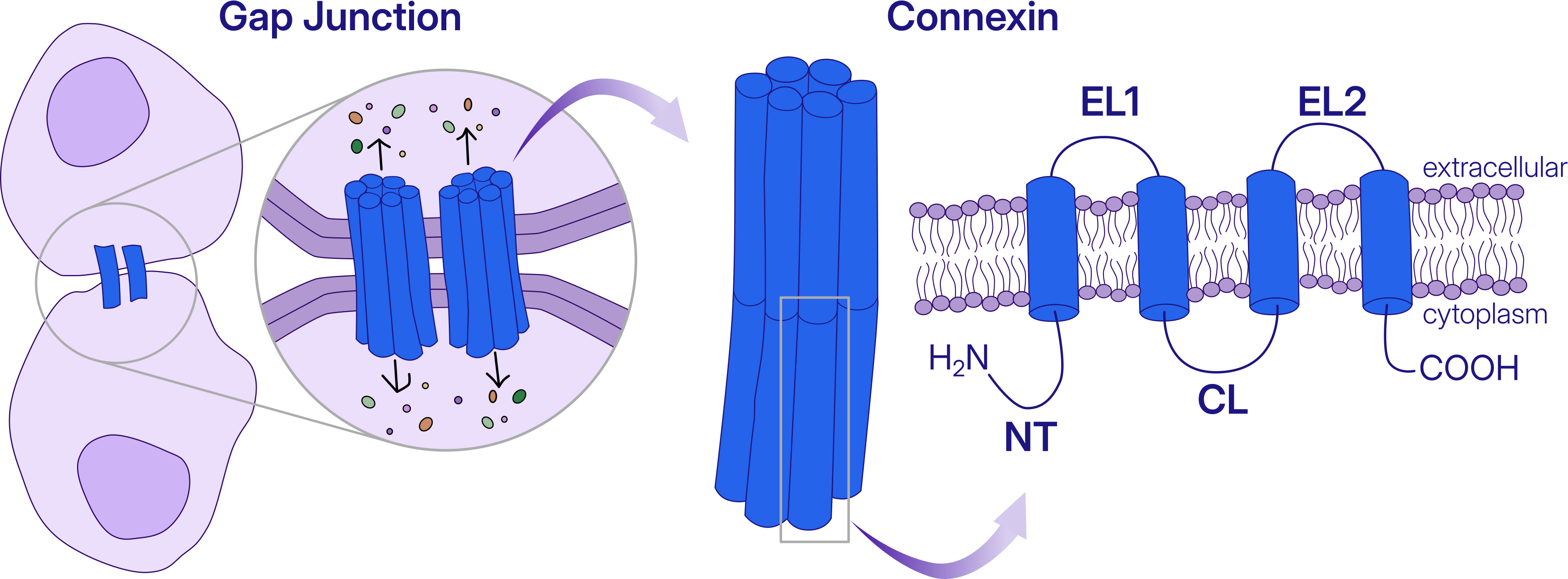
NT: N-terminal domain, EL: extracellular loop, CL: cytoplasmic loop
**In a recent [preprint](https://www.biorxiv.org/content/10.64898/2026.05.28.728492v1), scientists at Oregon Health & Science University used cryo-EM to investigate native lens connexin-46/50 (Cx46/50), a major component of gap junctions.** Connexin dysfunction is linked to a wide range of human diseases, including deafness, blindness, skin disorders, neuropathies, cardiac arrhythmias, and cancer [2].
### No Protein Is an Island
Gap junction channels do not exist in isolation. Instead, they cluster into densely packed assemblies known as plaques, which can contain hundreds to thousands of channels arranged within the membrane. Studies of individual gap junction channels have revealed many fundamental features of connexin biology [3], [4], yet functional studies of intact plaques in tissues and model systems have revealed behaviors that cannot be fully explained by isolated channels alone [5].
> *“Gap junction plaques have been studied structurally for decades, but we have lacked a high-resolution view of how neighboring channels interact within the membrane.”*
>
>
> *-* Dr. Steve Reichow, Associate Professor, Oregon Health & Science University, (corresponding author)
>
**To capture this higher-order organization, the authors reconstituted Cx46/50 into MSP-based lipid nanodiscs, incorporating multiple channels into miniature plaque-like complexes suitable for single particle cryo-EM analysis**.
.](https://cryosparc.com/images/blog/gap-junctions/blog-gap-junctions-figure2.png)
Right panel adapted from [Garrels et al., 2026](https://www.biorxiv.org/content/10.64898/2026.05.28.728492v1).
Even before data processing began, the sample hinted at the complexity ahead. Reconstitution produced a mixture of nanodiscs containing single channels, paired channels, and larger multi-channel assemblies. Rather than a uniform population, the researchers were faced with substantial structural heterogeneity, a challenge familiar to cryo-EM scientists, but also the key to understanding how plaque organization influences gap junction function.
### Navigating Heterogeneity in Cryo-EM: Single- and Dual-Channel Connexins
The dataset was processed in [CryoSPARC](https://cryosparc.com/), where the central challenge quickly became clear: heterogeneity. While approximately 75% of the particles corresponded to single-channel assemblies - ultimately reconstructed to an impressive 1.8 Å resolution for comparison - the remaining 25% consisted largely of dual-channel assemblies. Unraveling the structural diversity within this population became one of the focus points of the analysis.
[Micrograph denoising](https://guide.cryosparc.com/processing-data/all-job-types-in-cryosparc/exposure-curation/job-micrograph-denoiser-beta#denoised-micrographs) paired with [template picking](https://guide.cryosparc.com/processing-data/all-job-types-in-cryosparc/particle-picking/job-template-picker#description) using a previously determined dual-channel structure was used for a first selection of the particles of interest. 2D Classification followed by multi-class [Ab-Initio Reconstruction](https://guide.cryosparc.com/processing-data/all-job-types-in-cryosparc/3d-reconstruction/job-ab-initio-reconstruction) allowed further enrichment of the particles of the dual-channel. The authors then applied what they call “baited” [Heterogeneous Refinement](https://guide.cryosparc.com/processing-data/all-job-types-in-cryosparc/3d-refinement/job-heterogeneous-refinement), seeded with two competing references: a single-channel map with D6 symmetry and a dual-channel map used during at template-picking stage. Two successive rounds of [3D Variability Analysis](https://guide.cryosparc.com/processing-data/all-job-types-in-cryosparc/variability/job-3d-variability) revealed that the dataset contained not only compositional heterogeneity (single versus dual channels) but also conformational heterogeneity within the dual-channel population itself.
.](https://cryosparc.com/images/blog/gap-junctions/blog-gap-junctions-figure3.png)
Figure adapted from [Garrels et al., 2026](https://www.biorxiv.org/content/10.64898/2026.05.28.728492v1).
The dual-channel assemblies adopted two distinct arrangements. In one, the channels were aligned around a centered tilt axis, producing equivalent cytosolic interfaces on both sides of the complex. In the second, the channels were offset relative to one another, creating asymmetric cytosolic interfaces. To avoid imposing incorrect symmetry during classification, [symmetry](https://guide.cryosparc.com/processing-data/tutorials-and-case-studies/tutorial-symmetry-relaxation#alignment-and-symmetry-mismatches) was only applied at the final stage, resulting in a D2-symmetrized reconstruction for the centered assembly and a C2-symmetrized reconstruction for the offset assembly.
### **Assembly Formation Stabilizes Interface-Associated Lipids**
While the overall architecture of individual connexin channels remained largely unchanged upon assembly formation, the dual-channel structures revealed a subtle but important difference.
> *“What surprised us most is that the channels do not appear to interact directly. Instead, lipids fill the space between them and help organize and provide plasticity to their high-order assembly. The 1.8 Å single-channel structure gave us a near-atomic open-state reference, allowing us to pinpoint lipid features that emerge specifically in the multi-channel assemblies. These findings suggest that the membrane itself helps build high-order plaques and shape how cells communicate with each other.”*
>
>
> *-* Dr. Steve Reichow, Associate Professor, Oregon Health & Science University, (corresponding author)
>
The N-terminal (NT) domain adopted essentially the same conformation in both single- and dual-channel structures, suggesting that channel clustering does not substantially alter this key gating element. However, the centered dual-channel structure revealed an interfacial lipids nestled between the two channels, with their headgroups directly engaging the open-state NT domain. Together with previous biochemical observations, this interaction supports the existence of a lipid-dependent gating mechanism.
This work is an example of what single-particle cryo-EM can reveal beyond the structure of an isolated protein. By recreating miniature gap junction plaques, the authors could determine multiple structures from the same heterogeneous sample at near-atomic resolution, making it possible to visualize lipid interactions that only emerge when channels assemble together.
The findings challenge the view of the membrane as a passive scaffold. Instead, they suggest that lipids actively stabilize connexin assemblies and may help tune how neighboring cells exchange signals. In other words, communication between cells is shaped not only by the proteins that form gap junctions, but also by the membrane environment that brings them together.
#### References
Comparison of [Non-Uniform Refinement](https://guide.cryosparc.com/processing-data/all-job-types-in-cryosparc/3d-refinement/job-non-uniform-refinement-new) (1) and [Non-Uniform Refinement](https://guide.cryosparc.com/processing-data/all-job-types-in-cryosparc/3d-refinement/job-non-uniform-refinement-new) (21) from the [Case Study: Discrete heterogeneity in a sample of Acetogenin-bound complex I (EMPIAR 10927)](https://guide.cryosparc.com/processing-data/tutorials-and-case-studies/case-study-discrete-heterogeneity-in-a-sample-of-acetogenin-bound-complex-i-empiar-10927) using [Comparison View](https://guide.cryosparc.com/application-guide/inspecting-job-data#comparing-jobs). Refinement (21) contains only 25% of the original particle stack used for Refinement (1).
## How Refinement Works
3D Refinement is explained in depth in the [CryoSPARC Guide](https://guide.cryosparc.com/processing-data/all-job-types-in-cryosparc/3d-refinement). At its core, **cryo-EM refinement assigns a [pose](https://guide.cryosparc.com/processing-data/all-job-types-in-cryosparc/3d-refinement#finding-an-images-pose) (orientation and position) to each particle image by comparing it to projections of a reference volume**. The aligned particles are then [backprojected](https://guide.cryosparc.com/processing-data/all-job-types-in-cryosparc/3d-refinement#backprojection) to generate an updated 3D reconstruction, and the process is repeated iteratively.

**Then there is the concept of [per-particle scale](https://guide.cryosparc.com/processing-data/all-job-types-in-cryosparc/3d-refinement#per-particle-scale), a metric which accounts for the values in the local greyscale of the image compared to the greyscale of the volume.** This is a multiplicative amplitude correction estimated for each particle image: not all particle images have the same overall contrast because of differences in ice thickness, local environment, beam-induced motion, detector response, or imaging conditions that can cause some particles to appear stronger or weaker than others. **When each raw image is multiplied by its per-particle scale, the images are all on the same grayscale and can be backprojected to produce the volume**.

**Map quality therefore depends not only on the number of particles, but also on how confidently those particles can be aligned and how strongly they are allowed to contribute to the reconstruction.**
## Refinement Parameters and Their Effect on the Final Map
Several refinement settings determine how particles contribute to the reconstruction and how robustly the algorithm deals with heterogeneity and imperfect data.
- [**Minimize over per-particle scale**](https://guide.cryosparc.com/processing-data/all-job-types-in-cryosparc/3d-refinement/job-homogeneous-refinement#minimize-over-per-particle-scale): This parameter calculates the particles’ optimal scale at each iteration, and adjusts the relative contribution of individual particles based on **how well they agree with the reference volume after alignment**. Particles that agree well with the reference volume are up-weighted, while poorly matching particles are down-weighted. In the dataset of the discussed [case study](https://guide.cryosparc.com/processing-data/tutorials-and-case-studies/case-study-discrete-heterogeneity-in-a-sample-of-acetogenin-bound-complex-i-empiar-10927), particles from other complexes and junk classes clustered at lower per-particle scale values in respect to the target particles, possibly contributing more weakly to the refinement of Complex I.

Per-particle scale reflects more than particle quality: it can also reveal particles that are inconsistent with the target structure, including contaminants, junk classes, or alternative molecular species.
- [**Adaptive marginalization**](https://guide.cryosparc.com/processing-data/all-job-types-in-cryosparc/3d-refinement/job-homogeneous-refinement#adaptive-marginalization): The pose searches of the particles images relative to the reference volume is already computationally challenging, that’s why [CryoSPARC](https://cryosparc.com/) uses the specialized algorithm called “[branch and bound](https://guide.cryosparc.com/processing-data/all-job-types-in-cryosparc/3d-refinement#cryosparc-pose-search-branch-and-bound)” to perform a hierarchical search for particle poses. Additionally, when a particle has low [contrast](https://guide.cryosparc.com/cryo-em-foundations/image-formation/contrast-in-cryo-em) or does not match the reference well, its orientation may be uncertain. **Rather than forcing a single pose assignment, refinement can distribute its contribution across several plausible poses, reducing the impact of misaligned particles**.
- [**Masking**](https://guide.cryosparc.com/processing-data/tutorials-and-case-studies/tutorial-dynamic-masking-in-refinements-v5.0): [Masks](https://guide.cryosparc.com/processing-data/tutorials-and-case-studies/mask-selection-and-generation-in-ucsf-chimera) focus alignment on regions of interest while excluding surrounding density such as detergent micelles, neighboring particles, or flexible regions. By emphasizing the most reliable features of Complex I, masking improves pose estimation and limits the influence of unrelated density.

- [**Non-Uniform regularization**](https://www.nature.com/articles/s41592-020-00990-8) (or [**Non-uniform refine enable**](https://guide.cryosparc.com/processing-data/all-job-types-in-cryosparc/3d-refinement/job-non-uniform-refinement-new#non-uniform-refine-enable)): One of the most powerful features of [CryoSPARC](https://cryosparc.com/)'s [Non-Uniform Refinement](https://guide.cryosparc.com/processing-data/all-job-types-in-cryosparc/3d-refinement/job-non-uniform-refinement-new) is its ability to **treat different regions of the map differently according to their local signal quality.** Different regions of a map contain different amounts of signal. Non-Uniform Refinement suppresses noisy or poorly ordered regions while preserving well-resolved features. This reduces overfitting and allows alignment to be driven by the most consistent structural information, even when the particle stack contains substantial heterogeneity.
## Comparison of Refinement Parameters in the Case Study
To test the effect of the above parameters on the map quality in the Non-Uniform Refinements (1) and (21) we ran a set of additional jobs, whose the results are shown below. When the discussed parameters were stripped down and we ran only the base refinements for the considered particle stacks, the resulting map qualities differed considerably, and the influence of particles belonging to junk and other protein complexes caused the final map obtained from the initial particle stack to be of poorer quality ([cFAR](https://guide.cryosparc.com/processing-data/tutorials-and-case-studies/tutorial-orientation-diagnostics) 0.36, and very little side chain definition). Separately enabling Non-Uniform regularization, minimize over per-particle scale, dynamic masking, or Adaptive marginalization improves the cFAR and map quality for both particle sets.

NU Reg: Non-Uniform regularization (Non-uniform refine enable); PPS Min.: minimize over per-particle scale. Figure adapted from Figure 15 of the [case study](https://guide.cryosparc.com/processing-data/tutorials-and-case-studies/case-study-discrete-heterogeneity-in-a-sample-of-acetogenin-bound-complex-i-empiar-10927).
Enabling Non-Uniform regularization alone substantially improved both map quality and cFAR for the initial and final particle stacks (Non-Uniform Refinements (1) and (21), respectively). For the cleaner final particle stack, the resulting reconstruction was nearly indistinguishable from that obtained when Adaptive marginalization and minimize over per-particle scale were also enabled. In contrast, for the more heterogeneous initial particle stack, Non-Uniform regularization alone was insufficient to achieve the same map quality, indicating that enabling Adaptive marginalization and minimize over per-particle scale was required to reduce the influence of inconsistent particles.
This became even more apparent when only Adaptive Marginalization was enabled. Under these conditions, the two Non-Uniform refinements produced markedly different maps, demonstrating that accounting for pose uncertainty alone could not compensate for the heterogeneous particles present in the initial stack.
Dynamic masking and Non-Uniform regularization are strategies that mitigate a similar problem with different approaches: both focus the refinement pose assignment on the well-ordered regions of the map. In the cleaner particle stack, either approach was sufficient to produce comparable map quality and cFAR. In the heterogeneous initial particle stack, however, Dynamic masking alone could not compensate for the additional particles, potentially because Non-Uniform regularization limits the ability for outlier particles to produce overfitting artefacts in the micelle region.
These observations are specific to the Complex I dataset examined in this case study, but they illustrate an important point: **different refinement parameters respond differently to different types of heterogeneity. Exploring alternative refinement settings can therefore provide valuable insight into the composition of a particle stack and help determine which strategy is most appropriate for the biological question being addressed.**
## Resolution Is Not the Whole Story
In [this case study](https://guide.cryosparc.com/processing-data/tutorials-and-case-studies/case-study-discrete-heterogeneity-in-a-sample-of-acetogenin-bound-complex-i-empiar-10927), refinement produced a convincing reconstruction even though the initial particle stack contained substantial heterogeneity. The selected refinement settings automatically reduced the influence of poorly matching particles and focused the reconstruction on the most self-consistent signal, explaining why the 90,066 particles refinement appeared surprisingly similar to the final reconstruction obtained from just 19,090 particles.
However, further cleaning of the particle stack remained essential to isolate a single structural state and uncover the additional complexes hidden in the original dataset. This serves as a useful reminder for users: a high-quality map does not necessarily indicate a homogeneous particle stack. When interpreting your own data, it is worth considering not only the appearance of the final reconstruction, but also how refinement settings may be weighting, suppressing, or masking underlying heterogeneity.
---
# Mind The Gap: Cryo-EM Reveals Lipids Intercalating Connexin Assemblies
**Author:** CryoSPARC Team
**Published:** July 8, 2026
**Category:** Discoveries
**Summary:** Using single particle cryo-EM on plaque-mimicking nanodiscs, researchers determined multiple connexin assembly states and uncovered lipid-protein interactions that may help understand gap junction organization and function.
**Source:** https://cryosparc.com/blog/gap-junctions
---
### No Cell Is an Island
Multicellular organisms depend on constant communication between cells. Signals, nutrients, and electrical impulses flow through intricate cellular networks to coordinate everything from thought and movement to the maintenance of tissues and organs. While some messages travel over long distances through ligand-receptor signaling, others are exchanged through direct cell-cell contact. **Gap junctions represent one of the most intimate forms of this communication: these membrane channels span two plasma membranes, physically connecting neighboring cells, allowing ions and small molecules to pass directly between them**. These connections synchronize heart contractions, coordinate neuronal activity, and help tissues function as unified systems [1].

NT: N-terminal domain, EL: extracellular loop, CL: cytoplasmic loop
**In a recent [preprint](https://www.biorxiv.org/content/10.64898/2026.05.28.728492v1), scientists at Oregon Health & Science University used cryo-EM to investigate native lens connexin-46/50 (Cx46/50), a major component of gap junctions.** Connexin dysfunction is linked to a wide range of human diseases, including deafness, blindness, skin disorders, neuropathies, cardiac arrhythmias, and cancer [2].
### No Protein Is an Island
Gap junction channels do not exist in isolation. Instead, they cluster into densely packed assemblies known as plaques, which can contain hundreds to thousands of channels arranged within the membrane. Studies of individual gap junction channels have revealed many fundamental features of connexin biology [3], [4], yet functional studies of intact plaques in tissues and model systems have revealed behaviors that cannot be fully explained by isolated channels alone [5].
> *“Gap junction plaques have been studied structurally for decades, but we have lacked a high-resolution view of how neighboring channels interact within the membrane.”*
>
>
> *-* Dr. Steve Reichow, Associate Professor, Oregon Health & Science University, (corresponding author)
>
**To capture this higher-order organization, the authors reconstituted Cx46/50 into MSP-based lipid nanodiscs, incorporating multiple channels into miniature plaque-like complexes suitable for single particle cryo-EM analysis**.
.](https://cryosparc.com/images/blog/gap-junctions/blog-gap-junctions-figure2.png)
Right panel adapted from [Garrels et al., 2026](https://www.biorxiv.org/content/10.64898/2026.05.28.728492v1).
Even before data processing began, the sample hinted at the complexity ahead. Reconstitution produced a mixture of nanodiscs containing single channels, paired channels, and larger multi-channel assemblies. Rather than a uniform population, the researchers were faced with substantial structural heterogeneity, a challenge familiar to cryo-EM scientists, but also the key to understanding how plaque organization influences gap junction function.
### Navigating Heterogeneity in Cryo-EM: Single- and Dual-Channel Connexins
The dataset was processed in [CryoSPARC](https://cryosparc.com/), where the central challenge quickly became clear: heterogeneity. While approximately 75% of the particles corresponded to single-channel assemblies - ultimately reconstructed to an impressive 1.8 Å resolution for comparison - the remaining 25% consisted largely of dual-channel assemblies. Unraveling the structural diversity within this population became one of the focus points of the analysis.
[Micrograph denoising](https://guide.cryosparc.com/processing-data/all-job-types-in-cryosparc/exposure-curation/job-micrograph-denoiser-beta#denoised-micrographs) paired with [template picking](https://guide.cryosparc.com/processing-data/all-job-types-in-cryosparc/particle-picking/job-template-picker#description) using a previously determined dual-channel structure was used for a first selection of the particles of interest. 2D Classification followed by multi-class [Ab-Initio Reconstruction](https://guide.cryosparc.com/processing-data/all-job-types-in-cryosparc/3d-reconstruction/job-ab-initio-reconstruction) allowed further enrichment of the particles of the dual-channel. The authors then applied what they call “baited” [Heterogeneous Refinement](https://guide.cryosparc.com/processing-data/all-job-types-in-cryosparc/3d-refinement/job-heterogeneous-refinement), seeded with two competing references: a single-channel map with D6 symmetry and a dual-channel map used during at template-picking stage. Two successive rounds of [3D Variability Analysis](https://guide.cryosparc.com/processing-data/all-job-types-in-cryosparc/variability/job-3d-variability) revealed that the dataset contained not only compositional heterogeneity (single versus dual channels) but also conformational heterogeneity within the dual-channel population itself.
.](https://cryosparc.com/images/blog/gap-junctions/blog-gap-junctions-figure3.png)
Figure adapted from [Garrels et al., 2026](https://www.biorxiv.org/content/10.64898/2026.05.28.728492v1).
The dual-channel assemblies adopted two distinct arrangements. In one, the channels were aligned around a centered tilt axis, producing equivalent cytosolic interfaces on both sides of the complex. In the second, the channels were offset relative to one another, creating asymmetric cytosolic interfaces. To avoid imposing incorrect symmetry during classification, [symmetry](https://guide.cryosparc.com/processing-data/tutorials-and-case-studies/tutorial-symmetry-relaxation#alignment-and-symmetry-mismatches) was only applied at the final stage, resulting in a D2-symmetrized reconstruction for the centered assembly and a C2-symmetrized reconstruction for the offset assembly.
### **Assembly Formation Stabilizes Interface-Associated Lipids**
While the overall architecture of individual connexin channels remained largely unchanged upon assembly formation, the dual-channel structures revealed a subtle but important difference.
> *“What surprised us most is that the channels do not appear to interact directly. Instead, lipids fill the space between them and help organize and provide plasticity to their high-order assembly. The 1.8 Å single-channel structure gave us a near-atomic open-state reference, allowing us to pinpoint lipid features that emerge specifically in the multi-channel assemblies. These findings suggest that the membrane itself helps build high-order plaques and shape how cells communicate with each other.”*
>
>
> *-* Dr. Steve Reichow, Associate Professor, Oregon Health & Science University, (corresponding author)
>
The N-terminal (NT) domain adopted essentially the same conformation in both single- and dual-channel structures, suggesting that channel clustering does not substantially alter this key gating element. However, the centered dual-channel structure revealed an interfacial lipids nestled between the two channels, with their headgroups directly engaging the open-state NT domain. Together with previous biochemical observations, this interaction supports the existence of a lipid-dependent gating mechanism.
This work is an example of what single-particle cryo-EM can reveal beyond the structure of an isolated protein. By recreating miniature gap junction plaques, the authors could determine multiple structures from the same heterogeneous sample at near-atomic resolution, making it possible to visualize lipid interactions that only emerge when channels assemble together.
The findings challenge the view of the membrane as a passive scaffold. Instead, they suggest that lipids actively stabilize connexin assemblies and may help tune how neighboring cells exchange signals. In other words, communication between cells is shaped not only by the proteins that form gap junctions, but also by the membrane environment that brings them together.
#### References
- Goodenough, D. A., & Paul, D. L. (2009). Gap junctions. Cold Spring Harbor Perspectives in Biology, 1(1), a002576. doi: 10.1101/cshperspect.a002576
- Delmar, M., Laird, D. W., Naus, C. C., Nielsen, M. S., Verselis, V. K., & White, T. W. (2018). Connexins and disease. Cold Spring Harbor Perspectives in Biology, 10(9), a029348. doi: 10.1101/cshperspect.a029348
- Kronengold, J., Srinivas, M., & Verselis, V. K. (2012). The N-terminal half of the connexin protein contains the core elements of the pore and voltage gates. The Journal of Membrane Biology, 245(8), 453-463. https://doi.org/10.1007/s00232-012-9457-z
- Yue, B., Haddad, B. G., Khan, U., Chen, H., Atalla, M., Zhang, Z., ... & Bai, D. (2021). Connexin 46 and connexin 50 gap junction channel properties are shaped by structural and dynamic features of their N-terminal domains. The Journal of Physiology, 599(13), 3313-3335. https://doi.org/10.1113/JP281339
- Bukauskas, F. F., Jordan, K., Bukauskiene, A., Bennett, M. V., Lampe, P. D., Laird, D. W., & Verselis, V. K. (2000). Clustering of connexin 43-enhanced green fluorescent protein gap junction channels and functional coupling in living cells. Proceedings of the National Academy of Sciences, 97(6), 2556-2561. https://doi.org/10.1073/pnas.050588497
---
# Automated Workflows in CryoSPARC™
**Author:** CryoSPARC Team
**Published:** June 25, 2026
**Category:** Automated Workflows
**Summary:** How to make use of one-click, automated data processing workflows that can provide equal or better results as manual processing
**Source:** https://cryosparc.com/blog/automated-data-processing
---
Single particle cryo-EM is a powerful technique for life science research and drug discovery, with applications ranging from structure-based drug design, epitope mapping and time-resolved studies, to the characterization of disease-associated mutations, allosteric regulation and validation of synthetic biologic protein designs.
As the scope of structural biology continues to expand, the technique continues to grow in its reach and impact. However, cryo-EM data processing is still complex, generally requiring an expert scientist in the loop in order to make key experimental decisions to arrive at state of the art results, which limits the throughput of structure determination.
**We recently set out to determine if there was a way to [make cryo-EM data processing more routine, scalable, and reproducible](https://www.biorxiv.org/content/10.1101/2025.10.17.682689v1)**. This challenge is particularly important in a context like structure-based drug design (SBDD), and especially in the “repeat-target" scenario (solving the same target structure with different ligands).
In this post, we explore the development of **an automated data processing workflow that meets or exceeds the quality of manually-processed, human-driven results, even for the most challenging targets**.
## Automated workflow for GPCRs: developing a generalizable strategy for repeat-target data processing
In our recent [preprint](https://www.biorxiv.org/content/10.1101/2025.10.17.682689v1), we present the development of a concrete, end to end solution for automation of single particle analysis, demonstrated on 21 GPCR datasets and extensible to many other targets.
We demonstrate that **automated data processing can achieve results equal or better than manual processing and that a single workflow can be generalized** across diverse datasets and targets. To encourage adoption and experimentation, we **make available the workflow [JSON file](https://cryosparc.com/automated-workflows) and key considerations for automated processing, allowing users to immediately deploy, adapt and customize the pipeline to their own processing environment and research needs**.
### GPCRs as a real-world test case
GPCRs represent a biologically and pharmaceutically important protein family targeted by approximately 36% of current FDA-approved drugs. We considered 21 publicly deposited GPCR datasets organized into four target classes according to their state (Active - unbound from Fab, Active - bound to scFV16/30, Active - bound to Nb35, and Inactive). Using our automated workflow, for 17 of the 21 datasets we were able to meet or exceed resolution and map quality compared to published results. For the other four datasets, we achieve resolutions within 0.2 Å and similar map quality compared to the published depositions.
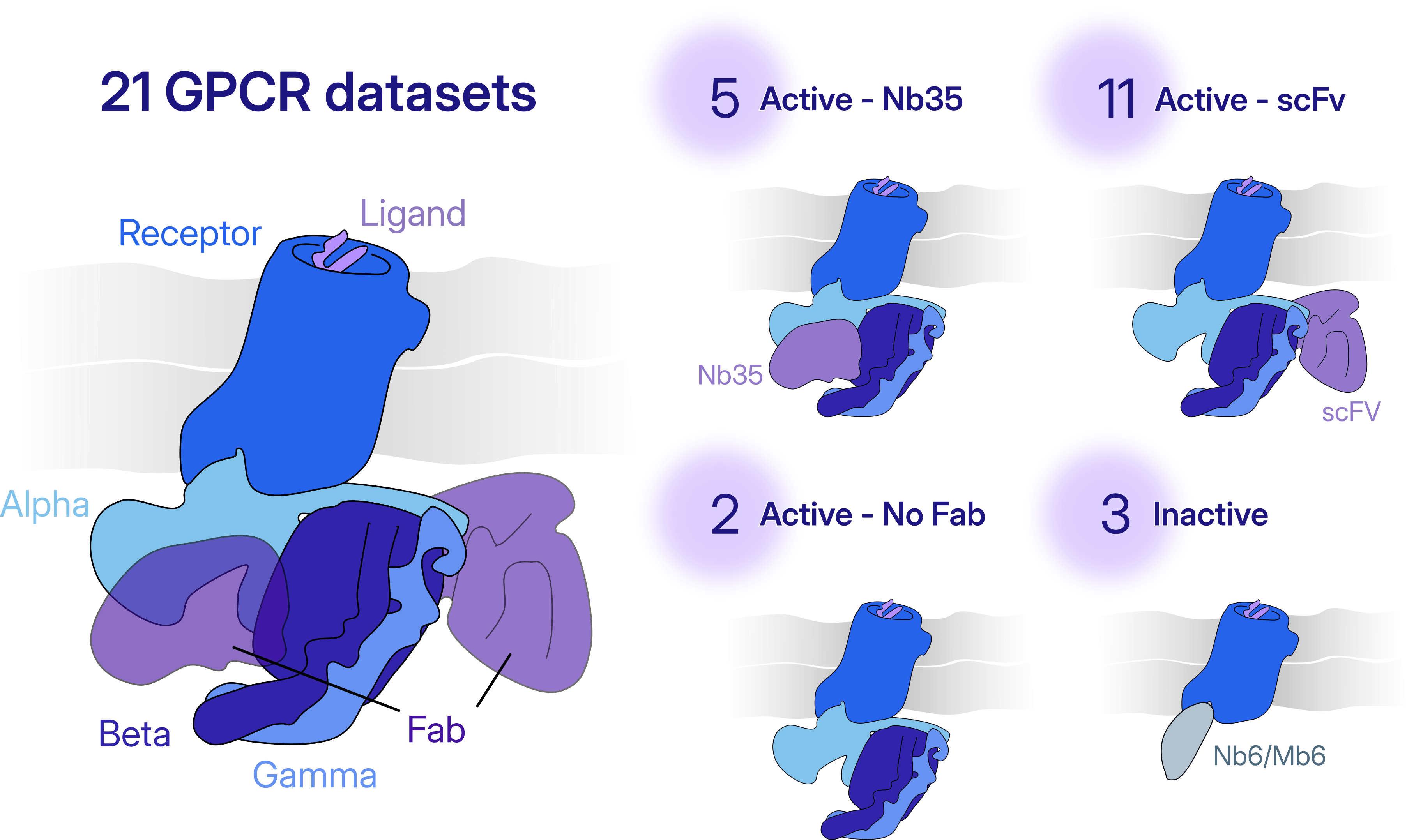
### Minimal Prior Information and Inputs
One of the key challenges in making automation possible was that only limited prior information about the target class should be required. Ultimately, through the development of an automated processing strategy and extensive experimentation, **we arrived at a minimal set of inputs that a user would have to provide in order to use the workflow on any new dataset**:
- **Dataset level inputs:** Microscope and acquisition parameters such as pixel size, acceleration voltage, spherical aberration, and total dose, which are readily available for each new dataset.
- **Class level inputs:** For each new target class (in our experiments, 21 GPCR datasets were classified into four target classes), a low-resolution reference map (~15 Å), random junk volumes, a mask defining the region of interest for local refinement (for example, a ligand-binding pocket), and the expected particle size and separation distance.
- **Workflow level inputs:** These remain constant across different targets, and they include parameters such as the number of decoy-classification rounds and the selection thresholds used for automated 2D and 3D class selection.
### Results from automated processing of GPCRs
For the majority of GPCR datasets we tested, our automated workflow yielded higher-quality and more interpretable maps compared to manual processing. In addition, the map quality in the ligand-binding pocket across the various datasets was similar or improved. The automated workflow was able to robustly curate datasets consisting of millions of initial particles, even though the datasets varied by the species of GPCR and the amount of junk that was present. And most importantly, we were able to show that the workflow generalizes well between target classes, using only limited prior information, making it possible to extend to other targets.
## Why did the automated workflow perform so well?
Building a fully automated cryo-EM workflow is not simply a matter of connecting existing processing steps together. At several stages of the pipeline, expert users routinely make decisions that determine whether processing succeeds or fails.
We systematically identified these bottlenecks and developed new methods that allow the workflow to work in practice. Several of these innovations proved critical to achieve high-quality reconstructions across diverse datasets.
- **Preprocessing:** In a conventional workflow, users inspect micrographs and manually decide which ones (and which regions within these micrographs) are suitable for particle picking. To automate this decision-making process, we developed the [Micrograph Denoiser](https://guide.cryosparc.com/processing-data/all-job-types-in-cryosparc/exposure-curation/job-micrograph-denoiser-beta), which improves image quality and enables reliable particle picking even in challenging datasets. We complemented this with [Micrograph Junk Detector](https://guide.cryosparc.com/processing-data/all-job-types-in-cryosparc/exposure-curation/job-micrograph-junk-detector-beta), which automatically excludes regions containing contaminants or damaged ice. Together, these methods allow the workflow to identify suitable picking regions without user intervention, providing a robust foundation for all subsequent processing steps.
- **Particle Picking:** Another challenge was automating the particle selection while retaining as many candidate picks as possible, without sacrificing rare views. Typically, a user would inspect and modify particle picks manually, adjusting thresholds in the interactive job. To automate this process, we developed [Reference Based Auto Select 2D](https://guide.cryosparc.com/processing-data/all-job-types-in-cryosparc/particle-curation/job-reference-based-auto-select-2d-beta), which enables non-interactive 2D class selection based on a provided 3D reference volume. This job allows a broader and more representative selection of 2D classes, including rare views that might otherwise be discarded.
- **Particle Curation:** Even after particle picking, a major challenge remains: separating target particles from junk, while preserving rare views. In conventional cryo-EM processing, this step relies heavily on user-guided inspection of 2D and 3D classification results, making it difficult to automate reliably and reproducibly. To overcome this challenge, we employed a decoy classification strategy that uses a low-resolution reference volume and a set of junk volumes during [Heterogeneous Refinement](https://guide.cryosparc.com/processing-data/all-job-types-in-cryosparc/3d-refinement/job-heterogeneous-refinement?q=heterogeneous+class). All picked particles are automatically sorted into target and decoy classes, and only particles assigned to the target class are carried forward into multi-class [Ab-Initio Reconstruction](https://guide.cryosparc.com/processing-data/all-job-types-in-cryosparc/3d-reconstruction/job-ab-initio-reconstruction) and downstream Heterogeneous Refinement. We then developed the [Reference Based Auto Select 3D](https://guide.cryosparc.com/processing-data/all-job-types-in-cryosparc/variability/job-reference-based-auto-select-3d-beta) job, that automatically identifies the best quality classes.
- **Refinement:** Experienced users routinely inspect maps, compare refinement results, and decide which processing strategy yields the highest quality and most interpretable maps. This decision-making process is difficult to automate because good map quality is typically achieved through dataset-specific refinement strategies. To overcome this challenge, we designed the automated workflow to explore multiple [refinement](https://guide.cryosparc.com/processing-data/all-job-types-in-cryosparc/3d-refinement/job-non-uniform-refinement-new) settings in parallel, allowing different parameter combinations to be evaluated simultaneously. We then developed the [Select Volume](https://guide.cryosparc.com/processing-data/all-job-types-in-cryosparc/utilities/job-select-volume) job, which automatically identifies the best reconstruction. [Local Refinement](https://guide.cryosparc.com/processing-data/all-job-types-in-cryosparc/local-refinement) and [Reference-Based Motion Correction](https://guide.cryosparc.com/processing-data/all-job-types-in-cryosparc/motion-correction/job-reference-based-motion-correction-beta) are then applied to maximize map quality and resolution.
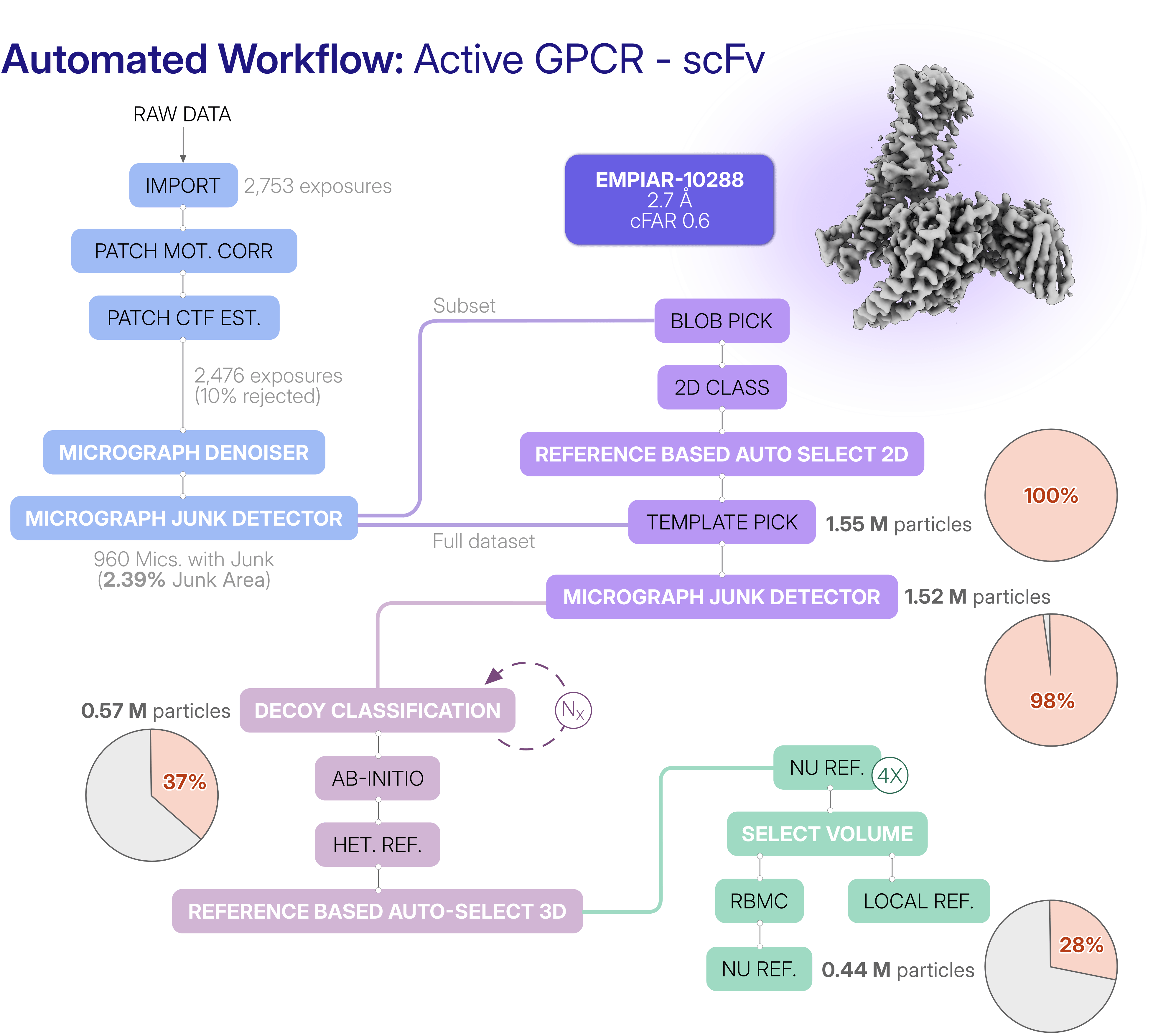
**Preprocessing**: blue; **Particle picking**: purple; **Particle curation**: pink; **Refinement**: green. Nx represents the rounds of decoy classification. The pie charts show the percentage of retained particles.
## Adapting the GPCR workflow for other target classes
[Our strategy can be applied to any type of target, including but not limited to, membrane proteins, soluble proteins, etc.](https://cryosparc.com/automated-workflows) The [provided workflow JSON file](https://guide.cryosparc.com/processing-data/automated-workflows#download-workflow-json-and-inputs) can be readily adapted to different datasets by adjusting key parameters, including the targel level, class level and workflow level inputs described above. **Together, these advances help increase the scalability and throughput of cryo-EM data processing, lowering the barrier for new and expert cryo-EM practitioners to obtain high-quality results capable of driving downstream biological and drug-discovery decisions.**
While this work demonstrates that scalable and generalizable automated cryo-EM processing is already achievable, development at Structura Biotechnology continues toward workflows capable of tackling even more challenging problems, including structural heterogeneity and preferred orientation. Stay tuned for more updates!
---
# Scratching Beneath the Surface: Cryo-EM Guides New Opioid Drug Design
**Author:** CryoSPARC Team
**Published:** June 16, 2026
**Category:** Discoveries
**Summary:** Cryo-EM revealed the molecular basis of KOR signaling bias, enabling structure-based drug design of an anti-pruritic peptide with reduced side effects.
**Source:** https://cryosparc.com/blog/kor-sbdd
---
Patients with chronic kidney disease often rely on hemodialysis to perform the essential functions that failing kidneys no longer can. While this life-sustaining treatment removes excess fluids and waste products from the blood, it often comes with a difficult tradeoff. Many patients experience moderate-to-severe pruritus, a persistent, chronic itching sensation that can disrupt sleep, impair mental health, and significantly diminish quality of life.
For these patients, difelikefalin has offered much-needed relief. Approved by the FDA in 2021, this peptide therapeutic targets the κ-opioid receptor (KOR), a G protein-coupled receptor (GPCR) involved in regulating itch perception [1]. Yet, like many drugs acting on complex signaling systems, its benefits come with limitations. **While difelikefalin effectively suppresses itch, it activates not only the therapeutically beneficial G-protein pathway but also β-arrestin signaling, which has been associated with side effects such as sedation and anxiety** [2].
In other words, patients may find themselves exchanging one burden for another.
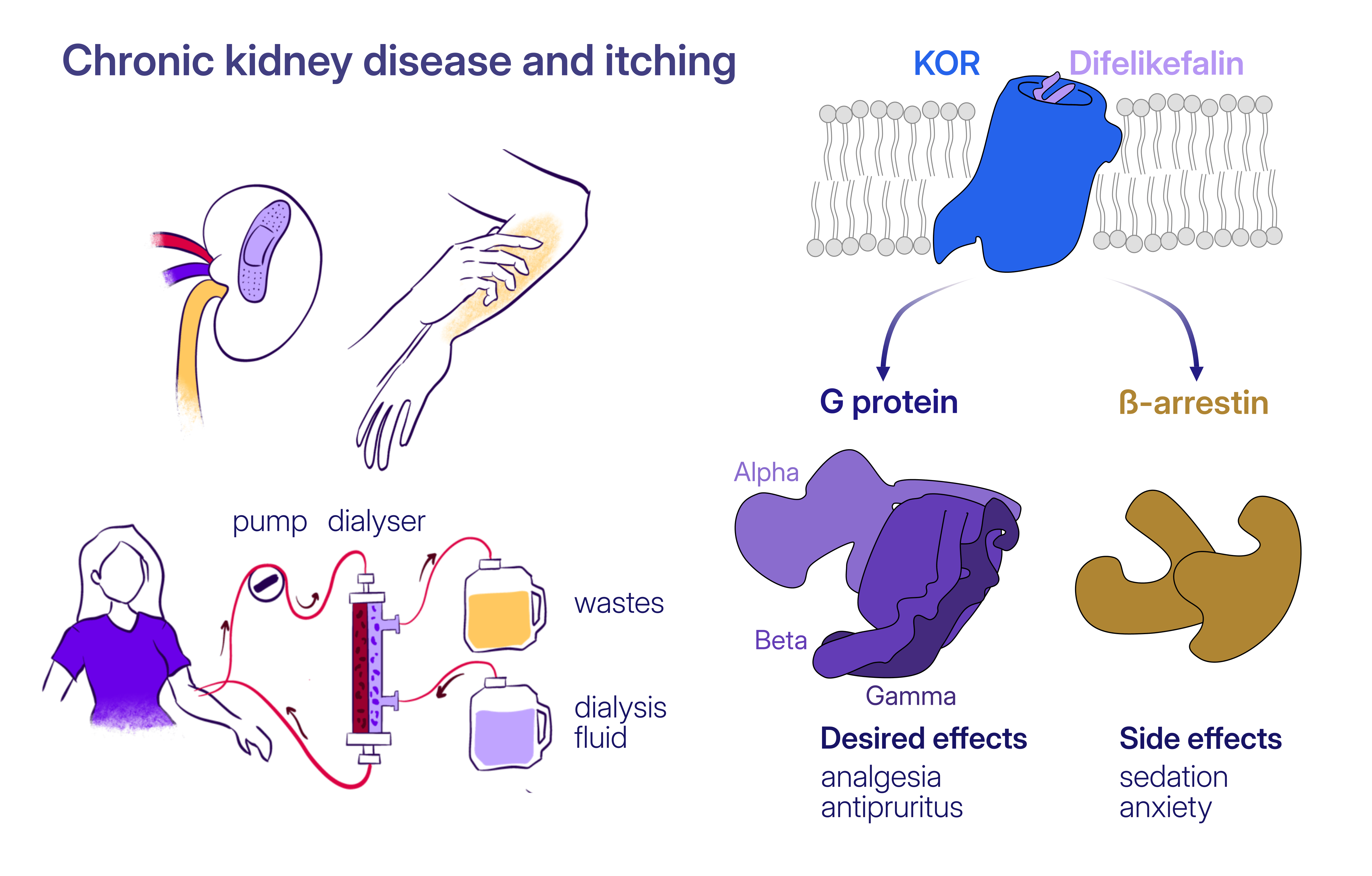
**How can we preserve the therapeutic benefits of KOR activation while avoiding the pathways responsible for unwanted side effects?** Answering this question requires understanding the molecular details of how difelikefalin interacts with its receptor, a challenge perfectly suited for structural biology and cryo-EM.
### Cryo-EM Reveals the Molecular Basis of KOR Activation
To obviate the need for safer opioid alternatives that retain therapeutic benefits while minimizing adverse effects, the authors of [a recent study published in *Nature Communications*](https://www.nature.com/articles/s41467-026-71455-3) reconstituted the difelikefalin-bound KOR–Gi complex and employed single-particle cryo-EM to uncover its structural details. Using [CryoSPARC](https://cryosparc.com/) for image processing and three-dimensional reconstruction, the researchers determined the architecture of the receptor in its active state, providing a view of how the therapeutic peptide engages KOR.
Their structural analysis identified a **key residue, Y320, located within the receptor's binding pocket**. This amino acid forms critical interactions with difelikefalin, **engaging the N-terminal D-Phe1 residue of difelikefalin** through a π–π interaction. A series of mutational studies confirmed that this residue is **also essential for modulating the balance between KOR-mediated G-protein activation and β-arrestin recruitment**. These findings transformed a structural observation into a mechanistic understanding of receptor function, revealing a potential strategy for designing safer KOR-targeting therapeutics.
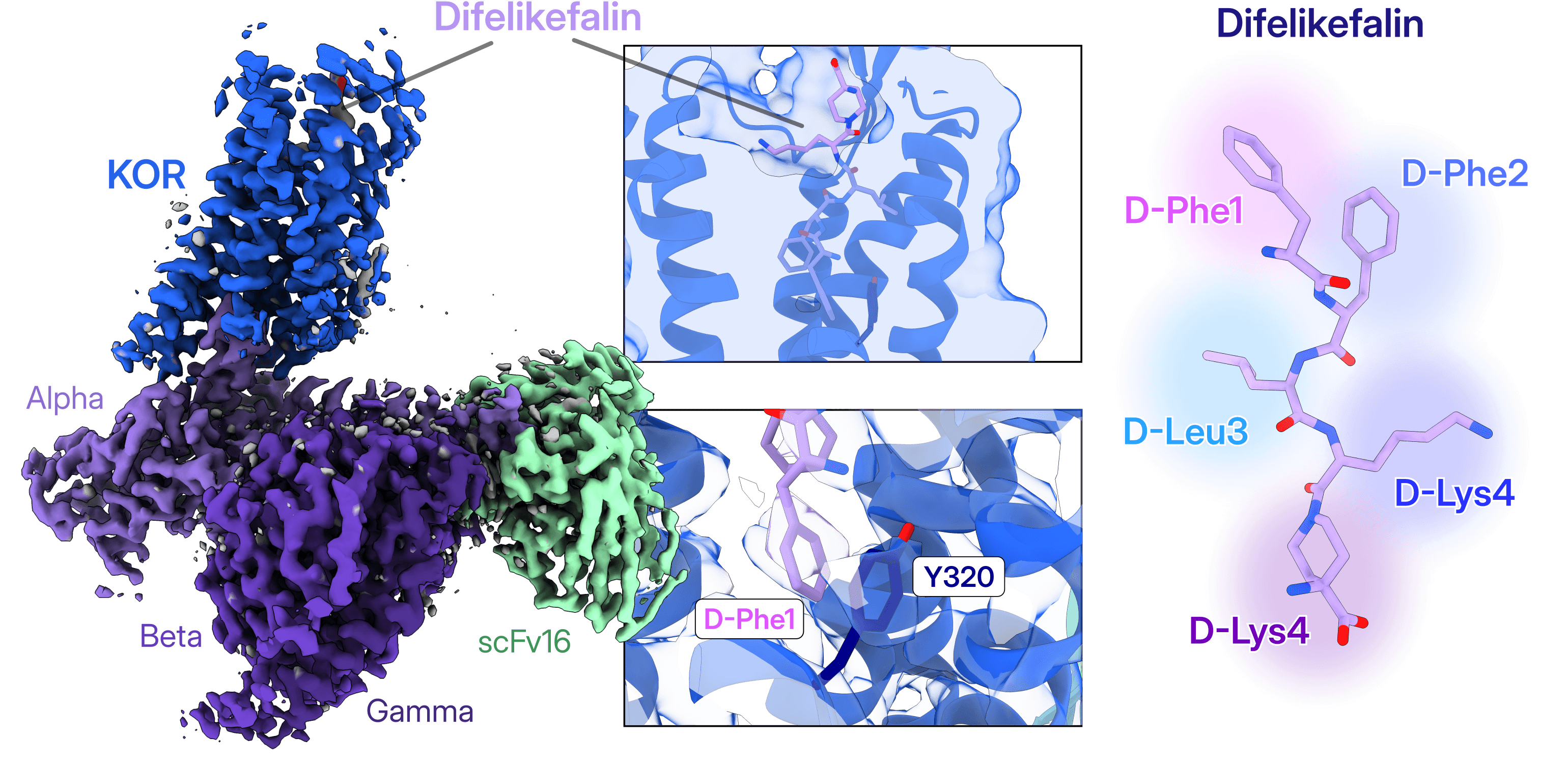
EMD-68217, PDB:22ES
### From Structural Insight to Drug Design: Engineering Beta01
Armed with a detailed structural blueprint, the researchers set out to redesign difelikefalin itself. Remarkably, **replacing this single D-Phe1 amino acid with β-phenylalanine produced a new peptide, beta01, with dramatically different signaling properties**.
Despite the minimal chemical change, beta01 behaved as a **strongly G protein-biased agonist**. In cellular and animal studies, it retained the antipruritic efficacy of difelikefalin while substantially reducing side effects such as sedation and anxiety.
To understand why such a subtle modification had such a profound effect, the team again turned to cryo-EM. Using [CryoSPARC](https://cryosparc.com/) to process the cryo-EM data, they determined the structure of the beta01-bound KOR–Gi complex and compared it with the original difelikefalin-bound receptor.
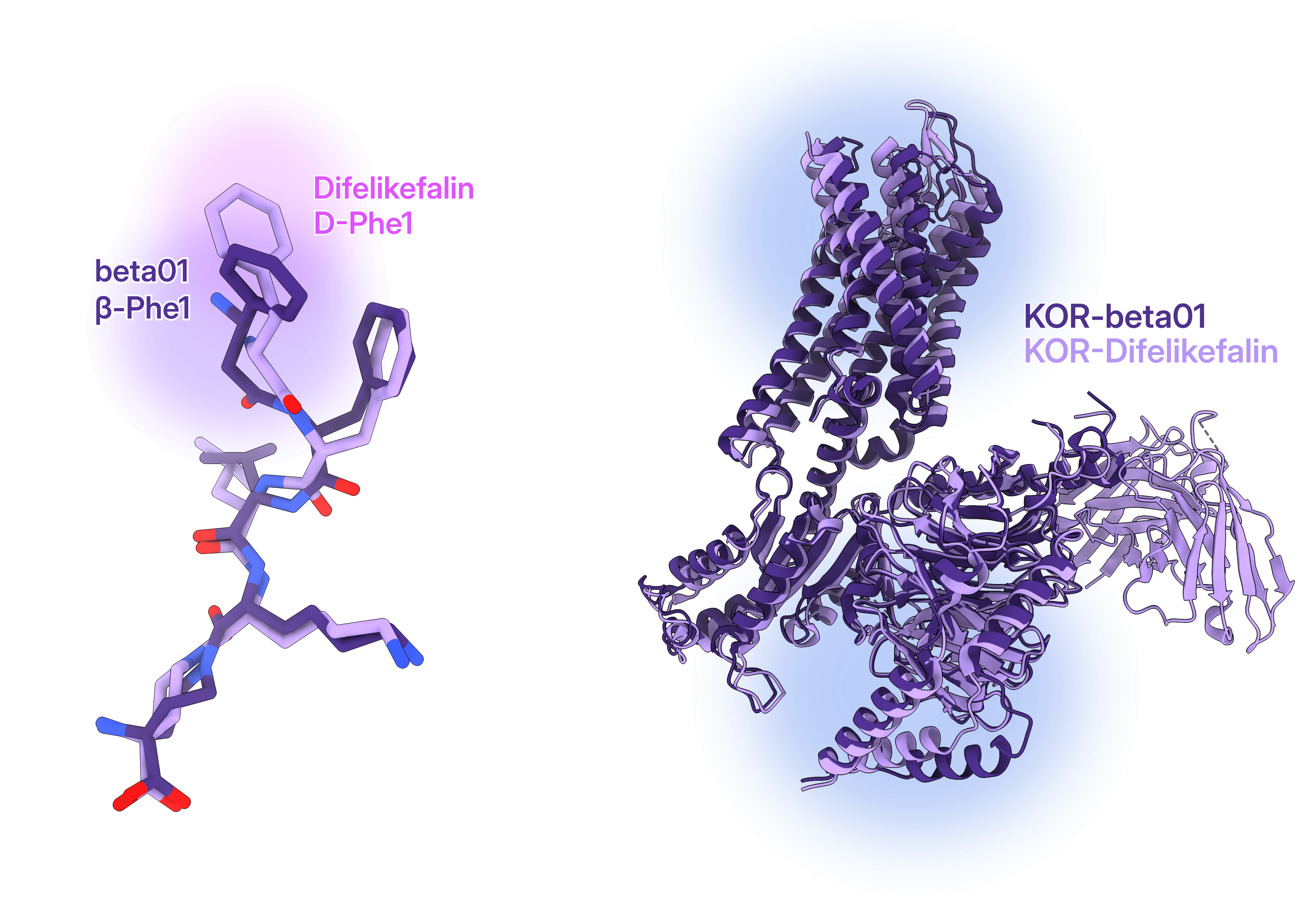
PDB:22ES (lilac) vs PDB:22EM (purple)
The comparison revealed that **beta01 induces a distinct network of conformational changes throughout the receptor**. Several key GPCR microswitches adopted different conformations relative to the difelikefalin-bound state. Together, these changes reshaped the intracellular face of KOR, creating a **receptor conformation that remained competent for G-protein coupling but appeared less favorable for β-arrestin engagement**.
The study did not stop at cryo-EM structures. Molecular dynamics simulations, NMR spectroscopy, and functional signaling assays provided complementary evidence that beta01 stabilizes a unique ensemble of receptor conformations.
### A Roadmap for Next-Generation GPCR Therapeutics
**The development of beta01 demonstrates the power of structure-guided drug design**. Rather than relying solely on trial-and-error screening, the researchers used cryo-EM to identify the molecular interactions responsible for signaling bias, engineered a targeted modification, and validated its effects experimentally.
More broadly, **[this study](https://www.nature.com/articles/s41467-026-71455-3) illustrates how modern cryo-EM workflows can accelerate the journey from molecular understanding to therapeutic innovation**. By revealing how small changes in ligand structure reshape receptor signaling, structural biology provides a rational framework for designing safer and more effective medicines.
#### References
- Li, X., Wan, H., Dong, P., Wang, B., Zhang, L., Hu, Q., ... & Tao, W. (2020). Discovery of SHR0687, a highly potent and peripheral nervous system-restricted KOR agonist. ACS Medicinal Chemistry Letters, 11(11), 2151-2155.
- Wala, K., & Szepietowski, J. C. (2022). Difelikefalin in the treatment of chronic kidney disease-associated pruritus: a systematic review. Pharmaceuticals, 15(8), 934.
---
# A Complex Story: A Case Study in Cryo-EM Heterogeneity
**Author:** CryoSPARC Team
**Published:** June 9, 2026
**Category:** Case Studies
**Summary:** From active and deactive states to additional respiratory complexes, this case study shows how a single cryo-EM dataset can tell many different stories when viewed through the lens of heterogeneity.
**Source:** https://cryosparc.com/blog/case-study-10927
---
Cryo-EM offers a unique opportunity to explore biological complexity by separating and characterizing different molecular states present within a single sample. This heterogeneity can be broadly classified into two categories: continuous and discrete. **Continuous heterogeneity describes the dynamic motions and conformational changes of proteins and macromolecular assemblies**. Capturing these movements is often essential for understanding molecular mechanisms, revealing how biological machines function and transition between different functional states. **Discrete heterogeneity arises from the presence of distinct molecular species or assemblies within the sample**.
Identifying these populations can uncover transient interaction partners, neighboring membrane complexes, or different oligomeric states, all of which may be directly linked to biological function. Importantly, discrete heterogeneity can also provide the opportunity to determine multiple structures from the same dataset, substantially increasing the scientific value of a single experiment.
The dataset examined in the recently published [**Case Study: Acetogenin-bound Mitochondrial Complex I (EMPIAR 10927)**](https://guide.cryosparc.com/processing-data/tutorials-and-case-studies/case-study-discrete-heterogeneity-in-a-sample-of-acetogenin-bound-complex-i-empiar-10927) consists of mouse heart mitochondrial respiratory complex I prepared in the presence of the tight-binding inhibitor acetogenin and processed using [CryoSPARC v5](https://cryosparc.com/updates/v5). **It provides an excellent example of how discrete heterogeneity can be explored through alternative data processing strategies.**
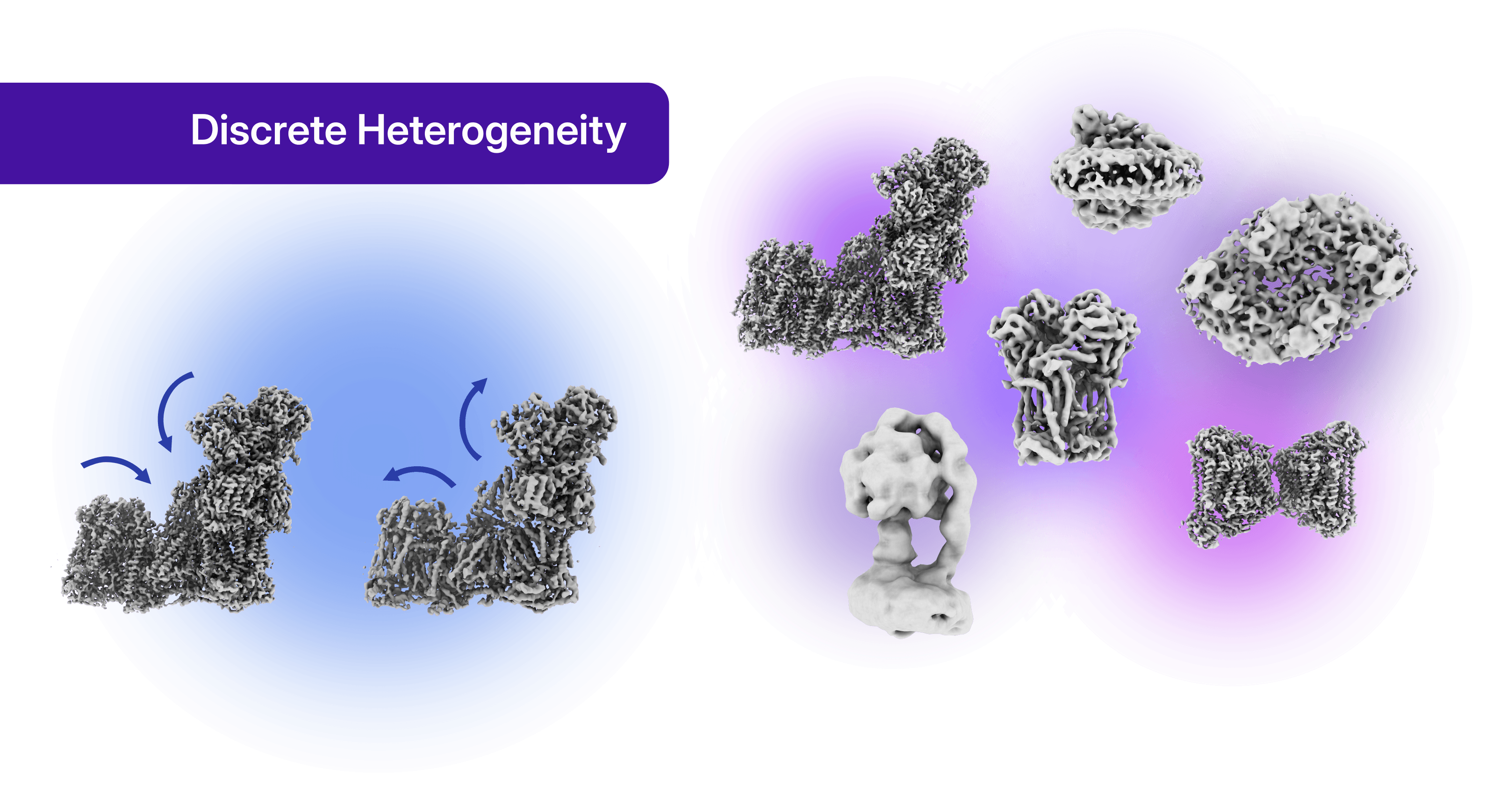
This dataset has become a popular benchmark in cryo-EM software development because complex I is a large particle (1 MDa) and the dataset presents high signal-to-noise ratio, enabling high-resolution structure determination from a relatively modest dataset of only 1,283 micrographs. Conventional processing readily produces an interpretable reconstruction of complex I bound to acetogenin, deposited as [PDB:7PSA](https://pdbe.org/7psa). However, the true richness of this dataset emerges when different heterogeneity analysis strategies are applied.
Depending on the processing workflow, two well-characterized conformational states of complex I, commonly referred to as the active and deactive states (also known as the closed and open states, respectively) can be resolved. At the same time, discrete heterogeneity analysis reveals additional respiratory-chain complexes co-purified with complex I, including complexes III, IV, and V. Remarkably, these structures can be recovered from the same particle stack used to determine the complex I reconstruction in the first strategy presented in this case study.
This case study highlights several approaches for handling heterogeneity, illustrating how **different processing strategies can be tailored to answer specific biological questions and maximize the structural information extracted from a single cryo-EM dataset**.
## Strategies to Detect and Handle Sample Heterogeneity
### Particle Picking
The first opportunity to capture heterogeneity arises during [particle picking](https://guide.cryosparc.com/processing-data/all-job-types-in-cryosparc/particle-picking). One effective strategy for this dataset was the use of [TOPAZ](https://guide.cryosparc.com/processing-data/all-job-types-in-cryosparc/deep-picking/topaz), which differs from traditional picking approaches by not requiring a predefined particle diameter. Instead, [TOPAZ relies on a minimum distance between particle centers](https://guide.cryosparc.com/processing-data/all-job-types-in-cryosparc/deep-picking/topaz/topaz-tutorial), allowing particles of different sizes to be selected simultaneously. This can be particularly advantageous when exploring discrete heterogeneity, as it enables the recovery of multiple molecular species that may coexist within the sample.
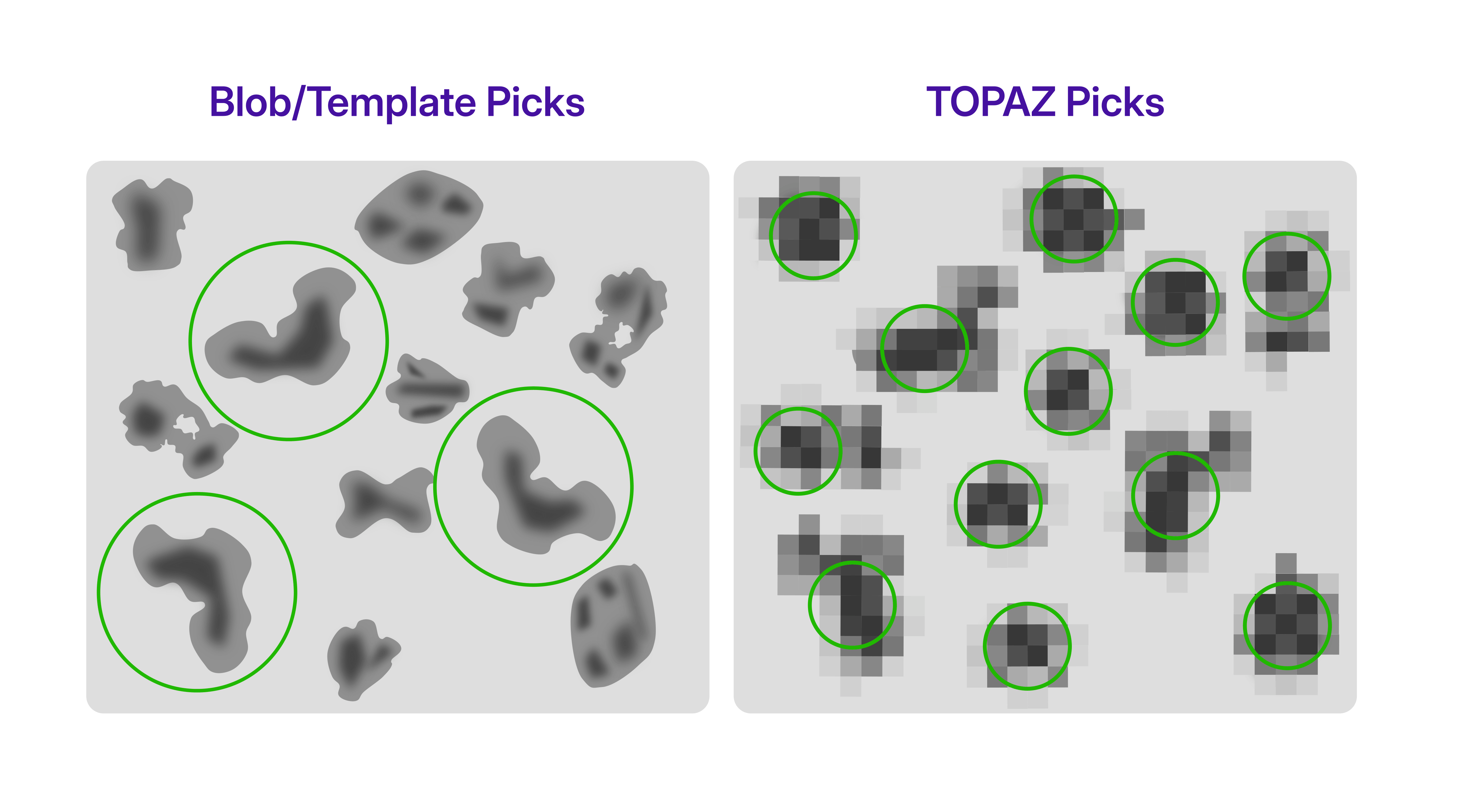 Knowledge or simply setting of particle diameter is not strictly necessary for TOPAZ picking, and the micrographs can be manually downsampled to a pixel size where particle features are still visible. Additionally the radius of extracted regions can be calculated from the interparticle distance, downsample factor and pixel size, as described in the case study.
### Per-Particle Scale
[CryoSPARC v5](https://cryosparc.com/updates/v5) refinement jobs estimate [per-particle scale](https://guide.cryosparc.com/processing-data/all-job-types-in-cryosparc/particle-curation/job-subset-particles-by-statistic#subsetting-by-per-particle-scale) factors by default. Examining the distribution of these scale values can provide valuable insight into the composition and quality of the particle stack. In some cases, multimodal distributions emerge, suggesting the presence of distinct particle populations. Since per-particle scaling affects the contribution of individual particles to the reconstructed volume when [Minimize over per particle scale](https://guide.cryosparc.com/processing-data/all-job-types-in-cryosparc/3d-refinement/job-homogeneous-refinement#minimize-over-per-particle-scale) is set, separating particles according to their scale factors can help identify underlying compositional or conformational differences. These subsets can be generated using the [Subset Particles by Statistics](https://guide.cryosparc.com/processing-data/all-job-types-in-cryosparc/particle-curation/job-subset-particles-by-statistic#subsetting-by-per-particle-scale) job and processed independently to further investigate their structural characteristics.
Knowledge or simply setting of particle diameter is not strictly necessary for TOPAZ picking, and the micrographs can be manually downsampled to a pixel size where particle features are still visible. Additionally the radius of extracted regions can be calculated from the interparticle distance, downsample factor and pixel size, as described in the case study.
### Per-Particle Scale
[CryoSPARC v5](https://cryosparc.com/updates/v5) refinement jobs estimate [per-particle scale](https://guide.cryosparc.com/processing-data/all-job-types-in-cryosparc/particle-curation/job-subset-particles-by-statistic#subsetting-by-per-particle-scale) factors by default. Examining the distribution of these scale values can provide valuable insight into the composition and quality of the particle stack. In some cases, multimodal distributions emerge, suggesting the presence of distinct particle populations. Since per-particle scaling affects the contribution of individual particles to the reconstructed volume when [Minimize over per particle scale](https://guide.cryosparc.com/processing-data/all-job-types-in-cryosparc/3d-refinement/job-homogeneous-refinement#minimize-over-per-particle-scale) is set, separating particles according to their scale factors can help identify underlying compositional or conformational differences. These subsets can be generated using the [Subset Particles by Statistics](https://guide.cryosparc.com/processing-data/all-job-types-in-cryosparc/particle-curation/job-subset-particles-by-statistic#subsetting-by-per-particle-scale) job and processed independently to further investigate their structural characteristics.
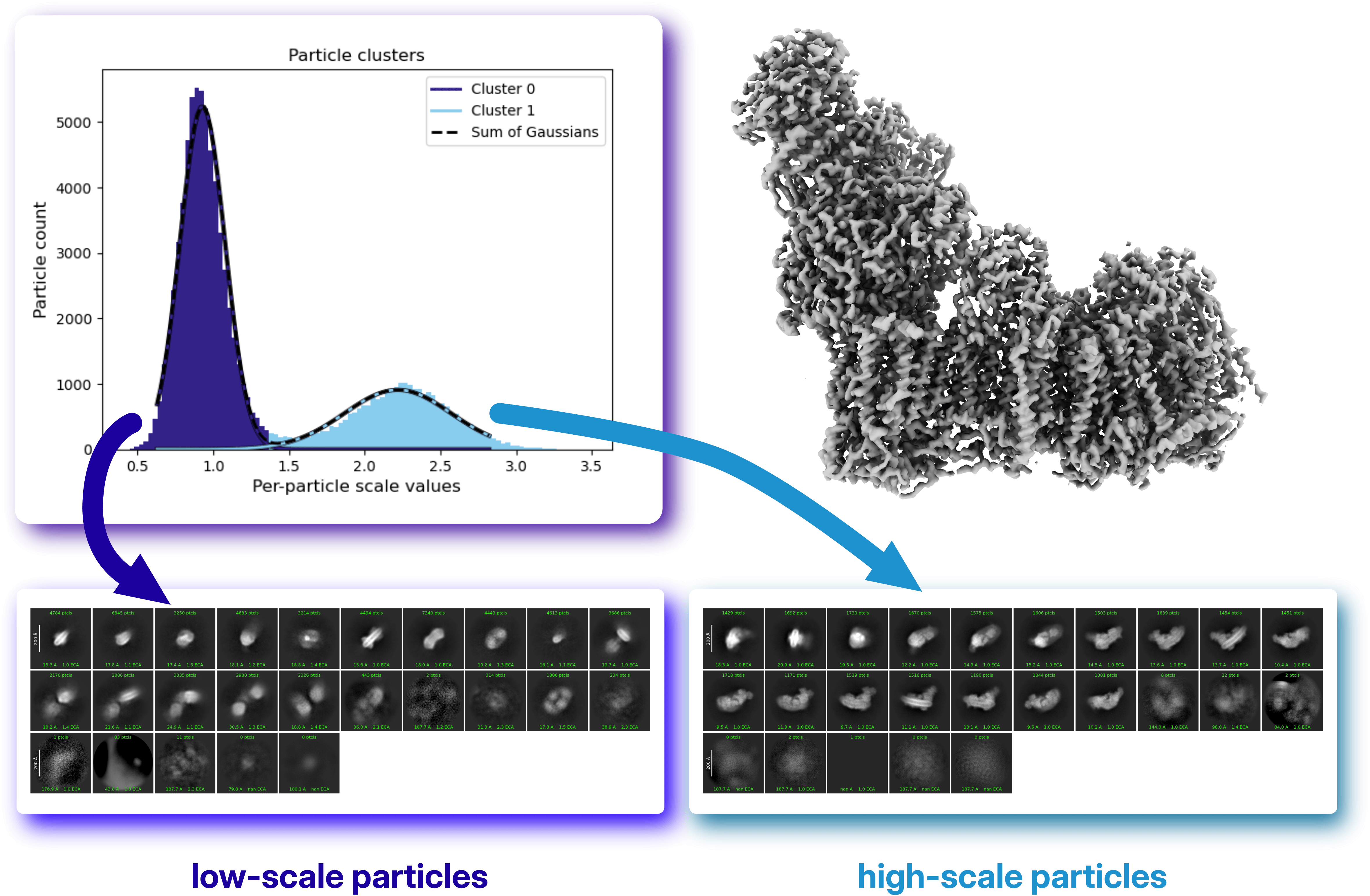 In this example from the [case study](https://guide.cryosparc.com/processing-data/tutorials-and-case-studies/case-study-discrete-heterogeneity-in-a-sample-of-acetogenin-bound-complex-i-empiar-10927), the particle stack used to reconstruct complex I exhibits a bimodal distribution of per-particle scale factors. Further analysis of the two particle populations reveals that the low-scale cluster corresponds largely to different molecular species present in the dataset. This result is particularly noteworthy because the structure was obtained using Non-Uniform Refinement with "minimize over per-particle scale" enabled, a setting that reduces the contribution of particles that do not match the reference volume. As a consequence, **the per-particle scale distribution itself becomes a useful indicator of underlying sample heterogeneity**.
### Ab-Initio Reconstruction
[Ab-Initio Reconstruction](https://guide.cryosparc.com/processing-data/all-job-types-in-cryosparc/3d-reconstruction/job-ab-initio-reconstruction) offers a complementary approach by identifying structural populations without relying on an input reference volume. As discussed in our [previous blog post on HR-HAIR and Homogeneous Ab-Initio Refinement](https://cryosparc-site-git-sdawood-int-66-blog-structurabio.vercel.app/blog/high-resolution-ab-initio-reconstruction), the parameters chosen for Ab-Initio Reconstruction strongly influence the amount of information that can be extracted from a dataset.
[In the presented case study](https://guide.cryosparc.com/processing-data/tutorials-and-case-studies/case-study-discrete-heterogeneity-in-a-sample-of-acetogenin-bound-complex-i-empiar-10927), the results of a standard Ab-Initio Reconstruction were compared with a medium-resolution Ab-Initio Reconstruction using an initial resolution of 18 Å and a reduced Fourier radius step of 0.005, the latter approach applied to the full particle stack. Running [multi-class](https://guide.cryosparc.com/processing-data/all-job-types-in-cryosparc/3d-reconstruction/job-ab-initio-reconstruction#number-of-classes) Ab-Initio Reconstruction with finer refinement steps can reveal distinct molecular species present in the dataset. The resulting classes can then serve as input references for [Heterogeneous Refinement](https://guide.cryosparc.com/processing-data/all-job-types-in-cryosparc/3d-refinement/job-heterogeneous-refinement), allowing the separation between populations to be further improved.
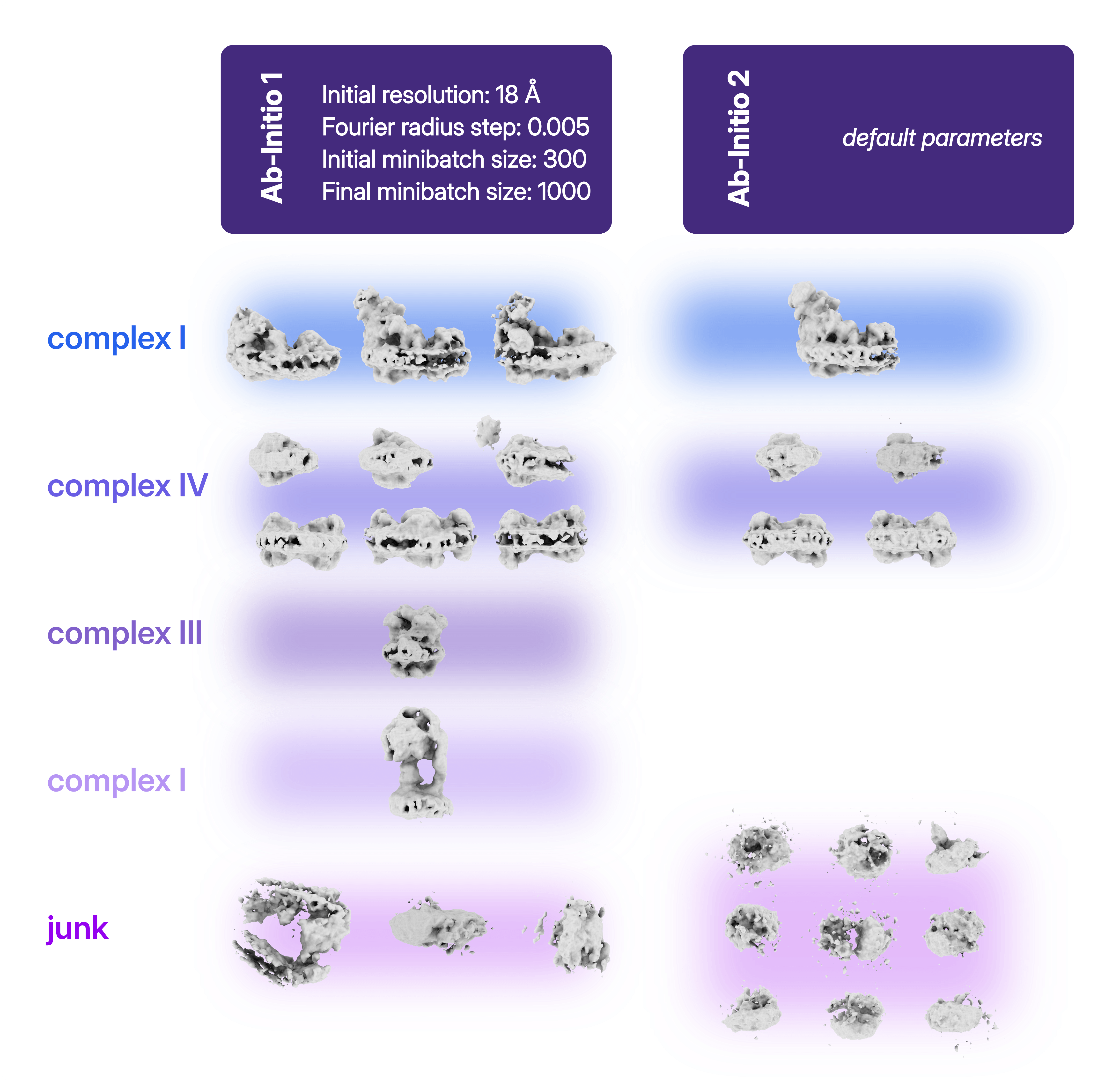
### 3D Variability Analysis (3DVA)
[3D Variability Analysis (3DVA)](https://guide.cryosparc.com/processing-data/tutorials-and-case-studies/tutorial-3d-variability-analysis-part-one) is a powerful tool for exploring heterogeneity. During [3DVA](https://guide.cryosparc.com/processing-data/tutorials-and-case-studies/tutorial-3d-variability-analysis-part-two), particle poses remain fixed according to their alignment to a reference refinement volume, while variability components are extracted and ranked according to the magnitude of the observed density changes. The resulting motions, visualized with [3D Variability Display](https://guide.cryosparc.com/processing-data/all-job-types-in-cryosparc/variability/job-3d-variability-display), can reveal biologically relevant conformational transitions. However, interpretation requires caution, as some components may reflect reconstruction artifacts or compositional variability rather than genuine molecular motions. When carefully validated, 3DVA can provide valuable clues about both continuous and discrete heterogeneity within a dataset, hence being used as diagnostic as well as for separating particle sets.
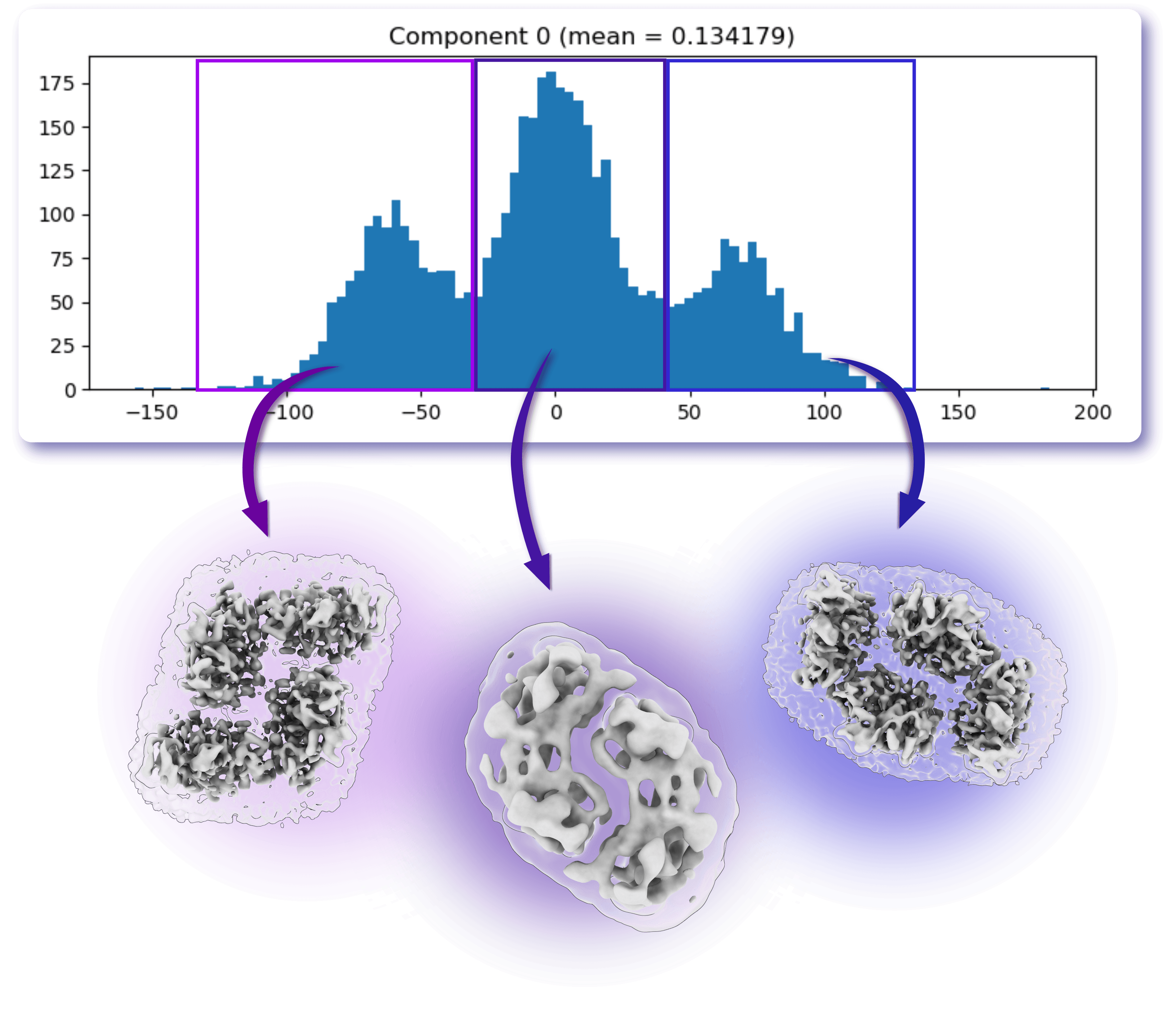
### 3D Classification
[3D Classification](https://guide.cryosparc.com/processing-data/all-job-types-in-cryosparc/variability/job-3d-classification-beta) remains one of the most direct approaches for identifying and separating distinct particle populations within a heterogeneous dataset. By exploring different parameter combinations, it is often possible to reveal conformational states, compositional variants, or low-abundance species that may remain hidden in a consensus reconstruction.
In [CryoSPARC v5](https://cryosparc.com/updates/v5), 3D Classification introduces the option to enable [latent mixing coefficients](https://guide.cryosparc.com/processing-data/all-job-types-in-cryosparc/variability/job-3d-classification-beta#use-latent-mixing-coefficients), providing a more flexible representation of particle assignments. This approach can improve class separation and reduce the tendency of the algorithm to generate multiple nearly identical classes containing similar particle counts. As a result, latent mixing coefficients can facilitate the identification of biologically meaningful populations and improve the recovery of rare or structurally distinct classes.
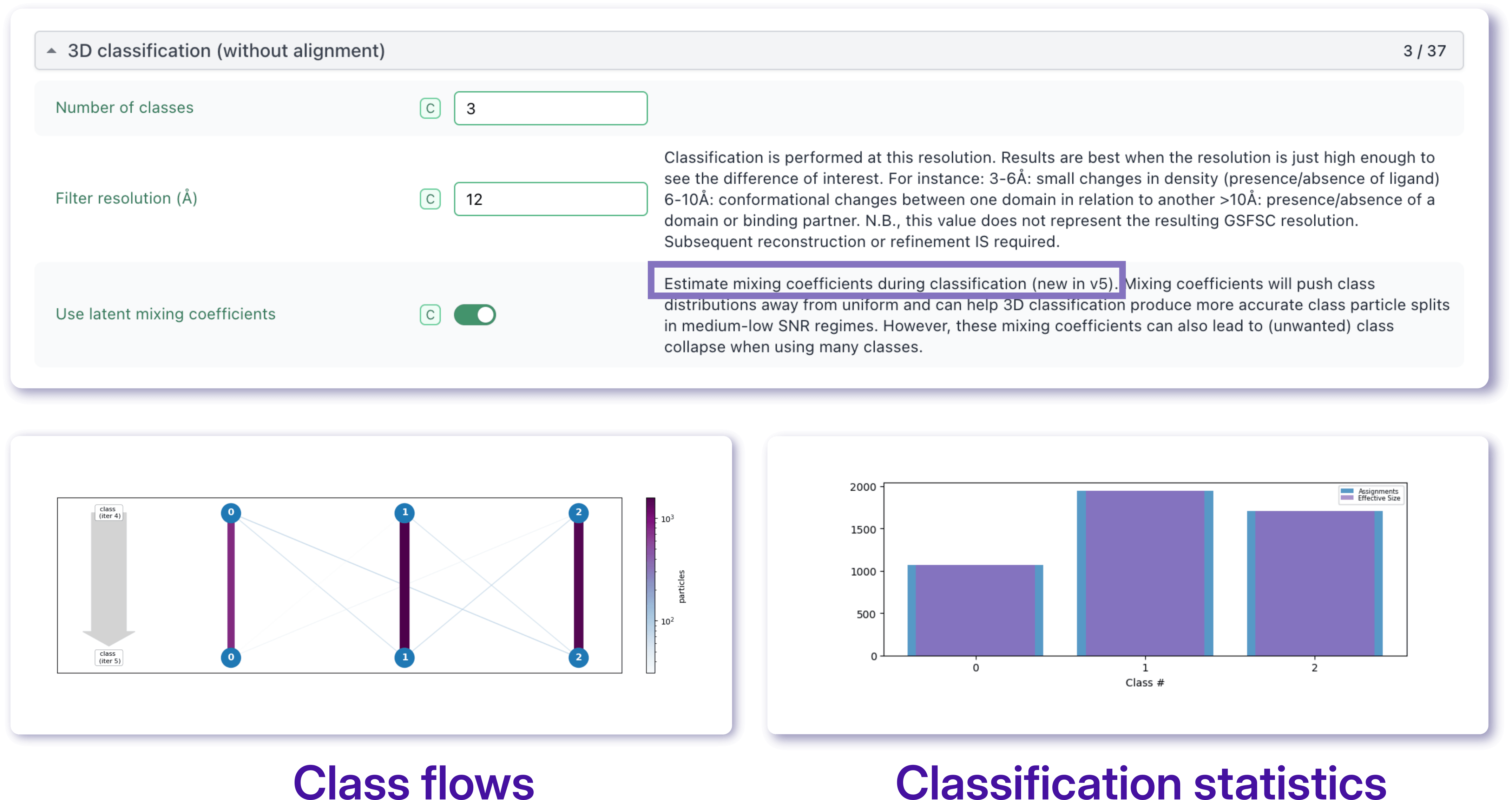
## The Challenge of Class Separation
While numerous tools can reveal the presence of heterogeneity, the central challenge remains the same: **effectively separating particles into meaningful classes**. Conformational changes often exist alongside compositional differences, and the signatures of these phenomena can overlap. **Successful analysis therefore can require combining multiple complementary strategies, iteratively refining particle assignments, always checking the resulting maps along side the job statistics, and adapting the workflow to the specific biological question being addressed.**
The [Case Study: Acetogenin-bound Mitochondrial Complex I (EMPIAR 10927)](https://guide.cryosparc.com/processing-data/tutorials-and-case-studies/case-study-discrete-heterogeneity-in-a-sample-of-acetogenin-bound-complex-i-empiar-10927) illustrates how a heterogeneous dataset can be analyzed using a combination of complementary strategies. While the workflow presented here proved effective for this particular sample, heterogeneity analysis is rarely a one-size-fits-all process, and the choice of methods should always be guided by the biological question of interest. For more inspiration and to learn more about the tools available to handle sample heterogeneity visit the [CryoSPARC Guide](https://guide.cryosparc.com/) and the [CryoSPARC Discussion forum](https://discuss.cryosparc.com/).
---
# A New Step in the Fight Against Measles
**Author:** CryoSPARC Team
**Published:** June 5, 2026
**Category:** Discoveries
**Summary:** How Cryo-EM allows a closer look at the Human neutralizing antibodies targeting the measles virus
**Source:** https://cryosparc.com/blog/measles
---
## How Measles Shaped Human History
We as humans have been affected by the devastating effects of measles for much of our history. The earliest known written description of measles dates back to around the year 900 [1], with large epidemics documented from the seventeenth century onwards and the virus becoming fully endemic in many parts of the world by the 1800s. As the global population expanded and cities became increasingly crowded, outbreaks grew more frequent and the disease developed a clear seasonal pattern [2]. Large-scale vaccination campaigns began in 1963 with a live-attenuated vaccine, which is nowadays administered in the Measles-Mumps-Rubella (MMR) vaccine combination [1]. Given the virus’s low antigenic diversity throughout its history in humans, the vaccines developed decades ago remain highly effective against strains circulating today.
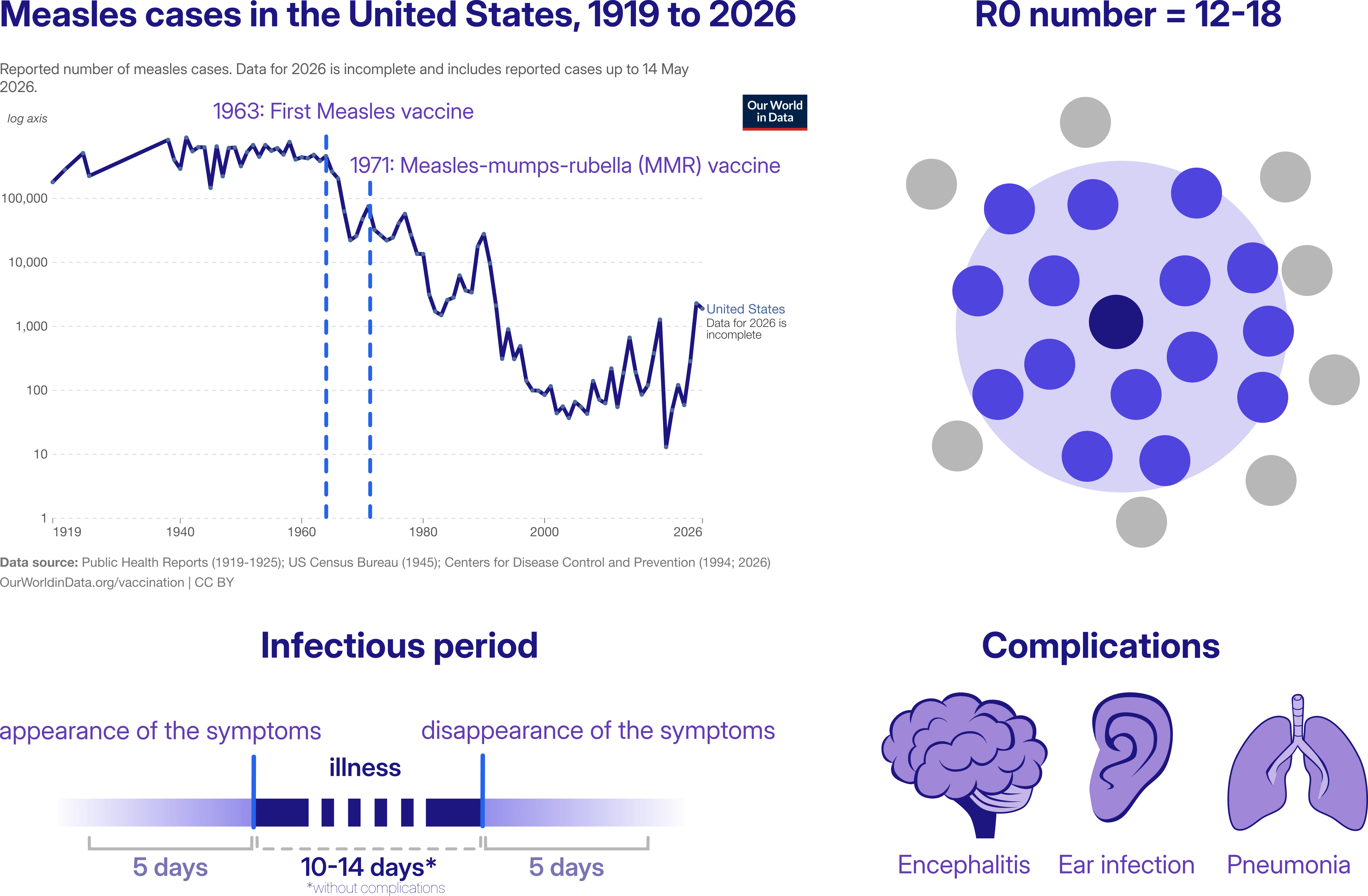
How do measles outbreaks still occur? With an estimated basic reproductive number (R0) of 12–18, measles is among the most contagious infectious diseases known [3]. An infected person can spread the virus from roughly five days before symptoms appear until five days after they disappear, and the virus can remain infectious in the air for up to two hours after the infected person has left the room. For unvaccinated individuals, avoiding infection can therefore be extremely difficult. Top left panel adapted from Saloni Dattani (2025) [4].
**Measles infection can cause severe respiratory and neurological complications, some of them fatal. In addition, the virus can induce “*immune amnesia*”, a state of immunosuppression that can last from weeks to years after the acute infection** [5]. In effect, the virus can erase part of the immune system’s memory, leaving the body more vulnerable to secondary infections long after recovery from measles itself.
## History Being Made Today
In the light of this premises, research to understand this disease is still very current, and a new study published in *Cell Host & Microbe* sheds light on how human antibodies recognize and neutralize the measles virus (MeV) [6]. **The authors isolated the first structurally characterized panel of fully human monoclonal antibodies targeting the virus’s two major surface proteins: hemagglutinin (H) and fusion (F).**
**The H protein is a single-pass transmembrane protein responsible for viral attachment to host-cell receptors**, including SLAMF1 (or CD150) and nectin-4. The F protein is a metastable class I fusion trimer composed of disulfide-linked F1 and F2 subunits. Following receptor engagement by H, **the F protein undergoes extensive structural rearrangements that drive membrane fusion and viral entry into the host cell**.
To investigate how the human immune system targets these proteins, the authors isolated monoclonal antibodies from peripheral memory B cells of a vaccinated 56-year-old woman. They then determined the cryo-EM structures of antibody–H and antibody–F complexes: together, **these structural studies provide a detailed view of the distinct mechanisms by which antibodies can neutralize measles virus infection.**
More specifically, the cryo-EM data revealed two major modes of neutralization:
- The most protective anti-H antibodies block the receptor-binding site or the H-F interaction, preventing MeV attachment to host cells;
- The most potent anti-F antibodies stabilize the prefusion form of the F protein, preventing the structural rearrangements required for membrane fusion.
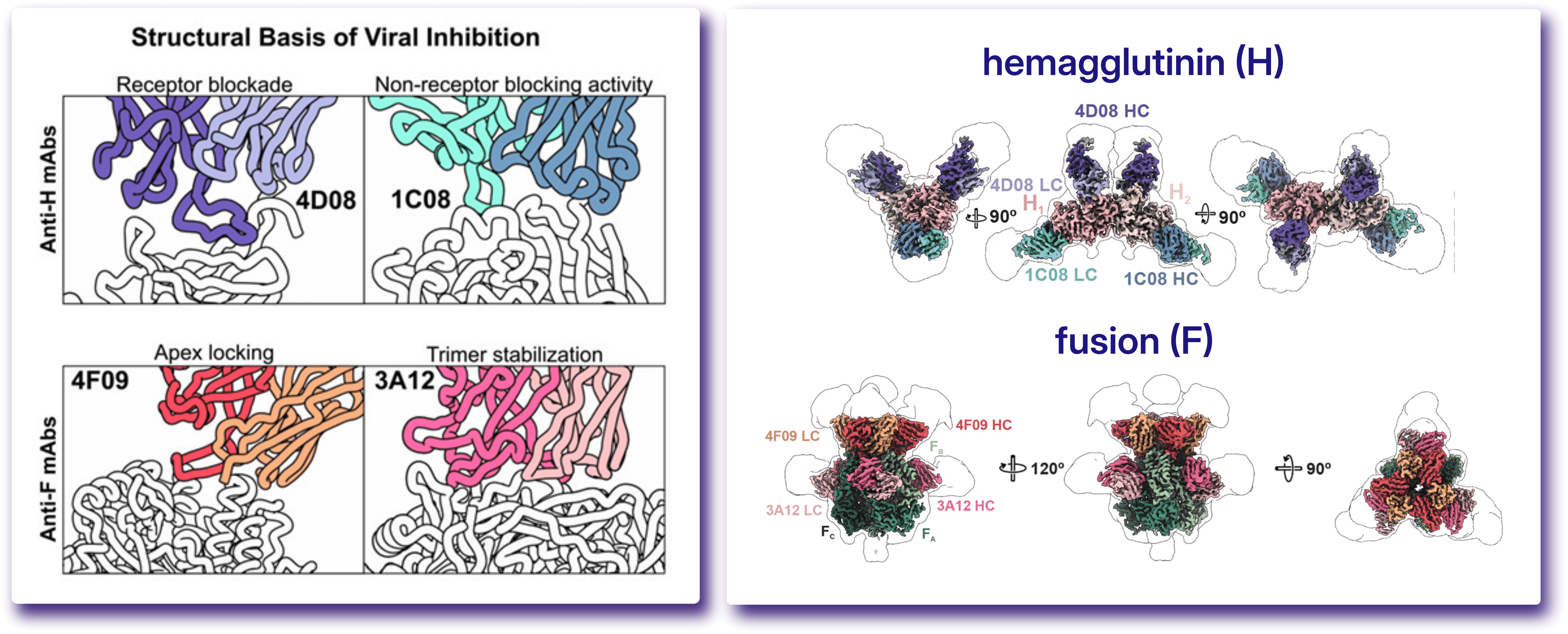
The cryo-EM structures were solved using CryoSPARC™. Figure adapted from Acciani et al. 2026 [6].
Cryo-EM data revealed that the H ectodomains retain their conserved homodimeric organization. In structures bound to the monoclonal antibodies 4D08 and 1C02, these antibodies symmetrically engage epitopes on the apical surface of each H monomer (HE-1b and HE-1a, respectively), directly occluding the SLAMF1-binding groove, consistent with inhibition of viral attachment to host cells. A third antibody, 1C08, targets the peripheral HE-4 epitope. Although it does not directly block receptor binding, structural modeling suggests that it may interfere with the interaction between H and F required to trigger membrane fusion. **Together, these structures capture two distinct stages of the viral entry process: receptor binding inhibition by 4D08 and 1C02, and disruption of H–F communication by 1C08.**
The most potent anti-F antibodies, 3A12 (targeting FE-4) and 4F09 (targeting FE-5), revealed yet another neutralization strategy. The cryo-EM structure of the F-3A12 complex show binding of the antibody to the center of each protomer face (F1/F2 subunits); the antibody 4F09 binds the trimer apex, engaging two protomers simultaneously. The 2.3 Å cryo-EM structure is the ternary F–3A12–4F09 complex, with three copies of each Fab per F trimer. **By effectively anchoring the prefusion trimer in place, these antibodies prevent the large conformational changes required for membrane fusion, thereby blocking viral entry.**
## Integrative Approaches Towards the Next Steps against Measles
These cryo-EM structural studies were complemented by an extensive set of *in vitro* and *in vivo* experiment, revealing not only high-resolution details of the mechanisms targeted by the isolated antibodies, but also their remarkable therapeutic potential. **The characterization of these fully human mAbs provides avenues for prophylactic or therapeutic intervention against re-emerging MeV, and may therefore prove especially valuable for vulnerable populations, including immunocompromised individuals and infants too young to be vaccinated**.
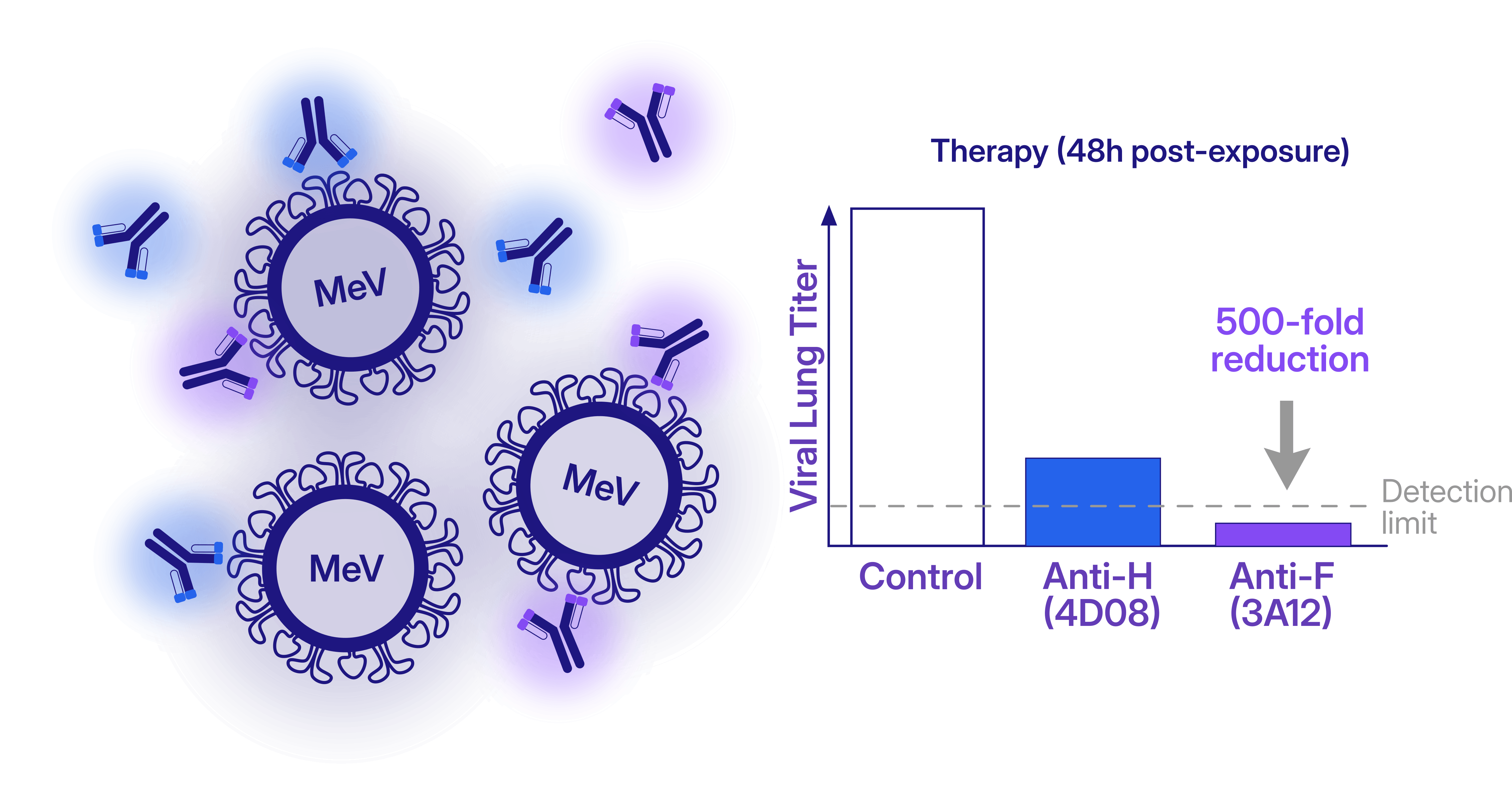
The identified mAbs showed both prophylactic and therapeutic efficacy in cotton rats. When administered 24 to 48 hours post-infection in animal models, the antibodies significantly reduced viral lung titers, highlighting a promising window for post-exposure treatment. Figure adapted from Acciani et al. 2026.
Together, these findings present an elegant example of how integrative structural biology can bridge molecular mechanisms and therapeutic development. By combining cryo-EM, immunology, virology, and animal studies, the work provides both a detailed mechanistic understanding of measles virus neutralization and a framework for the development of next-generation antiviral strategies.
At a time when measles outbreaks continue to re-emerge worldwide despite the availability of effective vaccines, studies like this demonstrate the power of structural and computational approaches to guide not only our understanding of viral infection, but also the design of future interventions.
#### References
In this example from the [case study](https://guide.cryosparc.com/processing-data/tutorials-and-case-studies/case-study-discrete-heterogeneity-in-a-sample-of-acetogenin-bound-complex-i-empiar-10927), the particle stack used to reconstruct complex I exhibits a bimodal distribution of per-particle scale factors. Further analysis of the two particle populations reveals that the low-scale cluster corresponds largely to different molecular species present in the dataset. This result is particularly noteworthy because the structure was obtained using Non-Uniform Refinement with "minimize over per-particle scale" enabled, a setting that reduces the contribution of particles that do not match the reference volume. As a consequence, **the per-particle scale distribution itself becomes a useful indicator of underlying sample heterogeneity**.
### Ab-Initio Reconstruction
[Ab-Initio Reconstruction](https://guide.cryosparc.com/processing-data/all-job-types-in-cryosparc/3d-reconstruction/job-ab-initio-reconstruction) offers a complementary approach by identifying structural populations without relying on an input reference volume. As discussed in our [previous blog post on HR-HAIR and Homogeneous Ab-Initio Refinement](https://cryosparc-site-git-sdawood-int-66-blog-structurabio.vercel.app/blog/high-resolution-ab-initio-reconstruction), the parameters chosen for Ab-Initio Reconstruction strongly influence the amount of information that can be extracted from a dataset.
[In the presented case study](https://guide.cryosparc.com/processing-data/tutorials-and-case-studies/case-study-discrete-heterogeneity-in-a-sample-of-acetogenin-bound-complex-i-empiar-10927), the results of a standard Ab-Initio Reconstruction were compared with a medium-resolution Ab-Initio Reconstruction using an initial resolution of 18 Å and a reduced Fourier radius step of 0.005, the latter approach applied to the full particle stack. Running [multi-class](https://guide.cryosparc.com/processing-data/all-job-types-in-cryosparc/3d-reconstruction/job-ab-initio-reconstruction#number-of-classes) Ab-Initio Reconstruction with finer refinement steps can reveal distinct molecular species present in the dataset. The resulting classes can then serve as input references for [Heterogeneous Refinement](https://guide.cryosparc.com/processing-data/all-job-types-in-cryosparc/3d-refinement/job-heterogeneous-refinement), allowing the separation between populations to be further improved.

### 3D Variability Analysis (3DVA)
[3D Variability Analysis (3DVA)](https://guide.cryosparc.com/processing-data/tutorials-and-case-studies/tutorial-3d-variability-analysis-part-one) is a powerful tool for exploring heterogeneity. During [3DVA](https://guide.cryosparc.com/processing-data/tutorials-and-case-studies/tutorial-3d-variability-analysis-part-two), particle poses remain fixed according to their alignment to a reference refinement volume, while variability components are extracted and ranked according to the magnitude of the observed density changes. The resulting motions, visualized with [3D Variability Display](https://guide.cryosparc.com/processing-data/all-job-types-in-cryosparc/variability/job-3d-variability-display), can reveal biologically relevant conformational transitions. However, interpretation requires caution, as some components may reflect reconstruction artifacts or compositional variability rather than genuine molecular motions. When carefully validated, 3DVA can provide valuable clues about both continuous and discrete heterogeneity within a dataset, hence being used as diagnostic as well as for separating particle sets.

### 3D Classification
[3D Classification](https://guide.cryosparc.com/processing-data/all-job-types-in-cryosparc/variability/job-3d-classification-beta) remains one of the most direct approaches for identifying and separating distinct particle populations within a heterogeneous dataset. By exploring different parameter combinations, it is often possible to reveal conformational states, compositional variants, or low-abundance species that may remain hidden in a consensus reconstruction.
In [CryoSPARC v5](https://cryosparc.com/updates/v5), 3D Classification introduces the option to enable [latent mixing coefficients](https://guide.cryosparc.com/processing-data/all-job-types-in-cryosparc/variability/job-3d-classification-beta#use-latent-mixing-coefficients), providing a more flexible representation of particle assignments. This approach can improve class separation and reduce the tendency of the algorithm to generate multiple nearly identical classes containing similar particle counts. As a result, latent mixing coefficients can facilitate the identification of biologically meaningful populations and improve the recovery of rare or structurally distinct classes.

## The Challenge of Class Separation
While numerous tools can reveal the presence of heterogeneity, the central challenge remains the same: **effectively separating particles into meaningful classes**. Conformational changes often exist alongside compositional differences, and the signatures of these phenomena can overlap. **Successful analysis therefore can require combining multiple complementary strategies, iteratively refining particle assignments, always checking the resulting maps along side the job statistics, and adapting the workflow to the specific biological question being addressed.**
The [Case Study: Acetogenin-bound Mitochondrial Complex I (EMPIAR 10927)](https://guide.cryosparc.com/processing-data/tutorials-and-case-studies/case-study-discrete-heterogeneity-in-a-sample-of-acetogenin-bound-complex-i-empiar-10927) illustrates how a heterogeneous dataset can be analyzed using a combination of complementary strategies. While the workflow presented here proved effective for this particular sample, heterogeneity analysis is rarely a one-size-fits-all process, and the choice of methods should always be guided by the biological question of interest. For more inspiration and to learn more about the tools available to handle sample heterogeneity visit the [CryoSPARC Guide](https://guide.cryosparc.com/) and the [CryoSPARC Discussion forum](https://discuss.cryosparc.com/).
---
# A New Step in the Fight Against Measles
**Author:** CryoSPARC Team
**Published:** June 5, 2026
**Category:** Discoveries
**Summary:** How Cryo-EM allows a closer look at the Human neutralizing antibodies targeting the measles virus
**Source:** https://cryosparc.com/blog/measles
---
## How Measles Shaped Human History
We as humans have been affected by the devastating effects of measles for much of our history. The earliest known written description of measles dates back to around the year 900 [1], with large epidemics documented from the seventeenth century onwards and the virus becoming fully endemic in many parts of the world by the 1800s. As the global population expanded and cities became increasingly crowded, outbreaks grew more frequent and the disease developed a clear seasonal pattern [2]. Large-scale vaccination campaigns began in 1963 with a live-attenuated vaccine, which is nowadays administered in the Measles-Mumps-Rubella (MMR) vaccine combination [1]. Given the virus’s low antigenic diversity throughout its history in humans, the vaccines developed decades ago remain highly effective against strains circulating today.

How do measles outbreaks still occur? With an estimated basic reproductive number (R0) of 12–18, measles is among the most contagious infectious diseases known [3]. An infected person can spread the virus from roughly five days before symptoms appear until five days after they disappear, and the virus can remain infectious in the air for up to two hours after the infected person has left the room. For unvaccinated individuals, avoiding infection can therefore be extremely difficult. Top left panel adapted from Saloni Dattani (2025) [4].
**Measles infection can cause severe respiratory and neurological complications, some of them fatal. In addition, the virus can induce “*immune amnesia*”, a state of immunosuppression that can last from weeks to years after the acute infection** [5]. In effect, the virus can erase part of the immune system’s memory, leaving the body more vulnerable to secondary infections long after recovery from measles itself.
## History Being Made Today
In the light of this premises, research to understand this disease is still very current, and a new study published in *Cell Host & Microbe* sheds light on how human antibodies recognize and neutralize the measles virus (MeV) [6]. **The authors isolated the first structurally characterized panel of fully human monoclonal antibodies targeting the virus’s two major surface proteins: hemagglutinin (H) and fusion (F).**
**The H protein is a single-pass transmembrane protein responsible for viral attachment to host-cell receptors**, including SLAMF1 (or CD150) and nectin-4. The F protein is a metastable class I fusion trimer composed of disulfide-linked F1 and F2 subunits. Following receptor engagement by H, **the F protein undergoes extensive structural rearrangements that drive membrane fusion and viral entry into the host cell**.
To investigate how the human immune system targets these proteins, the authors isolated monoclonal antibodies from peripheral memory B cells of a vaccinated 56-year-old woman. They then determined the cryo-EM structures of antibody–H and antibody–F complexes: together, **these structural studies provide a detailed view of the distinct mechanisms by which antibodies can neutralize measles virus infection.**
More specifically, the cryo-EM data revealed two major modes of neutralization:
- The most protective anti-H antibodies block the receptor-binding site or the H-F interaction, preventing MeV attachment to host cells;
- The most potent anti-F antibodies stabilize the prefusion form of the F protein, preventing the structural rearrangements required for membrane fusion.

The cryo-EM structures were solved using CryoSPARC™. Figure adapted from Acciani et al. 2026 [6].
Cryo-EM data revealed that the H ectodomains retain their conserved homodimeric organization. In structures bound to the monoclonal antibodies 4D08 and 1C02, these antibodies symmetrically engage epitopes on the apical surface of each H monomer (HE-1b and HE-1a, respectively), directly occluding the SLAMF1-binding groove, consistent with inhibition of viral attachment to host cells. A third antibody, 1C08, targets the peripheral HE-4 epitope. Although it does not directly block receptor binding, structural modeling suggests that it may interfere with the interaction between H and F required to trigger membrane fusion. **Together, these structures capture two distinct stages of the viral entry process: receptor binding inhibition by 4D08 and 1C02, and disruption of H–F communication by 1C08.**
The most potent anti-F antibodies, 3A12 (targeting FE-4) and 4F09 (targeting FE-5), revealed yet another neutralization strategy. The cryo-EM structure of the F-3A12 complex show binding of the antibody to the center of each protomer face (F1/F2 subunits); the antibody 4F09 binds the trimer apex, engaging two protomers simultaneously. The 2.3 Å cryo-EM structure is the ternary F–3A12–4F09 complex, with three copies of each Fab per F trimer. **By effectively anchoring the prefusion trimer in place, these antibodies prevent the large conformational changes required for membrane fusion, thereby blocking viral entry.**
## Integrative Approaches Towards the Next Steps against Measles
These cryo-EM structural studies were complemented by an extensive set of *in vitro* and *in vivo* experiment, revealing not only high-resolution details of the mechanisms targeted by the isolated antibodies, but also their remarkable therapeutic potential. **The characterization of these fully human mAbs provides avenues for prophylactic or therapeutic intervention against re-emerging MeV, and may therefore prove especially valuable for vulnerable populations, including immunocompromised individuals and infants too young to be vaccinated**.

The identified mAbs showed both prophylactic and therapeutic efficacy in cotton rats. When administered 24 to 48 hours post-infection in animal models, the antibodies significantly reduced viral lung titers, highlighting a promising window for post-exposure treatment. Figure adapted from Acciani et al. 2026.
Together, these findings present an elegant example of how integrative structural biology can bridge molecular mechanisms and therapeutic development. By combining cryo-EM, immunology, virology, and animal studies, the work provides both a detailed mechanistic understanding of measles virus neutralization and a framework for the development of next-generation antiviral strategies.
At a time when measles outbreaks continue to re-emerge worldwide despite the availability of effective vaccines, studies like this demonstrate the power of structural and computational approaches to guide not only our understanding of viral infection, but also the design of future interventions.
#### References
- "Chapter 13: Measles". Pink Book Epidemiology and Prevention of Vaccine-Preventable Diseases. U.S. Centers for Disease Control and Prevention (CDC). 24 April 2024
- Black, F. L. (1966). Measles endemicity in insular populations: critical community size and its evolutionary implication. Journal of theoretical biology, 11(2), 207-211.
- Guerra, F. M., Bolotin, S., Lim, G., Heffernan, J., Deeks, S. L., Li, Y., & Crowcroft, N. S. (2017). The basic reproduction number (R0) of measles: a systematic review. The Lancet Infectious Diseases, 17(12), e420-e428.
- Saloni Dattani (2025) - “Measles leaves children vulnerable to other diseases for years” Published online at OurWorldinData.org. Retrieved from: https://archive.ourworldindata.org/20251125-173858/measles-increases-disease-risk.html [Online Resource] (archived on November 25, 2025).
- Mina, M. J., Metcalf, C. J. E., De Swart, R. L., Osterhaus, A. D. M. E., & Grenfell, B. T. (2015). Long-term measles-induced immunomodulation increases overall childhood infectious disease mortality. Science, 348(6235), 694-699.
- Acciani, M., Zyla, D., Niemeyer, G., Harkins, S., Parekh, D., Pawlack, E., ... & Saphire, E. O. (2026). Human neutralizing antibodies targeting the measles virus hemagglutinin and fusion surface proteins. Cell Host & Microbe.
---
# The Resolution Revolution Is Still Ongoing
**Author:** CryoSPARC Team
**Published:** May 27, 2026
**Category:** Small Protein Targets
**Summary:** High-Resolution Ab-Initio Reconstruction: Extending Cryo-EM to Smaller Particles with CryoSPARC™
**Source:** https://cryosparc.com/blog/high-resolution-ab-initio-reconstruction
---
Over the past two decades, cryo-EM has revolutionized structural biology, enabling high-resolution structure determination of macromolecules and protein complexes that were previously inaccessible. By capturing multiple conformational states from a single dataset, cryo-EM has provided unique insights into molecular heterogeneity and dynamics.
Despite this progress, important limitations remain. One long-standing challenge is the structural determination of small proteins, typically below ~50 kDa.
In a recent [preprint](https://www.biorxiv.org/content/10.1101/2025.09.08.674935v1), Kookjoo Kim, Huan Li, and Oliver B. Clarke challenge this size limit by implementing a new data-processing workflow in [CryoSPARC](https://cryosparc.com/), termed high-resolution heterogeneous ab initio reconstruction (HR-HAIR).
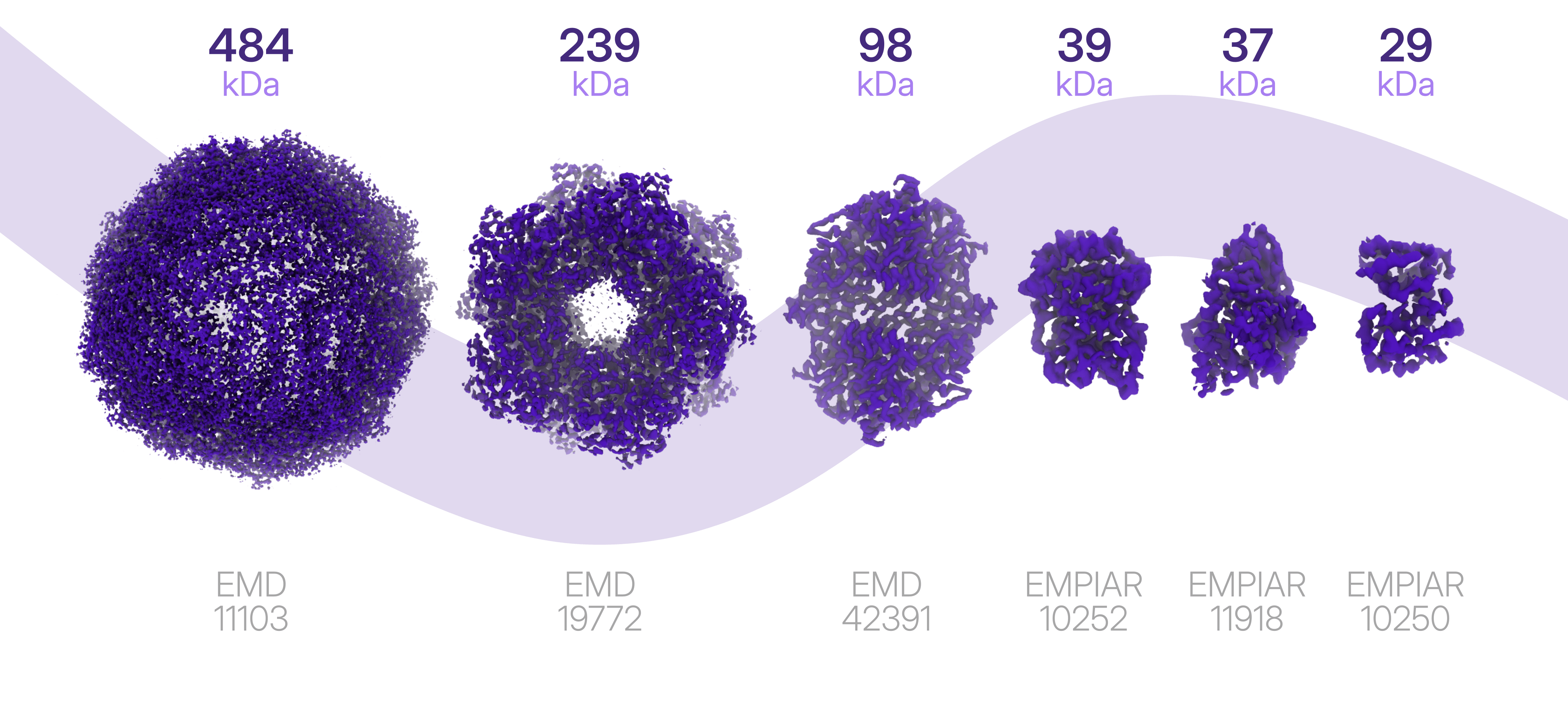
### **The Challenge of Small Proteins: Why Bother?**
In many structural biology pipelines, cryo-EM is simply reserved for large protein complexes, while smaller proteins are redirected to complementary techniques such as X-ray crystallography. While pragmatic, this division overlooks key advantages that cryo-EM brings to the study of small enzymes and regulatory proteins.
Cryo-EM enables the direct observation of sample composition with minimal manipulation. How often are monomers, dimers, or transient subcomplexes discarded during data processing without a second look? And how often might these “minor” species be central to biologically or therapeutically relevant mechanisms of association, dissociation, or regulation?
**Access to structures of small particles can therefore inform mechanism, target engagement, and assembly equilibria, critical parameters in drug discovery and development pipelines.**
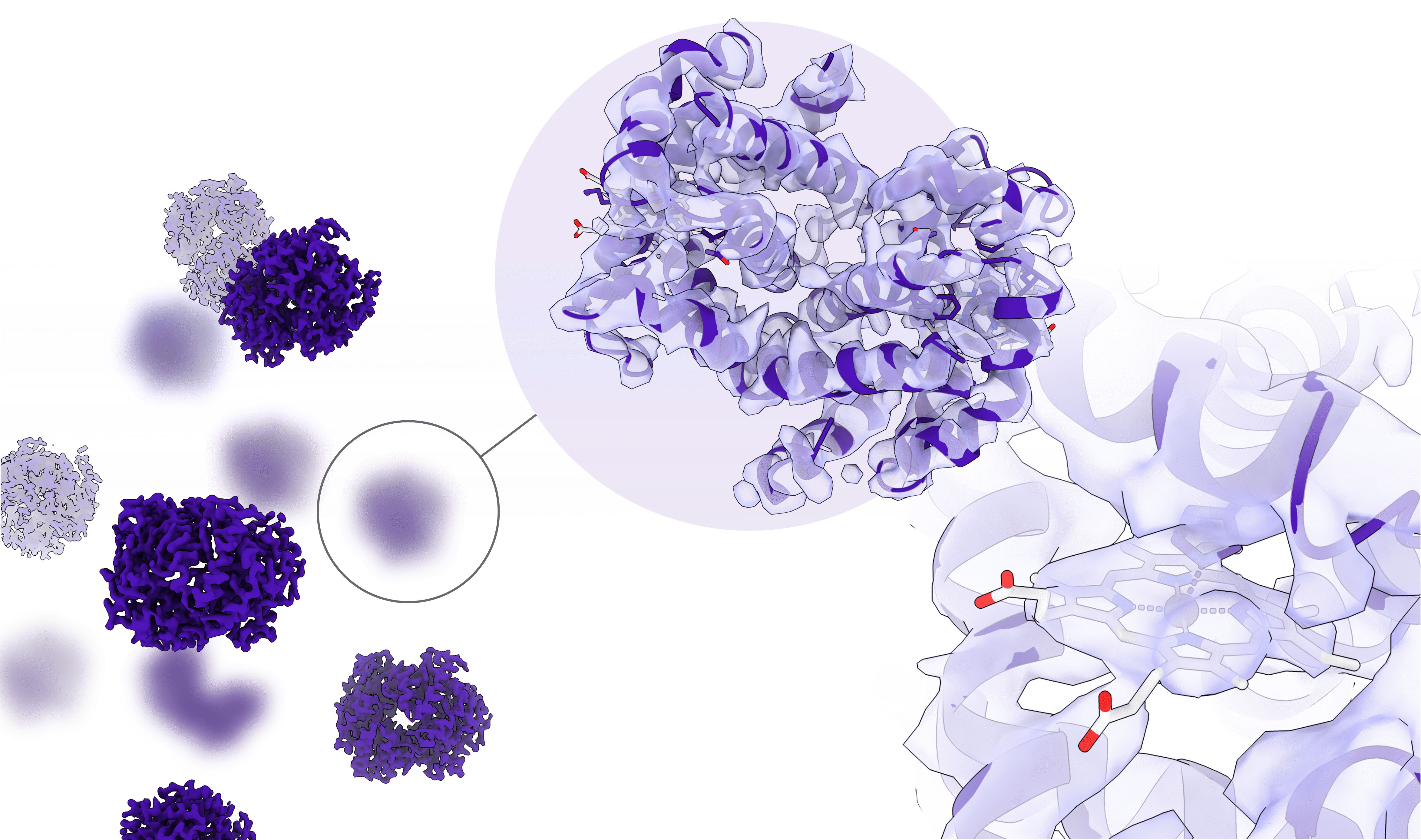
### **Acting on the Workflow: Focusing on Data Processing**
When sample optimization for small particles and hardware improvements fail (or are too time-consuming to justify in a production environment) the natural next step is to focus on the third pillar of the cryo-EM workflow: data processing. This is the approach taken by Kookjoo Kim, Huan Li, and Oliver B. Clarke in their recent preprint.
The authors identified a critical bottleneck in SPA of small proteins: the estimation of initial particle orientations during *ab initio* reconstruction. At low resolution, small proteins often lack sufficient structural features for reliable alignment, raising a simple but powerful question posed by Kim et al.: what happens if [ab initio reconstruction](https://guide.cryosparc.com/processing-data/all-job-types-in-cryosparc/3d-reconstruction/job-ab-initio-reconstruction) is run using high spatial frequency information?
Their answer is **high-resolution heterogeneous ab initio reconstruction (HR-HAIR), a CryoSPARC-based workflow that derives initial particle orientations from high-frequency signal.** By incorporating higher resolution information from the start, increasing the number of iterations, and using very small resolution step sizes between iterations, HR-HAIR bypasses the need for reliable low-resolution features and converges on interpretable initial maps. **Using this approach, the authors demonstrated that high-resolution *ab initio* reconstruction can enable structural determination of proteins below 30 kDa.**
The workflow was validated on several publicly available datasets, resolving iPKAc (39 kDa) to 2.7 Å and a hemoglobin αβ dimer (29 kDa) to ~4 Å. Notably, a 37 kDa Aca2–RNA complex was reconstructed directly from a blob-picked particle stack in a single HR-HAIR run, followed by local refinement, without prior 2D or 3D classification. These workflow highlights how software advances alone can extend the practical reach of cryo-EM.
> *The fact that ab initio reconstruction alone is able to generate interpretable maps for iPKAc and Aca2-RNA, even in the presence of significant preferred orientation, suggests that the use of this approach for high resolution reconstruction and classification may be currently underestimated [...]*
>
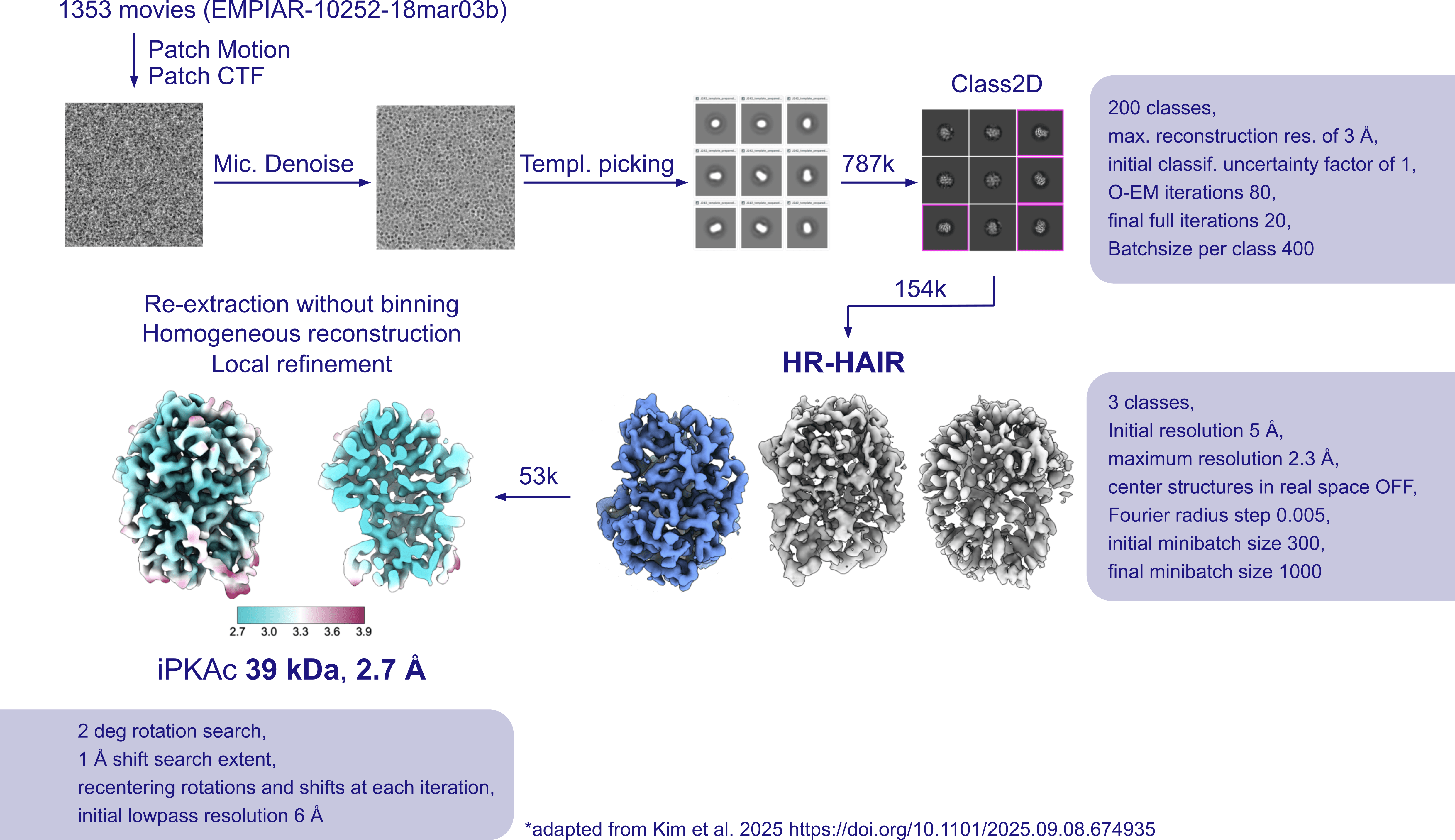
One important limitation, however, is that CryoSPARC’s Ab-Initio Reconstruction does not perform half-set splitting during this stage, leaving subsequent local refinement susceptible to overfitting and resolution overestimation.
### The New **Homogeneous Ab-Initio Refinement (BETA)**
Building on these findings, [CryoSPARC v5](https://cryosparc.com/updates/v5.0) introduces a new reconstruction strategy directly inspired by [the HR-HAIR method](https://www.biorxiv.org/content/10.1101/2025.09.08.674935v1). **The new [Homogeneous Ab-Initio Refinement (BETA)](https://guide.cryosparc.com/processing-data/all-job-types-in-cryosparc/3d-reconstruction/job-homogeneous-ab-initio-refinement-beta?q=downsample), job adapts CryoSPARC’s [stochastic gradient descent](https://www.nature.com/articles/nmeth.4169)–based *ab initio* algorithm into a gold-standard refinement framework** that preserves the independence of the two half-sets and corresponding half-maps throughout reconstruction.
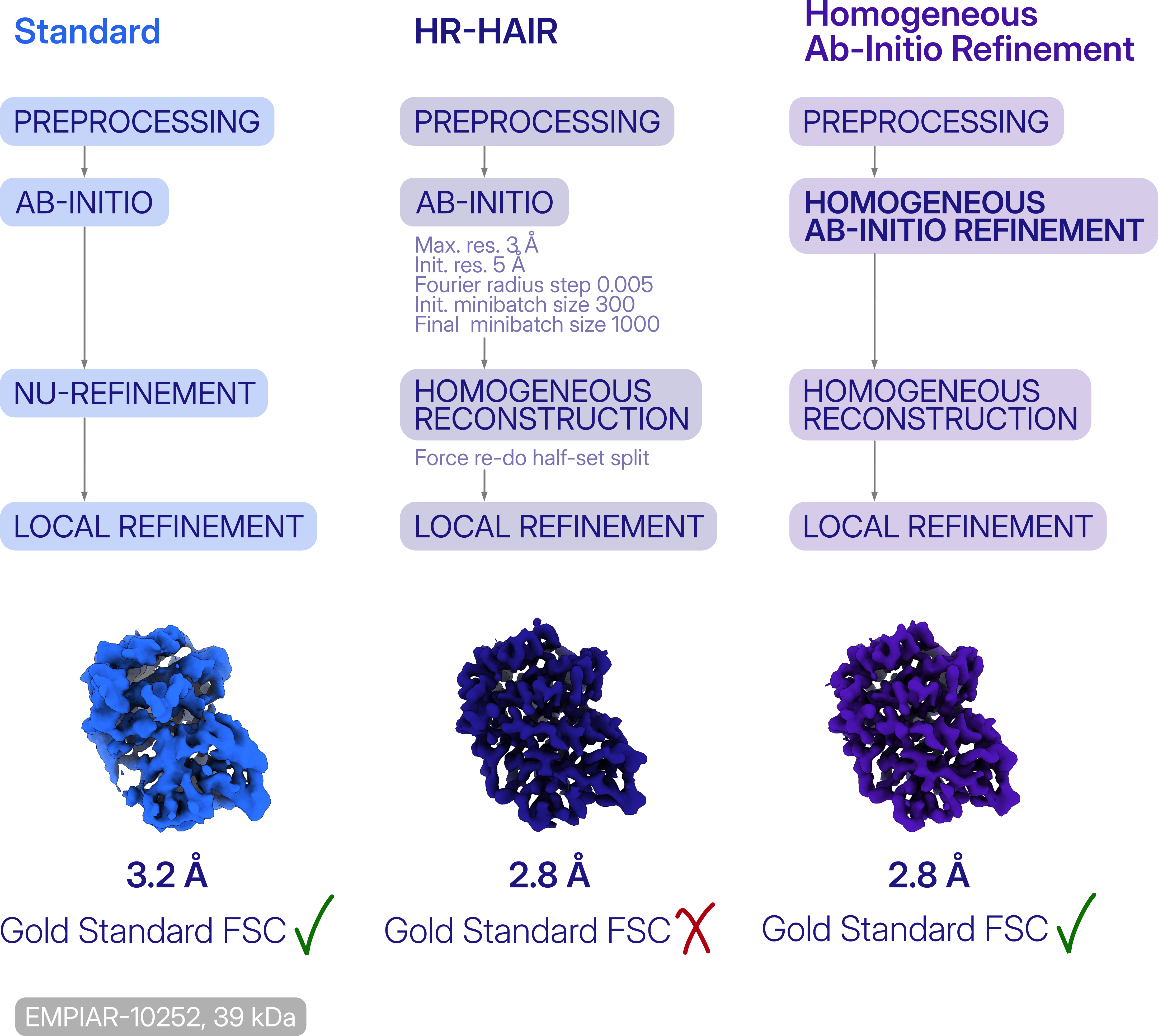
This job is streamlining the workflow for challenging datasets, where CryoSPARC’s stochastic gradient descent algorithm outperforms the traditional [expectation maximization](https://guide.cryosparc.com/expectation-maximization-in-cryo-em) algorithm used in refinements, and ensures an easier resolution estimation and [validation](https://guide.cryosparc.com/processing-data/all-job-types-in-cryosparc/post-processing/job-validation-fsc).
By expanding cryo-EM into the small-particle regime, CryoSPARC v.5 enables gold standard workflows, where revisiting existing data can reveal structures, mechanisms, and opportunities that were previously missed.
---
# CryoSPARC v5.0 stable release
**Author:** CryoSPARC Team
**Published:** May 27, 2026
**Category:** CryoSPARC Updates
**Summary:** Explore the new features, expanded capabilities, and a more intuitive processing experience!
**Source:** https://cryosparc.com/blog/v5-0-stable-release
---
The [CryoSPARC v5.0 stable release](https://cryosparc.com/updates/v5.0) is now officially available! Following a successful public beta, this release builds on months of real-world use and community feedback, tested across thousands of instances. Read on for some of the highlights of CryoSPARC v5.0.
### Enhanced Visualization and Analysis: The New Job Dashboard, Comparison View and a Collapsible Tree View
Visualization in [CryoSPARC v5.0](https://cryosparc.com/updates/v5.0) has been rethought to make cryo-EM data analysis easier to interpret, compare, and act on.
**The new [Job Dashboard](https://guide.cryosparc.com/application-guide/inspecting-job-data#dashboard) brings key information about your jobs into a single view**: outputs, plots, statistics can be visualized at a glance to assess progress, while newly introduced iteration sliders let you track how results evolve throughout your job iterations.
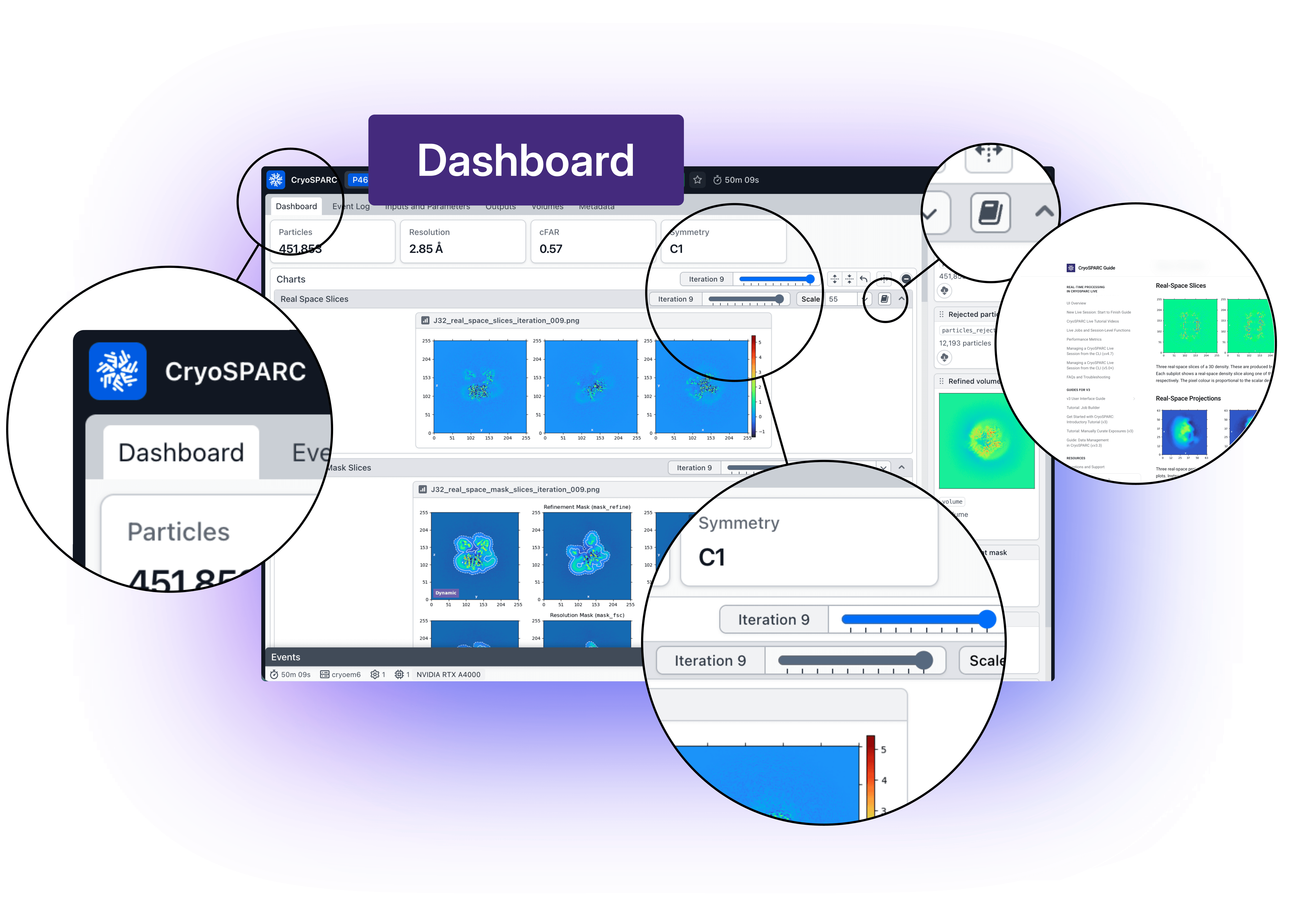
*The Job Dashboard lets you clearly see the evolution of a job and makes it easier to interpret results.*
**The new [Comparison View](https://guide.cryosparc.com/application-guide/inspecting-job-data#comparing-jobs) allows you to examine multiple jobs side by side**, making it easier and faster to see how parameter choices impact results and to make more informed processing decisions.
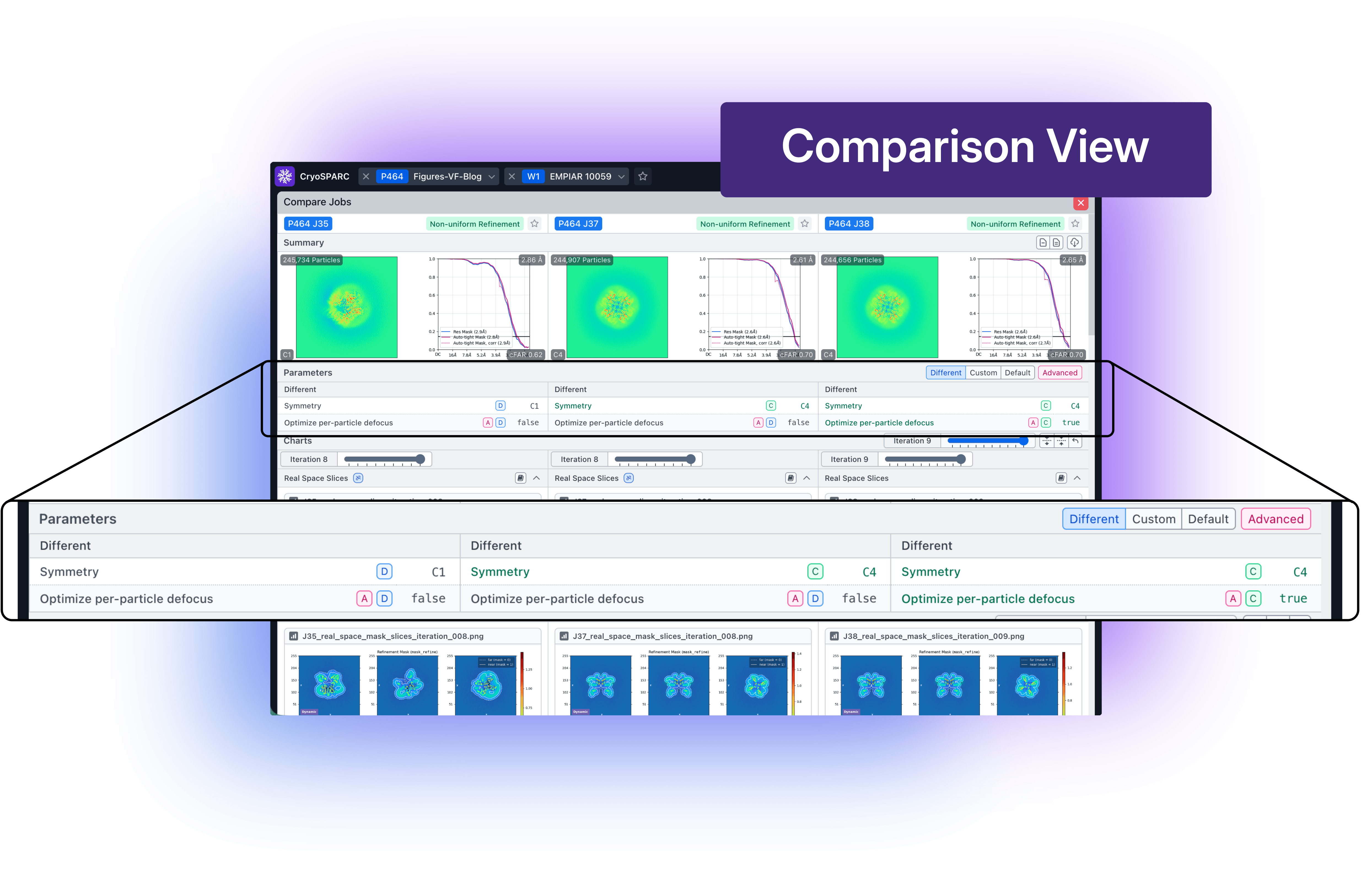
Navigating complex workflows is also more intuitive. **In the tree view, [upstream jobs are grouped into collapsible cards](https://guide.cryosparc.com/application-guide/job-views-cards-tree-and-table#upstream-jobs) by default**, reducing visual clutter and making it easier to understand how workspaces connect. Even in large processing trees, you can quickly focus on the jobs that matter most.
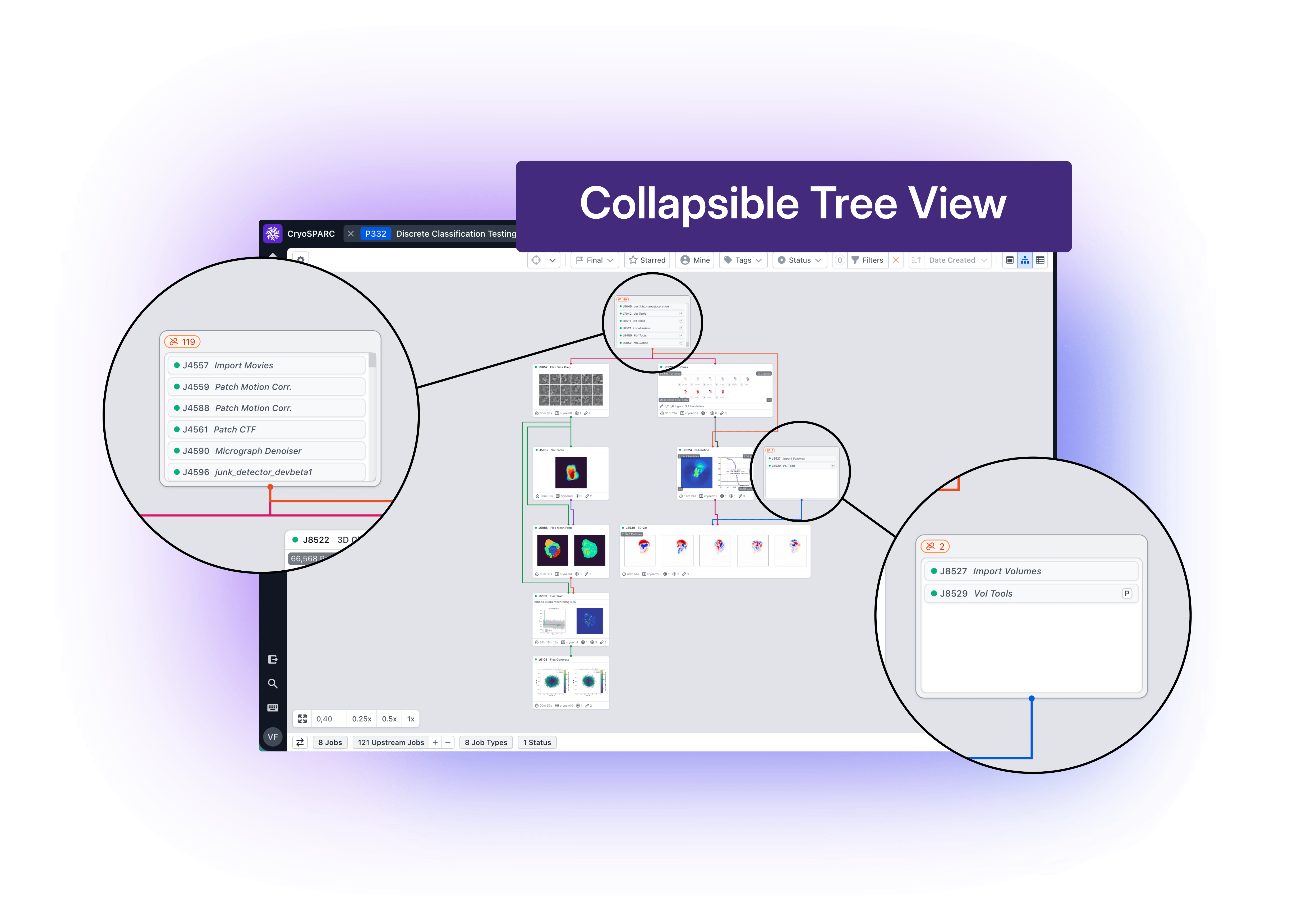
### **CryoSPARC Live Workflow Improvements**
While these updates improve how you interact with your data, [CryoSPARC v5.0](https://cryosparc.com/updates/v5.0) also enhances how data is processed in real time.
**New [run configuration options](https://guide.cryosparc.com/live/new-live-session-start-to-finish-guide#configuration-section) in [CryoSPARC Live](https://guide.cryosparc.com/live/new-live-session-start-to-finish-guide) introduce automated Session control**, allowing [Live Sessions](https://guide.cryosparc.com/live/live-jobs-and-session-level-functions#live-session-terminology) to start, pause, and resume based on incoming data.
 becomes more adaptive to real-world data collection.*](https://cryosparc.com/images/blog/v5-0-stable-release/Live-600dpi.png)
*Live processing in [CryoSPARC v5.0](https://cryosparc.com/updates/v5.0) becomes more adaptive to real-world data collection.*
Preprocessing jobs can now wait until data is actually available before launching, while Sessions automatically pause when acquisition stops, freeing up GPUs and tokens for the next run. Support for running multiple sessions in parallel, each linked to a different data source, further enhances flexibility during collection.
Together, these updates make live processing more responsive and better aligned with the pace and variability of cryo-EM experiments.
### Updates to 3D Reconstruction
Beyond usability improvements, CryoSPARC v5.0 introduces major advances in refinement workflows, reflecting the evolving cryo-EM landscape.
A redesigned approach to [3D masking](https://guide.cryosparc.com/processing-data/tutorials-and-case-studies/tutorial-dynamic-masking-in-refinements-v5.0+) improves automatic mask generation by dynamically adjusting mask tightness and softness during refinement. This method produces more appropriate masks across a wide range of datasets, **reducing the risk of overfitting or artificially inflated resolution without requiring manual tuning**. Mask behaviour is also more transparent, with new plots showing how masks evolve at each iteration.
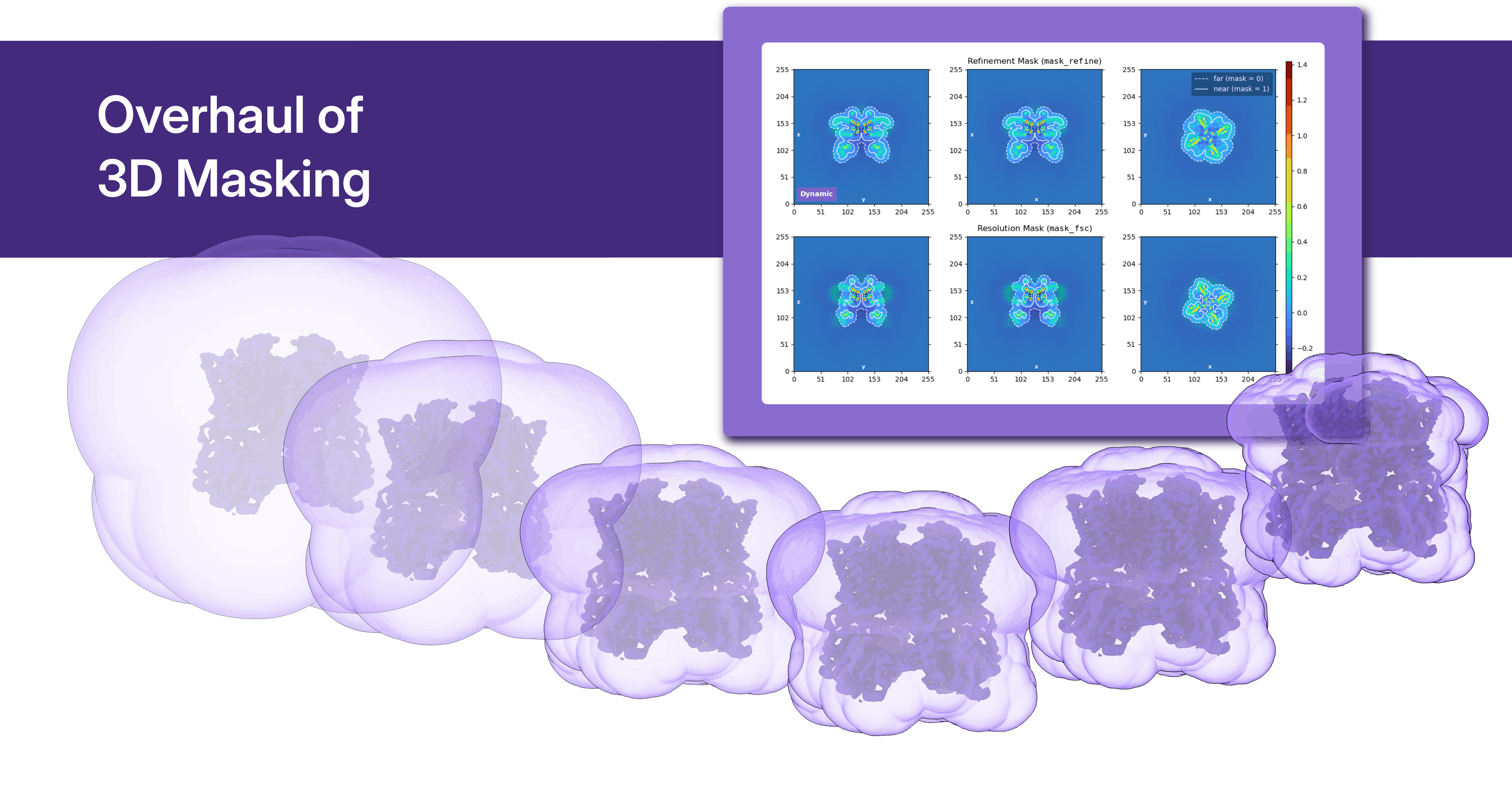
*An overhaul of 3D masking reduces the risk of overfitting and increases robustness in refinement workflows.*
**Optimization over per-particle scale takes a more central role in CryoSPARC v5.0, leaving behind low quality particles and making your maps better.**
[Local CTF refinement](https://guide.cryosparc.com/processing-data/all-job-types-in-cryosparc/ctf-refinement/job-local-ctf-refinement) now jointly optimizes over per-particle scale and defocus, improving parameter estimation and supporting more reliable convergence in challenging datasets. At the same time, [per-particle scale optimization](https://guide.cryosparc.com/processing-data/all-job-types-in-cryosparc/particle-curation/job-subset-particles-by-statistic#subsetting-by-per-particle-scale) is now enabled by default in refinement jobs (Homogeneous, Non-Uniform, and Helical), providing a more consistent way to account for particle variability and enhance overall reconstruction quality.
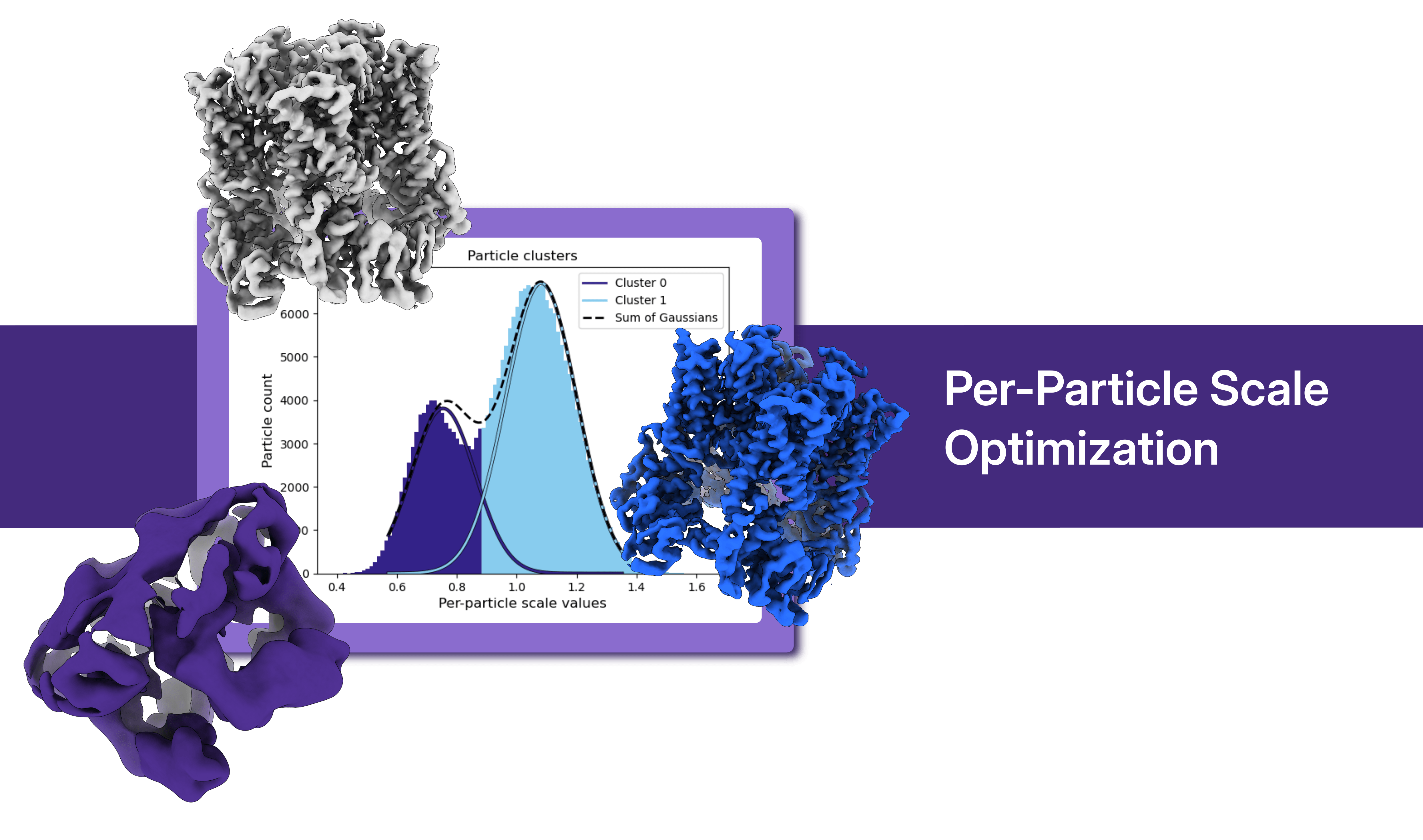
**The new [Homogeneous Ab-Initio Refinement (BETA)](https://guide.cryosparc.com/processing-data/all-job-types-in-cryosparc/3d-reconstruction/job-homogeneous-ab-initio-refinement-beta) job extends the capabilities of ab initio approaches to higher resolutions, particularly for small and challenging targets.** Inspired by recent developments (HR-HAIR: [Kim et al. 2025](https://www.biorxiv.org/content/10.1101/2025.09.08.674935v1)), this method opens new possibilities for improving map quality in difficult datasets.
*Refinement workflows incorporate state-of-the-art approaches for high-resolution reconstruction.*
### **New Quality of Life and Software System Features**
Underlying all of these improvements are additional new quality of life enhancements, including:
- [Copy and paste parameters](https://guide.cryosparc.com/application-guide/creating-and-running-jobs#copy-and-paste-parameters) between jobs
- [Automatically generate Import 3D Volumes jobs](https://guide.cryosparc.com/application-guide-v4.0+/upload-local-files#auto-import-3d-volumes) when [uploading data](https://guide.cryosparc.com/application-guide/upload-local-files)
- Embedded documentation links that redirect out to relevant pages in the [CryoSPARC Guide](https://guide.cryosparc.com/)
- Reworked [shortcuts dialog](https://guide.cryosparc.com/application-guide-v4.0+/keyboard-shortcuts)
- Simplified [instance recovery](https://guide.cryosparc.com/setup-configuration-and-management/software-system-guides/guide-instance-recovery-v5.0)
- Redesigned [instance information tab](https://guide.cryosparc.com/application-guide-v4.0+/instance-management#instance-tab) that provides clearer view of available compute resources
- [Current Jobs](https://guide.cryosparc.com/application-guide-v4.0+/managing-jobs#current-jobs-dialog) dialog and [Queue panel](https://guide.cryosparc.com/guides-for-v3/user-interface-and-usage-guide/queue-job-inspect-job-and-other-job-actions) now displaying real-time usage of CPUs, GPUs and RAM space
- [Improved tagging experience](https://guide.cryosparc.com/application-guide/tags) to track and archive projects more easily
New software features give finer control over storage and metadata/report downloads:
- Updated [data cleanup](https://guide.cryosparc.com/setup-configuration-and-management/software-system-guides/guide-data-cleanup-v4.3), with new enhancements to the [Cleanup Data tool](https://guide.cryosparc.com/setup-configuration-and-management/software-system-guides/guide-data-cleanup-v4.3+#project-and-workspace-cleanup-data-tool)
- [CSV downloads](https://guide.cryosparc.com/application-guide-v4.0+/downloading-and-exporting-data) supporting [improved downloading of metadata](https://cryosparc.com/updates/v5.0#:~:text=Added%20an%20%27info%20tags%27%20option%20to%20the%20job%20CSV%20download%2C%20enabling%20access%20to%20the%20same%20statistics%20presented%20on%20job%20cards.) and the ability to include only manually selected jobs.
### How to Update to CryoSPARC v5.0
CryoSPARC v5.0 is a major software update, and its stable release is now available. Review the [compatibility notes](https://cryosparc.com/updates/v5#:~:text=Changes%20to%20CryoSPARC%E2%80%99s%20Software%20System%20and%20Dependencies%20in%20v5) and the [full update instructions](https://guide.cryosparc.com/setup-configuration-and-management/software-system-guides/guide-updating-to-cryosparc-v5) before upgrading to ensure a smooth and predictable transition.
---
## Release notes
---
# CryoSPARC v5.0.7 Release Notes
**Version:** v5.0.7
**Released:** August 14, 2026
**Source:** https://cryosparc.com/updates/v5.0.7
---
If you are updating to v5.0.7 from a CryoSPARC v4 version, please see the full v5.0 changelog, update instructions, and compatibility notes here: [cryosparc.com/updates/v5.0](https://cryosparc.com/updates/v5.0)
CryoSPARC Live session auto-pause now correctly triggers in cases when the session contains failed exposures, or has been previously paused and resumed manually.
Fixed an issue preventing CryoSPARC from running jobs correctly in the presence of GPUs with MIG mode enabled. Note: an individual job cannot make use of both MIG and non-MIG devices at the same time.
Orientation Diagnostics now outputs all computed metrics to the job summary stats for easier programmatic access via `cryosparc-tools`.
Projects that failed to save results to disk due to a temporary network or filesystem issue now automatically retry after a configurable interval (default: 1 hour) and display a warning to the user.
Fixed an issue where user python libraries loaded in the environment where CryoSPARC runs could interfere with some CryoSPARC processes.
Fixed an issue where new backups created using `cryosparcm backup` were completing successfully but not being displayed in the Backups tab of the manage dialog in the UI.
Resolved an issue where the job queue slide-over would freeze when switching from a GPU to non-GPU job while the GPU selection mode was active.
Resolved an issue where the job queue slide-over for interactive jobs would queue to a non-master node.
---
# CryoSPARC v5.0.6 Release Notes
**Version:** v5.0.6
**Released:** May 5, 2026
**Source:** https://cryosparc.com/updates/v5.0.6
---
If you are updating to v5.0.6 from a CryoSPARC v4 version, please see the full v5.0 changelog, update instructions, and compatibility notes here: [cryosparc.com/updates/v5.0](https://cryosparc.com/updates/v5.0)
Resolved an issue where switching from the event log tab to the dashboard could cause incorrect chart images to show at earlier iterations for dashboard charts.
---
# CryoSPARC v5.0.5 Release Notes
**Version:** v5.0.5
**Released:** May 4, 2026
**Source:** https://cryosparc.com/updates/v5.0.5
---
If you are updating to v5.0.5 from a CryoSPARC v4 version, please see the full v5.0 changelog, update instructions, and compatibility notes here: [cryosparc.com/updates/v5.0](https://cryosparc.com/updates/v5.0)
Local Refinement jobs no longer fail with a plotting error when intermediate iteration plots are being produced in certain cases.
CryoSPARC Live auto-pause now correctly pauses Live sessions in both standard and graceful modes, including for sessions where streaming 2D and 3D jobs are running.
Import Volumes job no longer fails when importing integer-type MRC volumes.
Resolved an issue where ‘undefined’ columns would display when downloading workspace and project CSVs.
CryoSPARC Live session configuration profiles are now included in automatic instance configuration exports, so that profiles are retained when restoring a CryoSPARC instance using `cryosparcm recover`
Set environment variable `CRYOSPARC_CLI_SKIP_ACCESS_CHECK=true` in both CryoSPARC master and worker `config.sh` files, in order to disable filesystem permission checks for `cryosparcm` and `cryosparcw` command-line arguments. This setting may be used with network file systems where listed UNIX access permissions do not match the true available permissions.
Improved detection and fallback for silent SSD cache file copy failures on some network file systems, including Lustre.
CryoSPARC command line and cryosparc-tools no longer produce errors when loading workspace or session objects.
When multiple particle set inputs are connected to a job, `alignments3D_multi` results will be removed rather than being passed through, in order to prevent failure in descendant jobs due to a mismatch in the number of classes present in the results.
Resolved an issue where connections between Workflow jobs would fail in some cases, due to the connection being made using the input slot name instead of the output result name.
Resolved an issue where the option to group jobs was presented when viewing all jobs within a project.
Resolved an issue where current resource usage would not load when interacting with the job context menu in the tree view.
Resolved an issue where the “Apply” action on the Live configuration tab would remain disabled after applying a configuration profile with missing required parameters.
Micrograph Denoiser jobs info tags no longer display number of training micrographs used if a pre-trained model is provided as input.
Legacy jobs now appear with formatted titles on the job cards and details view.
---
# CryoSPARC v5.0.4 Release Notes
**Version:** v5.0.4
**Released:** April 2, 2026
**Source:** https://cryosparc.com/updates/v5.0.4
---
If you are updating to v5.0.4 from a CryoSPARC v4 version, please see the full v5.0 changelog, update instructions, and compatibility notes here: [cryosparc.com/updates/v5.0](https://cryosparc.com/updates/v5.0)
Resolved an issue in 3D variability analysis that could, for some datasets, cause streaking artefacts in 3D variability component volumes and skewed latent distributions.
Fixed an issue where, for some datasets, 2D Classification using the `similarity` plotting sorting would produce degraded result quality, due to large translations of class averages during the 3rd last iteration.
When deleting a detached project, a clearer description of the operation being performed is provided in the UI.
Fixed an issue where importing a job directory that had been symlinked (rather than copied) into the project directory would fail.
Fixed an issue where project directories that had been synced and restored from S3-like filesystems would fail to attach due to missing (empty) `gridfs_data` directories.
Fixed an issue where Ab-initio Reconstruction jobs within CryoSPARC Live would ignore the SSD usage parameter.
Fixed an issue where cloning a CryoSPARC Live session would result in the exposure groups being pre-emptively enabled.
Fixed an issue in CryoSPARC Live where it was not possible to select a source job for 2D templates from outside of the current project.
Improved handling of exported Live session exposures when no gain reference is provided.
If attaching a project fails, the project lock file (`cs.lock`, created during the attempt to attach) will no longer be deleted. If the project directory needs to be attached to a different instance later, the lock file can be manually deleted from the project directory.
Fixed an issue where installing worker updates could fail due to incorrectly changing the current working directory.
Shell control characters are no longer incorrectly escaped when submitting cluster commands.
Data cleanup tool no longer shows an error message when clearing intermediate results.
Fixed an issue where 2D Classification would fail when configured with 1 class and otherwise default parameters.
3D Flex Mesh Prep job no longer fails if only two segments are provided in the segmentation file and connection tree.
Fixed an issue in Topaz Cross Validation where the parameter being optimized incorrectly required an input value, and updated the job to instruct users to clear this field before running the job.
Topaz Cross Validation job no longer fails to launch when decimal values are provided for some parameters.
---
# CryoSPARC v5.0.3 Release Notes
**Version:** v5.0.3
**Released:** March 16, 2026
**Source:** https://cryosparc.com/updates/v5.0.3
---
If you are updating to v5.0.3 from a CryoSPARC v4 version, please see the full v5.0 changelog, update instructions, and compatibility notes here: [cryosparc.com/updates/v5.0](https://cryosparc.com/updates/v5.0)
Jobs with integer parameter values larger than 8 bytes now pass validation. For users who updated to v5.0.0-v5.0.2: projects detached during upgrade due to `OverflowError: MongoDB can only handle up to 8-byte ints` can now be attached in v5.0.3.
Projects with empty project titles now pass validation. For users who updated to v5.0.0-v5.0.2: projects detached during upgrade due to `String should have at least 1 character [type=string_too_short, input_value='', input_type=str]` can now be attached in v5.0.3.
Fixed an issue where users could not edit the titles of jobs/workspaces/projects in projects that had been shared with them.
Correctly forward environment variables such as `LD_LIBRARY_PATH` to cluster submission commands, preventing failure.
Fixed an issue where SSD reserve would default to 0, instead of 10GB, for connected targets and clusters.
Fixed an issue where a launched job is marked as failed when using some terminal shells, if there is extra output in the shell configuration.
Fixed an issue where jobs that were cleared quickly after queuing were still launched.
For jobs created programatically or by CryoSPARC Live, the `created_by_user_id` field is now correctly set.
Homogeneous Ab-initio Refinement no longer fails with `KeyError` when run with helical data.
Fixed an issue where imported micrographs would display as too light or too dark in interactive jobs.
Extra "Random Seed Default" parameter no longer appears on newly-created Blueprints.
Fixed an issue where, under some conditions, a job fails with "unknown dataset field error" if two slots with the same type are connected.
Fixed an issue where `.cs` and `.csg` filenames for exported jobs or outputs would incorrectly differ.
Fixed an issue where a job would attempt to connect to the wrong master hostname if the master environment is active when the job launches.
`cryosparcm` service management commands no longer fail when running from a working directory that the current user does not have permission to access.
Extensive Validation no longer fails with an error indicating a checksum mismatch, when test data is downloaded automatically by CryoSPARC.
Exposure Sets Tool no longer fails on intersect action when only micrographs (not movies) are connected.
Fixed an issue where session restoration would crash due to missing a related notification.
Fixed an issue in 2D Classification causing it to crash when the output of intermediate plots was disabled.
Fixed an issue where Split Volumes Group did not correctly passthrough upstream particle metadata.
---
# CryoSPARC v5.0.2 Release Notes
**Version:** v5.0.2
**Released:** February 13, 2026
**Source:** https://cryosparc.com/updates/v5.0.2
---
If you are updating to v5.0.2 from a CryoSPARC v4 version, please see the full v5.0 changelog, update instructions, and compatibility notes here: [cryosparc.com/updates/v5.0](https://cryosparc.com/updates/v5.0)
Fixed an issue where, in some environments, cluster job submission scripts would fail with `ERROR: ld.so: object 'xxx/lib/libpython3.12.so' from LD_PRELOAD cannot be preloaded` due to environment variables that were not correctly cleared.
Jobs no longer fail to launch on worker nodes that are running the `tcsh` shell.
Using the Export Exposures functionality in a Live session no longer fails when a gain reference was not specified in the Live exposure group configuration.
Live sessions no longer fail when no particles are picked on a micrograph and advanced parameter `Enable Plotting in RTP Worker` is enabled.
When configuring template picking in a Live session, 2D classes can now be loaded from any job type that outputs 2D classes.
Patch Motion Correction (and Live Worker) are now significantly faster when processing low-magnification movies.
3D Classification now correctly orders particle outputs when `Reorder classes by size` is turned on.
In Extensive Validation, Local Refinement now correctly uses the SSD cache based on the user specified parameter.
When editing thresholds in Manually Curate Exposures, micrographs with values equal to the default threshold are no longer excluded.
Resolved an issue where hovering/clicking on an exposure within the scatter plot in Inspect Picks and Manual Picker would not navigate to it.
Updating CryoSPARC no longer issues warnings about the use of an ephemeral port range if the port range was already set previously.
---
# CryoSPARC v5.0.1 Release Notes
**Version:** v5.0.1
**Released:** January 30, 2026
**Source:** https://cryosparc.com/updates/v5.0.1
---
If you are updating to v5.0.1 from a CryoSPARC v4 version, please see the full v5.0 changelog, update instructions, and compatibility notes here: cryosparc.com/updates/v5.0
The `http_proxy` and `https_proxy` environment variables are no longer incorrectly ignored when contacting the CryoSPARC license server via a proxy.
3D Classification Jobs that had required parameters set to None now pass validation. For users who updated to v5.0.0: projects detached during upgrade due to `TypeError: '<=' not supported between instances of 'float' and 'NoneType'` can now be attached in v5.0.1.
Jobs that produce more than 500 outputs now pass validation during upgrade. For users who updated to v5.0.0: projects detached during upgrade due to `Value should have at most 500 items after validation` can now be attached in v5.0.1.
Jobs that included path parameters set to None now pass validation during upgrade. For users who updated to v5.0.0: projects detached during upgrade due to `TypeError: argument should be a str or an os.PathLike object where fspath returns a str, not ‘NoneType` can now be attached in v5.0.1.
---
# CryoSPARC v5.0.0 Release Notes
**Version:** v5.0.0
**Released:** January 27, 2026
**Source:** https://cryosparc.com/updates/v5.0.0
---
Job Dashboard and Comparison View
The [Job Dashboard](https://guide.cryosparc.com/application-guide-v4.0+/inspecting-job-data#dashboard) displays all key job outputs, plots, and statistics at a glance, and is the new default view when opening a job card. Use iteration sliders to see how results and plots changed during processing.
Multi-select jobs and press spacebar: The [Comparison View](https://guide.cryosparc.com/application-guide-v4.0+/inspecting-job-data#comparing-jobs) shows all selected jobs’ parameters, outputs, and plots side-by-side, making it easy to spot differences and make decisions about the effect of input or parameter changes. Use iteration sliders to visualize progress, and download outputs from multiple jobs in one click.
Overhaul of 3D Masking in Refinements
CryoSPARC v5.0 introduces a [new automatic mask generation method](https://guide.cryosparc.com/processing-data/tutorials-and-case-studies/tutorial-dynamic-masking-in-refinements-v5.0+) that is robust across a wide range of resolutions and reduces the possibility of overfitting or overestimation of resolution, without users having to adjust masking parameters.
- Dynamically generated masks now use mask tightness and softness parameters that are based on the 3D refinement map's current resolution estimate, meaning that masks for lower-resolution structures automatically have softer padding.
- The new method is used for refinement masks (`mask_refine`) and resolution masks (`mask_fsc`), and makes it significantly less likely that user-set masking parameters produce masks that are too tight or too hard, especially for low or moderate resolution structures. Mask auto-tightening has also been made more conservative by default.
- Across all refinement jobs, both the refinement and the resolution masks are plotted each iteration, in a new plot that displays the extent of the mask edge falloff.
Refinement jobs now have a parameter “[Use dynamic refinement mask](https://guide.cryosparc.com/processing-data/tutorials-and-case-studies/dynamic-masking-in-refinements)” that can be turned off to allow the job to run without any refinement mask applied during iterations. In some cases, especially in [Non-Uniform Refinement](https://guide.cryosparc.com/processing-data/all-job-types-in-cryosparc/3d-refinement/job-non-uniform-refinement-new), using no mask can produce improved results.
All refinement jobs now output the refinement mask, resolution mask, and auto-tightened resolution mask as separate draggable outputs.
Standardized FSC Plots and Outputs
[FSC curve plots are now standardized across CryoSPARC](https://guide.cryosparc.com/processing-data/tutorials-and-case-studies/tutorial-common-cryosparc-plots#cryosparc-v5), with a consistent colour scheme that more clearly indicates which mask has been used to produce each curve, and whether [correction via phase randomization](https://guide.cryosparc.com/processing-data/tutorials-and-case-studies/tutorial-common-cryosparc-plots#high-resolution-phase-randomization) has been applied.
If FSC resolution meets or exceeds the Nyquist frequency, refinement jobs now throw a warning to recommend re-extracting particles with a smaller pixel size.
The format of FSC `txt` files has been updated to include additional columns and column titles.
Per-particle Scale Optimization in Refinements
By default, refinements (Homogeneous, Non-uniform, and Helical) now perform per-particle scale optimization. The optimized values provide a measure of particle quality, which is used during 3D reconstruction to down-weight low quality particles. The per-particle scale values can also be useful for [separating low-quality particles from a dataset](https://guide.cryosparc.com/processing-data/all-job-types-in-cryosparc/particle-curation/job-subset-particles-by-statistic#subsetting-by-per-particle-scale).
All [refinements](https://guide.cryosparc.com/processing-data/all-job-types-in-cryosparc/3d-refinement/job-homogeneous-refinement), Local CTF Refinement, 3D Classification, and 3D Variability Analysis now create a Rejected Particles output group. The group is populated with particles that had zero or negative per-particle scale, indicating empty or inverted contrast that is ignored during 3D reconstruction.
CryoSPARC Live Workflow Improvements
The new [Run Configuration options](https://guide.cryosparc.com/live/new-live-session-start-to-finish-guide#configuration-section) in [CryoSPARC Live](https://guide.cryosparc.com/live/new-live-session-start-to-finish-guide) enable auto-start and auto-pause of Live Sessions to better match data collection workflows. Multiple sessions can be started at the same time, each pointing to a different raw data input directory (e.g., corresponding to multiple grids). Sessions can be started with `Delay worker startup until ready` so that Live Preprocessing worker jobs will not launch until new data is detected. `Auto pause mode` triggers when no new data has been detected for a configurable timeout and automatically pauses Sessions to free up GPU and license resources for the next session.
`Auto Pause Mode` automatically pauses the Live Session when there are no remaining exposures to process, with two available modes:
- Standard: Pause the session immediately after the idle timeout has expired. This will kill any running 2D/3D streaming jobs at the time auto pause is triggered.
- Graceful: Once the idle timeout has lapsed, also wait for 2D/3D streaming jobs to finish processing the available particles before pausing the session.
- An `Auto Pause Timeout` can also optionally be configured.
Ability to launch more than one Live Preprocessing worker job per GPU. Use `Workers per GPU` in the Configuration Tab to specify the number of Live Preprocessing worker jobs to launch per GPU worker. On some systems, running multiple workers jobs per GPU can improve preprocessing throughput.
Live Sessions can now be cloned in the UI. Cloning a session preserves configuration.
CryoSPARC Live Sessions will now inherit the project-level parameter for outputting in 16-bit floating point format.
Exposure filenames in Live now correctly pad UIDs with leading zeros.
The Live particle export job's output is now correctly named "Exported Particles".
Lane selections in CryoSPARC Live now display only those of which are available for the current user.
CryoSPARC Live's [configuration profiles](https://guide.cryosparc.com/live/new-live-session-start-to-finish-guide#load-configuration-profile) in v5 are not backwards compatible. New profiles can be created in v5 but will not be retained if downgrading to v4.
Collapsible Upstream Jobs in Tree View
Upstream jobs in the tree view will now be [collapsed into single grouped cards by default](https://guide.cryosparc.com/application-guide-v4.0+/job-views-cards-tree-and-table#upstream-jobs), making it easy to see where jobs from other workspaces are connected to jobs in the current workspace tree. Extremely large processing trees can be condensed to display only the jobs relevant in the current workspace.
[Job Group cards](https://guide.cryosparc.com/application-guide-v4.0+/job-views-cards-tree-and-table#job-groups) now list their contents; hover over any job to view its specific details.
Groups in the tree or card view will no longer accept the addition of jobs that would cause a circular connection error when the group is collapsed.
Moving or unlinking jobs in the middle of a chain in the tree view will no longer cause data loading and/or layout issues in some cases.
Embedded Documentation Links
Documentation icons have been added across the application that link out to relevant pages in the [CryoSPARC Guide](https://guide.cryosparc.com/). These include documentation for core actions as well as CryoSPARC jobs, plots, and general onboarding.
Ab-Initio Refinement to High Resolution
[Homogeneous Ab-Initio Refinement (BETA)](https://guide.cryosparc.com/processing-data/all-job-types-in-cryosparc/3d-reconstruction/job-homogeneous-ab-initio-refinement-beta) uses the same algorithm as [Ab-Initio Reconstruction](https://guide.cryosparc.com/processing-data/all-job-types-in-cryosparc/3d-reconstruction/job-ab-initio-reconstruction) (i.e., [stochastic gradient descent](https://www.nature.com/articles/nmeth.4169)) to refine a dataset to high resolution from scratch, while preserving gold standard independence of two half-sets and half-maps. Half-maps are aligned in 3D during optimization to keep them in register. The job type is inspired by recent results showing that Ab-Initio Reconstruction can produce improved map quality for small and challenging targets when run at high resolution (HR-HAIR: [Kim et al. 2025](https://www.biorxiv.org/content/10.1101/2025.09.08.674935v1)).
[Local Refinement](https://guide.cryosparc.com/processing-data/all-job-types-in-cryosparc/local-refinement/job-new-local-refinement-beta) now has an option to use input half-maps for initialization, allowing local refinement to retain the gold-standard separation of half-maps from an upstream Ab-Initio Refinement or other source.
[Ab-Initio Reconstruction](https://guide.cryosparc.com/processing-data/all-job-types-in-cryosparc/3d-reconstruction/job-ab-initio-reconstruction) now supports [spherical or cylindrical](https://guide.cryosparc.com/processing-data/all-job-types-in-cryosparc/3d-reconstruction/job-ab-initio-reconstruction#volume-window-mode) windowing of volumes during reconstruction, via the `Volume window mode` parameter. Window size can be controlled with `Window inner diameter` and `Window outer diameter` parameters. Spherical windows can help with reconstruction of smaller particles, and cylindrical windows with helical particles.
[Ab-Initio Reconstruction](https://guide.cryosparc.com/processing-data/all-job-types-in-cryosparc/3d-reconstruction/job-ab-initio-reconstruction) now has a parameter `Minimum alignment resolution` that performs high-pass filtering on the volume (for the purpose of alignment only).
Fixed a bug in [Ab-Initio Reconstruction](https://guide.cryosparc.com/processing-data/all-job-types-in-cryosparc/3d-reconstruction/job-ab-initio-reconstruction) that could cause NaN errors when class volumes were near empty.
2D Classification Sorting and Fixed Alignments
[2D Classification](https://guide.cryosparc.com/processing-data/all-job-types-in-cryosparc/particle-curation/job-2d-classification) now aligns 2D classes to each other and plots classes in a sorted order determined by inter-class similarity, for easier visual comparison. This can be reverted to sorting by size, by modifying the "[Plotting sort method](https://guide.cryosparc.com/processing-data/all-job-types-in-cryosparc/particle-curation/job-2d-classification#plotting-sort-method)" parameter.
Added a "Do orientation alignment" parameter to [2D Classification](https://guide.cryosparc.com/processing-data/all-job-types-in-cryosparc/particle-curation/job-2d-classification), turned on by default. If 3D alignments are available in input particles, this parameter can be turned off to allow for 2D Classification without alignment.
Added class index to sort options in Select 2D Classes.
3D Classification Advanced Options
[3D Classification](https://guide.cryosparc.com/processing-data/all-job-types-in-cryosparc/variability/job-3d-classification) now includes the option (default: off) to use [latent mixing coefficients during classification](https://guide.cryosparc.com/processing-data/all-job-types-in-cryosparc/variability/job-3d-classification#use-latent-mixing-coefficients). When turned on, 3D Classification treats the current class sizes at a given iteration as a representative example of the underlying, true class sizes; formally, it applies a prior over class posteriors based on the current sizes of classes. This can result in more diverse class sizes, reducing the likelihood of 'uniform' class distributions.
In [3D Classification](https://guide.cryosparc.com/processing-data/all-job-types-in-cryosparc/variability/job-3d-classification), the solvent mask is now automatically expanded to ensure it always fully contains the focus mask. Furthermore, if a solvent mask is not provided as input, there is a new option to [Generate solvent mask from consensus](https://guide.cryosparc.com/processing-data/all-job-types-in-cryosparc/variability/job-3d-classification#generate-solvent-mask-from-consensus) (and a spherical mask is used if this option is turned off).
[3D Classification](https://guide.cryosparc.com/processing-data/all-job-types-in-cryosparc/variability/job-3d-classification) now has a new real-space slice plot with improved contrast and a modified colourbar.
CTF Refinement with Per-Particle Scale
[Local CTF Refinement](https://guide.cryosparc.com/processing-data/all-job-types-in-cryosparc/ctf-refinement/job-local-ctf-refinement) now optimizes over per-particle scale and defocus in tandem. In testing, this can lead to better error landscapes and potentially improved defocus values.
Improved Tagging and Autosaving Job Titles
[Upgraded tagging experience](https://guide.cryosparc.com/application-guide-v4.0+/tags): quickly create and manage tags.
- The "Edit Tags" menu for jobs now by default only shows tags created by the current user, with a toggle to view all tags in the instance.
- Added ability to tag multiple jobs at once using the multi-actions menu.
- Added new option to create a tag in the "Edit Tags" menu. Default tag will be created with the search term if applicable, or the "Create Tag" slideover will be opened to complete creation.
- Updated tag filter in jobs browse view to only show tags that have been applied to jobs in the view.
- Redesigned tag manage dialog panel for more information density and added ability to delete multiple tags at once.
Titles and descriptions in the details sidebar autosave when edited.
Auto-Import from Local File Upload
[Upload Local Files](https://guide.cryosparc.com/application-guide-v4.0+/upload-local-files) now offers the option to [automatically create and queue an Import 3D Volumes job](https://guide.cryosparc.com/application-guide-v4.0+/upload-local-files#auto-import-3d-volumes) for each volume when uploading `.mrc` or `.map` files if Auto-Import is checked off. The Volume Type dropdown (map_sharp, map_locres, etc.) will be automatically populated based on the file name.
[Upload Local Files](https://guide.cryosparc.com/application-guide-v4.0+/upload-local-files) provides a message when attempting to upload an unsupported file type and lists the applicable file types that are allowed.
Copy/Paste Parameters and Simpler Job Creation
[Copy/Paste Parameters](https://guide.cryosparc.com/application-guide-v4.0+/creating-and-running-jobs#copy-and-paste-parameters): Use `command`+`option`+`c` to copy parameters from a selected job, and `command`+`option`+`v` to paste onto a selected job.
- Parameters can be pasted onto jobs of different types, useful between jobs with many of the same parameters such as 3D refinements.
- Parameters are copied to the clipboard as a valid CryoSPARC [Blueprint](https://guide.cryosparc.com/application-guide-v4.0+/blueprints), in JSON format for editing or sharing. These can also be copied from the job builder using the "Copy as Blueprint" button or `command`+`option`+`c`.
- Parameters can also be copied in plain text for pasting into lab notebooks, using the "Copy all parameters as text" option in the job builder.
Ability to search for parameters in the job builder.
When dragging an output group into a building job, there is now an option to replace the existing group connection if only one connection is allowed.
Added additional checks when building jobs to prevent incorrect number of input groups from being connected.
Prevent workflows from being applied if they are missing parent connections, preventing jobs from being connected with missing passthrough outputs.
Job Queuing and Resource Management
Ability to [queue GPU and CPU jobs](https://guide.cryosparc.com/application-guide-v4.0+/creating-and-running-jobs#queueing-a-job) to a hostname/target directly in the Queue slide-over, plus improvements to right-click queue menu:
- The Queue slide-over now shows a warning when the CPUs, GPUs or RAM of the selected lane/target are fully allocated.
- When right-clicking on a job, the quick access menu displays a coloured light icon and tooltip for each lane's current resource allocation, the compute requirements of the job, and a warning if one of the lane's compute resources is fully allocated. Lanes with insufficient resources for the job will appear under "Underprovisioned lanes".
The [Instance Information tab](https://guide.cryosparc.com/application-guide-v4.0+/instance-management#instance-tab), that displays all available worker and cluster lanes, has been redesigned.
- Search filters have been added, allowing the user to filter lanes by name, lane type, and compute resources.
- Each target card now contains a list of GPUs displaying their ID, name, and VRAM.
- A new table view has been added that displays instance information in a collapsible nested tabular format.
- Contents of target paths and cluster submission scripts can now be copied to the clipboard with a single click.
- JSON export of all targets can now be downloaded.
The [Current Jobs dialog and Queue slide-over](https://guide.cryosparc.com/application-guide-v4.0+/managing-jobs#current-jobs-dialog) now display how many compute resources (CPUs, GPUs, RAM) are currently allocated in a lane, target, or job.
[Job priority](https://guide.cryosparc.com/setup-configuration-and-management/software-system-guides/tutorial-priority-job-queuing) is now displayed on job cards.
Improved error messages when queuing to under-provisioned lanes or targets.
When launching a job directly on GPUs, the list of available GPUs now respect instance configuration, hiding GPUs that are marked as unavailable to CryoSPARC.
Downloading and Exporting Reports and Metadata
Added an 'info tags' option to the [job CSV download](https://guide.cryosparc.com/application-guide-v4.0+/downloading-and-exporting-data), enabling access to the same statistics presented on job cards.
Option to [download a CSV of just the selected jobs](https://guide.cryosparc.com/application-guide-v4.0+/downloading-and-exporting-data#downloading-lists-of-projects-workspaces-sessions-and-jobs-as-a-csv-file) via the browse pages.
Improved job info tags and dashboard cards for Extract from Micrographs (including display of F-cropped box size and output pixel sizes), Subset Particles by Statistic and Helical Refinement.
Resolved an issue where the job report would fail to download for certain jobs that contained special characters in their event log output, title or description.
Keyboard Shortcuts
The [shortcuts dialog](https://guide.cryosparc.com/application-guide-v4.0+/keyboard-shortcuts) has been reworked to show all available keyboard shortcuts inside of hierarchical sections in a single panel. To open the shortcuts dialog, click on the "keyboard" icon in the left navigation bar.
The keyboard shortcut for marking/unmarking a job as final has been modified from 'F' to 'Option + Shift + F'.
Selection menus for projects, workspaces, and sessions have been updated to show all items with no upper limit and no UI performance impact.
Data Cleanup
Added a toggle (default: off) to the [Cleanup Data tool](https://guide.cryosparc.com/setup-configuration-and-management/software-system-guides/guide-data-cleanup-v4.3+#project-and-workspace-cleanup-data-tool) that controls whether final-ancestor preprocessing jobs (i.e., preprocessing jobs that are ancestors of [jobs marked "final"](https://guide.cryosparc.com/setup-configuration-and-management/software-system-guides/guide-data-cleanup-v4.3+#id-3.-clear-non-final-results)) should be cleared. Preprocessing jobs' outputs (micrographs, particle stacks) take a lot of disk space, but can be reproduced by re-running the jobs again as long as the raw data is available. Therefore, turning on this option can be useful to clear additional space without losing the ability to recreate final results. Read the [Data Cleanup guide](https://guide.cryosparc.com/setup-configuration-and-management/software-system-guides/guide-data-cleanup-v4.3+) before proceeding.
A new [command line](https://guide.cryosparc.com/setup-configuration-and-management/management-and-monitoring-v5.0+/cryosparcm-cli-reference-v5.0+) endpoint `delete_output_result_files` allows deleting files produced by a job that are part of just a specific result, for example `micrographs_non_dw` for non-dose-weighted micrographs in Patch Motion Correction.
Instance Recovery
Added `cryosparcm recover`: a simplified way for CryoSPARC instances to fully recover from database loss or corruption without the need for database backups. See the [Instance Recovery guide](https://guide.cryosparc.com/setup-configuration-and-management/software-system-guides/guide-instance-recovery-v5.0+) for more details.
Project Attachment and Job Import
When [attaching a project](https://guide.cryosparc.com/setup-configuration-and-management/software-system-guides/guide-data-management-in-cryosparc-v4.0+#id-2.-attaching-detaching-archiving-and-unarchiving-projects), the project card and details sidebar now display the status of the attach process (i.e., in progress, successful, or failed). Projects that fail to attach will display an error banner.
When [importing a job](https://guide.cryosparc.com/setup-configuration-and-management/software-system-guides/guide-data-management-in-cryosparc-v4.0+?q=import+job#id-5.-ability-to-export-and-import-individual-jobs), the job card now displays the import status.
Clear and restart actions are now disabled for imported jobs.
Search and Browse, Job Selection, Navigation
Job search menu can now support viewing and searching any number of jobs in a view without a limit. Menu can be opened with new shortcut `shift` + `j`.
Upgraded multi-selection experience for jobs: identify, navigate to and view a summary of results within the sidebar. Sidebar cards include key information including info tags, runtime, custom parameters and resource usage, as well as actions to open the job dialog, target (go to) the relevant card in the browse view, and open the quick actions menu.
Clicking on a job header within the current jobs tab will open the job preview, similar to the browse views.
The current browse view (card, table, etc.) can now be toggled using the keyboard shortcut `shift` + `{` or `}`.
Resolved an issue when attempting to remove the 'Final or Ancestor of Final' filter within the browse system.
Resolved an issue were jobs of a certain status were not able to be unlinked.
Navigating the job card view using the arrow keys will no longer get stuck on groups.
Resolved an issue where the multi-select quick actions menu would not display when selecting dozens of jobs.
Data Import
[Reassign Particles to Micrographs](https://guide.cryosparc.com/processing-data/all-job-types-in-cryosparc/utilities/job-reassign-particles-to-micrographs) now creates a separate output group for particles that did not match any of the input micrographs, rather than failing.
[Import Particle Stack](https://guide.cryosparc.com/processing-data/all-job-types-in-cryosparc/import/job-import-particle-stack) for helical particles now uses randomized `filament_uid` for each filament (rather than copying directly from `rlnHelicalTubeID`) to ensure the correct distribution of values.
[Import 3D Volumes](https://guide.cryosparc.com/processing-data/all-job-types-in-cryosparc/import/job-import-3d-volumes) will no longer fail when importing EMDB volumes with IDs starting with zero.
Tooltip for the gain reference field in [Import Movies](https://guide.cryosparc.com/processing-data/all-job-types-in-cryosparc/import/job-import-movies) accurately reflects the fact that TIFF gain references are supported.
Preprocessing
Added a parameter to [Patch Motion Correction](https://guide.cryosparc.com/processing-data/all-job-types-in-cryosparc/motion-correction/job-patch-motion-correction) and [Reference Based Motion Correction](https://guide.cryosparc.com/processing-data/all-job-types-in-cryosparc/motion-correction/job-reference-based-motion-correction-beta) jobs called "hot pixel threshold". This controls how many standard deviations away from the mean a pixel can be before it is considered a stuck or aberrant pixel, and ignored during motion correction.
Added a parameter to the [Micrograph Junk Detector](https://guide.cryosparc.com/processing-data/all-job-types-in-cryosparc/exposure-curation/job-micrograph-junk-detector-beta) that sets a minimum area for junk labels below which particles won't be rejected.
Fixed a bug in the [Micrograph Junk Detector](https://guide.cryosparc.com/processing-data/all-job-types-in-cryosparc/exposure-curation/job-micrograph-junk-detector-beta) which caused masks to be slightly offset for certain micrograph sizes.
[Manually Curate Exposures](https://guide.cryosparc.com/processing-data/all-job-types-in-cryosparc/exposure-curation/interactive-job-manually-curate-exposures) will no longer fail if zero particles are connected.
In [Manually Curate Exposures](https://guide.cryosparc.com/processing-data/all-job-types-in-cryosparc/exposure-curation/interactive-job-manually-curate-exposures), the button to toggle display of annotation controls is now only shown when annotations are loaded.
Resolved an issue in [Manually Curate Exposures](https://guide.cryosparc.com/processing-data/all-job-types-in-cryosparc/exposure-curation/interactive-job-manually-curate-exposures), where the exposure grid view would not update after changing filters.
Particle Picking
[Deep Picker Train and Deep Picker Inference](https://guide.cryosparc.com/processing-data/all-job-types-in-cryosparc/deep-picking/deep-network-particle-picker/job-deep-picker-train-beta-and-deep-picker-extract-beta) have been deprecated and are no longer present in CryoSPARC v5. Previously-run jobs are still visible in the interface.
[Blob Picker](https://guide.cryosparc.com/processing-data/all-job-types-in-cryosparc/particle-picking/job-blob-picker) now includes a warning if the `Lowpass filter to apply to templates/micrographs` parameter values are too high and incompatible with the specified "Minimum particle diameter" value.
[Blob Picker](https://guide.cryosparc.com/processing-data/all-job-types-in-cryosparc/particle-picking/job-blob-picker) now has two elliptical blob generation modes (stretch and squeeze) to account for different particle shapes, corresponding to thinner rods and flatter disks. It also has a parameter `Blob size spacing (A)` that controls the number of intermediate sized blobs that will be generated between min and max diameters, and prints the diameters of the circular, elliptical, and ring templates alongside the plots of the templates.
When turning on the "Pick on denoised micrographs" parameter in [Template Picker](https://guide.cryosparc.com/processing-data/all-job-types-in-cryosparc/particle-picking/job-template-picker) or [Filament Tracer](https://guide.cryosparc.com/processing-data/all-job-types-in-cryosparc/particle-picking/job-filament-tracer-beta), the "Use CTFs to filter the templates" parameter will be set to the correct value automatically.
[Topaz Extract](https://guide.cryosparc.com/processing-data/all-job-types-in-cryosparc/deep-picking/topaz/job-topaz-extract-beta), [Topaz Train and Cross Validation](https://guide.cryosparc.com/processing-data/all-job-types-in-cryosparc/deep-picking/topaz/job-topaz-train-beta) now have a progress bar during preprocessing. Topaz Train now logs the training status per epoch.
Topaz v0.3.0 is now supported.
Micrographs denoised using the [Micrograph Denoiser](https://guide.cryosparc.com/processing-data/all-job-types-in-cryosparc/exposure-curation/job-micrograph-denoiser-beta) are now compatible with Topaz v0.3.0.
Topaz jobs using Topaz v0.3.0+ now use a file with a list of micrograph filenames, to avoid "Argument list too long" errors.
[Filament Tracer](https://guide.cryosparc.com/processing-data/all-job-types-in-cryosparc/particle-picking/job-filament-tracer-beta) now prints the diameters (if template is not provided) of the filament. Filament tracer and template tracer no longer cause errors due to changes in blob picker parameter.
Particle Curation
Several updates to [Subset Particles by Statistic](https://guide.cryosparc.com/processing-data/all-job-types-in-cryosparc/particle-curation/job-subset-particles-by-statistic):
- The job now allows for subsetting by either `Per-particle scale (used)`, which is the value used by the upstream job during back projection of particles, or `Per-particle scale (optimal)`, which is the value computed but not necessarily used by the upstream job. The job defaults to `per-particle scale (optimal)` as the statistic.
- The job now allows for subsetting by the total amount of shift in either 2D or 3D alignments, and also by the azimuth or elevation from 3D alignments.
- The job has a new option to ensure that an equal number of particles are selected from each half-set split defined in the incoming particle stack. The job also allows splitting particle sets into the two gold-standard half-sets based on `alignments3D/split`.
[Inspect Particle Picks](https://guide.cryosparc.com/application-guide-v4.0+/interactive-jobs#interactive-job-inspect-particle-picks) no longer fails when there are too few particles, instead it will skip CTF bins that have zero particles and throw a warning instead.
Fixed issue in [Downsample Particles](https://guide.cryosparc.com/processing-data/all-job-types-in-cryosparc/extraction/job-downsample-particles) where `alignments3D` and `alignments2D` were not being updated, causing the job to produce incorrect results when `Recenter using aligned shifts` was enabled.
3D Refinement
BILD files are now output for viewing direction distributions in all refinements.
Refinement jobs now include cFAR scores in summary statistics, so that these values are available to scripts using cryosparc-tools.
Fixed issue in Helical Refinement where the `Maximum out-of-plane tilt angle` parameter value would reset to the default upon launching the job, regardless of its specified value.
Postprocessing and Diagnostics
In [Orientation Diagnostics](https://guide.cryosparc.com/processing-data/all-job-types-in-cryosparc/utilities/job-orientation-diagnostics), a new expanded cFSC plot shows all cFSC curves, and raw cFSC data is now output to a `csv` file in the job directory to facilitate plot reproduction. In addition to cFAR, the [job now reports 'tFAR'](https://guide.cryosparc.com/processing-data/all-job-types-in-cryosparc/utilities/job-orientation-diagnostics#tfsc-area-ratio-tfar), a variant of cFAR which uses toroidal Fourier segments rather than conical segments. In our testing, tFAR can better represent signal anisotropy under unimodal or bimodal viewing direction distributions. Both tFAR and cFAR scores are more prominently displayed in plots.
Updates to [Sharpening Tools](https://guide.cryosparc.com/processing-data/all-job-types-in-cryosparc/post-processing/job-sharpening-tools):
- The job now allows sharpening without applying an FSC filter. Instead, a Butterworth lowpass filter of custom resolution and order can be specified.
- The job now reads the FSC mask from the `fsc_mask_auto` slot in the input volume group. If desired, Sharpening Tools is also able to run *without* a mask.
[Validation (FSC)](https://guide.cryosparc.com/processing-data/all-job-types-in-cryosparc/post-processing/job-validation-fsc) no longer fails when using the CPU compute facility.
Utility Jobs
In [Volume Tools](https://guide.cryosparc.com/processing-data/all-job-types-in-cryosparc/utilities/job-volume-tools), the default filter is changed to 8th order Butterworth.
[Volume Alignment Tools](https://guide.cryosparc.com/processing-data/all-job-types-in-cryosparc/utilities/job-volume-alignment-tools) now has a parameter to control whether the mask is multiplied onto the input volume.
[Volume Alignment Tools](https://guide.cryosparc.com/processing-data/all-job-types-in-cryosparc/utilities/job-volume-alignment-tools) now allows for only applying a mask as a valid action.
[Volume Alignment Tools](https://guide.cryosparc.com/processing-data/all-job-types-in-cryosparc/utilities/job-volume-alignment-tools) now correctly outputs masks with appropriate pixel size.
[Align 3D Maps](https://guide.cryosparc.com/processing-data/all-job-types-in-cryosparc/utilities/job-align-3d-maps) no longer applies a lowpass filter to outputted maps. A new parameter, `Alignment resolution (A)`, is instead used to control the maximum frequency of information used for volume-to-volume alignment.
Improvements to the alignment algorithm used in [Align 3D Maps](https://guide.cryosparc.com/processing-data/all-job-types-in-cryosparc/utilities/job-align-3d-maps). The objective function now accounts for overall greyscale differences between maps, which can improve resulting alignments in cases where input volumes came from different processing workflows.
[Remove Duplicate Particles](https://guide.cryosparc.com/processing-data/all-job-types-in-cryosparc/utilities/job-remove-duplicate-particles) now logs the micrograph's pixel size that is used to compute inter-particle distances.
[Exposure Group Utilities](https://guide.cryosparc.com/processing-data/all-job-types-in-cryosparc/ctf-refinement/job-exposure-group-utilities) and other jobs that assign exposure group ids now correctly increment a project-level exposure group counter so that new exposure groups receive a unique id.
Installation and Configuration
CryoSPARC v5's [performance benchmarking system](https://guide.cryosparc.com/setup-configuration-and-management/software-system-guides/guide-performance-benchmarking-v4.3+) is not backwards compatible. New performance benchmarks can be recorded in v5 but will not be retained if downgrading to v4.
CryoSPARC v5 includes updated performance benchmark references on bare metal and AWS nodes.
`cryosparcm worker connect` and `cryosparcm worker disconnect` commands can be used to manage connected nodes from the master node. View the updated v5 `cryosparcm` reference [here](https://guide.cryosparc.com/setup-configuration-and-management/management-and-monitoring-v5.0+/cryosparcm-reference-v5.0+).
CryoSPARC will now check for conflicts with network ports at installation time.
CryoSPARC will now check for conflicts with active network ports at startup time.
Improved detection for when a scheduler target is the master node.
The default range of [logs](https://guide.cryosparc.com/setup-configuration-and-management/management-and-monitoring-v5.0+/cryosparcm-reference-v5.0+#logs) returned in `cryosparcm log` and `cryosparcm errorreport` has been increased from 7 days to 30 days.
Modified cluster launch scripts to append to the job log file instead of overwriting.
Prevent "Could not parse signed file" error during instance startup after changing license IDs.
Fix permissions error when creating job directories on NFS drives.
Worker updates are now copied directly instead of over SSH when updating standalone instances.
System Improvements and Fixes
Notifications for actions and changes within a project are shown to admin users when viewing that project, regardless of who created it and the sharing permissions.
Native browser autocomplete dialogs are disabled when interacting with an autocomplete filter within the interface.
Sort order will now be respected for new jobs created in a workspace sorted by Job ID.
Resolved an issue where flags were not retained when rebuilding a workflow.
Sidebar action panel doesn't scroll on small height windows
Filter hidden parameters out of job card footer widget.
Fixed a bug which could allow a specific kind of movie, micrograph or particle file corruption (truncated frames) to go unreported.
Downstream programs that read MRC files from CryoSPARC and expect them to be in CCP4 format will no longer encounter errors due to checksums embedded in CryoSPARC MRC output files.
[3D Variability Display](https://guide.cryosparc.com/processing-data/all-job-types-in-cryosparc/variability/job-3d-variability-display) interactive cluster plot legend now matches cluster numbers from job output.
Resolved an issue where the exposure count for [Reference Based Motion Correction](https://guide.cryosparc.com/processing-data/all-job-types-in-cryosparc/motion-correction/job-reference-based-motion-correction-beta) would always display as 0.
---
# CryoSPARC v4.7.1+251124 Release Notes
**Version:** v4.7.1+251124
**Released:** November 24, 2025
**Source:** https://cryosparc.com/updates/v4.7.1+251124
---
Orientation Diagnostics job no longer requires tokens to run.
Jobs no longer fail and web interface no longer crashes until a full restart in some cases due to command server issue.
---
# CryoSPARC v4.7.1+250814 Release Notes
**Version:** v4.7.1+250814
**Released:** August 14, 2025
**Source:** https://cryosparc.com/updates/v4.7.1+250814
---
Users running v4.7.1-cuda12 can apply the equivalent patch v4.7.1-cuda12+250814
Ab-initio Reconstruction no longer fails with a NaN error when one or more densities become completely empty.
Subset Particles by Statistic job no longer fails when manual thresholds are specified in the job builder.
Select Volume job now produces passthrough outputs consistently based on input connections.
---
# CryoSPARC v4.7.1 Release Notes
**Version:** v4.7.1
**Released:** June 19, 2025
**Source:** https://cryosparc.com/updates/v4.7.1
---
Support for NVIDIA Blackwell GPUs such as the RTX 5000 series is available in a special CUDA 12.8 build version of this release, v4.7.1-cuda12.
- The special build version has updated minimum system requirements:
- NVIDIA Driver 570.26+ is required. Note that NVIDIA Blackwell devices are only compatible with the open driver.
- The operating system must support GLIBC 2.28 or greater. Therefore, the oldest compatible operating systems are Rocky/RHEL 8 and Ubuntu 20.04. However, Ubuntu 22.04 or newer is recommended.
- To update to the special build, use cryosparcm update ‐‐version=v4.7.1-cuda12 . See more details here.
- The standard build, v4.7.1, does not have any dependency changes or system requirement changes compared to v4.7.0 and can be installed with standard update steps using cryosparcm update.
Select Volume utility job: Automatically select the highest resolution volume out of a number of input volumes, and output the best volume with its corresponding particle stack. This job can be useful for automated selection between multiple refinements with different parameters, for example CTF refinement parameters, masking parameters, etc.
Added a toggle to hide per-micrograph junk stats in Exposure Curation when viewing annotated micrographs
Added a timezone identifier to the job PDF output
Added imposed symmetry informational tags to Helical Refine job card
Certain job actions (clear, kill, restart) for Live Worker jobs that were disabled in v4.7.0 have been re-enabled through the jobs interface
Files downloaded from the event log will no longer have the file type appended twice.
Workflows can no longer be applied when the “Queue on Apply” option is selected, but the lane is left blank.
Filtering projects by both detached and archived now correctly displays projects to which the user has access.
Resolved an issue in Exposure Curation where the ruler tool would not activate when also viewing junk detector annotations
Fixed issue where Micrograph Junk Detector would fails with IndexError on some datasets.
Fixed issue where Micrograph Junk Detector would produce partially misaligned junk masks on some datasets.
Fixed issue where Patch Motion Correction would produce NaNs in the background estimate for some micrographs.
Fixed issue where some .tiff files that were missing the TIFFTAG_SAMPLEFORMAT tag would fail to be read.
Fixed issue where some .tiff files that had uint32 datatype would fail to be read.
Curate exposures no longer fails when the particles input is connected but contains zero particles.
Fixed builder logic issue where not all necessary parameters would show up in the Subset Particles by Statistic builder when selecting subset by Class Probability.
Resolved an issue in subset particles difference mode where the input particle stacks would not be both intersected and reordered if they needed to be.
Fixed issue where the Template Picker job would incorrectly re-center templates in some cases.
Fixes issue in the 3D Classification job where output tile figures would be incorrectly assigned to output groups in some cases.
---
# CryoSPARC v4.7.0 Release Notes
**Version:** v4.7.0
**Released:** April 9, 2025
**Source:** https://cryosparc.com/updates/v4.7.0
---
[Micrograph Junk Detector **Beta**](https://guide.cryosparc.com/processing-data/all-job-types-in-cryosparc/exposure-curation/job-micrograph-junk-detector-beta) automatically labels contaminants and junk objects to aid in micrograph curation and particle picking.
- Micrograph Junk Detector uses a neural network model that has been pre-trained on manually labelled micrographs across a variety of datasets, to predict three categories of junk: carbon/gold edges, intrinsic ice issues (e.g., cracks, non-vitreous ice, graphene wrinkles) and extrinsic ice issues (e.g., ethane contaminants, ice crystals).
- The job rapidly labels new micrographs (over 100 per minute on a single GPU) and produces junk annotations that are then used to filter particle picks in junk areas.
- Outputs of the Micrograph Junk Detector can be used in [Manually Curate Exposures](https://guide.cryosparc.com/application-guide-v4.0+/interactive-jobs#interactive-job-manually-curate-exposures) to view junk annotations, and to filter micrographs based on junk statistics (e.g., presence and fraction of junk area of each type).
[Subset Particles by Statistic](https://guide.cryosparc.com/processing-data/all-job-types-in-cryosparc/particle-curation/job-subset-particles-by-statistic) job: create subsets of an input particle set, based on individual particle statistics such as per-particle scale factors, classification probabilities, particle picking scores, pose changes, etc. The job can fit a Gaussian mixture model to separate clusters in the data, or allows thresholds to be manually set.
[Reference Based Auto Select 2D **Beta**](https://guide.cryosparc.com/processing-data/all-job-types-in-cryosparc/particle-curation/job-reference-based-auto-select-2d-beta) computes new metrics (Sobel and correlation scores) that can more accurately match 2D classes with projections of a 3D reference volume, allowing for more reliable automatic 2D class selection.
[Reference Based Auto Select 3D **Beta**](https://guide.cryosparc.com/processing-data/all-job-types-in-cryosparc/variability/job-reference-based-auto-select-3d-beta) has a new mode for selecting 3D classes based on resolution metrics alone, without a reference volume.
Exposure attribute scatter plots in [Manually Curate Exposures](https://guide.cryosparc.com/application-guide-v4.0+/interactive-jobs#interactive-job-manually-curate-exposures) and Live [overview tab](https://guide.cryosparc.com/live/ui-overview#overview-tab) are now powered by WebGL, supporting responsive zoom and select interactions even when viewing a large number (e.g., over 50,000) of exposures.
[Particle Sets Tool](https://guide.cryosparc.com/processing-data/all-job-types-in-cryosparc/utilities/job-particle-sets-tool) job now allows computing intersections of particle sets when only `ctf` or `location` data is present.
[Topaz Train](https://guide.cryosparc.com/processing-data/all-job-types-in-cryosparc/deep-picking/topaz/job-topaz-train-beta) job no longer uses denoised micrographs by default.
[ResLog](https://guide.cryosparc.com/processing-data/all-job-types-in-cryosparc/post-processing/job-reslog-analysis) job's plot now has the y-axis in units of 1/Ų and y-axis titles are updated accordingly.
[Global CTF Refinement](https://guide.cryosparc.com/processing-data/all-job-types-in-cryosparc/ctf-refinement/job-global-ctf-refinement) job no longer produces incorrect results on certain combinations of hardware.
MRC files written in [float16 format](https://guide.cryosparc.com/processing-data/tutorials-and-case-studies/tutorial-float16-support) will now automatically revert to float32 if the range of float16 is exceeded. Additionally, if a `nan` or `inf` value would be written out, even in float32, an error is raised.
Fixed a bug in [Reference Based Motion Correction](https://guide.cryosparc.com/processing-data/all-job-types-in-cryosparc/motion-correction/job-reference-based-motion-correction-beta) whereby certain upstream F-crop ratios, including 3/4 in patch motion correction, could trigger an `AssertionError`. While some combinations of F-crop ratio and extraction box size may still be incompatible, the error message will now explain the cause more clearly.
Fixed an issue in [Patch CTF Estimation](https://guide.cryosparc.com/processing-data/all-job-types-in-cryosparc/ctf-estimation/job-patch-ctf-estimation) which could cause a whole job crash if axis limits for the diagnostic plots of any micrograph were `nan` or `inf`.
Added option to output class volumes during O-EM iterations in [3D Classification](https://guide.cryosparc.com/processing-data/all-job-types-in-cryosparc/variability/job-3d-classification).
CryoSPARC installation script no longer incorrectly skips updating `.bashrc` file in some cases.
Added more clear error messages in [Reference Based Motion Correction](https://guide.cryosparc.com/processing-data/all-job-types-in-cryosparc/motion-correction/job-reference-based-motion-correction-beta) that explain failures due to connecting incompatible empirical dose weights.
Fixed a bug in [Rebalance 2D Classes](https://guide.cryosparc.com/processing-data/all-job-types-in-cryosparc/particle-curation/job-rebalance-2d-classes-beta) where the job would fail if the "Do superclassification" parameter was set to false.
Fixed a bug in [Downsample Particles](https://guide.cryosparc.com/processing-data/all-job-types-in-cryosparc/extraction/job-downsample-particles) where both the desired pixel size and box size needed to be specified in the builder.
Fixed an issue in [2D Classification](https://guide.cryosparc.com/processing-data/all-job-types-in-cryosparc/particle-curation/job-2d-classification) where `nan` values would be produced when the minimum alignment resolution was set too high.
Fixed a bug where [Ab-Initio Reconstruction](https://guide.cryosparc.com/processing-data/all-job-types-in-cryosparc/3d-reconstruction/job-ab-initio-reconstruction) would fail depending on the maximum resolution and initial resolution set.
Resolved character encoding errors in job report PDFs by switching from a WinAnsi-encoded base font to an embedded Unicode font (Roboto Mono), ensuring full support for extended characters.
Resolved an issue where applicable [Workflows](https://guide.cryosparc.com/application-guide-v4.0+/workflows) would not filter based on job selection.
[Workflows](https://guide.cryosparc.com/application-guide-v4.0+/workflows#rerouted-parent-connections) now correctly reroute input connections from parent jobs when replacing the original job with a compatible one.
Added support for updating movie symlinks in sessions with `cryosparcm rtpcli` `"session_replace_symlinks(\, \, \, \)"` , similar to [job_import_replace_symlinks](https://guide.cryosparc.com/setup-configuration-and-management/management-and-monitoring/cli#job_import_replace_symlinks-project_uid-str-job_uid-str-prefix_cut-str-prefix_new-str)
It is no longer possible to install CryoSPARC in a path that is too long or deeply-nested, in order to prevent "No module named 'conda'" error.
New "Min plot interval" advanced parameter for [3D Flex Training](https://guide.cryosparc.com/processing-data/tutorials-and-case-studies/tutorial-3d-flexible-refinement) job to limit plotting frequency and prevent potential web application overload. Defaults to 1 second.
Reduce likelihood of web application crash when viewing a job that removes entries from its event log, such as [3D Flex Training](https://guide.cryosparc.com/processing-data/tutorials-and-case-studies/tutorial-3d-flexible-refinement).
Prevent rare input load error for some empty datasets.
Resolved an issue where filesystem related errors would cause the application service to crash when downloading images, files or outputs from the web application.
More reliable project directory access and permission check to prevent errors on network file systems that do not correctly report their permissions flags.
Volume viewer and other visualization features no longer stop working until a restart occurs.
Fixed a problem in CryoSPARC command servers whereby an excessive number of file handles could be held open for a long time.
---
# CryoSPARC v4.6.2 Release Notes
**Version:** v4.6.2
**Released:** November 18, 2024
**Source:** https://cryosparc.com/updates/v4.6.2
---
We’re excited to announce another release of CryoSPARC! Version 4.4 includes Workflows and Blueprints, Reference Based Motion Correction, new tools for orientation diagnostics, many feature updates, performance optimizations and various stability enhancements.
CryoSPARC worker processes now request that the OS not allocate transparent hugepages during memory allocations. This change improves performance and stability significantly, especially on nodes with multiple GPUs and multiple simultaneous jobs. Jobs will also emit a warning if the OS is set to always use transparent hugepages.
Job: Check for Corrupt Particles now checks for NaN values by default, and fails (rather than completing with warnings) if any corrupt files are detected. The job can then be marked as completed or re-run with the “Fail if corruption is detected” parameter turned off in order to use the output in which corrupt files have been filtered out. The job can also check MRC header checksums.
CryoSPARC now performs an explicit NaN values check when writing MRC files, and also writes a checksum to the MRC header for subsequent corruption detection.
2D classification jobs now request an appropriate number of CPUs when running on more than one GPU.
The SSD cache system is now more robust on cluster filesystems, and “File not found” errors during caching should no longer occur. The system also produces additional logs and diagnostics.
When the random seed parameter is manually overridden, 2D/3D classification and refinement jobs now correctly use the provided value and produce similar results when repeated, up to GPU floating-point determinism and precision.
Fixed a variety of rare edge cases that could cause issues in the high performance I/O system that was introduced in v4.6.
The default limit of open file descriptors is increased to avoid issues on some OSes.
Falcon C EER files no longer fail to import.
Resolved an issue were the application server could crash if a file was incorrectly deleted.
Resolved an issue where the volume viewer display of local resolution colour maps was flipped along the Z axis.
Resolved an issue where the volume viewer could display a stale volume result after clearing and re-running a job in some scenarios.
Resolved an issue where jobs with blueprints would always display in the job builder regardless of which filter tag was applied.
Resolved an issue in the cards view where job cards could appear blank when expanding a group in a workspace with a significant number of large groups clustered closely together.
Fixed an issue where loading 3DFlex mesh segmentation files in MRC format would fail due to an off-by-one error.
---
# CryoSPARC v4.6.0 Release Notes
**Version:** v4.6.0
**Released:** September 10, 2024
**Source:** https://cryosparc.com/updates/v4.6.0
---
Support for CentOS Linux 7 operating system is deprecated. CryoSPARC v4.6 will continue to function on CentOS 7, but future versions will no longer support this operating system. CentOS Linux 7 [reached end of life on June 30, 2024](https://www.redhat.com/en/blog/centos-linux-has-reached-its-end-life-eol).
Up to **2.1x speedup** across refinement and classification jobs due to a redesign of CryoSPARC's I/O system that provides significant optimizations to particle read times. In v4.6.0, a homogeneous refinement of 2.3M particles with box size 300 can now be completed in just 27 minutes.
Rebuilt [tree, card, and table views](https://guide.cryosparc.com/application-guide-v4.0+/job-views-cards-tree-and-table) for jobs, with significant performance optimizations to support large workspaces and projects. Up to **10x faster** initial load time for the tree view, and subsequent updates when connecting and creating jobs are nearly instantaneous. In the card and table views, all jobs are now instantly accessible with detailed information loading progressively as you scroll.
Job Groups: collapse multiple jobs into a single card to maintain legibility and easy navigation within a workspace. Job Groups work across the tree, card and table views, and jobs can be easily added and removed from groups using multi-selection and the right-click menu. [Learn more](https://guide.cryosparc.com/application-guide-v4.0+/job-views-cards-tree-and-table#job-groups)
Improved navigation: the job search menu and targeting system allow you to quickly find and automatically navigate to any particular job, or quickly jump to the latest created, completed, or running job.
Inspect Particle Picks now has a parameter called "[Auto cluster](https://guide.cryosparc.com/application-guide-v4.0+/interactive-jobs#auto-clustering)", which clusters particles based on their NCC and power scores, and can automatically select a cluster that will ideally contain true particle picks based on those scores. This allows Inspect Particle Picks to be run without user intervention. Auto cluster is designed to be used with denoised micrographs from the Micrograph Denoiser job.
The [local file upload tool](https://guide.cryosparc.com/application-guide-v4.0+/upload-local-files) now supports `.seg` segmentation files.
Labels designate type of output when downloading results from the job preview dialog output groups panel (e.g., map, mask, etc.).
Added the ability to mark or unmark a job as final from the job sidebar actions panel. Read more about data cleanup in this [guide](https://guide.cryosparc.com/setup-configuration-and-management/software-system-guides/guide-data-cleanup-v4.3+).
Added ability to sort projects, workspaces, and sessions by their titles.
Added filter bar toggles to the projects view to quickly show and hide archived and/or detached projects.
Archived and detached project filters are now additive, and can be toggled together to show both archived and detached projects, instead of just archived or detached projects.
Introduced a quick action to create Homogeneous Reconstruction Only from an Import Particle Stack job.
Unused particles will be connected when building a Homogeneous Refinement, Non-uniform Refinement or Heterogeneous Refinement from a quick action on Ab-initio.
Introduced a quick action to build a Blob Picker Tuner job from Inspect Particle Picks.
Added completed, failed or killed timing to the tooltip that displays when viewing the elapsed time of a job on the card.
Downloading a CSV of projects, workspaces, sessions and jobs will include relevant project or workspace ID and a timestamp representing when the list was generated.
Cluster configuration variables are now listed in ascending alphabetical order.
Various improvements to job informational tags: Support for Homogeneous and Heterogeneous Reconstruct Only jobs, Streaming Homogeneous Refinement, and symmetry relaxation parameters.
The Live Session data management tab is now deprecated and as such, a notice displays within the tab. It is recommended to perform [Live Session compaction or restoration](https://guide.cryosparc.com/setup-configuration-and-management/software-system-guides/guide-data-cleanup-v4.3+#live-session-compaction-and-restoration) as a more robust way to compress, archive and restore sessions.
Resolved an issue where exposure pixel size shown in the Live session sidebar would not account for EER upsampling.
Reduced memory usage and lower likelihood of out-of-memory errors during data clean-up operations, job input loading and job output result saving.
Deep Picker Train and Deep Picker Inference jobs are now restricted in workflows, and are only allowed if they do not include any child jobs inside of the workflow.
Clicking the job's workspace in the details panel will no longer reset the current view to cards view.
Fixed an issue where the custom parameters tooltip in the job card's footer would continue to be hidden even after queuing a job.
Fixed issue where some workspaces were not being sorted into the correct order when sorting by job count.
Fixed issue where job CSV downloads were using the job's created at timestamp to populate the "Status Updated" field.
Resolved a case where filesystem errors could cause the web application server to crash when downloading job results.
Resolved an issue where refinements with downstream _Local Resolution Estimation_ jobs did not have an option to load a colour map within the volume viewer tab.
Resolved an issue in the job report PDF where parameters set to false were reported as 'Not Set'. Instead, boolean parameters are now listed as 'True' or 'False'.
Denoised micrographs will now be correctly scaled to the canvas and line up with pick locations when downloaded from the exposure viewer.
Resolved an issue where jobs queued from the sidebar would sometimes show a perpetual loading indicator until deselected.
---
# CryoSPARC v4.5.3+240807 Release Notes
**Version:** v4.5.3+240807
**Released:** August 7, 2024
**Source:** https://cryosparc.com/updates/v4.5.3+240807
---
The volume viewer now has improved reliability, with reduced likelihood of issues when multiple large volumes are loaded.
Streaming refinement in CryoSPARC Live now re-scales a provided input volume and mask to match the extent and pixel size of the extracted particles.
Reference Based Motion Correction no longer fails with an error indicating that there are micrographs with fewer than 2 particles, when particle re-centering is turned on.
Import Result Group job no longer fails when importing a result containing a Topaz model.
Fixed a bug that caused the 3D Flex Generator job to run out of GPU memory for large datasets.
Ab-initio Reconstruction no longer fails when upstream particles have alignments3D metadata attached, and the number of particles parameter is set.
Fixed a bug that would cause the 3D Classification job to fail when class re-ordering was on, and the number of classes exceeded 12.
Orientation Diagnostics no longer fails when using imported half-maps.
Removed unnecessary SSD requirement in the Regroup 3D job.
Removed unused parameter “Recenter templates” from the Blob Picker job.
---
# CryoSPARC v4.5.3 Release Notes
**Version:** v4.5.3
**Released:** June 4, 2024
**Source:** https://cryosparc.com/updates/v4.5.3
---
This version replaces CryoSPARC v4.5.2, released on June 3, 2024.
Check for Corrupt Micrographs job tests for and separates micrograph files that cannot be successfully read from disk.
Refinement jobs default parameters have been changed so that the jobs use the half-set split from the input particles by default. This ensures that repeated application of Reference Based Motion Correction and refinement does not cause mixing of the half-sets. The Particle Sets Tool job also now has an option to balance unequal half-set splits.
Orientation Diagnostics no longer fails on CPU-only worker nodes, and requests the correct number of CPUs when launching on a cluster.
Relative signal plots in Orientation Diagnostics jobs are now less crowded.
The Topaz Extract job now allows input in units of estimated particle diameter for the radius of extracted region parameter.
Import Result Group no longer fails to import exposures when some paths are missing.
Regroup 3D no longer outputs incorrect particles when classes are manually excluded.
Fixed an issue where for some large CryoSPARC Live sessions, scrolling through the exposure feed to earlier exposures could sometimes cause the application server to crash with a memory leak.
Excess UserWarnings are no longer printed in job log output.
The default value for `CRYOSPARC_JOB_LAUNCH_TIMEOUT` is now extended to 60 seconds.
---
# CryoSPARC v4.5.1 Release Notes
**Version:** v4.5.1
**Released:** May 8, 2024
**Source:** https://cryosparc.com/updates/v4.5.1
---
Micrograph Denoiser no longer fails on launch due to `PicklingError`
Scale bars on the Import Movies job card are now the correct size
Gracefully handle missing chunks when attempting to save a file to the uploads directory via the local upload tool
---
# CryoSPARC v4.5.0 Release Notes
**Version:** v4.5.0
**Released:** May 7, 2024
**Source:** https://cryosparc.com/updates/v4.5.0
---
We’re excited to announce another release of CryoSPARC! Version 4.5 includes a new micrograph denoiser, automatic 2D/3D class selection using a reference, upload of files directly through the UI, improvements to Workflows, orientation diagnostics, 3D classification, and motion correction, new tools for handling and aligning multiple 3D volumes, and many feature updates, fixes, and optimizations!
[Micrograph Denoiser **Beta**](https://guide.cryosparc.com/processing-data/all-job-types-in-cryosparc/exposure-curation/job-micrograph-denoiser) job produces enhanced contrast in micrograph images to aid particle picking and visual inspection.
- Micrograph Denoiser uses a neural network model that can be trained on as few as 100 exposures from a new dataset in just a few minutes on a single GPU. The trained denoiser can then be used on new micrographs from the same or a different dataset. A pre-trained general denoiser model is also available to use without any training required.
- The denoiser model is designed to work across a wide range of defocus and contrast levels.
- Denoised micrographs can be used seamlessly in blob and template picking jobs, and can substantially improve picking results. Denoised micrographs also show by default in all interactive jobs, making visual inspection of micrographs easy.
View low-pass filtered vs. denoised
Automatic selection of 2D classes or 3D classes given a 3D reference is now possible using new [Reference Based Auto Select 2D **Beta**](https://guide.cryosparc.com/processing-data/all-job-types-in-cryosparc/particle-curation/reference-based-auto-select-2d) and [Reference Based Auto Select 3D **Beta**](https://guide.cryosparc.com/processing-data/all-job-types-in-cryosparc/variability/job-reference-based-automatic-select-3d-beta) jobs.
- These jobs align and compare classes to the reference volume and select classes either based on score thresholds or clustering.
- The jobs can be set up once on a dataset, and can subsequently allow one-click automated processing on new similar datasets using [Workflows](https://guide.cryosparc.com/application-guide-v4.0+/workflows).
- The jobs also make it easy to sort and select from hundreds of 2D classes or dozens 3D classes in datasets with substantial heterogeneity.
Upload files from your local computer to the CryoSPARC system directly in the browser. This new ability streamlines workflows involving local visualization and editing of files such as 3D maps or masks. Uploaded files are saved to the selected project directory and can be imported and used in jobs. [Read more in the guide.](https://guide.cryosparc.com/application-guide-v4.0+/upload-local-files)
[Orientation Diagnostics](https://guide.cryosparc.com/processing-data/all-job-types-in-cryosparc/utilities/job-orientation-diagnostics) job now reports _Relative Signal_ — a new diagnostic that can help directly identify underrepresented views that affect map quality and the cFAR score. Relative signal is computed by considering FSCs within toroidal sections of Fourier half-maps to relate 3D signal quality to viewing direction. Two new plots are produced that show where on the viewing sphere relative signal is attenuated, with sample projections and an embedded structure to simplify interpretation.
New [Rebalance Orientations](https://guide.cryosparc.com/processing-data/all-job-types-in-cryosparc/particle-curation/job-rebalance-orientations) job removes particles from overpopulated viewing direction regions. Rebalancing viewing directions can improve downstream refinements when particles have a highly non-uniform orientation distribution.
Jobs that produce multiple 3D volumes (such as 3D classification, Heterogeneous Refinement, 3D Variability Display, etc.) now output a ["Volumes group" output](https://guide.cryosparc.com/processing-data/all-job-types-in-cryosparc/utilities/split-volumes-group) that contains multiple volumes, and can be connected to a downstream job with a single input connection. This enables seamless handling of arbitrary numbers of 3D volumes and automation using Workflows.
[Align 3D Maps](https://guide.cryosparc.com/processing-data/all-job-types-in-cryosparc/utilities/job-align-3d-maps) has been reimplemented with a new 3D alignment method to increase the robustness and precision of volume-to-volume alignment. In addition, it can now:
- update particle alignments while searching over handedness,
- transform all maps and masks associated with an input volume slot,
- and accept inputs of different box and pixel sizes.
The file browser now features an expandable sidebar to search and navigate into project directories. Bookmark commonly-accessed directories, making them available for access at a later time through the sidebar. [Read more in the guide.](https://guide.cryosparc.com/application-guide-v4.0+/using-the-cryosparc-interface/file-browser)
[Improved 'Inputs and Parameters' tab](https://guide.cryosparc.com/application-guide-v4.0+/inspecting-data#inputs-and-parameters) for jobs now displays additional input group information in a summarized view while retaining an option to view low-level connection details. By default only custom parameters are shown, making it easier to identify which parameters were set for a particular job.
Additional info tags now display on the job card with useful stats and summary data, for more jobs including Import Volumes, Exposure Curation, Exposure Sets Tool, and Helical Refinement. New [quick actions](https://guide.cryosparc.com/application-guide-v4.0+/creating-and-running-jobs#job-quick-actions) allow quick creation and connection of many more job types in typical workflows.
The details section of the [job sidebar](https://guide.cryosparc.com/application-guide-v4.0+/inspecting-data#related-jobs) now displays a more comprehensive summary of parents, children, and cloned jobs when hovered, including job type, status, summary stats, and custom parameters.
Support has been added for Falcon C camera `.eer` movies (2k x 2k physical pixels).
Various updates to [Workflows](https://guide.cryosparc.com/application-guide-v4.0+/workflows):
- New rebuilding system allows retaining annotations and settings when updating an existing Workflow.
- Workflows can now be applied from anywhere in the application by selecting or creating a project and workspace from within the Workflow apply dialog.
- Filter controls have been added to allow collapsing/expanding all jobs in sidebar, filtering by flagged jobs, and navigating to a selected job.
- Fork option has been replaced with a "Create New" option in the edit dialog for simplicity and clarity.
Various improvements to [Reference Based Motion Correction **Beta**](https://guide.cryosparc.com/processing-data/all-job-types-in-cryosparc/motion-correction/job-reference-based-motion-correction-beta):
- Input particles are now re-centred based on their aligned shifts, at the start of the job. This feature can be switched off. The upsampling factor for `.eer` movies can now be overridden.
- The job has been improved to be significantly more stable. An option has been added to prevent crashing if the input movies contain different frame counts (the option is off by default). This option relies on the assumption that the most common frame count is "correct", and will discard movies that don't match that frame count. The job also no longer terminates if the distances between particles results in a singular covariance matrix, as a pseudo-inversion is now used. The chance of getting NaN values in the highest-frequency column of the FCC plot (due to low signal near the FSC cut-off frequency) has been greatly reduced. The job also no longer crashes if the upstream motion correction skipped the movie's first frame.
- The job now outputs movies or particles that were rejected, as separate output groups. Trajectory plots now correctly reflect the micrograph's aspect ratio. The `mask_refine` low-level input is now optional (a mask must be supplied, but if the separate static mask connection is used, `mask_refine` need not be present).
- It is now possible to prevent the GPU responsible for generating 2D reference projections from also computing trajectory estimates. Using this option reduces VRAM consumption but requires the use of at least 2 GPUs.
Refinement jobs now produce a [cFSC summary plot](https://guide.cryosparc.com/processing-data/all-job-types-in-cryosparc/utilities/job-orientation-diagnostics#plot-explanations) at every iteration, enabling anisotropy tracking throughout optimization (this includes homogeneous, non-uniform, helical, and local refinement). A new fast GPU-based implementation of the core cFSC computation adds minimal overhead, requiring less than a second of additional compute time for typical box sizes.
Several improvements to [3D Classification](https://guide.cryosparc.com/processing-data/all-job-types-in-cryosparc/variability/job-3d-classification-beta):
- In line with 3D Variability Analysis, the 'Target Resolution' parameter has been renamed to 'Filter Resolution' and must be explicitly set for the job to run. Also, the secondary RMS-based convergence criterion is now turned on by default. This secondary criterion can significantly reduce run times without substantially affecting the final class volumes.
- The job now includes particle pre-processing and symmetry enforcement, and class re-ordering is now turned off by default to avoid potential confusion.
- The job tile figure is now revamped to show class ids, relative populations, and a more distinctive difference-from-consensus projection for each class.
In [Downsample Particles](https://guide.cryosparc.com/processing-data/all-job-types-in-cryosparc/extraction/job-downsample-particles), users can now specify the desired approximate pixel size after Fourier-cropping, instead of specifying the Fourier-crop box size directly, if desired.
The [3D Flex Generator **Beta**](https://guide.cryosparc.com/processing-data/all-job-types-in-cryosparc/variability/job-3d-flexible-refinement-3dflex-beta) latent space plot is now coloured according to the normalized difference in 3D deformation relative to the origin. Larger values indicate regions of the latent space that encode more substantial flexing of the particle.
[Regroup 3D](https://guide.cryosparc.com/processing-data/all-job-types-in-cryosparc/variability/job-regroup-3d) now allows for pairwise alignment of volumes prior to regrouping, as well as alignment of volumes within a superclass after regrouping. It also now allows regrouping of all volumes into one single superclass.
The [Manual Picker](https://guide.cryosparc.com/application-guide-v4.0+/interactive-jobs#interactive-job-manual-picker) interactive job now writes manually picked particle locations to disk every 10 seconds, to minimize data loss in case the job crashes.
The new and more reliable SSD cache system introduced in v4.4 is now enabled by default. It also now features a configurable distributed locking strategy to use when multiple running jobs access the SSD cache simultaneously; the default strategy is best in most cases, but use the `master` strategy for caches on distributed file systems such as GPFS and BeeGFS where POSIX locks are disabled or unavailable. [See guide for details](https://guide.cryosparc.com/setup-configuration-and-management/management-and-monitoring/environment-variables#cryosparc_worker-config.sh).
Deleting a project now completely removes the project folder on disk instead of leaving an empty folder.
Archived projects can now be deleted. Deleting an archived project will clear any remaining database references to the project and should clear up more space on disk. A deleted archived project cannot be un-archived. For more details about archiving, see the [Data Management Guide](https://guide.cryosparc.com/setup-configuration-and-management/software-system-guides/guide-data-management-in-cryosparc-v4.0+).
Projects that are archived, detached, or deleted can no longer be shared with other users.
Reduced default RAM requirements for some utility jobs.
Jobs will provide a warning before starting if the amount of RAM available is less than the amount of RAM requested by the job.
Jobs will no longer fail on completion if they cannot generate their passthrough outputs properly. They will instead raise a warning and continue to completion with potentially missing passthroughs.
Running [Export Exposures](https://guide.cryosparc.com/live/new-live-session-start-to-finish-guide#export-exposures-and-or-particles) from CryoSPARC Live sessions now provides additional information about curation thresholds that were set in the session.
When [maintenance mode](https://guide.cryosparc.com/setup-configuration-and-management/software-system-guides/guide-maintenance-mode-and-configurable-user-facing-messages) is active, a banner will display in the header when viewing CryoSPARC Live sessions communicating to users that additional jobs or sessions will not be queued.
Ability to specify an arbitrary number of pre-processing GPU workers for a CryoSPARC Live session.
The [Curate Exposures](https://guide.cryosparc.com/application-guide-v4.0+/interactive-jobs#exposure-card-view) interactive job can now load micrograph thumbnails that were generated in CryoSPARC Live.
Imports in [Import 3D Volumes](https://guide.cryosparc.com/processing-data/all-job-types-in-cryosparc/import/job-import-3d-volumes) are now sorted alphabetically.
[Volume Tools](https://guide.cryosparc.com/processing-data/all-job-types-in-cryosparc/utilities/job-volume-tools) now reports the centre of mass of the input volume, if it is a mask.
[Volume Alignment Tools](https://guide.cryosparc.com/processing-data/all-job-types-in-cryosparc/utilities/job-volume-alignment-tools) now has the option to automatically re-centre the input volume and particles based on the centre of mass of the supplied mask, especially useful for local refinements.
[Local Refinement's](https://guide.cryosparc.com/processing-data/all-job-types-in-cryosparc/local-refinement/job-new-local-refinement-beta) fulcrum coordinates and [Volume Alignment Tools](https://guide.cryosparc.com/processing-data/all-job-types-in-cryosparc/utilities/job-volume-alignment-tools)' 3D centre coordinates now can be specified with units of pixels (px) or Angstroms (A).
[Volume Alignment Tools](https://guide.cryosparc.com/processing-data/all-job-types-in-cryosparc/utilities/job-volume-alignment-tools)' 3D rotation angles can now be specified with units of radians (rad) or degrees (deg).
[Class Probability Filter](https://guide.cryosparc.com/processing-data/all-job-types-in-cryosparc/particle-curation/job-class-probability-filter) now supports the new `alignments3D_multi` particle field.
[Rebalance 2D Classes](https://guide.cryosparc.com/processing-data/all-job-types-in-cryosparc/particle-curation/job-rebalance-2d-classes-beta) now always produces a "Particles Selected" output, containing selected particles from all of the superclasses.
Added parameters `Use spherical mask`, `Spherical mask diameter (A)`, and `Spherical mask diameter outer (A)` to allow users to customize the spherical mask used in [Heterogenous Refinement](https://guide.cryosparc.com/processing-data/all-job-types-in-cryosparc/3d-refinement/job-heterogeneous-refinement). The default behaviour is still the same.
[Orientation Diagnostics](https://guide.cryosparc.com/processing-data/all-job-types-in-cryosparc/utilities/job-orientation-diagnostics) will now use the `mask_fsc_auto` mask present within the input volume connection, if no separate mask input has been connected.
[3D Flex Generator](https://guide.cryosparc.com/processing-data/all-job-types-in-cryosparc/variability/job-3d-flexible-refinement-3dflex-beta) now outputs a `JXX_particle_flows.npy` file that saves the trained mesh deformation (flow) of each particle.
New `Freeze latents during training` parameter in the [3D Flex Training](https://guide.cryosparc.com/processing-data/all-job-types-in-cryosparc/variability/job-3d-flexible-refinement-3dflex-beta) job allows 3D Flex to better preserve the 3DVA motions when trained from 3DVA latents.
[Inspect Particle Picks](https://guide.cryosparc.com/application-guide-v4.0+/interactive-jobs#interactive-job-inspect-particle-picks) now shows the picking statistics histogram in the job's event log when the job completes, including a border showing the selected thresholds.
The exposure viewer in interactive jobs and CryoSPARC Live always pans when holding down the middle-mouse button, enabling navigation around the exposure while performing an action such as manual picking or measurement.
Refinements with global pose search now throw warnings if symmetry expanded particles are connected.
Reduced default workers and threads parameters for [Topaz Preprocessing job](https://guide.cryosparc.com/processing-data/all-job-types-in-cryosparc/deep-picking/topaz).
Correctly set CPU resource requirements for [Topaz](https://guide.cryosparc.com/processing-data/all-job-types-in-cryosparc/deep-picking/topaz) jobs based on number of CPUs and number of workers specified in parameters.
Added a `Downsampling mode` parameter to [Topaz](https://guide.cryosparc.com/processing-data/all-job-types-in-cryosparc/deep-picking/topaz) jobs with options of "manual" or "auto". If set to manual, the user enters `Downsampling factor` as before. The default is now auto, where the user enters `Estimated particle diameter (A)` and the downsampling factor will be automatically calculated based on the type of model used.
[Exposure Group Utilities](https://guide.cryosparc.com/processing-data/all-job-types-in-cryosparc/ctf-refinement/job-exposure-group-utilities) in "cluster&split" mode now respects the "Starting Exposure Group ID" parameter.
New `cluster_vars` argument for `Job.queue` method for queueing to clusters.
Allow copy or symbolic link operations in project directories for files outside the project.
Replaced the "Output F-crop factor" parameter in Reference Based Motion Correction with the ability to directly specify the desired output box size.
Previously, refinement jobs recorded internal runtime summary statistics in the database at every iteration. Stats from intermediate iterations are unnecessary and are no longer generated, and existing intermediate stats in the database will be removed in a migration upon updating to v4.5. We expect this change to noticeably improve performance in the web app when viewing or interacting with jobs due to the removed data's size.
Repetitive warning messages from libtiff during normal reading of .eer movies have been suppressed, reducing the size of the job log.
Fixed a bug where ab-initio volumes could not be deselected after being selected in CryoSPARC Live sessions.
Fixed an issue where it was possible to detach projects that still had jobs queued in the scheduler.
Fixed a bug that could cause motion correction and CTF estimation jobs to freeze forever if a child process terminates abnormally.
Prevent applying previously-downloaded patches that don't apply to the current version of CryoSPARC.
Fixed issue where thumbnails for Import Movies might not zoom in properly
Fixed a bug introduced in v4.4 that would cause Patch Motion Correction jobs to fail if cleared and re-run, due to the missing input for empirical dose weights.
Patch Motion Correction now correctly updates the frame count in exposure metadata, in case it was recorded incorrectly by the import job (e.g. if "skip header check" was used). This will help Reference Based Motion Correction to pre-screen its input movies for those with mismatched frame counts, potentially averting a crash.
Allow using Job Cart with Reference Based Motion Correction.
Fixed issue which could cause Local Motion Correction to crash at the end of the job while computing summary statistics, on an otherwise successful run.
Fixed issue where particle diameter was not being calculated correctly in Manually Curate Exposures jobs with connected particle inputs.
Resolved a bug in Inspect Particle Picks where particle picks from denoised micrographs would report NCC scores outside of [0,1], causing them to be inaccessible to filter.
Fixed a bug in 2D Classification where if hard classification is enabled, particles would be assigned posterior scores of 0, causing particle counts to be incorrect in Select 2D and subsequent jobs.
Added override parameter for micrograph pixel size in 2D Classification to fix an issue where duplicate particle removal used the wrong micrograph pixel size on particle datasets from before version 4.5.
Fixed 2D Classification plots to be consistent with Select 2D Classes job.
Fixed an issue in Helical Refinement where input scales were previously reset to 0 if greyscale estimation is disabled.
Fixed plotting bug in 3D Classification which resulted in the focus mask being shifted from its true location by one pixel along each axis.
Global CTF Refinement now throws an explicit error when the maximum and minimum fit resolutions are incompatible.
If inconsistent aberration values within a single exposure group are found, refinements with global CTF refinement enabled now fail at the start of the job, rather than midway through.
Fixed bug that would prevent 3D Variability Display from skipping reconstruction in cluster mode.
Removed the download PDF option for cluster plots in 3D Variability; the PDFs take a long time to open due to the large number of points being plotted.
Fixed an issue in which `.seg`-format 3DFlex mesh segmentation files with certain topologies would fail.
Fixed an issue in which `.mrc`-format 3DFlex mesh segmentation files skipped the first segment.
Particle Sets Tool now correctly uses both a particle's file path _and_ its index within the file to identify matches when intersecting by path.
Fixed an issue where Symmetry Expansion and Volume Alignment Tools would ignore any additional particle blob slots (including those produced by Flex Data Prep, such as `blob_train`).
In Simulate Data, fix to computation of the additive noise variance. The added noise no longer erroneously depends on the chosen CTF parameters.
SSD cache system no longer fails when some input particle files are symbolic links that resolve to the same file.
Prevent invalid multi-instance access when the environment of one instance is active while running `cryosparcm` commands for another.
Fixed a bug which caused the Gctf wrapper job to fail if `LD_LIBRARY_PATH` was unset.
Normalize project directory names when creating or attaching to avoid duplicate entries in the database.
Correct Benchmark job directory access when there is a trailing slash in the specified benchmark data directory.
Restrict accidental cloning of certain Live-managed jobs.
Fixed an issue where event log PDF downloads for certain jobs (eg. Manually Curate Exposures) would fail due to control characters being interpreted incorrectly.
Fixed an issue where the interactive scatter plot for 3D Variability Display would not update its layout when the window resized.
Job PDF report now states the version of CryoSPARC the job was run with, not the version of CryoSPARC running when downloading the report.
Resolved an issue where job output image previews did not display on the 'Outputs' tab when previewing a job.
---
# CryoSPARC v4.4.1+240110 Release Notes
**Version:** v4.4.1+240110
**Released:** January 10, 2024
**Source:** https://cryosparc.com/updates/v4.4.1+240110
---
`cryosparcm` commands `configuredb` and `patch` no longer show a segmentation fault after successful completion.
Log messages for project and job size updates no longer contain inconsistent counts.
Fixed issue introduced in v4.4.1 where benchmark job would not complete GPU Engine benchmarks.
Reference-based motion correction no longer fails if GPUs are configured in `EXCLUSIVE_PROCESS` mode.
---
# CryoSPARC v4.4.1 Release Notes
**Version:** v4.4.1
**Released:** December 5, 2023
**Source:** https://cryosparc.com/updates/v4.4.1
---
The volume viewer now supports many more types of volume outputs: map, map_sharp, map_aligned, map_half_A, map_half_B, map_sym, map_sym_sharp, map_filtered, map_3DFSC
Attempting to unarchive a project will now fail if the directory specified does not contain a the same project UID that is being unarchived. The target project directory’s project.json file is checked to see if it matches the UID of the project selected in the UI.
Exposure Group Utilities now creates the exposure and particle output groups at build time rather than run time, enabling the job to be used in Workflows.
Align 3D’s volume output group now outputs a map output, identical to the map_aligned output, for enabling drag-and-drop connection to refinement job input groups.
The Benchmark job now includes a new class3D-small benchmark to test minimum supported hardware specs (32GB DRAM, 11GB VRAM). GPU benchmarks also now allow any specific benchmark to fail without halting the overall benchmark job.
Fixed an issue where the default blueprint ‘2D Classification (Small Particle)’ would fail due to a missing custom parameter.
Fixed an issue which caused the 3DVA Display job to sometimes duplicate upstream 3DVA component slots at build time.
Fixed an issue causing Remove Duplicate Particles and 2D Classification to occasionally fail with an AssertionError.
Fixed an issue where the ability to toggle display of denoised micrograph within Exposure Curation was not showing.
Fixed an issue which caused I/O error messages to be displayed without the specific reason for the failure.
Fixed an issue which could cause reference based motion correction to crash when a defect file was in use.
Fixed an issue where reference based motion correction could crash with a message about the variable ‘uid’ being referenced before assignment.
Increased memory limit per movie for reference based motion correction from 100 GB to the machine’s physical RAM.
Fixed an issue where thumbnails were not being updated when manually rejecting exposures in the exposure curation cards view with a filter set.
Project level parameter defaults are longer reset when creating a job from a blueprint (all parameters are still reset when applying a blueprint to an existing job).
Template picking in Live no longer fails when only one template is selected.
External dependencies that were removed in older versions of CryoSPARC are no longer installed.
Fixed an issue where all required directories were not being checked for existence when restoring from backup.
MONGO_EXTRA_FLAGS is no longer included in the default configuration file after installation.