cryoSPARC v2.15
May 13, 2020
New cryoSPARC Guide Beta
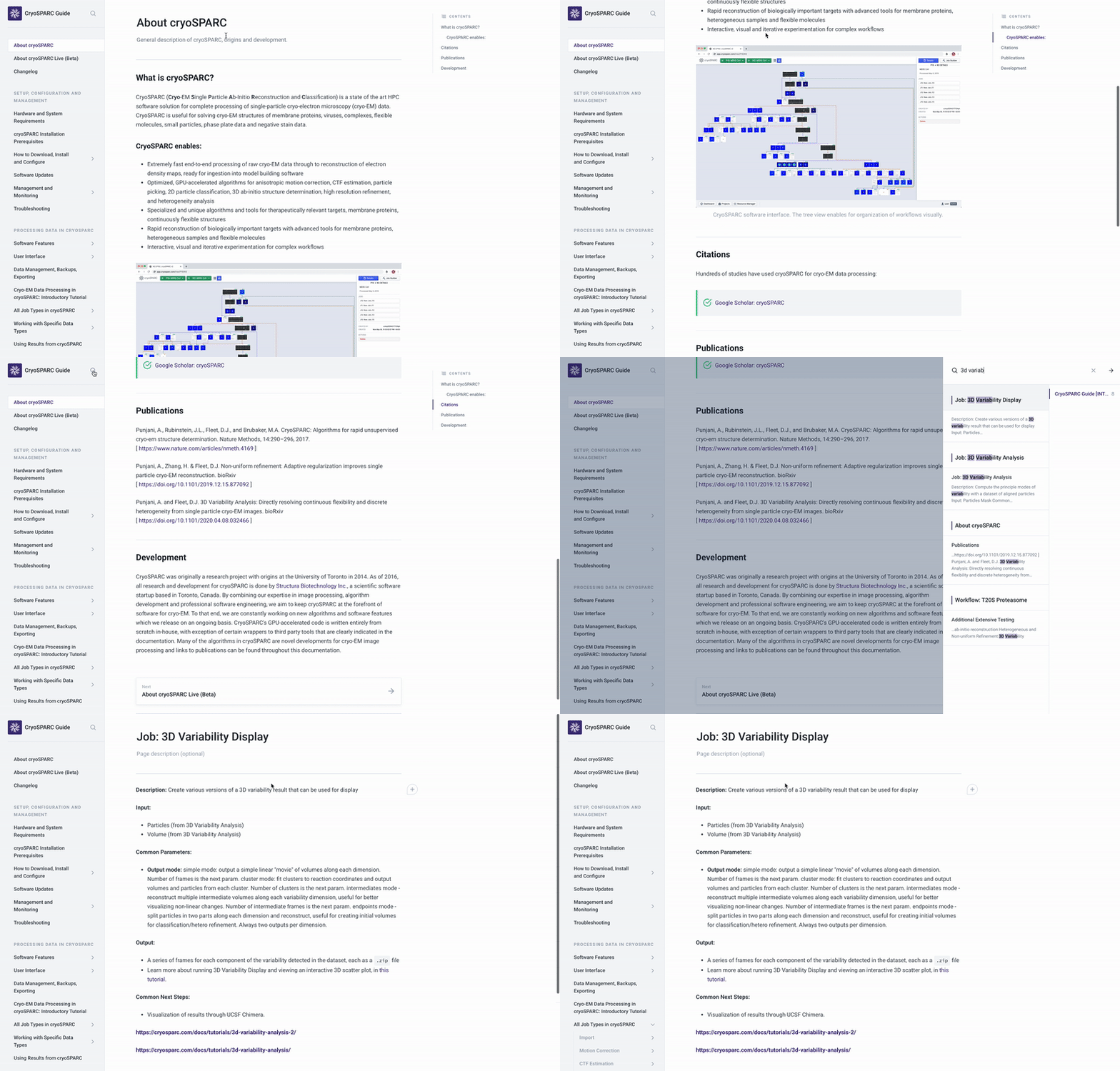
First version of a new, comprehensive cryoSPARC guide! Available at guide.cryosparc.com Beta. This guide will consolidate all existing documentation and be populated with cryo-EM data processing tutorials, tips, descriptions of methods, case studies, etc.
Release Highlights
Use the new cryosparcm patch command to install bug fixes and improvements without a full update
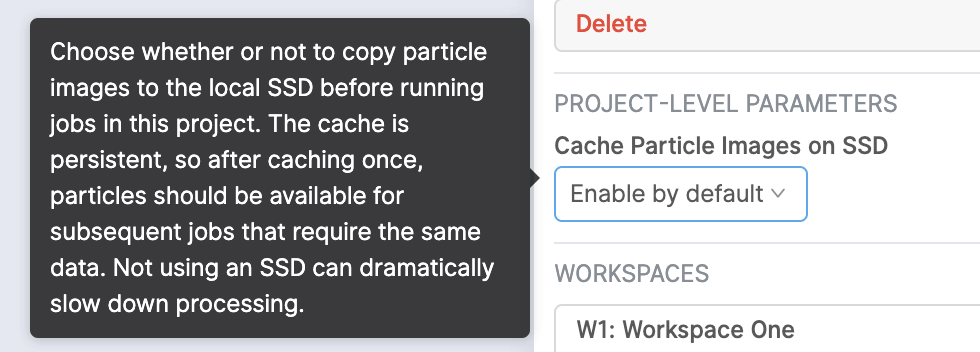
It is now possible to set a project-level default value for whether or not to cache particle images to the local SSD before running jobs within a project. The parameter can be adjusted from the sidebar when a project is selected
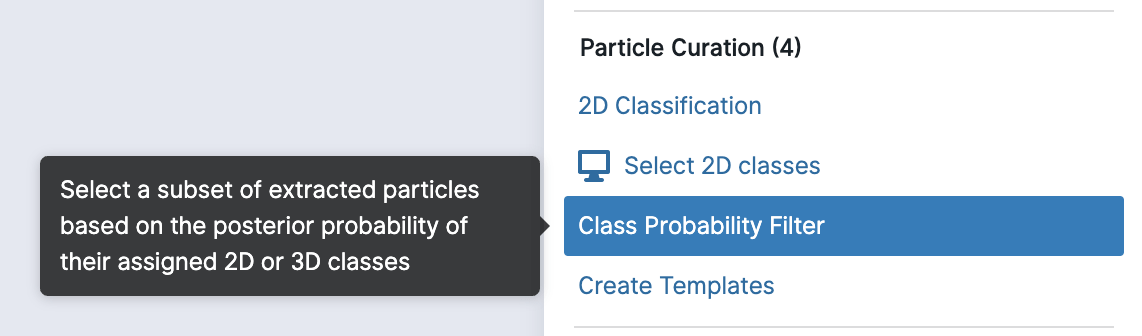
New Particle Class Probability Filter job: Filter particles based on the probability of matching their assigned 2D or 3D classes
In the Topaz Denoise job, the default values for the following parameters have been altered to better suit Topaz: The default value for the “shape of split micrographs” parameter has been changed to 1536. The default value for the “padding around each split micrograph” parameter has been changed to 256.
The Topaz Cross-Validation job has been updated with various improvements: Added option to output models from subsidiary training jobs when running cross-validation. Added expected number of particles and training radius as cross-validation parameters. Improved GPU distribution for subsidiary training jobs.
All Topaz jobs now store preprocessed micrographs to avoid unnecessary preprocessing in subsequent Topaz jobs.
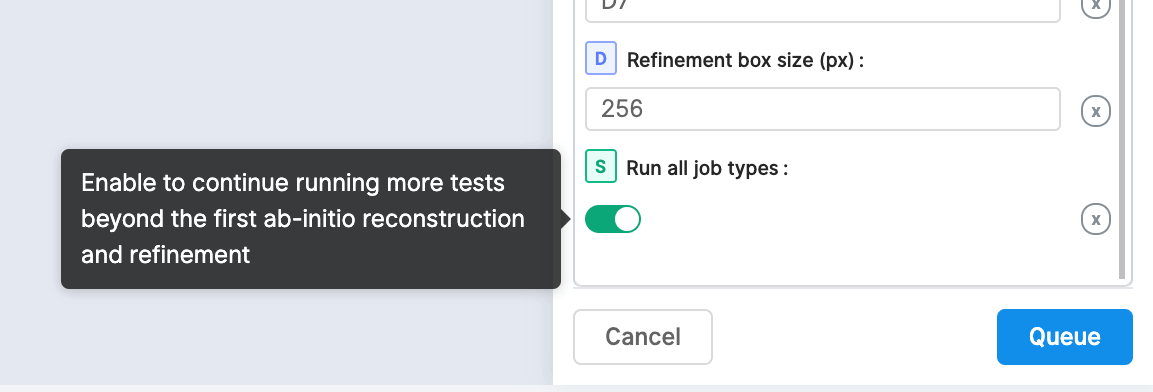
Added option for the Extensive Workflow to run additional job types, including Local Motion Correction, Multi-class ab-initio and 3D Variability. This can be used as a full system test for new installs and updates.
Use dynamically-generated SSD cache paths by including environment variables in the CRYOSPARC_SSD_PATH definition for a worker’s config.sh
Import Movies and Import Micrographs jobs are now parallelizable across multiple threads while reading the headers of all exposures to import
Initial and final mini-batch size parameters for Ab-initio Reconstruction can now be set to zero to automatically tune based on the estimated particle size
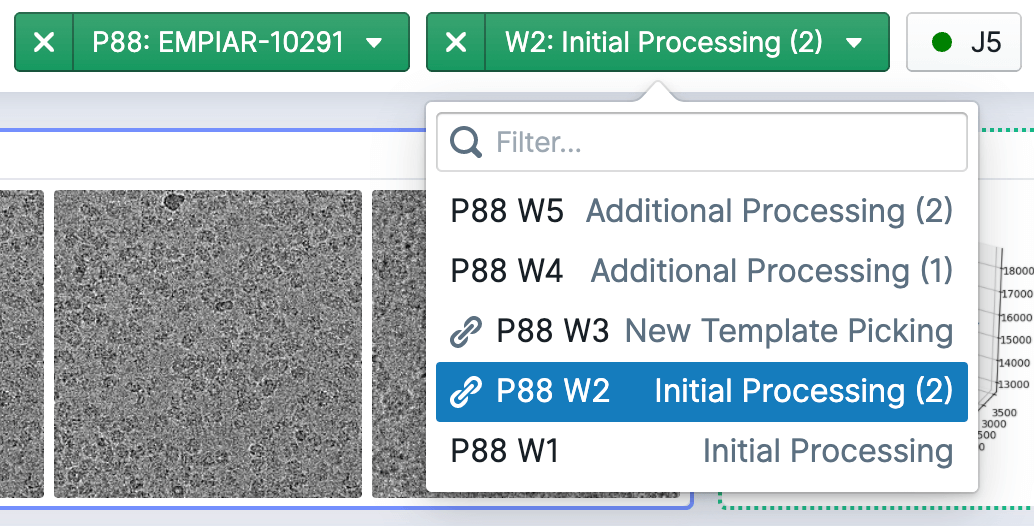
The project and workspace switchers, which allow you to quickly search and navigate, have been revamped. When you’re viewing a project or workspace, the switcher will highlight and scroll to it, allowing you to easily navigate relative to them. When viewing a job within a workspace, the workspace switcher will display a link icon next to every workspace that particular job is linked to.
The job history tab within the resource manager page now shows only jobs that have not been deleted by default. Select the ‘show deleted’ toggle to show only jobs that have been deleted.

Jobs can now only be imported from inside the project directory. This fixes a bug that causes particles to not be cached if they were imported from outside the project.
Executing a cryosparcm command is now only allowed by the owner of the script and on the master node. You can override this parameter by setting CRYOSPARC_FORCE_USER or CRYOSPARC_FORCE_HOSTNAME to true in your shell (or permanently inside cryosparc2_master/config.sh).
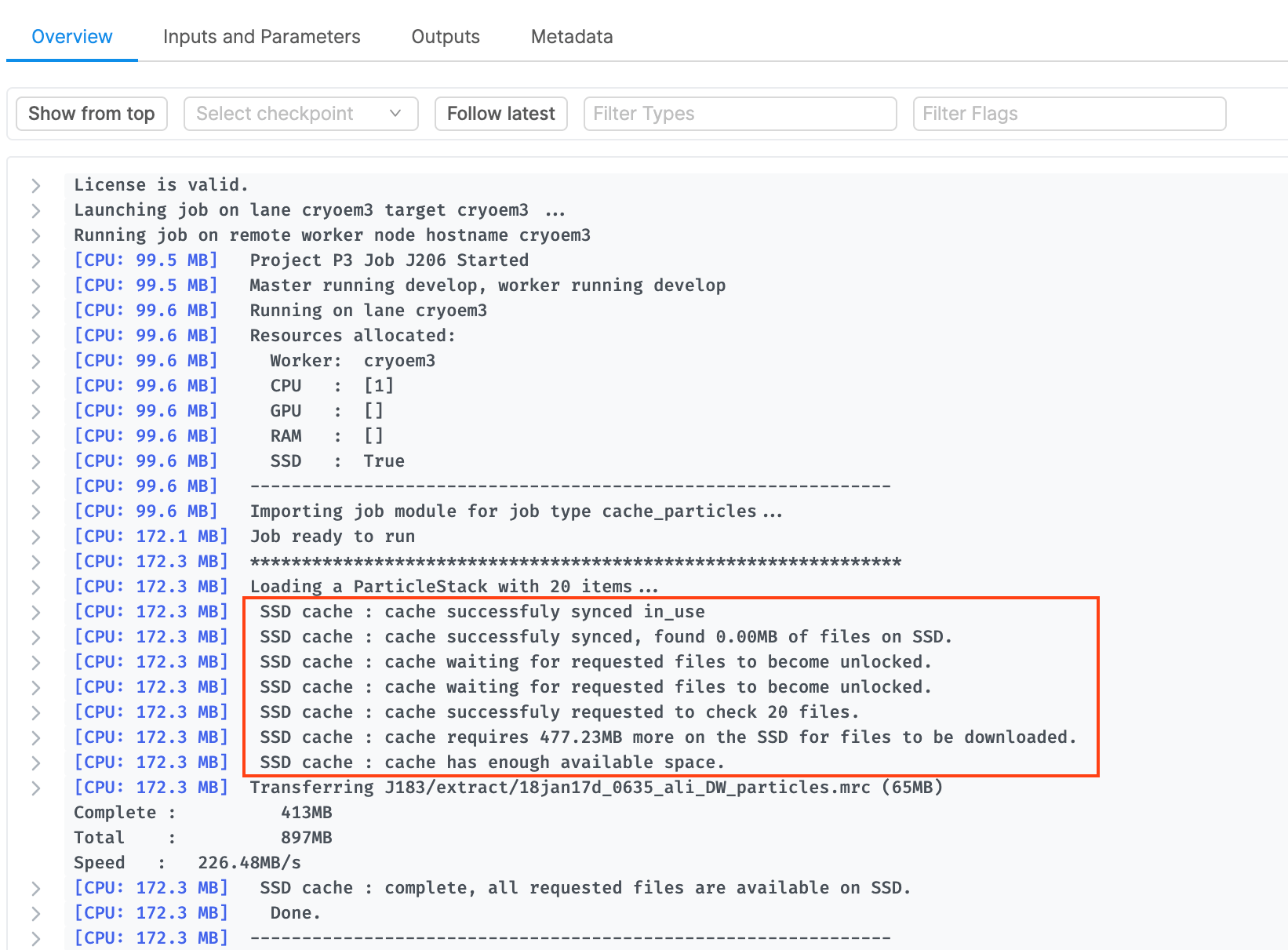
Bug where multiple jobs launched simultaneously using the same particles could result in endless “cache waiting” messages
Full-frame Motion Correction runs out of memory on 8GB cards with K3 data. There is now a switch to reduce memory usage by approximately half
ValueError was raised in 2D classification or Patch CTF Estimation jobs when movies that were imported separately but contain files with the same names get overwritten
All refinement jobs now use the first (rather than last) FSC threshold crossing for filtering during iterations
Bug in Particle Set Tools intersection when set A is smaller than set B
Bug in Heterogeneous Refinement which fails if intermediate plots are disabled
Manual Picker fails while calculating the contrast intensity range for a micrograph with an irregular shape
Topaz Denoised micrographs display fail to display correctly in the Manual Picker job (as either gray or black images)
Micrographs captured at a low magnification fail during Patch CTF Estimation with an IndexError
Select 2D fails when trying to select classes from a particle .mrc file that is too large to fit in memory. Also fixed a bug where an IndexError is raised if a class has less than 3 particles in it.
Exposure Group Utility job fails with a KeyError when an input dataset has a missing CTF result field
Inspect Picks job fails if you try to extract locations and the box size set is not an even number
Downsample Particles now exports particles in the correct order if the input particles are out of order on disk
MotionCor2 Wrapper: total dose is incorrectly specified as the frame dose argument for dose weighting
MotionCor2 Wrapper: output pixel size is incorrect after specifying a Fourier crop factor, causing CTF Estimates to fail
Project directory sizes don’t update when a project is deleted
Allow importing movies shot on high-aspect ratio detectors (2:1 aspect ratio or higher)
Resolved version incompatibilities with Topaz version 0.2.4a
cryoSPARC v2.14
February 20, 2020
Release Highlights
The job builder includes a search bar to quickly find the job you’re looking for
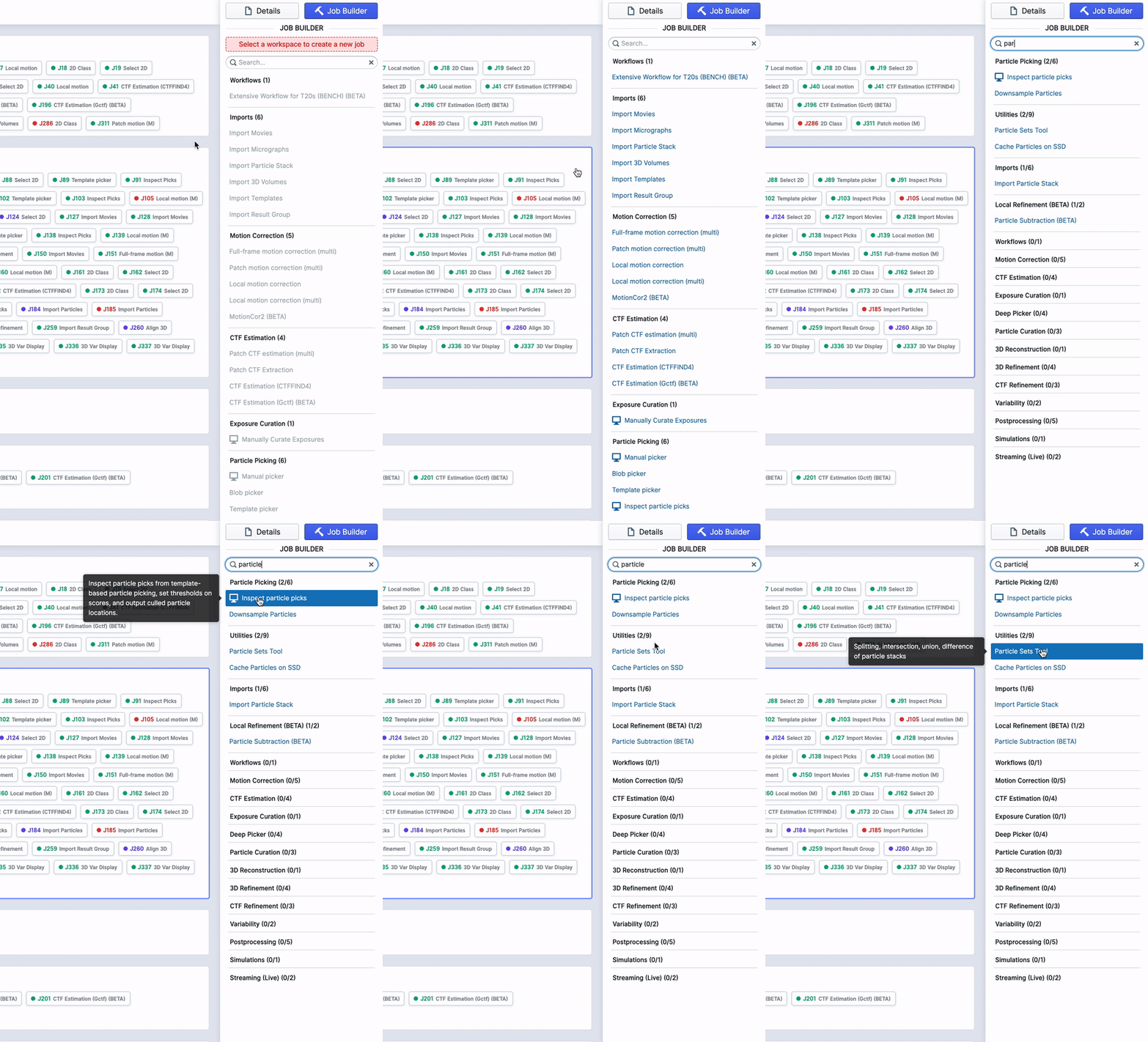
“Cache Particles on SSD” Job that will cache particles on a node of your choice
Many optimizations across cryoSPARC jobs - datasets containing a large number of items will see significant speedups
Added option to use pre-trained initializations in Topaz Train
Added option to use pre-trained model when running Topaz Extract
All jobs that output FSC plots have been updated to allow for downloading the raw data for external plotting
Curate Exposures job can be run without connecting micrographs, allowing for CTF-based curation using only movies
Topaz Denoise fails when trained model is input
Template Picker fails on K3 micrographs motion corrected using external software
Turning on the “Generate new FSC Mask” parameter in the Sharpening Tools job caused an AssertionError
“Particles Excluded” output group image in Select2D job was the same as the “Particles Included” output group image
New Homogeneous Refinement job sometimes fails when resampling initial model because boxes were not even sized
Performance regressions in the “Extract from Micrographs” job where the time to extract particles increased non-linearly with a larger number of exposures
In 2.14.2: “Inspect Particle Picks” job fails with a KeyError when it encounters an exposure with no particle locations
cryoSPARC v2.13
January 28, 2020
v2.13 is packed with a number of updates including interactive 3D variability analysis, reduced memory requirements for refinement of large box sizes, seamless support for negative stain and phase plate data, and more!
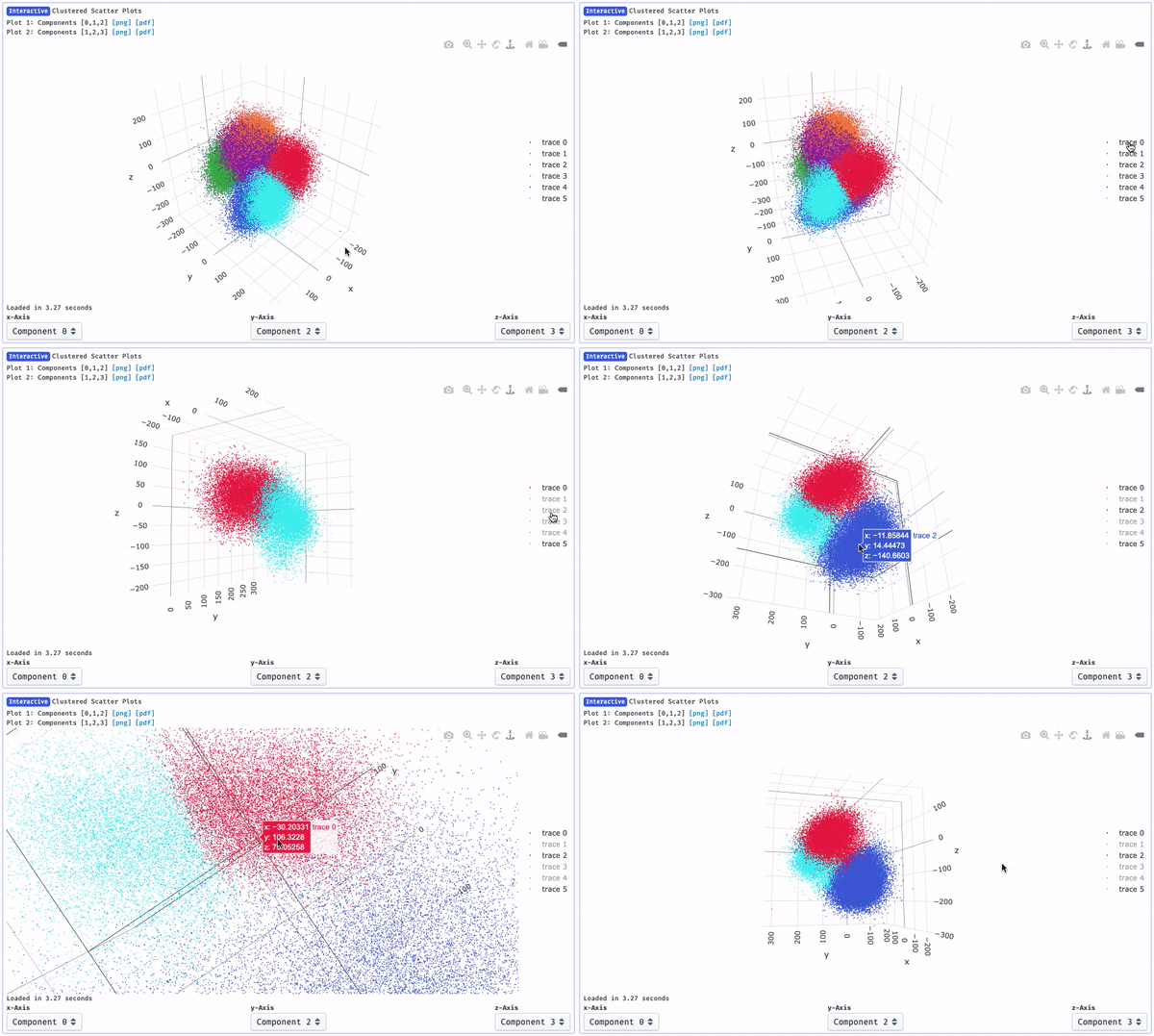
The 3D Variability Display job output now includes an in-browser, in-line interactive 3D scatter plot to analyze clusters in the distribution of particle reaction coordinates! The user can select which three reaction coordinates to display, and individual clusters can be shown or hidden. Read the new full tutorial, including examples of results:
When inspecting particle picks from template or blob pickers, particle pick scores (NCC) and power scores are automatically calibrated with respect to the defocus of each micrograph. This ensures that setting an appropriate threshold on one micrograph will yield good picks on other micrographs with very different defocus.
- Tutorial Particle Picking Calibration
Negative stain and phase-plate datasets are now more easy to process. A single toggle can be set during import and no other parameter changes are necessary in subsequent job types.
The blob picker can now use “ring” shaped blobs, which perform well in picking viruses and other spherical particles (eg. apoferritin).
Relion 3.1 format .star files can now be imported without errors, though optics group data is not currently parsed.
Manual picker interactive job now has adaptive robust contrast normalization to make seeing particles in imperfect images easier.
Manual Picker interactive job now includes a “Contrast Intensity Override” slider that allows users to manually select the contrast bounds when viewing a micrograph. The average, patch-based intensity is used by default for the Manual Picker and Exposure Curation jobs.

Validation (FSC) Job: Validation of a refinement result (i.e. half-maps) using the FSC is now available as a separate job type, with optional mask input.
Fourier-space plots in Homogeneous Refinement display correctly.
Multiple updates to Topaz-wrapped jobs in cryoSPARC:
- Added multiprocessing to substantially improve preprocessing times in all Topaz jobs
- Added parameter to select number of CPUs in the Topaz Extract job
- Topaz jobs now automatically account for negative stain data
- Topaz-extracted particles no longer cause 2D classification jobs to occasionally fail due to inconsistent CTF outputs
Passthrough output files now include the project and job numbers for easier referencing (e.g., P1_J1_passthrough.cs)
Manual Picker job now fails by default if the CTF inputs are not connected. An override switch has been added to allow manual picking without CTF estimates, which is not the recommended workflow.
3D Variability Display can now flip the handedness of output volume series.
CPU and GPU memory usage of Homogeneous Refinement is substantially reduced. In tests, it is now possible to refine a 1024 box size on a 11GB consumer-grade NVIDIA GPU (GTX 1080Ti), though this does require ~160GB of CPU RAM. A smaller 256 box size can run on a 4GB GPU and requires only 6GB of CPU RAM.
The template picker now uses substantially less GPU memory for large micrographs (e.g., K3 super-resolution data).
Local per-particle motion correction of K3 data now works correctly.
Bug that would cause cufftInvalidPlan error during refinement.
Bug where two Select 2D jobs are jobs connected to each other, the last Select 2D job shows incorrect class average thumbnails.
Bug where the command_vis would repeatedly try to start but fails, using 100% CPU in the process.
(Added in v2.13.2) Bug where mrc volumes were being saved as float64 files, which the mrc file format doesn’t support, causing the Sharpening Tools job to fail
(Added in v2.13.2) Bug where Heterogenous Refinement and Multi-Class Ab-Initio jobs would fail due to a ValueError
cryoSPARC v2.12
November 29, 2019
Major updates to 3D Variability: Solve more modes, smaller motions, automatic classification of discrete classes, and more!
New “cluster” mode in 3D Variability Display allows for automatic hierarchical 3D classification based on variability coordinates: directly visualize and see how many discrete classes are present in a dataset, separate them by clustering, and reconstruct each separately. Then recursively perform 3D Variability to look for sub-conformations or flexibility within each cluster, or refine each cluster separately.
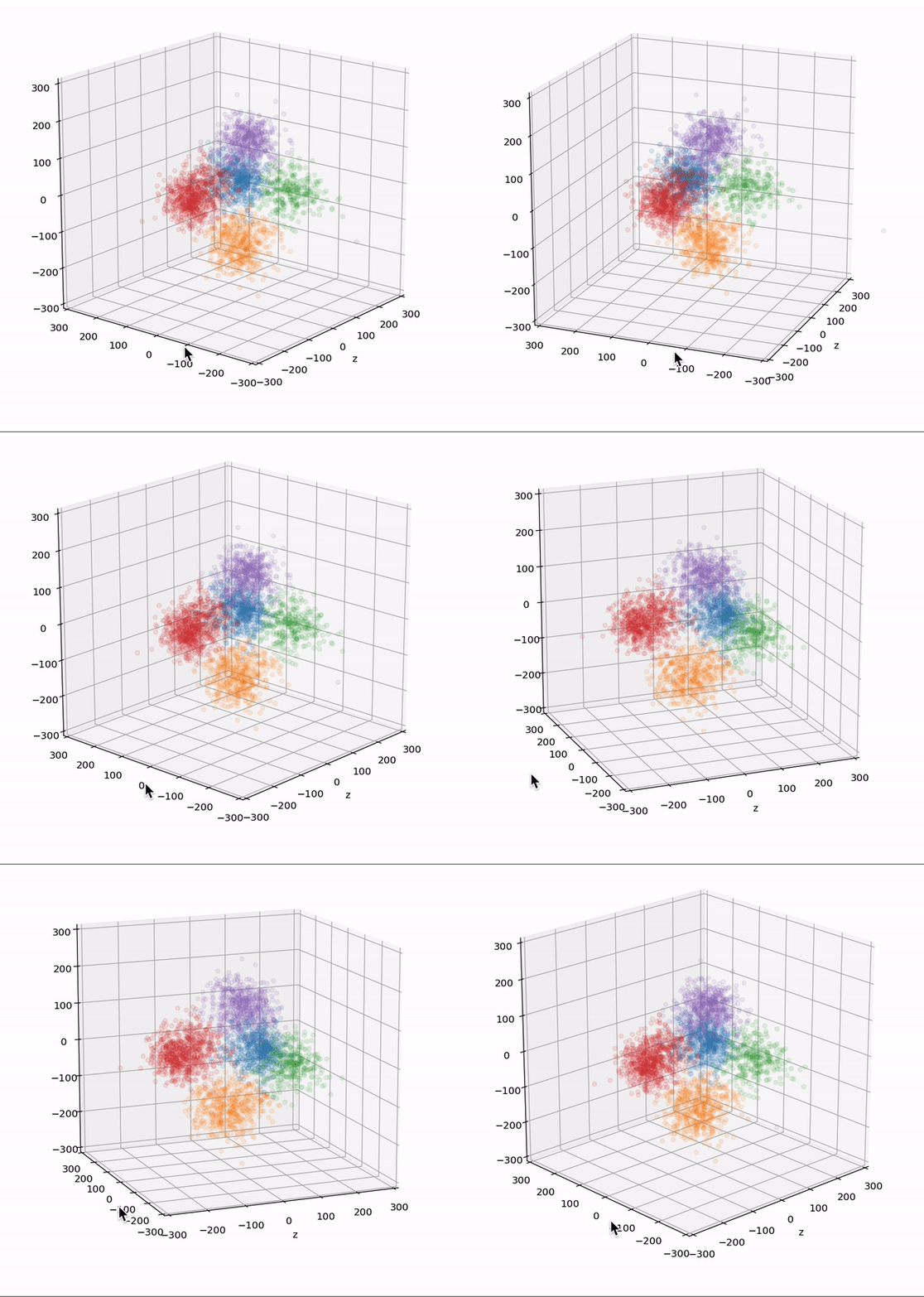
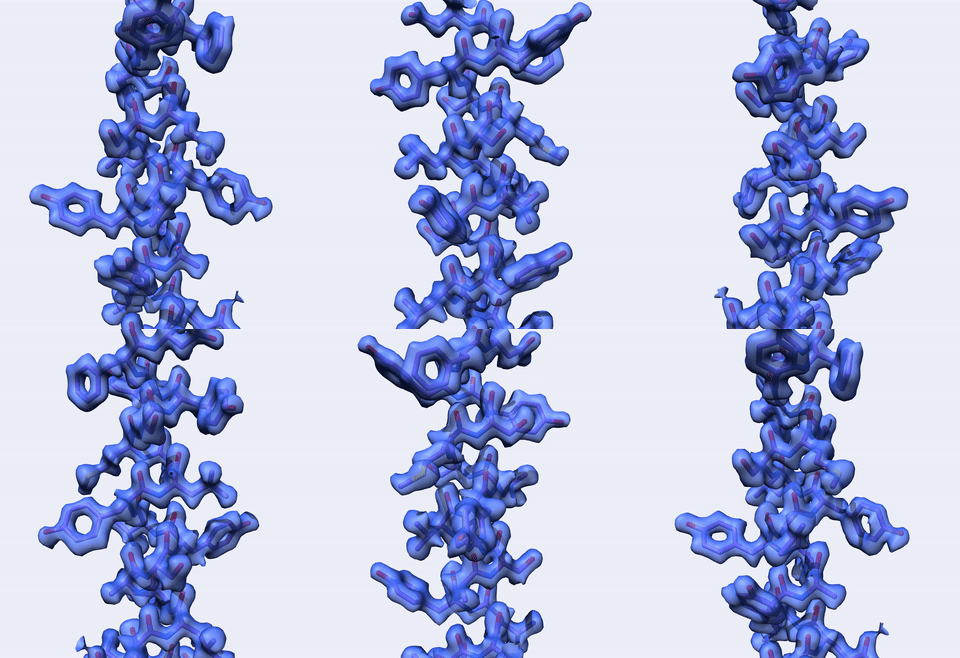
New “intermediates” mode in 3D Variability Display allows for weighted reconstructions of intermediate positions along each variability dimension: create more detailed videos of variability that minimize the effect of density appearing and disappearing during large motions. Also output weighted particle subsets for intermediate positions, for refinement of particular flexible conformations.
Default options in 3D Variability improve sensitivity to small variations in the 3D density. Plus support for coloured or white noise models, high-pass filter during optimization, per-particle scale optimization.
- Tutorial 3D Variability Analysis: Part One
Fixed streaking issue so that (many) more variability modes can be solved simultaneously.
Major updates to 3D Refinement: On-the-fly CTF refinement, aberration correction, exposure groups, substantial speed improvements!
Per-particle defocus refinement implemented on GPU allows CTF refinement in minutes for 100,000’s of particles. Implemented as a standalone job and also as an in-line on-the-fly option during Homogeneous Refinement.
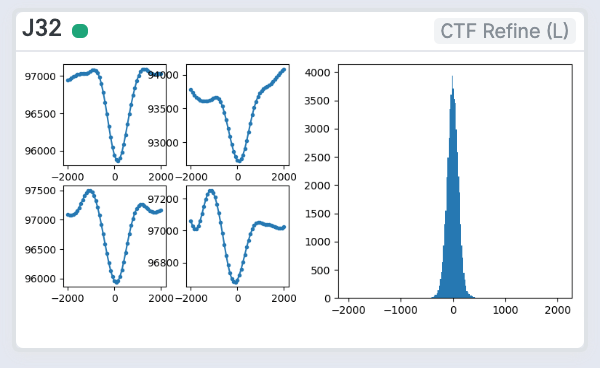
Global CTF Refinement and Local CTF Refinement jobs: CTF aberration support, also GPU implemented, corrects for beam tilt, trefoil, spherical aberration, and tetrafoil. Estimation of the new parameters can be done in a standalone job or as an in-line on-the-fly option during Homogeneous Refinement, yielding ultra-high resolution reconstructions.
- Tutorial Local CTF Refinement
- Tutorial Global CTF Refinement
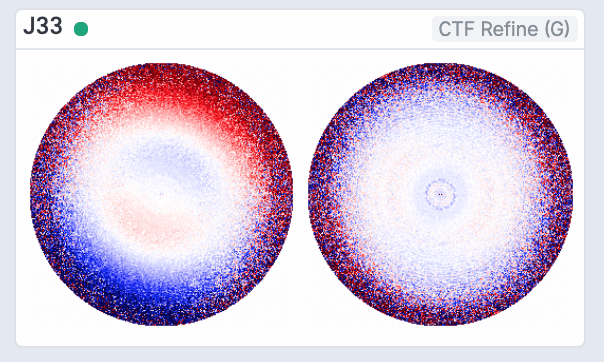
New Exposure Group Utilities job allows users to split or combine datasets into multiple exposure groups for higher-order aberration correction. Create exposure groups using regular expressions and separators, and test your exposure group creation strategy.
- Tutorial Exposure Groups
First-pass optimization of GPU and CPU code for Homogeneous Refinement: now up to 5x faster, especially for symmetric particles.
New UI-based User Management System
New admin page with ability to change roles of existing users and create new users through the UI
- Tutorial Create new users through the UI
- Tutorial Manage existing users through the UI
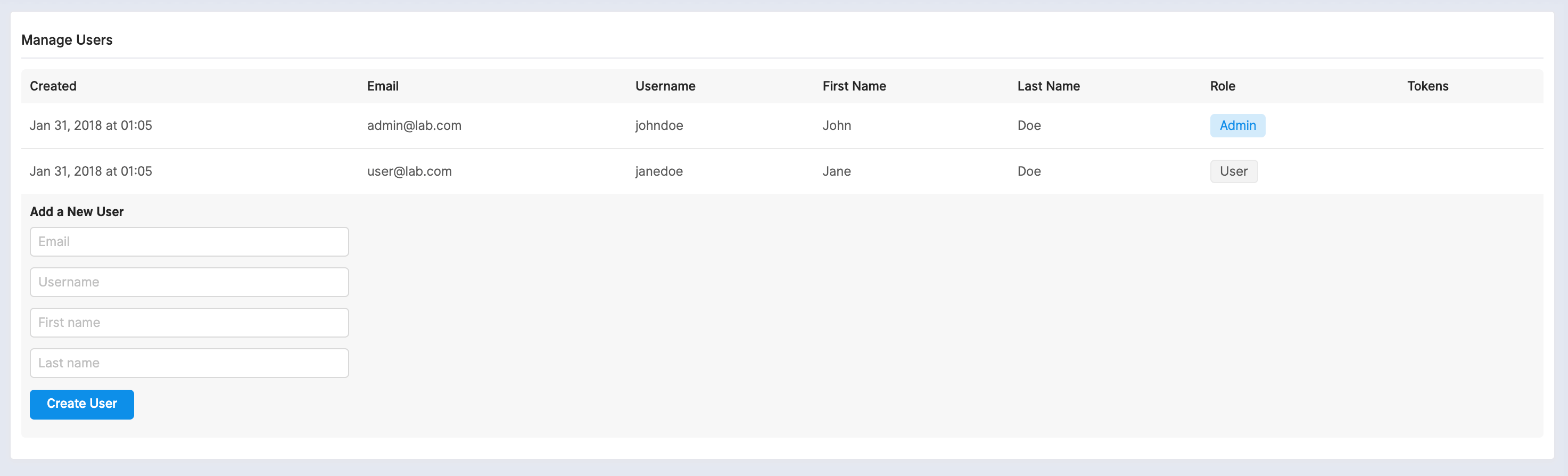
Users can request to reset their password through the interface
- Tutorial Resetting a password through the UI
Topaz Integration Beta
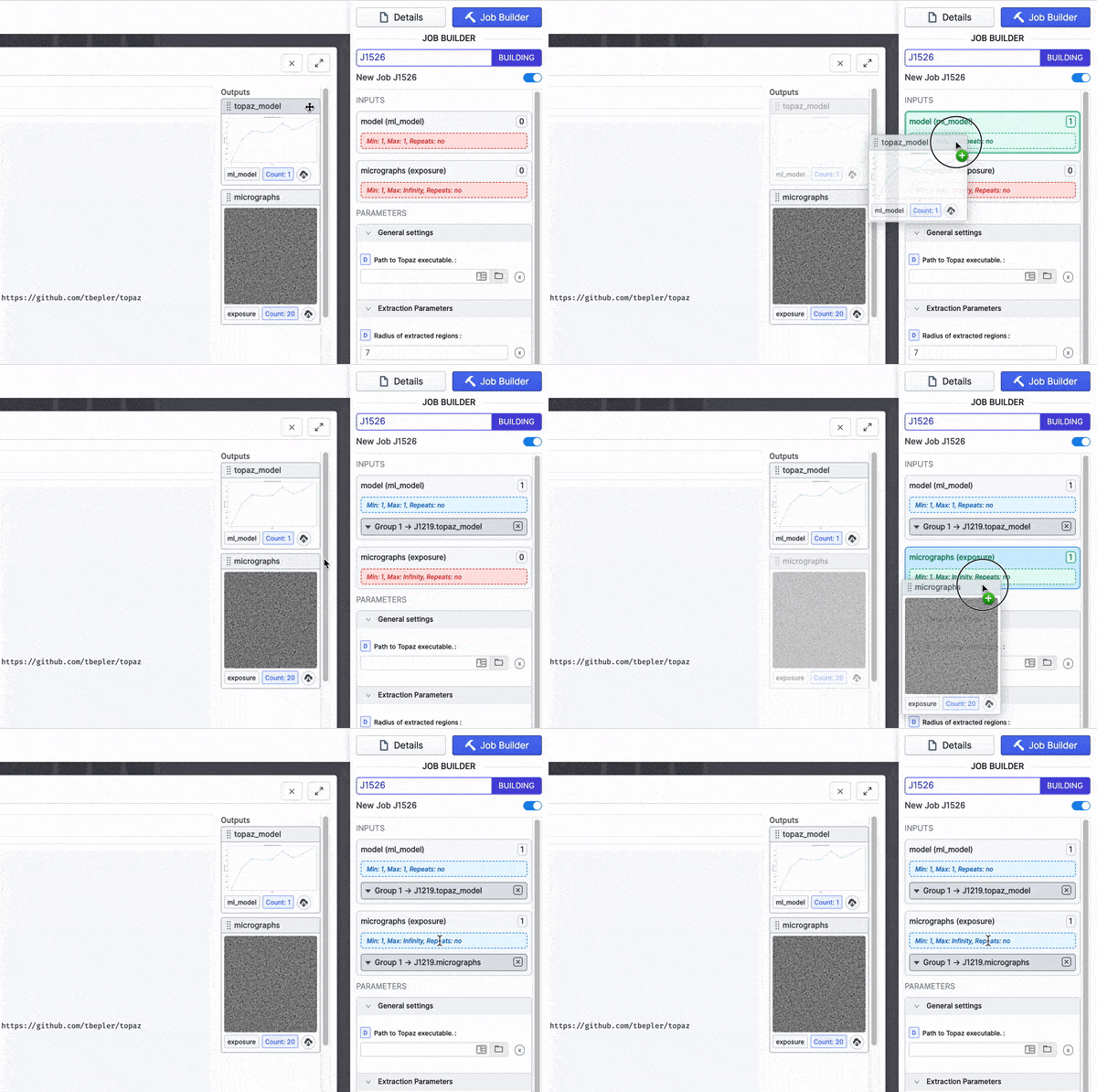
New Topaz wrapper jobs for integrating Topaz’s particle picking and micrograph denoising functionality
- Topaz Train, Topaz Cross Validation, and Topaz Extract jobs perform particle picking while the Topaz Denoise job performs micrograph denoising
- Users only need to install Topaz to incorporate it within the cryoSPARC pipeline
- Denoised micrographs are compatible with Manual Picker, Inspect Particle Picks, and Topaz’s particle picking pipeline, assisting users and machine learning models in observing micrographs
- Tutorial Topaz integration in cryoSPARC
Bepler, T., Morin, A., Rapp, M. et al. Positive-unlabeled convolutional neural networks for particle picking in cryo-electron micrographs. Nat Methods 16, 1153–1160 (2019) doi:10.1038/s41592-019-0575-8Other Updates
New Symmetry Expansion job expands particle poses around point-group symmetries, to support local refinement of subunits, as well as 3D variability of symmetric particles.
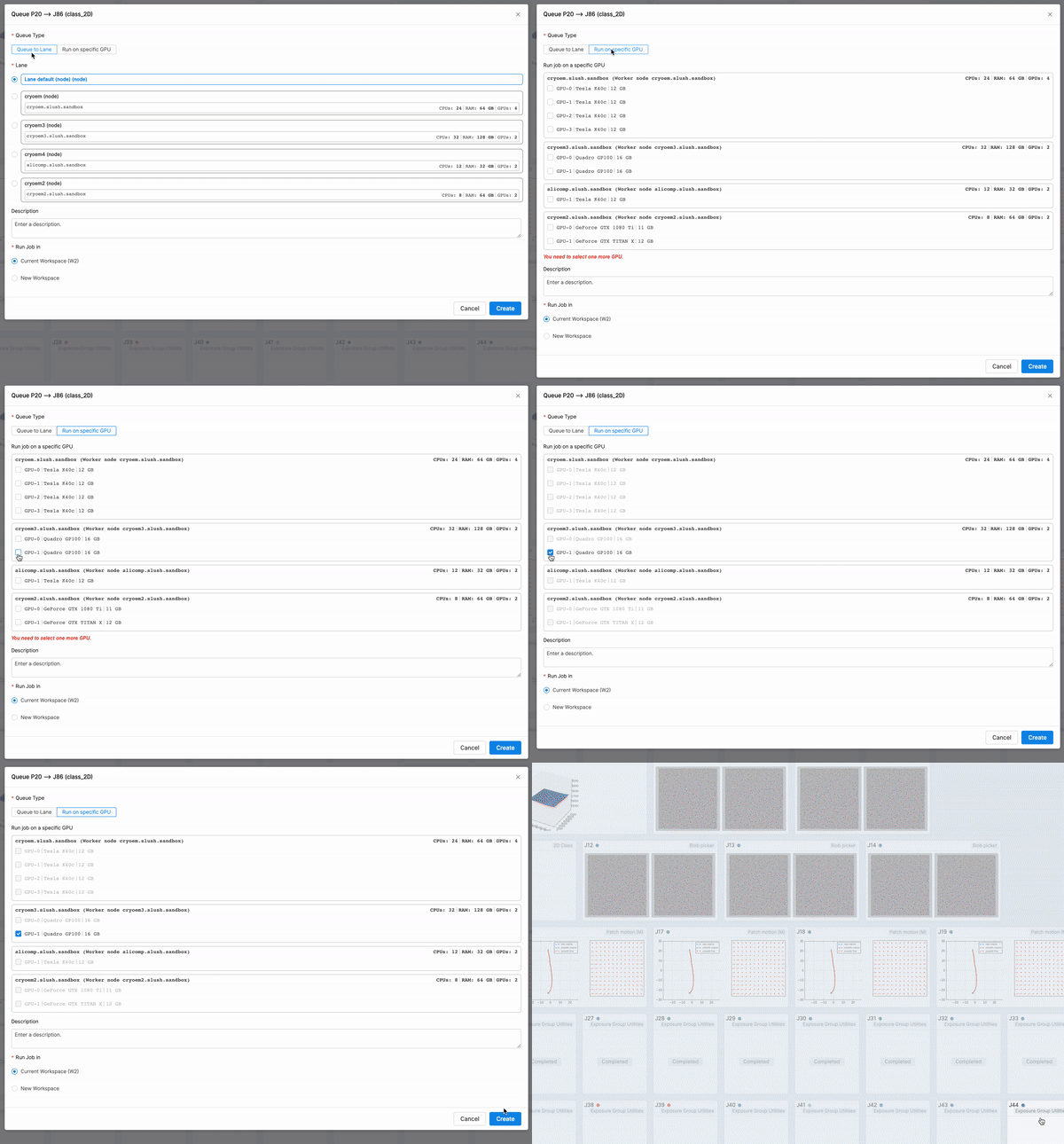
New Job Scheduler and Queuing Interface: Override the cryoSPARC scheduler to queue directly to a specific GPU
- Tutorial Queueing Directly To A GPU
Ability to perform non-interactive threshold selection for particle picking and extraction, and non interactive selection of 2D classes, making it possible to process simple data completely end-to-end without manual intervention
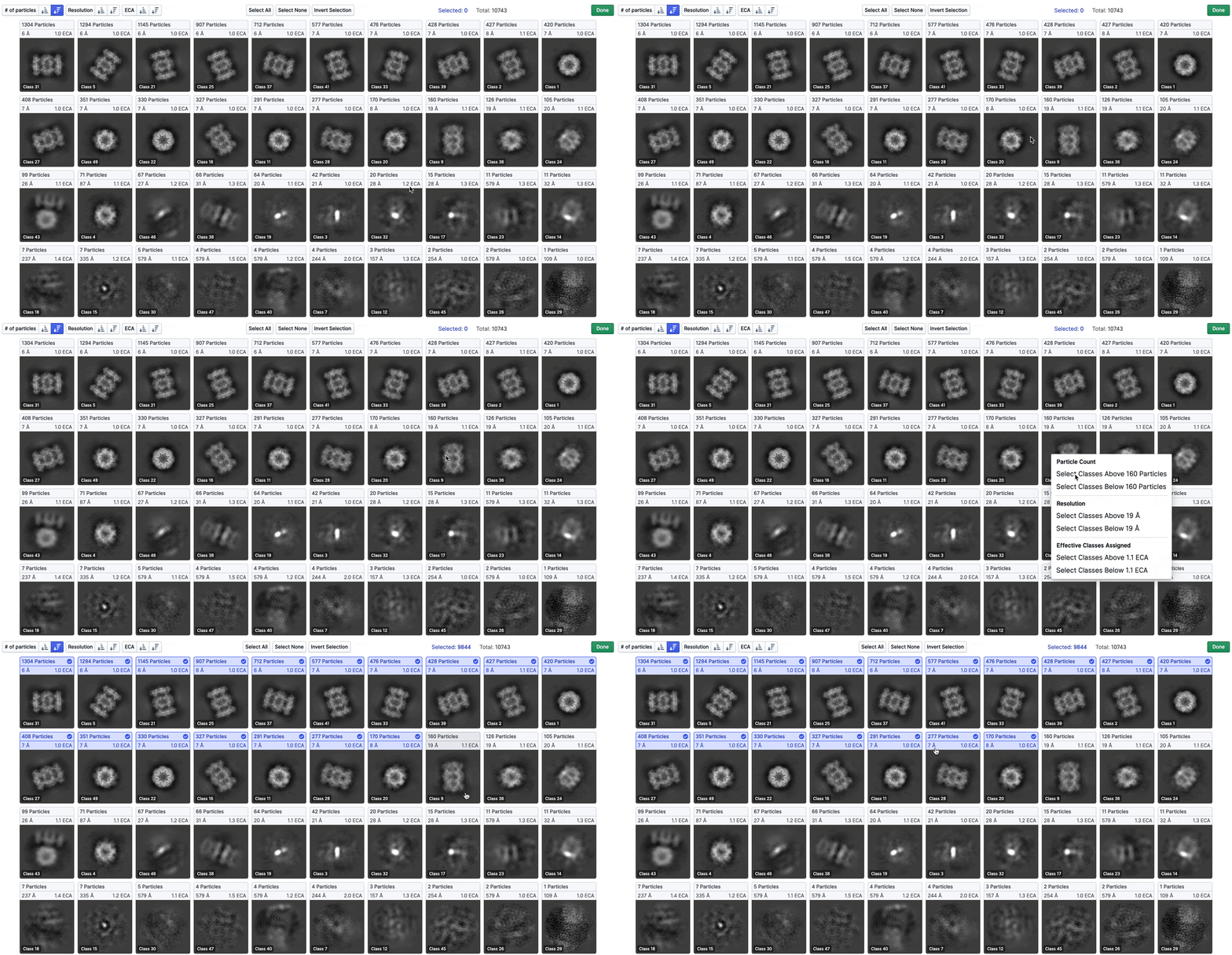
Ability to interactively select all classes above or below a threshold in Select 2D job (right-click a class)
Multiprocessing robustness updates in preprocessing jobs (Patch Motion, Full Frame Motion Correction, Patch CTF Estimation) ensure that if a job fails or is interrupted, completed results are recovered and processing can be resumed.
CRYOSPARC_DISABLE_IMPORT_ON_MASTER to allow master-direct jobs (import jobs, curate exposures, select 2D) to be queued on any machine you specify, and not only the master nodeignore_pose option in import particles to enable import of locations when pose information is missing