CryoSPARC v4.4.0
CryoSPARC now bundles CUDA Toolkit 11.8; a separate CUDA Toolkit installation no is longer required by the CryoSPARC worker application. BREAKING: CryoSPARC v4.4 requires NVIDIA driver version 520.61.05 or newer.
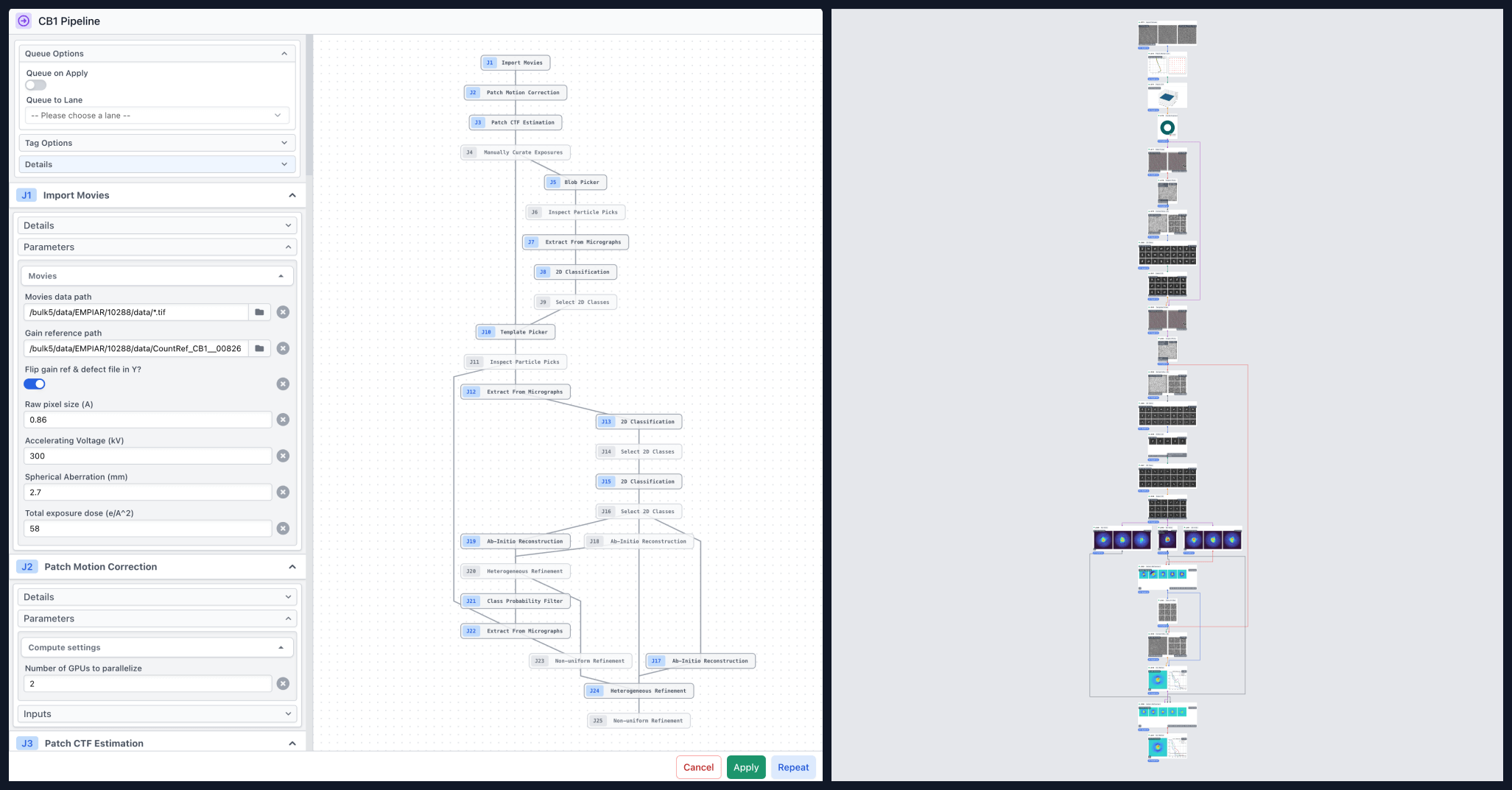
Introducing Workflows and Blueprints:
- Workflows: Workflows make it easy to replicate processing that you've done before. Select a chain of jobs to create a templated processing Workflow, and re-create it in any project or workspace with a single click. Annotate the Workflow with a description and tags, set up default or locked parameter choices, and easily share Workflows from one CryoSPARC instance to another.
- Workflows are flexible. You can create a linear Workflow that for example, starts with an import job and proceeds all the way to a refinement, to make it easier to process a new dataset using an existing set of steps. Alternatively, you can select a portion of a processing workflow that you would like to re-use for exploratory processing (e.g., for sorting particles or separating heterogeneity).
- Use Workflows to save time, to maintain consistency and repeatability, and to capture important target-specific or facility-specific processing details and patterns so that new users can get a head start.
- Watch a tutorial video and read the in-depth Workflows guide to get started.
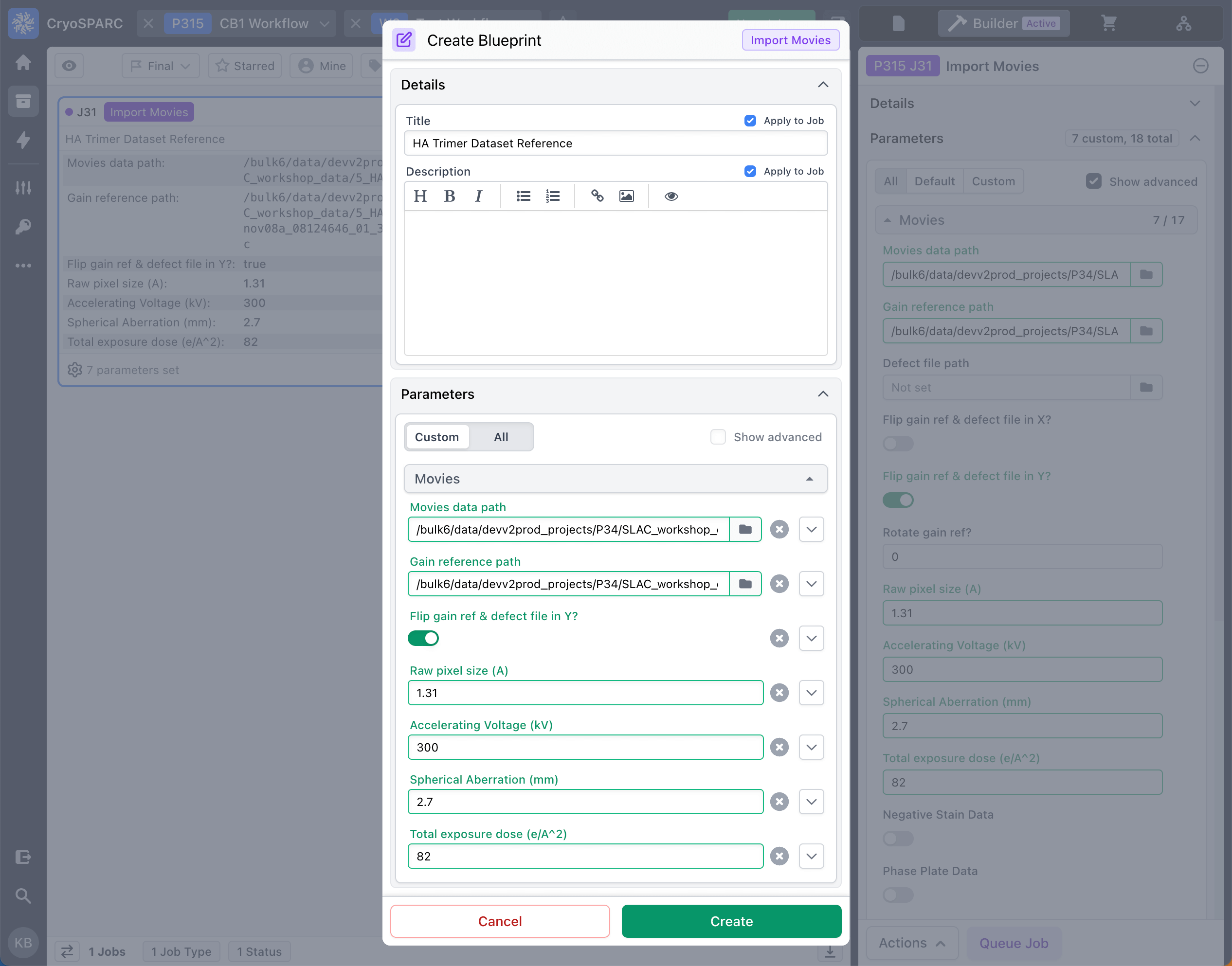
- Blueprints: Blueprints allow you to define custom parameters and annotations as a template for any job type. Apply the Blueprint to an existing job or create a new job from a Blueprint directly from the job builder, in any workspace or project.
- Save time and avoid mistakes in entering parameter values by creating Blueprints for e.g., import jobs for specific microscope setups, classification and refinement jobs for specific protein types or sizes, settings for specific computational configurations, etc.
- Create Blueprints to avoid searching across projects for the parameters of previous runs of a particular job type. Easily export, share, and import Blueprints from one CryoSPARC instance to another.
- Read the in-depth Blueprints guide to get started.
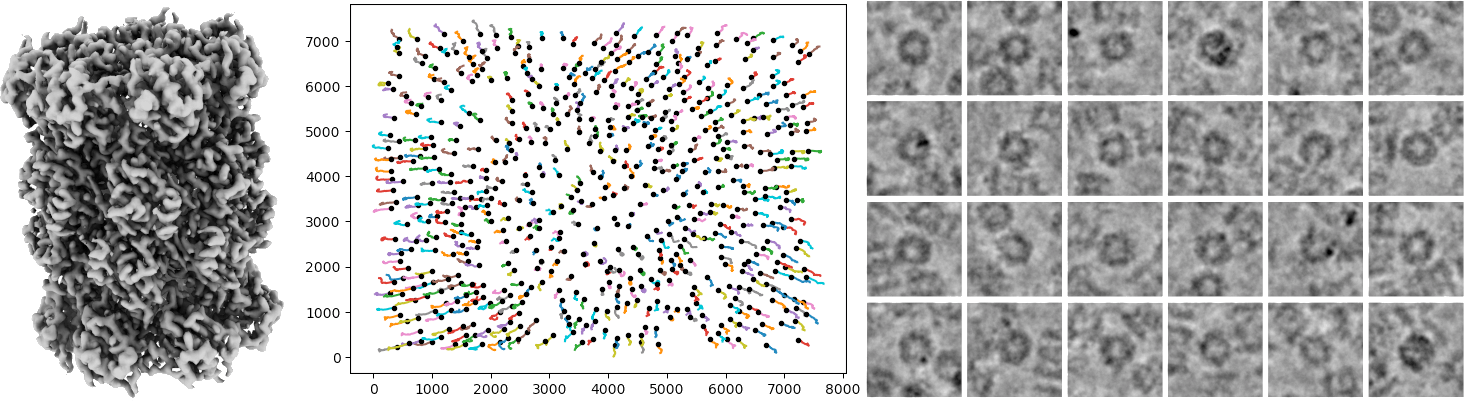
Reference Based Motion Correction (BETA) in CryoSPARC improves final resolution and map quality by re-estimating per-particle motion trajectories using a reference volume, similar to Bayesian Polishing (Zivanov et al, 2019).
- Before running Reference Based Motion Correction, you must run Patch Motion on your input movies and take the extracted particles through a 3D refinement.
- The reference density and particle poses from 3D refinement are used to go back to the input movies and re-extract particles with optimized motion trajectories. Reference Based Motion Correction is multi-GPU accelerated and optimized, and includes a new method for hyperparameter optimization.
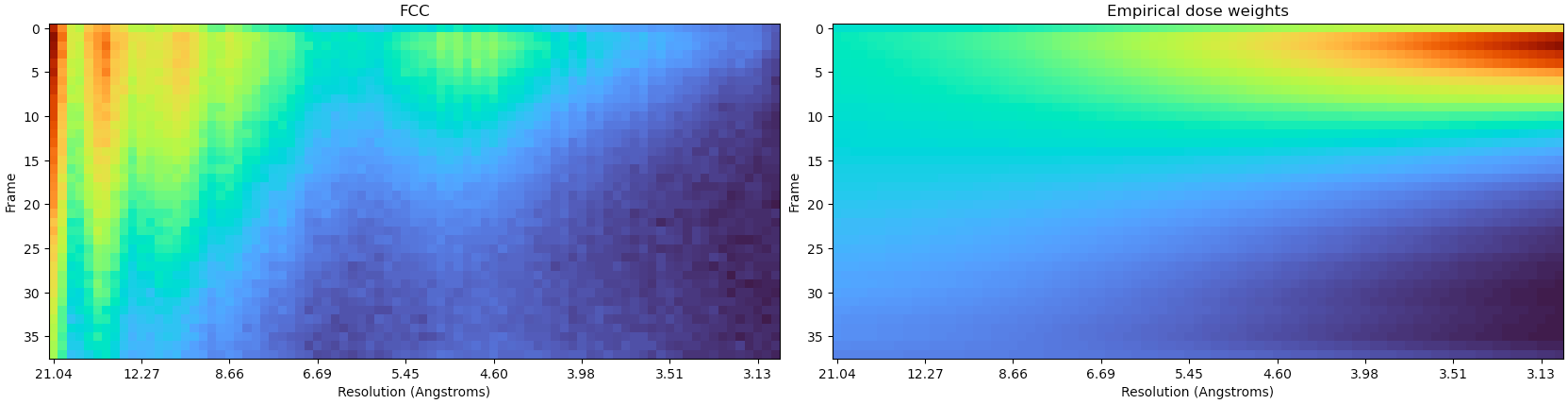
- The job also computes optimal empirical dose weights by comparing aligned particles against the reference density, and uses these to weight contribution from early and late frames of the input movies. This dose weighting is often responsible for a large part of the improvement from Reference Based Motion Correction. In CryoSPARC v4.4, Patch Motion correction can now accept empirical dose weights as input, e.g. from previous processing of a similar dataset, so that empirical dose weights can be applied right from the start of the processing pipeline.
- Reference Based Motion Correction can also perform motion estimation of particles from multiple heterogeneous classes simultaneously, and uses particles from all classes in each micrograph to constrain motion trajectories, potentially leading to improved results over processing each class separately.
- Watch a detailed tutorial video to learn how to use the job, and read the job documentation for theory and more details about the method.
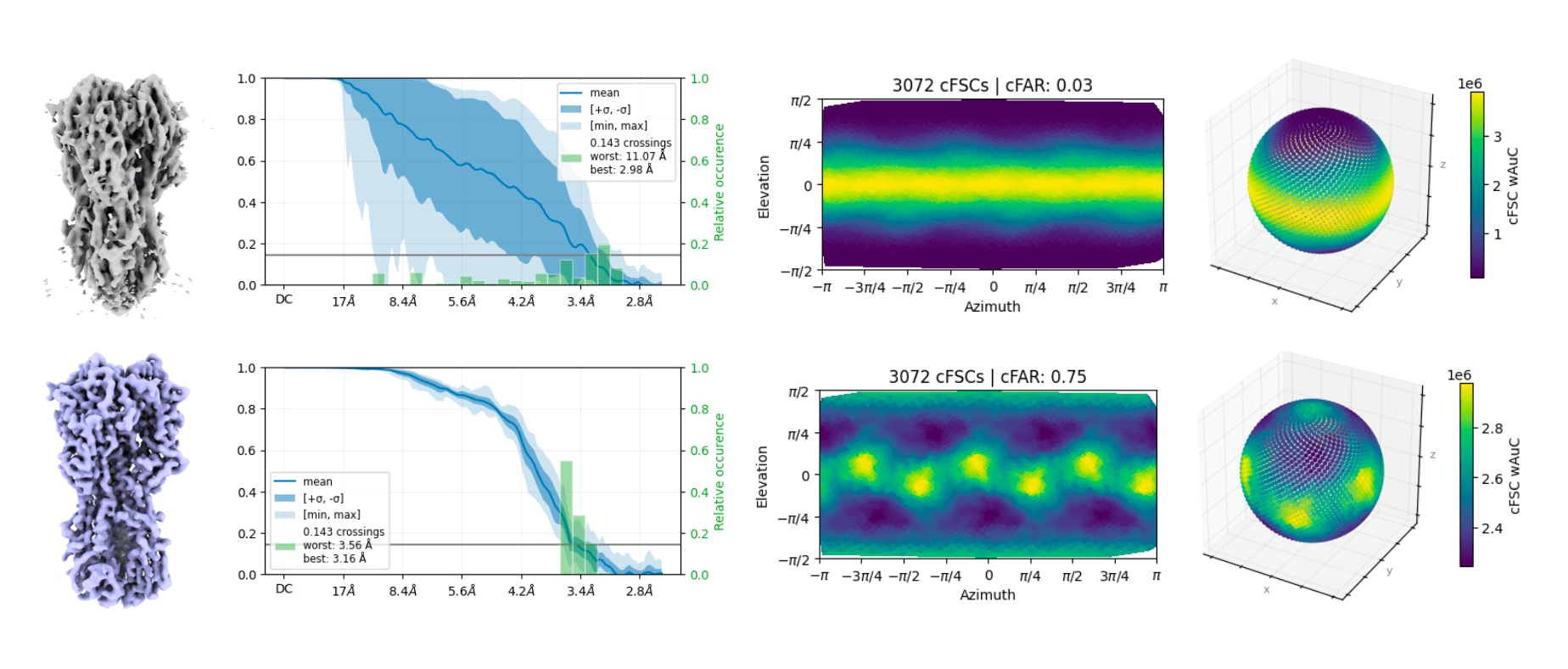
Orientation Diagnostics, a job that rapidly computes a set of easily interpretable diagnostics to identify orientation bias and anisotropic signal content in 3D refinement results. Quickly identify potential data collection, sample preparation, or particle picking/curation issues with two complementary statistics: Conical FSC Area Ratio (cFAR), sensitive to anisotropy in signal content and alignments and Sampling Compensation Factor (SCF*), sensitive to anisotropy in alignments (Baldwin and Lyumkis, 2020).
- Several new diagnostic plots allow for in-depth analysis of directional variation in FSCs and particle scale factors. The generated diagnostics include the values and plots previously produced by the 3DFSC wrapper job, which is now a legacy job.
- Read a tutorial on how to use the job, and read the job documentation for theory and more details about the method.
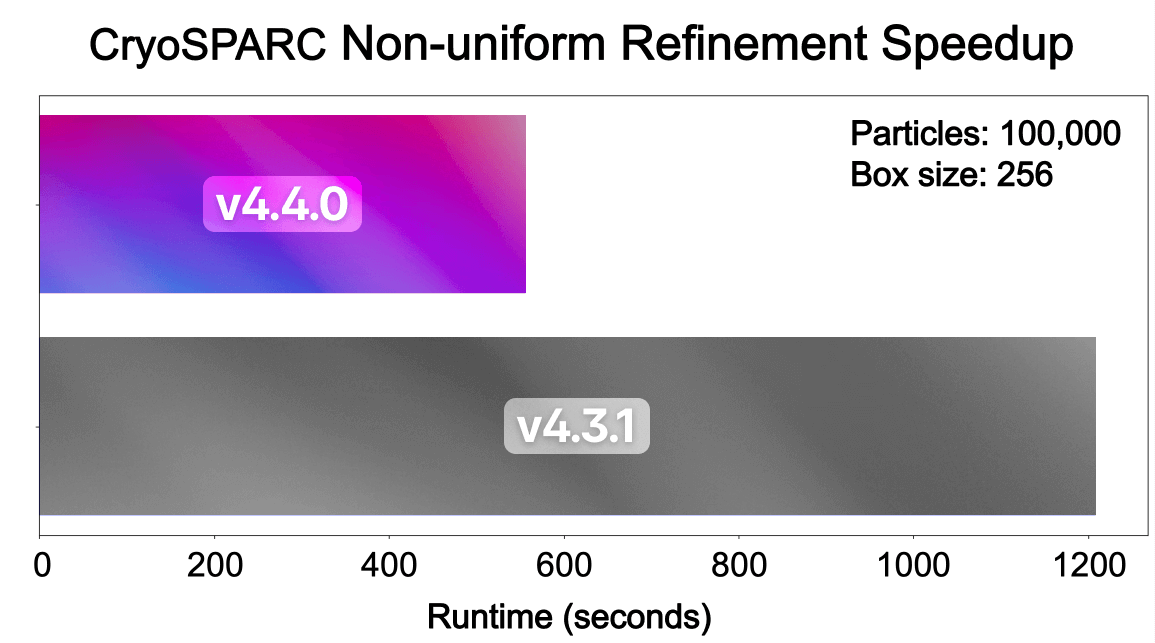
Non-Uniform Refinement is up to 2x faster: the core computation for non-uniform cross-validation regularization is optimized on GPU to be 7x-10x faster. This translates to approximately 2x faster overall run time for Non-Uniform refinement jobs, and Helical and Local Refinement jobs with non-uniform regularization enabled.
3D Flex Reconstruction job now supports CTF aberrations during high-resolution reconstruction. Also, there is now an option to read particles from SSD cache or from project directories during reconstruction, rather than loading all particles into RAM. This option substantially decreases the CPU RAM requirements for reconstruction.
- In addition, 3D Flex dependencies are now bundled with CryoSPARC and no longer require a separate online installation step. 3D Flex now supports the latest NVIDIA GPU compute capabilities 8.9 and 9.0.
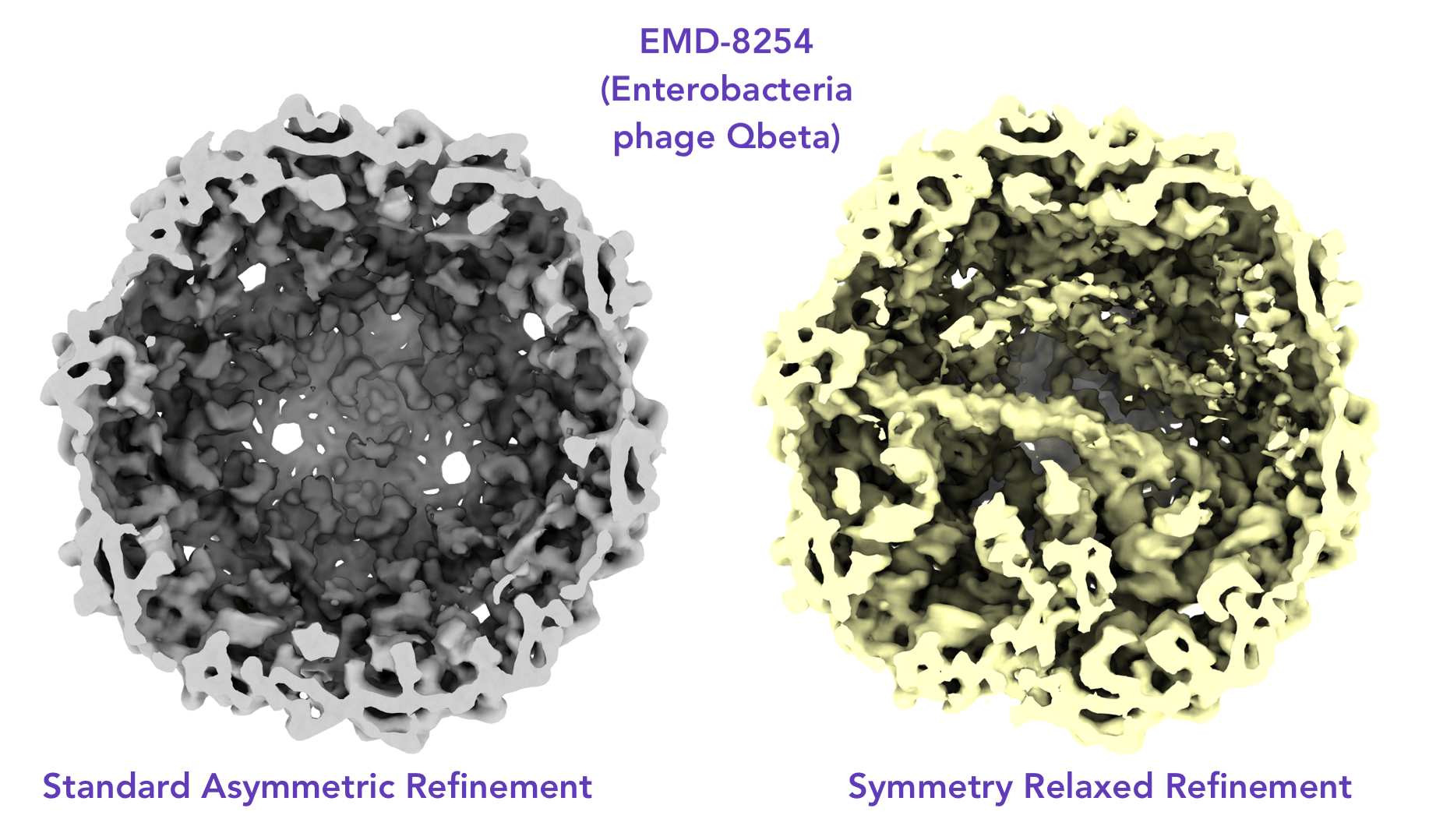
Symmetry Relaxation: There is now an option to relax the pose search over symmetry-related views in Homogeneous and Non-Uniform Refinement.
- A "break symmetry" option is available in Homogeneous Reconstruction that randomizes particle poses over the chosen symmetry group.
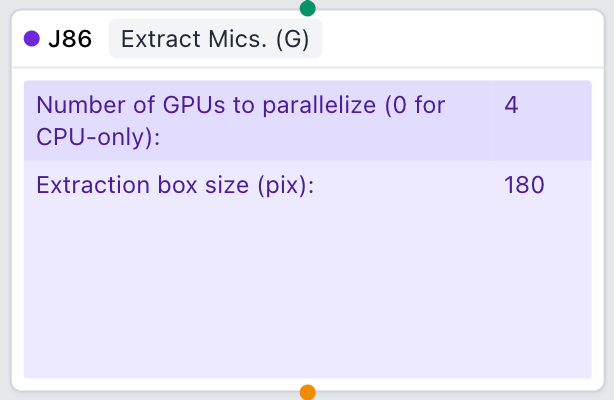
float16 Support: Particles and motion-corrected micrographs can now be output in 16-bit floating point format, via a new parameter in motion correction and extraction jobs. This can cut disk usage in half for large projects. The option to output float16 can also be set as a project-level default parameter.
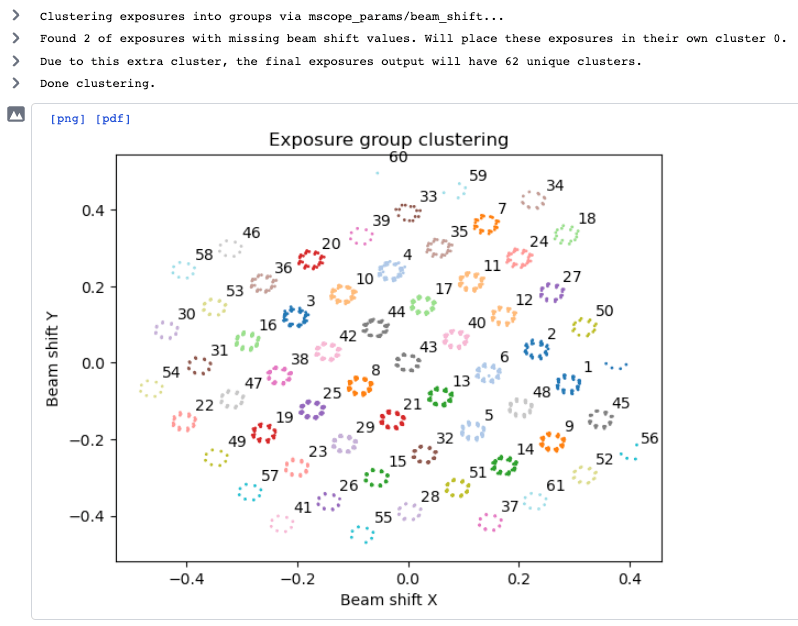
AFIS Beam Shift Import: In Import Movies and Import Micrographs, beam shift values for data collected in EPU via the Aberration-Free Image Shift (AFIS) method can now be directly imported, and exposure groups created based on clusters of beam shift values.
- For existing exposure datasets in CryoSPARC, add beam shift information using the new Import Beam Shift job. In the Exposure Group Utilities job, cluster exposures into exposure groups based on imported beam shift values automatically.
Regroup 3D job quickly creates a set of 'superclasses' from a larger set of upstream 3D Classification or Heterogeneous Refinement classes. It uses a lightweight spectral clustering algorithm that can aid in identifying dominant conformational variations.
Heterogeneous Reconstruction Only job reconstructs multiple classes from upstream 3D Classification, Heterogeneous Refinement, or Regroup 3D outputs. It uses weighted back-projection via upstream class posteriors, with an option to apply hard classification. It includes similar reconstruction options as the Homogeneous Reconstruct Only job (including symmetry, box size, etc.).
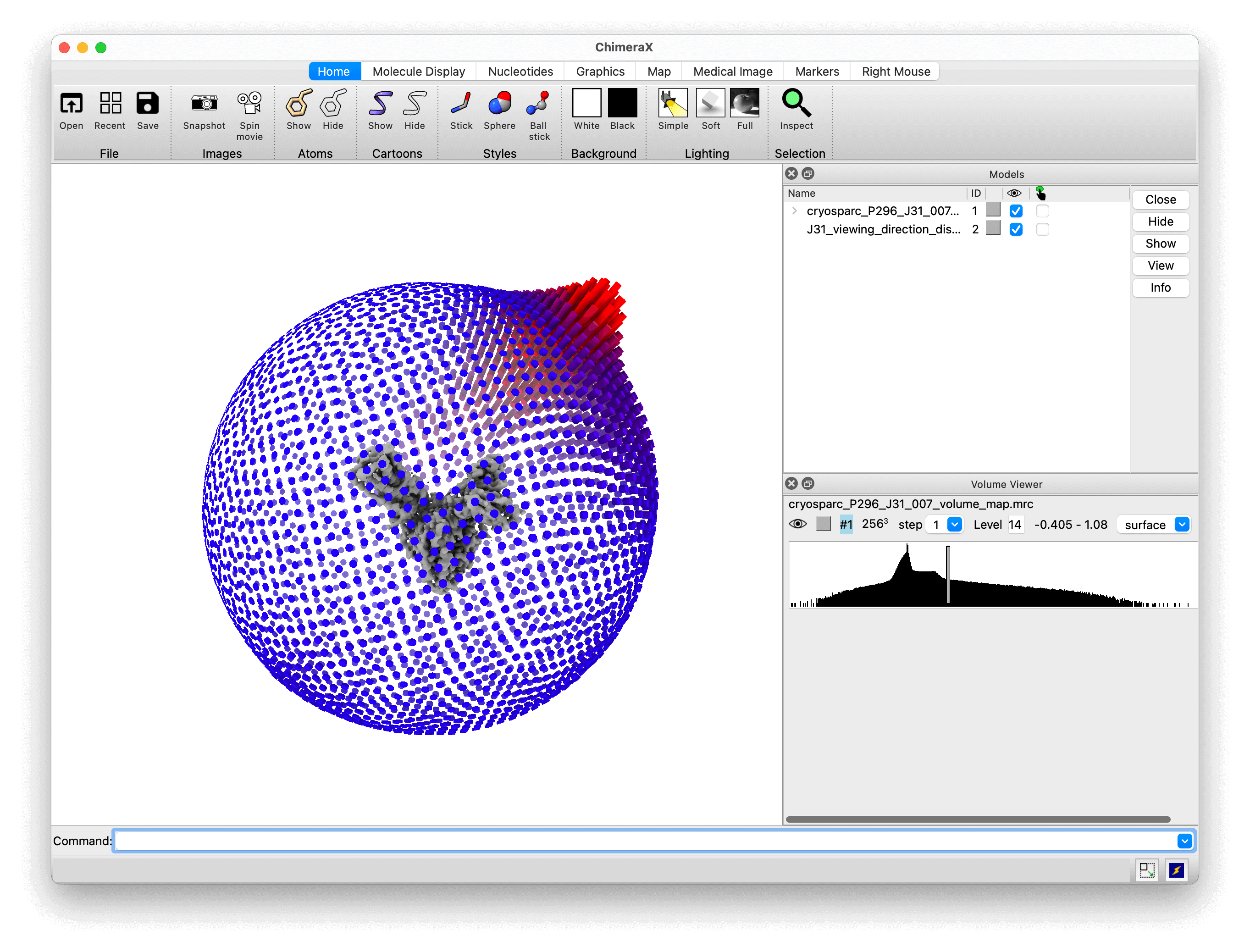
Viewing direction distribution plots now include an option to export as a BILD file for visualization in UCSF Chimera(X).
Experimental SSD cache system with significantly improved reliability and support for network drives. To enable, add export CRYOSPARC_IMPROVED_SSD_CACHE=true to cryosparc_worker/config.sh. See the guide for more details.
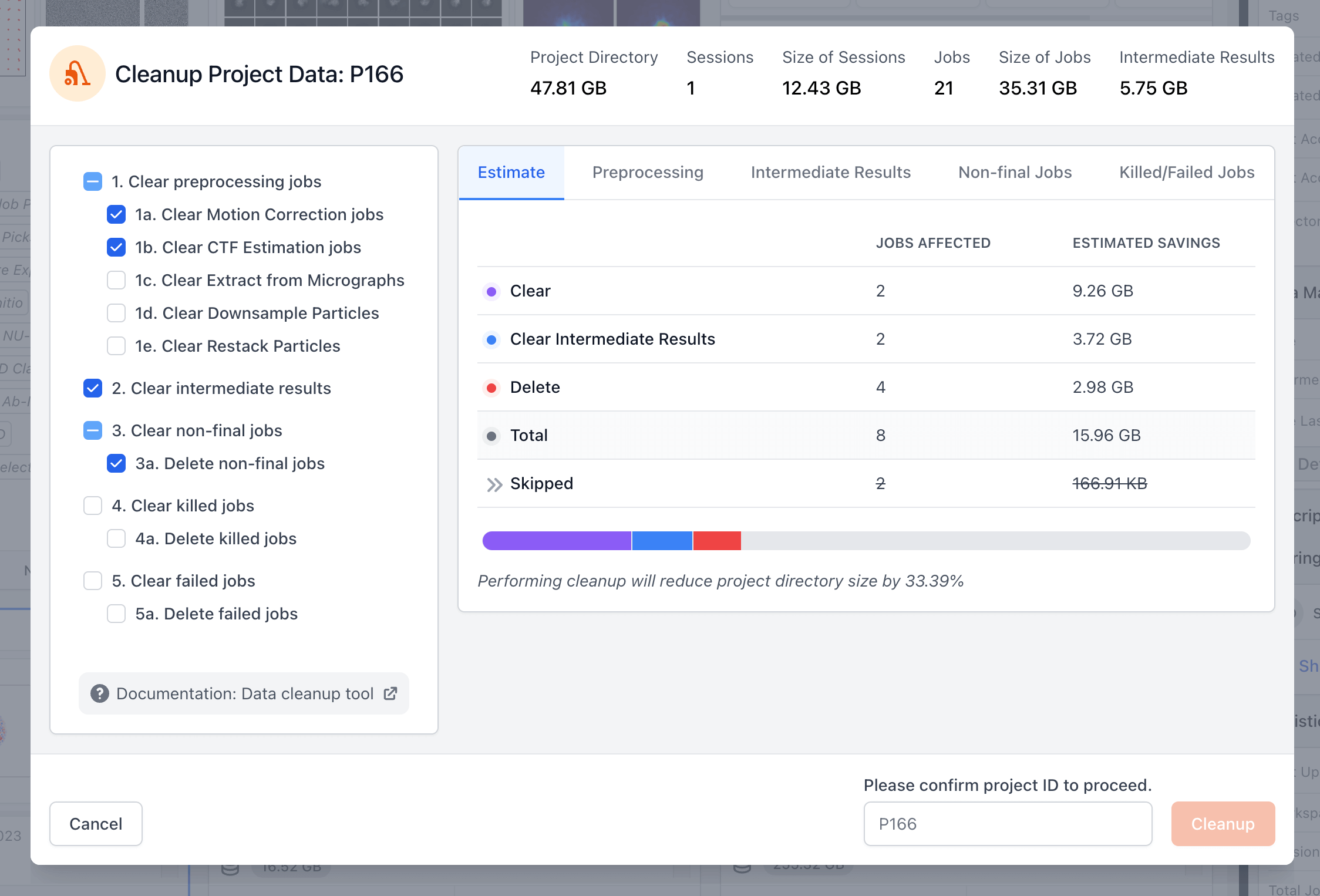
Improved behaviour of the Data Cleanup Tool to streamline compaction of projects and workspaces:
- All options are unchecked by default.
- When running the Cleanup Data tool on a single workspace within a project, jobs that are linked to other workspaces will no longer be deleted by the tool; instead those jobs will be unlinked from the workspace being cleaned and will remain present in the other workspaces.
- CryoSPARC Live jobs, which are excluded from the cleanup process, are marked as "Skipped" and their size is now displayed.
- The total project directory size is now displayed in the cleanup tool along with the total size of data that the tool can clear, which may be different due to imported and manually copied files that may be present in the project directory.
2D Classification implementation that reduces memory usage and provides speedups with larger datasets. The original implementation is available as a legacy job type.
Reconstruct 2D Classes job that reconstructs 2D class averages from previously classified particles.
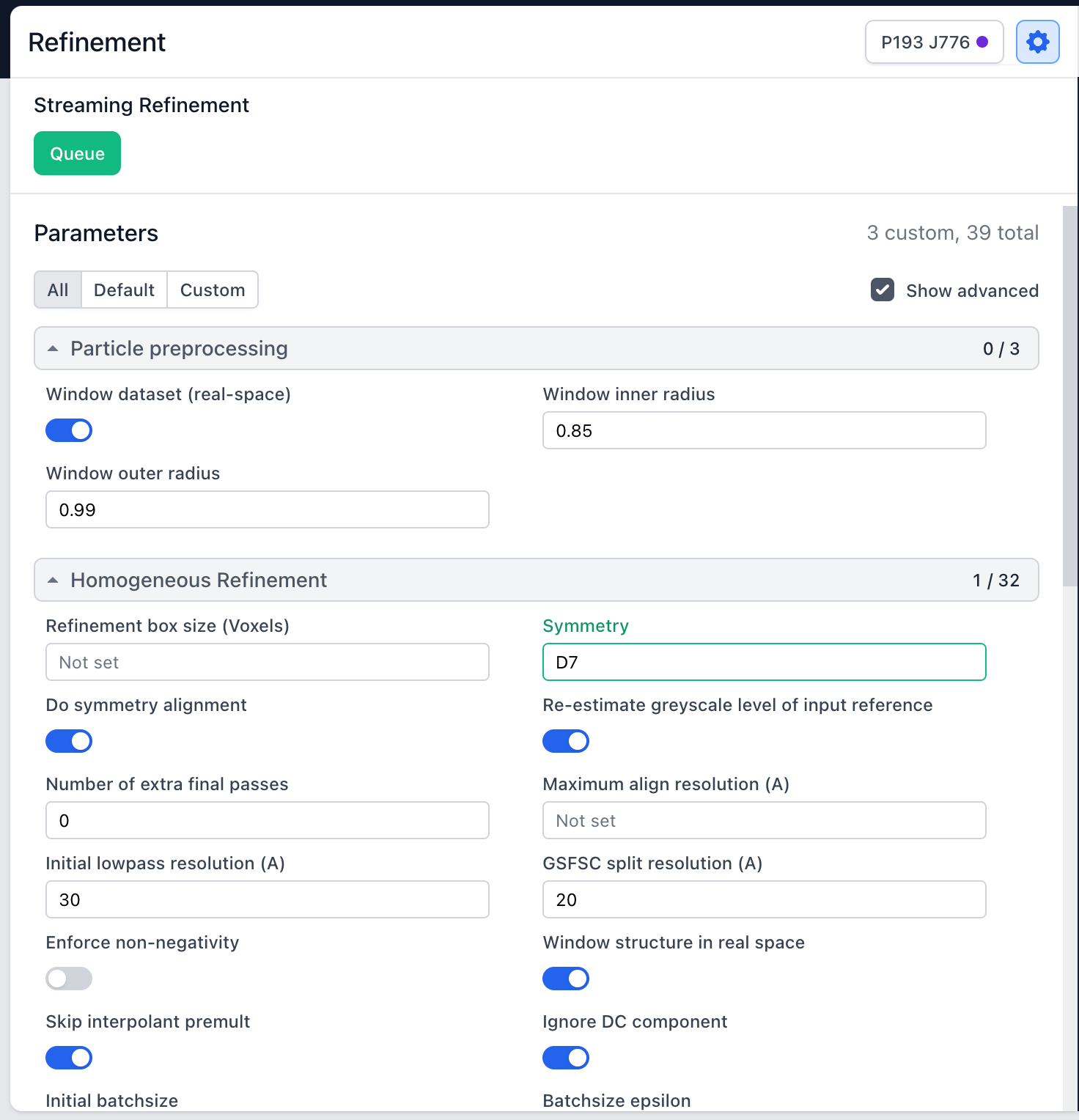
Ability to set custom parameters within the Live session view when configuring custom Streaming 2D Classification, Ab-inito and Streaming Refinement jobs.
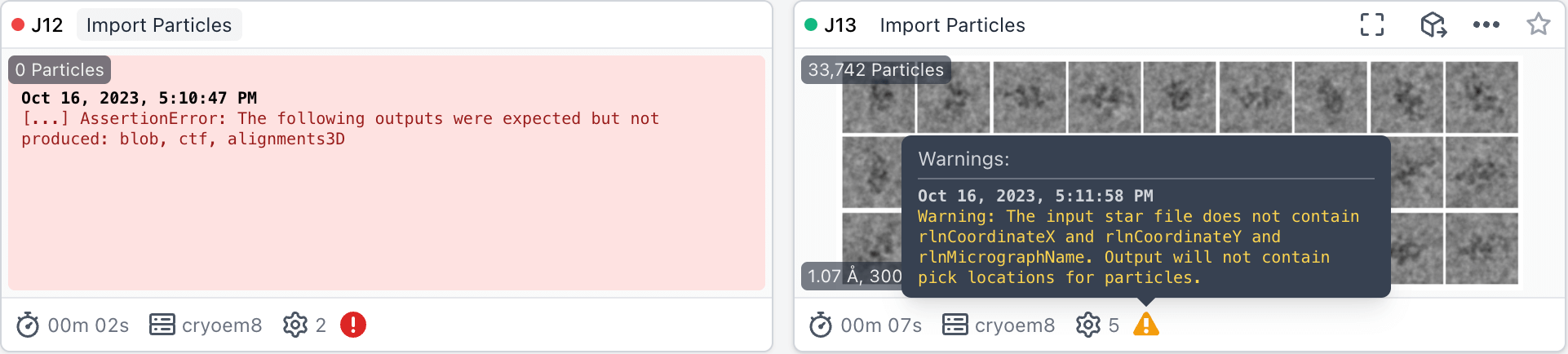
Job cards now indicate warnings and errors, along with a text preview. If a job contains warnings or encountered an error, an icon will display in the cards and tree view. Hovering over the icon will display more information about the warning/error. A subset of the error will be visible directly on the job card view if applicable.
Ability to copy parameter code name via the 'Inputs and Parameters' tab when previewing a job. This name can be used in cryosparc-tools scripts.

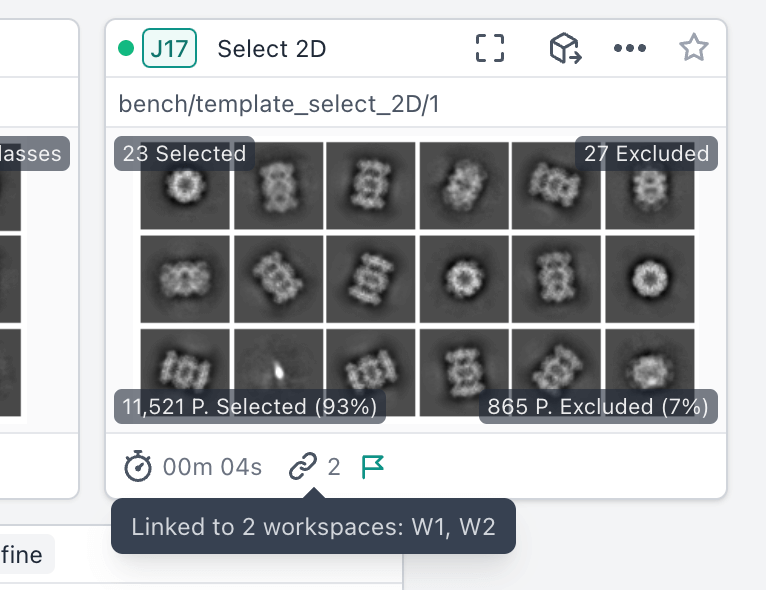
If a job exists in more than one workspace, an icon and informational tooltip will be show on the cards view. In addition, jobs that display in the tree view but are not explicitly linked to the selected workspace are marked with an icon and informational tooltip for additional context.
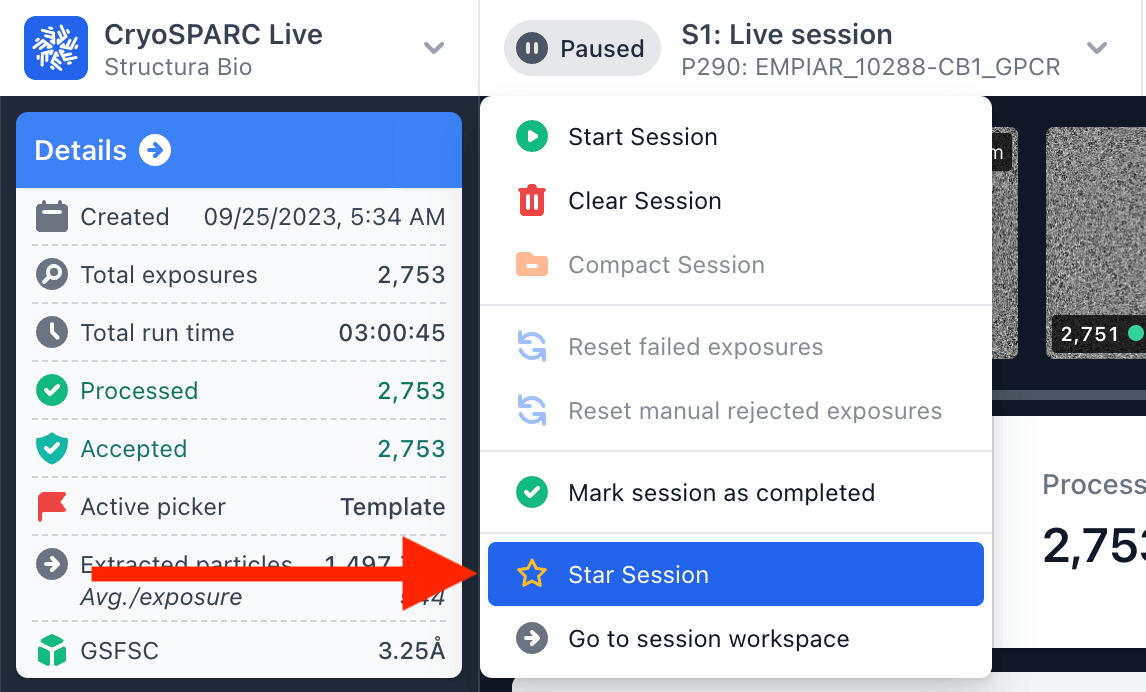
Ability to star a Live session from within the session view through the primary dropdown menu.
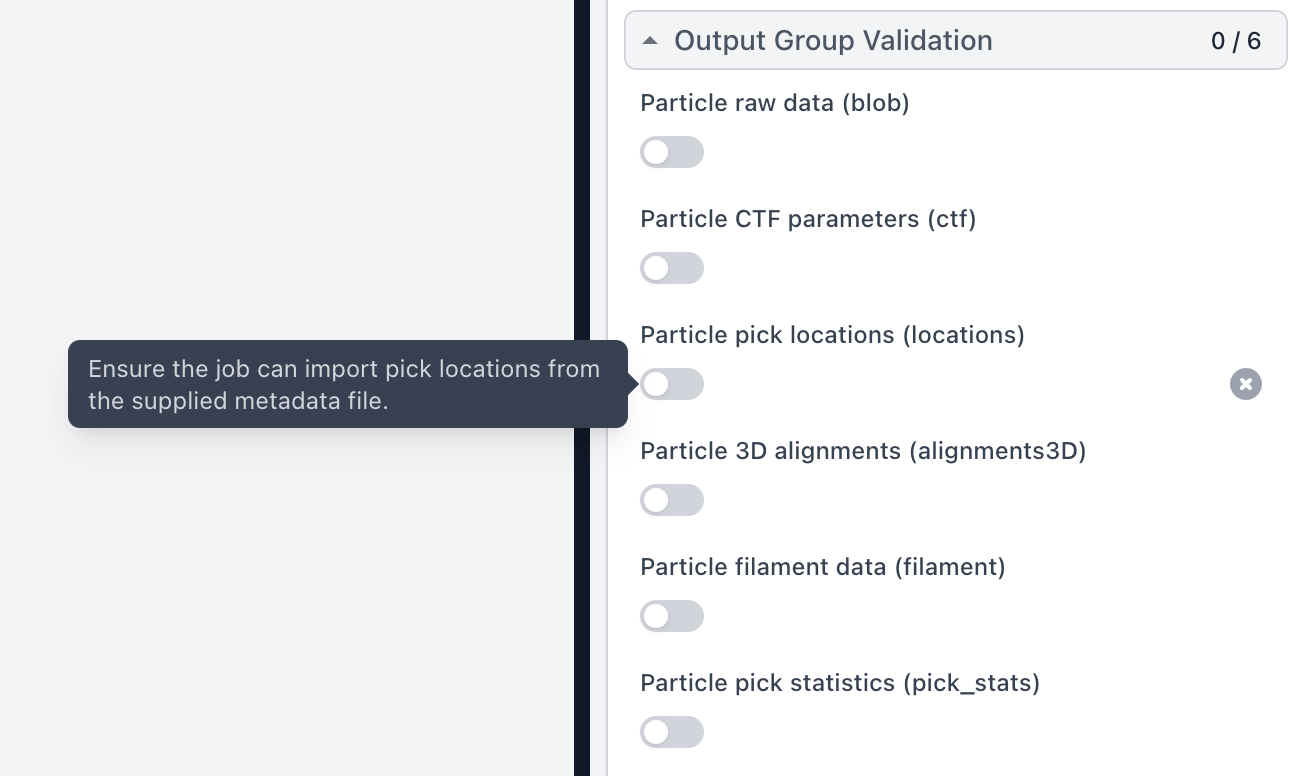
Import Particles contains a new set of parameters to enable build-time output group generation and validation. This allows Import Particles to be used within Workflows for automated processing.
Simulate Data job that is now GPU accelerated. The previous implementation is available as a legacy job.
The Performance Benchmarks system now captures benchmarks from the core algorithms used in 2D Classification and 3D Classification jobs. In addition, reference GPU Benchmarks have been added for the RTX 4090, A100 PCIE-40GB, RTX 3090, and A4000 GPUs, as well as for AWS EC2 g5 instances with FSx for Lustre and local NVME SSDs.
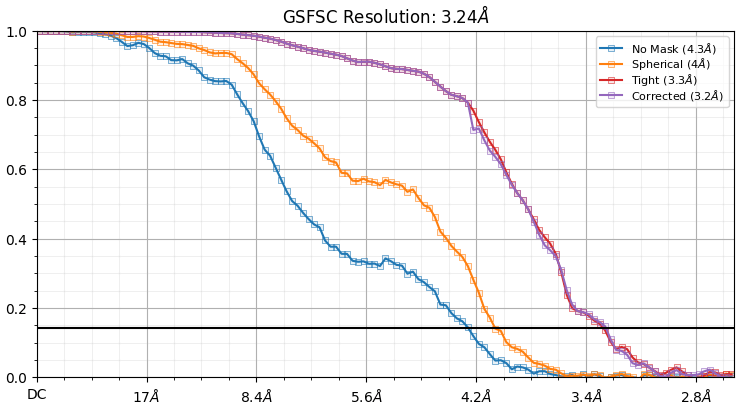
The Validation (FSC) job now outputs an additional FSC figure with square plot markers along with a line, to more clearly see each resolution shell.
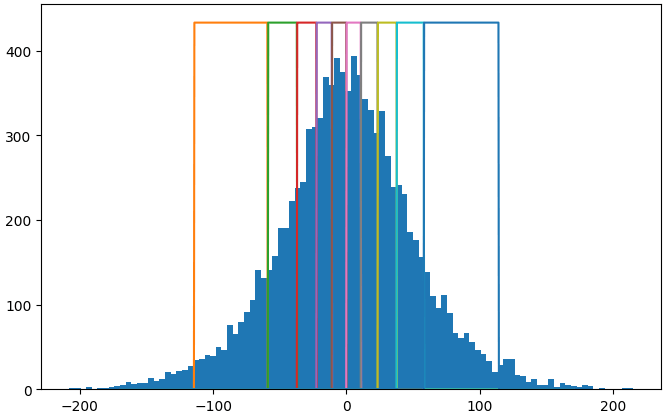
3D Variability Display now includes an option to create intermediate reconstructions with equal numbers of particles in each frame. The job now also allows up to 100 input components instead of 20.
2D Classification now has an option to set a minimum alignment resolution that provides the ability to high-pass filter references during classification and can be useful for smaller particles in some cases. The job also has an option to display a scale bar on the 2D class averages figure.
Heterogeneous Refinement now correctly accounts for the Backprojection resolution factor parameter; the job card image display is improved when there are classes of very low resolution; the Initial random assignment iterations parameter now applies only if non-distinct initial volumes are provided; and the job now outputs a volume series containing all the classes that were produced.
3D Classification now filters the consensus volume according to its FSC and outputs the result for downstream use.
Sharpening Tools job now estimates a B-factor using a Guinier plot if a sharpening B-factor is not provided, with options to include mask and FSC weights prior to estimation.
Downsample Particles now allows 'uncropping': when the desired box size is larger than the input particle box size, the particles are padded in real space and the padded region is filled with the mean value of the particle.
Downsample particles now has an option to re-center particles according to their shifts.
The Rebalance 2D Classes job now displays a plot of the pairwise affinity matrix between 2D classes, and also updates particle's 2D alignments to be in-register within each superclass. Also, the job now always outputs combined datasets for particles and templates, even if "Split outputs" was activated.
The legacy web application (deprecated since CryoSPARC v3.0 in December 2021) that could be spawned via cryosparcm start app_legacy and operated at BASE_PORT + 7 is no longer bundled with CryoSPARC.
The CryoSPARC database now has journaling turned on by default, increasing durability in the event of a failure.
When a job is in building status, any custom parameters set are visible on the job card in the tree view.
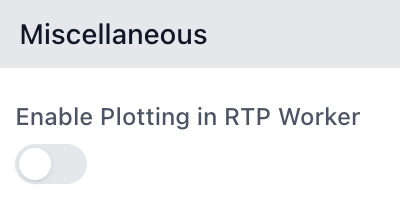
CryoSPARC Live sessions now use 10% less storage space per micrograph in the database by reducing the number of plots created during preprocessing. To turn on all plotting, enable the "Enable Plotting in RTP Worker" session parameter.
CryoSPARC Live Session UIDs now increment monotonically, independent from Workspace UID.
Micrograph images with pick locations overlayed can now be downloaded from the micrograph viewer in CryoSPARC Live.
The job details sidebar now shows the last time a job was exported and the path to which it was exported, to make it easy to find exported data.
The recent jobs sidebar can now be toggled to show either the user's jobs only or all instance jobs, as well as showing completed, failed, and killed jobs.
In Blob Picker and Filament Tracer, the templates are now available as outputs, along with the particles.
The Template Picker now has a parameter to disable automatic re-centering of the template image, which has been known to cause issues in some cases.
Exposure Sets Tools and Particle Sets Tools now generate their output groups before they are run, allowing these jobs to be part of pre-defined Workflows.
Volume Tools now can invert masks without applying a threshold.
Volume Tools now specifies that the units for the dilation radius and the padding width are in pixels, and the default soft mask padding is set to 12 pixels.
Volume Alignment Tools now has an option to reassign particles' UIDs, for assisting the refinement of particles with custom symmetry operators.
Homogeneous Reconstruction Only now includes the posterior precision as an output, as part of the the volume group.
DeepEMhancer job now includes an option to enable dynamic allocation of GPU memory, obviating the need to set an environment variable.
DeepEMhancer model path can now be specified as a project-level default parameter.
The Deep Picker job now runs with Tensorflow v2.8.
Many jobs now use a common progress bar in the event log.
When queueing a job via the sidebar, the last used lane will now automatically be selected, if applicable.
When importing a job, the path will now default to the project directory of the selected project.
Initial loading of the job tree view is improved.
Summary data shown on job cards is improved across CryoSPARC.
Additional quick actions are now available for swift creation of commonly run jobs.
Additional project-level filters can now be used to show archived or detached projects.
PatchCTF can now correctly handle high-magnification micrographs without throwing AssertionError: Get rid of patches that are too close to edges.
2D classification no longer displays classes upside-down relative to the image plotting convention used in the rest of CryoSPARC.
Resolved an issue where a list of all jobs are not available via the header quick switcher when viewing all jobs within a single project.
Resolved a bug where it is possible to create Session configuration profiles with the same name.
Resolved a bug where when deleting a workspace the interface does not redirect to the project level.
Resolved an issue where the number of GPUs a job is utilizing is formatted incorrectly on the job card.
When queueing a job via the sidebar, the cluster submission script variable configuration panel is now hidden if no custom variables are defined in the script.
Resolved an issue on Firefox where the exposure feed in a Live session view can not be controlled via the mouse scrollbar.
Resolved an issue on the job cards display where the border outlining parents, children and cloned jobs is too thin.
Fixed a issue where queued jobs can be accidentally deleted via the multi-action sidebar panel.
Resolved an issue where the 'Build' button in the job preview dialog does not function correctly in certain cases.
Resolved an issue in the jobs tree view where the final or final ancestor status of a job is not visible until selected.
Fixed an issue in 2D Classification where the greyscale background of class averages is incorrectly computed from the values in the corners of the average.
Fixed pymongo.errors.WriteError: Size must be between 0 and 16793600(16MB) when processing a live session with a large number (>10,000) of movies.
It is now possible to specify --cpus in cryosparcw connect without also having to specify --update.
Exposures processed by CryoSPARC Live now have their average intensity computed.
Fixed a bug where Particle Subtraction does not process all of the particles if the half sets are not of equal sizes.
Resolved a bug where 3D Variability's tile image displays components in the wrong order after job completion.
2D Classification no longer erroneously removes duplicates by default for particle datasets with filament present.
Fixed bug where Helical Refinement in building mode doesn't allow modifications to the "enable FSC noise-substitution" parameter
Fixed bug where flipping the hand of a volume (in volume tools, homogeneous reconstruction, Align 3D, and 3D Variability Display jobs) causes symmetric volumes to no longer be aligned to the conventional symmetry axes.
Fixed bug causing 2D Classification to calculate the wrong inter-particle distance when removing duplicates when downsampled particles are provided as input.
Fixed bug causing an UnboundLocalError in Patch CTF Extraction.
Disabled menu items no longer erroneously open sub menus when hovering.
Fixed issue where the spacebar shortcut for opening job dialogs stops working due to conflicting event handlers.
Fixed an issue where the scatter plot in Manually Curate Exposures does not updating the rejected status of micrographs correctly.
Deleting a job while the queue slideover is open no longer causes it to lose context and go blank.
Select 2D job now correctly reports error messages when it cannot connect to the backend.
Installer no longer writes duplicate PATH entries for cryosparc_master/bin directory into .bashrc.
CryoSPARC Live processing jobs no longer use more memory than needed when plotting.
Errors that happen when CryoSPARC Live is watching for new files are now isolated so that errors in one session do not affect other running sessions.
CryoSPARC Live can now run reconstruction processes (2D Classification, Refinement) on a lane with multiple one-GPU targets.
The reliability of cryosparcm update is now improved in the case where the master is connected to itself as a worker.
CTFFIND4 jobs no longer fail due to localization settings on some systems.
Leading and trailing spaces are now automatically removed when setting parameters.
Local Motion Correction no longer fails when no particles are extracted from one or more exposures.
3D Classification no longer fails during noise estimation if the largest class contains fewer than 100 particles. A warning is also now printed if any per-particle scale factors become NaN.
The new parameter Disable auto batchsize now allows disabling the automatic GPU processing batch size calculation in non-uniform and homogeneous refinement that can sometimes cause the jobs to run out of GPU RAM. Extraneous batch size parameters from local refinement are removed.
Fixed bug where background subtraction of density maps during ab-initio and heterogeneous refinement is incorrect.
Fixed erroneous component ordering in 3D Variability Analysis Display when using 10+ components.
Fixed confusing labelling of variability component plots produced at the end of 3D Variability Analysis jobs.
MRC format volume outputs from CryoSPARC now include mx/my/mz values in the header which fixes display issues in some visualization programs.
Resolved an issue in the job builder where numerical inputs display inaccurate tooltip information on hover.
Moving jobs between workspaces now correctly updates workspace statistics.
The workspace count statistic is now correctly incremented when a new workspace is created in a project.
Fixed an issue where the lock file within a project locked to another instance is overwritten rather than blocking the attachment of the project in another instance.
Homogeneous Reconstruct Only job now correctly allows for turning off the real-space window on particles.