Changes to CryoSPARC’s Software System and Dependencies in v5
In v5, CryoSPARC’s underlying software system has been completely redesigned for stability, scalability, and to enable future developments. The new system adds strong validation and consistency guarantees for CryoSPARC database contents.
CryoSPARC v5 is backwards compatible with v4 versions, meaning:
A v4.0+ instance can be upgraded to v5, and also downgraded back to v4.4+ if needed
Projects detached from v4 instances can be attached to v5 instances, and vice versa
Updating to CryoSPARC v5 will perform a dry-run phase to validate all database contents and will take some time, up to one hour for large instances. The user interface will not be available during the update process.
CryoSPARC v5 requires NVIDIA driver version 570.26 or newer. Note that NVIDIA Blackwell devices are only compatible with the open driver. CryoSPARC v5 uses CUDA 12.8 which drops support for NVIDIA GPUs with compute capability 3.5 (Kepler). Only GPUs with compute capability 5.0 (Maxwell) to 12.0 (Blackwell) are supported.
Note
CryoSPARC Tools
A new, backwards compatible version of cryosparc-tools for scripting with v5 is available; see details here. Scripts written with previous versions will continue to function as before.
If you are updating to v5.0.7 from a CryoSPARC v4 version, please see the full v5.0 changelog, update instructions, and compatibility notes here: cryosparc.com/updates/v5.0
Fixed
CryoSPARC Live session auto-pause now correctly triggers in cases when the session contains failed exposures, or has been previously paused and resumed manually.
Fixed
Fixed an issue preventing CryoSPARC from running jobs correctly in the presence of GPUs with MIG mode enabled. Note: an individual job cannot make use of both MIG and non-MIG devices at the same time.
Update
Orientation Diagnostics now outputs all computed metrics to the job summary stats for easier programmatic access via cryosparc-tools.
Fixed
Projects that failed to save results to disk due to a temporary network or filesystem issue now automatically retry after a configurable interval (default: 1 hour) and display a warning to the user.
Fixed
Fixed an issue where user python libraries loaded in the environment where CryoSPARC runs could interfere with some CryoSPARC processes.
Fixed
Fixed an issue where new backups created using cryosparcm backup were completing successfully but not being displayed in the Backups tab of the manage dialog in the UI.
Fixed
Resolved an issue where the job queue slide-over would freeze when switching from a GPU to non-GPU job while the GPU selection mode was active.
Fixed
Resolved an issue where the job queue slide-over for interactive jobs would queue to a non-master node.
If you are updating to v5.0.6 from a CryoSPARC v4 version, please see the full v5.0 changelog, update instructions, and compatibility notes here: cryosparc.com/updates/v5.0
Fixed
Resolved an issue where switching from the event log tab to the dashboard could cause incorrect chart images to show at earlier iterations for dashboard charts.
If you are updating to v5.0.5 from a CryoSPARC v4 version, please see the full v5.0 changelog, update instructions, and compatibility notes here: cryosparc.com/updates/v5.0
Fixed
Local Refinement jobs no longer fail with a plotting error when intermediate iteration plots are being produced in certain cases.
Fixed
CryoSPARC Live auto-pause now correctly pauses Live sessions in both standard and graceful modes, including for sessions where streaming 2D and 3D jobs are running.
Fixed
Import Volumes job no longer fails when importing integer-type MRC volumes.
Fixed
Resolved an issue where ‘undefined’ columns would display when downloading workspace and project CSVs.
Update
CryoSPARC Live session configuration profiles are now included in automatic instance configuration exports, so that profiles are retained when restoring a CryoSPARC instance using cryosparcm recover
Update
Set environment variable CRYOSPARC_CLI_SKIP_ACCESS_CHECK=true in both CryoSPARC master and worker config.sh files, in order to disable filesystem permission checks for cryosparcm and cryosparcw command-line arguments. This setting may be used with network file systems where listed UNIX access permissions do not match the true available permissions.
Update
Improved detection and fallback for silent SSD cache file copy failures on some network file systems, including Lustre.
Fixed
CryoSPARC command line and cryosparc-tools no longer produce errors when loading workspace or session objects.
Fixed
When multiple particle set inputs are connected to a job, alignments3D_multi results will be removed rather than being passed through, in order to prevent failure in descendant jobs due to a mismatch in the number of classes present in the results.
Fixed
Resolved an issue where connections between Workflow jobs would fail in some cases, due to the connection being made using the input slot name instead of the output result name.
Fixed
Resolved an issue where the option to group jobs was presented when viewing all jobs within a project.
Fixed
Resolved an issue where current resource usage would not load when interacting with the job context menu in the tree view.
Fixed
Resolved an issue where the “Apply” action on the Live configuration tab would remain disabled after applying a configuration profile with missing required parameters.
Fixed
Micrograph Denoiser jobs info tags no longer display number of training micrographs used if a pre-trained model is provided as input.
Fixed
Legacy jobs now appear with formatted titles on the job cards and details view.
If you are updating to v5.0.4 from a CryoSPARC v4 version, please see the full v5.0 changelog, update instructions, and compatibility notes here: cryosparc.com/updates/v5.0
Fixed
Resolved an issue in 3D variability analysis that could, for some datasets, cause streaking artefacts in 3D variability component volumes and skewed latent distributions.
Fixed
Fixed an issue where, for some datasets, 2D Classification using the similarity plotting sorting would produce degraded result quality, due to large translations of class averages during the 3rd last iteration.
Fixed
When deleting a detached project, a clearer description of the operation being performed is provided in the UI.
Fixed
Fixed an issue where importing a job directory that had been symlinked (rather than copied) into the project directory would fail.
Fixed
Fixed an issue where project directories that had been synced and restored from S3-like filesystems would fail to attach due to missing (empty) gridfs_data directories.
Fixed
Fixed an issue where Ab-initio Reconstruction jobs within CryoSPARC Live would ignore the SSD usage parameter.
Fixed
Fixed an issue where cloning a CryoSPARC Live session would result in the exposure groups being pre-emptively enabled.
Fixed
Fixed an issue in CryoSPARC Live where it was not possible to select a source job for 2D templates from outside of the current project.
Fixed
Improved handling of exported Live session exposures when no gain reference is provided.
Fixed
If attaching a project fails, the project lock file (cs.lock, created during the attempt to attach) will no longer be deleted. If the project directory needs to be attached to a different instance later, the lock file can be manually deleted from the project directory.
Fixed
Fixed an issue where installing worker updates could fail due to incorrectly changing the current working directory.
Fixed
Shell control characters are no longer incorrectly escaped when submitting cluster commands.
Fixed
Data cleanup tool no longer shows an error message when clearing intermediate results.
Fixed
Fixed an issue where 2D Classification would fail when configured with 1 class and otherwise default parameters.
Fixed
3D Flex Mesh Prep job no longer fails if only two segments are provided in the segmentation file and connection tree.
Fixed
Fixed an issue in Topaz Cross Validation where the parameter being optimized incorrectly required an input value, and updated the job to instruct users to clear this field before running the job.
Fixed
Topaz Cross Validation job no longer fails to launch when decimal values are provided for some parameters.
If you are updating to v5.0.3 from a CryoSPARC v4 version, please see the full v5.0 changelog, update instructions, and compatibility notes here: cryosparc.com/updates/v5.0
Fixed
Jobs with integer parameter values larger than 8 bytes now pass validation. For users who updated to v5.0.0-v5.0.2: projects detached during upgrade due to OverflowError: MongoDB can only handle up to 8-byte ints can now be attached in v5.0.3.
Fixed
Projects with empty project titles now pass validation. For users who updated to v5.0.0-v5.0.2: projects detached during upgrade due to String should have at least 1 character [type=string_too_short, input_value='', input_type=str] can now be attached in v5.0.3.
Fixed
Fixed an issue where users could not edit the titles of jobs/workspaces/projects in projects that had been shared with them.
Fixed
Correctly forward environment variables such as LD_LIBRARY_PATH to cluster submission commands, preventing failure.
Fixed
Fixed an issue where SSD reserve would default to 0, instead of 10GB, for connected targets and clusters.
Fixed
Fixed an issue where a launched job is marked as failed when using some terminal shells, if there is extra output in the shell configuration.
Fixed
Fixed an issue where jobs that were cleared quickly after queuing were still launched.
Fixed
For jobs created programatically or by CryoSPARC Live, the created_by_user_id field is now correctly set.
Fixed
Homogeneous Ab-initio Refinement no longer fails with KeyError when run with helical data.
Fixed
Fixed an issue where imported micrographs would display as too light or too dark in interactive jobs.
Fixed
Extra "Random Seed Default" parameter no longer appears on newly-created Blueprints.
Fixed
Fixed an issue where, under some conditions, a job fails with "unknown dataset field error" if two slots with the same type are connected.
Fixed
Fixed an issue where .cs and .csg filenames for exported jobs or outputs would incorrectly differ.
Fixed
Fixed an issue where a job would attempt to connect to the wrong master hostname if the master environment is active when the job launches.
Fixed
cryosparcm service management commands no longer fail when running from a working directory that the current user does not have permission to access.
Fixed
Extensive Validation no longer fails with an error indicating a checksum mismatch, when test data is downloaded automatically by CryoSPARC.
Fixed
Exposure Sets Tool no longer fails on intersect action when only micrographs (not movies) are connected.
Fixed
Fixed an issue where session restoration would crash due to missing a related notification.
Fixed
Fixed an issue in 2D Classification causing it to crash when the output of intermediate plots was disabled.
Fixed
Fixed an issue where Split Volumes Group did not correctly passthrough upstream particle metadata.
If you are updating to v5.0.2 from a CryoSPARC v4 version, please see the full v5.0 changelog, update instructions, and compatibility notes here: cryosparc.com/updates/v5.0
Fixed
Fixed an issue where, in some environments, cluster job submission scripts would fail with ERROR: ld.so: object 'xxx/lib/libpython3.12.so' from LD_PRELOAD cannot be preloaded due to environment variables that were not correctly cleared.
Fixed
Jobs no longer fail to launch on worker nodes that are running the tcsh shell.
Fixed
Using the Export Exposures functionality in a Live session no longer fails when a gain reference was not specified in the Live exposure group configuration.
Fixed
Live sessions no longer fail when no particles are picked on a micrograph and advanced parameter Enable Plotting in RTP Worker is enabled.
Fixed
When configuring template picking in a Live session, 2D classes can now be loaded from any job type that outputs 2D classes.
Fixed
Patch Motion Correction (and Live Worker) are now significantly faster when processing low-magnification movies.
Fixed
3D Classification now correctly orders particle outputs when Reorder classes by size is turned on.
Fixed
In Extensive Validation, Local Refinement now correctly uses the SSD cache based on the user specified parameter.
Fixed
When editing thresholds in Manually Curate Exposures, micrographs with values equal to the default threshold are no longer excluded.
Fixed
Resolved an issue where hovering/clicking on an exposure within the scatter plot in Inspect Picks and Manual Picker would not navigate to it.
Fixed
Updating CryoSPARC no longer issues warnings about the use of an ephemeral port range if the port range was already set previously.
If you are updating to v5.0.1 from a CryoSPARC v4 version, please see the full v5.0 changelog, update instructions, and compatibility notes here: cryosparc.com/updates/v5.0
Fixed
The http_proxy and https_proxy environment variables are no longer incorrectly ignored when contacting the CryoSPARC license server via a proxy.
Fixed
3D Classification Jobs that had required parameters set to None now pass validation. For users who updated to v5.0.0: projects detached during upgrade due to TypeError: '<=' not supported between instances of 'float' and 'NoneType' can now be attached in v5.0.1.
Fixed
Jobs that produce more than 500 outputs now pass validation during upgrade. For users who updated to v5.0.0: projects detached during upgrade due to Value should have at most 500 items after validation can now be attached in v5.0.1.
Fixed
Jobs that included path parameters set to None now pass validation during upgrade. For users who updated to v5.0.0: projects detached during upgrade due to TypeError: argument should be a str or an os.PathLike object where fspath returns a str, not ‘NoneType can now be attached in v5.0.1.
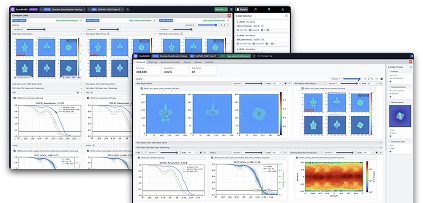
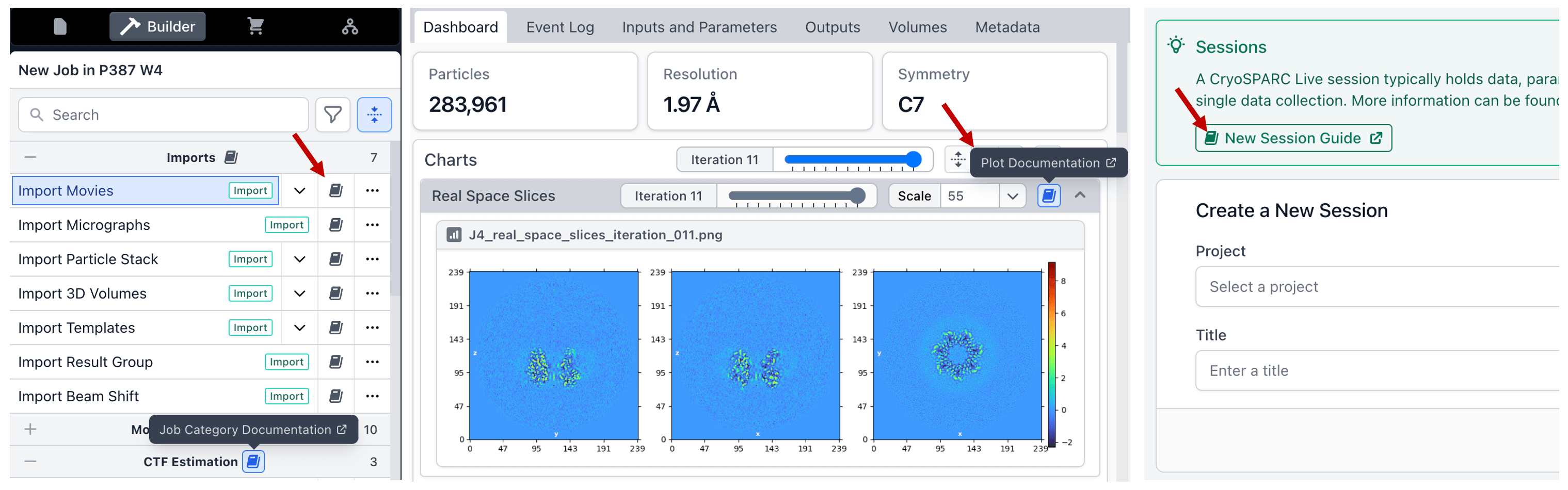
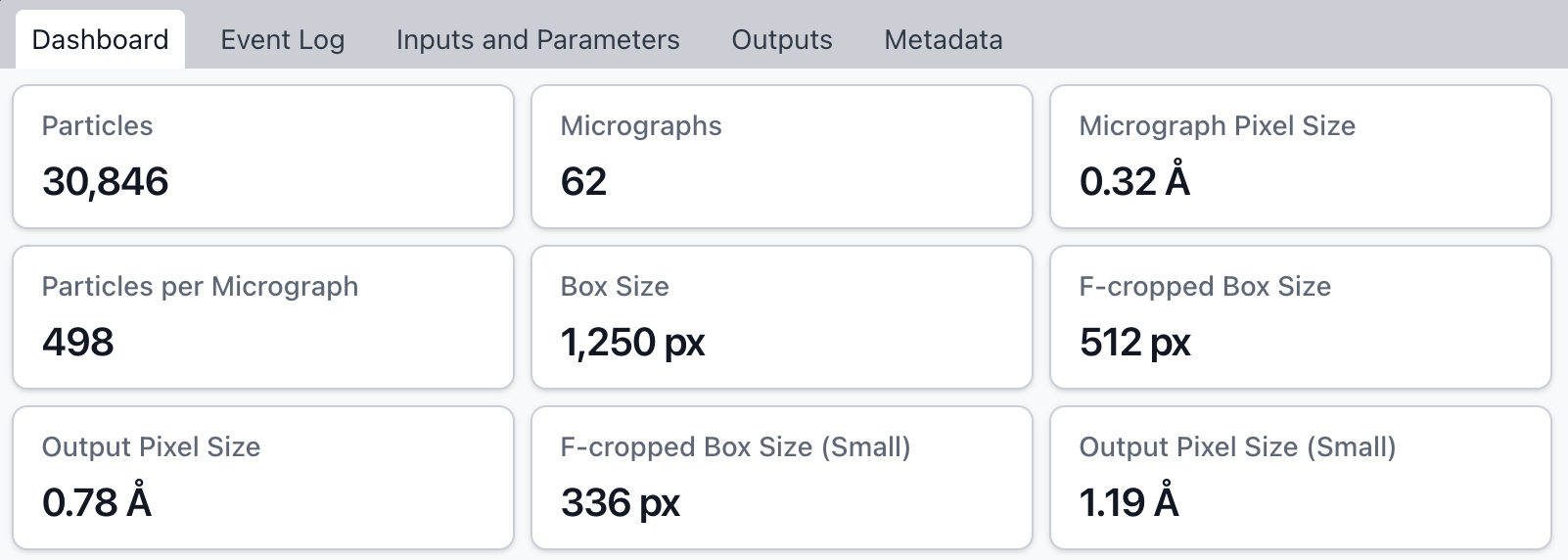
The Job Dashboard displays all key job outputs, plots, and statistics at a glance, and is the new default view when opening a job card. Use iteration sliders to see how results and plots changed during processing.
New
Multi-select jobs and press spacebar: The Comparison View shows all selected jobs’ parameters, outputs, and plots side-by-side, making it easy to spot differences and make decisions about the effect of input or parameter changes. Use iteration sliders to visualize progress, and download outputs from multiple jobs in one click.
Overhaul of 3D Masking in Refinements
New
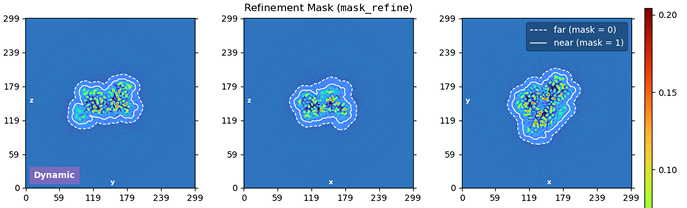
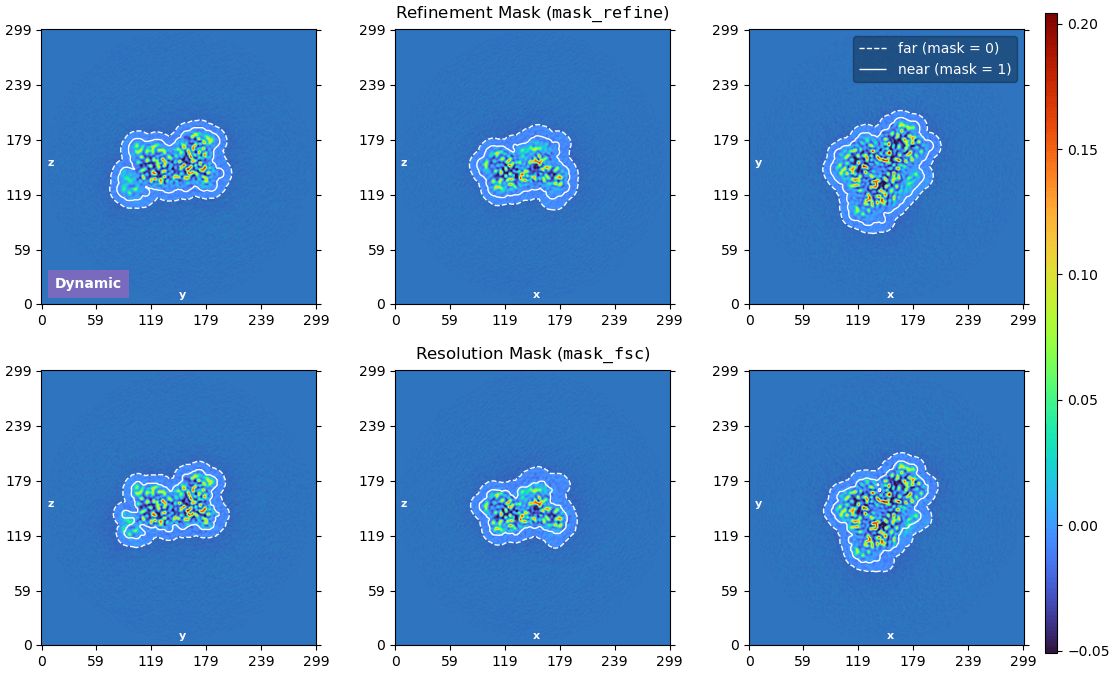
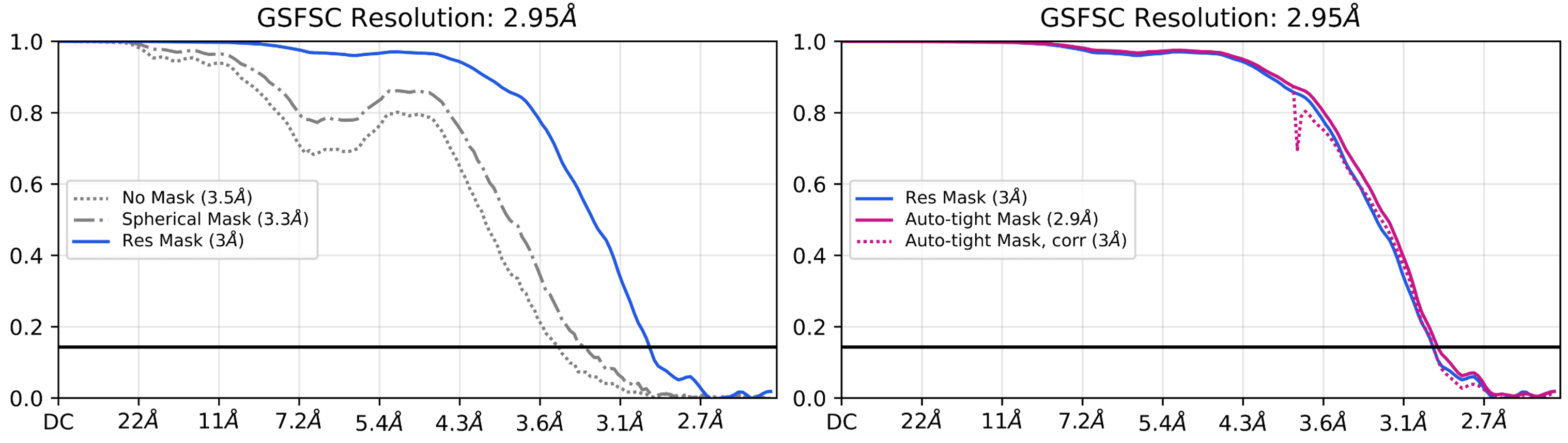
CryoSPARC v5.0 introduces a new automatic mask generation method that is robust across a wide range of resolutions and reduces the possibility of overfitting or overestimation of resolution, without users having to adjust masking parameters.
Dynamically generated masks now use mask tightness and softness parameters that are based on the 3D refinement map's current resolution estimate, meaning that masks for lower-resolution structures automatically have softer padding.
The new method is used for refinement masks (mask_refine) and resolution masks (mask_fsc), and makes it significantly less likely that user-set masking parameters produce masks that are too tight or too hard, especially for low or moderate resolution structures. Mask auto-tightening has also been made more conservative by default.
Across all refinement jobs, both the refinement and the resolution masks are plotted each iteration, in a new plot that displays the extent of the mask edge falloff.
New
Refinement jobs now have a parameter “Use dynamic refinement mask” that can be turned off to allow the job to run without any refinement mask applied during iterations. In some cases, especially in Non-Uniform Refinement, using no mask can produce improved results.
Update
All refinement jobs now output the refinement mask, resolution mask, and auto-tightened resolution mask as separate draggable outputs.
If FSC resolution meets or exceeds the Nyquist frequency, refinement jobs now throw a warning to recommend re-extracting particles with a smaller pixel size.
Update
The format of FSC txt files has been updated to include additional columns and column titles.
Per-particle Scale Optimization in Refinements
New
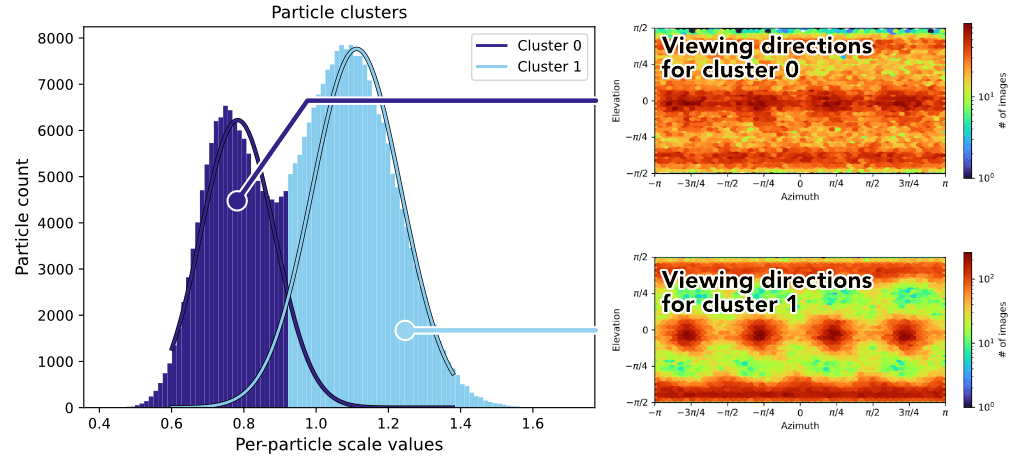
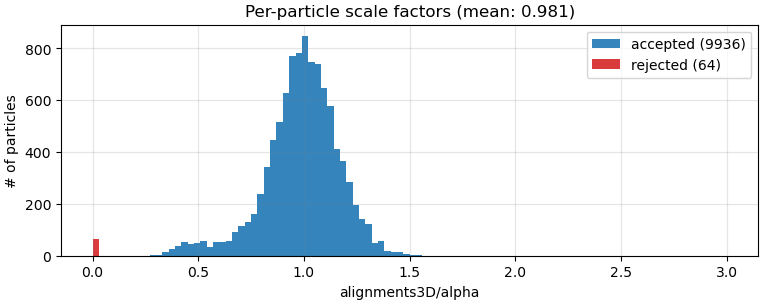
By default, refinements (Homogeneous, Non-uniform, and Helical) now perform per-particle scale optimization. The optimized values provide a measure of particle quality, which is used during 3D reconstruction to down-weight low quality particles. The per-particle scale values can also be useful for separating low-quality particles from a dataset.
New
All refinements, Local CTF Refinement, 3D Classification, and 3D Variability Analysis now create a Rejected Particles output group. The group is populated with particles that had zero or negative per-particle scale, indicating empty or inverted contrast that is ignored during 3D reconstruction.
CryoSPARC Live Workflow Improvements
New
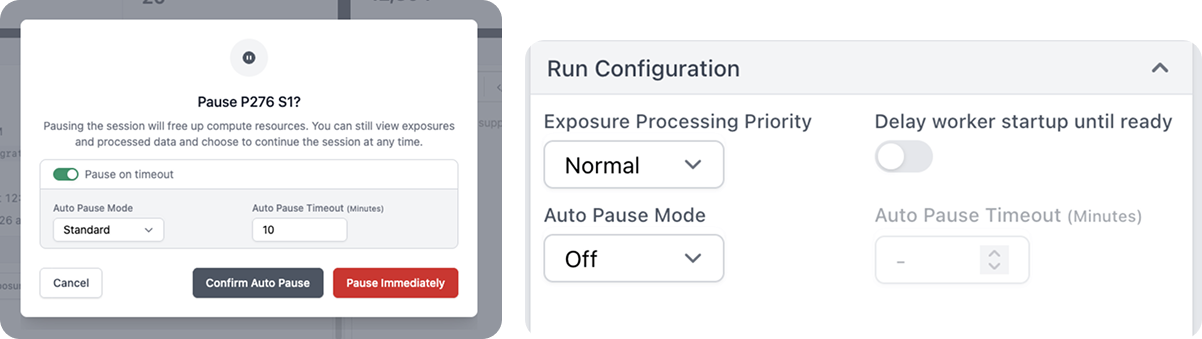
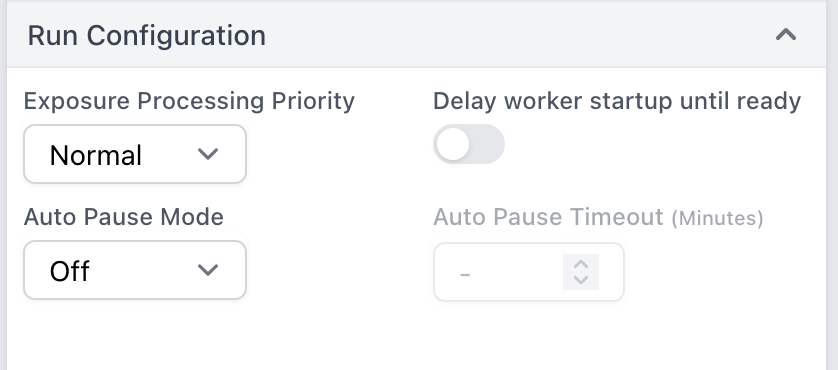
The new Run Configuration options in CryoSPARC Live enable auto-start and auto-pause of Live Sessions to better match data collection workflows. Multiple sessions can be started at the same time, each pointing to a different raw data input directory (e.g., corresponding to multiple grids). Sessions can be started with Delay worker startup until ready so that Live Preprocessing worker jobs will not launch until new data is detected. Auto pause mode triggers when no new data has been detected for a configurable timeout and automatically pauses Sessions to free up GPU and license resources for the next session.
New
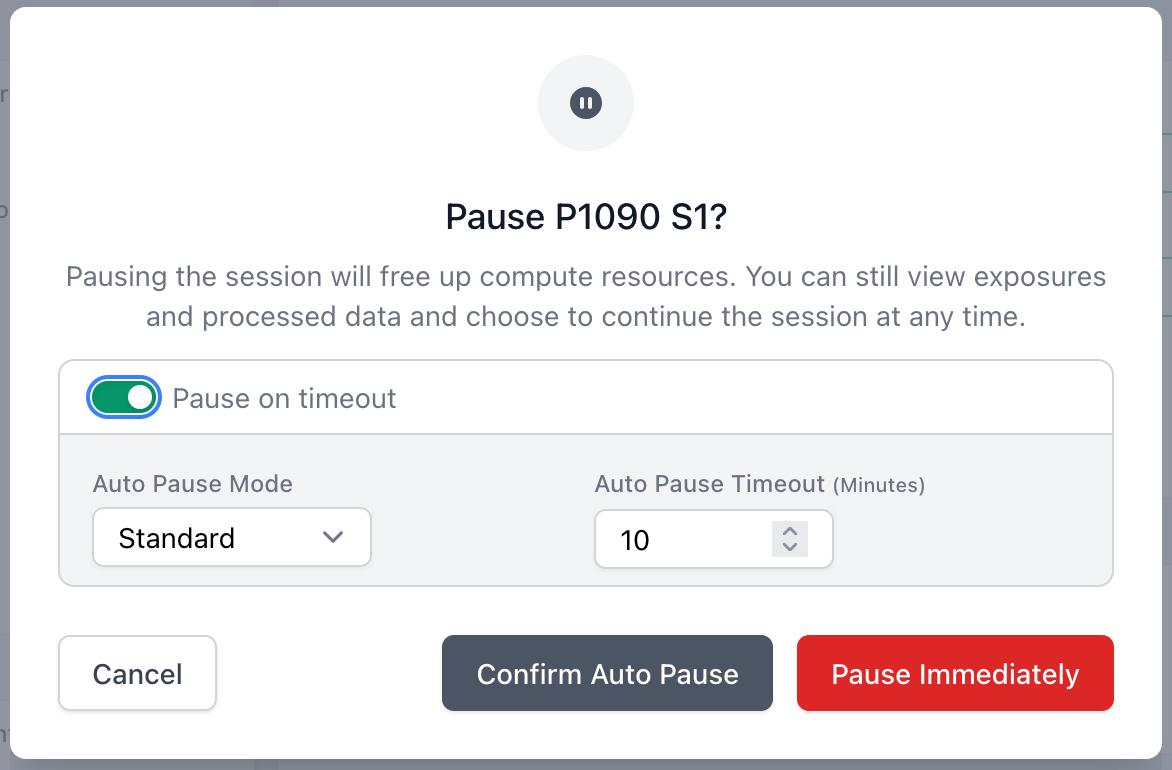
Auto Pause Mode automatically pauses the Live Session when there are no remaining exposures to process, with two available modes:
Standard: Pause the session immediately after the idle timeout has expired. This will kill any running 2D/3D streaming jobs at the time auto pause is triggered.
Graceful: Once the idle timeout has lapsed, also wait for 2D/3D streaming jobs to finish processing the available particles before pausing the session.
An Auto Pause Timeout can also optionally be configured.
New
Ability to launch more than one Live Preprocessing worker job per GPU. Use Workers per GPU in the Configuration Tab to specify the number of Live Preprocessing worker jobs to launch per GPU worker. On some systems, running multiple workers jobs per GPU can improve preprocessing throughput.
Update
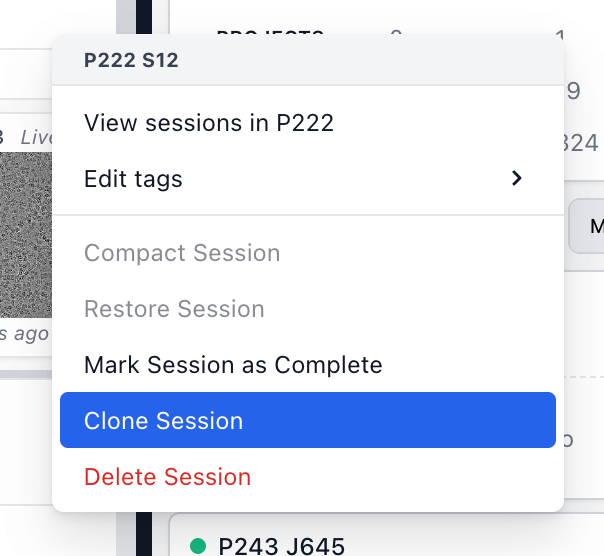
Live Sessions can now be cloned in the UI. Cloning a session preserves configuration.
Update
CryoSPARC Live Sessions will now inherit the project-level parameter for outputting in 16-bit floating point format.
Fixed
Exposure filenames in Live now correctly pad UIDs with leading zeros.
Fixed
The Live particle export job's output is now correctly named "Exported Particles".
Fixed
Lane selections in CryoSPARC Live now display only those of which are available for the current user.
Note
CryoSPARC Live's configuration profiles in v5 are not backwards compatible. New profiles can be created in v5 but will not be retained if downgrading to v4.
Collapsible Upstream Jobs in Tree View
New
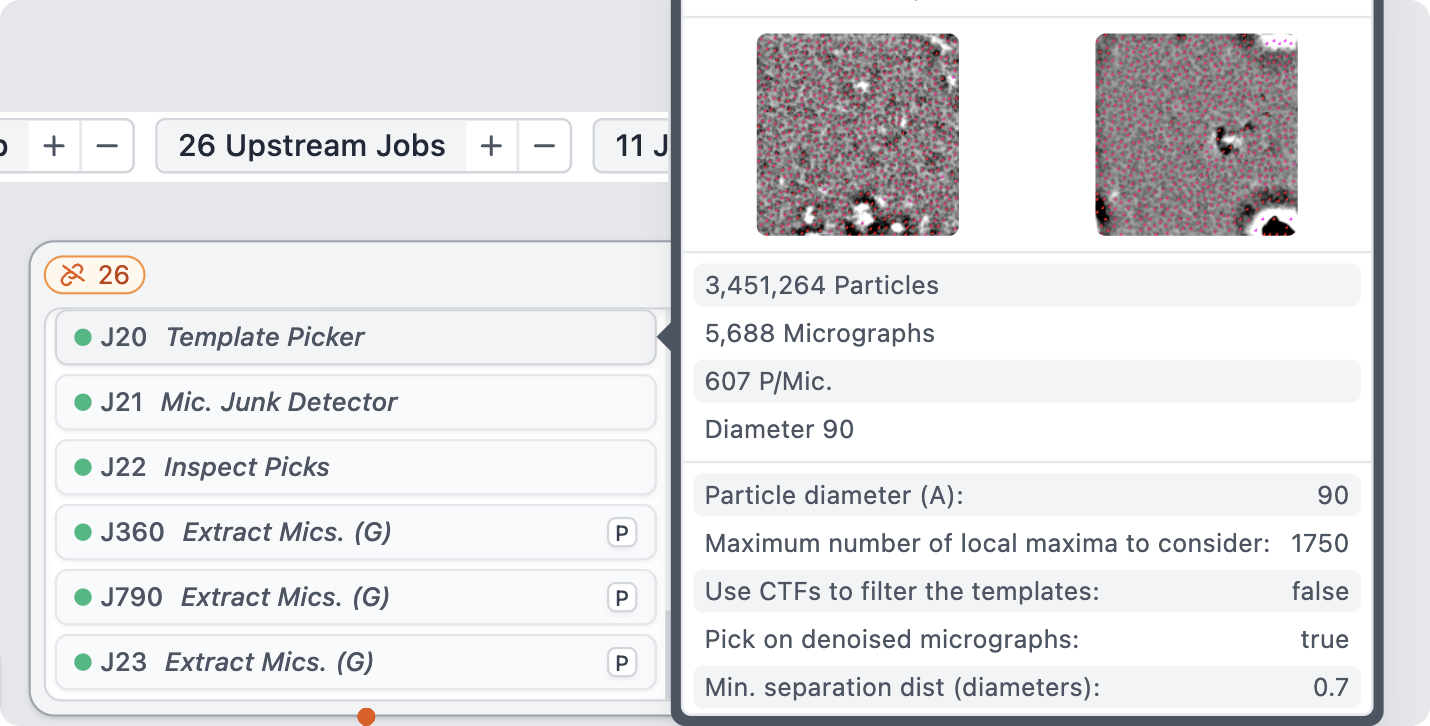
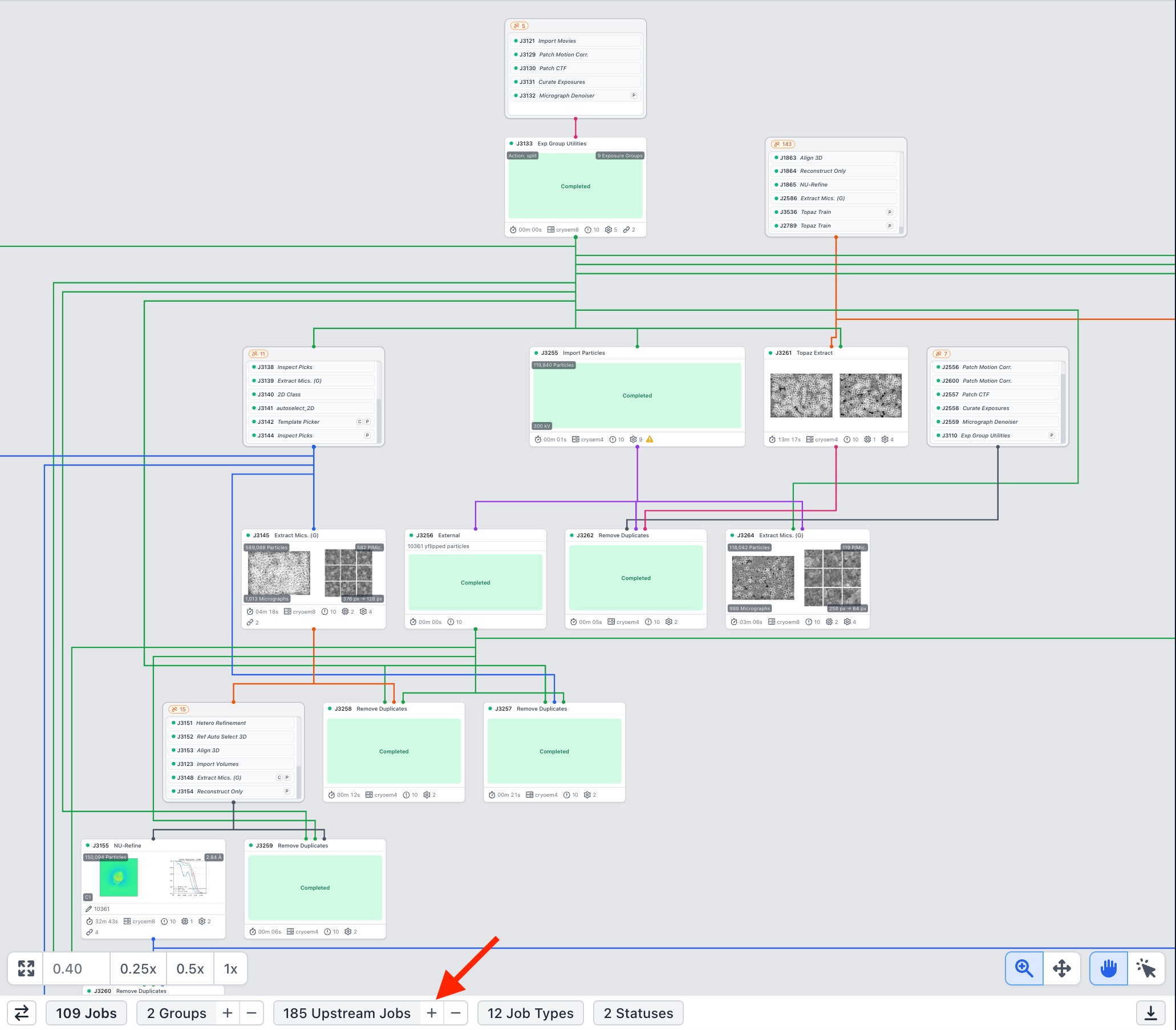
Upstream jobs in the tree view will now be collapsed into single grouped cards by default, making it easy to see where jobs from other workspaces are connected to jobs in the current workspace tree. Extremely large processing trees can be condensed to display only the jobs relevant in the current workspace.
Update
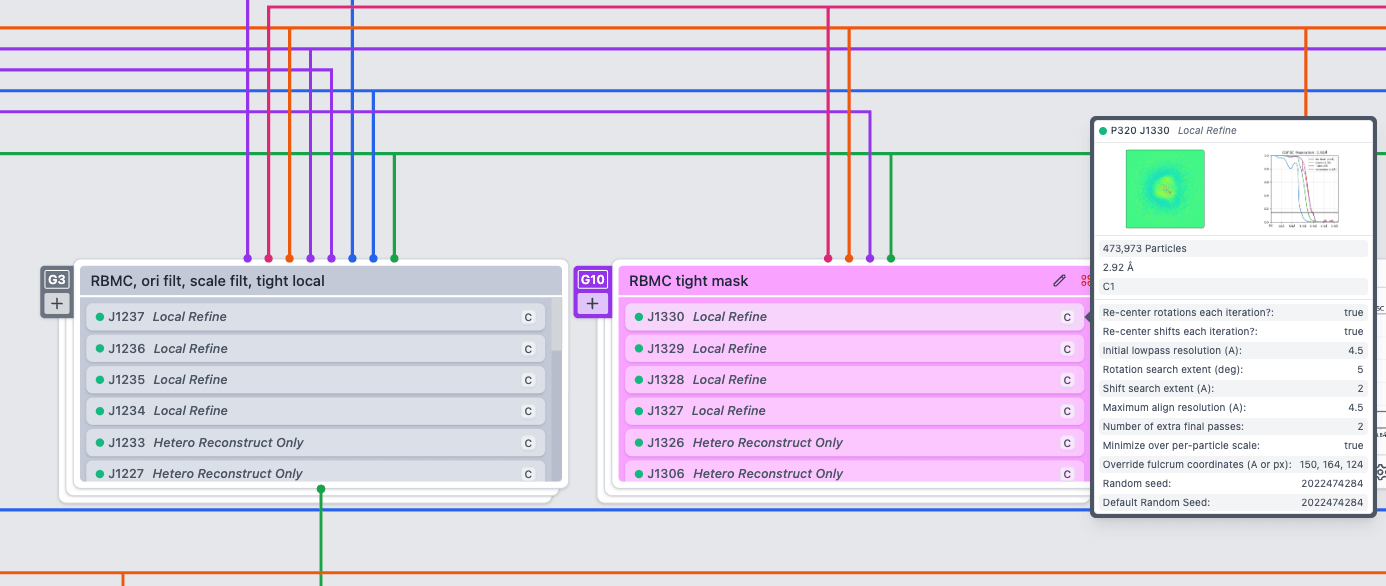
Job Group cards now list their contents; hover over any job to view its specific details.
Fixed
Groups in the tree or card view will no longer accept the addition of jobs that would cause a circular connection error when the group is collapsed.
Fixed
Moving or unlinking jobs in the middle of a chain in the tree view will no longer cause data loading and/or layout issues in some cases.
Embedded Documentation Links
New
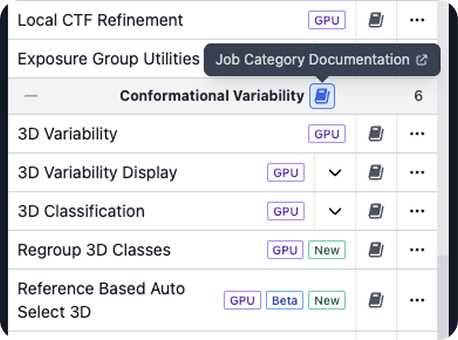
Documentation icons have been added across the application that link out to relevant pages in the CryoSPARC Guide. These include documentation for core actions as well as CryoSPARC jobs, plots, and general onboarding.
Ab-Initio Refinement to High Resolution
New
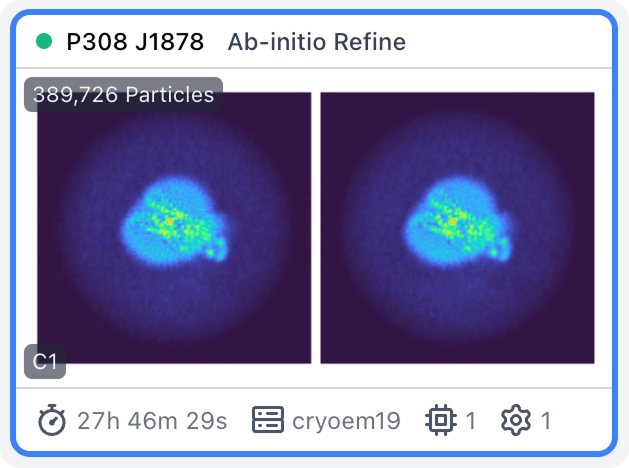
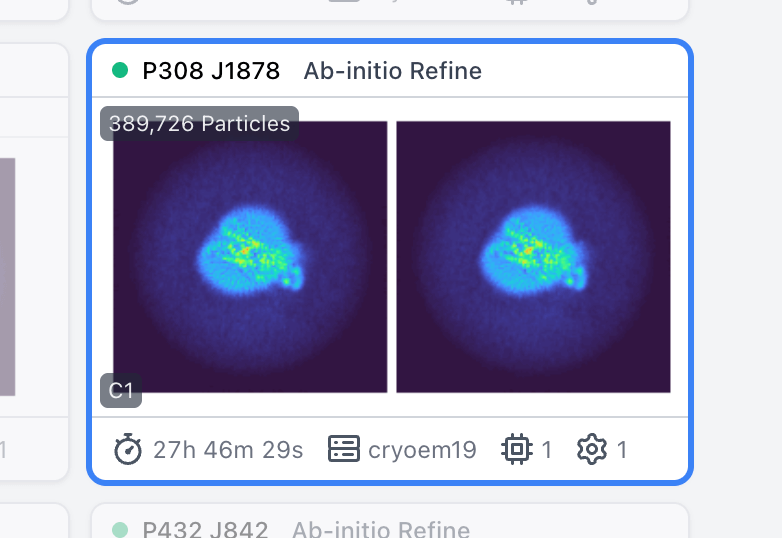
Homogeneous Ab-Initio Refinement (BETA) uses the same algorithm as Ab-Initio Reconstruction (i.e., stochastic gradient descent) to refine a dataset to high resolution from scratch, while preserving gold standard independence of two half-sets and half-maps. Half-maps are aligned in 3D during optimization to keep them in register. The job type is inspired by recent results showing that Ab-Initio Reconstruction can produce improved map quality for small and challenging targets when run at high resolution (HR-HAIR: Kim et al. 2025).
Update
Local Refinement now has an option to use input half-maps for initialization, allowing local refinement to retain the gold-standard separation of half-maps from an upstream Ab-Initio Refinement or other source.
Update
Ab-Initio Reconstruction now supports spherical or cylindrical windowing of volumes during reconstruction, via the Volume window mode parameter. Window size can be controlled with Window inner diameter and Window outer diameter parameters. Spherical windows can help with reconstruction of smaller particles, and cylindrical windows with helical particles.
Update
Ab-Initio Reconstruction now has a parameter Minimum alignment resolution that performs high-pass filtering on the volume (for the purpose of alignment only).
Fixed
Fixed a bug in Ab-Initio Reconstruction that could cause NaN errors when class volumes were near empty.
2D Classification Sorting and Fixed Alignments
New
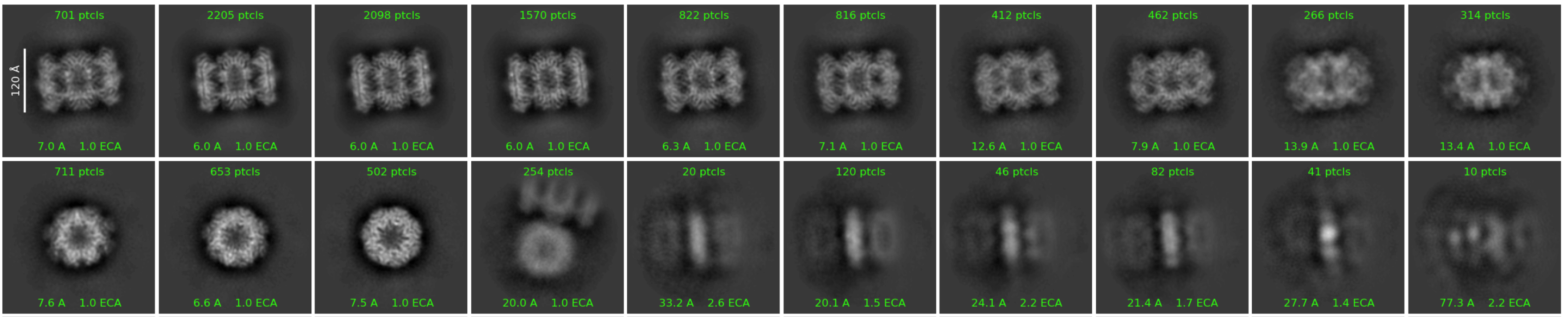
2D Classification now aligns 2D classes to each other and plots classes in a sorted order determined by inter-class similarity, for easier visual comparison. This can be reverted to sorting by size, by modifying the "Plotting sort method" parameter.
New
Added a "Do orientation alignment" parameter to 2D Classification, turned on by default. If 3D alignments are available in input particles, this parameter can be turned off to allow for 2D Classification without alignment.
Update
Added class index to sort options in Select 2D Classes.
3D Classification Advanced Options
New
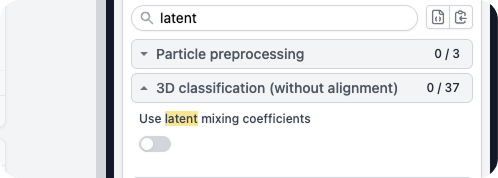
3D Classification now includes the option (default: off) to use latent mixing coefficients during classification. When turned on, 3D Classification treats the current class sizes at a given iteration as a representative example of the underlying, true class sizes; formally, it applies a prior over class posteriors based on the current sizes of classes. This can result in more diverse class sizes, reducing the likelihood of 'uniform' class distributions.
Update
In 3D Classification, the solvent mask is now automatically expanded to ensure it always fully contains the focus mask. Furthermore, if a solvent mask is not provided as input, there is a new option to Generate solvent mask from consensus (and a spherical mask is used if this option is turned off).
Update
3D Classification now has a new real-space slice plot with improved contrast and a modified colourbar.
CTF Refinement with Per-Particle Scale
New
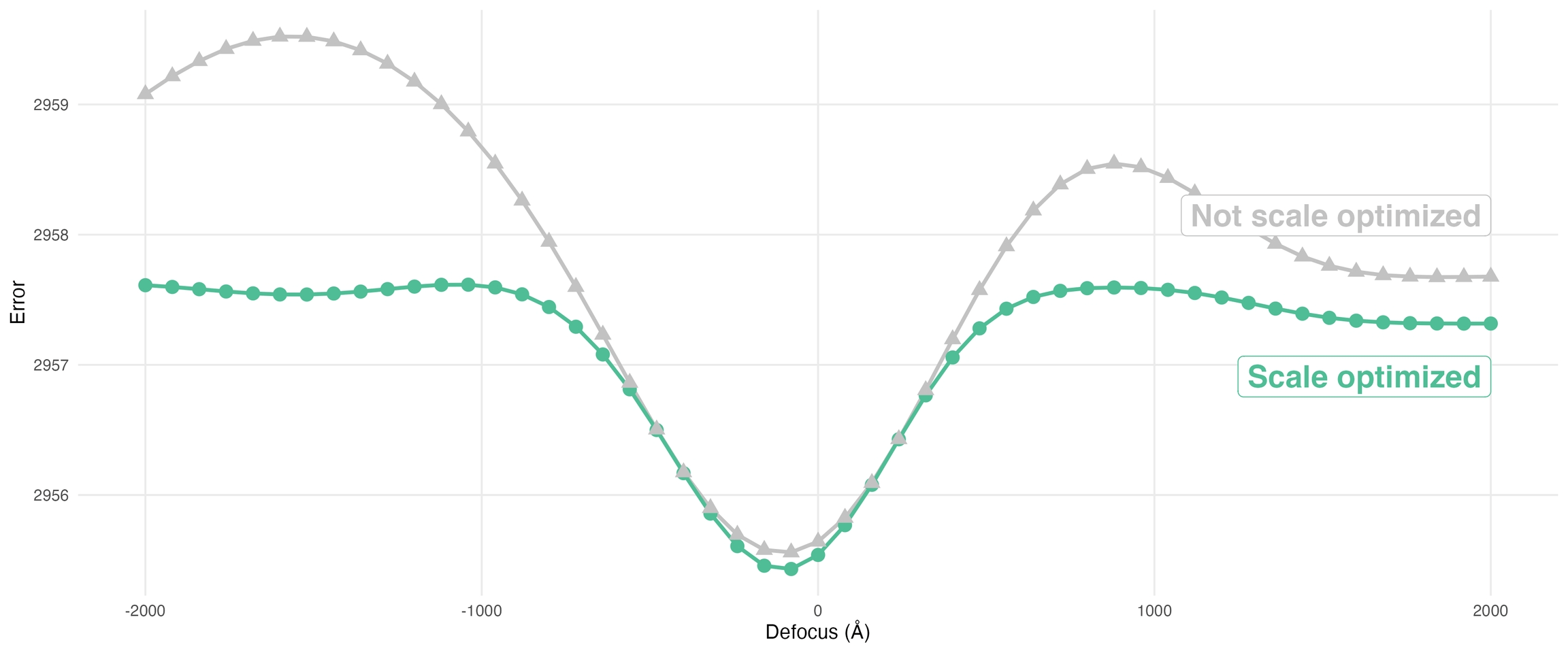
Local CTF Refinement now optimizes over per-particle scale and defocus in tandem. In testing, this can lead to better error landscapes and potentially improved defocus values.
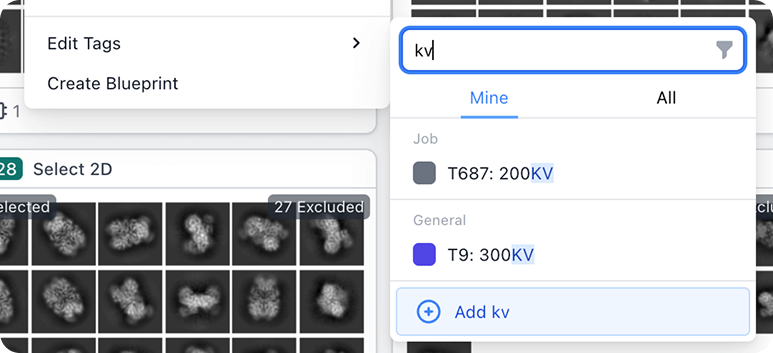
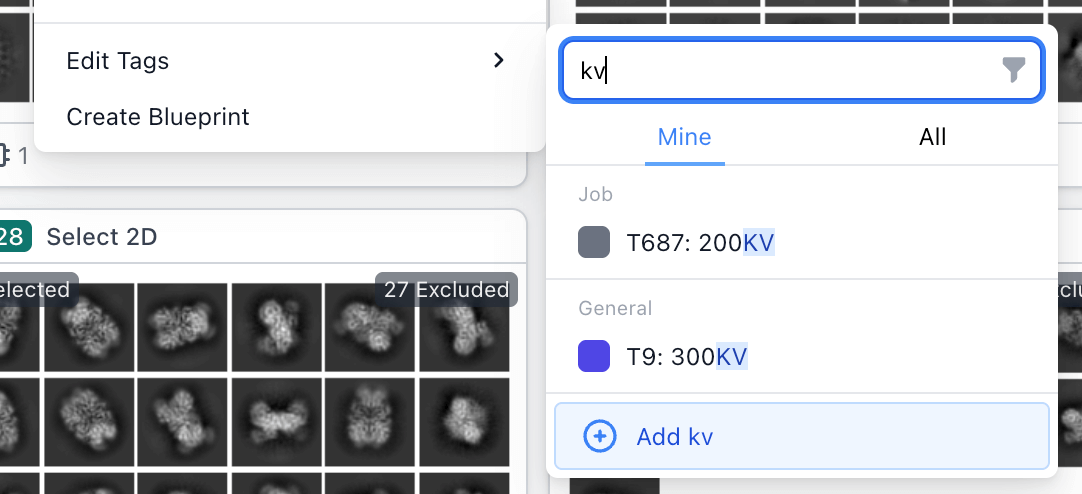
The "Edit Tags" menu for jobs now by default only shows tags created by the current user, with a toggle to view all tags in the instance.
Added ability to tag multiple jobs at once using the multi-actions menu.
Added new option to create a tag in the "Edit Tags" menu. Default tag will be created with the search term if applicable, or the "Create Tag" slideover will be opened to complete creation.
Updated tag filter in jobs browse view to only show tags that have been applied to jobs in the view.
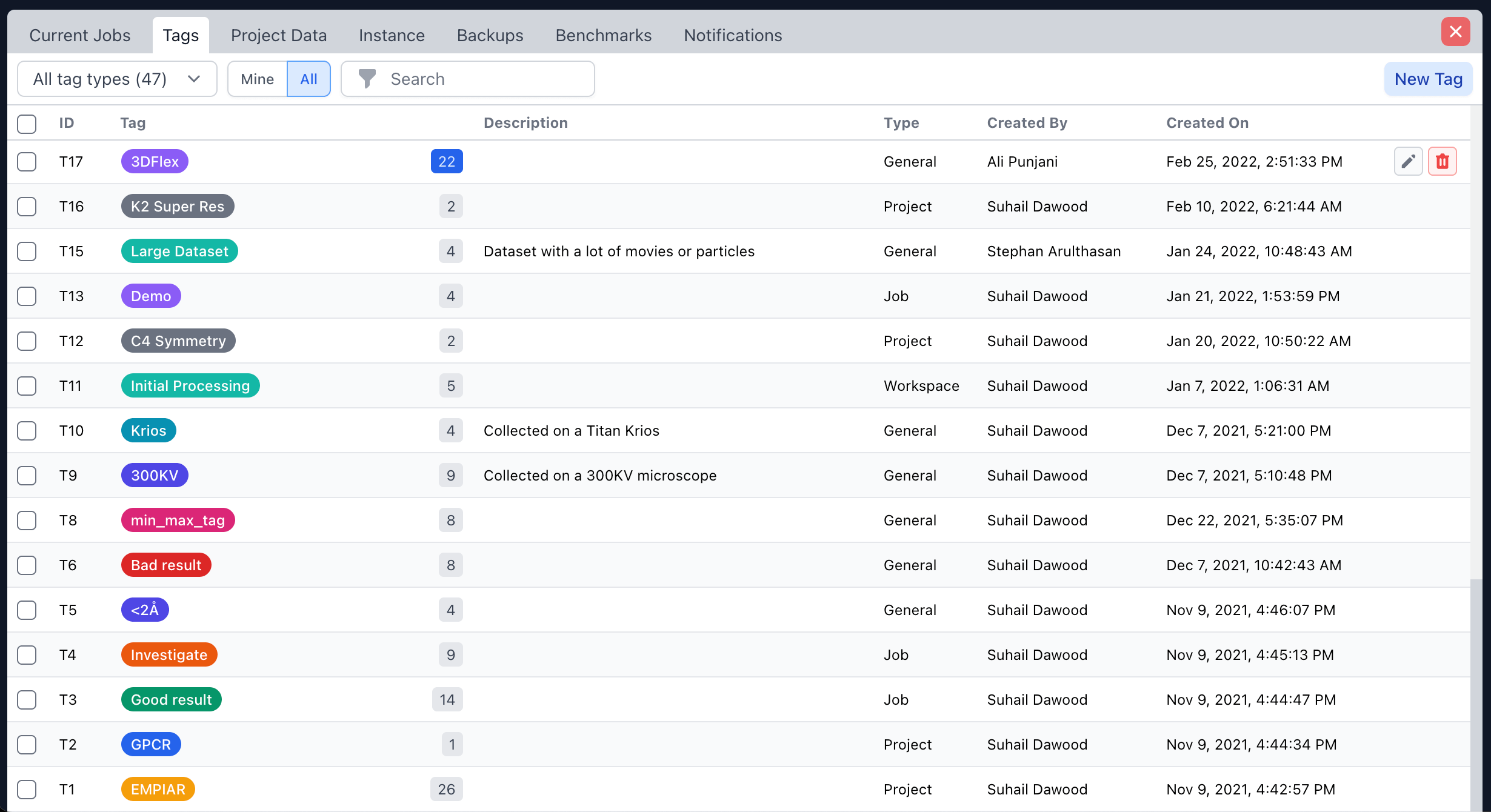
Redesigned tag manage dialog panel for more information density and added ability to delete multiple tags at once.
Update
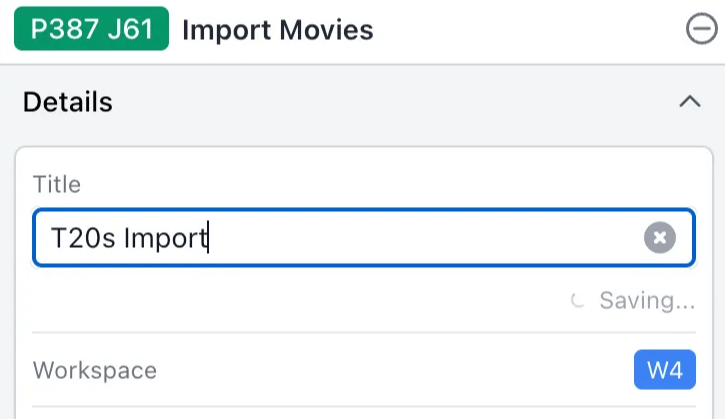
Titles and descriptions in the details sidebar autosave when edited.
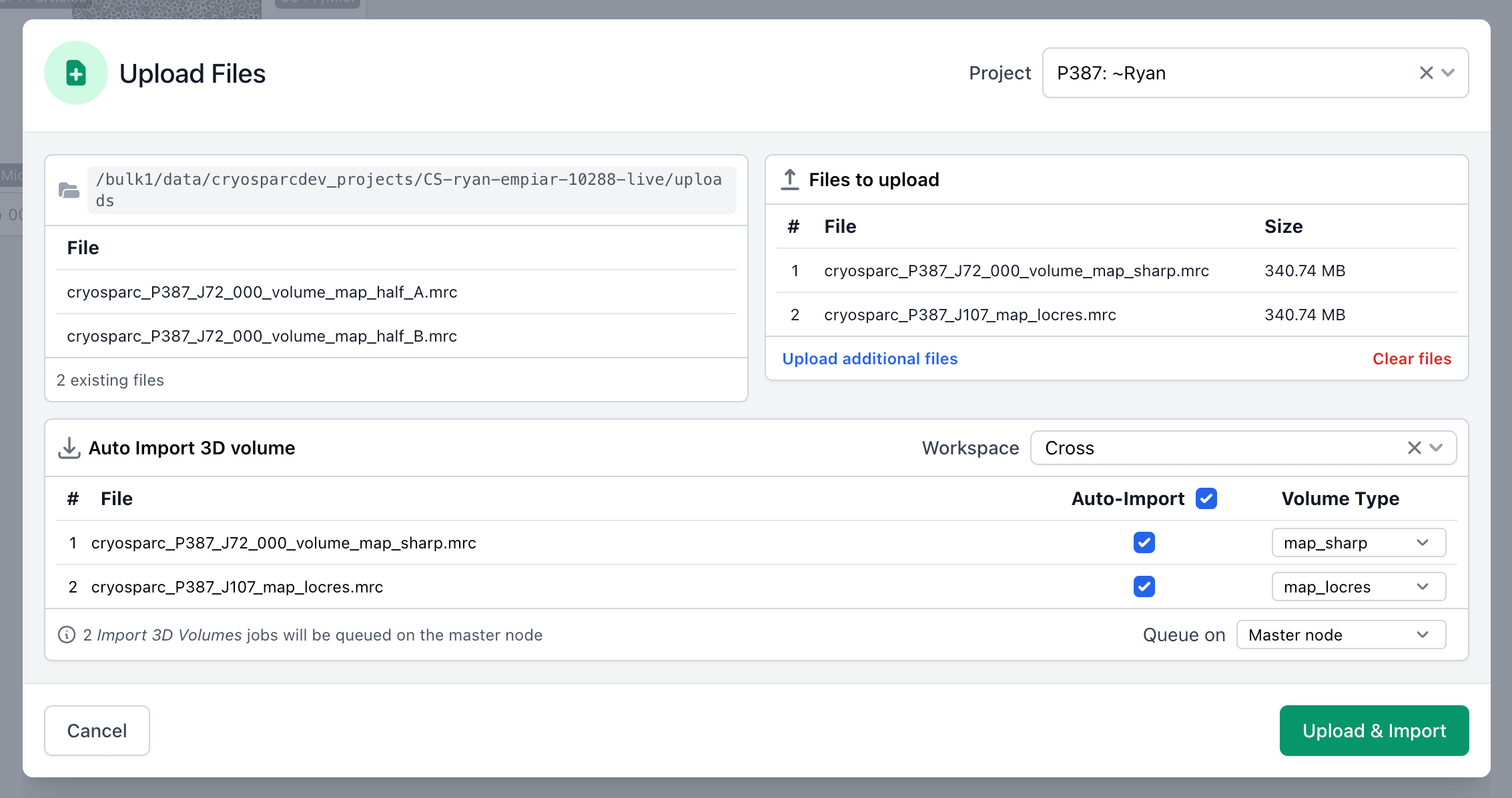
Upload Local Files provides a message when attempting to upload an unsupported file type and lists the applicable file types that are allowed.
Copy/Paste Parameters and Simpler Job Creation
New
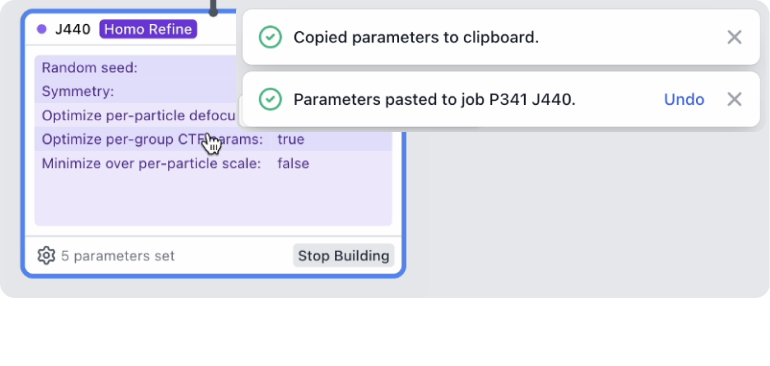
Copy/Paste Parameters: Use command+option+c to copy parameters from a selected job, and command+option+v to paste onto a selected job.
Parameters can be pasted onto jobs of different types, useful between jobs with many of the same parameters such as 3D refinements.
Parameters are copied to the clipboard as a valid CryoSPARC Blueprint, in JSON format for editing or sharing. These can also be copied from the job builder using the "Copy as Blueprint" button or command+option+c.
Parameters can also be copied in plain text for pasting into lab notebooks, using the "Copy all parameters as text" option in the job builder.
Update
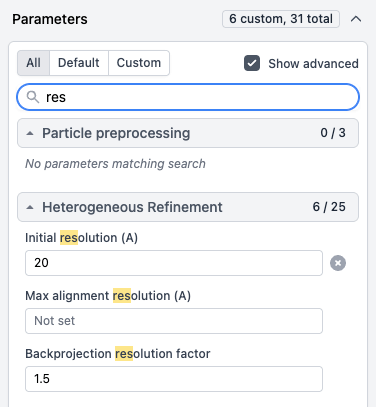
Ability to search for parameters in the job builder.
Update
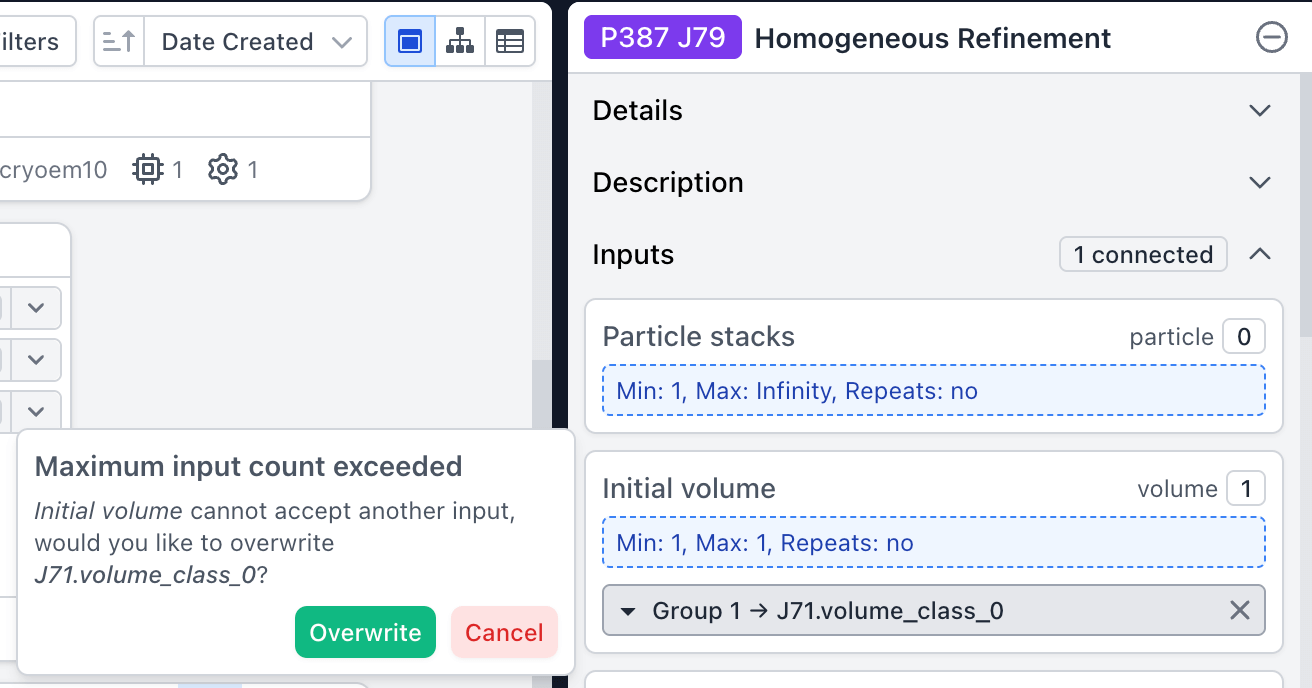
When dragging an output group into a building job, there is now an option to replace the existing group connection if only one connection is allowed.
Update
Added additional checks when building jobs to prevent incorrect number of input groups from being connected.
Update
Prevent workflows from being applied if they are missing parent connections, preventing jobs from being connected with missing passthrough outputs.
Job Queuing and Resource Management
New
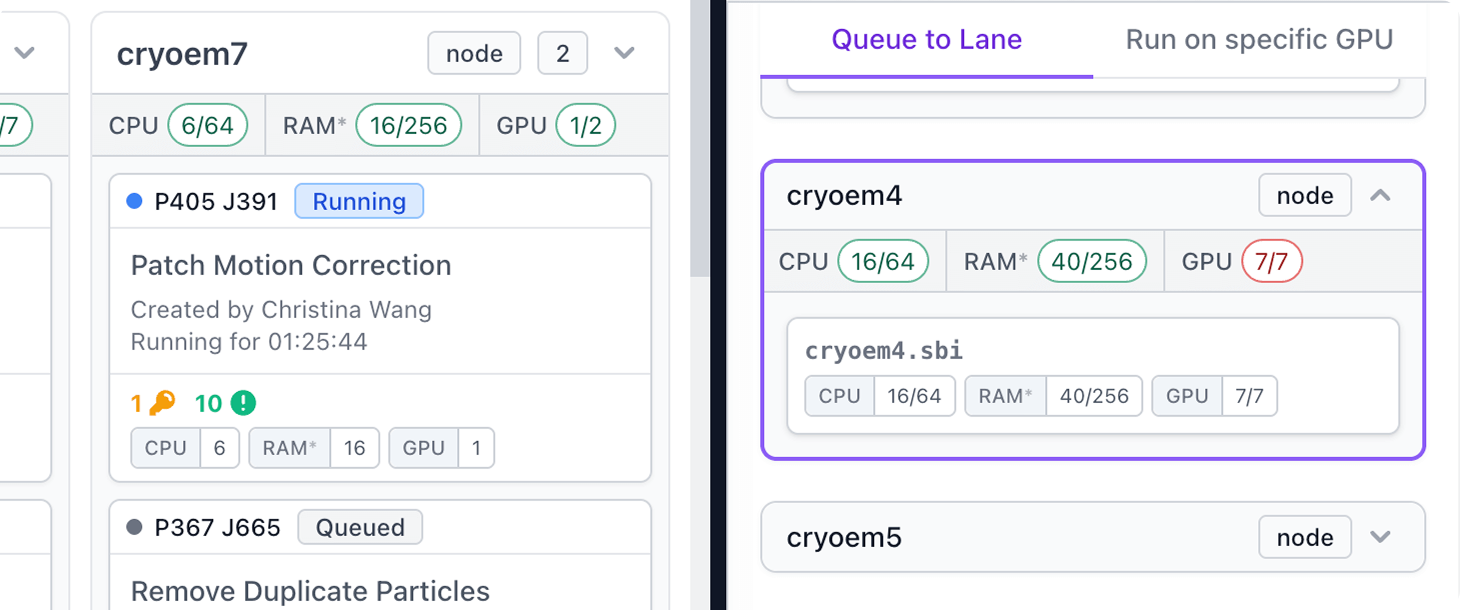
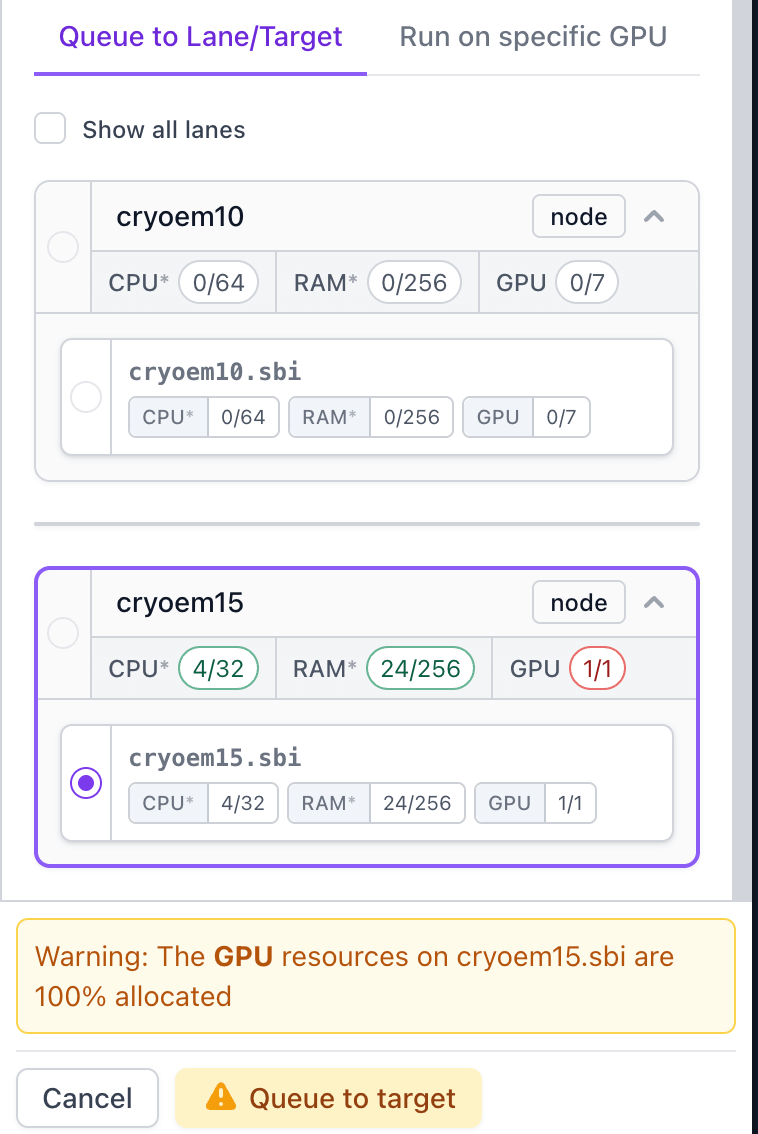
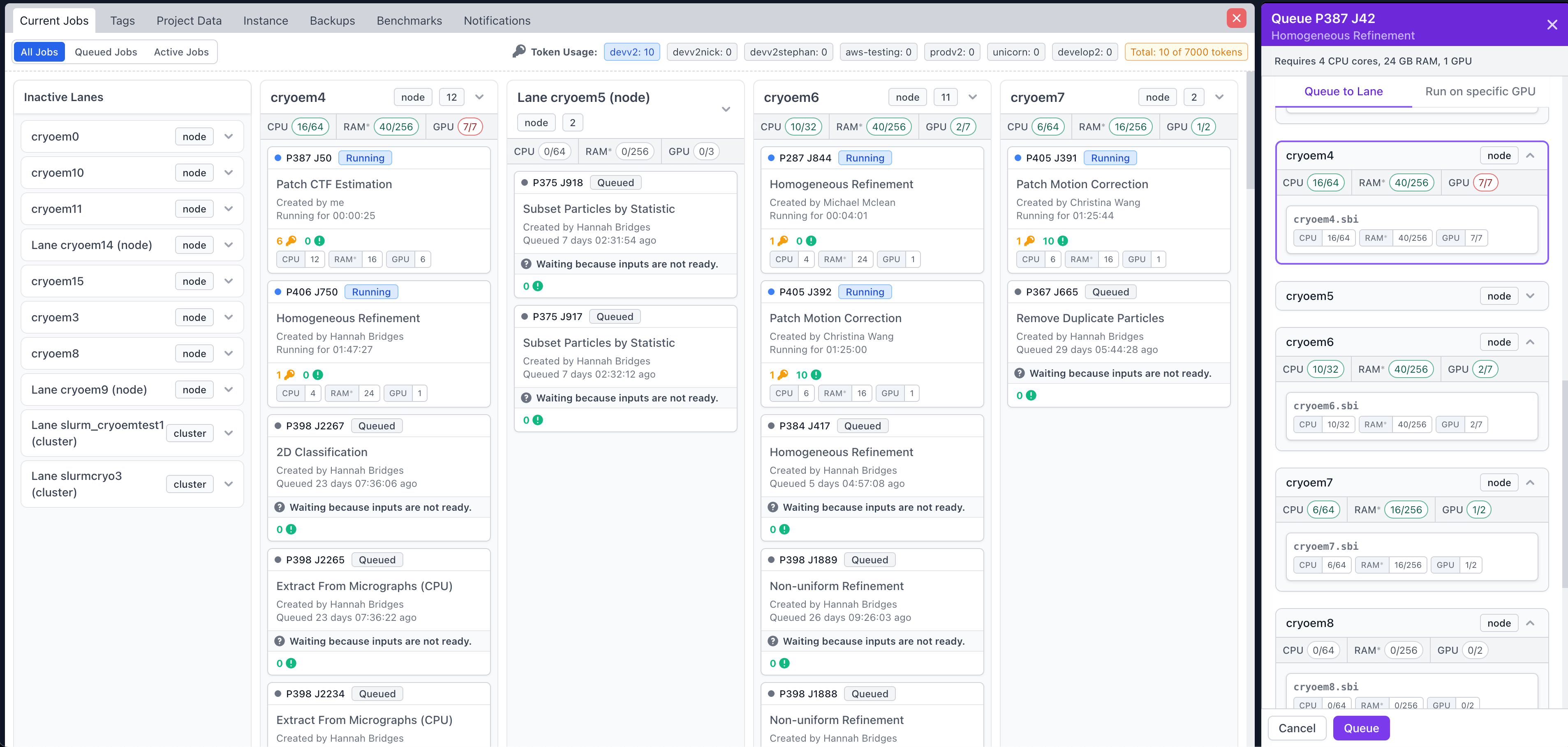
Ability to queue GPU and CPU jobs to a hostname/target directly in the Queue slide-over, plus improvements to right-click queue menu:
The Queue slide-over now shows a warning when the CPUs, GPUs or RAM of the selected lane/target are fully allocated.
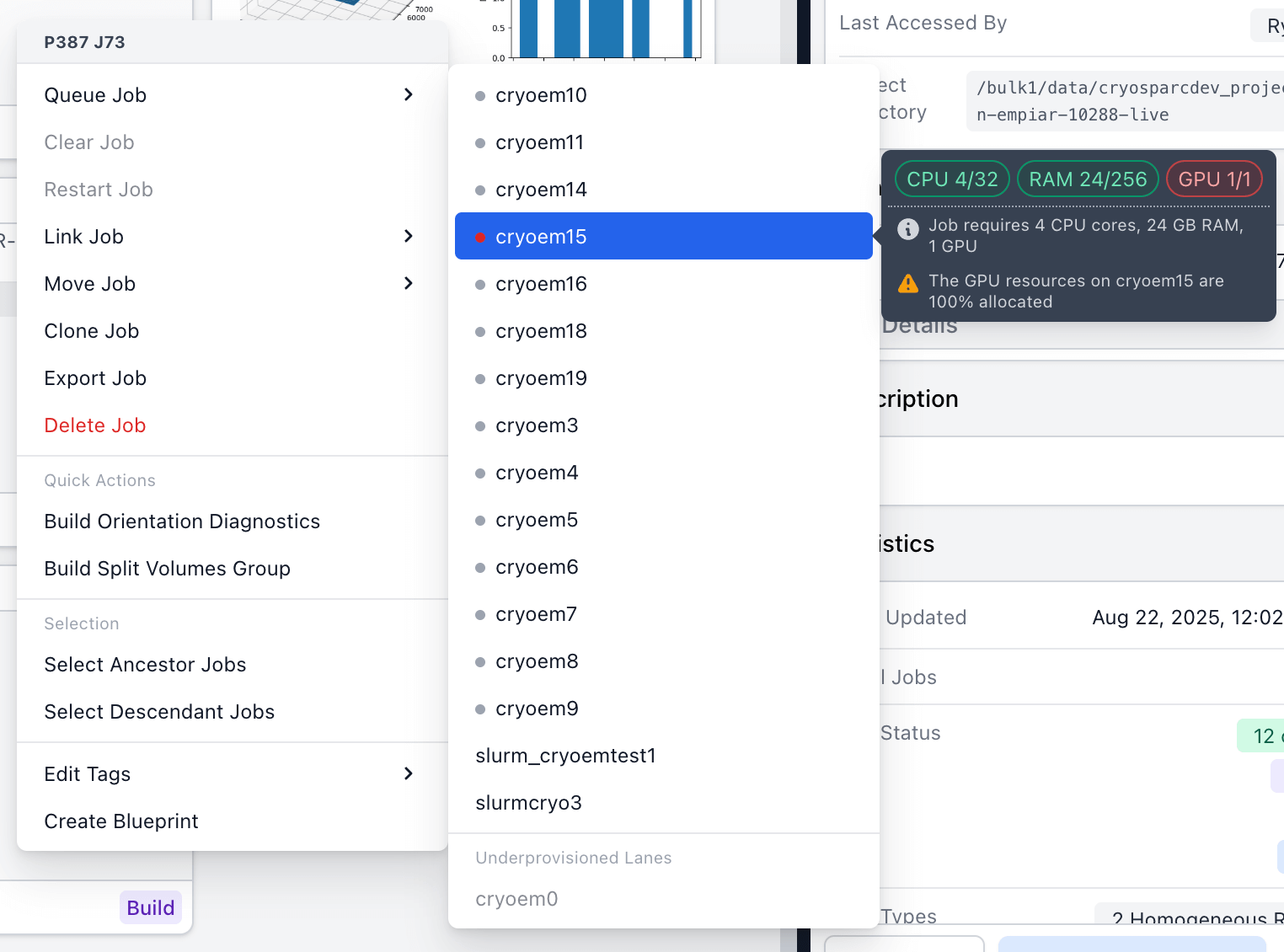
When right-clicking on a job, the quick access menu displays a coloured light icon and tooltip for each lane's current resource allocation, the compute requirements of the job, and a warning if one of the lane's compute resources is fully allocated. Lanes with insufficient resources for the job will appear under "Underprovisioned lanes".
Update
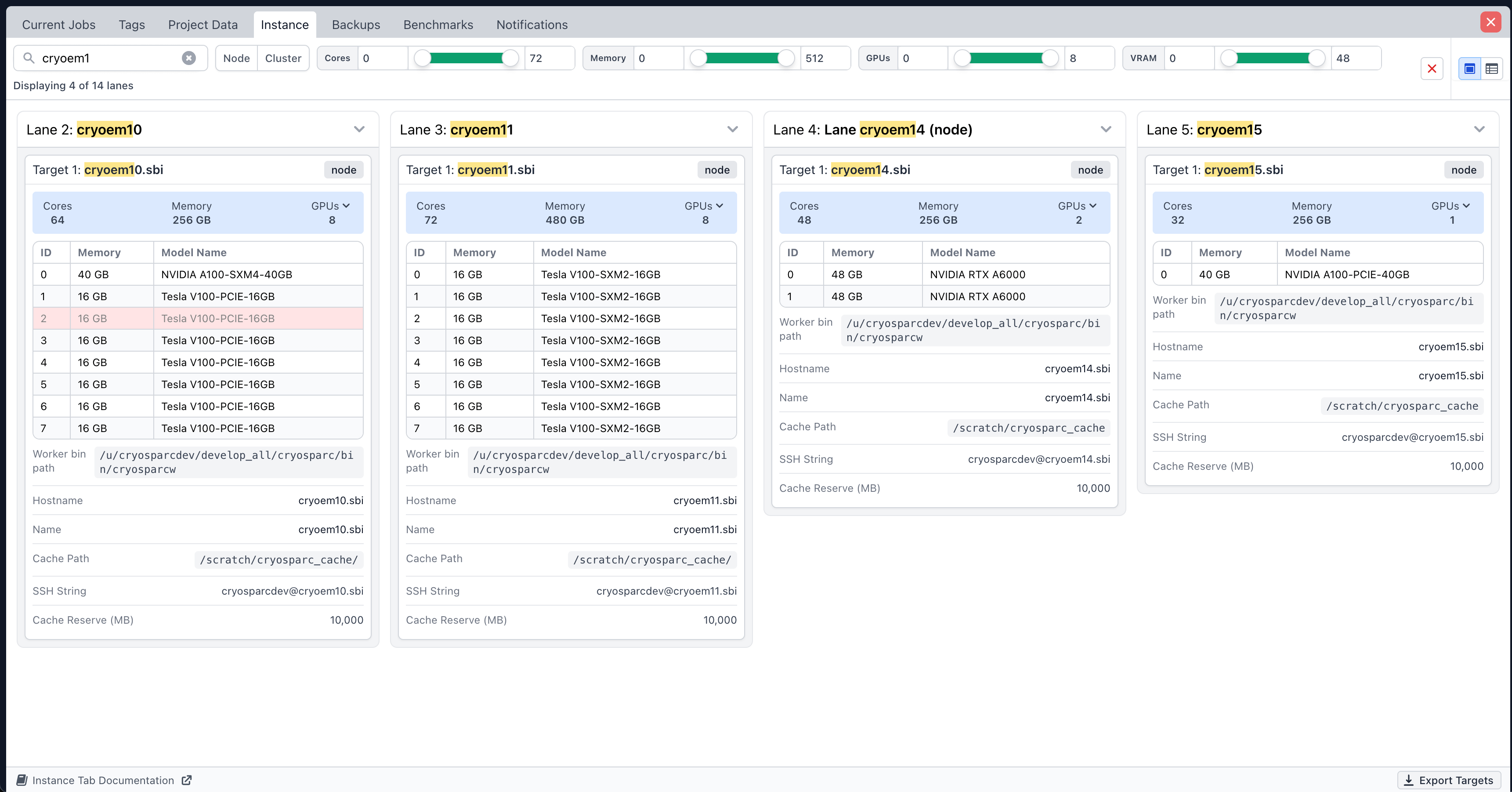
The Instance Information tab, that displays all available worker and cluster lanes, has been redesigned.
Search filters have been added, allowing the user to filter lanes by name, lane type, and compute resources.
Each target card now contains a list of GPUs displaying their ID, name, and VRAM.
A new table view has been added that displays instance information in a collapsible nested tabular format.
Contents of target paths and cluster submission scripts can now be copied to the clipboard with a single click.
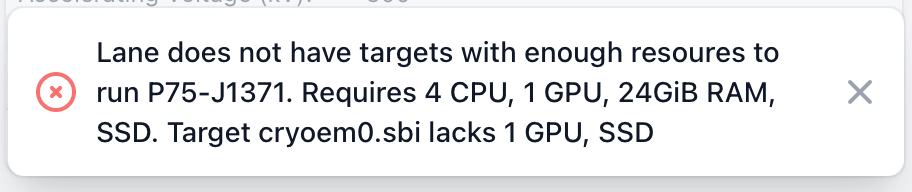
Improved error messages when queuing to under-provisioned lanes or targets.
Update
When launching a job directly on GPUs, the list of available GPUs now respect instance configuration, hiding GPUs that are marked as unavailable to CryoSPARC.
Downloading and Exporting Reports and Metadata
New
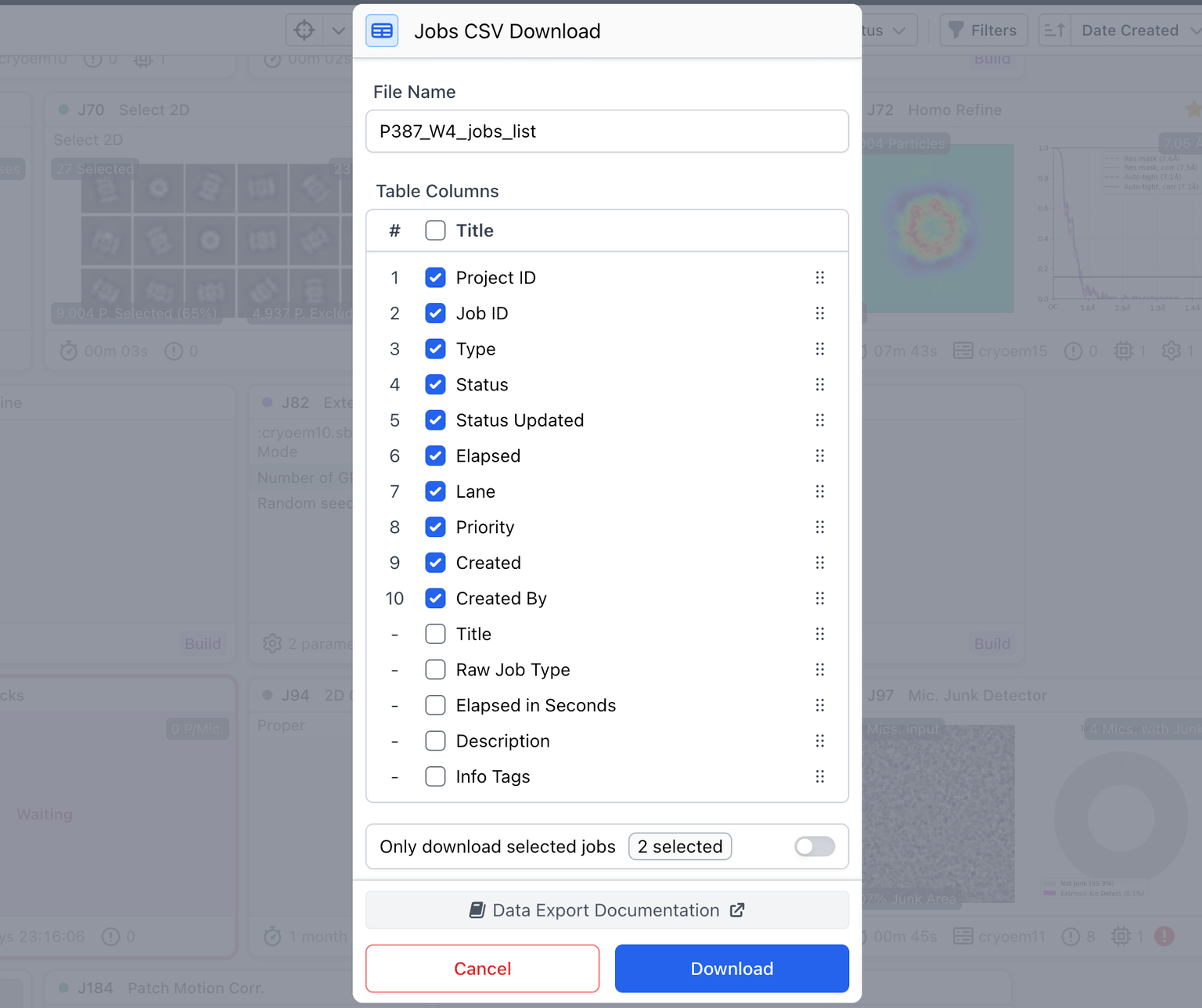
Added an 'info tags' option to the job CSV download, enabling access to the same statistics presented on job cards.
Improved job info tags and dashboard cards for Extract from Micrographs (including display of F-cropped box size and output pixel sizes), Subset Particles by Statistic and Helical Refinement.
Fixed
Resolved an issue where the job report would fail to download for certain jobs that contained special characters in their event log output, title or description.
Keyboard Shortcuts
New
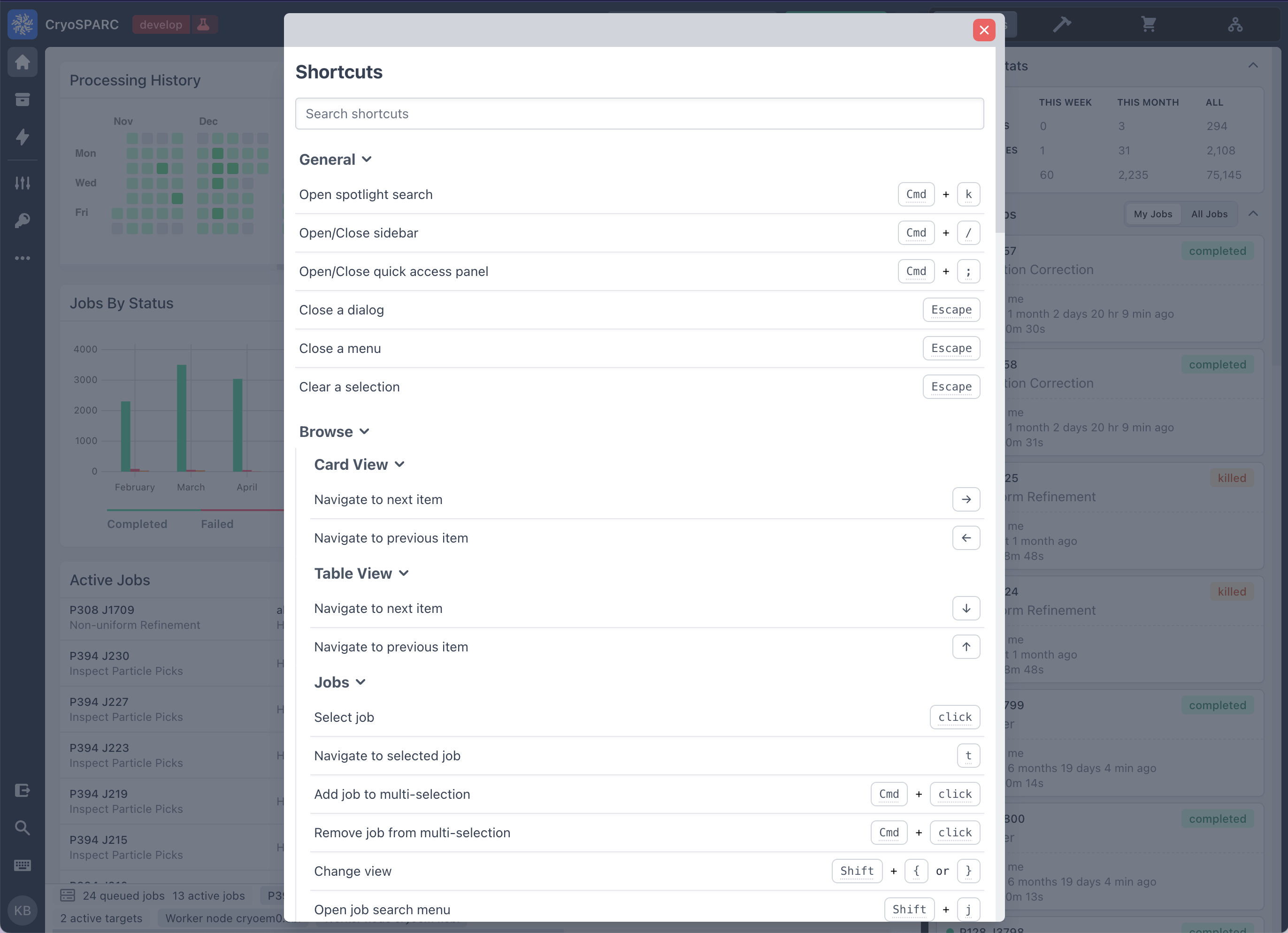
The shortcuts dialog has been reworked to show all available keyboard shortcuts inside of hierarchical sections in a single panel. To open the shortcuts dialog, click on the "keyboard" icon in the left navigation bar.
Update
The keyboard shortcut for marking/unmarking a job as final has been modified from 'F' to 'Option + Shift + F'.
Update
Selection menus for projects, workspaces, and sessions have been updated to show all items with no upper limit and no UI performance impact.
Data Cleanup
Update
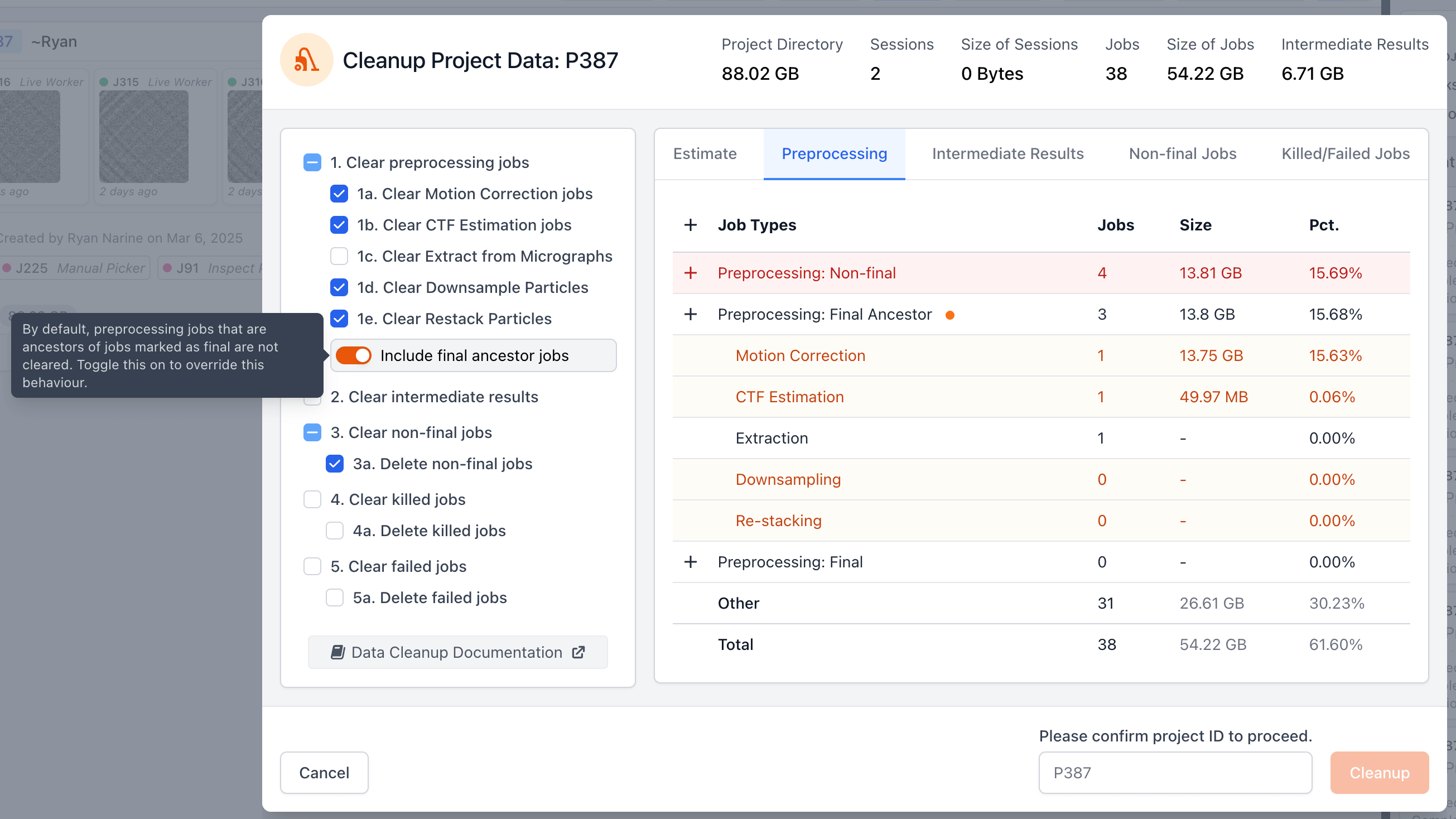
Added a toggle (default: off) to the Cleanup Data tool that controls whether final-ancestor preprocessing jobs (i.e., preprocessing jobs that are ancestors of jobs marked "final") should be cleared. Preprocessing jobs' outputs (micrographs, particle stacks) take a lot of disk space, but can be reproduced by re-running the jobs again as long as the raw data is available. Therefore, turning on this option can be useful to clear additional space without losing the ability to recreate final results. Read the Data Cleanup guide before proceeding.
New
A new command line endpoint delete_output_result_files allows deleting files produced by a job that are part of just a specific result, for example micrographs_non_dw for non-dose-weighted micrographs in Patch Motion Correction.
Instance Recovery
New
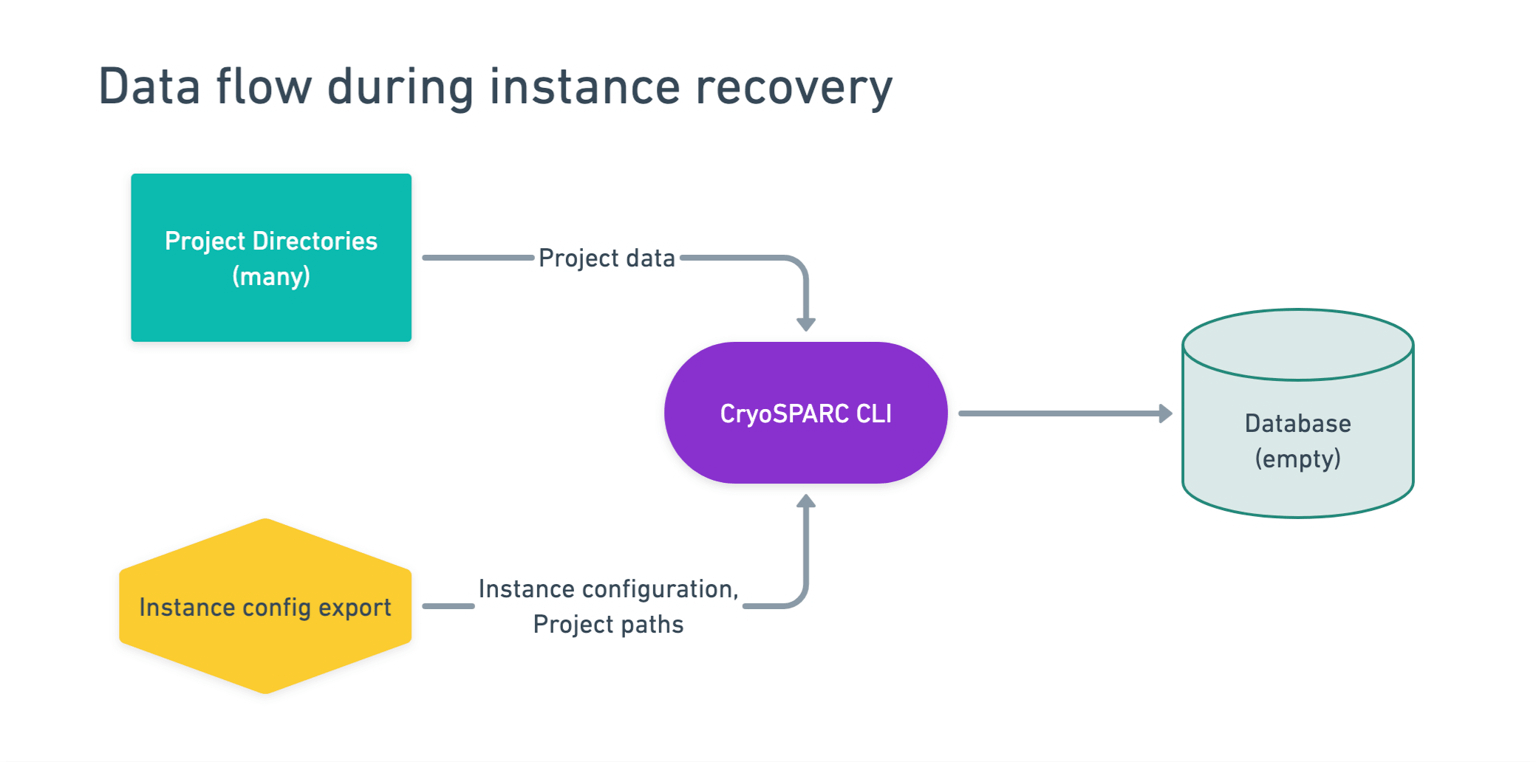
Added cryosparcm recover: a simplified way for CryoSPARC instances to fully recover from database loss or corruption without the need for database backups. See the Instance Recovery guide for more details.
Project Attachment and Job Import
Update
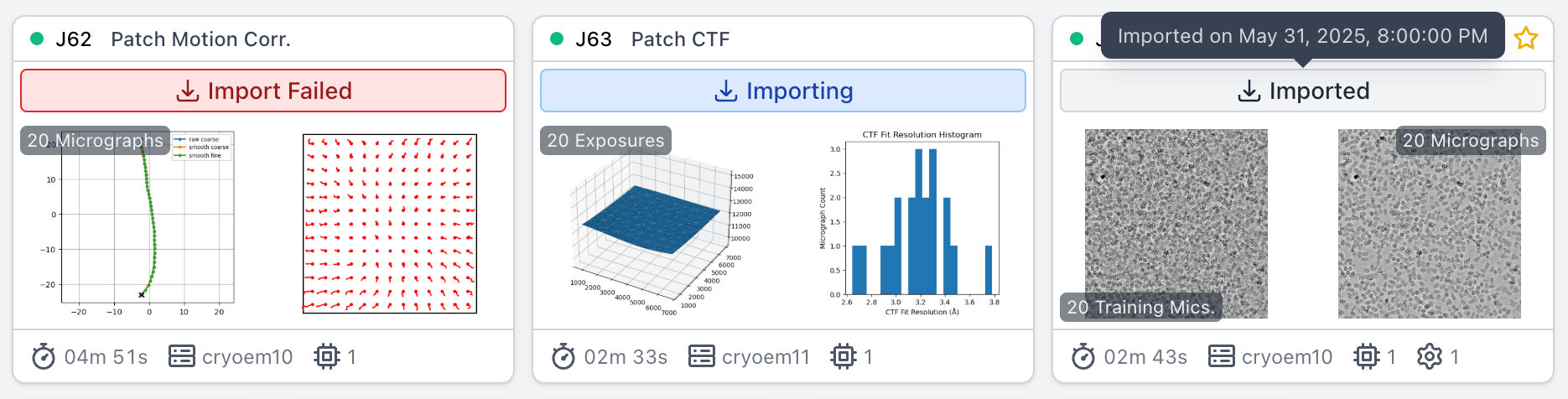
When attaching a project, the project card and details sidebar now display the status of the attach process (i.e., in progress, successful, or failed). Projects that fail to attach will display an error banner.
Update
When importing a job, the job card now displays the import status.
Update
Clear and restart actions are now disabled for imported jobs.
Search and Browse, Job Selection, Navigation
Update
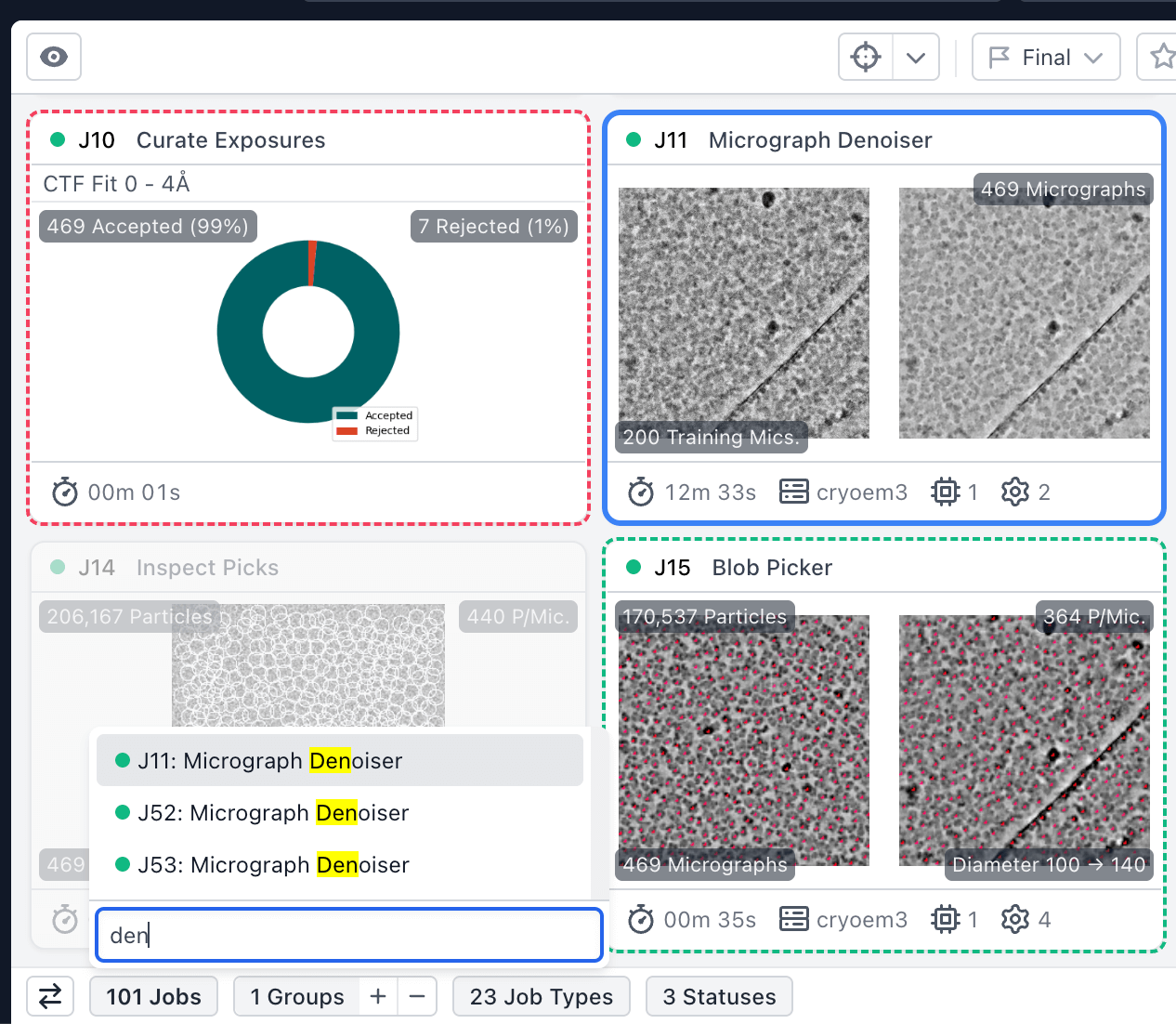
Job search menu can now support viewing and searching any number of jobs in a view without a limit. Menu can be opened with new shortcut shift + j.
Update
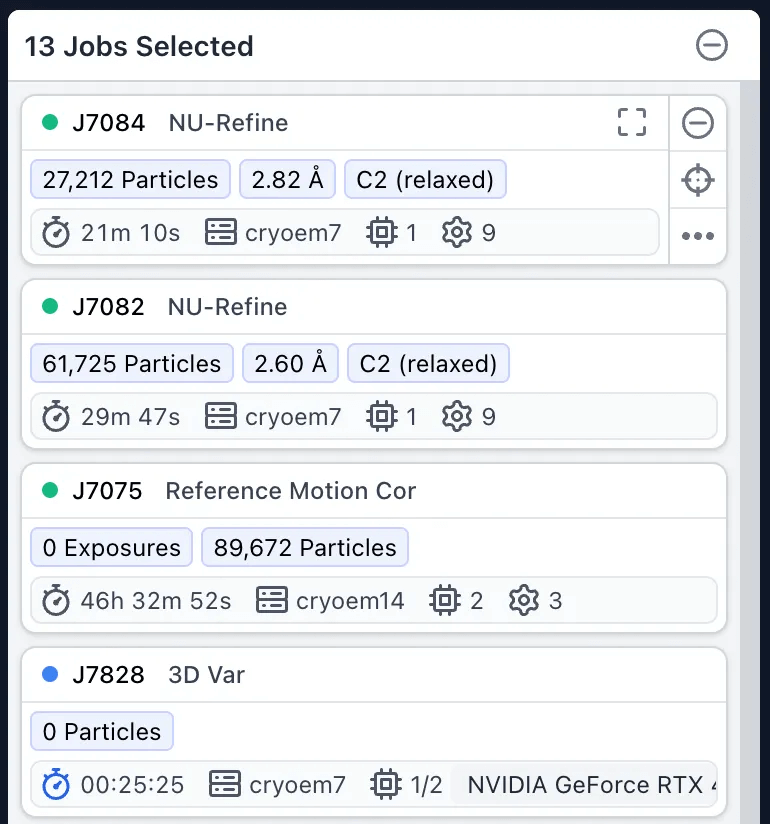
Upgraded multi-selection experience for jobs: identify, navigate to and view a summary of results within the sidebar. Sidebar cards include key information including info tags, runtime, custom parameters and resource usage, as well as actions to open the job dialog, target (go to) the relevant card in the browse view, and open the quick actions menu.
Update
Clicking on a job header within the current jobs tab will open the job preview, similar to the browse views.
Update
The current browse view (card, table, etc.) can now be toggled using the keyboard shortcut shift + { or }.
Fixed
Resolved an issue when attempting to remove the 'Final or Ancestor of Final' filter within the browse system.
Fixed
Resolved an issue were jobs of a certain status were not able to be unlinked.
Fixed
Navigating the job card view using the arrow keys will no longer get stuck on groups.
Fixed
Resolved an issue where the multi-select quick actions menu would not display when selecting dozens of jobs.
Data Import
Update
Reassign Particles to Micrographs now creates a separate output group for particles that did not match any of the input micrographs, rather than failing.
Fixed
Import Particle Stack for helical particles now uses randomized filament_uid for each filament (rather than copying directly from rlnHelicalTubeID) to ensure the correct distribution of values.
Fixed
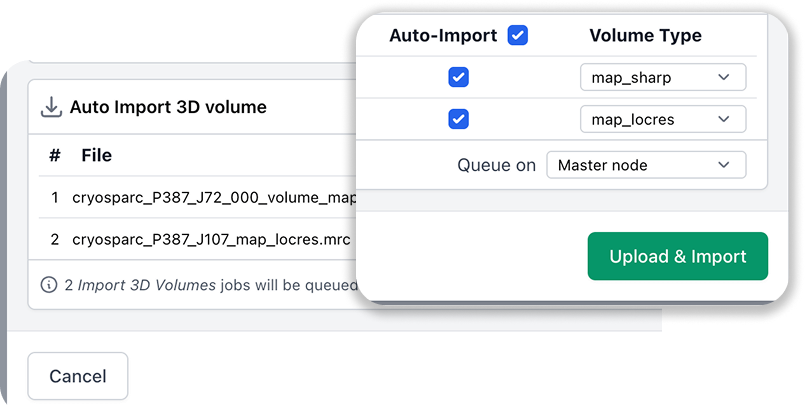
Import 3D Volumes will no longer fail when importing EMDB volumes with IDs starting with zero.
Fixed
Tooltip for the gain reference field in Import Movies accurately reflects the fact that TIFF gain references are supported.
Preprocessing
Update
Added a parameter to Patch Motion Correction and Reference Based Motion Correction jobs called "hot pixel threshold". This controls how many standard deviations away from the mean a pixel can be before it is considered a stuck or aberrant pixel, and ignored during motion correction.
Update
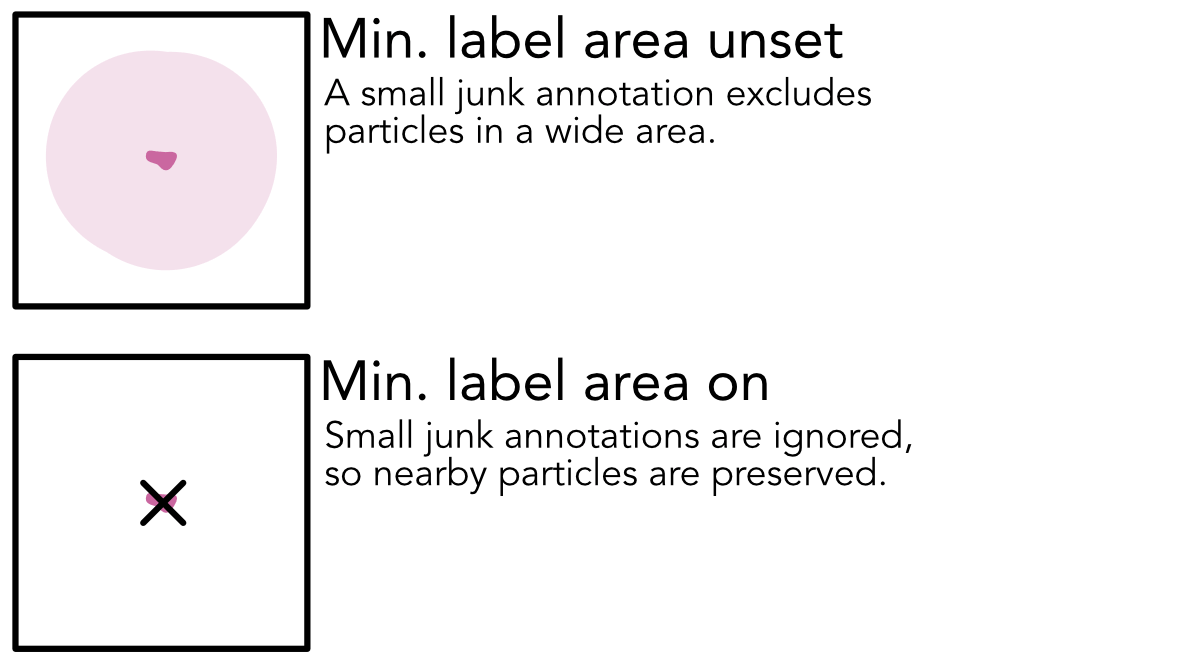
Added a parameter to the Micrograph Junk Detector that sets a minimum area for junk labels below which particles won't be rejected.
Fixed
Fixed a bug in the Micrograph Junk Detector which caused masks to be slightly offset for certain micrograph sizes.
Blob Picker now includes a warning if the Lowpass filter to apply to templates/micrographs parameter values are too high and incompatible with the specified "Minimum particle diameter" value.
Update
Blob Picker now has two elliptical blob generation modes (stretch and squeeze) to account for different particle shapes, corresponding to thinner rods and flatter disks. It also has a parameter Blob size spacing (A) that controls the number of intermediate sized blobs that will be generated between min and max diameters, and prints the diameters of the circular, elliptical, and ring templates alongside the plots of the templates.
Update
When turning on the "Pick on denoised micrographs" parameter in Template Picker or Filament Tracer, the "Use CTFs to filter the templates" parameter will be set to the correct value automatically.
Micrographs denoised using the Micrograph Denoiser are now compatible with Topaz v0.3.0.
Fixed
Topaz jobs using Topaz v0.3.0+ now use a file with a list of micrograph filenames, to avoid "Argument list too long" errors.
Fixed
Filament Tracer now prints the diameters (if template is not provided) of the filament. Filament tracer and template tracer no longer cause errors due to changes in blob picker parameter.
The job now allows for subsetting by either Per-particle scale (used), which is the value used by the upstream job during back projection of particles, or Per-particle scale (optimal), which is the value computed but not necessarily used by the upstream job. The job defaults to per-particle scale (optimal) as the statistic.
The job now allows for subsetting by the total amount of shift in either 2D or 3D alignments, and also by the azimuth or elevation from 3D alignments.
The job has a new option to ensure that an equal number of particles are selected from each half-set split defined in the incoming particle stack. The job also allows splitting particle sets into the two gold-standard half-sets based on alignments3D/split.
Fixed
Inspect Particle Picks no longer fails when there are too few particles, instead it will skip CTF bins that have zero particles and throw a warning instead.
Fixed
Fixed issue in Downsample Particles where alignments3D and alignments2D were not being updated, causing the job to produce incorrect results when Recenter using aligned shifts was enabled.
3D Refinement
Update
BILD files are now output for viewing direction distributions in all refinements.
Update
Refinement jobs now include cFAR scores in summary statistics, so that these values are available to scripts using cryosparc-tools.
Fixed
Fixed issue in Helical Refinement where the Maximum out-of-plane tilt angle parameter value would reset to the default upon launching the job, regardless of its specified value.
Postprocessing and Diagnostics
Update
In Orientation Diagnostics, a new expanded cFSC plot shows all cFSC curves, and raw cFSC data is now output to a csv file in the job directory to facilitate plot reproduction. In addition to cFAR, the job now reports 'tFAR', a variant of cFAR which uses toroidal Fourier segments rather than conical segments. In our testing, tFAR can better represent signal anisotropy under unimodal or bimodal viewing direction distributions. Both tFAR and cFAR scores are more prominently displayed in plots.
Align 3D Maps no longer applies a lowpass filter to outputted maps. A new parameter, Alignment resolution (A), is instead used to control the maximum frequency of information used for volume-to-volume alignment.
Update
Improvements to the alignment algorithm used in Align 3D Maps. The objective function now accounts for overall greyscale differences between maps, which can improve resulting alignments in cases where input volumes came from different processing workflows.
Fixed
Remove Duplicate Particles now logs the micrograph's pixel size that is used to compute inter-particle distances.
Fixed
Exposure Group Utilities and other jobs that assign exposure group ids now correctly increment a project-level exposure group counter so that new exposure groups receive a unique id.
Installation and Configuration
Note
CryoSPARC v5's performance benchmarking system is not backwards compatible. New performance benchmarks can be recorded in v5 but will not be retained if downgrading to v4.
New
CryoSPARC v5 includes updated performance benchmark references on bare metal and AWS nodes.
New
cryosparcm worker connect and cryosparcm worker disconnect commands can be used to manage connected nodes from the master node. View the updated v5 cryosparcm reference here.
Update
CryoSPARC will now check for conflicts with network ports at installation time.
Update
CryoSPARC will now check for conflicts with active network ports at startup time.
Update
Improved detection for when a scheduler target is the master node.
Update
The default range of logs returned in cryosparcm log and cryosparcm errorreport has been increased from 7 days to 30 days.
Update
Modified cluster launch scripts to append to the job log file instead of overwriting.
Fixed
Prevent "Could not parse signed file" error during instance startup after changing license IDs.
Fixed
Fix permissions error when creating job directories on NFS drives.
Fixed
Worker updates are now copied directly instead of over SSH when updating standalone instances.
System Improvements and Fixes
Update
Notifications for actions and changes within a project are shown to admin users when viewing that project, regardless of who created it and the sharing permissions.
Fixed
Native browser autocomplete dialogs are disabled when interacting with an autocomplete filter within the interface.
Fixed
Sort order will now be respected for new jobs created in a workspace sorted by Job ID.
Fixed
Resolved an issue where flags were not retained when rebuilding a workflow.
Fixed
Sidebar action panel doesn't scroll on small height windows
Fixed
Filter hidden parameters out of job card footer widget.
Fixed
Fixed a bug which could allow a specific kind of movie, micrograph or particle file corruption (truncated frames) to go unreported.
Fixed
Downstream programs that read MRC files from CryoSPARC and expect them to be in CCP4 format will no longer encounter errors due to checksums embedded in CryoSPARC MRC output files.
Fixed
3D Variability Display interactive cluster plot legend now matches cluster numbers from job output.