CryoSPARC v5.1.0
At a Glance

CryoSPARC v5.1
New ways to search, visualize, and process cryo-EM data
Updated Volume Viewer
Inspect maps with richer rendering, masks, and histogram controls
Junk Masking
Improve downstream results by masking out carbon, ice defects and contaminants during preprocessing

Spotlight Search
Find jobs, projects and workspaces instantly with full-text search and contextual previews
ARM Support
Deploy CryoSPARC workers on supported ARM computing environments.
Job Performance
Up to 2x faster 3DVA and RBMC
Improved Application Performance
Virtualized job event logs, browser image caching and more
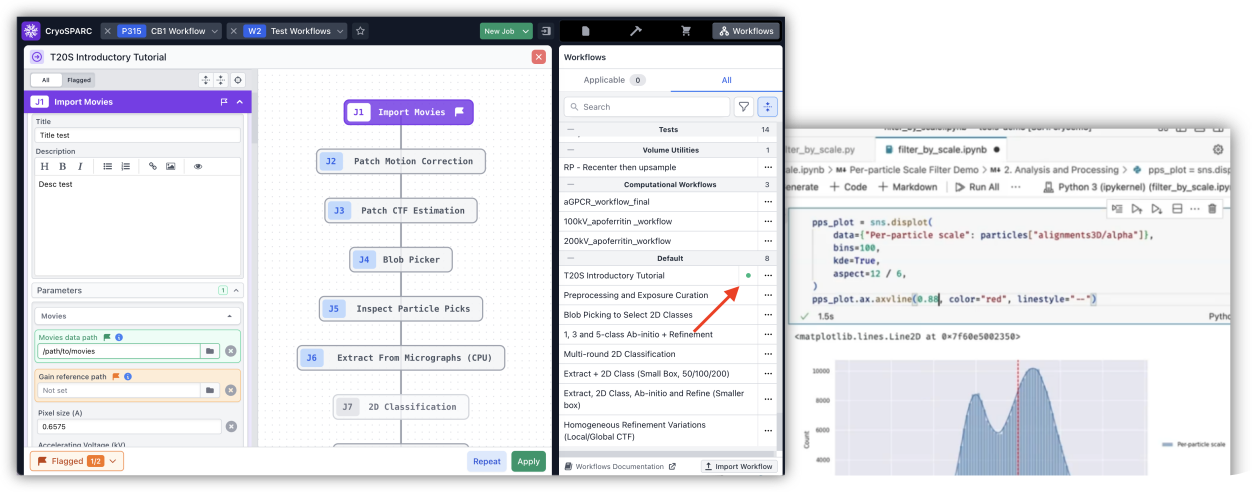
Scriptable Automated Workflows
CryoSPARC Workflows can now be created and launched through Python scripts, using the CryoSPARC API
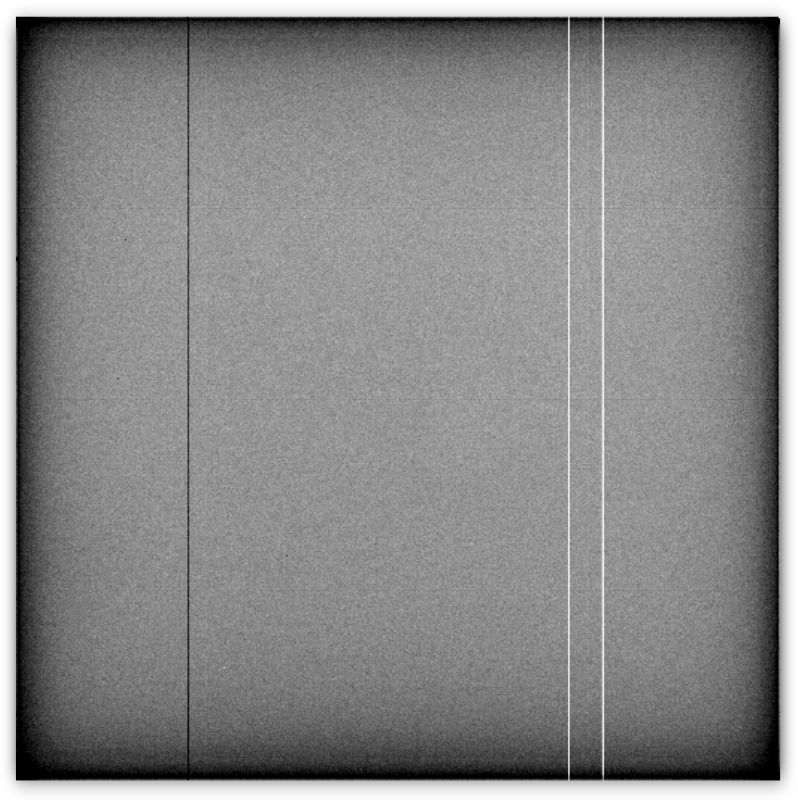
Defect Pixel Correction
Automatic outlier pixel correction in gain reference files
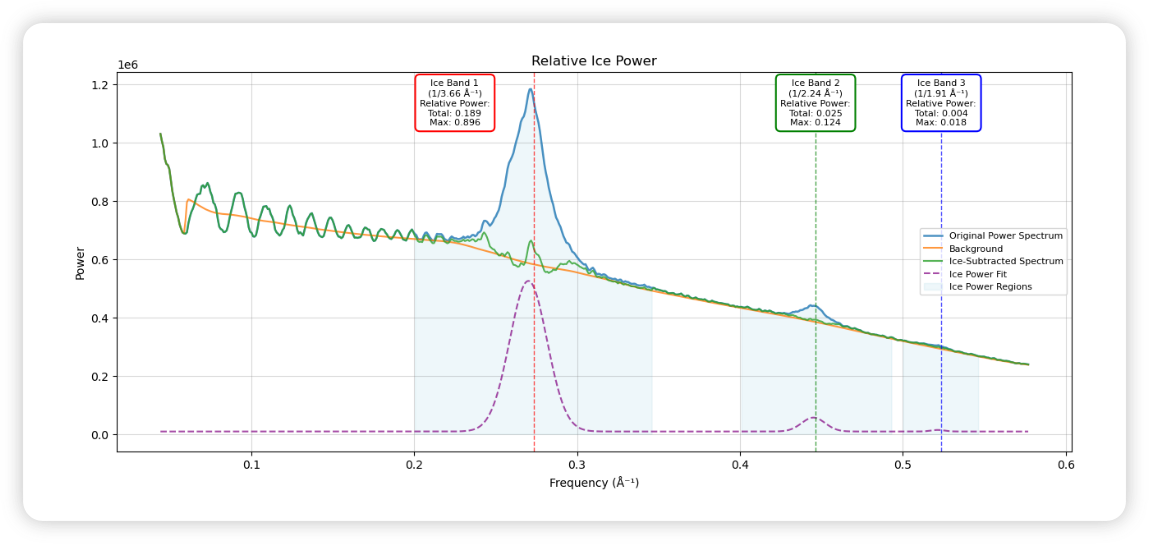
Updated Ice Thickness
Measure ice signal power from three different frequency bands
More Robust Data Management
Default float16 outputs, clear downstream results, review partial project attachments
Improved Admin Controls
Limit directories each user can browse, monitor free disk space and more
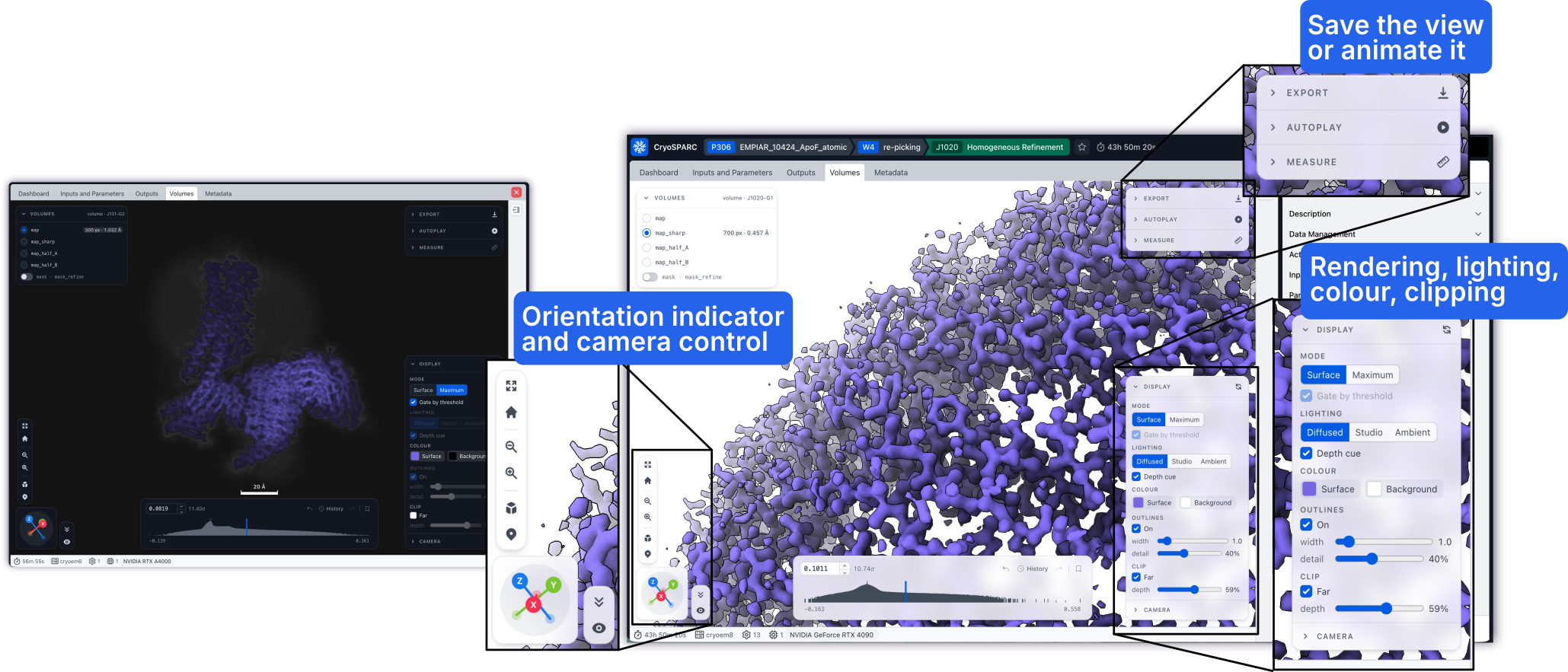
Updated Volume Viewer: Fast full-detail volume rendering, interactive histogram thresholding, surface and maximum modes, mask overlays and more
The updated Volume Viewer features faster volume loading, real-time interactive thresholding using a new histogram control, new surface and maximum rendering modes, rendering modes with diffuse lighting and shadows, and more display controls. The Volume Viewer can now show masks over the volume, and you can customize volume and mask colours. In addition, it features a measurement tool, autoplay animation controls and image/video export.
Junk Masking: Improve downstream results by masking out carbon, gold, ice crystals and defects during preprocessing
Micrograph junk regions such as carbon, gold, ice crystals and defects labelled by Micrograph Junk Detector can now be masked out in downstream jobs (Patch CTF Estimation, Micrograph Denoiser, Blob Picker, Template Picker, Extract from Micrographs and Reference Based Motion Correction) so that junk regions no longer distort CTF estimation, denoising, picking or extraction. Junk masking ensures that usable micrographs are not discarded due to distorted preprocessing. It can improve downstream result quality including resolution and orientation distributions, and it enables streamlined processing of HexAuFoil® and other types of gold grids. Steps for enabling junk masking are described in the tutorial.
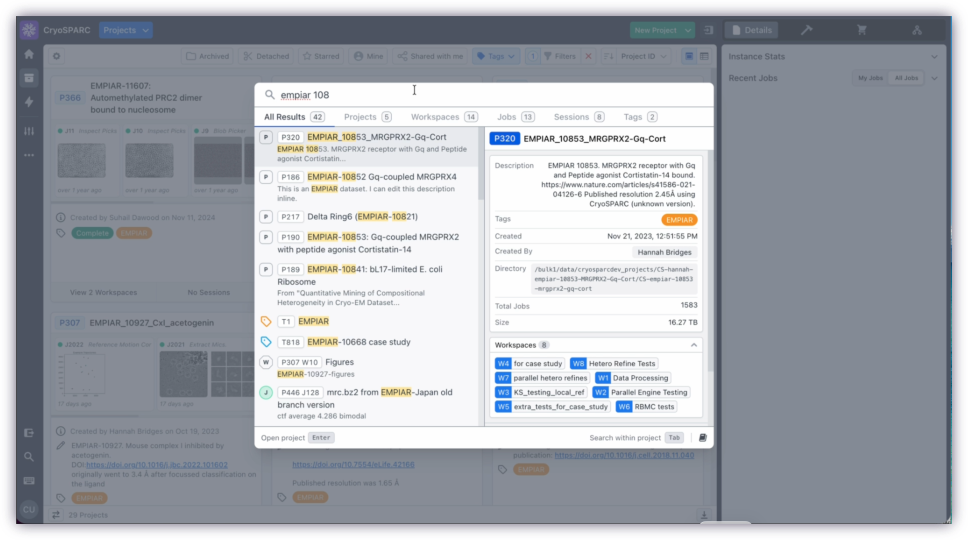
Spotlight Search: Instance-wide full text search, previews and navigation
Spotlight Search provides a new way to find projects, workspaces, Live Sessions and jobs from a single search interface, with instant, typo-tolerant full text search across all titles and descriptions, and contextual result previews that let users inspect matches before navigating. Spotlight adapts to context: searching from within a project or workspace prioritizes results in the current scope, including when launched from CryoSPARC Live. Search can also find relevant tags, making it easier to discover related work across jobs and projects. Command + k opens the Spotlight from anywhere.
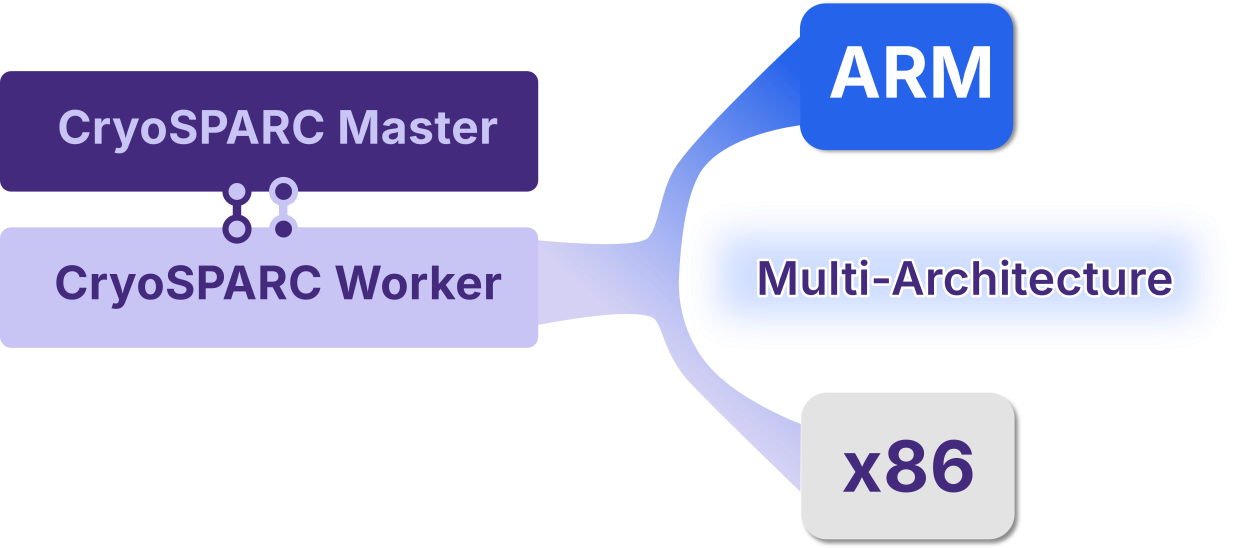
ARM Support: CryoSPARC workers can now run on aarch64 systems
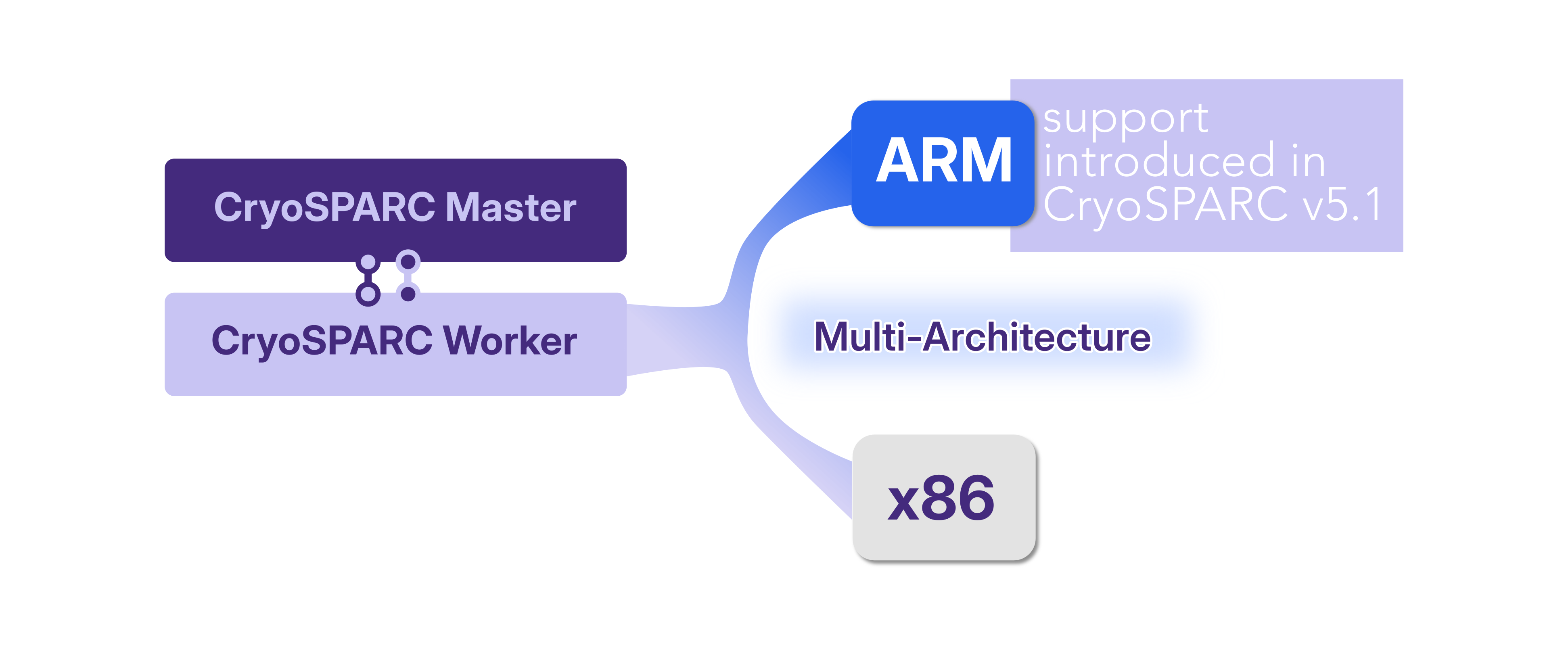
CryoSPARC workers can now run on ARM64 CPU (aarch64) Linux systems with NVIDIA GPUs, as well as on x86-64 CPU systems. The CryoSPARC master continues to run on x86-64 only, but can be connected to worker nodes of either architecture.
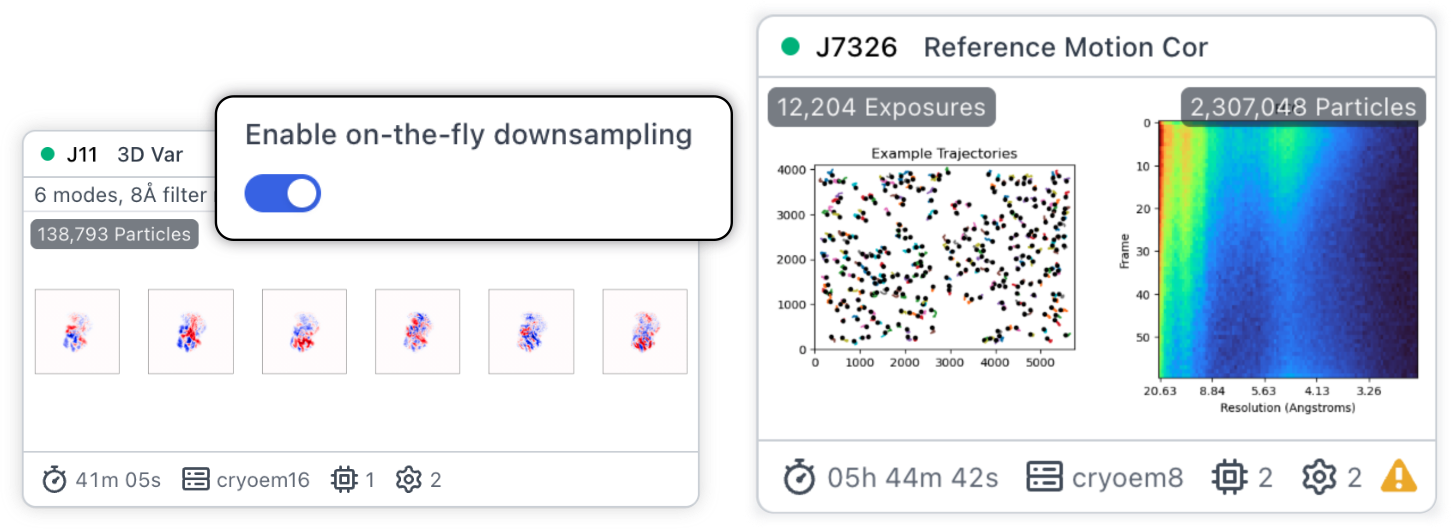
Job Performance: Up to 2x faster 3DVA and RBMC
3D Variability Analysis can now downsample particles on the fly, using the downsampled box size during processing for particles and volumes. This can yield up to a 2x speedup in the total job runtime.
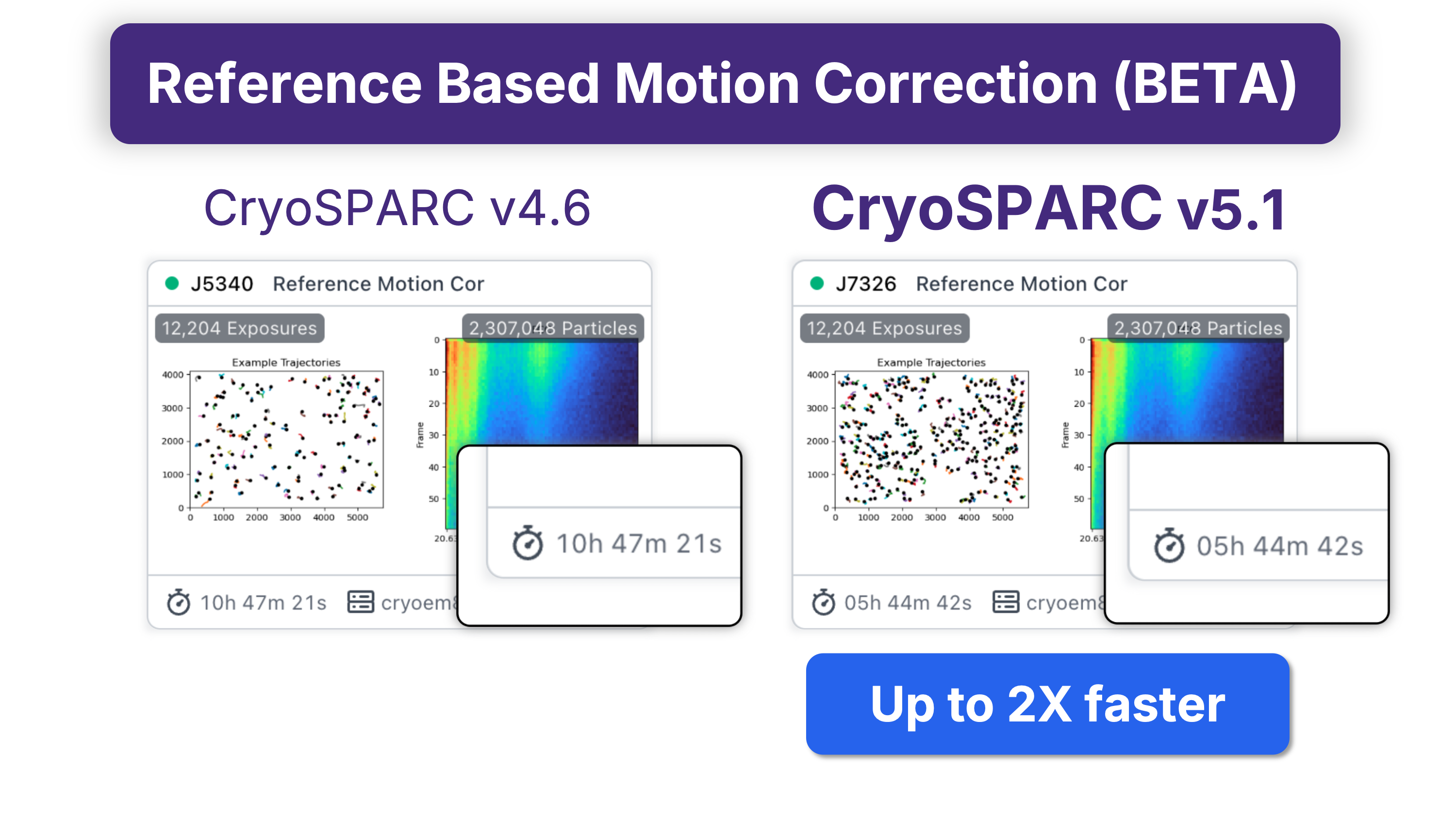
Reference Based Motion Correction is now further optimized for faster CPU and GPU operations that yield a total speedup of up 2x in job runtime.
Improved Application Performance: Virtualized job event logs, browser image caching and more
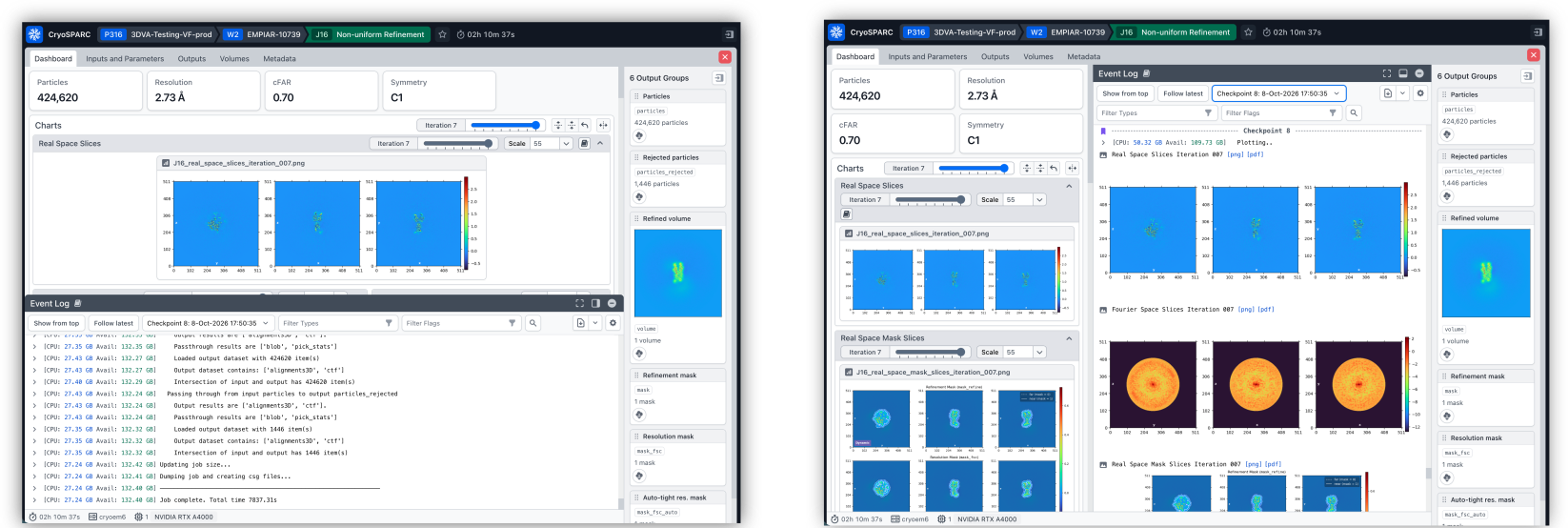
The Event Log has been rebuilt to virtualize the entire log, so even very long logs open and scroll quickly. With the whole log navigable at once, you can search its text, jump instantly between matches, and jump straight to the events behind warnings, errors, and charts in the job dashboard. Checkpoints no longer split the log, and tailing (automatic scrolling to new events) is now the default: scroll back to any earlier event, then jump to the end to resume. Clicking an image in the log opens it in the dashboard lightbox. The log can be docked at the bottom or right side of the dashboard. The separate Event Log tab has been removed.
Images throughout the CryoSPARC interface are converted to WebP and cached in the browser, so they load much faster on later visits. The User Settings dialog provides visibility and control over what is stored. This change results in significant speed improvements when browsing commonly accessed projects, workspaces and sessions.
Automated Workflows: Now available via the API
Workflows, Blueprints and Job Groups can now be created, edited and applied from the command line and Python scripts using the CryoSPARC API. Read more in the guide about how Workflows can be launched and controlled programatically.
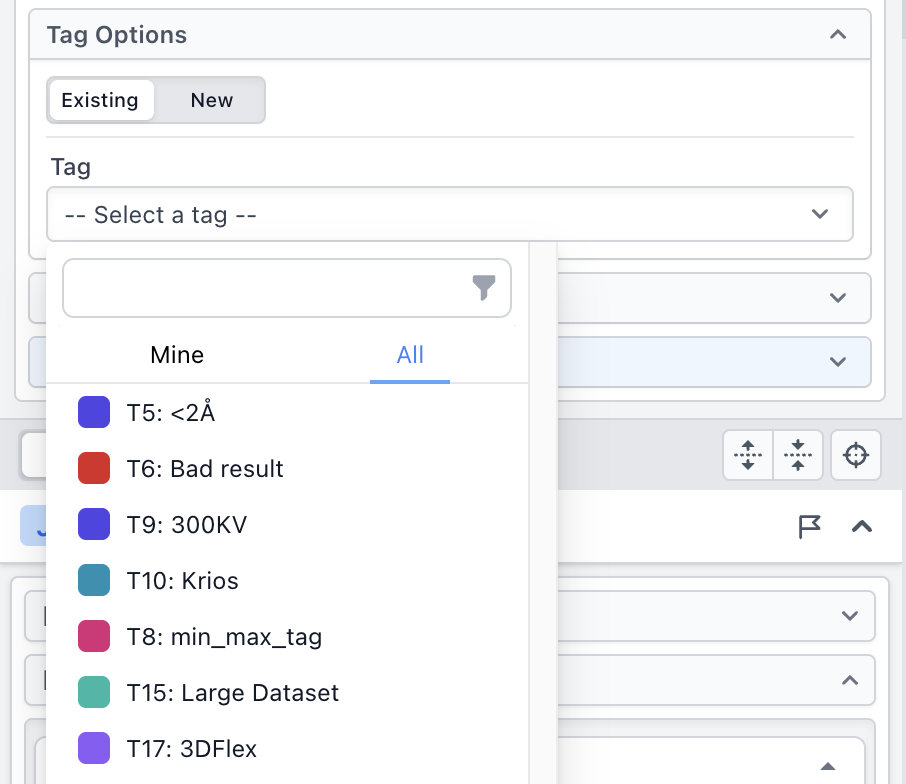
When applying a Workflow, you can now select an existing tag to apply to all jobs created by the Workflow.
The Apply Workflow dialog keeps your changes if you close it, for example to check resources or adjust a job, and shows which Workflows have unsaved parameter changes.
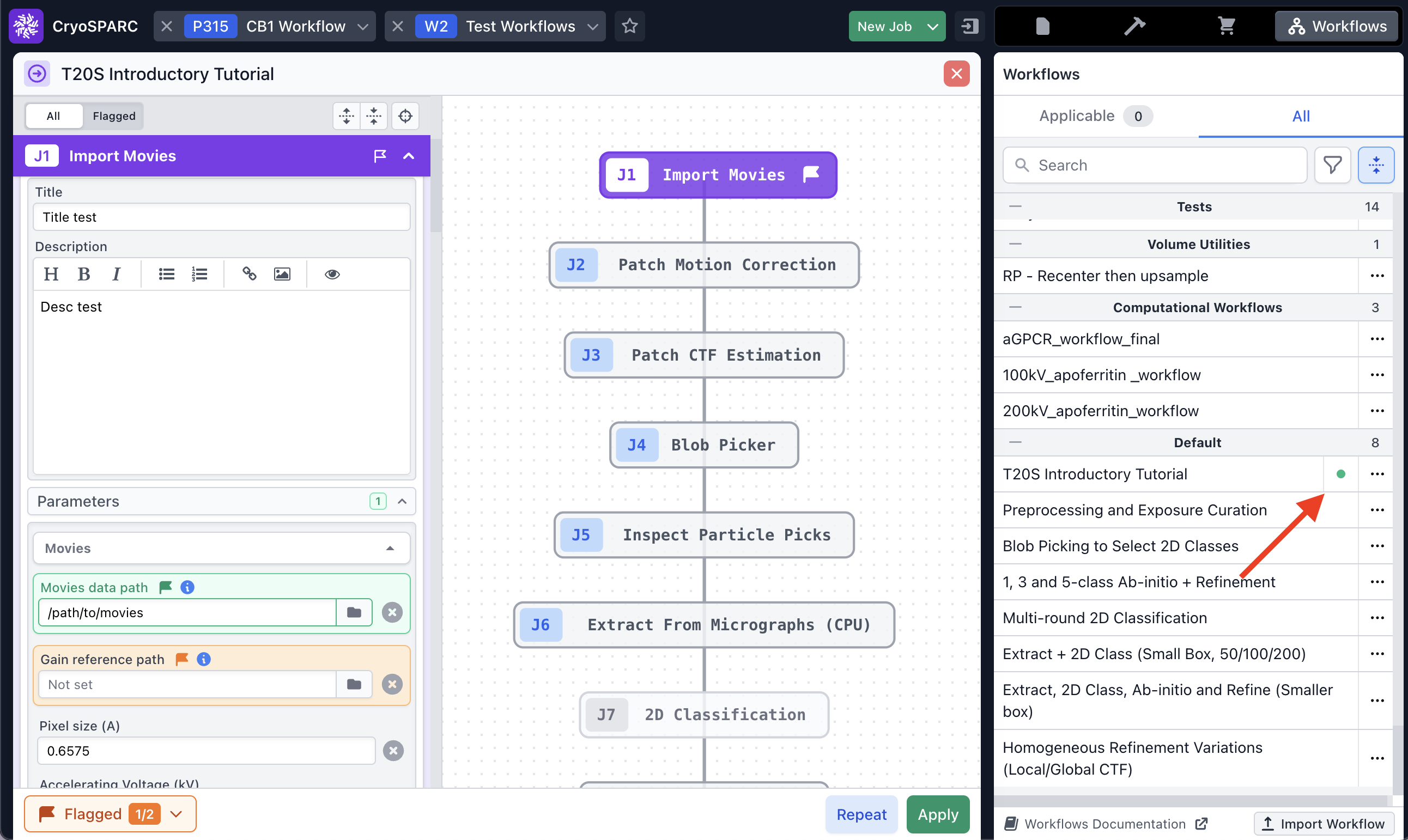
Rebuilding is simpler: select jobs, choose Rebuild Workflow in the quick actions menu, then pick from the workflows those jobs belong to.
Creating a Workflow no longer runs out of memory in rare cases with complex job connections.
QOL for Admins: File access and instance management
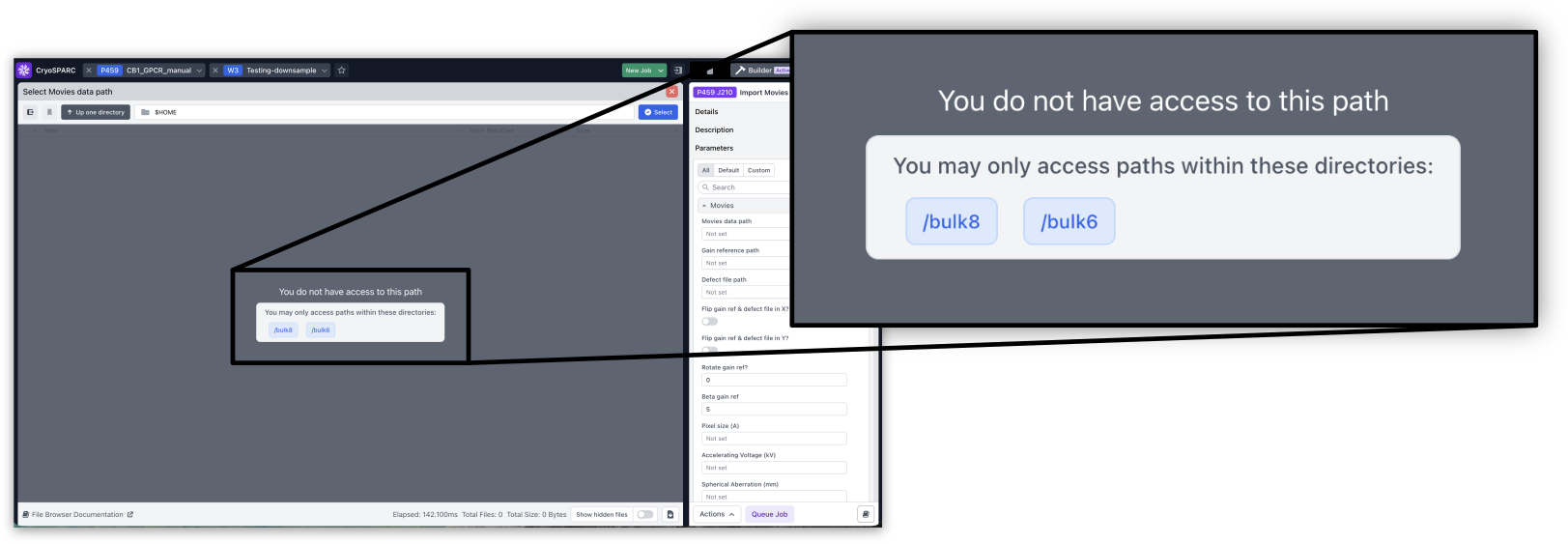
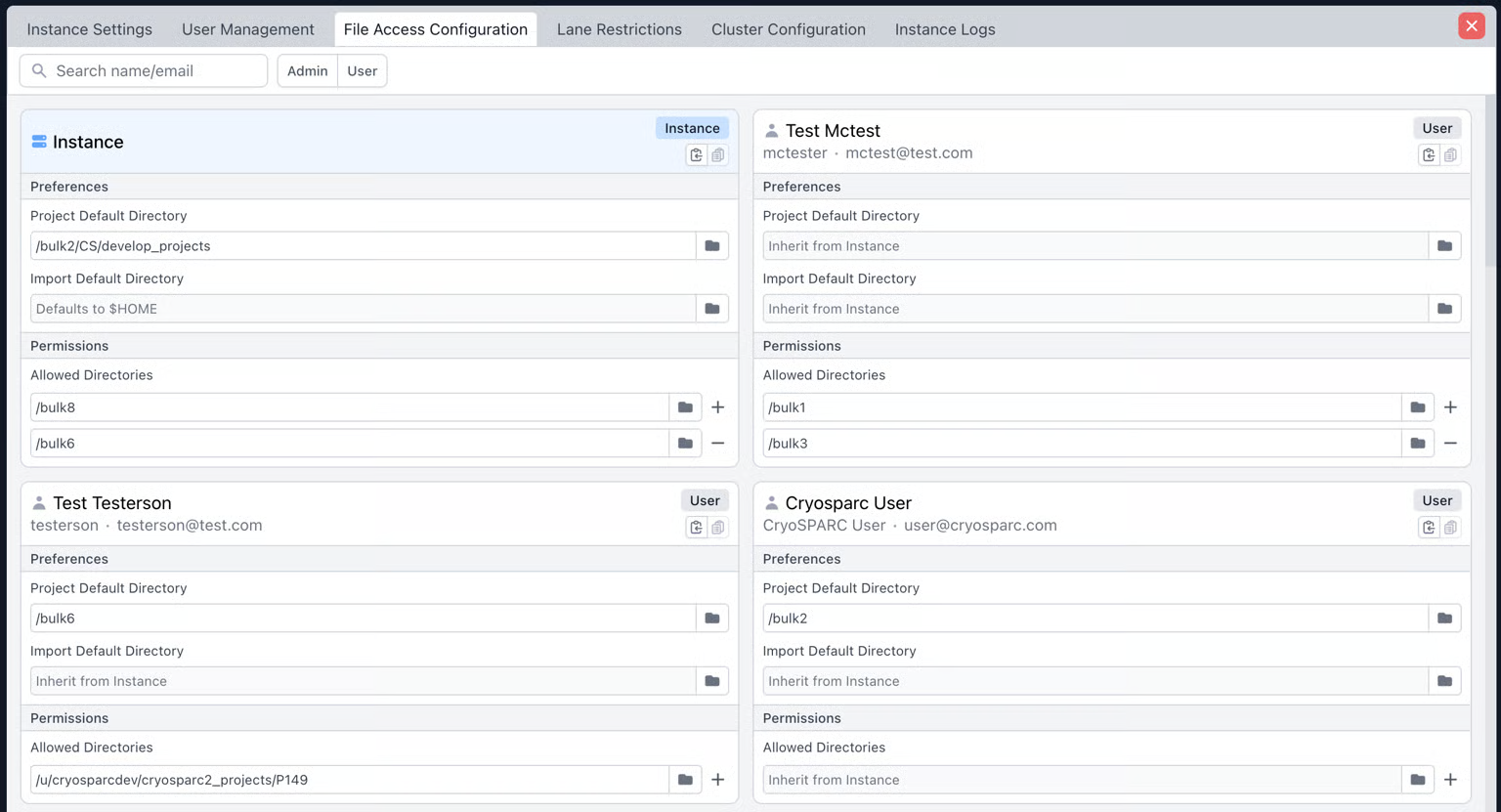
CryoSPARC admins can now restrict which filesystem locations CryoSPARC users can browse inside the UI. The File Access Configuration tab in the Admin Panel allows admins to configure per-instance and per-user directory allow lists, as well as default locations for importing data and for saving project directories. New users inherit instance-level settings by default.
The File Browser now naturally sorts filenames, so e.g., mic_2 will appear before mic_10.
CryoSPARC now monitors free space in the database directory. It warns you when space is low and switches to Maintenance Mode before space runs out. Configurable via CRYOSPARC_DB_MIN_SPACE_GB.
A new configuration variable (CRYOSPARC_DISABLE_THP_WARNING) turns off the Transparent Huge Pages (THP) warning for admins who use THP always on purpose.
cryosparcm start now stops with a clear message when cryosparcm upgrade needs to be run first, for example after moving the cryosparc_master or using an older database.
cryosparcw connect and cryosparcm worker connect accept a new --hostname flag, so a worker's display name can differ from its network hostname. cryosparcm job queue also now accepts a --target flag to directly specify a node on which to launch the job.
Admins can now reorder scheduler lanes using the command line and API (api.resources.reorder_lanes). See API documentation for details.
SSD cache now frees space before creating new files, preventing "no space" errors while caching.
Commands for updating project, session and job symlinks are now improved and simplified (see guide).
The Admin Panel now shows when each user's password was last reset.
Job error reports now include instance logs from the time the job was queued until it finished, not just the latest logs.
The GPU instance test now runs on every GPU, not just the first GPU on the node where it is launched.
Extensive Validation now runs on the master node by default, avoiding issues where worker or cluster nodes are unable to communicate with interactive jobs running on the master node. A warning message now appears if no compute resource is selected when launching Extensive Validation.
Benchmark job and Extensive Validation download test data into the project directory by default and reuse it instead of re-downloading.
Benchmark job no longer fails when benchmark data is outside the project directory or right after an automatic data download.
Downloaded CSV files now open correctly in Excel, including non-ASCII characters.
CryoSPARC Live: Updates and fixes
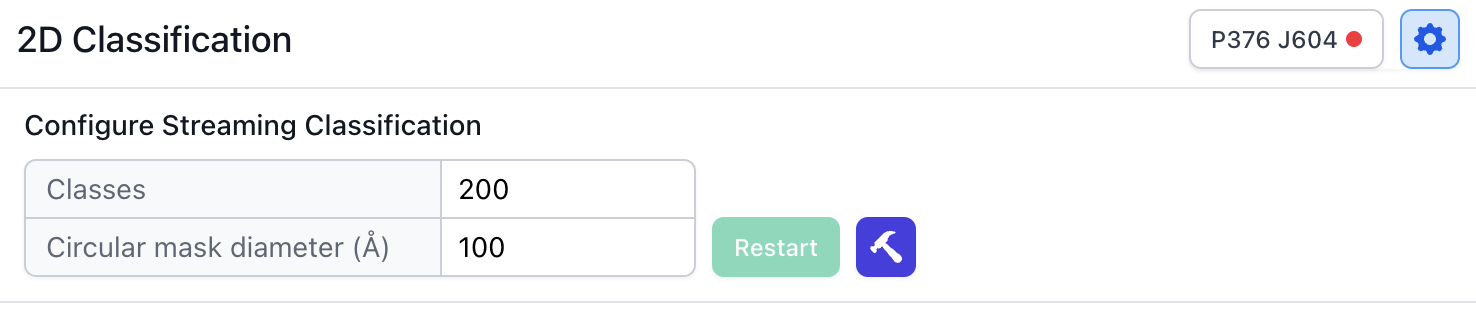
The window (circular mask) diameter for Streaming 2D Classification can now be set in the top-level Live Session configuration.
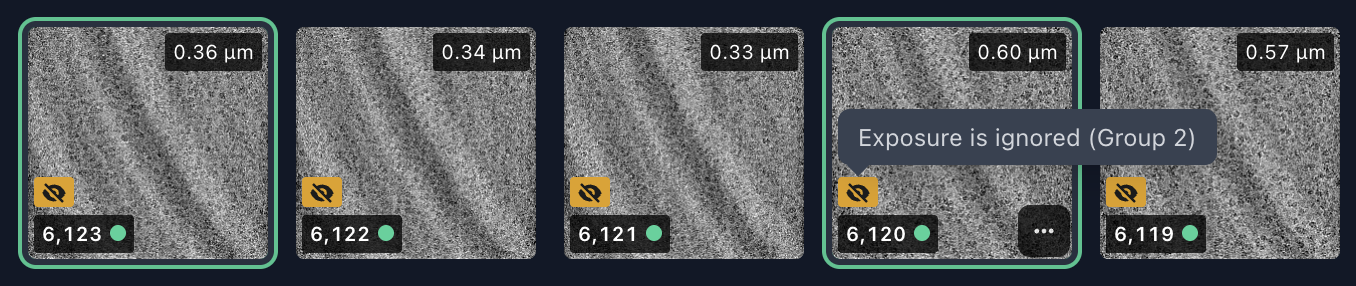
Exposure Group IDs created in CryoSPARC Live are now unique within the whole project, so they never clash with IDs from regular jobs. Each Live exposure group shows its ID as a badge you can click to copy.
Added icon to exposure thumbnails to indicate if the exposure is part of an ignored Exposure Group.
The Session sidebar has a button to refresh a session's size.
Export Particles and Export Exposures now run on the master node instead of the Session's auxiliary lane.
Streaming 2D Classification now correctly restarts after you change the number of classes or the box size.
Sessions size is recalculated whenever a session is paused.
The Session Priority parameter is now hidden from users who can't set job priority.
Fixed a bug where cloning a Live Session and attempting to “Extract from All” would lead to failure because templates were not loaded in the Live Template Picker.
Fixed a bug where a failing Live Session could block other Live Sessions actions.
Importing Session results no longer fails when every exposure was rejected.
Updates to Import and Preprocessing Jobs
Import Movies now automatically finds defective pixels (i.e., outliers) in gain reference files and creates a corrected copy of the gain reference that is used for downstream processing. The outlier pixels are marked as defects and are replaced with random noise in Patch Motion Correction to remove their effect. Import Movies plots the updated gain reference showing where defects were detected.

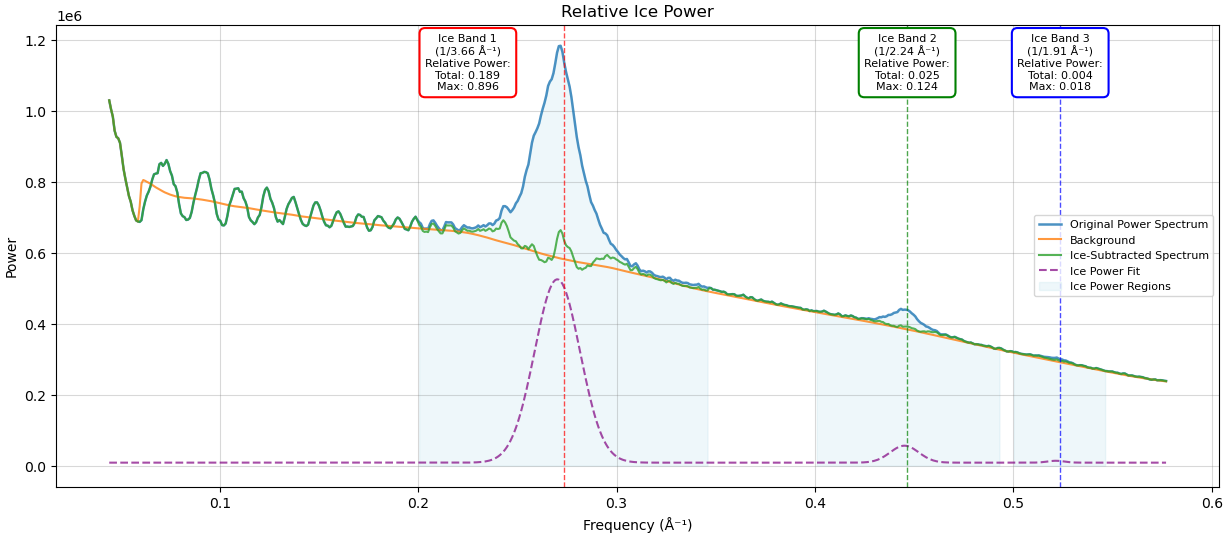
Ice thickness estimation in Patch CTF Estimation has been updated. The new method measures image signal power in three ice bands, providing more robust per-micrograph values. Micrographs can be curated using these new measures in Manually Curate Exposures.
Patch Motion Correction now exposes a parameter to manually override the extent (in Å) of patches used during motion correction.
CTFFIND (Wrapper) now runs CTFFIND5 and works on both x86-64 and ARM64 systems. The CTFFIND4 (Wrapper) job is now obsolete.
Gctf (Wrapper) (Legacy) is not available on ARM64 workers because there is no ARM build of Gctf.
Reference Based Motion Correction now reports box sizes within the Event Log and as info tags.
Import Movies shows an accurate scale bar, including for EER data.
Reference Based Motion Correction now warns if the F-crop box size is set to larger than the extracted box, and it writes the correct pixel size to output MRC headers when F-cropping.
Updates to Particle Picking and Curation
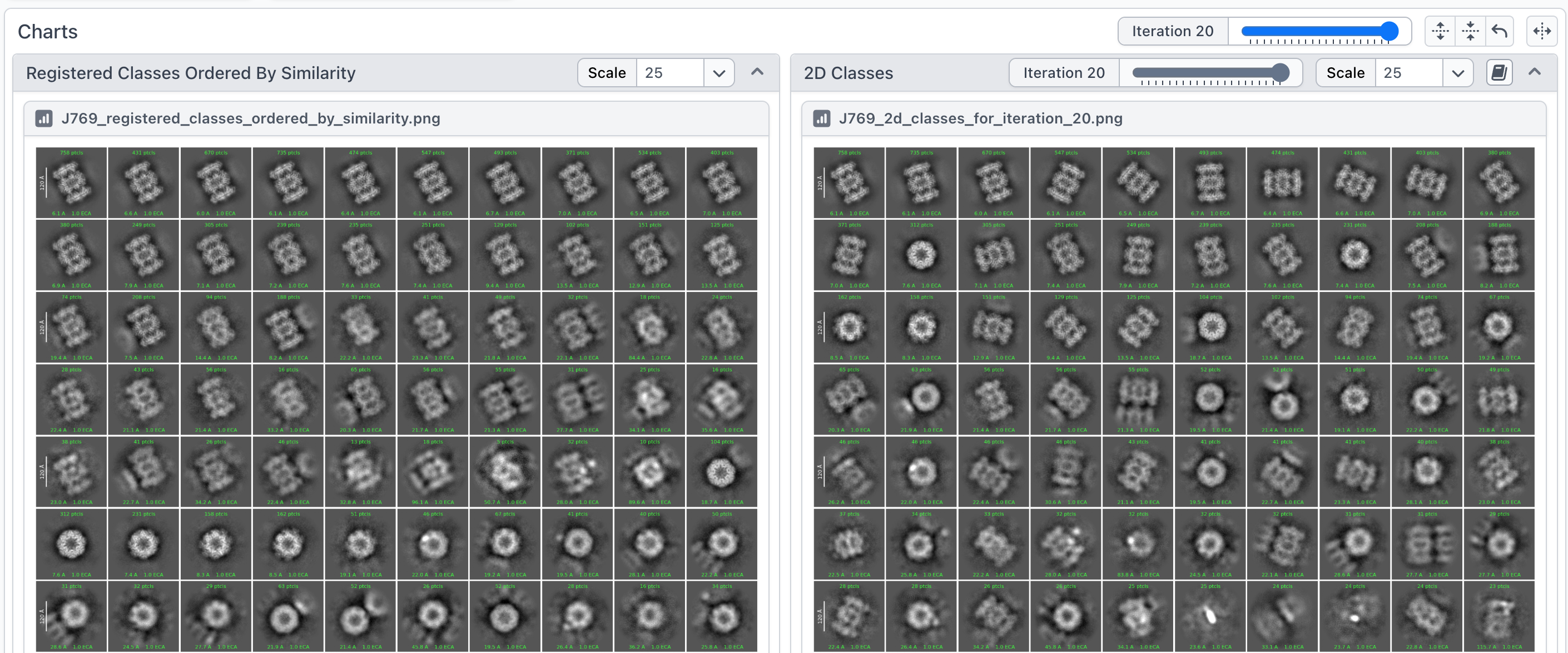
2D Classification now aligns class averages to each other more precisely during the final iteration, and shows the class averages in register with one another, in a separate plot.
2D Classification no longer automatically turns off Force Max over poses/shifts when there are 20 or fewer classes. This change ensures that results remain qualitatively similar regardless of the number of classes.
In Select 2D Classes and CryoSPARC Live 2D class selection, resolution-based selection now includes the threshold value, and the right-click options are relabeled clearly (for example, "Select classes with resolution better than or equal to X Å").
Reconstruct 2D Classes now outputs particles along with 2D class templates.
Topaz Extract (Wrapper) now preprocesses any micrographs that are missing from the specified preprocessed directory, instead of failing.
Updates to Reconstruction and Refinement
Homogeneous Ab-Initio Refinement (BETA) is now more robust. The two independent half-maps are averaged together below the Gold-standard split resolution, similar to standard refinement. Later iterations use stochastic pose sampling for additional regularization that improves results and reduces the possibility of overfitting. FSC and cFSC curve plots are produced during iterations.
Homogeneous Reconstruction Only now has a parameter to enable Non-uniform Regularization. Non-uniform regularized half-maps are output and can be used as input to downstream Local Refinement.
In Non-Uniform Refinement, anisotropic magnification parameters can now be correctly optimized.
Homogeneous Refinement and Non-Uniform Refinement now estimate the automatic sharpening B-factor using the resolution mask instead of the refinement mask, providing more consistent results. This change also allows automatic sharpening to function correctly when refinement masking is turned off.
In Local Refinement, the Initialize from Input Half-Maps parameter is now on by default, meaning that Local Refinement uses input half-maps (if available) to independently initialize its two half-set refinements, thereby fully preserving gold-standard independence of half-sets from the upstream global refinement.
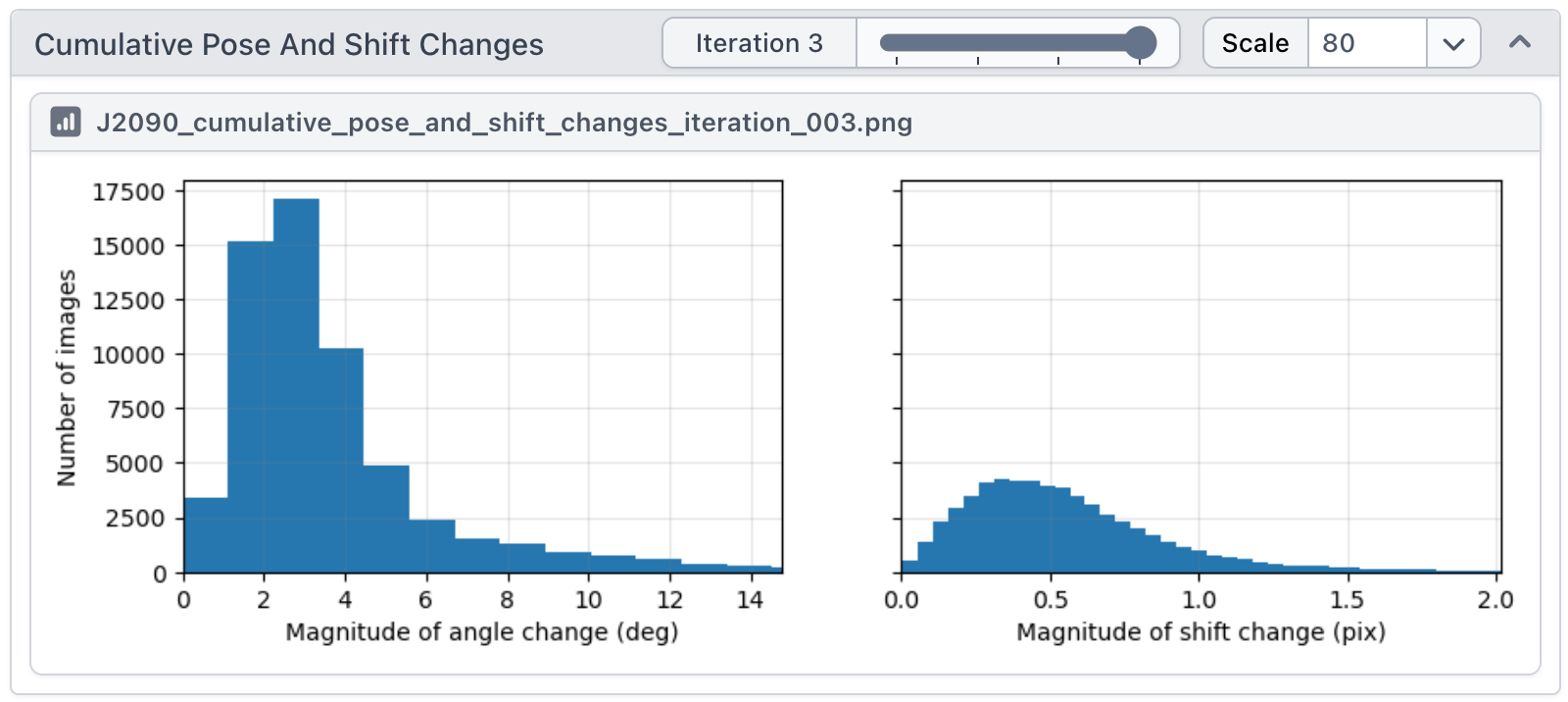
Local Refinement now plots both per-iteration and cumulative pose/shift change histograms.
Local CTF Refinement can now output per-particle defocus landscape curves as a CSV file.
Exposure Group Utilities now has an option to automatically determine the number of beam-shift clusters if it is not manually specified.
The cFAR score is now shown in the info tags of every refinement job.
Heterogeneous Reconstruction Only no longer fails when a class is empty and outputs an empty (zero) volume for that class.
Local Refinement no longer fails when Re-estimate Greyscale parameter is turned on.
Updates to Conformational Variability
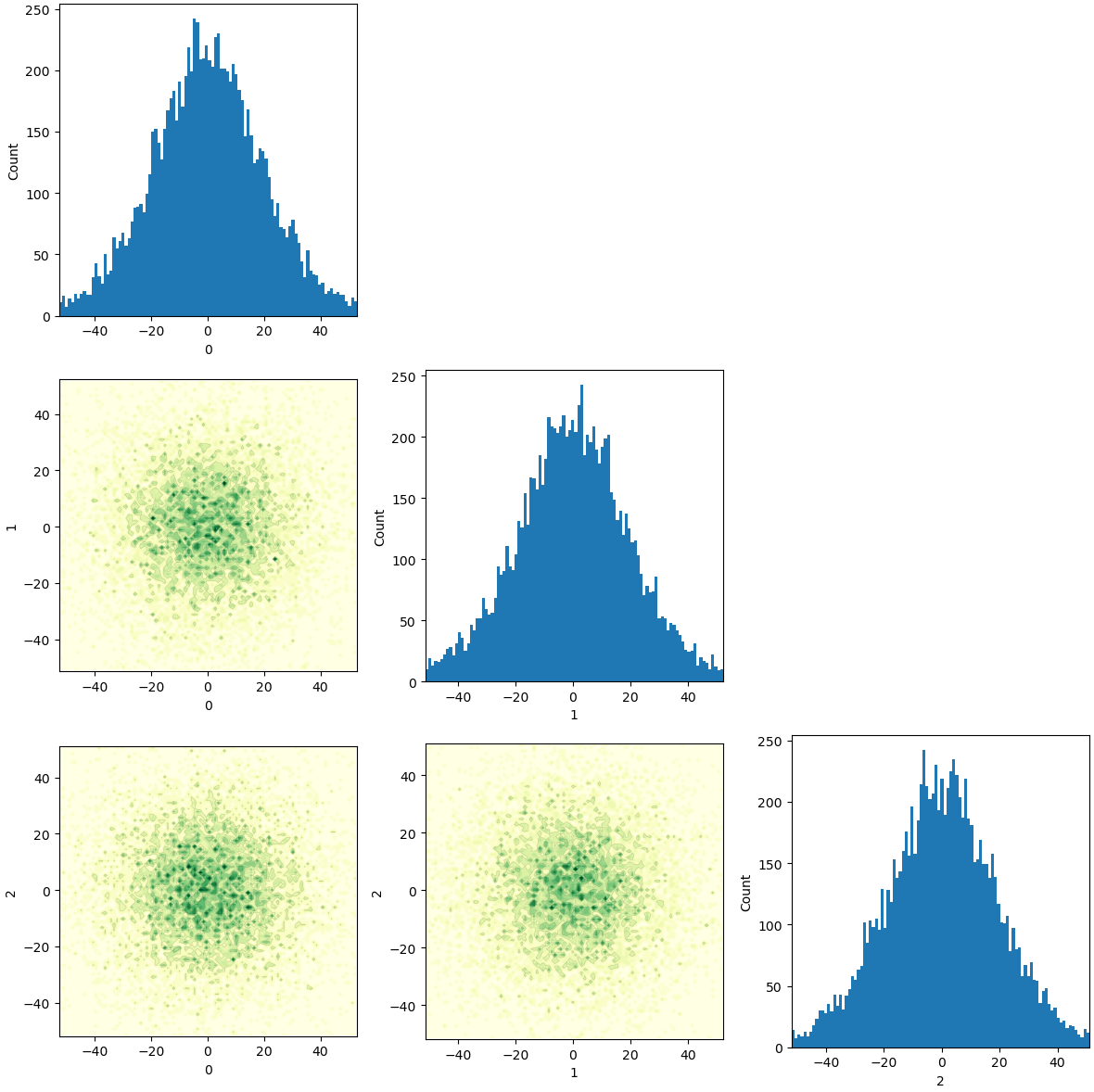
3D Variability Analysis now sorts variability components by variance and prints the amount of variance explained by each variability component (i.e., the eigenvalue) in the event log. 3D Variability Display shows an updated scatter plot and histograms to help visualize the latent embedding.
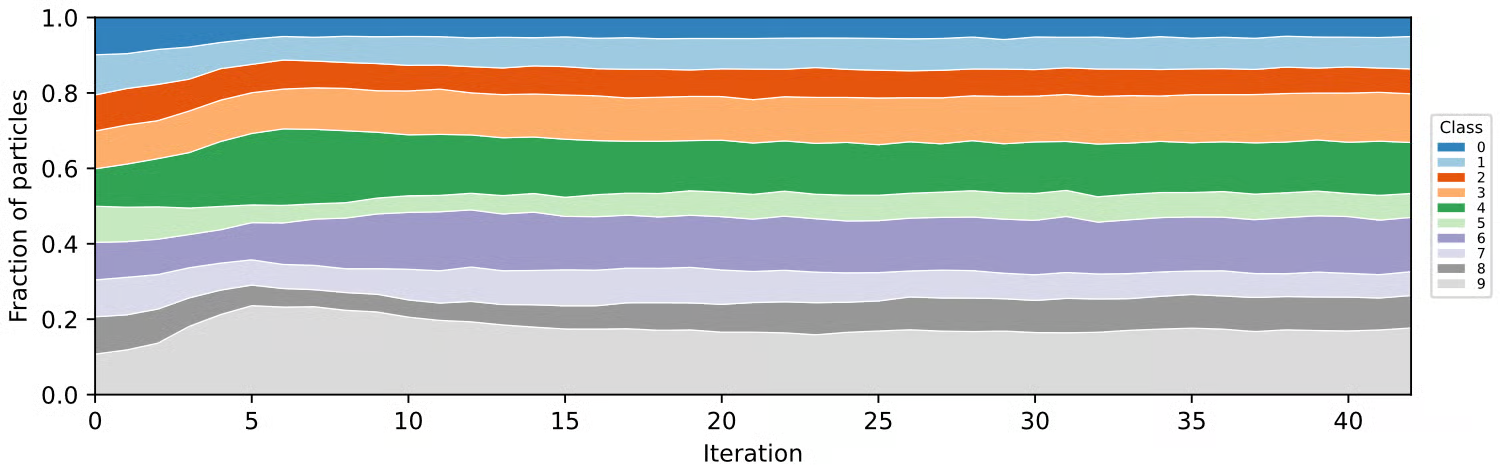
3D Classification, Heterogeneous Refinement and multi-class Ab-Initio Reconstruction jobs now show a Class Distribution History area plot across iterations. Heterogeneous Refinement and Ab-Initio Reconstruction also add class percentage bar plots.
3D Flexible Refinement (3DFlex) Train has improved defaults for centering strength and rigidity parameters, and improved parameter tooltips.
Heterogeneous Refinement now correctly resamples input volumes whose physical extent differs from the input particles.
3D Classification and 3D Variability Analysis now include per-particle scale values in their particle outputs.
3D Classification now supports up to 300 classes.
Reference Based Auto Select 3D (BETA) with "select based on resolution" no longer fails on CPU-only nodes.
Updates to Utilities
Sharpening Tools now uses the auto-tight FSC mask for all sharpening, B-factor estimation, and filtering operations, for improved consistency.
Volume Tools now zero-pads non-cubic volumes to a cubic box and produces a warning, instead of failing.
Volume Alignment Tools now applies the same transform to every input volume and mask, and also now retains the full resolution of output maps even if the Maximum alignment resolution parameter is set.
Simulate Data can now read in CTF values from input particles separately from reading in pose alignments.
Orientation Diagnostics now uses the correct axis limits in the azimuth/elevation region plot.
More Robust Job Queuing and Resource Management
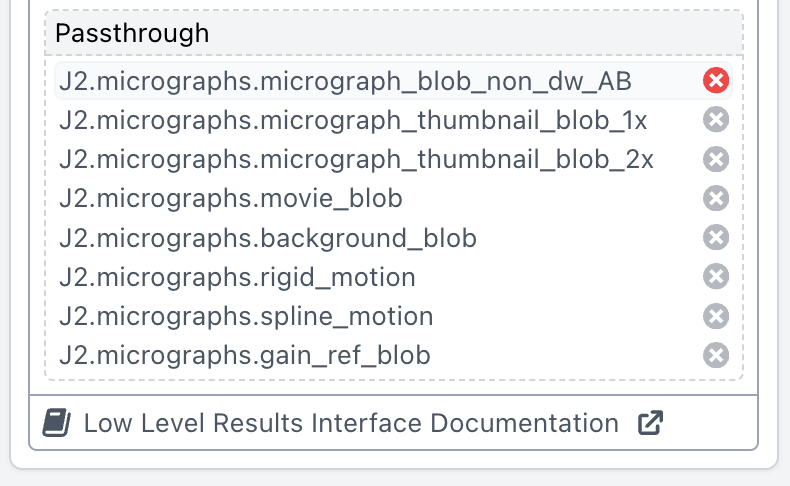
Passthrough inputs can now be individually disconnected while building a job.
CryoSPARC now calculates the amount of SSD cache space that a job will need before launching the job, and this value is provided to cluster submission scripts as a new variable, ssd_bytes. Cluster submission scripts can use this variable to allocate space or select a node type based on this information.
Job-level custom cluster variables that were set when a job was queued are now retained when the job is cleared.
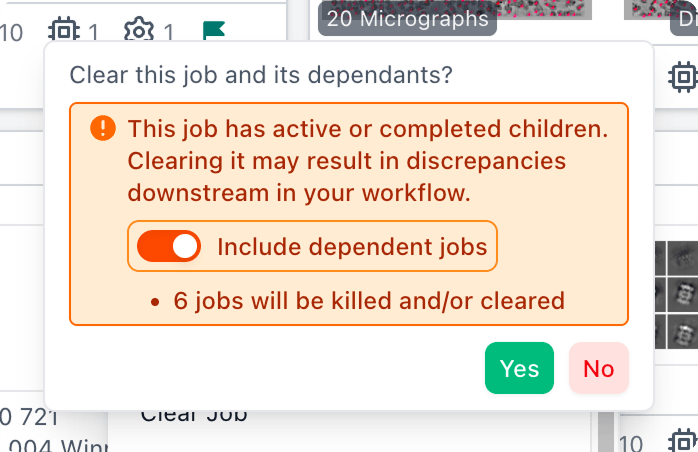
When clearing a job, a new option appears allowing for also clearing all downstream jobs that depend on outputs from the selected job. Restarting a job also displays a new warning if there are downstream jobs that depend on the job’s outputs.
Job cards for queued jobs now show which lane and node the job is waiting on, and job cards for launched jobs more clearly indicate if the job is waiting on an external cluster manager (for example, SLURM). The job Dashboard and Event Log also indicate why a job is queued (e.g., waiting for upstream jobs to finish).
The Queue Dialog has a new Force Start option that starts a job without waiting for its parents to be completed. This option allows a job to run and make use intermediate results from its parent jobs while the parents are still running.
The job Event Log now shows how many CPUs were allocated.
Default Job Priority can no longer be set below zero, and scrolling over the field no longer changes it.
Interactive jobs are no longer queued to the last used target, instead they are queued to the master node.
Lane resource summaries now show correct CPU, RAM and GPU totals for lanes with multiple targets.
The Queue Dialog no longer gets stuck in GPU mode when switching to a non-GPU job, and cancelling Run on Specific GPU no longer disables the Queue button.
Low-level inputs that were disconnected when a job was being built are no longer erroneously re-connected when the job is cloned.
Fixed an issue in Chrome where momentum scrolling in the Job Builder could unexpectedly change a number parameter.
More Robust Data Management
The Save results in 16-bit floating point parameter is now enabled by default in motion correction and extraction jobs. With this parameter enabled, micrograph and particle stack files are 50% smaller on disk, without a change in downstream processing results.
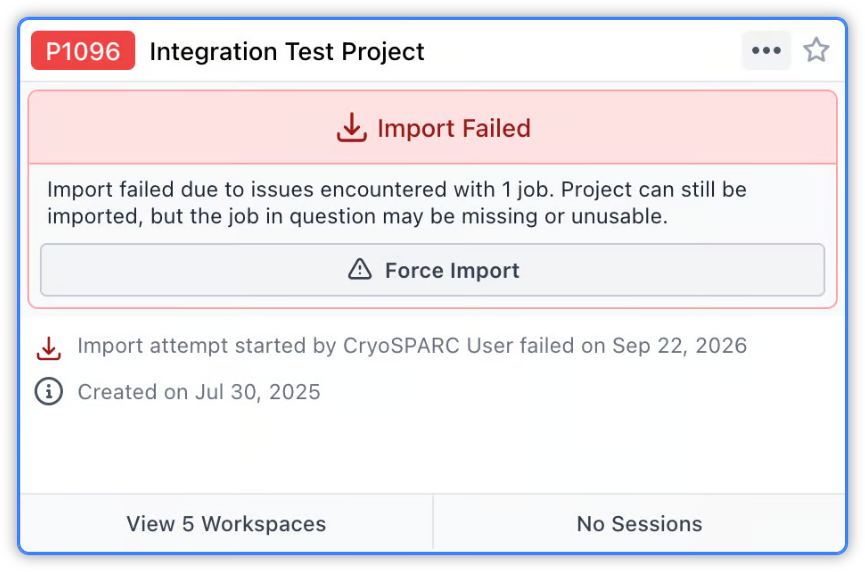
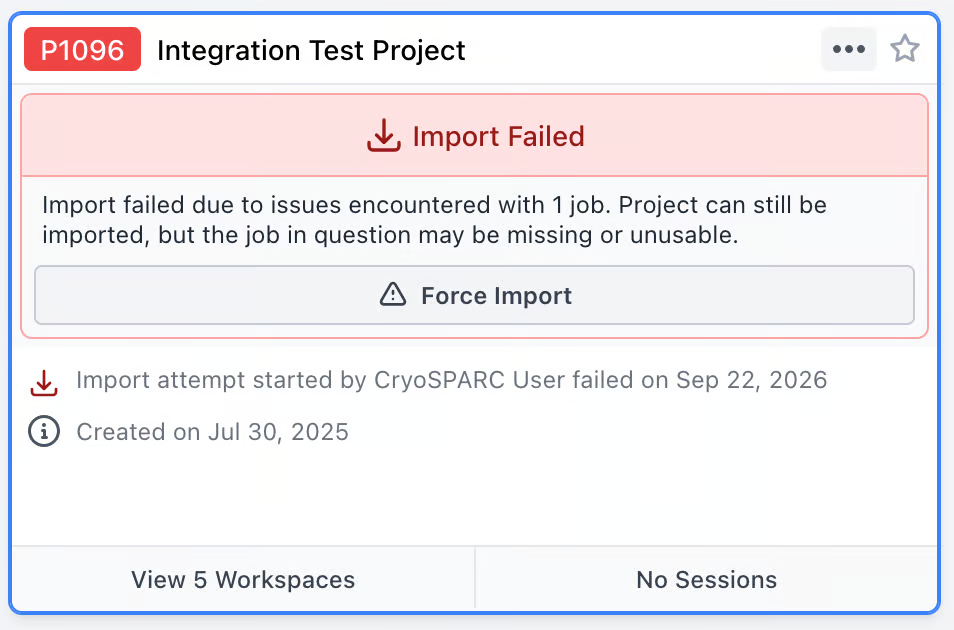
If a CryoSPARC project is being attached and the attachment process fails part way (e.g., due to corrupt files or network errors), the project is left untouched on disk, marked as “Import Failed”, and project/job actions are disallowed. This ensures the project can be safely detached again. Projects in “Import Failed” status also provide an option to “Force Import”, allowing the intact parts of the project to be marked as usable for continued processing.
Clear Non-Final Jobs is disabled when no jobs in the project or workspace are marked final, to avoid users clearing everything by mistake.
CryoSPARC now checks for running jobs, Live Sessions and tasks before data management operations. For example, you can no longer detach a project while one of its Live sessions is running.
Admin users can now choose a specific project owner when attaching a project.
If automatic project backup (autodump) fails, for example because the project directory has been unmounted or is inaccessible, CryoSPARC retries every hour and shows a warning notification.
Imported jobs now appear right away in workspace and project previews.
Moving a project to a different file system now runs in the background, and project actions are locked until the move finishes.
Jobs that previously failed to delete due to missing information about their child jobs can now be correctly deleted.
Jobs are no longer left stuck in a deleting state when a job deletion fails partway through.
Restarting a CryoSPARC instance with a very large number of open notifications no longer causes an error at startup.
Cleanup Data tool no longer incorrectly deletes final preprocessing jobs when both "Include final ancestor jobs" and "Clear non-final jobs” are selected.
Fixed a potential race condition in CryoSPARC Live session compaction that could cause deletion of files outside the session directory.
User Interface Improvements
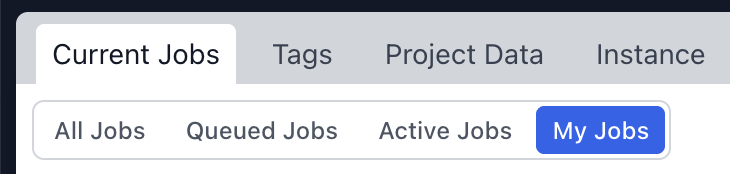
Current Jobs Dialog: You can now filter to show only your jobs.
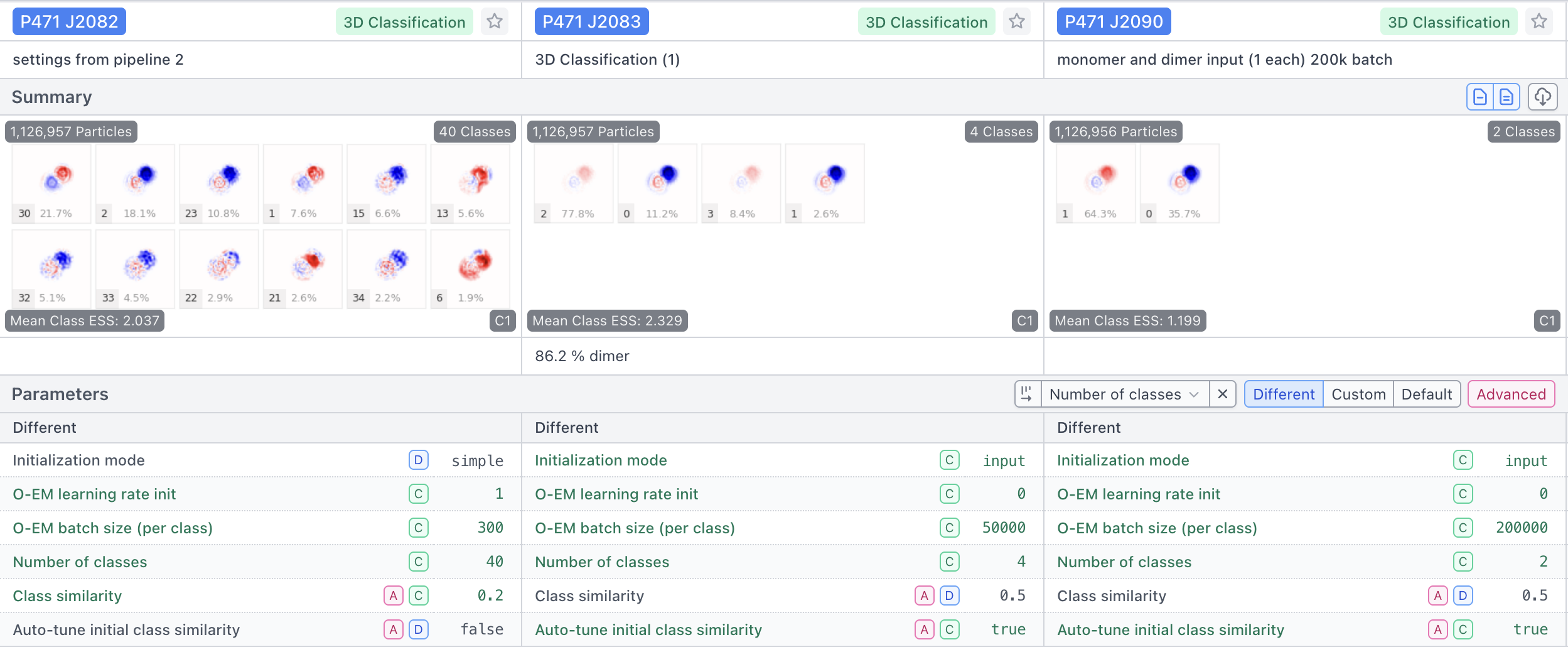
Comparison View can sort jobs by a parameter, so you can see how results change as that parameter changes.
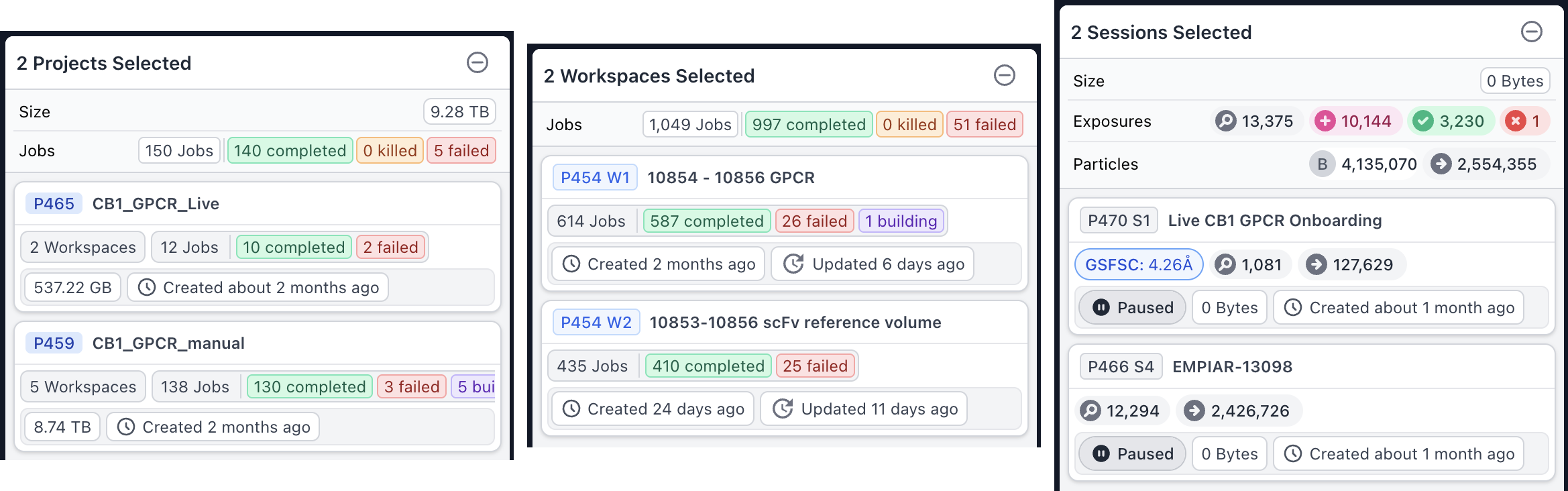
Selecting several projects, workspaces or sessions now shows a details panel with key stats and totals, such as the combined size of the selection.
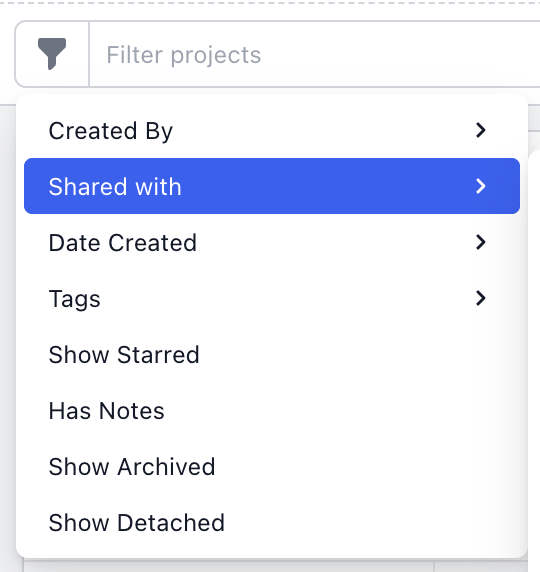
Improvements to filtering: Projects can now be filtered by sharing status. Selecting jobs by tag or workflow now respects active filters, works when filtering by workflow, and is much faster in card view.

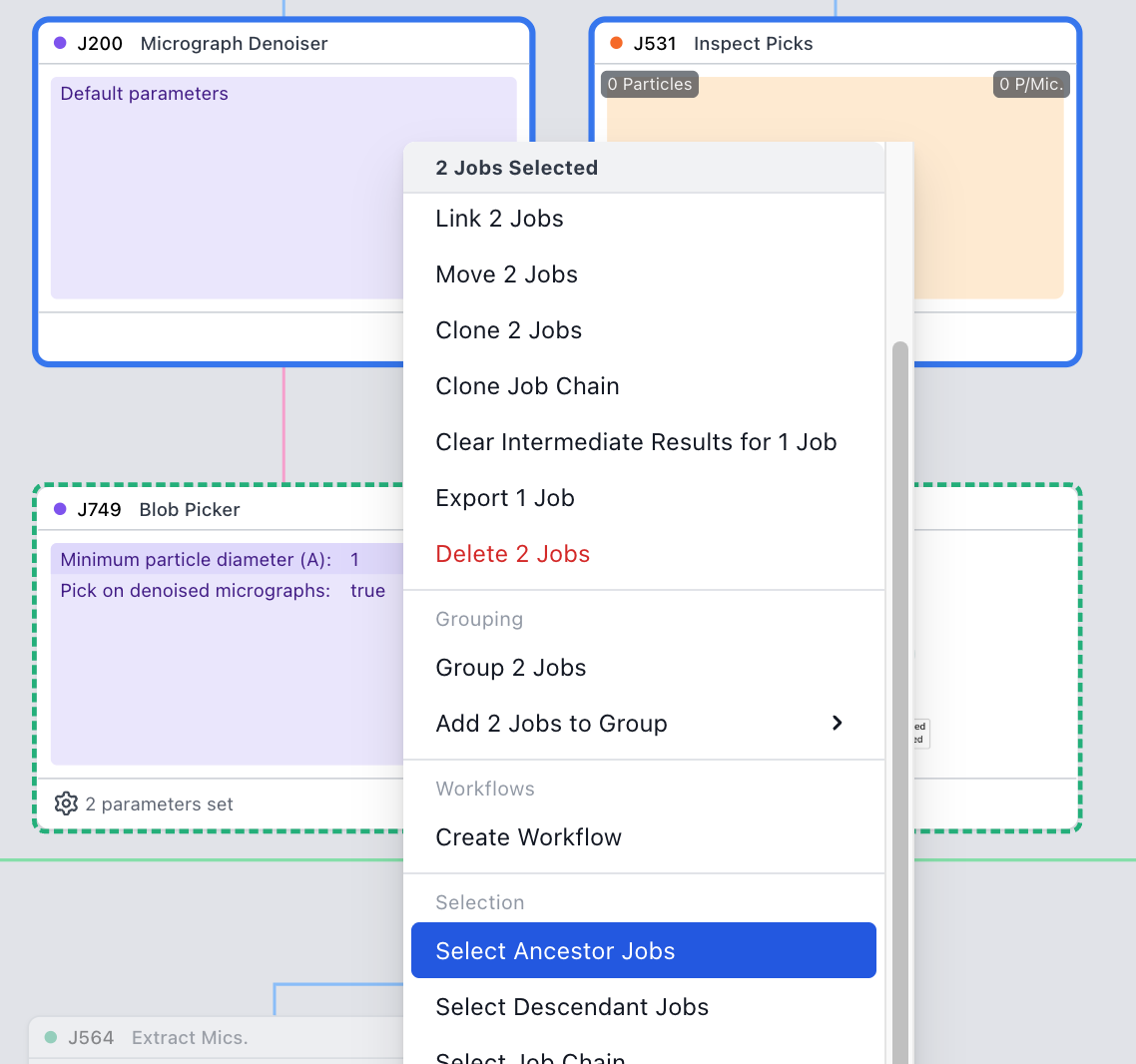
It is now possible to Select Ancestor Jobs and Select Descendant Jobs when multiple jobs are selected.
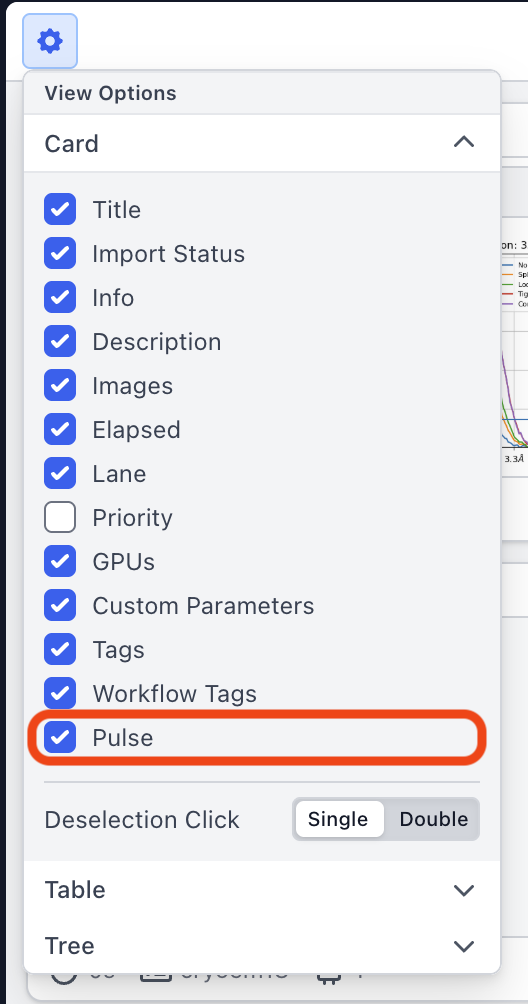
A new View Option allows turning off the pulse animation on running and interactive job cards.
You can now Copy and Paste Parameters from the job right-click menu.
New keyboard shortcuts: Shift+O returns all job cards to the normal (non-outputs) view. Shift-click a job UID in the sidebar to copy a link to the job. Shift-click the job type to copy its raw name.
Tree view: Deleted root jobs now disappear from the tree view right away. Linking or unlinking jobs now updates upstream job cards immediately, and the layout no longer recalculates when unrelated job details change. In addition, the tree view layout now handles circular connections without breaking.