CryoSPARC v5.0 stable release
Explore the new features, expanded capabilities, and a more intuitive processing experience!
The CryoSPARC v5.0 stable release is now officially available! Following a successful public beta, this release builds on months of real-world use and community feedback, tested across thousands of instances. Read on for some of the highlights of CryoSPARC v5.0.
Enhanced Visualization and Analysis: The New Job Dashboard, Comparison View and a Collapsible Tree View
Visualization in CryoSPARC v5.0 has been rethought to make cryo-EM data analysis easier to interpret, compare, and act on.
The new Job Dashboard brings key information about your jobs into a single view: outputs, plots, statistics can be visualized at a glance to assess progress, while newly introduced iteration sliders let you track how results evolve throughout your job iterations.
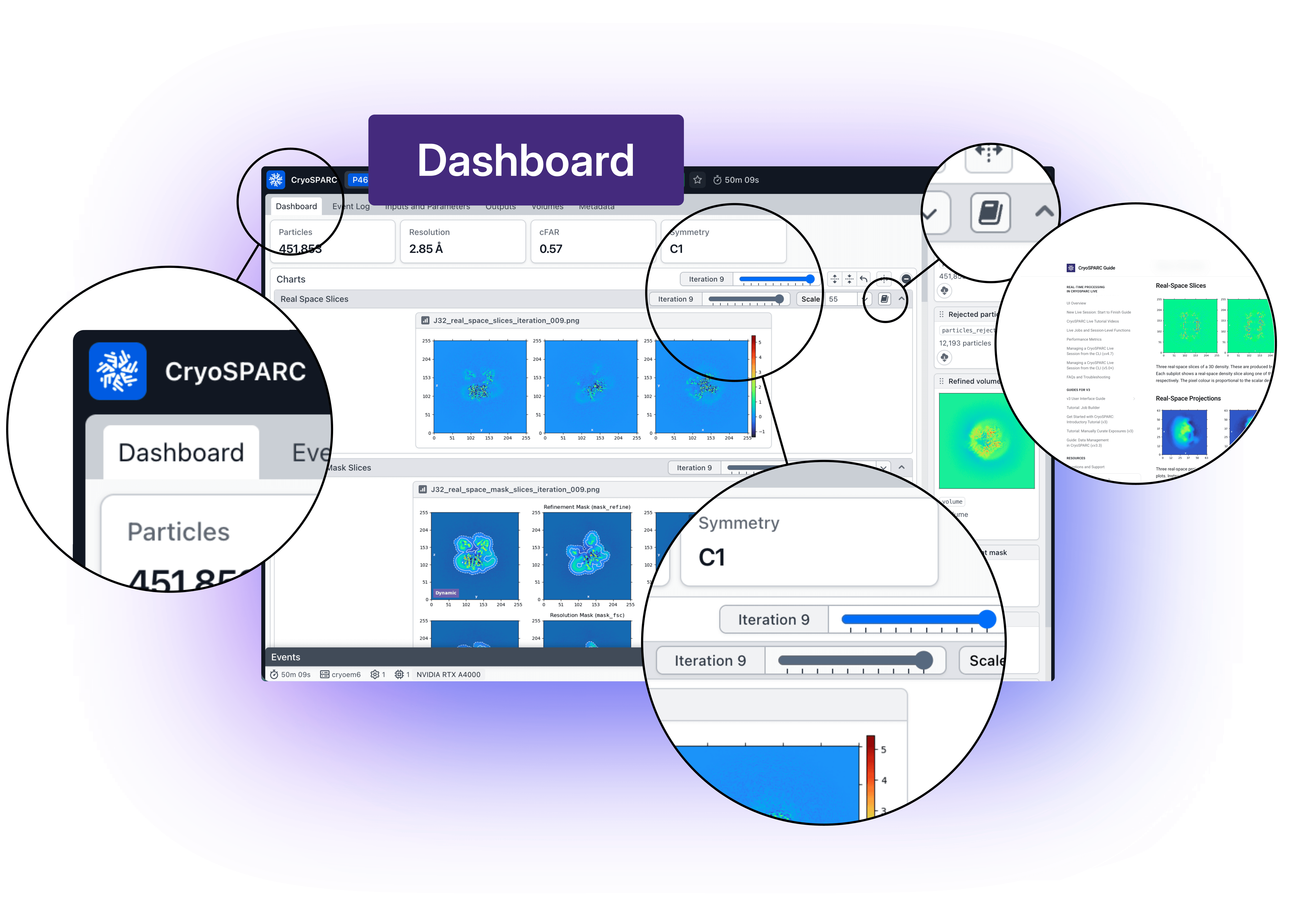
The Job Dashboard lets you clearly see the evolution of a job and makes it easier to interpret results.
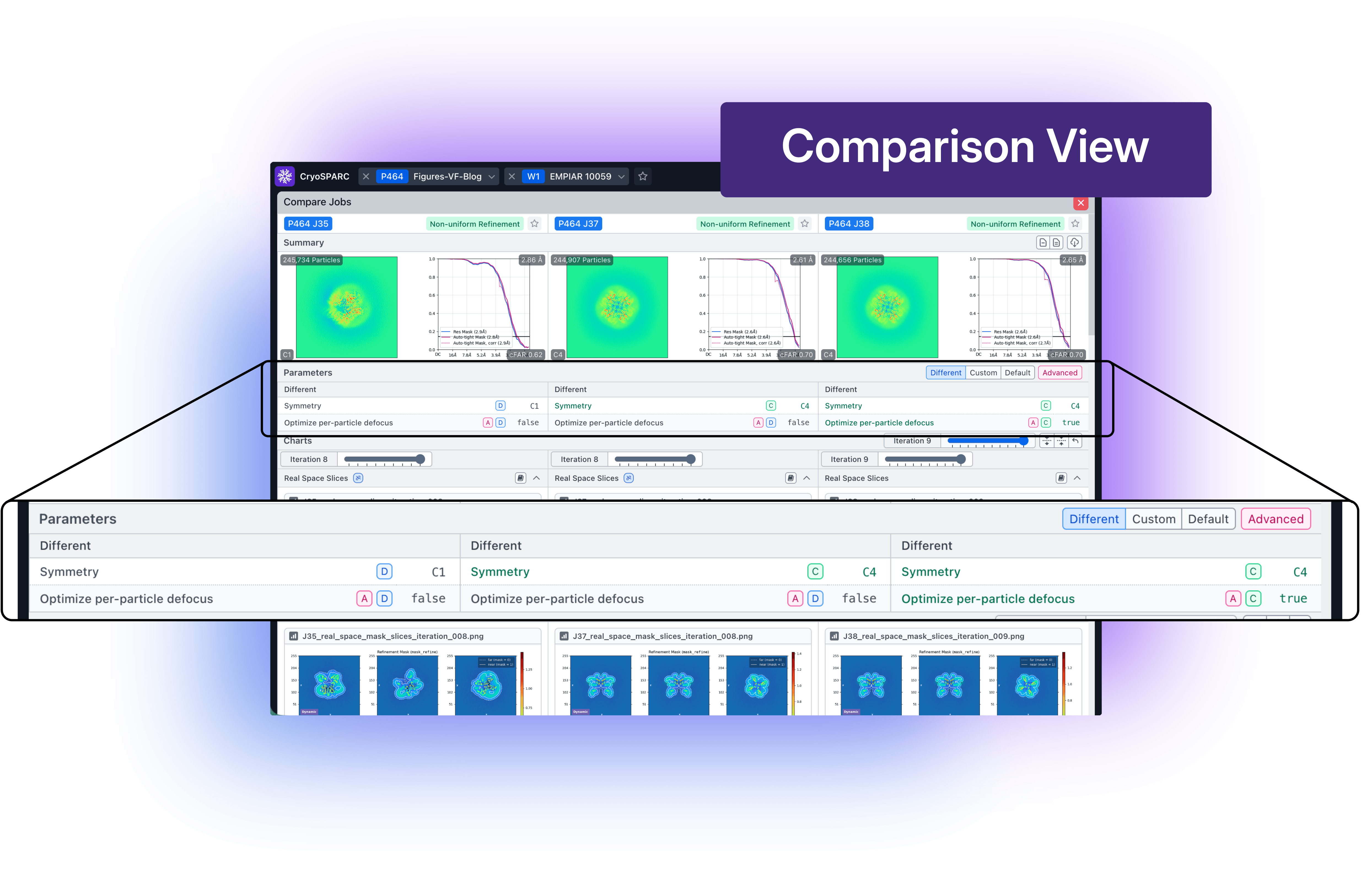
The new Comparison View allows you to examine multiple jobs side by side, making it easier and faster to see how parameter choices impact results and to make more informed processing decisions.
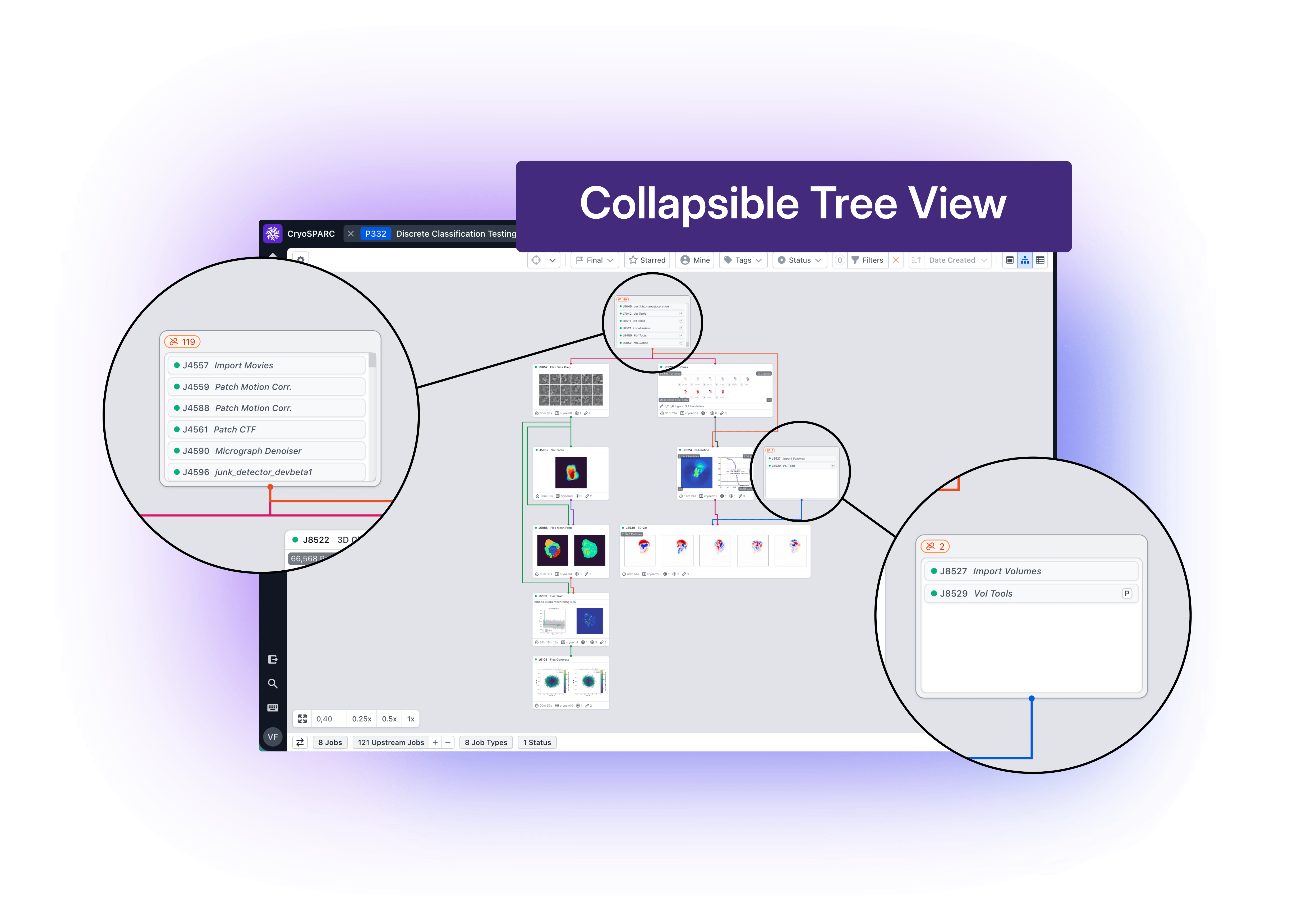
Navigating complex workflows is also more intuitive. In the tree view, upstream jobs are grouped into collapsible cards by default, reducing visual clutter and making it easier to understand how workspaces connect. Even in large processing trees, you can quickly focus on the jobs that matter most.
CryoSPARC Live Workflow Improvements
While these updates improve how you interact with your data, CryoSPARC v5.0 also enhances how data is processed in real time.
New run configuration options in CryoSPARC Live introduce automated Session control, allowing Live Sessions to start, pause, and resume based on incoming data.
 becomes more adaptive to real-world data collection.*](/images/blog/v5-0-stable-release/Live-600dpi.png)
Live processing in CryoSPARC v5.0 becomes more adaptive to real-world data collection.
Preprocessing jobs can now wait until data is actually available before launching, while Sessions automatically pause when acquisition stops, freeing up GPUs and tokens for the next run. Support for running multiple sessions in parallel, each linked to a different data source, further enhances flexibility during collection.
Together, these updates make live processing more responsive and better aligned with the pace and variability of cryo-EM experiments.
Updates to 3D Reconstruction
Beyond usability improvements, CryoSPARC v5.0 introduces major advances in refinement workflows, reflecting the evolving cryo-EM landscape.
A redesigned approach to 3D masking improves automatic mask generation by dynamically adjusting mask tightness and softness during refinement. This method produces more appropriate masks across a wide range of datasets, reducing the risk of overfitting or artificially inflated resolution without requiring manual tuning. Mask behaviour is also more transparent, with new plots showing how masks evolve at each iteration.
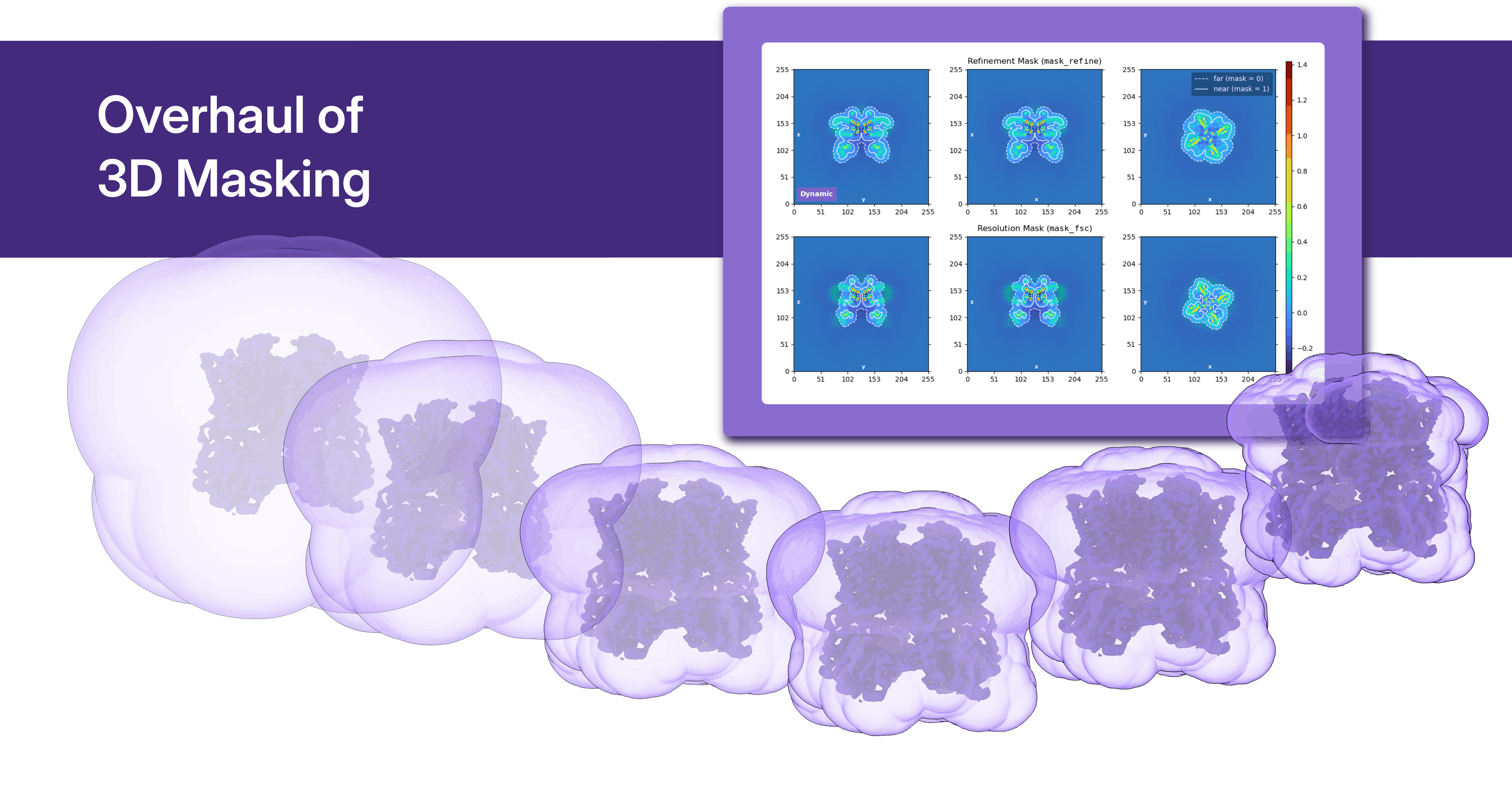
An overhaul of 3D masking reduces the risk of overfitting and increases robustness in refinement workflows.
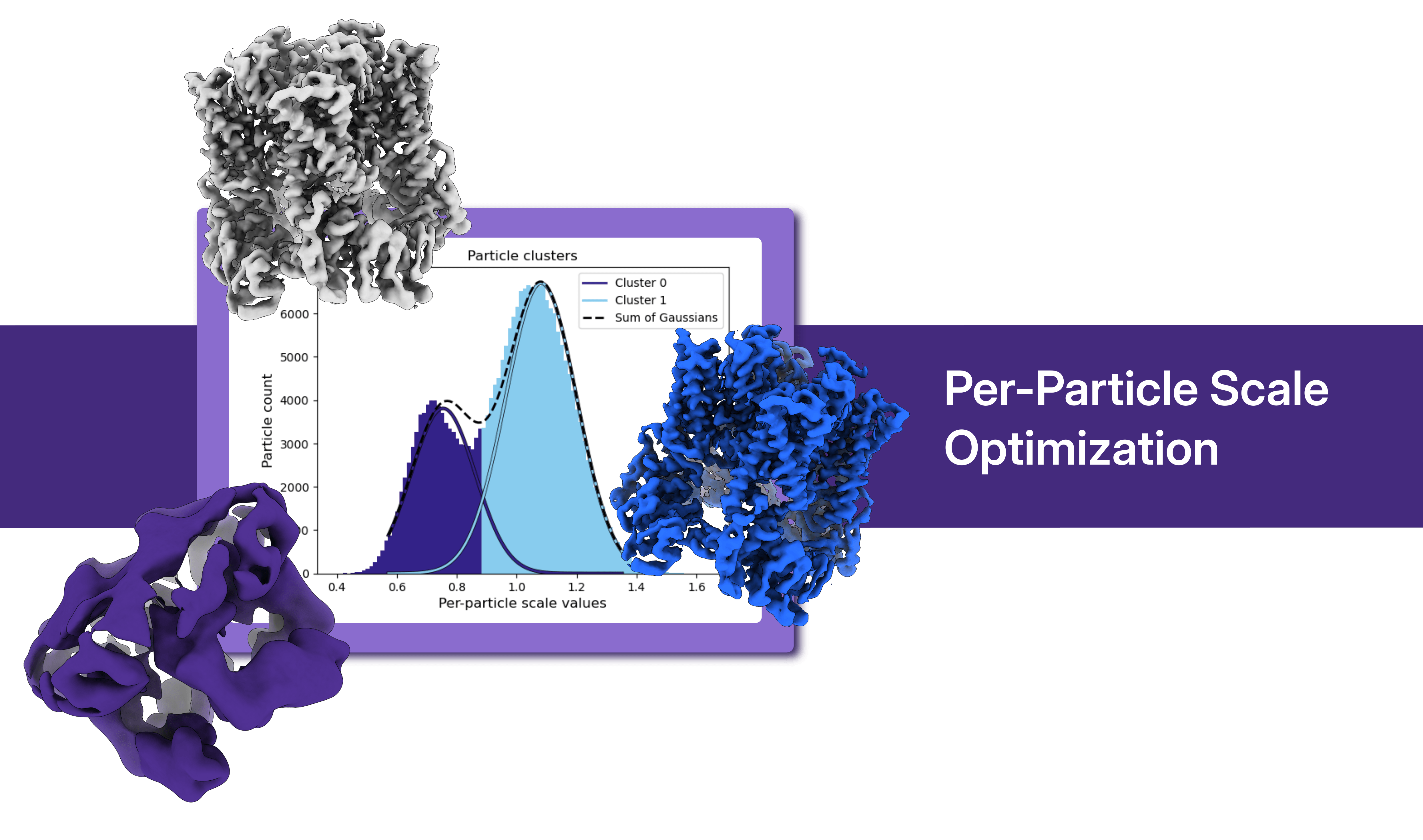
Optimization over per-particle scale takes a more central role in CryoSPARC v5.0, leaving behind low quality particles and making your maps better.
Local CTF refinement now jointly optimizes over per-particle scale and defocus, improving parameter estimation and supporting more reliable convergence in challenging datasets. At the same time, per-particle scale optimization is now enabled by default in refinement jobs (Homogeneous, Non-Uniform, and Helical), providing a more consistent way to account for particle variability and enhance overall reconstruction quality.
The new Homogeneous Ab-Initio Refinement (BETA) job extends the capabilities of ab initio approaches to higher resolutions, particularly for small and challenging targets. Inspired by recent developments (HR-HAIR: Kim et al. 2025), this method opens new possibilities for improving map quality in difficult datasets.
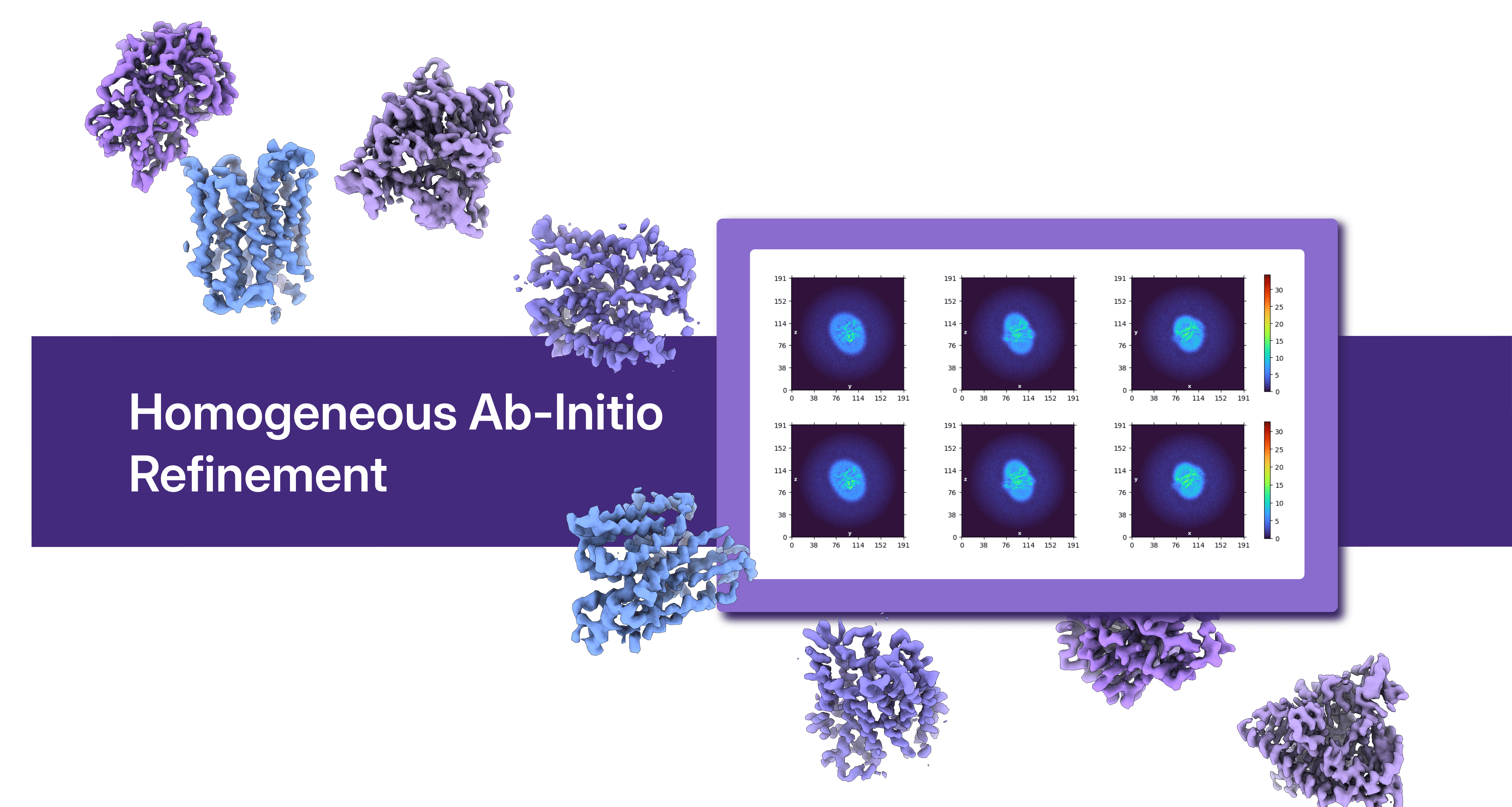
Refinement workflows incorporate state-of-the-art approaches for high-resolution reconstruction.
New Quality of Life and Software System Features
Underlying all of these improvements are additional new quality of life enhancements, including:
- Copy and paste parameters between jobs
- Automatically generate Import 3D Volumes jobs when uploading data
- Embedded documentation links that redirect out to relevant pages in the CryoSPARC Guide
- Reworked shortcuts dialog
- Simplified instance recovery
- Redesigned instance information tab that provides clearer view of available compute resources
- Current Jobs dialog and Queue panel now displaying real-time usage of CPUs, GPUs and RAM space
- Improved tagging experience to track and archive projects more easily
New software features give finer control over storage and metadata/report downloads:
- Updated data cleanup, with new enhancements to the Cleanup Data tool
- CSV downloads supporting improved downloading of metadata and the ability to include only manually selected jobs.
How to Update to CryoSPARC v5.0
CryoSPARC v5.0 is a major software update, and its stable release is now available. Review the compatibility notes and the full update instructions before upgrading to ensure a smooth and predictable transition.